
15 Best AI Writing Tools and Software for Content Marketers
You asked an AI tool to write a blog post. It gave you 1,200 words of generic filler that reads like a Wikipedia summary crossed with a press release. Now you’re spending 45 minutes rewriting something that was supposed to save you time.
That’s the trap most people fall into. They pick an AI writing tool based on hype, paste in a vague prompt, and get back content they’d never publish under their name. The output sounds “fine” but says nothing. I burned through 4 different tools before I figured out which ones actually produce drafts worth editing.
I use AI writing tools every day for client work and my own content. The 15 tools below are the ones that have earned their spot in 2026. I’ll tell you where each one shines, where it falls short, and which one fits your workflow.
Writing tools vs. writing assistants: This article covers AI content generators. If you need grammar and style checking, I’ve already compared the best writing assistants (Grammarly, ProWritingAid, and Sapling).
These tools generate original content from your prompts, adapt writing styles, handle translations, and produce bulk content that would take a team of writers days to complete. If you also create video content, check out the best AI video generators too. These writing tools won’t replace skilled copywriters, but they’ll make your content workflow significantly faster.
The best AI writing tools
- ChatGPT for general-purpose writing and versatility
- Claude for long-form editorial quality and natural tone
- Jasper for marketing teams who need brand voice consistency
- Notion AI for team productivity and docs workflow
- Grok for bold, direct content with real-time web access
- Gemini for Google Workspace users and research-heavy writing
- Frase for SEO content with built-in SERP analysis
- Katteb for fact-checked, citation-backed content
- WordHero for affordable bulk content generation
- LeadScripts+ for sales copy and conversion-focused writing
- AISEO.ai for SEO-optimized articles with paraphrasing
- SimilarContent Pro for NLP-driven content optimization
- ContentForge for structured blog post workflows
- Blogely for end-to-end blog content management
- Texta.ai for quick article drafts with SEO scoring
Quick context: AI writing tools in 2026 are powered by large language models from OpenAI (GPT-5.1), Anthropic (Claude Opus 4, Sonnet 4), Google (Gemini 2.5), and xAI (Grok 3). The model matters less than the interface and workflow built around it. Two tools can use the same underlying model and produce very different results depending on how they prompt it, what guardrails they set, and how they handle your input.
Quick Comparison
Here’s the short version if you don’t want to read 15 individual reviews.
| Tool | Best For | Price | Free Plan |
|---|---|---|---|
| ChatGPT | General writing, versatility | $20/mo (Plus) | Yes |
| Claude | Long-form, editorial quality | $20/mo (Pro) | Yes |
| Jasper | Marketing teams, brand voice | $49/mo (Creator) | 7-day trial |
| Notion AI | Team productivity, docs | $10/member/mo | Limited |
| Grok | Bold, direct content | $8/mo (Premium) | Yes |
| Gemini | Google ecosystem, research | $19.99/mo (Advanced) | Yes |
| Frase | SEO content optimization | $15/mo (Solo) | 5-day trial |
| Katteb | Fact-checked content | $15/mo | Limited |
The Best AI Writing Tools
I’ve organized these by what they’re actually best at. The first five are the heavy hitters I’d recommend to most writers. The rest are specialized tools that work well for specific use cases. If you’re building a broader content strategy, pair one of these with a good writing assistant for editing.
ChatGPT
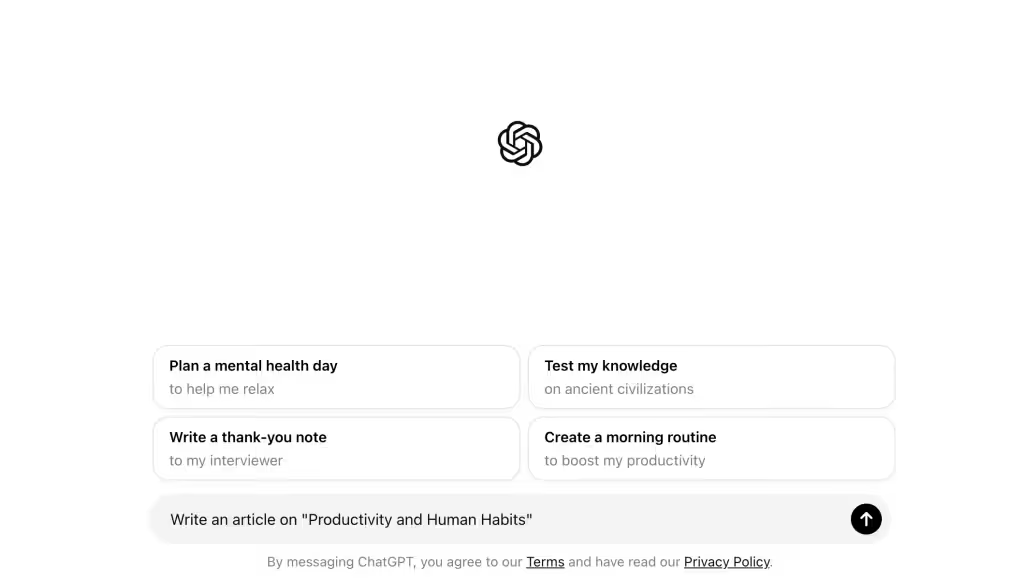
ChatGPT, built by OpenAI, is now powered by the latest GPT-5.1 architecture, and it’s raising the bar for every AI writing tool out there. It has become faster, sharper, and far more reliable, making it the best AI writing tool you can use right now.
With GPT-5.1 running under the hood, ChatGPT produces writing that feels natural and intentional. It understands context better, follows instructions more accurately, and adapts to your tone with surprising precision. Content creators, marketers, and businesses use it for everything from writing long-form articles and emails to brainstorming ideas and providing instant customer support.
Key Features
Natural Language Generation: GPT-5.1 produces cleaner, more structured writing with better context awareness, making the output feel intentional instead of auto-generated.
Instruction Following: ChatGPT now sticks to complex instructions with far better accuracy, even in long documents, multi-step tasks, or tone-specific rewrites.
Advanced Reasoning: With 5.1, the model handles logic-heavy writing, outlines, comparisons, and content planning more reliably than older versions.
Multimodal Support: You can drop PDFs, images, URLs, and data tables into ChatGPT and get organized insights, rewritten content, or structured outputs instantly.
Adaptive Tone Control: It understands style guides and voice requirements better, allowing you to match brand tone, simplify language, or scale up complexity at will.
Continuous Upgrades: ChatGPT now receives rolling model improvements, so factual accuracy, responsiveness, and writing quality keep evolving throughout the year.
Applications
Content Creation: From blog posts and social media content to full long-form articles, ChatGPT-5.1 helps you draft clean, on-point copy that fits your instructions.
Editing and Proofreading: You can rewrite, tighten, simplify, or enhance your text with better clarity and fewer inconsistencies thanks to improved language modeling.
Customer Support: Businesses use ChatGPT to power smarter bots that understand nuance, follow support workflows, and reduce repetitive back-and-forths.
Research and Outlining: 5.1 can analyze long PDFs, summarize pages, extract insights, and build detailed outlines that speed up your content process.
Educational Use: From tutoring to solving step-by-step problems, ChatGPT is much better at explaining concepts, creating study notes, or adapting to a learner’s level.
Creative Writing: Brainstorm stories, draft scripts, or generate creative variations with more depth and less generic filler than older AI models.
Benefits
Efficiency: You save hours on content production because GPT-5.1 generates cleaner drafts that require less rewriting.
Scalability: It handles large content batches, multi-document workflows, and big editorial projects without losing context.
Cost-Effective: ChatGPT replaces multiple tools — writing, research, SEO suggestions, planning — giving better value for teams and solo creators.
Accuracy & Reliability: GPT-5.1 reduces hallucinations, catches more errors mid-generation, and delivers stronger factual grounding.
Creativity: You get unique ideas, angles, and structures instead of repetitive or template-like text.
ChatGPT is powerful, but not perfect. It can still misinterpret edge cases, mix up facts, or produce content that needs human refinement. Always check important details, especially in technical or data-heavy content. Biases can show up in outputs too, so stay mindful when using AI for sensitive or high-impact work.
ChatGPT is free to try and can be upgraded to premium for $20 per month. With GPT-5.1, the value has increased significantly — you get better writing quality, deeper reasoning, and a workflow that genuinely saves time, making the upgrade worth considering for professional use.
ChatGPT

Pros
- Best general-purpose AI writing tool available
- Free tier is genuinely useful for daily writing
- Handles every content format from blogs to code
- Custom GPTs for specialized writing workflows
Cons
- Plus subscription required for best models
- Can produce generic output without detailed prompts
- Rate limits on free tier during peak hours
- No native long-form document editor
Summary
The most versatile AI writing tool available. GPT-5.1 delivers natural, context-aware content across every format from blog posts to emails to code. The free tier is generous and Plus unlocks advanced models, image generation, and web browsing.
Notion AI
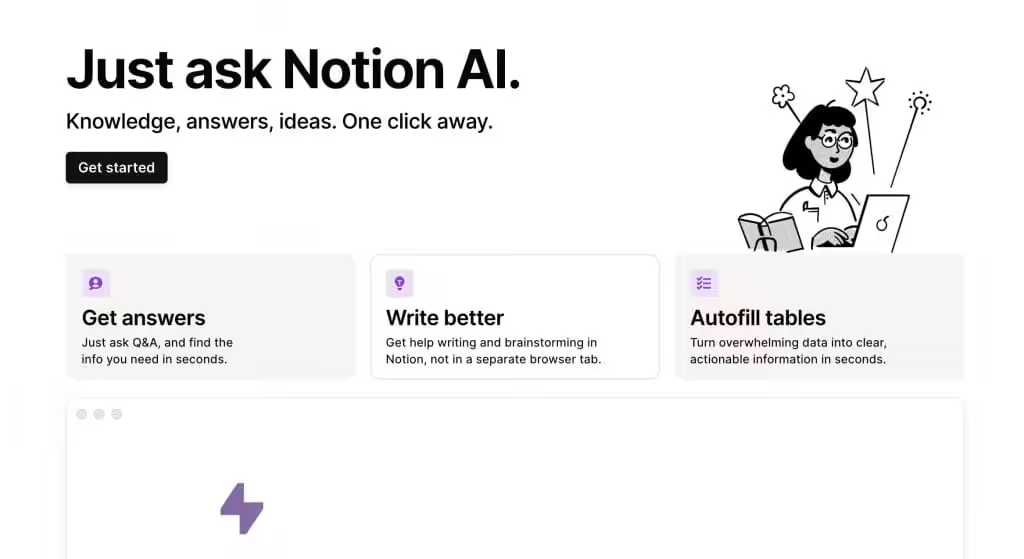
Notion AI is an innovative extension of the popular productivity tool, Notion. It integrates advanced AI capabilities to assist users in drafting, editing, and managing content. Whether you’re a student, a professional, or a content creator, Notion AI helps streamline your writing process, making it faster and more efficient.
Key Features
- Smart Writing Assistance: Notion AI can help you write content from scratch, suggest improvements, and refine your text to enhance clarity and coherence as an AI-writing tool.
- Task Automation: Automate repetitive writing tasks, like summarizing long documents, generating to-do lists, or creating meeting notes.
- Content Generation: Generate high-quality content for blogs, articles, emails, and more with minimal input.
- Research and Insights: Quickly gather information and insights on various topics to enhance your writing.
- Multilingual Capabilities: Notion AI supports multiple languages, making it useful for global teams and projects.
Applications
- Content Creation: Notion AI helps you draft blog posts, social media updates, marketing materials, and more, quickly and efficiently.
- Note-Taking and Organization: Improve your note-taking with smart suggestions, automatic summaries, and better organization of your thoughts and ideas.
- Meeting and Project Management: Use Notion AI to generate meeting agendas, project plans, and status updates, keeping everyone on the same page.
- Academic Assistance: Students can benefit from Notion AI’s ability to help draft essays, create study notes, and summarize research papers.
- Creative Projects: Notion AI aids in brainstorming ideas, outlining creative projects, and providing inspiration for writing.
Benefits
- Efficiency: Speeds up the writing process, helping you create content faster.
- Productivity: Boosts productivity by automating repetitive tasks and providing smart suggestions.
- Collaboration: Enhances collaboration by making it easier to share and organize content within teams.
- Cost-Effective: Offers a budget-friendly solution for individuals and teams looking to improve their writing and productivity.
Again, note that Notion AI is powerful, but it’s not perfect. It may sometimes produce text that requires further editing or fact-checking.
You should always review and verify the content generated. Additionally, while Notion AI supports multiple languages, its performance may vary depending on the complexity and context of the text.
Notion AI is an add-on to Notion and is charged at $10/member/month.
Notion AI

Pros
- Seamlessly integrated into Notion workspace
- Excellent for team collaboration and editing
- Smart summarization and translation built in
- Works within your existing documents and databases
Cons
- Requires Notion subscription as base
- AI add-on is an extra cost per member
- Writing output less creative than dedicated tools
- Limited to Notion environment
Summary
AI writing deeply integrated into the best productivity workspace. Notion AI excels at drafting, editing, summarizing, and brainstorming within your existing workflow. Perfect for teams who already use Notion for project management and documentation.
Price: USD 10 /member/month
Try Notion AIGrok
Grok by xAI is one of the fastest-growing AI writing models in 2026. It’s known for its bold personality, sharp reasoning, and the ability to generate high-quality content with a more direct and honest tone. Compared to traditional AI tools, Grok tends to give you punchier, clearer outputs, which many content marketers love when they want content that sounds more human and less corporate.
Powered by the latest Grok 4.1 model, it handles long-form writing, analysis, and structured content far better now. Businesses, creators, and researchers use Grok to develop content that feels conversational, confident, and deeply factual.
Key Features
- Natural Language Generation: Grok generates bold, clear writing that avoids fluff and delivers content in a straightforward style that resonates with modern readers.
- Instruction Following: It follows layered content instructions well, letting you specify tone, style, structure, and complexity without losing accuracy.
- Advanced Reasoning: Grok 4.1 handles fact-heavy writing, comparisons, and market insights more reliably than before, reducing the need for heavy rewrites.
- Real-Time Web Knowledge: Grok can pull fresh information from the open web, allowing you to produce more up-to-date content for news, trends, and fast-moving topics.
- Tone Customization: You can adjust outputs from casual to professional, or keep Grok’s signature witty tone, depending on your audience.
- Fast Output: Grok is quick — great when you need drafts, ideas, or rewritten content within seconds.
Applications
- Content Creation: Draft newsletters, blogs, and social media posts in a bold, fast, and engaging voice. Perfect for trend-based content.
- Editing and Proofreading: Rewrite or refine text to make it clearer and more concise without losing meaning.
- Research and Outlining: Use Grok to gather insights, break down complex topics, and generate actionable outlines for long-form articles.
- Marketing Copy: Generate SEO-friendly landing pages, emails, and product descriptions that hit user intent.
- Data-Driven Writing: Since it reads the live web, it’s useful for timely articles, comparisons, and competitor breakdowns.
- Creative Writing: Create witty scripts, unique angles, or fresh story ideas using Grok’s distinctive personality.
Benefits
- Efficiency: Grok produces clean, sharp content quickly, reducing your writing workload.
- Accuracy: Real-time information access makes Grok more dependable for news-oriented or fast-evolving topics.
- Cost-Effective: A single tool for writing, rewriting, researching, and ideation.
- Scalability: Handles bulk tasks like rewriting multiple articles, summarizing reports, or generating copy variations.
- Authenticity: Outputs feel natural and conversational, which improves user trust and engagement.
- Grok is powerful, but not always safe for sensitive writing. Its humor can sometimes be too direct, and it may not suit brands that require a polished or neutral tone. Always review content before publishing, especially for formal niches.
- Grok is part of the xAI Premium plan and can be accessed through web and mobile. For creators who want fast, bold, and up-to-date content, it’s a strong addition to your AI writing workflow.
Grok

Pros
- Bold, direct writing style that stands out
- Excellent reasoning and factual accuracy
- Fast content generation
- Real-time information access via X platform
Cons
- Smaller ecosystem compared to ChatGPT
- Limited third-party integrations
- Personality style not suited for all brands
- Premium tier required for best features
Summary
A bold and direct AI writing tool from xAI that prioritizes honest, punchy content over corporate fluff. Grok 4.1 handles long-form writing and analysis well with a distinctive voice that content marketers appreciate for standing out.
Claude
Claude is the AI writing tool I use most. Not because it’s the fastest or cheapest, but because the writing quality is noticeably better than anything else I’ve tested. Anthropic’s Opus and Sonnet models produce long-form content that reads like a competent human wrote it, not like a language model strung together plausible sentences.
Where Claude really pulls ahead is instruction following. You can give it a detailed editorial brief, a specific tone, formatting rules, a word count target, and it sticks to all of them. Most AI tools drift after 500 words. Claude stays consistent through 3,000+ word articles. That’s why I use it for client content where voice consistency matters.
What sets Claude apart for writers
Installable writing skills. This is the feature that changed my workflow. Claude Code (the CLI version) and Claude.ai Projects both support custom instructions, but Claude Code takes it further with installable skills. You can load a voice DNA file that teaches Claude your exact writing style, an anti-slop detector that catches AI-sounding phrases before you publish, editorial frameworks for different content types, and banned phrase lists. I run a full writing system through Claude with skills for blog articles, software reviews, newsletters, and SEO content. Each skill loads the right voice, structure, and quality checks automatically.
Long context window. Claude handles 200K tokens in a single conversation. You can drop an entire PDF, a competitor’s article, your brand guidelines, and a content brief into one prompt and get a draft that accounts for all of it. I regularly feed it 10-15 reference articles when writing comparison posts.
Reasoning over speed. Claude doesn’t rush to generate text. It thinks through structure, weighs the brief, and produces drafts that need less editing. I spend about 30% less time editing Claude’s output compared to ChatGPT’s. The tradeoff is speed. Claude is slower. For bulk content, ChatGPT wins. For anything where quality matters, Claude wins.
Honest about limitations. Claude is more likely to say “I don’t know” than fabricate an answer. That matters when you’re writing about specific products, pricing, or technical topics. I still fact-check everything, but Claude gives me fewer things to catch.
Where it falls short
No real-time web access in the base model (web search is available on Pro). No image generation. The free tier has strict daily limits. And Claude can be overly cautious, refusing to write about topics that ChatGPT or Grok handle without issue. The Pro subscription ($20/month) is required for serious writing work.
Pricing: Free tier with limits. Pro at $20/month. Team at $25/user/month. Three model tiers: Haiku (fast, cheap), Sonnet (balanced), Opus (best quality).
Best for: Writers who care about output quality, brands that need consistent voice, content teams running editorial workflows with custom instructions and writing skills.
Claude

Pros
- Best writing quality among all AI tools
- Exceptional at following complex editorial instructions
- Produces the most human-like long-form content
- Strong reasoning for research-backed writing
Cons
- No real-time internet access in base model
- Pro subscription needed for heavy usage
- Smaller plugin ecosystem than ChatGPT
- Can be overly cautious with certain topics
Summary
The most human-like AI writing tool available. Claude excels at producing thoughtful, coherent long-form content with exceptional instruction following. Ideal for professional writers, editors, and teams who prioritize depth and quality over speed.
Gemini
Google’s Gemini is a strong competitor in the AI writing space, especially with the Gemini 3 family. It’s deeply integrated into Google’s ecosystem, making it perfect for SEO research, content writing, and productivity tasks.
Gemini is fast, factual, and excellent for structured content. With advanced multimodal abilities, it can analyze PDFs, images, charts, and videos — then convert them into clean written content for blogs, newsletters, and documentation.
Key Features
- Natural Language Generation: Gemini writes clear, neutral, and structured content that’s ideal for blogs, guides, and technical writing.
- Instruction Accuracy: It follows formatting rules, content outlines, and SEO instructions reliably.
- Google Search Integration: You can generate search-intent aligned content backed by fresh Google ecosystem knowledge.
- Multimodal Understanding: Gemini can turn screenshots, videos, slides, and PDFs into usable written content.
- Translation & Localization: Great for multilingual writing tasks and content repurposing.
- Workspace Integration: Works inside Docs, Sheets, Gmail, and Android — a huge win for workflow efficiency.
Applications
- Content Writing: Write SEO-friendly blog posts, how-to guides, and informational pages with search-backed accuracy.
- Editing & Optimization: Rewrite long articles, improve readability, and expand content based on ranking intent.
- Keyword and Topic Research: Combine Gemini with Google Search Console or Trends to plan smarter content.
- Documentation & Tutorials: Produce clean procedural or technical content with step-by-step clarity.
- Idea Generation: Brainstorm headlines, outlines, angles, and questions tailored to user intent.
- Content Repurposing: Convert PDFs, lectures, interviews, and slides into articles or summaries.
Benefits
- SEO Advantage: Because it understands Google Search patterns, Gemini is helpful for keyword-relevant content.
- Productivity Boost: Integrates into Google Workspace, speeding up team workflows.
- Accuracy: Strong fact-grounding from Google’s search-backed data.
- Versatility: Great for blogs, technical writing, and structured educational content.
- Easy Adoption: Most people already use Google tools, so adding Gemini is frictionless.
- Gemini is not as creative as Claude or as bold as Grok, but for SEO writing, technical content, and research-oriented workflows, it’s one of the smartest choices today.
- Gemini is available in free and paid tiers, with Gemini Advanced offering the best writing capabilities. For Google-heavy workflows, it’s a very powerful writing companion.
Gemini

Pros
- Deep Google Search integration for factual content
- Multimodal — analyzes images, PDFs, and charts
- Excellent for SEO-aligned content creation
- Free tier with generous usage limits
Cons
- Writing can feel neutral and lacks personality
- Less creative than ChatGPT or Claude for storytelling
- Advanced features require Google One AI Premium
- Formatting consistency needs improvement
Summary
Google’s AI writing tool with deep search integration and multimodal capabilities. Gemini excels at SEO-aligned content, structured writing, and research-heavy tasks. The Google ecosystem integration makes it ideal for content marketers.
Jasper
Jasper is built specifically for marketing teams. While ChatGPT and Claude are general-purpose tools that happen to write well, Jasper is designed around marketing workflows: campaign briefs, brand voice profiles, ad copy, landing pages, and team collaboration.
The standout feature is Brand Voice. You feed Jasper your existing content, style guide, and tone preferences, and it learns to match your brand across every piece of content. For agencies managing multiple clients, this alone justifies the price. You can switch between brand profiles without re-explaining your voice every time.
Jasper also offers 50+ marketing-specific templates: AIDA frameworks, PAS copy, product descriptions, email subject lines, Facebook ads, Google ads, blog outlines, and more. These templates give you a starting structure that general-purpose tools don’t provide out of the box.
The downside? Jasper is expensive. The Creator plan starts at $49/month for one user. The Pro plan (which adds brand voice and collaboration) is $69/month for one seat. For solo bloggers, that’s steep when ChatGPT Plus costs $20/month. But for marketing teams producing 20+ pieces of content per week across multiple brands, the workflow savings are real.
Pricing: Creator at $49/month. Pro at $69/month per seat. Business plans are custom. 7-day free trial available.
Best for: Marketing teams, agencies managing multiple brand voices, content operations producing high-volume campaign copy.
Katteb
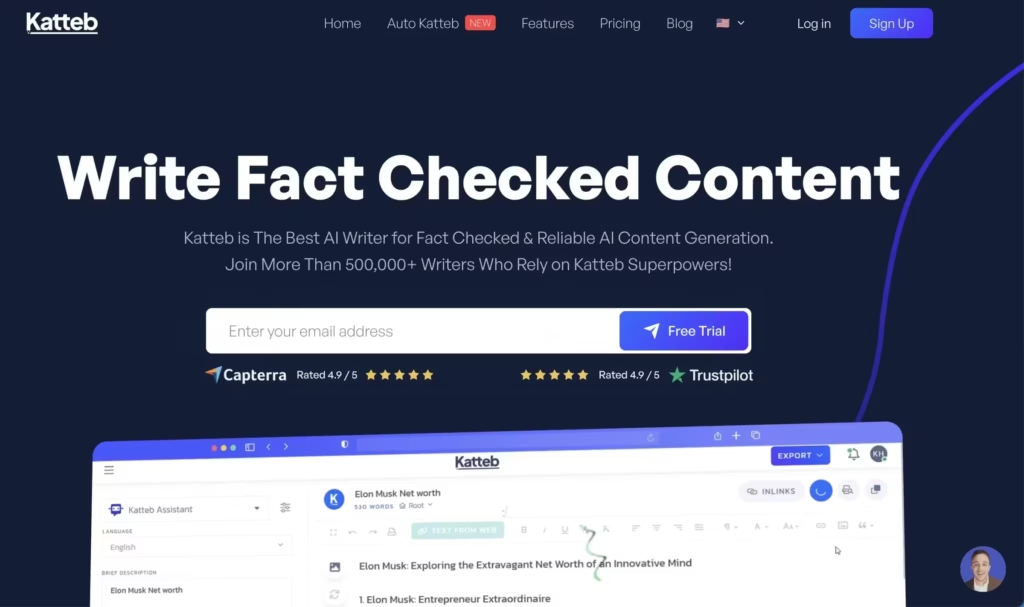
Katteb is an AI copywriting tool that allows you to create high-quality, accurate, and relevant content within seconds. Its AI has been appropriately trained on high-performing copies from leading brands. Thus, it knows exactly what drives conversions and how to produce engaging content that resonates with your audience.
As a marketer, you can use Katteb to automate your copywriting and get more time to focus on other aspects of your business.
If you’re with an agency, you can use Katteb’s robust set of tools to draft ad campaigns, emails, and website content to quickly turn projects around for clients. It also comes with efficient tools to help e-commerce brands make their business look amazing.
It will help you grow your customer base and make more sales using everything from Google and Facebook ads and Ai-written product descriptions.
Katteb is available as a one-time purchase of $39.
Katteb

Pros
- Trained on high-performing marketing copies
- Built-in fact-checking for accuracy
- Good template variety for marketing use cases
- Affordable lifetime deal available
Cons
- Less versatile than general-purpose AI tools
- Long-form content quality is average
- Smaller user community
- Interface feels dated compared to competitors
Summary
An AI copywriting tool trained on high-performing marketing copies. Katteb specializes in conversion-focused content for ads, emails, and websites. Good value through AppSumo lifetime deals for marketers and agencies.
WordHero
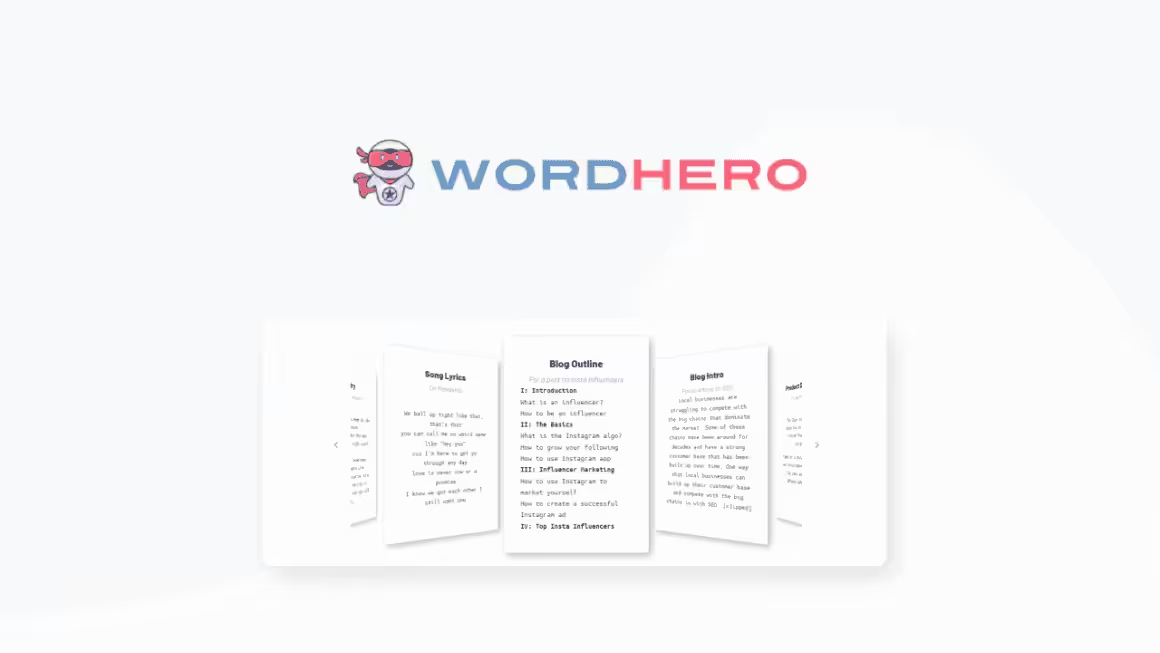
WordHero is a powerful AI writing tool that helps you produce professional blog articles, ads, emails, social media captions, product/SEO descriptions, sales copy, and much more in just clicks.
WordHero comes with a massive suite of over 50 writing tools, with new ones being added regularly. You can also use this tool for marketing, startup, content ideas, and even song lyrics and poetry.
Many users consider it a good alternative to other popular tools such as Jasper. It is certainly a worthy addition to the AI writing software in your toolkit. It is available as a one-time purchase of $89. It is ideal for bloggers and can be considered one of the best AI blog writing tools out there.
WordHero

Pros
- 50+ writing tools covering most use cases
- One-time purchase at affordable price
- Good for quick content generation
- Regular new tools being added
Cons
- Output quality below ChatGPT and Claude
- No advanced AI model selection
- Limited long-form writing capabilities
- Basic editing and refinement tools
Summary
A budget-friendly AI writing tool with 50+ writing templates covering blogs, ads, emails, and social media. Available as a one-time purchase making it attractive for budget-conscious creators who want a solid AI writing assistant.
Price: USD 89 (one-time)
Get WordHeroLeadScripts+
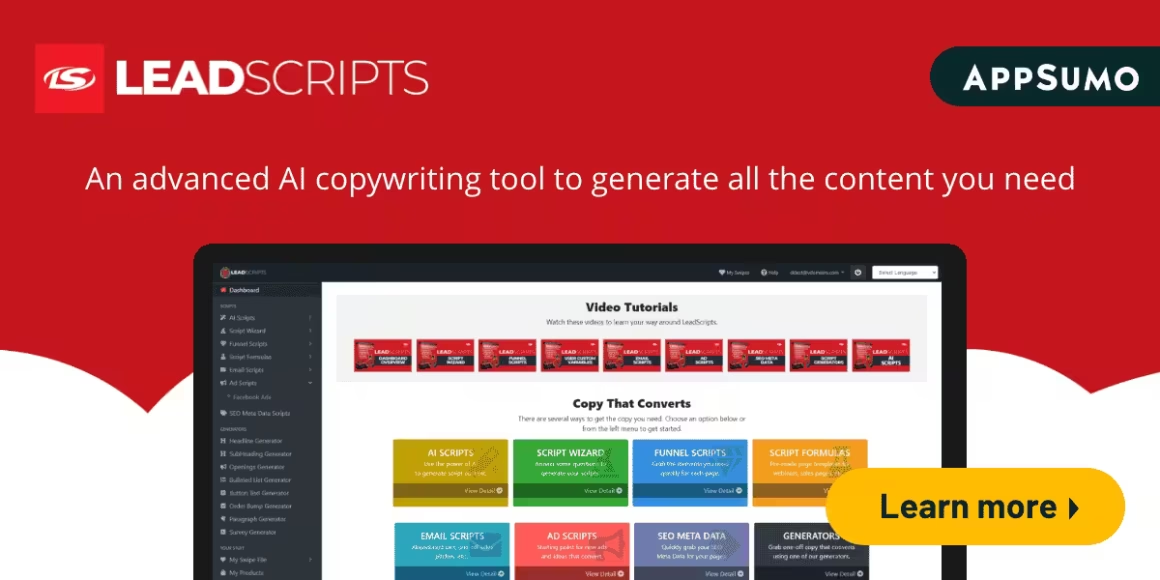
LeadScripts is an effective AI copywriting tool that combines powerful AI with a proven copy strategy framework. It has proven frameworks to generate the content required for emails, sales letters, funnels, and more.
Most importantly, LeadScripts doesn’t require you to deal with long forms, brain freezes, and so on.
You just need to enter a few details about your service or product; LeadScripts will generate a unique marketing copy for your emails, ads, and pages seamlessly.
Thus, you can be assured that you are following a proven strategy and save yourself from the hassle of writing from scratch repeatedly.
LeadScripts+
Pros
- Proven copy strategy frameworks built in
- Good for email and sales funnel copy
- Simple input process for quick generation
- Focused specifically on conversion copy
Cons
- Limited to marketing copy use cases
- Interface needs modernization
- No blog or long-form content support
- Smaller feature set than competitors
Summary
An AI copywriting tool combining AI with proven copy frameworks for emails, sales letters, and funnels. Best suited for marketers who need structured, conversion-focused copy based on established marketing strategies.
AISEO.ai
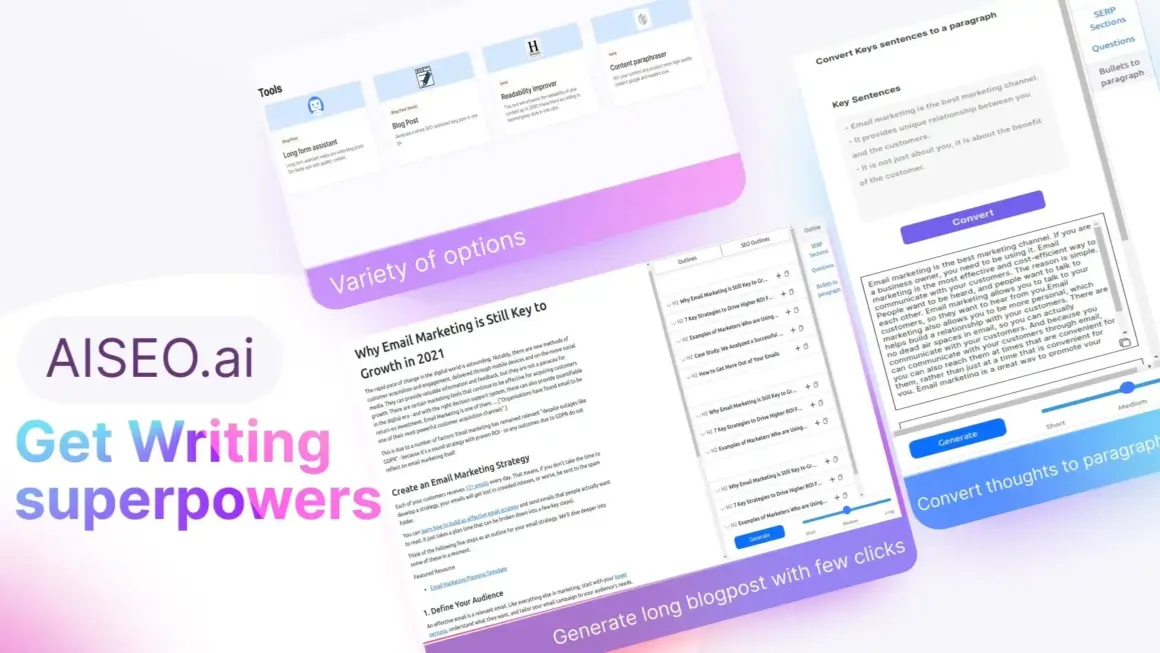
AISEO.ai is a powerful writing assistant that can create, optimize, and rewrite content or blog posts for you with great speed and almost ten times more efficiency. It allows you to generate an SEO-optimized blog post with just a few clicks of your mouse.
With the help of the long-form assistant, you can generate a paragraph with just one click, thus speeding up your workflow greatly.
AISEO.ai’s writing assistant also enhances your blog’s readability with a click according to the Hemingway style. It allows you to improve, rewrite, optimize, and summarize your blog posts – all in one place.
It comes with numerous copywriting templates and allows you to create unlimited custom templates.
AISEO.ai

Pros
- SEO-optimized content generation
- Hemingway-style readability improvement
- Long-form assistant for quick paragraphs
- Unlimited custom templates
Cons
- Writing quality below top-tier tools
- SEO suggestions can be basic
- Interface could be more polished
- Limited advanced editing features
Summary
An AI writing assistant focused on SEO-optimized content generation. AISEO offers blog writing, readability improvement, and content optimization with Hemingway-style analysis. Good for bloggers who want quick SEO content.
Frase
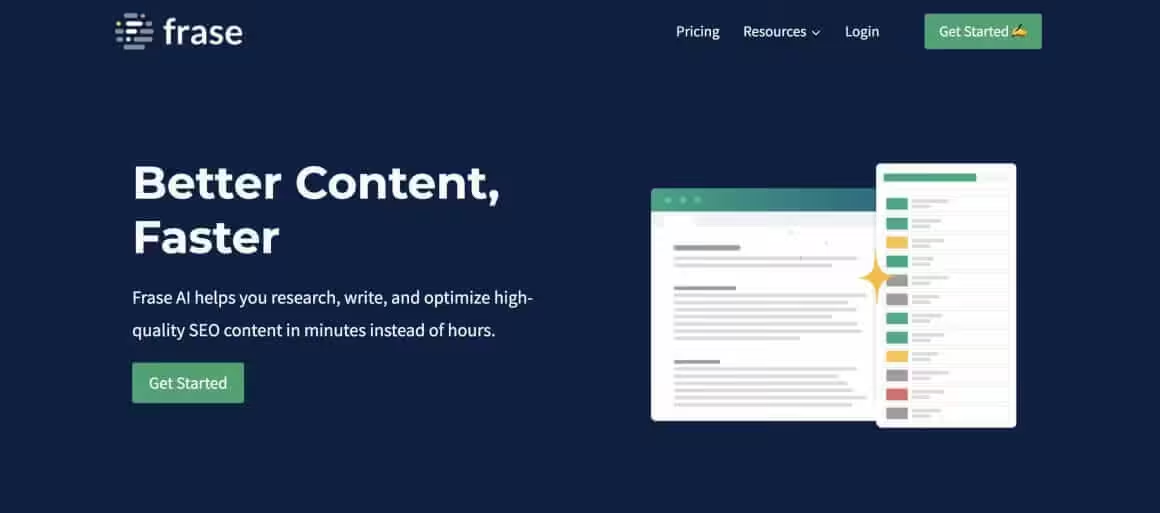
Frase is a powerful and easy-to-use SEO productivity AI tool that helps you optimize content for Google. Simply plug in your target keyword phrases, tap into your writers’ expertise, and get the perfect recipe for optimization that pushes your content to the top of search results.
Frase offers 2 plans:
- Basic Plan – For individuals just getting started with SEO and content optimization, 30 document credits and one user seat a month.
- Team Plan – For SEO or content marketing teams that need more advanced features, unlimited document credits, three user seats a month and $25 for extra seats.
Earlier they also used to offer a Free Forever plan with one user seat, and 5 Frase Content documents credits per month.
Frase

Pros
- Excellent SERP analysis and content briefs
- Data-driven content optimization suggestions
- Good balance of AI writing and SEO tools
- Team collaboration features
Cons
- Learning curve for new users
- Basic plan limits document credits
- AI writing quality average without optimization context
- No free plan available
Summary
A powerful SEO content optimization tool that combines AI writing with SERP analysis. Frase helps you research, write, and optimize content for Google with data-driven suggestions. Excellent for content marketers serious about organic traffic.
SimilarContent Pro
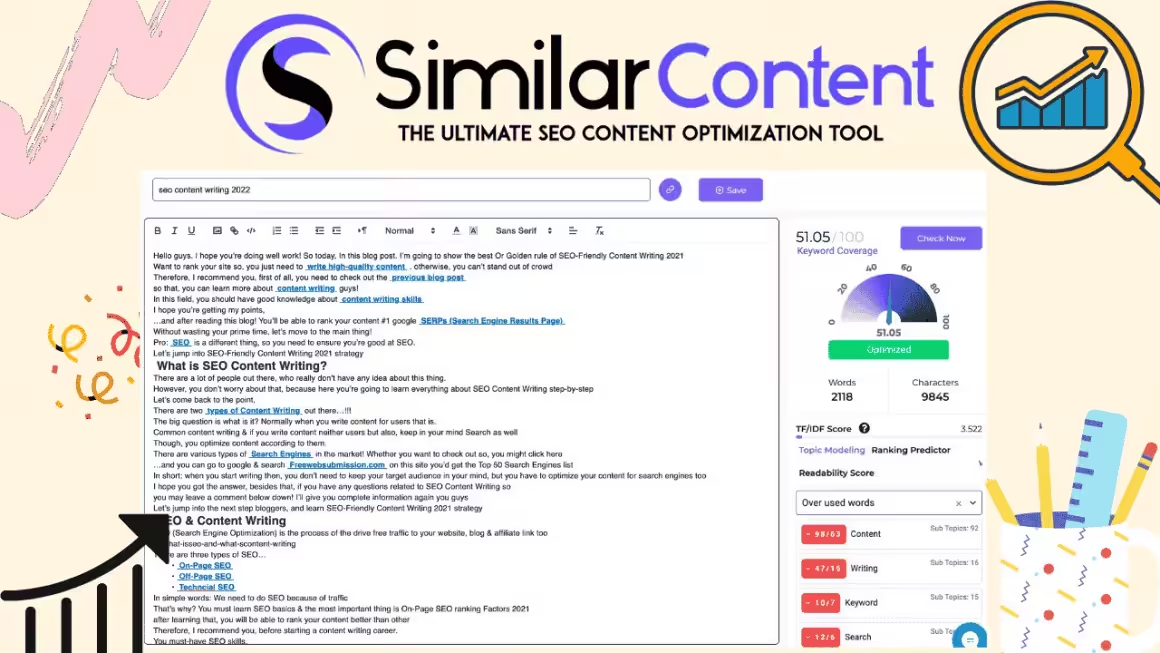
If you fail to use the best keywords when writing your “SEO copy”, then it’ll end up being irrelevant to your audience and old news to search engines.
By using SimilarContent, you can find the best keywords to use for your content by analyzing what users have been searching for and what your rivals are using. It puts forth the choicest keywords that will prove the most beneficial to you.
Thus, you can produce engaging content that works well for both search engines and your audience.
Using a special content scoring solution, SimilarContent Pro rates your content against the top ten results that turn up when you perform a Google search for certain keywords. Its Google Rank Predictor tool lets you know how Google could see your content before publishing it.
You can use its readability checker tool to improve your site’s SEO and its content rewriter tool to rewrite your content in more than 40 languages.
SimilarContent Pro is available for a one-time purchase of $79.
SimilarContent Pro
Pros
- Content scoring against top 10 Google results
- Google Rank Predictor tool
- Good keyword research capabilities
- Readability checker included
Cons
- Limited AI writing capabilities
- Interface feels outdated
- Smaller user base and community
- Better alternatives available for pure writing
Summary
A keyword and content scoring tool that helps you find the best keywords and rate your content against top Google results. Useful for SEO-focused writers who want data-driven keyword optimization and Google rank prediction.
ContentForge
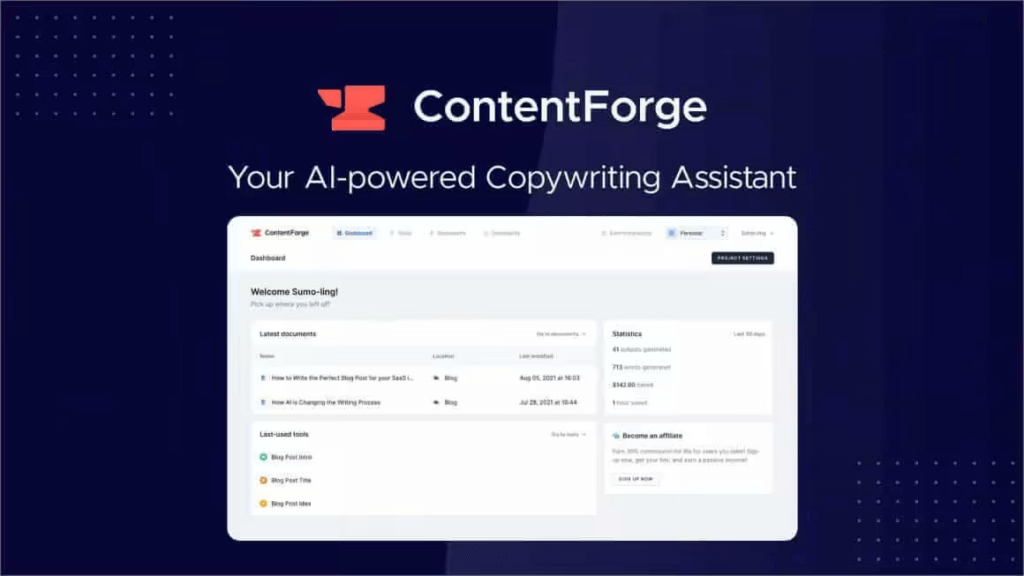
ContentForge is an AI-powered copywriting assistant that aims to make copywriting fast, smart, and easy by allowing you to write, edit, and manage content efficiently. It lets you generate content for blog posts, ads, products, and more than 21 other use cases.
Moreover, you can conveniently organize all your content within the different available Tools, edit everything that gets generated, and add them to your favorites.
You can write long-form content using Documents with AI support. ContentForge helps you write everything from blog posts to books. If you’ve found your copywriting work difficult and time-consuming, look no further than this amazing tool!
I have used ContentForge for months now and I can say it has the best interface out there. At once, it was of the best AI tools for content writing but lately the innovations seem to have slowed.
ContentForge
Pros
- Clean and intuitive interface
- 21+ content use cases covered
- Good content organization features
- Long-form document writing support
Cons
- Writing quality below top AI tools
- Limited advanced AI features
- Small user community
- Better free alternatives now available
Summary
An AI copywriting assistant covering blog posts, ads, products, and 21+ use cases. Clean interface with document-based long-form writing and content organization features. Decent option for teams needing structured content workflows.
Blogely
Blogely helps you write high-quality original content in any language and publish it to WordPress and other blogging platforms easily and quickly.
Designed as an alternative to Upwork and Contently, Blogely helps you increase traffic by optimizing written content for SEO without any prior technical knowledge.
It seamlessly simulates the vintage writing experience by having your notepad on one side and research materials on the other. Moreover, you’ll stay in the app for your entire workflow.
Blogely is an excellent resource for content teams, bloggers, and online creators who’re hoping to produce quality content that generates traffic. It is available as a one-time purchase of $79.
Blogely

Pros
- Direct WordPress publishing integration
- SEO optimization built into workflow
- Research materials alongside writing
- One-time purchase available
Cons
- Writing quality below modern AI tools
- Interface could be more polished
- Limited language model capabilities
- Small development team
Summary
A content creation platform designed as an alternative to freelance writing services. Blogely helps you write, optimize, and publish SEO content directly to WordPress. Good for bloggers who want an all-in-one writing and publishing workflow.
Price: USD 79 (one-time)
Visit BlogelyTexta.ai
Texta.ai

Pros
- Generates articles in seconds
- 18 language support
- Good for high-volume content needs
- Affordable pricing
Cons
- Content quality requires heavy editing
- SEO optimization is basic
- Less refined than premium competitors
- Generated content can feel formulaic
Summary
An article generator available in 18 languages that can produce content in seconds. Texta.ai focuses on speed and volume for social media, blogs, and ads. Good for users who need quick content drafts across multiple languages.
Texta.ai is one of the best article generators available in the market. Available in eighteen languages, it helps you automatically generate articles for your social media pages, blog, website, SEO, ads, and much more.
As surprising as it may seem, it can generate each article within five seconds! Its automated content generation technology outperforms traditional copywriters by up to 400% and helps you save up to 90% of content creation costs.
The development team behind Texta.ai aims to produce high-quality, SEO-optimized original content that ranks on the first page of Google. They acknowledge how frustrating the process of copywriting for your client or business can be.
Whether you are a copywriter, marketer, business owner, or blogger, you can produce engaging copies within seconds using Texta.ai.
It is a great way to enhance your content strategy and leave a good impression on your clients and users.
Texta.ai is available as a one-time purchase of $69.
Which AI Writing Tool Should You Pick?
After testing all of these tools extensively, here’s my honest take:
For general writing: ChatGPT is still the most versatile option. It handles everything from blog posts to code, and the free tier is genuinely useful.
For quality-first writers: Claude produces the most human-like, thoughtful content. I use it daily for long-form articles and editorial work.
For SEO content: Frase combines AI writing with SERP analysis, which is exactly what content marketers need.
For team productivity: Notion AI is unbeatable if your team already uses Notion for project management.
For bold, direct content: Grok delivers punchy writing that stands out from the usual AI-generated content.
For Google-integrated workflows: Gemini works seamlessly inside Docs, Gmail, and Sheets.
The budget tools (Katteb, WordHero, AISEO, Blogely) work fine for basic content generation, but honestly, the gap between them and the top-tier tools has widened significantly. If you’re serious about content quality, invest in one of the big four: ChatGPT, Claude, Gemini, or Grok.
Whatever you choose, remember that AI tools are only as good as the person using them. Learn to write clear prompts, provide good context, and always review the output before publishing. That’s how you get results that actually move the needle.
Best Laptops for AI-Powered Writing Workflows
AI writing tools run in the browser, but your workflow doesn’t. If you’re running ChatGPT, Claude, your CMS, Grammarly, and 30 browser tabs simultaneously (guilty as charged), your laptop’s RAM is what keeps it all from crashing.
I write on a MacBook Air M3, and it handles my entire writing workflow: Claude for drafts, WordPress for editing, Figma for featured images, and Slack for client feedback, all running at once. 16GB RAM and the M-series chip mean I never hit a wall. For screen-heavy workflows, add an external monitor from my monitor guide.

- LEAN. MEAN. M3 MACHINE — With a powerful 8-core CPU and up to 10-core GPU, the blazing-fast MacBook Air with M3 chip is a superportable laptop that sails through work and play.
- BUILT FOR APPLE INTELLIGENCE—Apple Intelligence is the personal intelligence system that helps you write, express yourself, and get things done effortlessly. With groundbreaking privacy protections, it gives you peace of mind that no one else can access your data—not even Apple.*
- PORTABLE DESIGN — Lightweight and under half an inch thin, so you can take MacBook Air anywhere you go.
- UP TO 18 HOURS OF BATTERY LIFE — Amazing, all-day battery life so you can leave the power adapter at home.
- MORE ROOM FOR WHAT YOU LOVE — The 15.3-inch Liquid Retina display supports 1 billion colors.

- Introducing ThinkPad X1 Carbon Gen 12: AI ready laptop featuring the latest Intel Core Ultra 7 Processor with Intel vPro Edition. A visually brilliant 14" FHD+ touch display with 100%sRGB color Gamut is a feast for the eyes. Designed in a thin and light carbon fiber body. Equipped with Copilot for Windows 11 Pro.
- Intel Core Ultra 7 165U vPro Processor (E-Core Max 3.8 GHz, P-Core Max 4.9 GHz with Turbo Boost, 12 Cores, 14 Threads, 12 MB Cache); 32GB LPDDR5x-6400MHz RAM, 1TB PCIe SSD. Super long battery life, up to 10 hours. Razor thin body, just 0.6”; It weighs 2.4 pounds, ultralight design.
- 14" WUXGA (1920 x 1200) IPS, Anti-glare, 16:10, 400nit, 100% sRGB, Eyesafe, Low Power, narrow bezels, Touch display; Integrated Intel Graphics – Expandable to 3 monitors via HDMI, Thunderbolt 4. Max resolution of the External Monitors: 4K (3840*2160) @60Hz.
- 2x Thunderbolt 4, 2x USB 3.2 Gen 1 Type-A (USB 5Gbps / One Always on), HDMI 2.1, Headphone / mic combo, Kensington lock slot; Fingerprint Reader; Backlit Keyboard; Intel Wi-Fi 6E AX211 + Bluetooth 5.3; 1080P FHD IR+RGB with Privacy Shutter. Enjoy enhanced connectivity with the bundled IST Computers 7-in-1 Hub, featuring HDMI (4K@30Hz), USB-C 2.0, two USB 2.0 ports, Type-C Power Delivery, and an SD / TF card reader.
- Everything is original from the Lenovo, One-year WRT from Lenovo. Windows 11 Professional 64-bit, with AI-powered Copilot, offers intelligent assistance for a variety of tasks. Ideal for Designers, Professionals, Small Business, Programmers, Casual Gaming, Video Streaming, Online Class, College Students, Zoom Meeting, Video Conference, etc.
FAQs
What is the best AI writing tool in 2026?
ChatGPT is the most versatile AI writing tool, handling everything from blog posts to emails to code. For the highest writing quality, Claude by Anthropic produces the most human-like long-form content. Your best choice depends on whether you prioritize versatility (ChatGPT), writing quality (Claude), SEO integration (Gemini), or bold content style (Grok).
Can AI writing tools replace human writers?
No. AI writing tools are force multipliers, not replacements. They excel at generating first drafts, brainstorming ideas, and handling repetitive content tasks. But human creativity, subject matter expertise, and editorial judgment are still essential for producing content that truly connects with readers and ranks well in search engines.
What is the best free AI writing tool?
ChatGPT offers the best free tier with genuinely useful writing capabilities. Google Gemini also provides a generous free plan with strong research and SEO features. Grok by xAI has a free tier as well. For most writers, ChatGPT’s free version covers daily writing needs without requiring a paid subscription.
Is AI-generated content good for SEO?
Google has stated that it evaluates content based on quality, not how it was created. AI-generated content can rank well if it provides genuine value, answers user intent, and demonstrates expertise. The key is to use AI as a starting point and then add your unique insights, real-world experience, and editorial polish before publishing.
How much do AI writing tools cost?
Pricing varies widely. ChatGPT Plus costs $20/month, Claude Pro costs $20/month, Notion AI is $10/member/month, and Google Gemini Advanced is part of Google One AI Premium at $19.99/month. Budget tools like Katteb and WordHero offer one-time purchases between $39 and $89. Most premium tools offer free tiers with limited usage.
Which AI writing tool is best for blog posts?
For blog writing, Claude produces the most natural and well-structured long-form content. ChatGPT is excellent for versatility and quick drafts. Frase is the best choice if you want AI writing combined with SEO optimization and SERP analysis. For teams, Notion AI integrates writing directly into your project management workflow.
Can Google detect AI-written content?
Google focuses on content quality rather than detection of AI authorship. Their guidelines emphasize E-E-A-T (Experience, Expertise, Authoritativeness, Trustworthiness). Content that adds genuine value and demonstrates real expertise will perform well regardless of how it was initially drafted. Always add your personal insights and review AI output before publishing.
What is the difference between AI writing tools and AI writing assistants?
AI writing tools (like ChatGPT, Claude, and Jasper) generate content from scratch based on your prompts. AI writing assistants (like Grammarly, ProWritingAid, and Sapling) help you improve existing content by fixing grammar, style, and readability. Most content creators use both: an AI writing tool for drafting and an AI assistant for polishing.
Disclaimer: This site is reader-supported. If you buy through some links, I may earn a small commission at no extra cost to you. I only recommend tools I trust and would use myself. Your support helps keep gauravtiwari.org free and focused on real-world advice. Thanks. - Gaurav Tiwari