
How Search Optimization and UX Work Together to Drive Sales

I spent years treating SEO and UX as separate line items in project budgets. One team optimized for Google, the other optimized for humans, and they rarely talked to each other. That approach stopped working around 2021 when Google started making it impossible to rank without delivering a genuinely good user experience. Today, the distinction between “search optimization” and “user experience” is almost meaningless. They’re the same discipline.
The sites winning in 2026 aren’t the ones with the best keyword strategies or the prettiest designs in isolation. They’re the ones where every page simultaneously satisfies search intent, loads fast, reads easily, and guides visitors toward a clear next step. That convergence is what drives sales, and it’s what this guide will teach you to build.
Why Google Cares About User Experience Now
Google’s business model depends on sending users to sites that answer their questions. If Google consistently sends people to slow, confusing, or unhelpful pages, those people switch to a different search engine. That’s why Google has systematically incorporated UX signals into its ranking algorithm over the past five years.
The biggest shift was Core Web Vitals, introduced in 2021 and refined through 2026. These metrics measure three things that directly affect user experience:
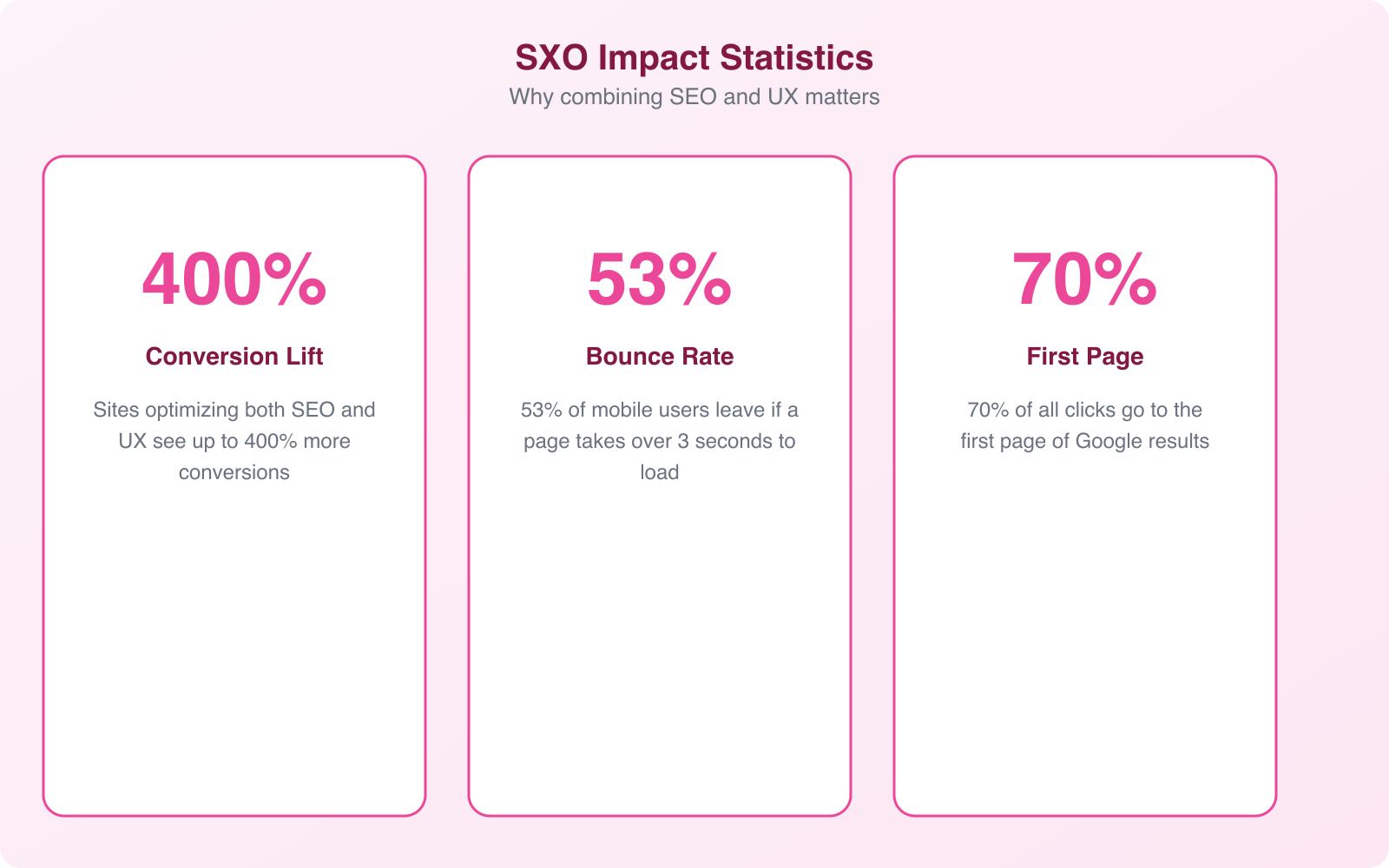
- Largest Contentful Paint (LCP). How fast the main content loads. Target: under 2.5 seconds. Pages that load slowly lose 53% of mobile visitors before the content even appears.
- Interaction to Next Paint (INP). How quickly the page responds to user interactions like clicks and taps. Target: under 200 milliseconds. Sluggish interfaces frustrate users and increase bounce rates.
- Cumulative Layout Shift (CLS). How much the page layout moves unexpectedly during loading. Target: under 0.1. Nothing annoys users more than clicking a button and having the page shift so they hit something else.
Beyond Core Web Vitals, Google uses engagement signals like dwell time, pogo-sticking (users bouncing back to search results immediately), and click-through rates to evaluate page quality. A page that ranks well technically but drives users away sends clear signals to Google that the ranking was wrong. Over time, that page drops.
This creates a virtuous cycle for sites that invest in UX: better experience leads to better engagement signals, which leads to higher rankings, which brings more traffic, which generates more positive engagement signals. The sites that crack this cycle compound their advantages over time.
How SEO Improves User Experience (When Done Right)
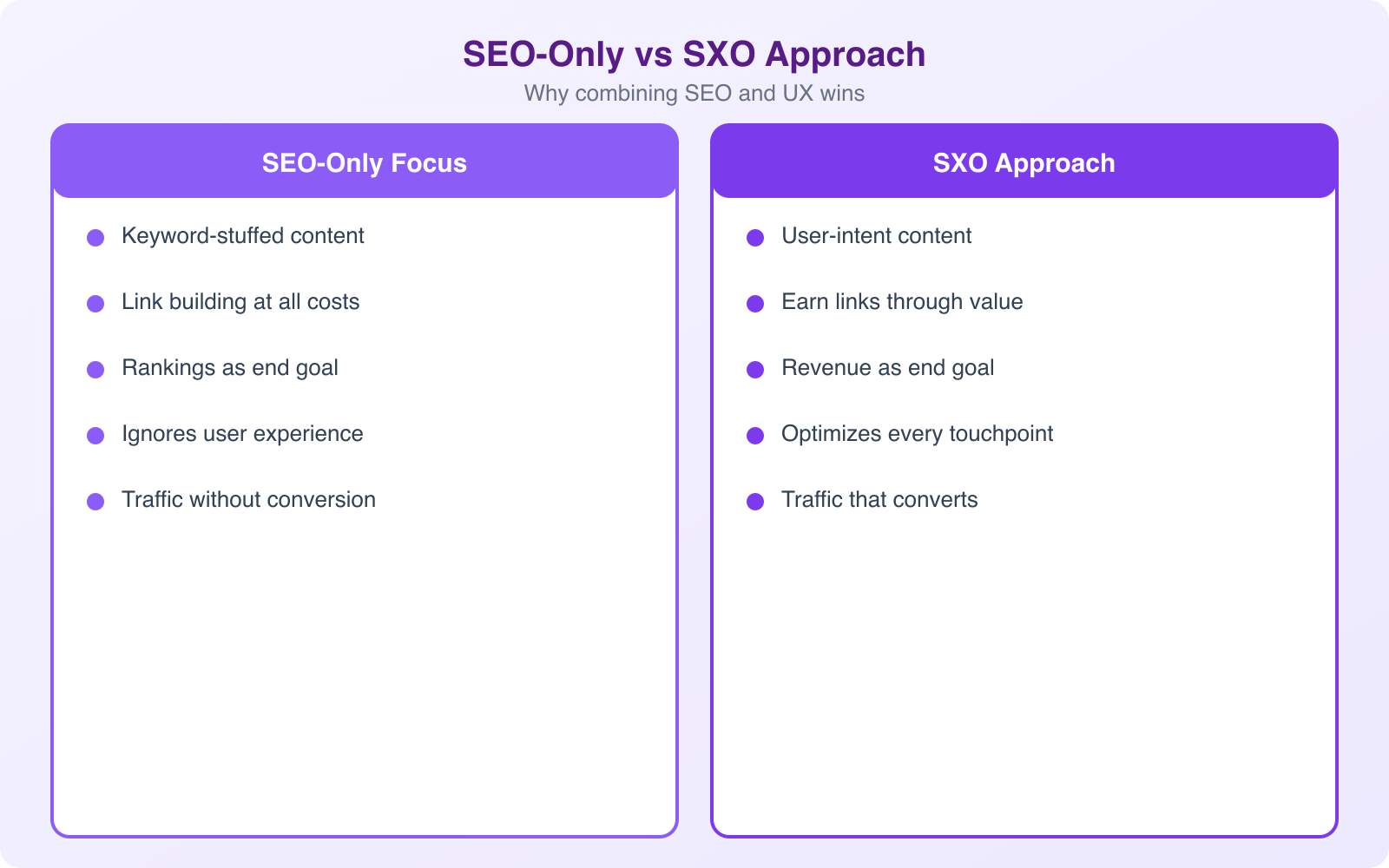
Good SEO, the kind that actually drives sustainable traffic, is fundamentally about understanding what people want and delivering it efficiently. That’s also the definition of good UX.
Search intent alignment. When you optimize for search intent rather than just keywords, you attract visitors who find exactly what they’re looking for. A page targeting “best web hosting for small business” that actually compares hosting plans with prices, pros, and cons will satisfy both Google and the visitor. A page that keyword-stuffs the phrase but doesn’t answer the question will rank briefly and then fall as engagement metrics tank.
Content structure. Proper heading hierarchies (H1, H2, H3) serve two masters simultaneously. Search engines use them to understand page organization and topic coverage. Readers use them to scan the page and jump to the section they need. When I restructure a client’s blog post with clear headings, I typically see both a ranking improvement and a 15 to 25% increase in average time on page.
Technical performance. Every SEO best practice for page speed, from image optimization to code minification to server response times, directly improves the user’s experience. Nobody has ever complained that a page loaded too fast. And Google has never penalized a site for being too responsive. The technical SEO checklist and the performance optimization checklist are essentially the same list.
Site architecture. A well-organized site structure helps crawlers index your pages efficiently and helps users find what they need within 3 clicks. Flat architecture, logical category hierarchies, and clear internal linking serve both audiences. When site architecture is clean, users spend more time exploring, and search engines discover and rank more of your pages.
Pro Tip: Use your Google Search Console data to find pages where you rank on page 1 but have a below-average click-through rate. These pages have SEO equity but weak UX in the search results. Rewrite the meta title and description to better match user intent, add structured data for rich snippets, and watch CTR improve without any link building or content changes. It’s the fastest ROI in the SEO-UX intersection.
How UX Signals Drive Search Rankings
Google doesn’t just measure what’s on your page. It measures what happens when people interact with your page. These behavioral signals have become some of the strongest ranking factors in 2026.
Dwell time and session duration. When visitors spend meaningful time reading your content, exploring related pages, and engaging with interactive elements, Google interprets this as content quality validation. Pages with higher dwell times consistently outrank pages with equivalent backlinks and keyword optimization but shorter engagement.
Pogo-sticking. When a user clicks your result, hits the back button within seconds, and clicks a different result, that’s a strong negative signal. It tells Google your page didn’t answer the query. Reducing pogo-sticking requires matching your content to the specific search intent, not just the keyword. A user searching “how to fix WordPress white screen of death” needs a troubleshooting guide, not a general article about WordPress errors.
Mobile experience. Over 60% of web traffic comes from mobile devices. Google’s mobile-first indexing means your mobile version determines your rankings. Sites with poor mobile UX, tiny touch targets, horizontal scrolling, unreadable text, get penalized regardless of how good their desktop experience is. Responsive design isn’t a nice-to-have. It’s a ranking requirement.
Accessibility. Sites that are accessible to screen readers and keyboard navigation tend to have cleaner HTML, better heading structure, and more descriptive content. These same qualities help search engines understand and rank your pages. Accessibility and SEO have significant overlap, and improving one often improves the other.
Page experience signals. The combination of Core Web Vitals, HTTPS, no intrusive interstitials (popup ads that block content), and safe browsing status forms Google’s “page experience” ranking factor. Sites that pass all these signals get a measurable ranking boost, especially on mobile.
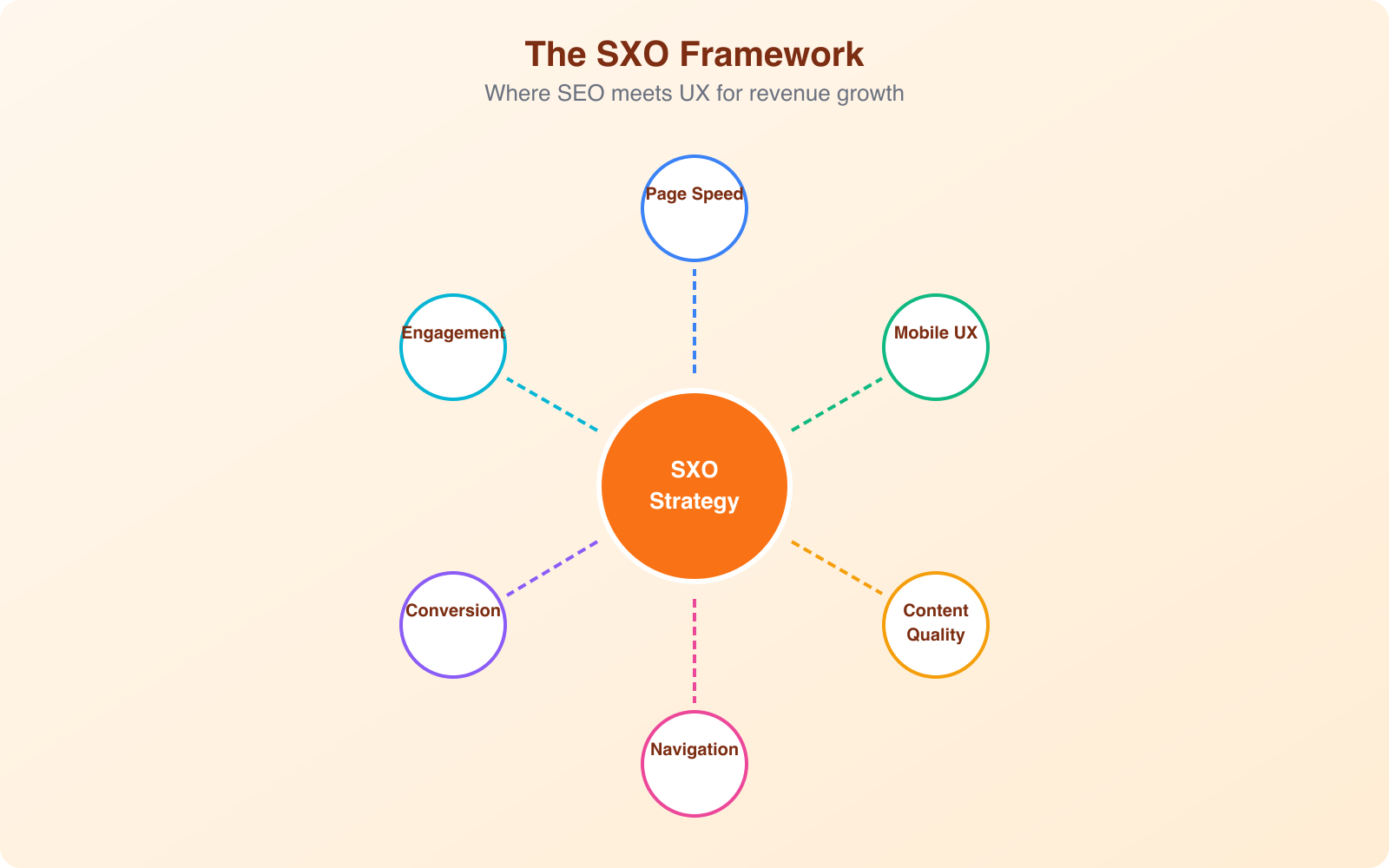
The SXO Framework: Merging SEO and UX Into One Strategy
Search Experience Optimization (SXO) is the discipline of optimizing for the entire journey from search query to conversion. It’s not a new concept, but it’s becoming the standard approach for businesses that take organic growth seriously.
Here’s how the SXO framework works in practice:
Phase 1: Intent research. Before writing a single word, understand exactly what the searcher wants. Google the target keyword yourself. Study the top 5 results. What format are they? What questions do they answer? What do the “People Also Ask” boxes reveal about related concerns? This research shapes both your content (SEO) and your page structure (UX) simultaneously.
Phase 2: Content design. Structure your content to match intent and facilitate scanning. Use clear headings that tell the reader what each section covers. Front-load key information, because 79% of users scan before reading. Use bullet points for lists, tables for comparisons, and visuals for complex concepts. This isn’t dumbing down your content. It’s respecting your reader’s time.
Phase 3: Technical optimization. Ensure the page loads fast, responds immediately to interactions, and works perfectly on mobile. Optimize images (WebP format, lazy loading, explicit dimensions). Minimize JavaScript that blocks rendering. Use a CDN for global performance. These optimizations improve both rankings and user satisfaction.
Phase 4: Conversion design. Place calls-to-action where they make contextual sense, not just at arbitrary intervals. After you’ve demonstrated value (answered a question, provided a comparison, shown a result), that’s when the CTA feels helpful rather than pushy. Test button placement, copy, and design. A/B testing conversion elements is where SEO traffic turns into actual revenue.
Phase 5: Measurement and iteration. Track the full funnel: rankings, organic traffic, engagement metrics (time on page, scroll depth, click patterns), and conversions. Use Google Search Console for ranking data, analytics for engagement data, and heat mapping tools for UX insights. The pages that combine high rankings with high engagement and high conversion are your models. Replicate what works.
Practical SEO-UX Wins You Can Implement This Week
Theory is useful, but execution drives results. Here are specific, actionable optimizations that improve both search rankings and user experience simultaneously:
Rewrite meta titles for click appeal. Your title tag is both a ranking factor and your first UX touchpoint. Include the target keyword, but also make it compelling enough to click. “Best CRM Software for Small Business (2026 Comparison)” is a title. “I Tested 12 CRMs: Here’s the Best for Small Teams” is a click magnet.
Add a table of contents to long content. TOC links create jump links that appear in search results (sitelinks), improving CTR. They also let readers navigate directly to the section they need, improving satisfaction and reducing bounce rates. I add a TOC to every article over 1,500 words.
Implement schema markup. FAQ schema, How-To schema, Product schema, and Review schema all qualify your pages for rich snippets in search results. Rich snippets take up more visual space, increase CTR, and provide users with immediate answers. The implementation takes 30 minutes per page type and compounds across every page that uses it.
Optimize above-the-fold content. The first screen users see should immediately confirm they’re in the right place. Include the H1 that matches their search query, a brief summary of what they’ll learn, and a visual element that breaks up text. Don’t waste above-the-fold space on decorative hero images that push the content below the fold.
Fix internal linking for both navigation and crawling. Every page should link to 3 to 5 related pages using descriptive anchor text. This helps users discover related content (reducing bounce) and helps search engines understand your site’s topical authority. Pages with strong internal linking rank higher and generate more pageviews per session.
Eliminate layout shifts. Set explicit width and height on all images and embeds. Reserve space for ads before they load. Avoid dynamically injecting content above existing content. This fixes CLS issues and eliminates the frustrating experience of accidentally clicking the wrong element because the page shifted.
Note: Don’t try to optimize everything at once. Pick the 3 pages that drive the most organic traffic (check Google Search Console) and optimize those first. Apply the SXO framework: improve content quality, page speed, mobile UX, and conversion design on those pages. Measure the impact over 30 days, then replicate the approach across your next 10 pages. Systematic improvement beats scattered optimization every time.
Tools for Measuring the SEO-UX Intersection
You can’t improve what you don’t measure. Here are the tools that give you visibility into how SEO and UX interact on your site:
Google Search Console. Free. Shows you which queries bring traffic, which pages rank, click-through rates, and Core Web Vitals scores. This is your baseline for understanding how search perceives your site. Check it weekly.
Google Analytics 4. Free. Tracks engagement metrics: session duration, pages per session, scroll depth, and conversion events. The engagement rate metric (replacing bounce rate) tells you how many visitors found your page valuable enough to interact with meaningfully.
PageSpeed Insights. Free. Tests Core Web Vitals on both mobile and desktop, with specific recommendations for improvement. Run this on every important page quarterly, or after any significant design or content change.
Hotjar or Microsoft Clarity. Free to low-cost. Heatmaps show where users click and how far they scroll. Session recordings show exactly how people interact with your pages. Use this data to identify UX friction points that engagement metrics alone won’t reveal.
Screaming Frog or Ahrefs. Paid. Crawls your site to identify technical SEO issues: broken links, missing meta tags, thin content, redirect chains, and crawlability problems. Run monthly audits and fix issues before they compound.
The most effective approach combines these tools into a monthly review cycle. Check Search Console for ranking and CTR trends. Check analytics for engagement patterns. Run PageSpeed Insights on your top pages. Review heatmap data for UX insights. Fix the highest-impact issues first and track the results.
The Conversion Impact: Real Numbers
The argument for combining SEO and UX isn’t just theoretical. Here’s what the data shows across studies and my own client work:
- Improving page load time from 5 seconds to 2 seconds increases conversion rates by an average of 15 to 20%. Every additional second of load time costs roughly 7% in conversions.
- Pages with structured content (clear headings, bullet points, tables) see 47% longer dwell times than walls of text, which translates directly to both ranking improvements and higher conversion rates.
- Mobile-optimized pages convert 64% higher than non-responsive pages. With 60%+ of traffic on mobile, this alone can double your effective conversion rate.
- Sites with rich snippets in search results see 20 to 30% higher click-through rates. More clicks from the same ranking position means more traffic without additional SEO investment.
- Content optimized for both search intent and readability generates 3x more leads per page than content optimized for keywords alone.
The businesses that treat SEO and UX as a single discipline don’t just get more traffic. They get better traffic, better engagement, and more revenue per visitor. The compound effect of these improvements is the difference between a website that costs money and a website that makes money.
Frequently Asked Questions
Should I prioritize SEO or UX when I can’t do both at once?
Start with technical SEO and page speed, because these improvements benefit both SEO and UX simultaneously. Fixing slow load times, mobile responsiveness, and broken links improves your rankings and user experience in one move. Once the technical foundation is solid, focus on content quality and search intent alignment. The optimizations with the highest compound returns are the ones that serve both disciplines at once.
How long does it take to see results from combined SEO and UX optimization?
UX improvements show results almost immediately in engagement metrics (bounce rate, time on page, conversion rate). SEO ranking improvements typically take 4 to 12 weeks to manifest in search results, depending on your site’s authority and competition level. The combined impact becomes most visible at the 3 to 6 month mark, when improved engagement signals have had time to influence rankings, and those ranking improvements have generated enough additional traffic to measure conversion impact meaningfully.
Do Core Web Vitals really affect rankings significantly?
Core Web Vitals are a confirmed ranking factor, but they function primarily as a tiebreaker between pages with similar content quality and relevance. If your content is significantly better than competitors, you can rank well with moderate Web Vitals scores. However, when content quality is comparable (which it often is in competitive niches), Core Web Vitals become the differentiator. More importantly, Core Web Vitals directly affect user behavior, and that behavior (dwell time, bounce rate, pogo-sticking) has a stronger indirect effect on rankings than the direct signal.
What’s the most common mistake businesses make at the SEO-UX intersection?
Optimizing content for keywords without matching search intent. A page can target the right keyword, have perfect on-page SEO, and still fail because it doesn’t answer the question the searcher actually asked. For example, ranking for ‘best project management tools’ with a single product page instead of a comparison article. Google knows what format users expect for each query type, and mismatching format to intent is the fastest way to generate high bounce rates that kill your ranking over time.
How do I convince my team that SEO and UX should be combined rather than separate?
Show them the data. Run a before-and-after test on a single high-traffic page. Optimize it for both SEO and UX simultaneously (improve page speed, restructure content for readability, add schema markup, optimize the CTA placement). Track rankings, organic traffic, engagement metrics, and conversions for 60 days. Compare to the previous 60 days. In nearly every case, the combined approach outperforms either discipline working alone. Once you have internal proof, it’s easy to justify expanding the approach across the site.
The debate about whether to invest in SEO or UX is over. The answer is both, together, always. The businesses that understand this build compounding advantages that grow stronger every month. The businesses that don’t, keep fighting for scraps of traffic that never converts. Pick your side, and start with the three pages that matter most. Optimize them for humans and search engines simultaneously. Then expand from there.