

Turn your newsletter into a publication
MailerHive gives every MailerPress issue its own page on your site, an archive readers can browse, and a draft campaign the moment you publish.
Free license · Unlimited sites · Automatic updates
Runs the From the Workbench newsletter on this site: 16 issues so far.
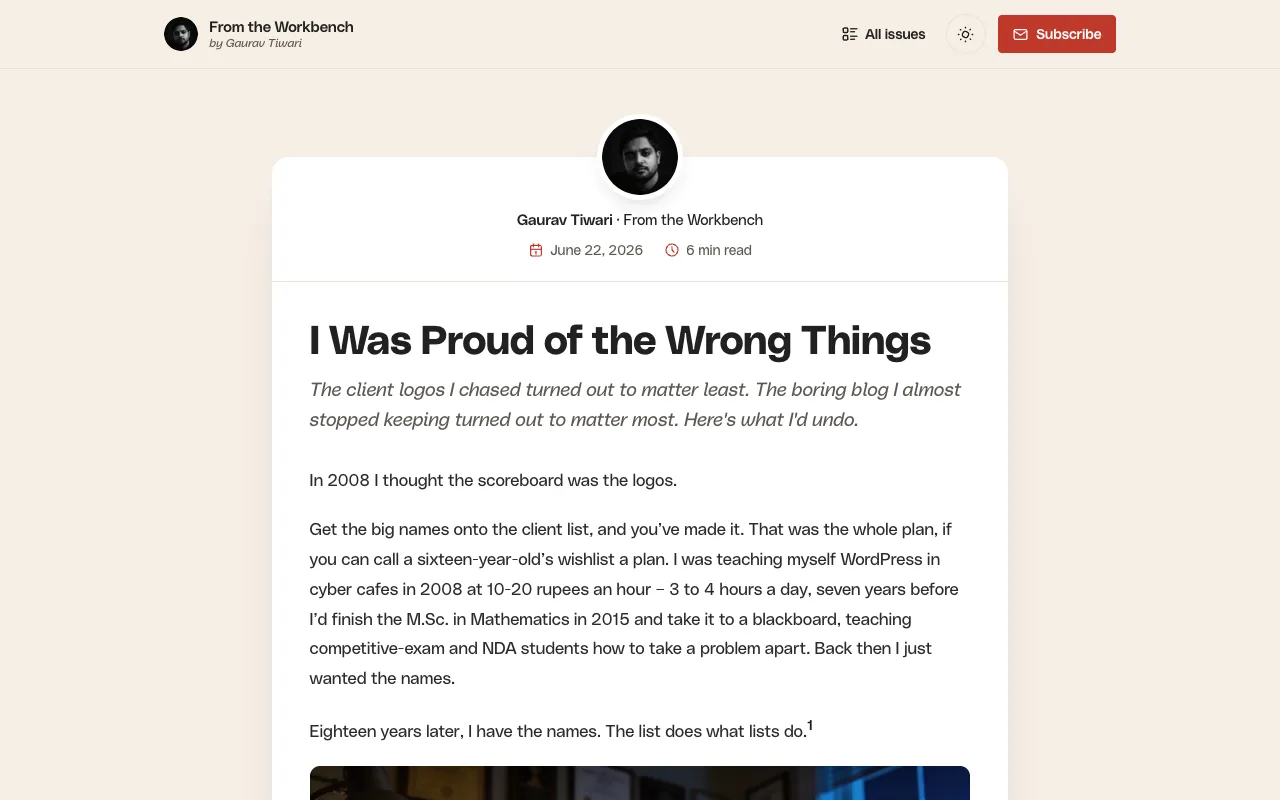
Your newsletter, on your own site
Three things readers and you get the day you install it.
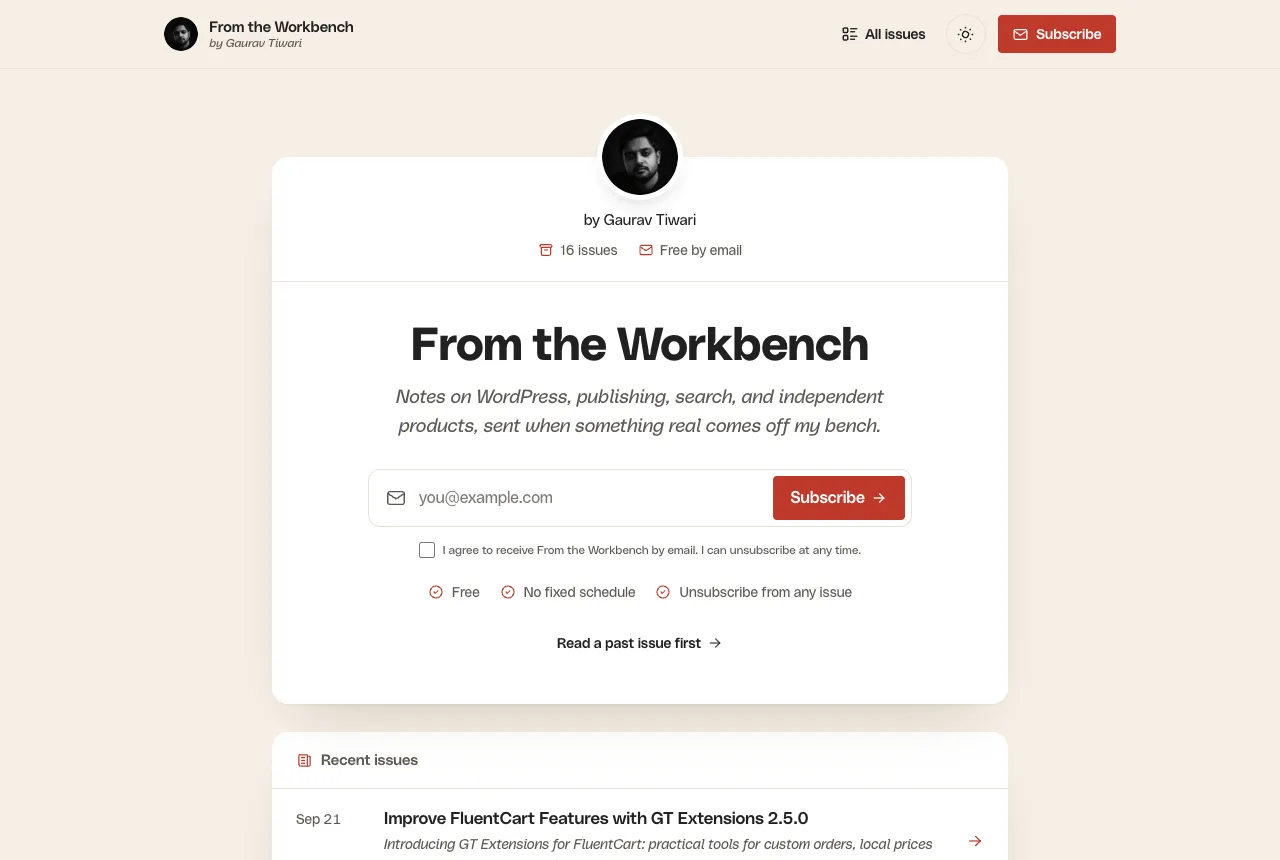
A signup page that reads like the newsletter
Signup card, recent issues and your own content, in the same design as every issue.
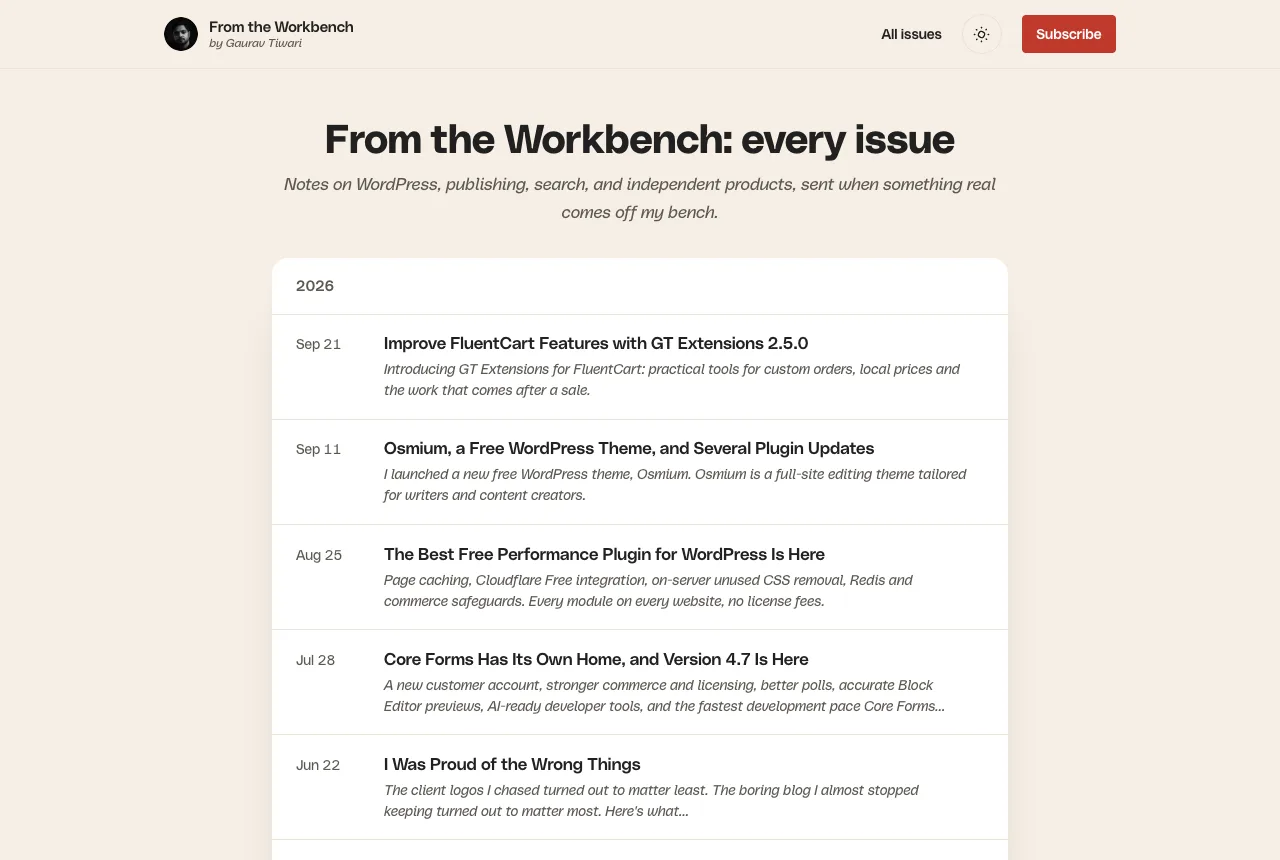
Every issue in one archive
Grouped by year, linked, searchable and indexable on your domain.
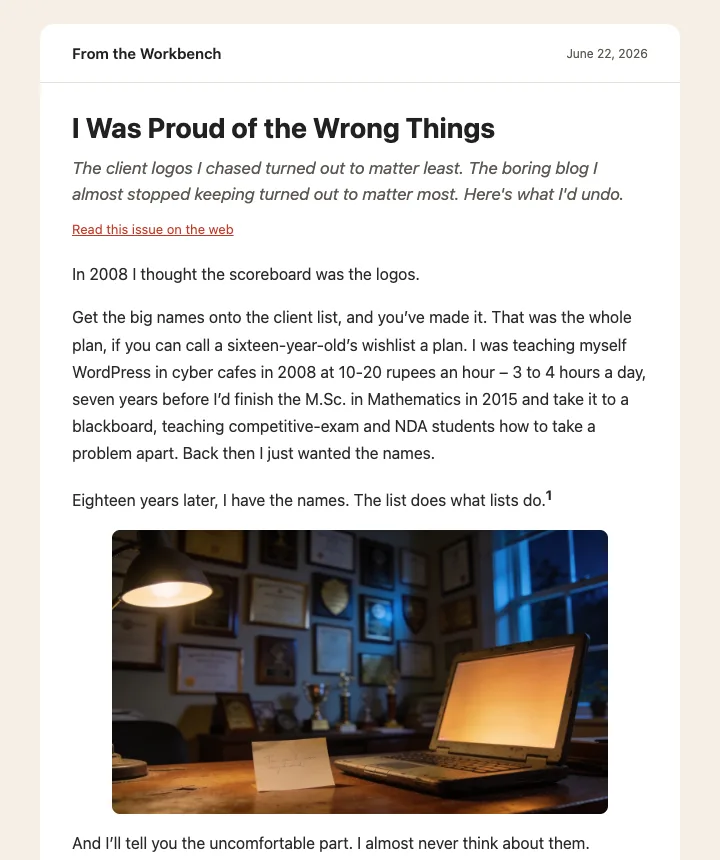
A MailerPress draft per issue
Publish in WordPress, review the email in MailerPress, send when you are ready.
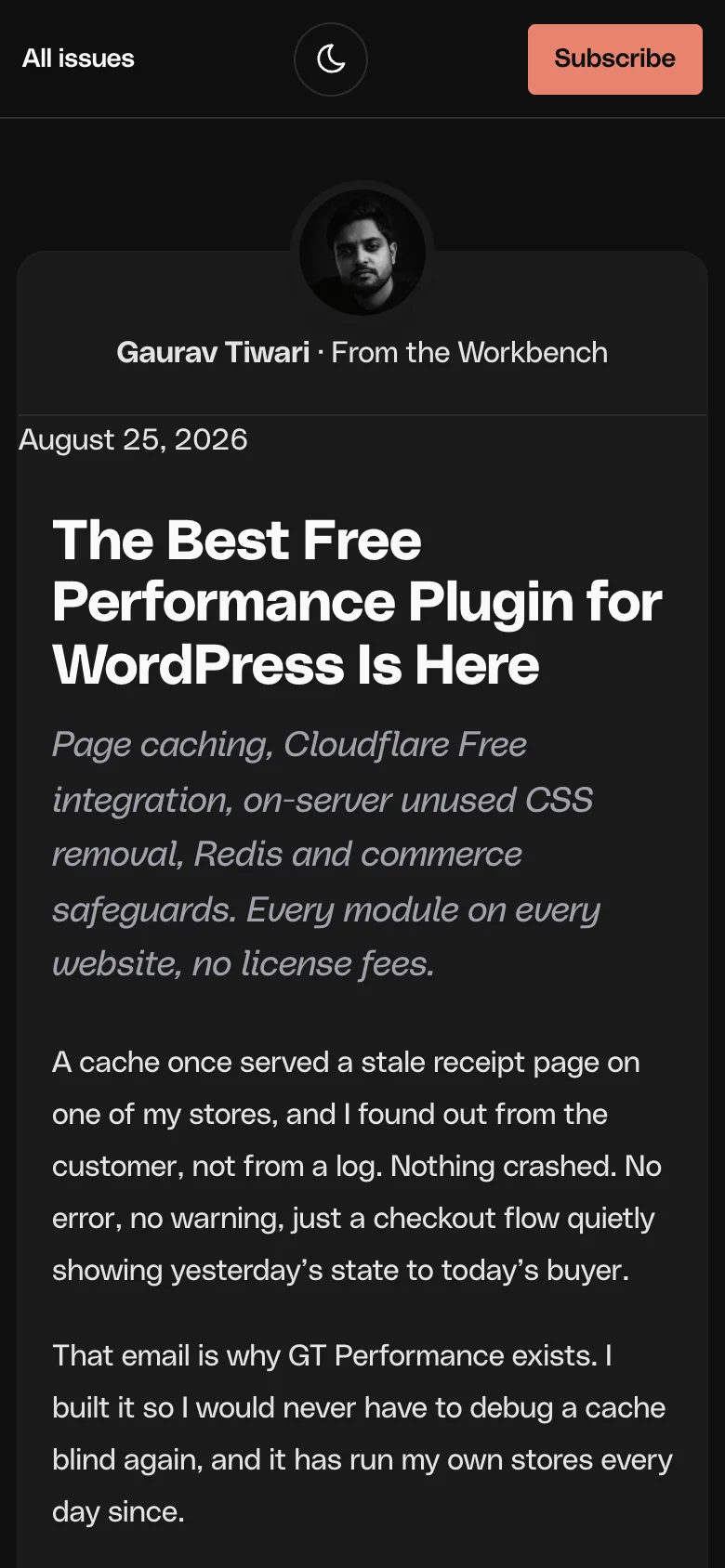
Built for reading, not for a theme
Issue pages are standalone documents. Your theme’s styles and scripts stay off them, so an issue looks like the email it was, on any theme.
- Light and dark mode, following each reader’s system
- Reading time, previous and next issue, a signup box at the end
- rel=”nofollow” on every external link, if you want it
- Fonts, SEO, analytics and form plugins keep working
Everything in MailerHive 1.2
Nine core features, three optional modules you switch on when you need them.
-
Issue pages
Every issue at /newsletter/issue/{slug}/, with a sender card, reading time and previous/next links.
Core -
Archive and RSS
All issues on one page, grouped by year, plus a feed readers and apps can follow.
Core -
Theme-free reading
Your theme’s CSS and scripts stay off issue pages. Fonts, SEO and form plugins keep working.
Core -
Light and dark
Follows the reader’s system setting, with a toggle that remembers their choice.
Core -
One-click drafts
Publish an issue and MailerPress gets a draft campaign with Unsubscribe and Manage links.
Core -
Campaign mirroring
Newsletters written in MailerPress publish as issue pages once they are sent.
Core -
View in browser
MailerPress web-version links redirect to the issue page instead of a bare email.
Core -
Substack import
Bring past issues across, images copied into your media library, links rewritten.
Core -
Your brand
Logo, dark logo, avatar, byline, accent colors, header and footer links, extra CSS.
Core -
Consent policy
Signups only add contacts when the consent wording matches what is on record.
Optional -
FluentCart tags
Purchase, refund, abandoned-checkout and category interest tags on contacts.
Optional -
Rich paste
Paste Google Docs or block content into MailerPress as native email blocks.
Optional
From draft to inbox in three steps
- 1
Install and set up
Activate the plugin, then set your newsletter name, sender, signup form and lists in Newsletter → Settings.
- 2
Write and publish
Write the issue in the block editor. Publishing puts it on its own page and drafts the email in MailerPress.
- 3
Review and send
Open the draft in MailerPress, check it, and send. Unsubscribe and Manage links are already in place.
Free, for every site you run
Free Update License
$0
- Unlimited sites
- Automatic updates for life
- Every feature and module
- GPL source on GitHub
Checkout takes a minute and asks for no card. Your download and license arrive by email.
Questions people ask first
Is it really free?
Yes. The license costs nothing, covers unlimited sites and includes automatic updates for life. The code is GPL and public on GitHub.
What do I need?
WordPress 6.6 or newer and PHP 8.1. The archive and reading pages work on their own; email drafts and mirroring need MailerPress.
Does MailerHive send my emails?
No, and that is deliberate. It prepares drafts. MailerPress sends them, handles unsubscribes and adds the List-Unsubscribe header.
Will it clash with my theme?
Issue pages use MailerHive’s own templates, so your theme’s design stays off them. You can switch theme isolation off in the settings.
Can I bring my Substack archive?
Yes. Paste post slugs into Tools or run the WP-CLI importer. Images land in your media library and links between issues are rewritten.
Where do I get help?
Ask in the community on this site or open an issue on GitHub. I read both.

Hey, I’m Gaurav 👋
My newsletter lived on Substack until October 2026. Moving it to MailerPress meant owning the list, but I lost the archive and the clean issue pages. MailerHive is what I built to get both back, and it is what you are reading on this site’s newsletter today.
- Building on WordPress for 18 years
- 10,000+ businesses use my products
- 2,000+ articles on gauravtiwari.org
- Founder of Gatilab
Give your newsletter a home
Every issue on your domain, a draft in MailerPress the moment you publish.
Installs like any WordPress plugin. Setup takes about five minutes.