
Best Add-ons for Elementor: Power Up Your Favorite Page Builder in 2026
Elementor changed how I build WordPress websites. But the real power isn’t in the base plugin. It’s in the addons that extend what Elementor can do. After building hundreds of client sites with Elementor over the past decade, I’ve tested virtually every addon on the market. Some are essential. Many are bloated. A few are genuinely transformative. Even though I have moved to building sites with Bricks and Block Editor (GenerateBlocks + ACF Blocks) now, I still use Elementor and Elementor Addons to build sites since my clients love its usability, design and overall UX.
This guide covers the best add-ons for Elementor available right now. I’ll share which ones I actually use, which ones offer the best value, and which free options can get you started without spending a dollar. Whether you’re building your first Elementor site or optimizing your workflow for the hundredth, you’ll find the right tools here.
Why You Need Elementor Add-ons

The free version of Elementor includes roughly 40 widgets. That sounds like a lot until you need a pricing table, advanced carousel, or flip box. Then you realize the base builder is just the foundation.
Elementor addons solve specific problems. Some add widgets you can’t get elsewhere. Others provide pre-designed templates that save hours. The best ones do both while maintaining performance. The worst ones bloat your site with 200 widgets you’ll never use.
Using add-ons for Elementor can significantly enhance your website’s capabilities and design quality.
Here’s what a good add-on for Elementor delivers:
- More widgets. Pricing tables, testimonial carousels, comparison tables, countdown timers, and specialty elements the base plugin lacks.
- Pre-designed templates. Complete page layouts and section designs you can import and customize.
- Extended functionality. Features like sticky headers, popup builders, dynamic content, and conditional logic.
- Performance optimization. Some addons actually improve loading speed through smart asset loading.
The key is choosing addons that add value without adding bloat. I’ve seen sites with three overlapping addon packs, each loading their own CSS and JavaScript. That’s how you get 8-second load times.
Elementor Pro
Before exploring third-party options, you need to understand Elementor Pro. It’s technically an addon to the free version, and it’s the most important purchase you’ll make if you’re serious about Elementor.
Elementor Pro adds 50+ premium widgets, theme builder functionality, popup builder, WooCommerce builder, and dynamic content capabilities. The theme builder alone transforms how you work. Instead of being limited to page content, you can design headers, footers, archive pages, single post templates, and 404 pages visually.
The popup builder eliminates the need for separate popup plugins. The form builder handles contact forms, newsletter signups, and multi-step forms with conditional logic. WooCommerce integration lets you design product pages, cart, and checkout without touching code.
Why Elementor Pro is #1: Every third-party addon assumes you have Pro. The theme builder and dynamic content features are prerequisites for advanced site building. Without Pro, you’re fighting with one hand tied behind your back.
Pricing considerations: Elementor Pro starts at $59/year for one site. The pricing has increased over the years, and the plugin has gotten feature-heavy. If you’re building client sites, the Expert or Agency plans offer better value per site.
My honest take: Elementor Pro has gotten bloated. Performance isn’t what it was. But if you’re in the Elementor ecosystem, Pro remains essential. The alternative is switching page builders entirely, which has its own costs.
Best Premium Elementor Addons
Once you have Elementor Pro, third-party addons fill specific gaps. Here are the ones worth considering.
The Plus Addons for Elementor

The Plus Addons for Elementor offers a crazy good and versatile toolkit with strong listing of widgets. If you’re building sites that display collections of items, whether products, team members, testimonials, or portfolio pieces, The Plus Addons handles these elegantly.
The listing modules support diverse niches. E-commerce product displays, restaurant menus, real estate listings, and directory websites all have dedicated solutions. The filtering and sorting options are sophisticated without being complicated.
What separates The Plus Addons is the visual quality of the output. The widgets are designed to look premium out of the box. You’re not fighting with settings to make something look good. You’re choosing from options that already look good.
Portfolio sites, directory websites, and any project emphasizing visual presentation of collections benefit from The Plus Addons’ approach. The design quality delivers higher baseline aesthetics than typical addons without requiring extensive customization. Widgets look premium immediately rather than requiring hours of styling tweaks. For designers who want to spend time on strategy and content rather than fighting with CSS, this visual polish out of the box saves significant effort.
Ultimate Post Kit

Ultimate Post Kit revolutionized how I design blog layouts. If you run a content-heavy site, whether that’s a blog, magazine, or news site, this addon solves problems you didn’t know you had.
The plugin provides specialized widgets for displaying posts in visually engaging layouts. Grid layouts, list layouts, carousels, sliders, tickers, and more. Each widget includes extensive customization options without overwhelming complexity. The filtering and pagination features work smoothly, something many competitors struggle with.
What sets Ultimate Post Kit apart is the attention to blogging-specific needs. Social share integration, author boxes, reading time estimates, and category badges are built into the widgets logically. You’re not cobbling together multiple elements to create what should be a single component.
Bloggers, news sites, magazine layouts, and content-heavy websites find Ultimate Post Kit indispensable. The integration with Elementor’s drag-and-drop editor feels native rather than bolted on. Widgets respond to Elementor’s styling controls predictably, which isn’t always the case with third-party addons. The development team clearly uses the plugin themselves, because the features address real publishing pain points rather than theoretical design needs.
Element Pack
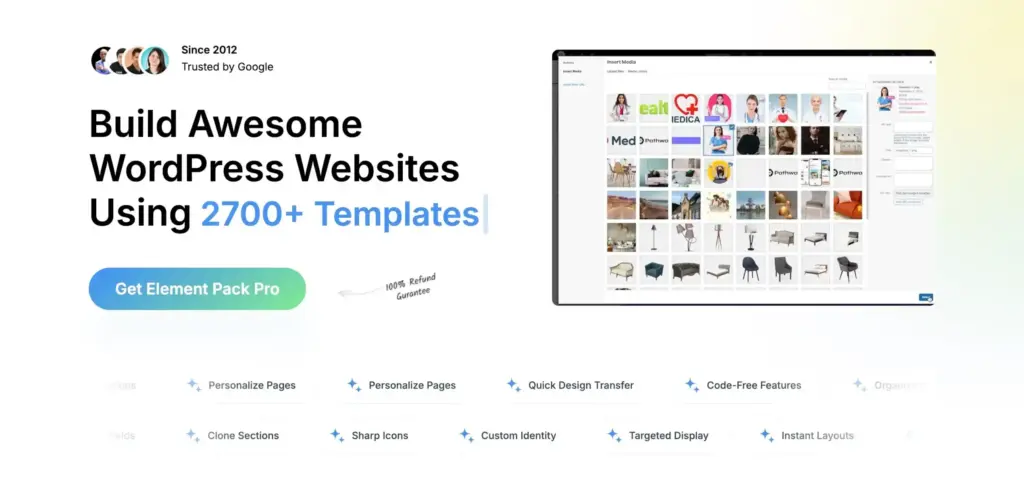
Element Pack is the powerhouse option. With 190+ widgets and extensions, it covers virtually every design need you’ll encounter. Sliders, carousels, advanced posts, portfolio widgets, pricing tables, social feeds, and specialty elements like charts and maps.
The breadth of Element Pack makes it ideal for agencies handling diverse client projects. One client needs a restaurant menu? There’s a widget for that. Another needs event listings? Covered. The alternative is purchasing multiple specialized addons, which creates more conflicts and maintenance headaches.
I’ve used Element Pack on projects ranging from corporate sites to personal portfolios. The widgets are well-coded and consistently updated. The development team from BdThemes maintains regular compatibility updates when Elementor releases major versions.
Agencies and developers handling diverse projects appreciate Element Pack’s comprehensive coverage. The value proposition at around $117 for lifetime access during promotions makes the cost per widget negligible. You’re paying roughly $0.60 per widget for professional-grade elements that would take hours to build custom. For agencies who never know what the next client will require, having everything available eliminates the scramble to find specialized solutions mid-project.
ElementsKit
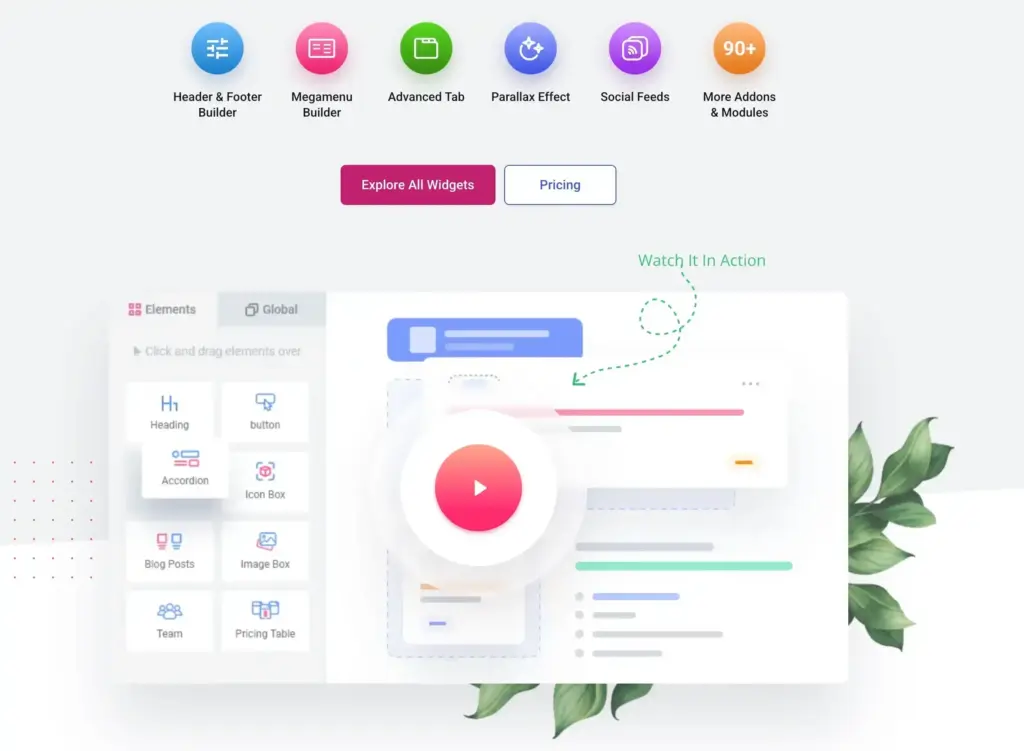
ElementsKit positions itself as the all-in-one Elementor addon, and it delivers on that promise. With 85+ widgets, 14+ exclusive modules, and 500+ pre-designed section layouts, it’s a complete ecosystem extension.
The standout features are the modules that go beyond simple widgets. The Header Builder module creates complex headers with mega menus. The Sticky Content module lets any element stay fixed during scroll. The Parallax Effects module adds visual depth without custom code.
ElementsKit also includes an impressive library of premade homepage templates. These aren’t basic wireframes. They’re fully designed pages you can import and customize. For clients who want to see visual progress quickly, these templates accelerate the process dramatically.
Designers who want premade layouts alongside custom building capabilities will appreciate ElementsKit’s balanced approach. The Header Builder, Sticky Content, One Page Scroll, and Parallax Effects modules are worth noting specifically because they extend core Elementor functionality rather than just adding widgets. These modules solve structural problems that other addons ignore. The template library alone can justify the purchase for designers who value speed without sacrificing quality.
ElementsReady
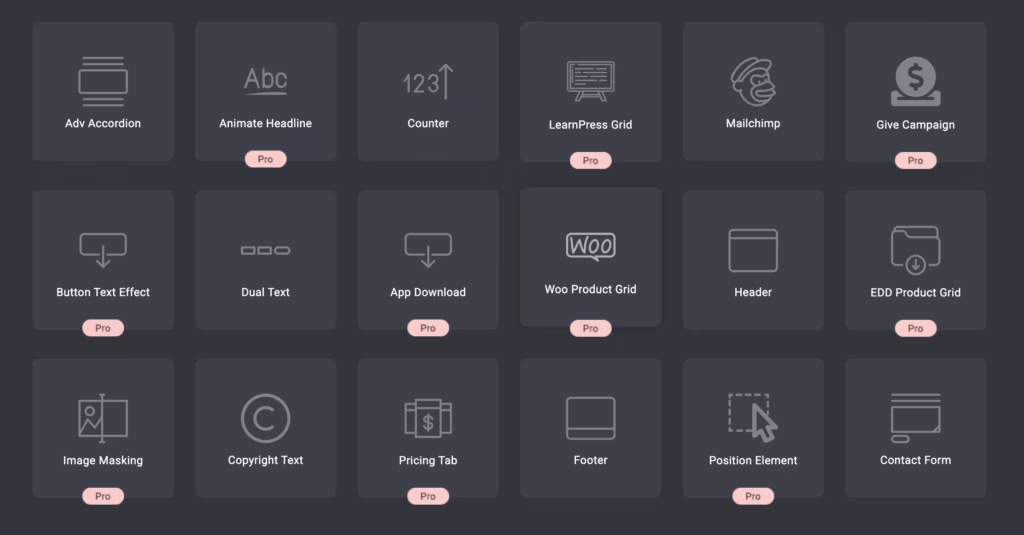
ElementsReady takes a different approach. Rather than competing on widget count, it focuses on design productivity. The addon provides widgets, modules, and pre-designed content optimized for speed of implementation.
What I appreciate about ElementsReady is the thought behind each element. The widgets aren’t just functional. They’re designed with real use cases in mind. The testimonial widgets, for example, include layouts specifically suited for different industries rather than generic options you need to extensively customize.
The pricing is aggressive. At $49 for lifetime access during promotions, it’s one of the most affordable premium options. For freelancers and small agencies, this value proposition makes it an easy recommendation.
Freelancers, small agencies, and anyone prioritizing design quality alongside value will find ElementsReady hits the sweet spot. The standout feature is how immediately usable the preset designs are without requiring significant modification. Most addon templates need extensive work to look professional. ElementsReady’s templates look polished from the moment you import them. The modest price point combined with high design quality makes this an easy recommendation for budget-conscious professionals.
Essential Addons for Elementor

Essential Addons for Elementor has been around since Elementor’s early days, and it shows in the polish. With over 90 unique elements, it provides a comprehensive collection without the bloat problems that plague some competitors.
The addon balances breadth with quality. The interactive modules, like filterable galleries, pricing tables, and data tables, work reliably. The creative elements add visual interest without requiring design expertise. And the documentation is thorough, which matters when you’re troubleshooting client site issues at midnight.
Essential Addons has one of the largest user bases in the Elementor ecosystem, which translates to better third-party compatibility testing. When other plugins update, Essential Addons typically confirms compatibility quickly.
General-purpose Elementor enhancement works best with Essential Addons, especially for users who value stability above cutting-edge features. The wide adoption translates to more community resources and faster compatibility updates when WordPress or Elementor release major versions. You’re less likely to encounter bugs because so many other users have already found and reported them. For production sites where reliability matters more than having the latest widget, Essential Addons’ track record provides confidence.
Ultimate Addons for Elementor
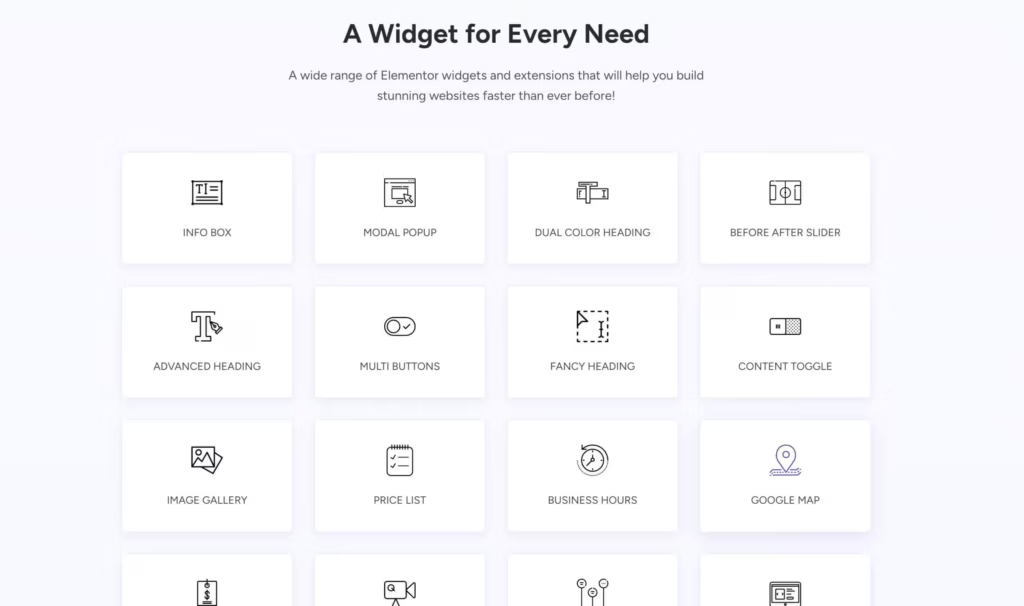
Ultimate Addons for Elementor comes from Brainstorm Force, the team behind the Astra theme. This pedigree matters because the addon is designed to work seamlessly with Astra, one of the fastest WordPress themes available, and Elementor
With 40+ widgets and 300+ unique website templates, Ultimate Addons prioritizes speed of development. The templates are production-ready, not starting points. The widgets focus on commonly needed functionality rather than edge cases.
The Starter Templates integration is very valuable. You can import complete website designs and customize them quickly. For clients with tight timelines, this workflow compression pays for the addon many times over.
Astra theme users and anyone prioritizing speed of development will find Ultimate Addons for Elementor a natural fit. The addon is explicitly designed to work with Astra’s lightweight foundation, meaning performance optimization carries through the entire stack. If you’re already in the Brainstorm Force ecosystem with Astra and their other products, Ultimate Addons integrates seamlessly. The development team understands what their users need because they build with the same tools.
MetForm
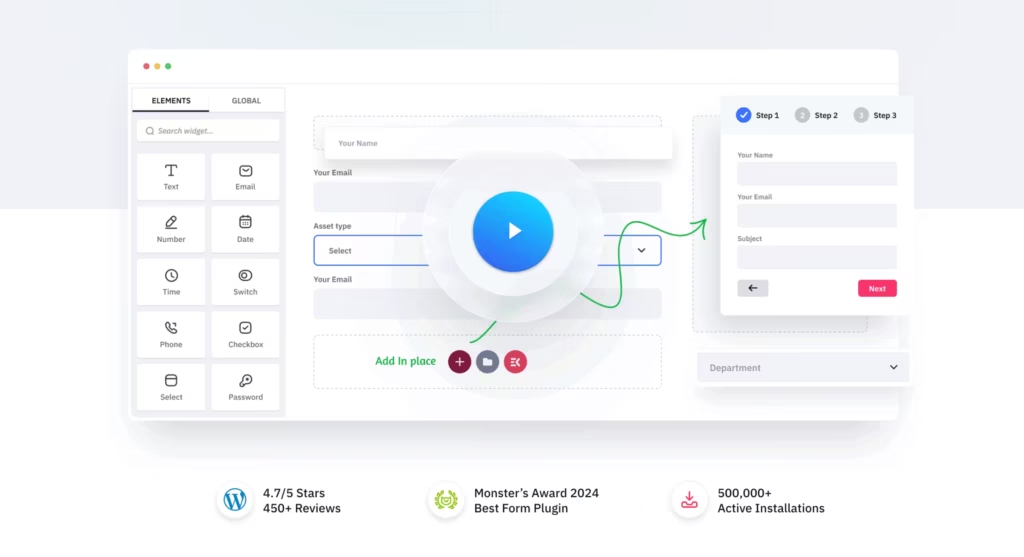
MetForm is the best Elementor form builder I’ve used. If you find Elementor Pro’s built-in form widget limiting, MetForm is the answer.
The plugin uses Elementor itself to create forms. Every form element is a widget you drag and drop. This means you have complete design control without having to learn a separate interface. Multi-step forms, conditional logic, calculations, and payment integrations are all available.
What I appreciate most is the depth of integration. MetForm integrates natively with popular email marketing services, CRMs, and payment gateways. You’re not relying on Zapier for basic integrations.
The addon shines for anyone needing advanced forms beyond Elementor Pro’s basic capabilities. Contact forms, order forms, surveys, and application forms all work beautifully. The design approach using Elementor widgets rather than a separate form builder interface means no learning curve if you already know Elementor. You maintain complete visual control without switching between the form builder and the page builder.
Crocoblock JetPlugins Suite
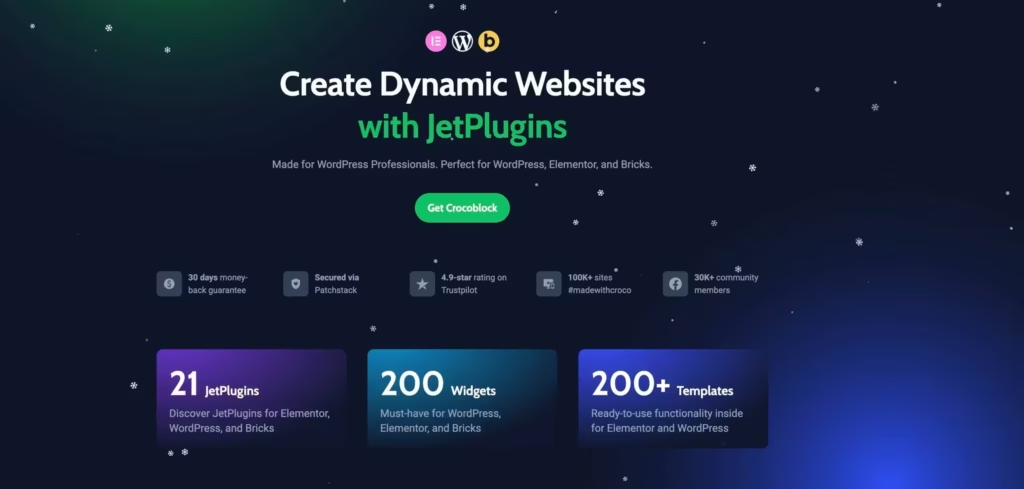
Crocoblock isn’t a single addon. It’s an ecosystem of 18 specialized plugins designed to work together. At the time of writing this line, with 150 widgets, 64 pop-up templates, and 47 ready-made website templates, it’s the most comprehensive solution available.
The individual JetPlugins each solve specific problems:
- JetEngine creates dynamic content and custom post types without code. Custom fields, relations, and queries all handled visually.
- JetSmartFilters adds advanced filtering to any content. AJAX-powered filters that update results without page refresh.
- JetThemeCore provides theme building capabilities that extend beyond Elementor Pro’s theme builder.
- JetWooBuilder customizes WooCommerce pages with 45+ dedicated widgets.
- JetAppointment handles booking systems for service businesses.
- JetBooking manages property and equipment rentals.
The power of Crocoblock is integration. These plugins share data and work seamlessly together. Building a directory site, membership site, or complex e-commerce store becomes dramatically simpler.
Complex projects requiring dynamic content, booking systems, or advanced filtering find their perfect match in Crocoblock. The investment level is higher than typical addons, with the full suite costing more than individual alternatives. However, Crocoblock replaces multiple standalone plugins that would otherwise require separate purchases, configuration, and compatibility management. For directory sites, membership platforms, booking businesses, and complex e-commerce stores, the integrated approach pays for itself in reduced complexity and maintenance. Agencies building sophisticated sites regularly find Crocoblock becomes indispensable once they learn the ecosystem.
HT Mega Addons for Elementor
HT Mega Addons provides over 135 widgets and 170 page layouts. The scale is impressive, but more importantly, the addon includes functionality that typically requires separate plugins.
The Header/Footer builder creates custom site headers and footers using Elementor. The archive page builder designs category and tag pages visually. The mega menu builder creates complex navigation with images, icons, and multiple columns.
Sales notification widgets display recent purchases to build social proof. The inline SVG widget enables custom icons without icon font overhead. The progress bar and skill bar widgets visualize data attractively.
Sites needing extensive widget coverage without purchasing multiple specialized addons find tremendous value in HT Mega. The sheer scale of 135+ widgets means you’re unlikely to encounter a design need that isn’t covered. At this widget count, you’re essentially getting the functionality that would otherwise require three or four separate addon purchases. The consolidated approach simplifies maintenance, compatibility, and licensing management. For agencies handling diverse client requirements, HT Mega’s breadth eliminates the guesswork of which addons to install for each new project.
Master Addons for Elementor
Master Addons offers 55+ elements and 15+ extensions with a focus on creative layouts. The addon targets designers who want unique presentations rather than cookie-cutter templates.
The image hover effects go beyond basic fades and zooms. The gallery slider provides sophisticated image presentation. The interactive cards widget creates engaging content blocks that respond to user interaction.
Where Master Addons shines is in the details. Floating effects, dynamic content integration, and advanced display conditions are implemented thoughtfully. The extensions enhance Elementor’s core functionality rather than duplicating it.
Creative projects requiring unique visual treatments benefit most from Master Addons. The hover effects library alone justifies installation for portfolio and agency sites where first impressions matter. Interactive elements create engagement that static designs can’t match. The design focus on creative layouts rather than utility widgets means every element is built to look impressive out of the box. If your projects demand visual uniqueness over pure functionality, Master Addons delivers that creative edge.
Premium Addons for Elementor
- 90+ Elementor widgets
- Free and premium tiers
- Regular updates and support
Premium Addons offers 55+ widgets in the free version with approximately 30 more in Pro. The modular design lets you enable only needed elements, reducing performance impact.
The maps widget with multiple marker support is one of the best available. The Lottie Animations integration adds engaging motion graphics without heavy video files. Modal popups, advanced carousels, and tabbed content round out the creative elements.
The Equal Height function solves a common design frustration: making adjacent columns the same height regardless of content length. The page/template copying feature speeds up multi-site workflows.
Users who want quality free widgets with optional premium expansion will appreciate Premium Addons’ generous free tier. The modular loading system reduces unnecessary asset weight by enabling only the widgets you actually use. This performance-conscious approach stands in contrast to addons that load everything regardless of usage. The free version provides enough functionality for many projects, with premium adding specialized widgets rather than gating essential features. The developer maintains both versions actively, so free users don’t feel abandoned.
PowerPack for Elementor
PowerPack Elements provides 60+ creative widgets designed with performance in mind. The addon emphasizes clean code and minimal overhead.
The Woo Widgets package handles WooCommerce customization comprehensively. The Advanced Posts widget displays content in grids, carousels, and unique layouts. The Contact Form 7 Styler widget lets you design forms created in CF7 without CSS.
The template library includes full page templates and section designs. Each template is designed to be customized rather than used as-is, allowing brand consistency across projects.
Performance-conscious developers who want widget variety without bloat find PowerPack’s approach refreshing. The emphasis on clean code means widgets don’t introduce unnecessary scripts or styles. Fast loading is baked into the development philosophy rather than added as an afterthought. Professional design quality across all widgets maintains consistency without requiring extensive customization. For developers who scrutinize PageSpeed scores and refuse to sacrifice speed for functionality, PowerPack proves you don’t have to choose.
Unlimited Elements for Elementor
Unlimited Elements takes a unique approach: a marketplace of 300+ widgets created by various designers. Instead of a fixed widget set, you browse and install only the widgets you need.
The widget gallery includes both free and Pro options. Categories span creative elements, post layouts, WooCommerce, and interactive components. The visual widget creator lets advanced users build custom widgets without coding.
This a la carte model means you’re never loading widgets you don’t use. Each widget activates independently. The tradeoff is less cohesive styling across widgets from different creators.
Developers who want specific widgets without committing to full addon packages appreciate Unlimited Elements’ unique marketplace model. Instead of installing 100 widgets to use 5, you browse the marketplace and install exactly what you need. Each widget activates independently, minimizing the overhead of unused functionality. The tradeoff is less visual consistency across widgets from different contributors. For targeted requirements where you know exactly what you need, this selective approach provides maximum efficiency with minimum bloat.
Sina Extension for Elementor
Sina Extension provides 50+ widgets focused on marketing and business functionality. The addon targets business websites that need specific conversion-focused elements.
Pricing tables, team sections, testimonial carousels, and portfolio grids handle standard business page needs. The progress bar variations, counters, and statistic widgets visualize achievements effectively. Call-to-action sections and banner sliders drive conversion.
The brand carousel widget displays client or partner logos attractively. The news ticker widget adds dynamic content movement. The before/after image comparison widget demonstrates transformations clearly.
Business and corporate websites needing professional, conversion-focused elements align perfectly with Sina Extension’s strengths. The marketing focus means widgets are designed to drive business outcomes rather than just look pretty. Pricing tables encourage purchases. Testimonial carousels build trust. Call-to-action sections capture leads. Every widget serves a business purpose beyond visual presentation. For commercial sites where design serves conversion goals, this intentional approach outperforms general-purpose addons.
Woolentor for WooCommerce
Woolentor specializes entirely in WooCommerce and Elementor integration. If your project is e-commerce focused, this dedicated solution often works better than general-purpose addons with WooCommerce features.
The addon includes 100+ widgets exclusively for WooCommerce. Product page builders, cart customization, checkout editors, and My Account page designers are all included. The variation swatch feature displays product variations as colors and images rather than dropdowns.
Sales countdown timers, stock status displays, and quick view popups enhance the shopping experience. The partial payment feature enables deposits on high-value items. The email customizer designs transactional emails visually.
WooCommerce stores requiring extensive customization benefit from Woolentor’s dedicated focus. The e-commerce depth goes far beyond what general addons include in their WooCommerce sections. Product page customization handles every detail of how products display. Cart and checkout editing controls the entire purchase flow. The dedicated approach means Woolentor’s team focuses exclusively on e-commerce problems rather than spreading attention across diverse widget types. For serious stores where the default WooCommerce appearance isn’t acceptable, Woolentor provides the tools to transform every customer-facing element.
Exclusive Addons for Elementor
Exclusive Addons offers 50+ widgets with a focus on simplicity. The addon provides common elements without overwhelming configuration options.
The widgets cover standard needs: team members, testimonials, pricing tables, progress bars, and creative buttons. The countdown timer works reliably for promotional campaigns. The news ticker and post grids handle content display effectively.
Where Exclusive Addons succeeds is in ease of use. The settings are intuitive, the defaults look good, and customization is straightforward. For users who find other addons overwhelming, this simplicity is valuable.
Users who want functional widgets without extensive configuration complexity appreciate Exclusive Addons’ straightforward philosophy. The simple, intuitive, reliable approach means widgets work correctly on first use. Configuration options exist but don’t overwhelm with unnecessary complexity. Default settings produce good results immediately, with customization available for those who want it. For users who find other addons intimidating or time-consuming to configure, this accessibility makes Exclusive Addons a refreshing alternative.
Piotnet Addons for Elementor (PAFE)
Piotnet Addons focuses on form functionality that goes far beyond typical addons. The form builder rivals dedicated form plugins like Gravity Forms or WPForms.
Multi-step forms with progress indicators guide users through complex submissions. Conditional logic shows/hides fields based on previous answers. Calculated fields compute values automatically (pricing calculators, quote generators). Booking forms integrate date/time selection for appointments.
The repeater field lets users add multiple entries of the same field type. The address autocomplete integrates Google Maps for location selection. Payment integrations process transactions directly within forms.
Complex form requirements that need dedicated form plugin capabilities find Piotnet’s power remarkable. The functionality approaches standalone form plugins like Gravity Forms or WPForms while staying entirely within Elementor’s interface. Multi-step wizards, complex conditional logic, calculated fields, and payment processing all work without leaving the page builder. For sites where forms are business-critical rather than basic contact collection, Piotnet eliminates the need for separate form plugins. The learning curve is steeper than simple form widgets, but the capability ceiling is dramatically higher.
Jeg Elementor Kit
Jeg Elementor Kit provides widgets optimized for news, magazine, and content-focused sites. If you’re building media-heavy websites, this addon addresses specific needs that general addons often overlook.
The post block widgets display content in magazine-style layouts. Multiple slider variations present featured content prominently. The ticker widget adds breaking news style content rotation.
For publishing workflows, the category filtering and pagination options work smoothly. The social share widgets are designed for news consumption patterns. The author bio widgets handle bylines professionally.
News sites, magazines, and content publishers find Jeg Elementor Kit addresses needs that general addons overlook. The publishing focus means widgets are designed for media and editorial layouts specifically. Post grids display content in magazine-style formats that readers expect from news sites. Ticker widgets add dynamic content movement that keeps pages feeling fresh. Category filtering and author handling follow editorial conventions. For any site where content presentation matters as much as the content itself, Jeg Elementor Kit provides the specialized tools that general addons lack.
Livemesh Addons for Elementor
Livemesh Addons offers widgets with emphasis on visual quality. The addon targets designers who prioritize aesthetics.
The portfolio grids display work samples attractively. The post carousel variations present content dynamically. The interactive elements add engagement without overwhelming users.
Custom styling options on each widget allow deep customization. The responsive controls ensure mobile displays work correctly. The animation options add motion without performance impact when implemented correctly.
Portfolio sites and design-focused projects benefit from Livemesh’s visual priority. The addon emphasizes aesthetics over quantity, with each widget refined for maximum visual impact. Portfolio grids display work samples in layouts that let the work speak for itself. Animation options add motion without distracting from content. For creative professionals showcasing their work, the presentation quality of their portfolio site reflects on their capabilities. Livemesh helps portfolios look impressive without requiring design expertise beyond choosing the right settings.
Mighty Addons for Elementor
Mighty Addons provides 70+ widgets with a focus on business website needs. The addon includes both creative and functional elements.
The before/after slider demonstrates transformations visually. The gradient heading creates eye-catching titles. The flip box reveals content on hover interaction.
Business-focused widgets include opening hours, Google Maps, and contact info blocks. The testimonial variations display social proof effectively. The progress bars visualize achievements and skills.
Business websites needing professional presentation find Mighty Addons strikes the right balance between creative elements and functional components. Business sites need both visual polish and practical information delivery. Opening hours, maps, and contact blocks handle the functional aspects. Before/after sliders and testimonials add visual engagement. The combination means you don’t need separate addons for creative and utility purposes. For typical business website projects, Mighty Addons covers most requirements without overwhelming with unnecessary specialty widgets.
Best Free Elementor Addons
You don’t need to spend money to extend Elementor meaningfully. Several free addons provide genuine value, either as complete solutions or stepping stones to premium versions.
Qi Addons for Elementor
Qi Addons for Elementor comes from Qode Interactive, the team behind popular ThemeForest themes. The free version includes 60+ widgets, while the Premium version expands to over 100 widgets with a Theme Builder module.
What makes Qi Addons stand out is the design-first philosophy. Every widget is crafted by professional designers with attention to visual appeal. Typography addons include animated text, typeout effects, and highlighted text widgets. Business widgets cover pricing tables, working hours, testimonials, and client carousels.
The on-demand widget loading feature improves performance by loading only widgets used on each page. This approach addresses a common complaint about Elementor addons bloating page load times with unnecessary assets.
The Premium version adds the Theme Builder module for creating custom headers, footers, single templates, archive pages, and 404 pages. With 200,000+ active installations, Qi Addons has earned credibility despite entering a crowded market later than competitors.
Sites prioritizing visual polish and design quality find Qi Addons particularly valuable. The Qode Interactive pedigree means widgets look professional without extensive customization. Typography widgets create engaging text presentations that typical addons handle poorly. Business widgets display information attractively rather than just functionally. For designers who want widgets that look good immediately rather than requiring hours of styling, Qi Addons delivers that out-of-box elegance. The free version’s generous 60+ widget count makes premium optional rather than essential for many projects.
Essential Addons for Elementor (Free)
The free version of Essential Addons includes over 40 widgets and several extensions. For basic sites, this might be all you need. The pricing tables, teams, testimonials, and creative buttons cover common requirements.
The free version lacks some advanced widgets and features like cross-domain copy-paste. But for personal sites and simple client projects, it’s remarkably capable.
ElementsKit Lite
ElementsKit’s free version provides 40+ widgets plus the Header Builder module. The header module alone is worth installing the plugin for. Creating custom headers with mega menus is normally a premium feature.
The template library access is limited in the free version, but the core widgets are fully functional. I’ve seen freelancers build successful client sites using only ElementsKit Lite combined with Elementor Pro.
Starter Templates
While not technically an Elementor addon, Starter Templates from Brainstorm Force provides 280+ free templates you can import directly into Elementor. Complete page designs, ready to customize. This accelerates project kickoffs significantly.
The templates cover almost every industry. Agency sites, restaurants, fitness centers, portfolios, and more. Each template is designed professionally, not just thrown together as filler content.
Premium Addons for Elementor
- 90+ Elementor widgets
- Free and premium tiers
- Regular updates and support
Premium Addons free version includes 60+ widgets. The maps widget with multiple marker support, the carousel widgets, and the modal popup elements are particularly useful. The free version is comprehensive enough that many users never upgrade.
The developers maintain active documentation and a support forum even for free users. This level of support on a free plugin is uncommon and appreciated.
JetWidgets for Elementor
Crocoblock’s JetWidgets provides 11 free widgets including advanced carousel and posts modules. This serves as an introduction to the JetPlugins ecosystem, which offers specialized addons for booking systems, search filters, and more.
If you’re building complex sites that need advanced filtering, booking systems, or custom queries, the JetPlugins ecosystem is worth exploring. The free JetWidgets gives you a taste of their development quality.
Best Elementor Addons for WooCommerce
E-commerce sites have specific widget needs. While Elementor Pro includes WooCommerce integration, specialized addons take store customization further.
ShopReady
ShopReady focuses exclusively on WooCommerce and Elementor integration. The addon provides 70+ WooCommerce-specific widgets for product pages, cart, checkout, and account pages. The checkout builder is particularly powerful, allowing complete customization of the purchase flow.
Single product page widgets let you design product layouts that match your brand exactly. The quick view functionality and AJAX add-to-cart improve user experience significantly.
JetWooBuilder
Crocoblock’s JetWooBuilder integrates with their broader JetPlugins ecosystem. If you’re already using JetSmartFilters or JetEngine, JetWooBuilder provides seamless product page and archive customization.
The single product template builder handles complex product layouts. Variable products, grouped products, and external products all have dedicated handling.
ShopEngine
ShopEngine takes a comprehensive approach to WooCommerce customization. The addon includes 65+ widgets specifically designed for e-commerce. Product comparison, wishlist, quick checkout, and flash sale widgets add functionality beyond basic Elementor Pro capabilities.
The checkout field editor saves time that would otherwise be spent on code snippets or additional plugins.
Elementor Addons Comparison Chart
Choosing between addons gets confusing fast. Here’s a direct comparison of the major options:
General Purpose Addons
| Addon | Widget Count | Free Widgets | Templates | Lifetime Cost | Best For | Action |
|---|---|---|---|---|---|---|
| Elementor Pro | 50+ | No | 300+ | Annual only | Foundation | Get Elementor Pro |
| Element Pack | 190+ | 30+ | 200+ | ~$117 | Agencies | Get Element Pack |
| ElementsKit | 85+ | 40+ | 500+ | ~$59 | Designers | Get ElementsKit |
| Essential Addons | 90+ | 40+ | 100+ | ~$40 | General use | Get Essential Addons |
| The Plus Addons | 120+ | 30+ | 300+ | ~$47 | Listings | Get The Plus Addons |
| Happy Addons | 65+ | 44+ | 200+ | ~$49 | Creative effects | Get Happy Addons |
| HT Mega | 135+ | 60+ | 170+ | ~$39 | Large widget sets | Get HT Mega |
| Premium Addons | 85+ | 55+ | 330+ | ~$39 | Modular loading | Get Premium Addons |
| PowerPack | 60+ | 25+ | 150+ | ~$49 | Performance | Get PowerPack |
| Master Addons | 55+ | 30+ | 100+ | ~$39 | Creative layouts | Get Master Addons |
| Ultimate Addons | 40+ | No | 300+ | ~$59 | Astra users | Get Ultimate Addons |
| Unlimited Elements | 300+ | 100+ | N/A | ~$39 | Widget marketplace | Get Unlimited Elements |
| Crocoblock | 150+ | 20+ | 50+ | ~$199 | Dynamic sites | Get Crocoblock |
| Qi Addons | 100+ | 60+ | 150+ | ~$69 | Visual design | Get Qi Addons |
Specialized Addons
| Addon | Widget Count | Specialty | Free Version | Lifetime Cost | Action |
|---|---|---|---|---|---|
| Ultimate Post Kit | 50+ | Blogging | Yes | ~$35 | Get Ultimate Post Kit |
| MetForm | 25+ | Forms | Yes | ~$29 | Get MetForm |
| ElementsReady | 45+ | Design productivity | Yes | ~$49 | Get ElementsReady |
| Woolentor | 100+ | WooCommerce | Yes | ~$59 | Get Woolentor |
| ShopEngine | 65+ | WooCommerce | Yes | ~$59 | Get ShopEngine |
| JetWooBuilder | 45+ | WooCommerce | No | Part of Crocoblock | Get JetWooBuilder |
| Piotnet (PAFE) | 40+ | Advanced forms | Yes | ~$49 | Get Piotnet |
| Jeg Elementor Kit | 35+ | News/Magazine | Yes | ~$29 | Get Jeg Elementor Kit |
| Sina Extension | 50+ | Business | Yes | ~$29 | Get Sina Extension |
Note: Prices reflect promotional periods. Regular pricing is typically 30-50% higher.
Specialty Elementor Addons by Category
Sometimes you need a tool built for one specific purpose. These specialty addons focus on doing one thing exceptionally well.
Popup and Modal Addons
JetPopup from Crocoblock handles popups within the JetPlugins ecosystem. If you’re already using Crocoblock, JetPopup integrates seamlessly with JetEngine and JetSmartFilters.
Table and Data Addons
Jetstyle and JetTables (Dynamic Tables Builder for WordPress) handle complex tables better than any general addon. Sortable columns, filtering, pagination, and responsive breakpoint controls are included. Data can pull from CSV files or custom fields.
Ninja Tables isn’t Elementor-native but integrates well. For data-heavy sites, dedicated table plugins often outperform addon table widgets.
Slider and Carousel Addons
Slider Revolution remains the most powerful slider option despite controversies over performance. For complex animated sliders, nothing else matches its capabilities.
Smart Slider 3 provides excellent balance between power and performance. The Elementor widget makes integration seamless.
Motion and Animation Addons
Starter Motion Effects in Element Pack and Essential Addons add advanced animations to any Elementor widget. Scroll effects, mouse tracking, and complex entrance animations extend what’s possible.
Starter Animation Presets in The Plus Addons provide animation presets that apply to any widget. Entrance, exit, and interaction animations without custom CSS.
Social Feed Addons
Starter Social Feed widgets in Element Pack and Premium Addons display Instagram, Facebook, Twitter, and YouTube content in customizable layouts. The caching system prevents API rate limiting issues.
Smash Balloon plugins handle specific platforms. Instagram Feed, YouTube Gallery, and TikTok Feed each focus on their platform with dedicated functionality.
Mega Menu Addons
JetMenu from Crocoblock builds mega menus that integrate with JetEngine for dynamic content. Product grids, post lists, and custom layouts all work within menu dropdowns.
Max Mega Menu isn’t Elementor-native but provides excellent mega menu functionality. The nav menu widget in Elementor can use Max Mega Menu’s output.
Charts and Data Visualization
Data visualization widgets in Element Pack, Essential Addons, and The Plus Addons are cool for basic charts.
Complete Elementor Addon Directory
For comprehensive reference, here’s every well-known Elementor addon organized alphabetically with widget counts and primary strengths:
| Addon | Widgets | Primary Strength | Website |
|---|---|---|---|
| Anywhere Elementor | 5+ | Template Shortcodes | Download |
| Dynamic Content | 50+ | Dynamic Data | Download |
| Element Pack | 190+ | Comprehensive | Download |
| ElementsKit | 85+ | All-in-One | Download |
| ElementsReady | 45+ | Design Productivity | Download |
| Essential Addons | 90+ | Stability | Download |
| Exclusive Addons | 50+ | Simplicity | Download |
| Happy Addons | 65+ | Creative Effects | Download |
| HT Mega | 135+ | Widget Volume | Download |
| Jeg Elementor Kit | 35+ | Magazine Layouts | Download |
| JetEngine | 20+ | Dynamic Content | Download |
| JetSmartFilters | 10+ | AJAX Filtering | Download |
| JetWooBuilder | 45+ | WooCommerce | Download |
| Livemesh Addons | 70+ | Visual Quality | Download |
| Master Addons | 55+ | Creative Layouts | master-addons.com |
| MetForm | 25+ | Elementor Forms | Download |
| Mighty Addons | 70+ | Business Websites | Download |
| Piotnet (PAFE) | 40+ | Advanced Forms | Download |
| The Plus Addons | 120+ | Listings | Download |
| PowerPack | 60+ | Performance | Download |
| Premium Addons | 85+ | Modular Loading | Download |
| Qi Addons | 100+ | Visual Design | Download |
| Sina Extension | 50+ | Business Widgets | Download |
| Unlimited Elements | 300+ | Widget Marketplace | Download |
| Ultimate Addons | 40+ | Astra Integration | Download |
| Ultimate Post Kit | 50+ | Blog Layouts | Download |
| Woolentor | 100+ | WooCommerce | Download |
Choosing the Right Addon Strategy
More addons aren’t better. Each addon you install adds CSS, JavaScript, and database queries. The goal is maximum functionality with minimum overhead.
Here’s my recommended approach:
- Start with Elementor Pro. The theme builder and dynamic content capabilities are foundational. Third-party addons extend Pro; they don’t replace it.
- Add one comprehensive addon. Choose Element Pack, ElementsKit, The Plus Addons, or Essential Addons based on your primary use case. Don’t install multiple general-purpose addons.
- Add specialized addons for specific needs. If you’re building content-heavy sites, add Ultimate Post Kit. If you need advanced forms, add MetForm or Fluent Forms. These specialized tools do their specific jobs better than general-purpose alternatives.
- Test performance after each installation. Run PageSpeed tests before and after. Some addons load assets on every page regardless of whether widgets are used. This defeats the purpose of modular design.
- Deactivate unused modules. Most premium addons let you disable individual widgets. Turn off everything you’re not using. This reduces conflicts and improves performance.
Performance Considerations
Elementor addons impact page speed. There’s no avoiding this reality, but you can minimize the damage.
- Asset loading matters. Good addons only load CSS and JavaScript for widgets actually used on a page. Check this by viewing page source on a simple page. If you see addon assets on pages without addon widgets, that’s a problem.
- Database queries add up. Some addons query the database frequently for dynamic content. This affects server response time, especially on shared hosting.
- CDN and caching compatibility. Test your addon choices with your caching plugin and CDN. Some combinations create conflicts that produce broken layouts.
- Lazy loading widgets. A few advanced addons support lazy loading for heavy widgets like carousels and maps. This delays loading until the widget scrolls into view.
My performance recommendation: after installing addons, clear all caches and run PageSpeed Insights. If your score drops significantly, investigate which assets are loading unnecessarily.
Common Addon Problems and Solutions
I’ve troubleshot hundreds of Elementor addon issues. Here are the patterns I see most frequently:
- Widgets don’t appear. Usually a caching issue. Clear browser cache, WordPress cache, and any CDN cache. If the widget still doesn’t appear, the addon may conflict with your theme.
- Broken layouts after updates. Elementor major version updates sometimes break third-party addons temporarily. Wait 24-48 hours for addon developers to release compatibility patches before updating Elementor.
- Slow editor loading. Too many addons slow the editor significantly. The Elementor editor loads all widget assets even for widgets not on the page. Disable unused addons and modules.
- Duplicate functionality. If you have multiple addons offering similar widgets, you’re creating unnecessary bloat. Consolidate to a single addon for each function.
- Mobile responsiveness issues. Some addon widgets don’t include proper responsive controls. Test on actual mobile devices, not just browser responsive mode.
My Personal Addon Stack
For reference, here’s what I actually use on most projects:
Always installed:
- Elementor Pro (required foundation)
- The Plus Addons (comprehensive widget coverage)
Project-specific:
- Fluent Forms (when complex forms are needed)
- Essential Addons (for specific widgets Element Pack lacks)
Never installed:
- Multiple general-purpose addons simultaneously
- Addons that load assets on all pages
- Addons without regular update schedules
This stack covers 95% of client requirements while maintaining good performance.
Frequently Asked Questions
What is the best addon for Elementor?
Elementor Pro is the essential first addon for foundation features. For third-party options, Element Pack offers the most comprehensive widget collection (190+), while ElementsKit provides excellent templates and modules. Essential Addons is best for stability. The best choice depends on your specific project needs and budget.
Do I need Elementor Pro before installing addons?
You can use many third-party addons with free Elementor, but Elementor Pro unlocks theme builder and dynamic content features that most advanced addons require. For serious site building, Pro is a prerequisite. Without Pro, you’re limited to page content only.
Are free Elementor addons worth using?
Yes. Essential Addons, ElementsKit Lite, Premium Addons, and Happy Addons all offer substantial free versions with 40-60 widgets each. For personal sites and simple projects, free addons may be all you need. Test free versions before purchasing premium.
How many Elementor addons is too many?
More than two or three general-purpose addons creates unnecessary overlap and performance issues. Use one comprehensive addon plus specialized addons for specific needs. Disable unused widgets in each addon to minimize bloat.
Do Elementor addons slow down websites?
They can. Quality addons only load assets for widgets used on each page. Poor addons load everything everywhere. Test performance after installing and disable unused modules. Element Pack, PowerPack, and Premium Addons have modular loading features.
Which Elementor addon has the most widgets?
Unlimited Elements leads with 300+ widgets through its marketplace model. For traditional addons, Element Pack has 190+, HT Mega has 135+, and The Plus Addons has 120+. However, widget count isn’t everything—quality and relevance matter more.
Are Elementor addon lifetime licenses worth it?
For addons you’ll use long-term, lifetime licenses provide excellent value. Most pay for themselves within two years compared to annual pricing. Check that lifetime includes updates, not just support. Element Pack, ElementsKit, and Essential Addons all offer lifetime options.
What’s the best Elementor addon for WooCommerce?
For dedicated WooCommerce functionality, Woolentor and ShopEngine offer the most comprehensive features (100+ and 65+ widgets respectively). JetWooBuilder from Crocoblock is excellent if you’re in the Crocoblock ecosystem. For basic needs, Element Pack and Essential Addons include solid WooCommerce widgets.
Which Elementor addon is best for beginners?
Essential Addons and ElementsKit are most beginner-friendly with intuitive interfaces and good documentation. Starter Templates provides ready-made designs. Avoid Crocoblock initially—it’s powerful but complex. Start simple and add complexity as you gain experience.
Can I use Elementor addons with Hello theme?
Yes. Hello theme is designed specifically for Elementor and works with all addons. The theme is minimal by design—addons provide the functionality. This combination offers maximum control with minimal conflict risk.
What’s the difference between Crocoblock and other addons?
Crocoblock is an ecosystem of 18 specialized plugins that work together. It excels at dynamic content, booking systems, and advanced filtering. Other addons are single plugins with diverse widgets. Choose Crocoblock for complex projects; choose single addons for simpler needs.
Should I use Elementor or switch to Bricks Builder?
Elementor has the largest ecosystem and community support. Bricks Builder offers better performance but fewer third-party addons. If performance is critical and you’re starting fresh, consider Bricks. If you need addon variety and community resources, stay with Elementor.
Disclaimer: This site is reader-supported. If you buy through some links, I may earn a small commission at no extra cost to you. I only recommend tools I trust and would use myself. Your support helps keep gauravtiwari.org free and focused on real-world advice. Thanks. - Gaurav Tiwari