
How to Download Private YouTube Videos? [8 Best Ways]
Several tools can help you download private YouTube videos, but most guides skip the important details: which methods actually work, which tools are safe, and what the limitations are.
Here is the reality. You can only download private YouTube videos that you own or that the owner has shared access with your Google account. No tool can bypass YouTube’s privacy settings to download someone else’s private video without authorization. If a tool claims otherwise, it is either lying or doing something you should avoid.
With that clear, here are the 8 working methods to download private YouTube videos — from the simplest (YouTube’s own tools) to advanced command-line approaches. I have tested each one in March 2026.
TLDR
- Your own videos: Use YouTube Studio (free, original quality, no tools needed)
- Videos shared with you (non-technical): Use 4K Video Downloader or SnapDownloader
- Videos shared with you (technical): Use yt-dlp with browser cookies
- Quick one-off download: Firefox extension (max 720p)
Table of Contents
Quick Overview: Methods Compared
| Method | Best For | Platform | Cost | Difficulty | Max Quality |
|---|---|---|---|---|---|
| YouTube Studio | Your own private videos | Web, Mobile | Free | Easy | Original quality |
| yt-dlp | Technical users, batch downloads | Windows, Mac, Linux | Free | Advanced | Up to 8K |
| 4K Video Downloader | Desktop users wanting GUI | Windows, Mac, Linux | Freemium ($15) | Easy | Up to 8K |
| SnapDownloader | All-in-one downloading | Windows, Mac | Paid ($29.99/yr) | Easy | Up to 8K |
| ByClick Downloader | Playlist/channel downloads | Windows | Paid ($9.99) | Easy | Up to 8K |
| VideoProc | Batch downloading + converting | Windows, Mac | Freemium ($25.95) | Easy | Up to 4K |
| Firefox Extension | Quick one-off downloads | Any (Firefox) | Free | Easy | Up to 720p |
| Allavsoft | Multi-site downloader | Windows, Mac | Paid ($19.99) | Easy | Up to 4K |
Method 1: Download Directly via YouTube Studio (Recommended)
Best for: Downloading your own private videos
Platform: Web browser, YouTube mobile app
Cost: Free
Difficulty: Easy
Limitations: Only works for videos you uploaded
This is the simplest and most reliable method. If you uploaded the private video yourself, YouTube lets you download it directly in original quality. No third-party tools needed.
- 1. Log into your YouTube account.
- 2. Go to YouTube Studio.
- 3. Click Content in the left sidebar.
- 4. Find the private video you want to download.
- 5. Click the Options (three dots) menu next to the video.
- 6. Select Download.
- 7. The video downloads in its original uploaded quality.
Why this is the recommended method: No quality loss, no third-party software, no security risks. YouTube gives you back exactly what you uploaded. If you are downloading your own private videos, always use this method first.
Mobile alternative: Open the YouTube app, go to Your Channel > Videos > select the private video > tap the three-dot menu > Download. Requires YouTube Premium for the mobile download feature.
Method 2: yt-dlp (Command Line — Most Powerful Free Option)
Best for: Technical users, batch downloads, maximum quality
Platform: Windows, Mac, Linux, Android (Termux), iOS (A-Shell)
Cost: Free and open source
Difficulty: Advanced (command line)
Limitations: Requires browser cookies for authentication
yt-dlp is the community fork of the now-outdated youtube-dl project. With 152K+ GitHub stars and regular updates, it is the most powerful free tool for downloading YouTube videos, including private ones you have access to.
Steps for desktop (Windows/Mac/Linux):
- Install Python from python.org if not already installed
- Open Terminal (Mac/Linux) or Command Prompt (Windows)
- Install yt-dlp:
pip install --upgrade yt-dlp- Download a private video using browser cookies for authentication:
yt-dlp --cookies-from-browser chrome "https://www.youtube.com/watch?v=VIDEO_ID"- Replace
VIDEO_IDwith the actual video ID from the URL - The video downloads to your current directory
Important flags:
--cookies-from-browser chrome— Authenticates using your Chrome login (also works withfirefox,edge,safari)-f bestvideo+bestaudio— Downloads the best available quality-o "%(title)s.%(ext)s"— Names the file using the video title--merge-output-format mp4— Outputs as MP4 regardless of source format
Full command for best quality MP4:
yt-dlp --cookies-from-browser chrome -f "bestvideo[ext=mp4]+bestaudio[ext=m4a]/best[ext=mp4]" --merge-output-format mp4 "https://www.youtube.com/watch?v=VIDEO_ID"Why yt-dlp works for private videos: It reads your browser cookies to authenticate with YouTube as you. YouTube sees the request as coming from your logged-in account, which has permission to view the private video. No credentials are stored by yt-dlp.
4K Video Downloader (Desktop GUI)
Method 3: 4K Video Downloader (Desktop GUI)
Best for: Non-technical users who want a reliable desktop app
Platform: Windows, Mac, Linux
Cost: Free (limited) / $15 one-time for full version
Difficulty: Easy
Limitations: Free version has daily download limits
4K Video Downloader is one of the most established youtube private video downloader tools. The free version handles basic downloads. The paid version unlocks unlimited downloads, playlist support, and subtitle extraction.
- Download and install 4K Video Downloader from the official site
- Open the app and go to Tools > Preferences > Authorization
- Log into your YouTube account within the app
- Copy the URL of the private YouTube video
- Click Paste Link in the app
- Select your preferred quality and format
- Click Download
Why it works for private videos: The in-app YouTube login authenticates your account, giving the downloader the same access permissions your browser has. If you can view the private video in your browser, 4K Video Downloader can download it.
Safety: Clean installer, no bundled malware, established company (4K Download GmbH). One of the safest third-party downloaders available.
Method 4: SnapDownloader
Best for: All-in-one video downloading from multiple platforms
Platform: Windows, Mac
Cost: $29.99/year or $39.99 lifetime
Difficulty: Easy
Limitations: Paid software, no free tier for private videos
SnapDownloader is a comprehensive video downloader supporting 900+ websites. It includes a built-in browser for downloading private YouTube videos.
Here is how you can download private YouTube videos using SnapDownloader:
Step 1: Download and install SnapDownloader from the official website.
The app is compatible with Windows 11/10/8 and macOS 11.0 and higher.
Step 2: Once you are done with the installation, launch the app, activate the free trial (or buy the full version) and go to the Browser tab.
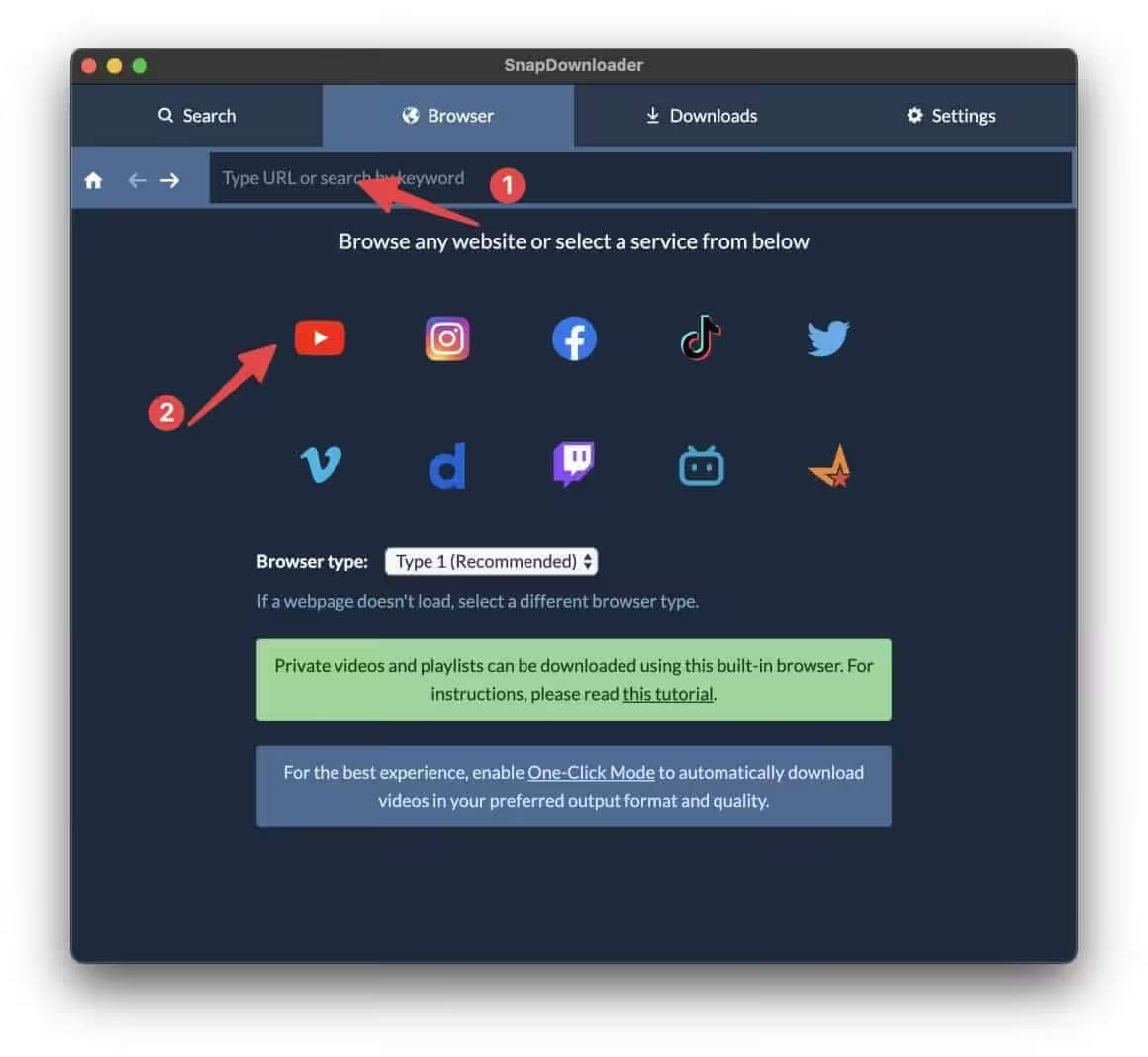
Here, you can either paste the link to the private YouTube video page or open YouTube by clicking the YouTube icon. Once you are there, sign in to YouTube with your login credentials.
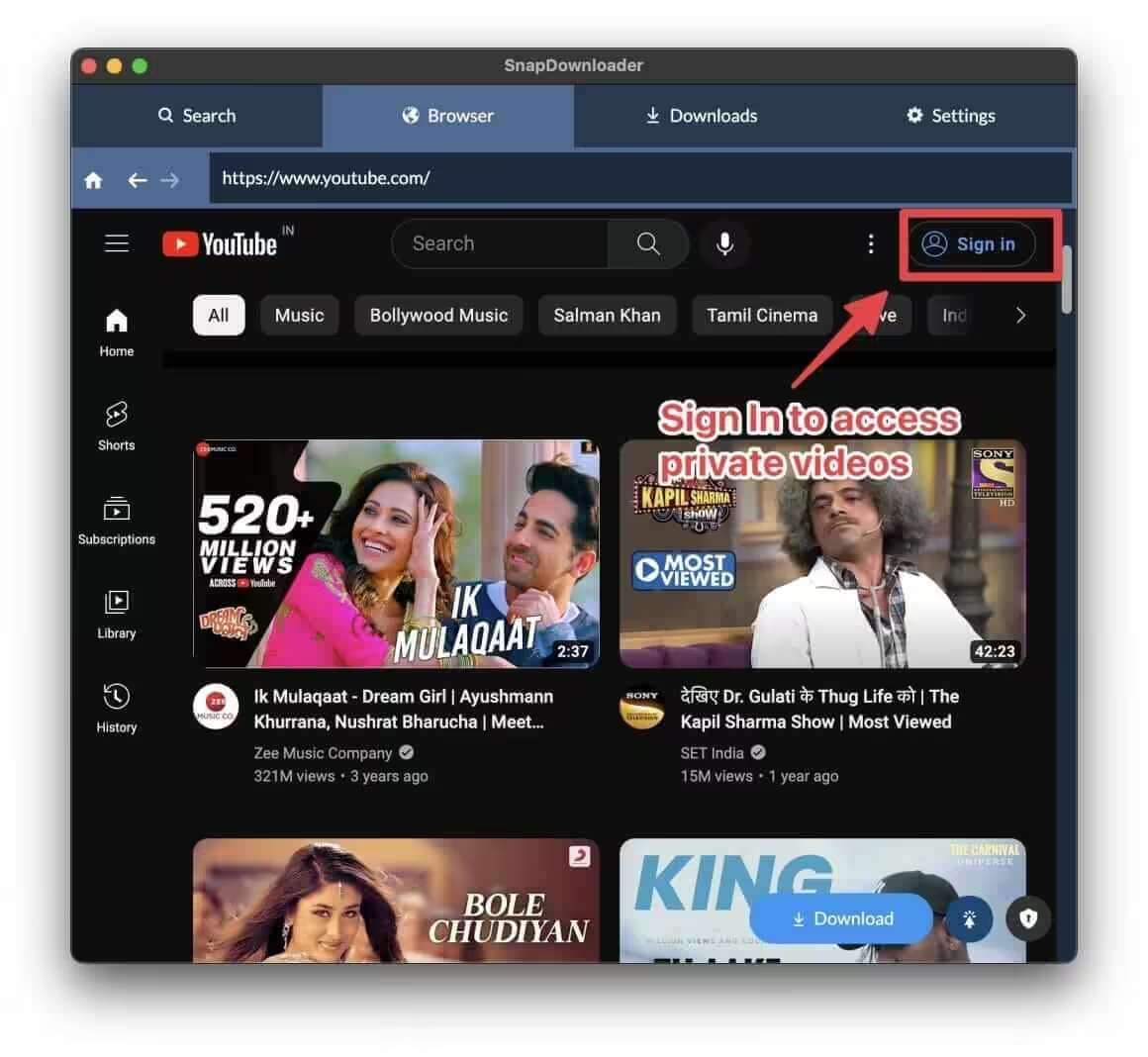
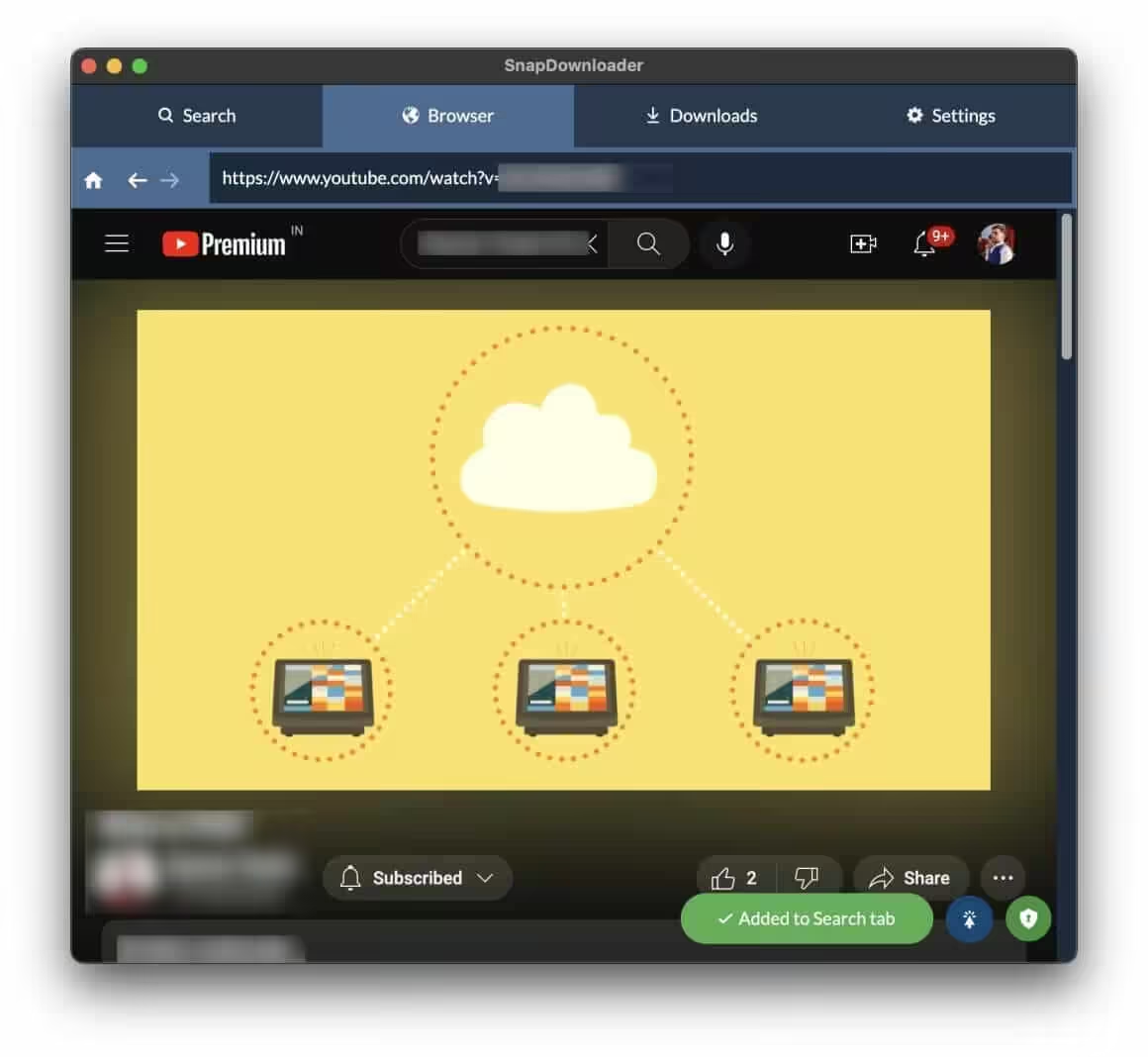
Step 3: Use the lock icon on the bottom right to enable the private video downloader, and then click the Download button to start downloading the video.
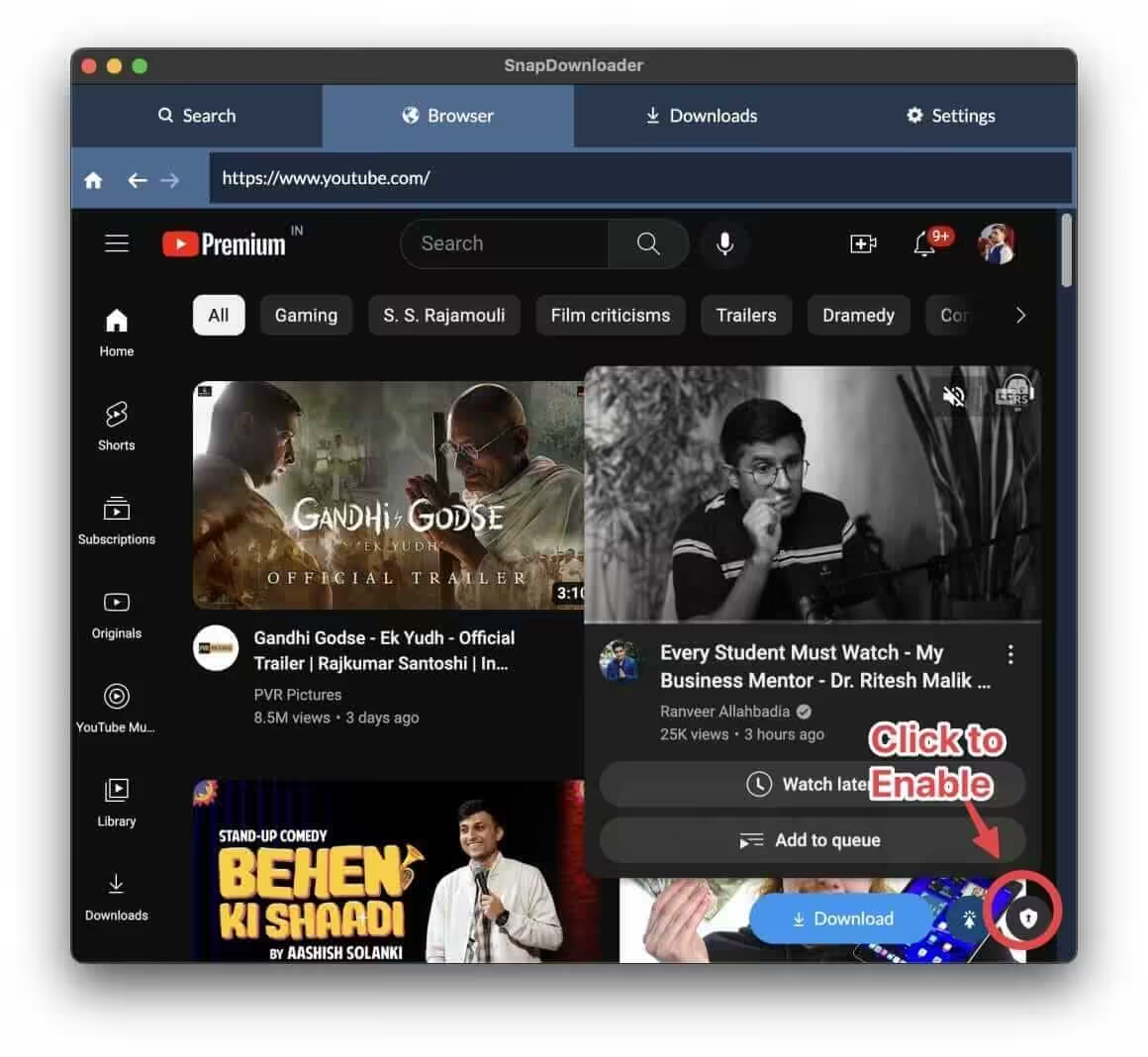
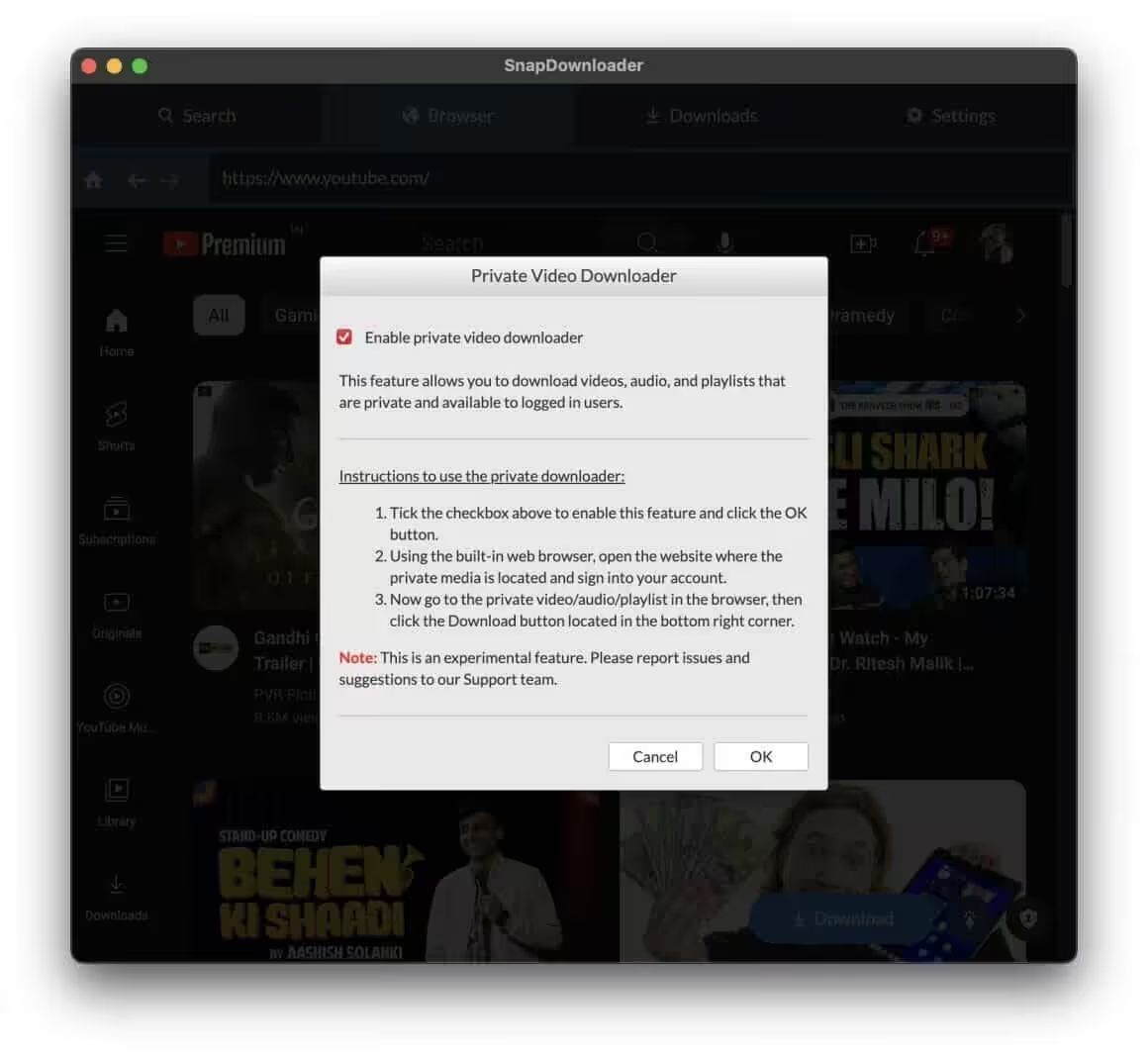
Once you click download on a YouTube video, you will see a prompt that it has been added to the search queue.
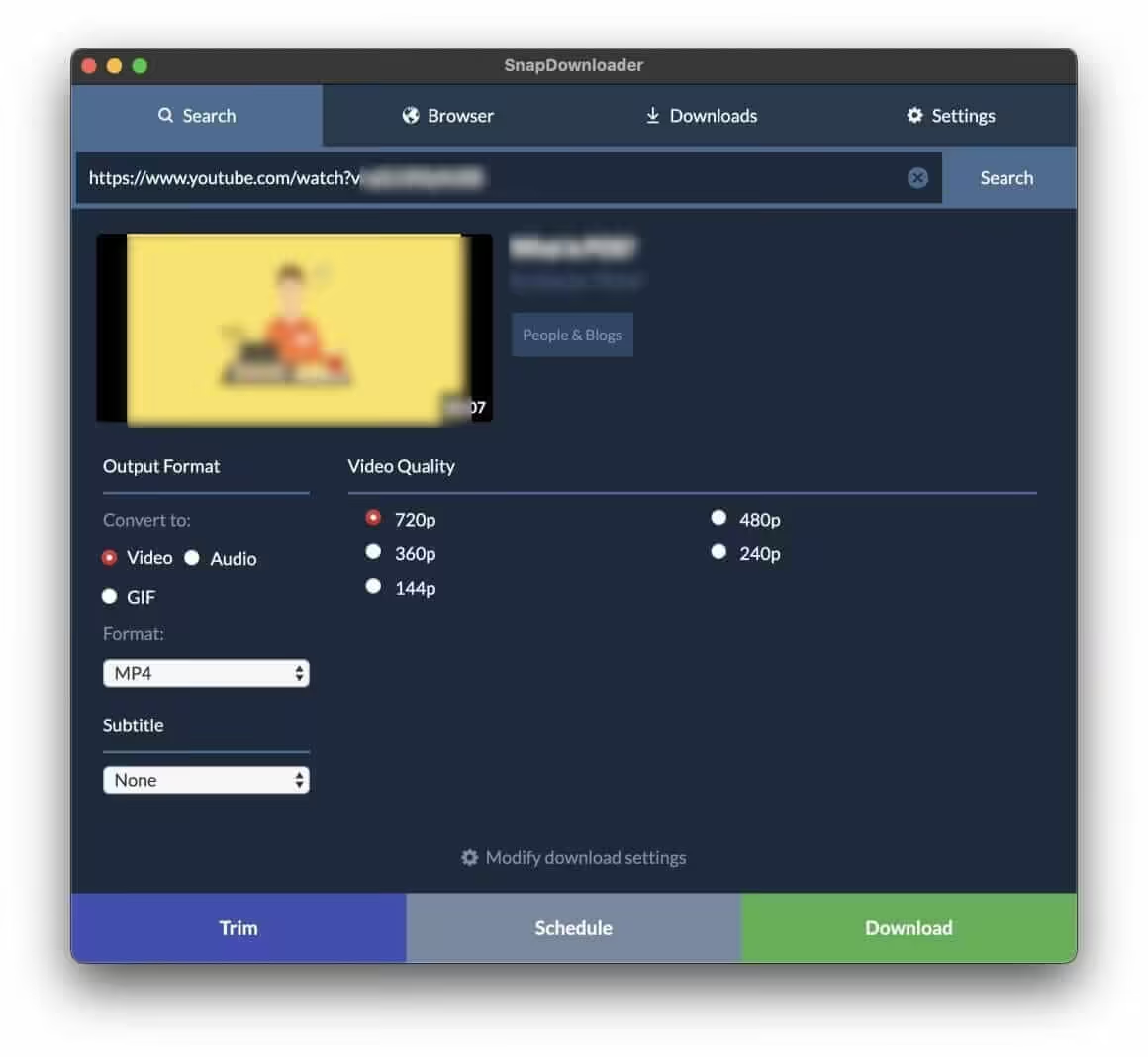
Step 4: Go to the Search tab and click the Search button. There you can customize things and formats and save the video to your computer.
Note: SnapDownloader also downloads from Twitter/X, Instagram, TikTok, Facebook, Vimeo, and 900+ other sites.
Method 5: ByClick Downloader
Best for: Downloading entire playlists and channels
Platform: Windows only
Cost: Free (basic) / $9.99 (premium)
Difficulty: Easy
Limitations: Windows only
ByClick Downloader integrates with your browser to detect and download private videos automatically.
- Download the ByClick Downloader application.
- Open it and go to the Options tab. Under the Accounts section, grant access to Chrome or your preferred browser.
- Press Save. From the main menu, access the Paste URL section and attach the private YouTube video link.
- The program will detect the video automatically. Choose if you wish to download the video or the audio, select quality, and click Download.
ByClick can also download all videos from a YouTube playlist or channel. Useful if you need to batch-download multiple private videos shared with your account.
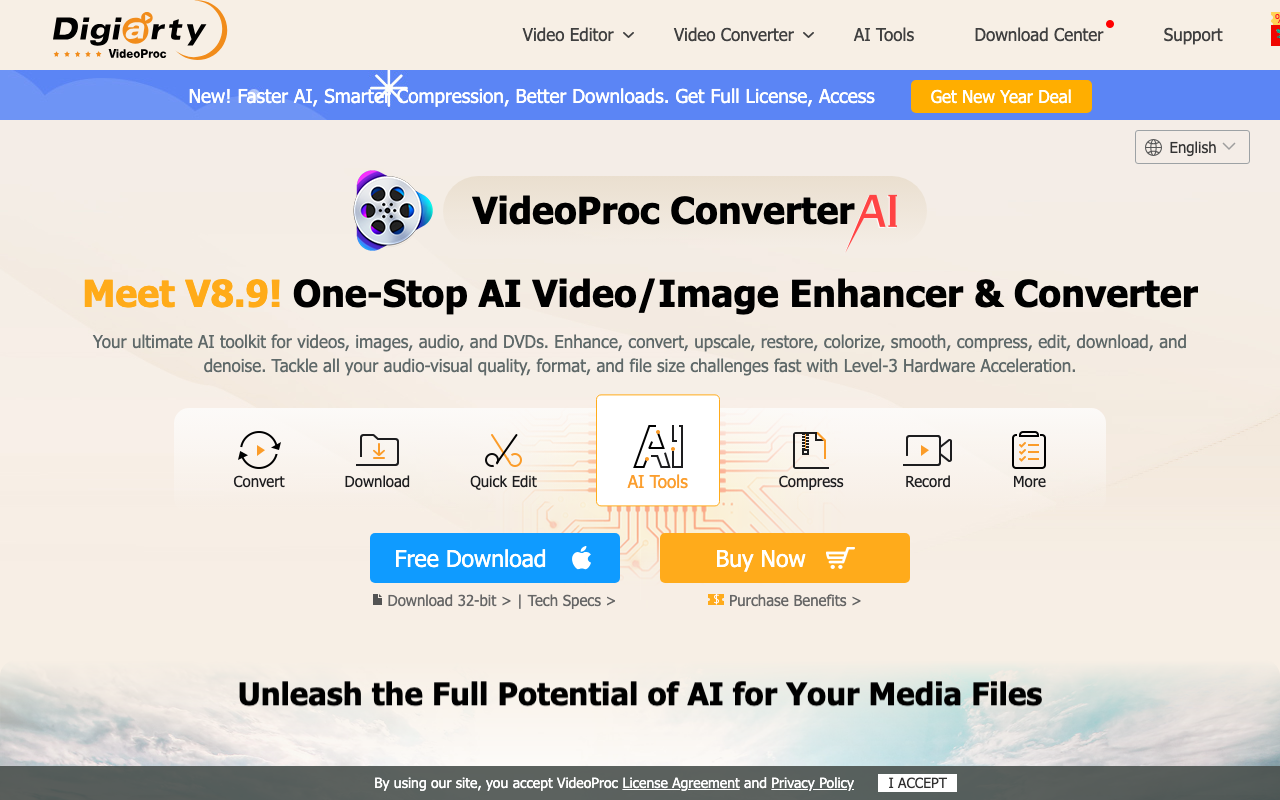
Method 6: VideoProc Downloader
Best for: Downloading and converting videos in one step
Platform: Windows, Mac
Cost: Free (limited) / $25.95 (full version)
Difficulty: Easy
Limitations: Free version has watermark on converted files
VideoProc combines downloading and video conversion. Download a private video and convert it to any format in one workflow.
- Download VideoProc from the official page and install it.
- Launch the app and click the Downloader module.
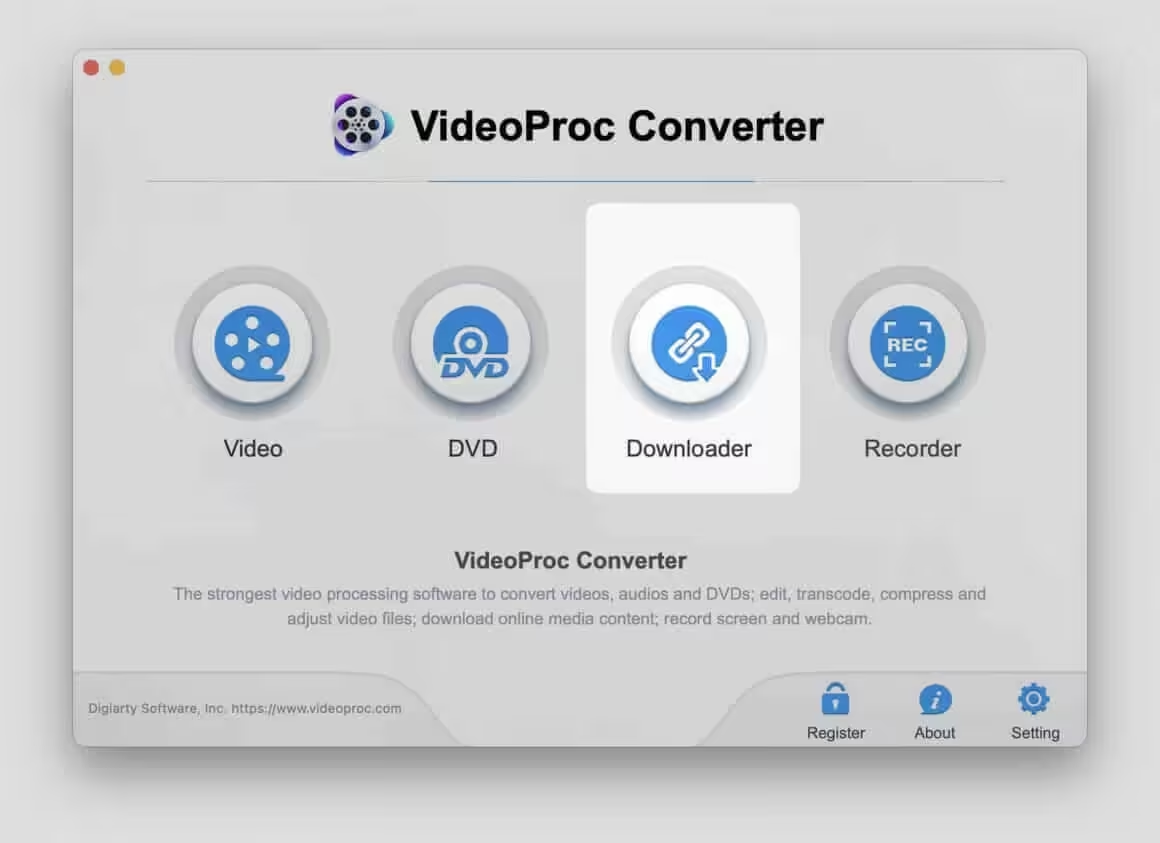
- Sign in with your YouTube account from which you have access to the private videos.
- Click Add Video on the top bar.
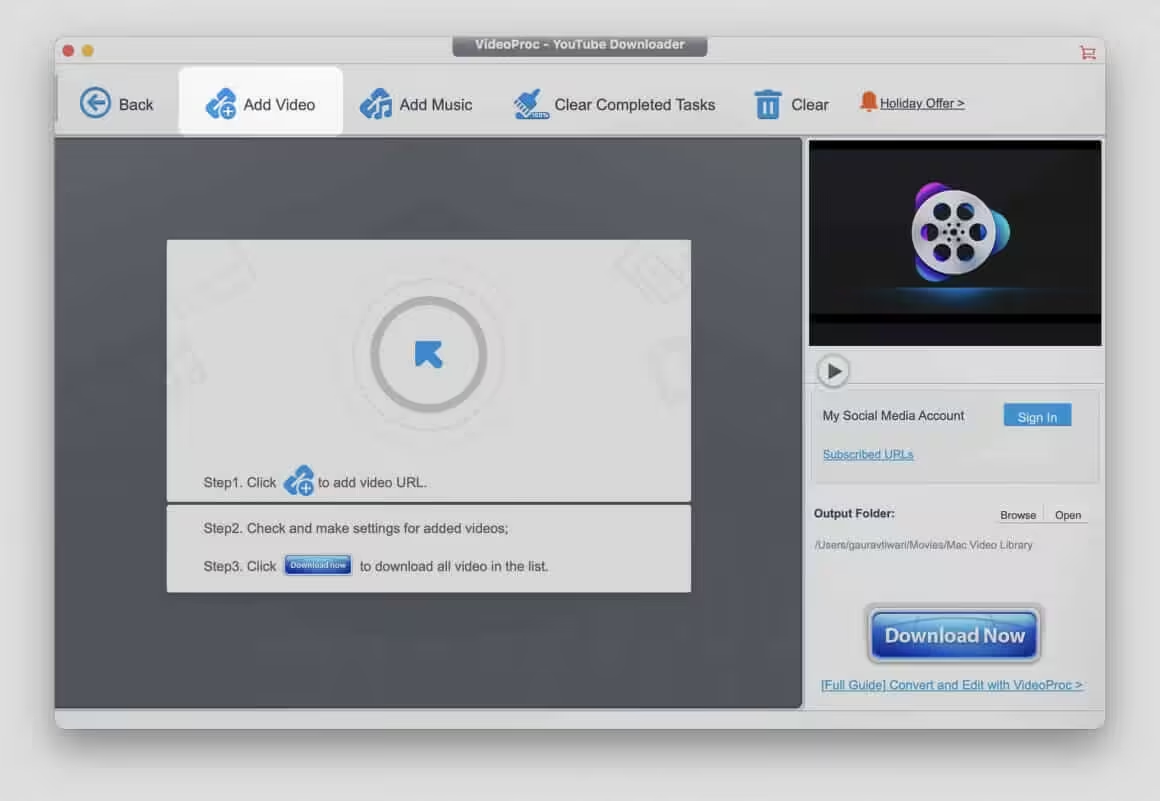
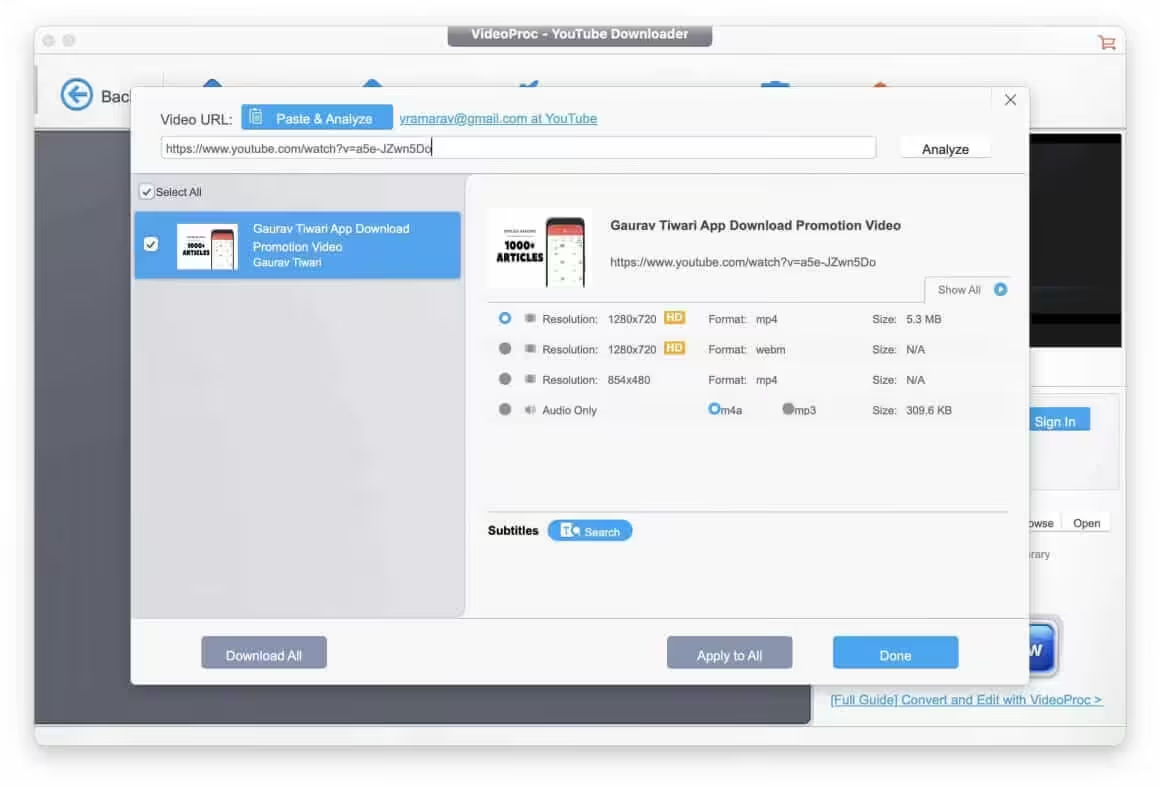
- Copy the YouTube video URL from the address bar and paste it in the Video URL field.
- Click Analyze to detect available formats and qualities.
- Select your preferred option and click Download.
VideoProc also includes a screen recorder, which is a backup option if downloading fails — you can record the video as it plays.
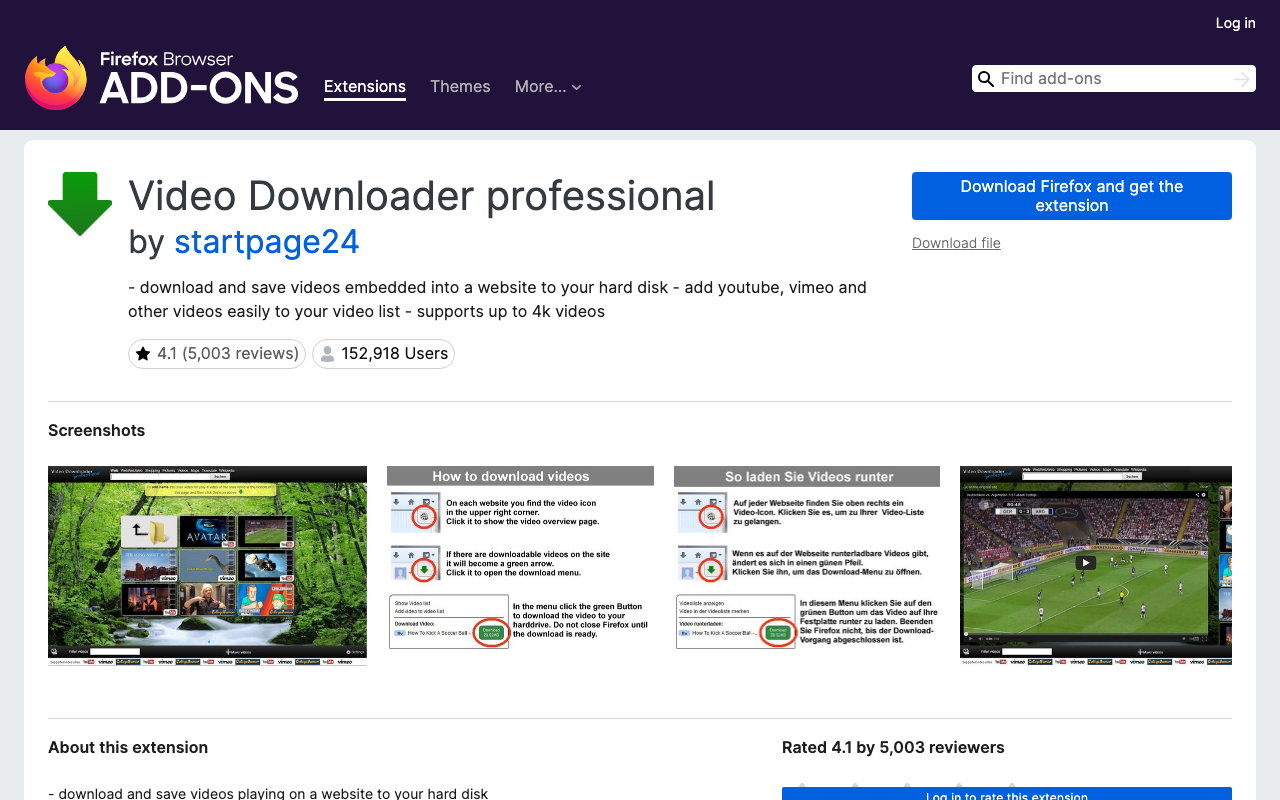
Method 7: Firefox Extension (Video Downloader Professional)
Best for: Quick, one-off downloads without installing desktop software
Platform: Any OS with Firefox browser
Cost: Free
Difficulty: Easy
Limitations: Maximum 720p quality (YouTube stores audio and video separately above 720p)
A Firefox extension is the simplest approach if you do not want to install dedicated software. Chrome does not allow YouTube downloader extensions (Google blocks them), but Firefox does.
- Download and Install Video Downloader Professional from Mozilla Add-ons.
- Open the Firefox browser and go to the YouTube page. Search and open the specific private video you are looking for.
- Click on the Video Downloader Professional add-on icon in the top-right toolbar.
- Select your preferred quality from the available options and hit download.
Important limitation: YouTube stores audio and video as separate streams for resolutions above 720p. This Firefox extension can only capture the combined stream, which maxes out at 720p. For higher quality, use yt-dlp or a desktop app like 4K Video Downloader.
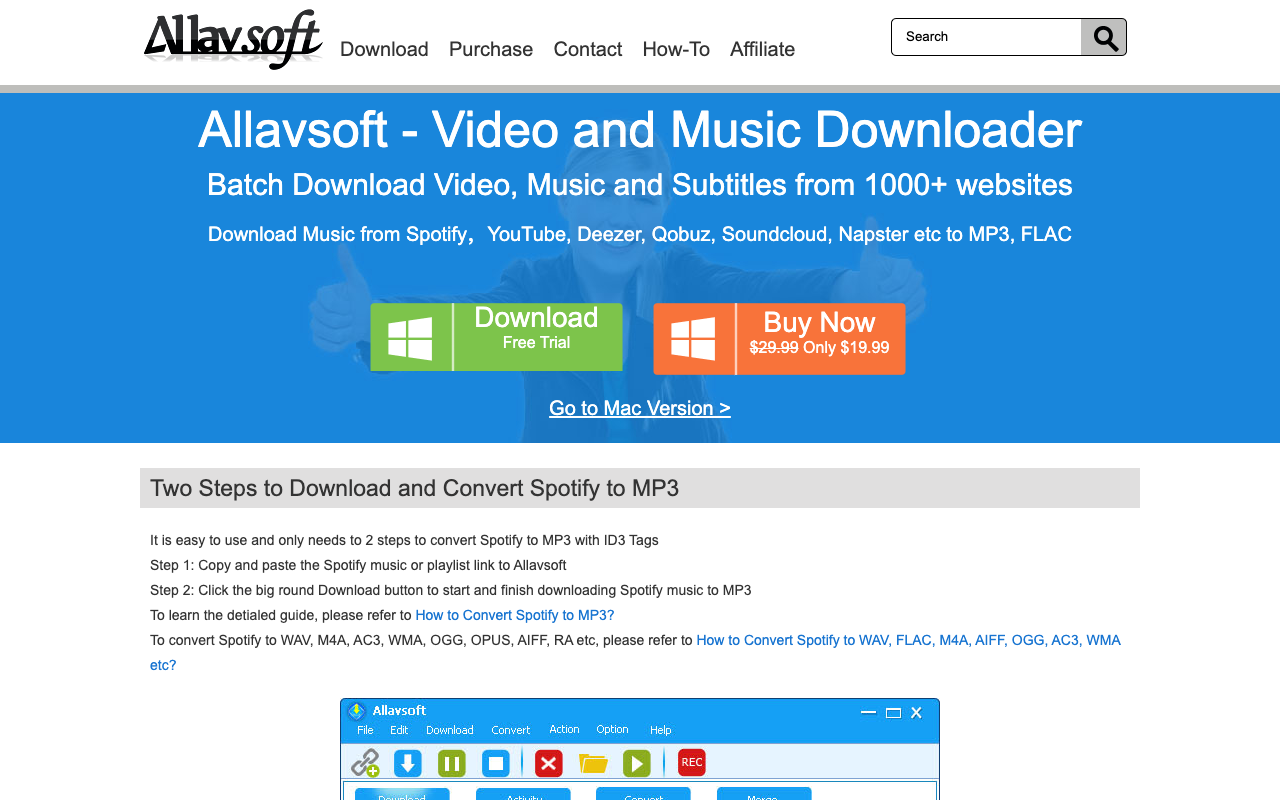
Method 8: Allavsoft
Best for: Multi-site media downloader
Platform: Windows, Mac
Cost: $19.99
Difficulty: Easy
Limitations: Paid software
Allavsoft downloads video and audio from YouTube, Udemy, Facebook, Gaia, and many other websites. It also converts between formats (MP4, MKV, MOV, WMV).
- Download Allavsoft for Windows or Mac and launch the application.
- Copy the URL of the private YouTube video and paste it into Allavsoft.
- Allavsoft detects the highest quality version and begins downloading.
Note: Since it is a private video, Allavsoft will prompt you to enter the YouTube account that has viewing access. Enter your credentials when prompted.
Download on Android & iOS (Termux / A-Shell)
If you wish to download private YouTube videos on Android and iOS, these two are the perfect options for you.
Android
You can follow these simple steps and download any private video on your Android device:
- Open the Google Play Store if you are on Android and download an application known as Termux. [Backup APK link]
- Open Termux and run the following commands one by one:
termux-setup-storage

cd ~/storage/downloads

pkg install python ffmpeg -y

pip install --upgrade yt-dlp
- Once you have entered all the commands individually, run this single command to download any private YouTube video you wish to:
yt-dlp --cookies-from-browser chrome "https://youtube.com/watch?v=VIDEO_ID"
- After putting in the commands, all the private videos you selected should be visible in the Downloaded section of the app.
iOS
For iOS users, you can download an application known as A-Shell and follow the same steps but use pip install yt-dlp instead. Then run yt-dlp --cookies-from-browser safari "VIDEO_URL" to download private videos you have access to.
Which Method Should You Choose?
Downloading your own videos: Use YouTube Studio (Method 1). It is free, safe, and gives you original quality. No reason to use anything else.
Downloading videos shared with you (non-technical): Use 4K Video Downloader (Method 3). Clean, safe desktop app with a generous free tier. SnapDownloader and ByClick are also solid choices.
Downloading videos shared with you (technical): Use yt-dlp (Method 2). Free, open source, supports the highest quality, works on every platform including mobile. The learning curve is worth it if you download videos regularly.
Quick one-off download: Use the Firefox extension (Method 7). No software to install, works instantly, but limited to 720p.
Is It Legal to Download Private YouTube Videos?
The legality depends on what you are downloading and why:
- Your own private videos: Completely legal. You own the content. YouTube Studio is designed for this.
- Videos shared with you, with the owner’s permission to download: Generally fine. You have been given access, and the owner consents.
- Videos shared with you, without explicit download permission: Gray area. YouTube’s Terms of Service technically prohibit downloading unless YouTube provides a download button. However, enforcement targets tools and platforms, not individual users backing up content they have access to.
- Attempting to download someone else’s private video without access: Not possible (tools cannot bypass YouTube’s authentication) and would violate both YouTube ToS and potentially copyright law.
My recommendation: Download your own content freely. For content shared with you, get explicit permission from the owner if possible. Never use tools that claim to bypass YouTube’s privacy protections.
FAQs
Can you download private YouTube videos?
Yes, but only if you have access. You can download your own private YouTube videos through YouTube Studio (free, no tools needed). For private videos shared with your Google account by the owner, tools like yt-dlp, 4K Video Downloader, or SnapDownloader can download them by authenticating with your YouTube credentials. No tool can download private videos you do not have permission to view.
How to download private YouTube videos without any software?
The only no-software method is YouTube Studio for your own videos. Log into YouTube Studio, go to Content, find the video, click the three-dot menu, and select Download. For videos shared with you, a Firefox extension (Video Downloader Professional) avoids installing desktop software, though quality is limited to 720p. Every other method requires some software installation.
Is it legal to download private YouTube videos?
Downloading your own private videos is legal. Downloading videos shared with you is a gray area — YouTube’s Terms of Service prohibit downloading, but enforcement targets tool developers, not individual users. Never attempt to download private videos you do not have authorized access to. When in doubt, ask the video owner for permission.
What is the difference between private and unlisted YouTube videos?
Private videos can only be viewed by specific Google accounts invited by the owner. They do not appear in search, on the channel page, or anywhere public. Unlisted videos can be viewed by anyone with the direct link, but they do not appear in search results or on the channel page. Both types can be downloaded using the methods in this guide, provided you have viewing access. See my full breakdown of YouTube unlisted vs private vs public videos.
Does youtube-dl still work for downloading private YouTube videos?
The original youtube-dl project is no longer actively maintained and frequently breaks with YouTube updates. The community fork yt-dlp is the replacement — it has 152K+ GitHub stars, receives regular updates, and handles private video downloading via browser cookie authentication. Install with pip install yt-dlp and use the --cookies-from-browser flag.
Can I download private YouTube videos on my phone?
Yes. On Android, install Termux from the Play Store and use yt-dlp with the command line. On iOS, use the A-Shell app. Both let you run yt-dlp to download private videos you have access to. For a simpler option, use the YouTube app itself, which lets you save videos offline if you have YouTube Premium.
Related Guides
Also, see:
Those are the 8 working methods to download private YouTube videos in 2026. For your own videos, YouTube Studio is the simplest and safest option. For videos shared with you, yt-dlp with browser cookies is the most reliable free method. Desktop tools like 4K Video Downloader and SnapDownloader offer a GUI if you prefer not to use the command line.
Disclaimer: This site is reader-supported. If you buy through some links, I may earn a small commission at no extra cost to you. I only recommend tools I trust and would use myself. Your support helps keep gauravtiwari.org free and focused on real-world advice. Thanks. - Gaurav Tiwari