
Beginner’s Checklist for Buying a New Laptop
I’ve helped over 800 clients choose the right tech for their businesses over the past 16 years. The single question I get asked more than anything else? “Which laptop should I buy?” It’s not a simple answer because it depends entirely on what you’re doing with it.
This guide breaks down the best laptops you can buy in 2026, organized by what you’ll actually use them for. Whether you’re a student on a tight budget, a developer who needs raw processing power, a designer who cares about display quality, or a gamer who wants smooth frame rates, I’ve got specific recommendations for each category. Every laptop here is one I’d be comfortable recommending to a client.
I’ve also included a practical buying checklist at the end, so you can compare specs like a pro before you pull the trigger. No fluff, no filler. Just the information you need to make a smart purchase.
Best Budget Laptops for Everyday Use
If you need a laptop for basic tasks like email, web browsing, streaming, and office work, you don’t need to spend more than $400. These budget-friendly laptops get the job done without burning a hole in your wallet. I recommend these for students, first-time buyers, and anyone who already has a more powerful machine at home.
HP Stream 11.6-inch Laptop
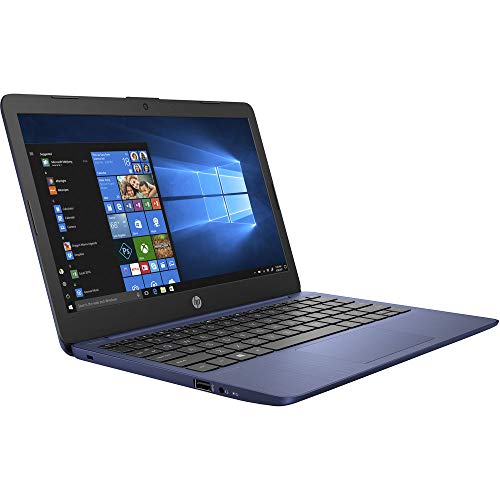
HP Stream 11.6-inch HD Laptop, Intel Celeron N4000, 4GB RAM
- 11.6-inch HD display in a compact, lightweight design
- Intel Celeron N4000 with 4GB RAM and 32GB eMMC
- Windows 10 Home in S Mode with one year of Microsoft 365 Personal
The HP Stream is the cheapest laptop on this list, and I’d still recommend it for basic computing. At $219.99, you’re getting a compact 11.6-inch screen, 4GB RAM, and 32GB eMMC storage. That’s not a lot of space, but if you live in Google Docs or Microsoft 365 online, it works fine. The one-year Microsoft 365 Personal subscription included is a nice bonus. Battery life hovers around 13 hours, which is excellent for the price. Don’t expect to run Photoshop or even heavy browser tabs on this one. It’s built for notes, emails, and Netflix.
ASUS VivoBook L210, 11.6-inch Ultra-Thin Laptop
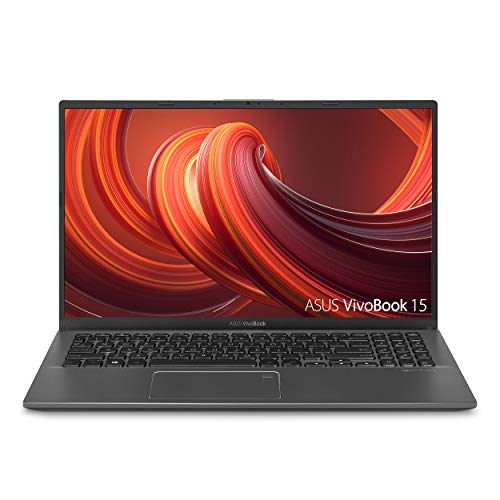
ASUS VivoBook L210, 11.6-inch Ultra-Thin Laptop, Intel Celeron N4020
- 11.6-inch ultra-thin design weighing just 2.2 lbs for maximum portability
- Intel Celeron N4020 with 4GB RAM and 64GB eMMC storage
- Up to 10 hours of battery life for all-day use
At $193, this is one of the most affordable laptops you can get. It weighs just 2.2 lbs, which makes it perfect for tossing in a backpack. The Intel Celeron N4020 handles basic browsing and document editing without issues, and ASUS claims up to 10 hours of battery life. Storage is limited at 64GB eMMC, so you’ll want to lean on cloud storage. For a secondary laptop or a first computer for a young student, it’s hard to beat this price point.
HP Pavilion with Intel Pentium Silver N5000
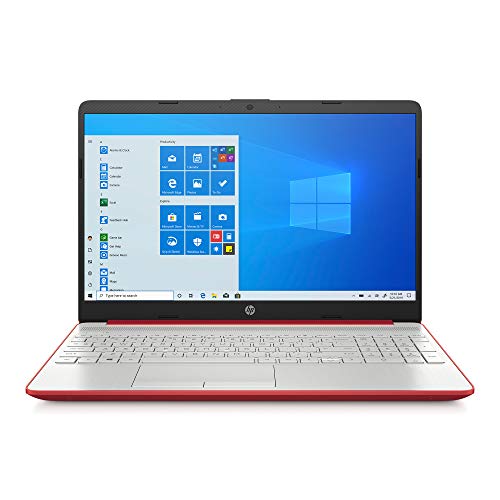
HP Pavilion Laptop, Intel Pentium Silver N5000, 4GB RAM, 128GB SSD
- Intel Pentium Silver N5000 quad-core processor for reliable multitasking
- 4GB DDR4 RAM with 128GB SSD storage
- Slim design with Windows 10 Home pre-installed
This is a step up from the Stream. The Intel Pentium Silver N5000 is a quad-core processor that handles multitasking better than the Celeron chips in cheaper laptops. You get 4GB RAM and 128GB SSD, which gives you faster boot times and more local storage than eMMC-based machines. At $244, it sits in the sweet spot for someone who wants a reliable everyday laptop without overspending.
HP Chromebook 14-inch Laptop
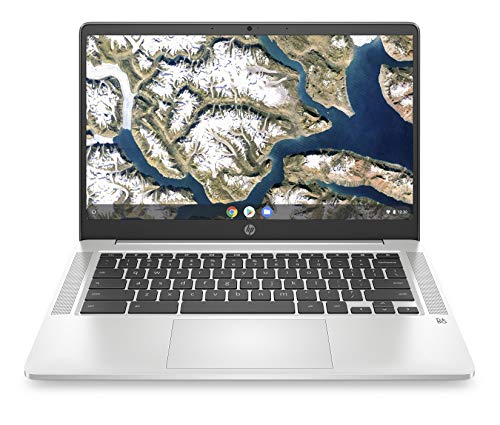
HP Chromebook 14-inch HD Laptop, Intel Celeron N4000, 4GB RAM
- 14-inch HD display running Chrome OS for fast, secure browsing
- Intel Celeron N4000 with 4GB RAM and 32GB eMMC storage
- Up to 13 hours of battery life with quick charging support
If you’re okay with Chrome OS instead of Windows, this 14-inch Chromebook gives you a bigger screen and better browsing experience than most Windows laptops at this price. Chrome OS boots in seconds, stays fast over time, and doesn’t need antivirus software. The 4GB RAM and 32GB eMMC are standard for Chromebooks. You get up to 13 hours of battery life and access to the Google Play Store for Android apps. For students who work primarily in Google Workspace, this is the better choice over a cheap Windows laptop.
Best Laptops for Office and Business
Office laptops need to be reliable, fast enough for spreadsheets and presentations, and comfortable for 8+ hours of daily use. These models strike the right balance between performance and value for professionals and remote workers. If you’re working from home, any of these will handle your workload.
Acer Aspire 5 Slim Laptop, 15.6-inch Full HD
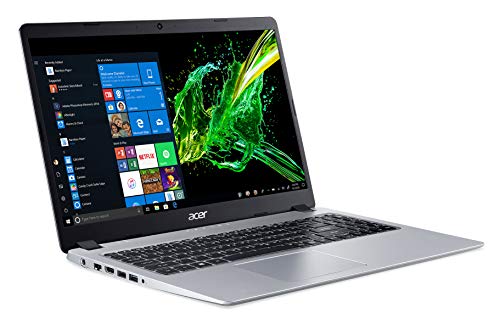
Acer Aspire 5 Slim Laptop, 15.6-inch Full HD IPS Display, AMD Ryzen 3 3200U
- 15.6-inch Full HD IPS display with AMD Ryzen 3 3200U processor and Vega 3 Graphics
- 4GB DDR4 RAM with 128GB SSD for fast boot times
- Backlit keyboard with Windows 10 in S Mode
The Acer Aspire 5 is one of the most popular budget laptops on Amazon, and for good reason. The 15.6-inch Full HD IPS display is sharp and bright enough for long work sessions. The AMD Ryzen 3 3200U processor paired with 4GB RAM handles office applications, web browsing, and video calls without breaking a sweat. The 128GB SSD is small but keeps the system snappy. If you need more storage, there’s an open slot for a second drive. At $375, this is the best value office laptop on this list.
ASUS VivoBook 15, Intel Core i3, 8GB RAM
ASUS VivoBook 15, 15.6-inch FHD Display, Intel Core i3-1005G1, 8GB RAM
- 15.6-inch Full HD display with Intel Core i3-1005G1 processor
- 8GB DDR4 RAM with 128GB SSD, more than enough for everyday tasks
- Thin and light design with NanoEdge bezels
This VivoBook steps up to 8GB RAM and an Intel Core i3-1005G1 processor, which makes a noticeable difference when you’re juggling multiple apps. The 15.6-inch Full HD display with NanoEdge bezels gives you more screen real estate in a compact body. At $329, you’re getting solid hardware for spreadsheets, presentations, and video conferencing. The 128GB SSD keeps things fast. I’d pick this over the Aspire 5 if multitasking is important to you.
Lenovo IdeaPad 3, AMD Ryzen 5, 8GB RAM
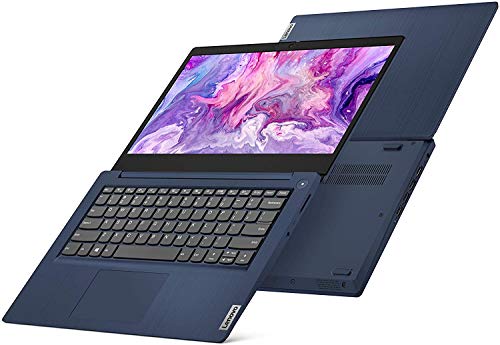
Lenovo IdeaPad 3, 14-inch FHD Laptop, AMD Ryzen 5 3500U, 8GB RAM
- 14-inch Full HD 1920×1080 IPS display for clear, vivid visuals
- AMD Ryzen 5 3500U processor with 8GB DDR4 RAM
- 256GB SSD storage with fast boot and load times
The IdeaPad 3 punches above its weight. An AMD Ryzen 5 3500U processor with 8GB RAM and 256GB SSD at under $380 is genuinely impressive. This handles everything from heavy spreadsheets to light video editing. The 14-inch Full HD IPS display is crisp and color-accurate enough for professional use. Lenovo’s keyboard is one of the best in this price range, which matters when you’re typing all day. If your budget is around $400 for an office laptop, this is the one I’d buy.
Dell Inspiron 15.6-inch, 8GB RAM, 1TB HDD
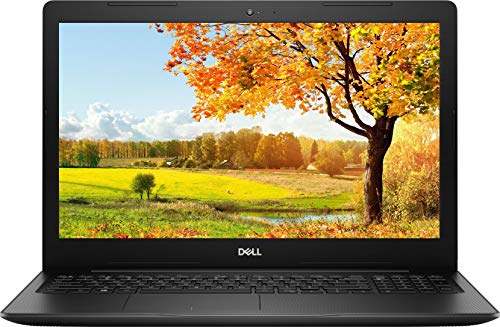
Dell Inspiron 15.6-inch HD Laptop, Intel 4205U, 8GB DDR4 RAM, 1TB HDD
- 15.6-inch HD display with Intel Pentium Gold 4205U processor
- 8GB DDR4 RAM with 1TB HDD for ample storage
- Built-in webcam and HDMI output for presentations and calls
If you need maximum storage on a budget, this Dell Inspiron comes with a 1TB HDD. That’s more than enough for documents, photos, and media files. The Intel Pentium Gold 4205U is an entry-level processor, so don’t expect blazing speed, but it handles everyday office tasks fine. The 8GB RAM keeps multitasking smooth. At $483.86, you’re paying a bit more, but the 1TB storage makes it worthwhile if cloud storage isn’t your thing. The built-in webcam and HDMI output are practical for remote work setups.
HP 22 All-in-One Desktop PC
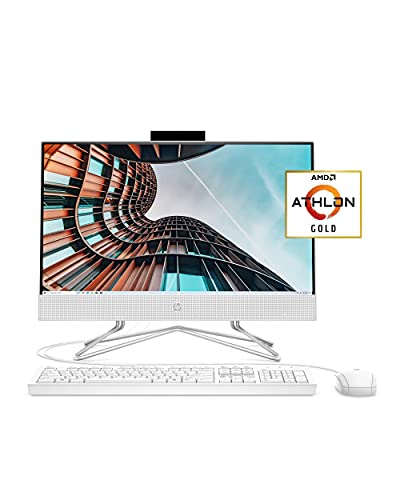
HP 22 All-in-One Desktop PC, AMD Athlon Gold 3150U, 21.5-inch Full HD IPS
- 21.5-inch Full HD IPS anti-glare display with thin micro-edge bezels
- AMD Athlon Gold 3150U with 4GB RAM and 256GB SSD
- Built-in webcam, microphone, and dual speakers for video calls
This isn’t a laptop, but it deserves a mention for home offices. The 21.5-inch Full HD IPS display gives you more screen space than any laptop under $500. The AMD Athlon Gold 3150U with 4GB RAM and 256GB SSD handles office work, video calls, and streaming. The built-in webcam, microphone, and dual speakers mean you don’t need extra peripherals. At $489.99, it’s a clean, all-in-one setup for anyone who works from a fixed desk. Pair it with a good external monitor for a dual-screen setup.
Best Laptops for Students and Coding
Students and developers need laptops that can handle coding IDEs, multiple browser tabs, and the occasional compile without choking. These picks offer the right balance of processing power, RAM, and portability. If you’re studying engineering or learning to code, pay attention to the RAM and processor specs.
ASUS VivoBook F512, AMD Ryzen 5, 8GB RAM
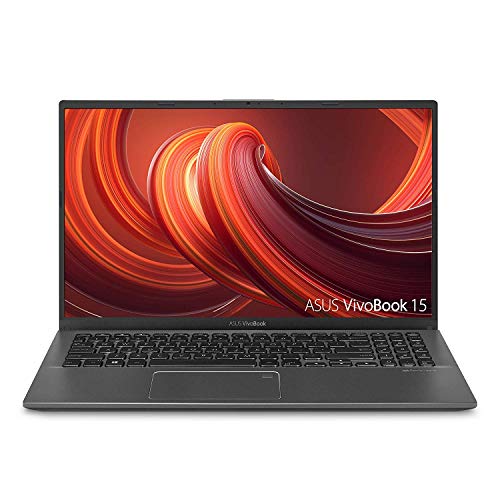
ASUS VivoBook F512, 15.6-inch FHD WideView NanoEdge, AMD Ryzen 5 3500U
- 15.6-inch Full HD WideView display with NanoEdge bezels
- AMD Ryzen 5 3500U processor with 8GB RAM and 256GB SSD
- Fingerprint reader and backlit keyboard for added convenience
The VivoBook F512 is a solid mid-range option for students. The AMD Ryzen 5 3500U handles coding in VS Code, IntelliJ, or any modern IDE without lag. 8GB RAM and 256GB SSD are enough for most programming workflows. The 15.6-inch Full HD display with NanoEdge bezels looks great for the price, and the fingerprint reader adds a nice layer of security. At $449, this sits right in the sweet spot for computer science students who don’t need a dedicated GPU.
Dell Inspiron 3583, 15.6-inch, 128GB SSD
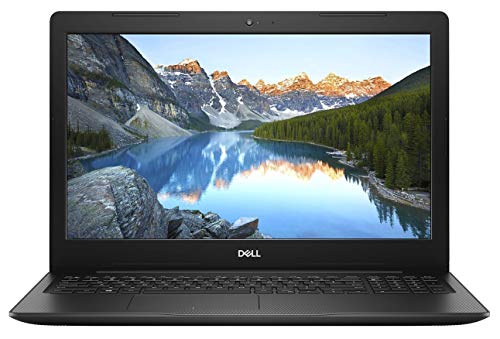
Dell Inspiron 3583, 15.6-inch Laptop, Intel Celeron, 128GB SSD, 4GB DDR4
- 15.6-inch HD display with Intel Celeron processor
- 4GB DDR4 RAM and 128GB SSD for basic computing needs
- Compact design with essential connectivity ports
At $308.40, this Dell Inspiron is a budget-friendly entry point for students. The Intel Celeron processor won’t win any speed tests, but it handles web development, Python scripting, and note-taking without issues. The 128GB SSD keeps the system responsive, and 4GB RAM is fine if you’re not running heavy applications simultaneously. Think of this as a reliable workhorse for learning the basics. Once you outgrow it, you’ll know exactly what specs matter for your next upgrade.
Jumper 13.3-inch Laptop, 8GB RAM, 128GB Storage
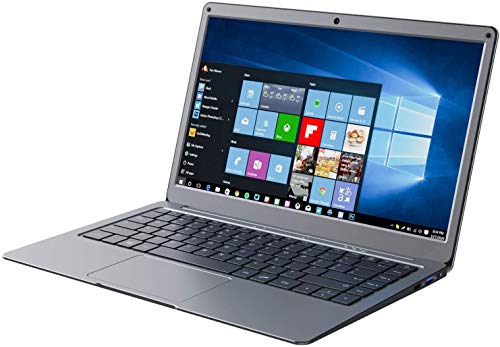
Jumper Laptop, 13.3-inch Full HD, 8GB RAM, 128GB ROM, Windows 10
- 13.3-inch Full HD IPS display in a thin and light form factor
- Quad-core Celeron processor with 8GB RAM and 128GB storage
- Windows 10 with expandable storage via microSD card slot
The Jumper laptop is a wildcard pick. At around $259, you’re getting 8GB RAM and a 13.3-inch Full HD IPS display, which is unusual at this price point. The Celeron quad-core processor is basic, but the 8GB RAM makes a real difference for multitasking. The thin and light design is perfect for carrying between classes. It won’t replace a proper development machine, but for web-based coding, research, and coursework, it punches way above its weight. The expandable microSD slot helps with the limited 128GB storage.
Best Laptops for Design and Creative Work
Designers need accurate color reproduction, fast processors for rendering, and enough RAM to handle Photoshop, Illustrator, and Figma without slowdowns. These laptops deliver on display quality and performance. If you’re working with data visualization or creative tools, these are your best bets.
Acer Swift 3, AMD Ryzen 7 4700U Octa-Core, 14-inch
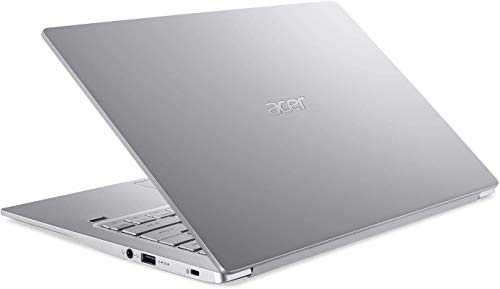
Acer Swift 3, 14-inch Full HD IPS, AMD Ryzen 7 4700U Octa-Core, 8GB RAM
- AMD Ryzen 7 4700U octa-core processor with Radeon Graphics
- 14-inch Full HD IPS display with 8GB LPDDR4 RAM and 512GB NVMe SSD
- Aluminum body weighing 2.65 lbs with up to 11.5 hours battery life
The Acer Swift 3 is my top pick for designers on a budget. The AMD Ryzen 7 4700U is an octa-core beast that handles Photoshop, Illustrator, and video editing without flinching. The 14-inch Full HD IPS display has good color accuracy out of the box. At just 2.65 lbs with an aluminum body, it’s one of the most portable laptops in its performance class. 8GB RAM and 512GB NVMe SSD keep workflows snappy. The 11.5-hour battery life means you can work through a full day without hunting for outlets. At $689.99, this is exceptional value for creative professionals.
Lenovo Flex 5, 14-inch 2-in-1 Touchscreen, 16GB RAM
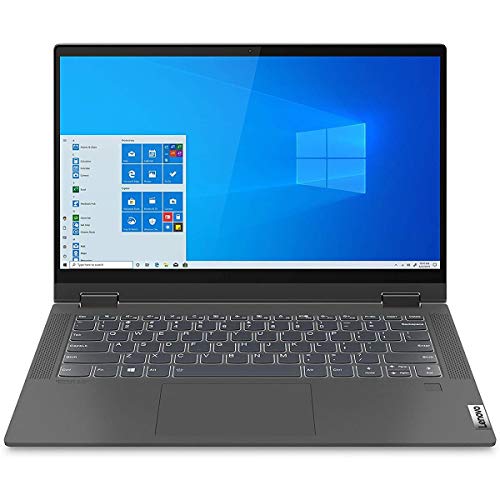
Lenovo Flex 5, 14-inch 2-in-1 Laptop, FHD Touch Display, AMD Ryzen 5 4500U, 16GB RAM
- 14-inch Full HD IPS touchscreen with 360-degree hinge for tent and tablet modes
- AMD Ryzen 5 4500U with 16GB DDR4 RAM and 256GB SSD
- Digital pen included for note-taking and creative work
The Flex 5 is a 2-in-1 with a 14-inch Full HD IPS touchscreen and 360-degree hinge. That means you can flip it into tablet mode for sketching or use it in tent mode for presentations. The included digital pen is a huge bonus for designers and note-takers. Under the hood, you get an AMD Ryzen 5 4500U with 16GB RAM, which is rare at this price point. The 256GB SSD is on the smaller side, but the performance-to-price ratio at $649.99 is hard to beat. This is my go-to recommendation for anyone who needs a versatile creative machine under $700.
HP 15.6-inch Touchscreen, Intel Core i5, 16GB RAM, 512GB SSD
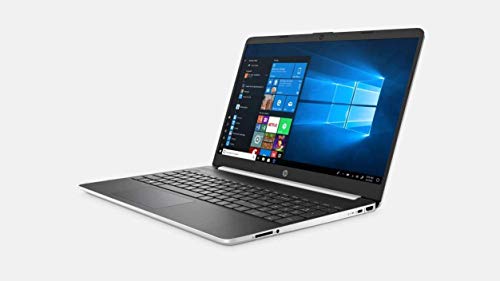
HP 15.6-inch HD Touchscreen Premium Laptop, Intel Core i5-1035G1, 16GB DDR4, 512GB SSD
- 15.6-inch HD touchscreen with 10th Gen Intel Core i5-1035G1
- 16GB DDR4 RAM and 512GB SSD for heavy multitasking
- Numeric keypad and dual speakers with HP Audio Boost
16GB RAM and 512GB SSD at $519 is a steal. The 10th Gen Intel Core i5-1035G1 handles design applications and multitasking without breaking a sweat. The 15.6-inch HD touchscreen adds flexibility for UI prototyping and quick sketches. The numeric keypad is a nice touch for anyone working with spreadsheets alongside design work. It’s not the lightest laptop here, but the raw specs at this price make it one of the best value picks on this entire list.
MSI Modern 14, Intel Core i5-10210U, Ultra-Thin
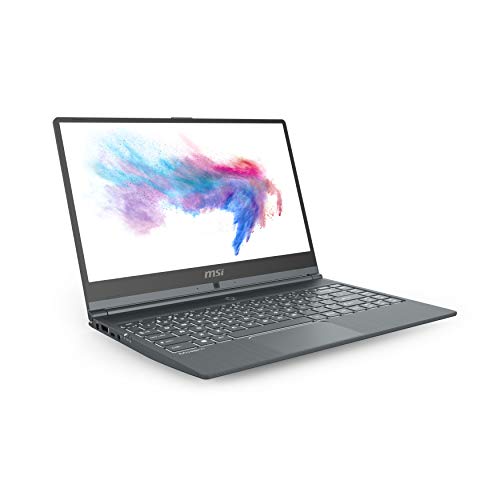
MSI Modern 14, 14-inch Ultra-Thin Professional Laptop, Intel Core i5-10210U
- 14-inch thin-bezel Full HD display weighing only 2.62 lbs
- Intel Core i5-10210U with 8GB RAM and 512GB SSD
- Ultra-thin design at 0.63 inches, ideal for professionals on the move
The MSI Modern 14 is built for professionals who want a sleek, lightweight laptop without sacrificing performance. At just 2.62 lbs and 0.63 inches thin, it’s thinner than a MacBook Air. The Intel Core i5-10210U with 8GB RAM and 512GB SSD handles design software, coding, and heavy multitasking. The 14-inch thin-bezel display looks clean, and the keyboard has decent travel for long typing sessions. At $750, you’re paying a premium for the build quality and portability, which is worth it if you’re always on the move.
HP Pavilion, 15.6-inch Full HD IPS Touchscreen, Intel Core i5
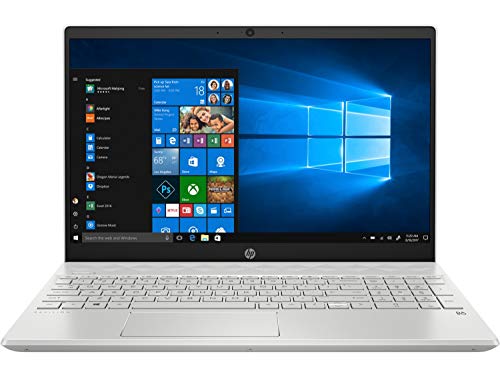
HP Pavilion Laptop, 15.6-inch Full HD IPS Touchscreen, Intel Core i5-1035G1
- 15.6-inch Full HD IPS touchscreen with anti-glare coating
- 10th Gen Intel Core i5-1035G1 with 8GB RAM and 512GB SSD
- B&O tuned dual speakers with HP Audio Boost technology
The Pavilion strikes a nice balance between performance and price. The 15.6-inch Full HD IPS touchscreen with anti-glare coating is comfortable for long sessions, and the B&O-tuned dual speakers are a pleasant surprise for a laptop in this range. The i5-1035G1 with 8GB RAM and 512GB SSD handles design tools, video calls, and general multitasking without any hiccups. At $519, it’s a versatile machine that works for both creative work and everyday office tasks.
HP ENVY x360, 15.6-inch Touchscreen 2-in-1, AMD Ryzen 5
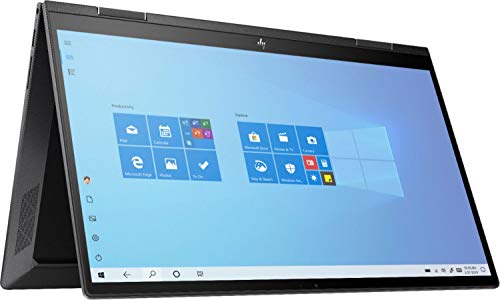
HP ENVY x360, 15.6-inch Full HD Touchscreen 2-in-1 Laptop, AMD Ryzen 5 4500U
- 15.6-inch Full HD IPS touchscreen with 360-degree convertible hinge
- AMD Ryzen 5 4500U processor with 8GB RAM and 256GB SSD
- Built-in fingerprint reader and privacy camera kill switch
The ENVY x360 is HP’s premium 2-in-1 convertible. The 15.6-inch Full HD IPS touchscreen flips 360 degrees for tablet mode, and the AMD Ryzen 5 4500U is a capable processor for creative work. 8GB RAM with 256GB SSD handles most workflows. What sets it apart: the built-in fingerprint reader and camera privacy kill switch. These are small details that matter for professionals handling sensitive work. At $548, it’s a solid upgrade over the Flex 5 if you want HP’s build quality and security features.
Dell Inspiron 15 5000, Intel Core i7-1165G7, 8GB RAM
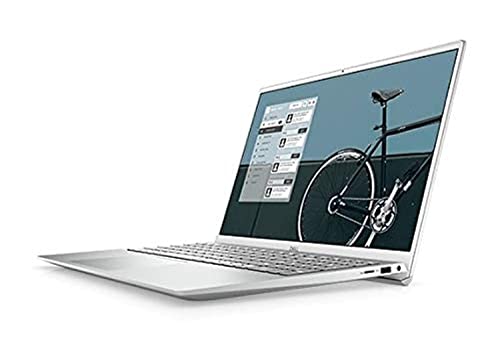
Dell Inspiron 15 5000 Series, Intel Core i7-1165G7, 8GB RAM, 256GB NVMe SSD
- 15.6-inch Full HD display with 11th Gen Intel Core i7-1165G7
- 8GB RAM with 256GB M.2 PCIe NVMe SSD storage
- Intel Iris Xe Graphics for light creative workloads
This is the most powerful design laptop in this section. The 11th Gen Intel Core i7-1165G7 with Intel Iris Xe Graphics gives you enough horsepower for Photoshop, Premiere Pro, and even light 3D modeling. 8GB RAM is the only compromise here, but it’s upgradeable. The 256GB NVMe SSD is fast, though you might want to add external storage for large project files. At $749.98, it’s priced right for anyone who needs serious processing power without jumping to a gaming laptop.
HP 17.3-inch HD+ Touchscreen, AMD Ryzen 5
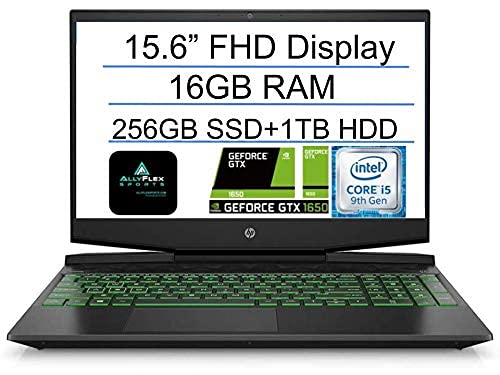
HP 17.3-inch HD+ Touchscreen Laptop, AMD Ryzen 5 7530U, 8GB RAM
- 17.3-inch HD+ touchscreen display for comfortable viewing
- AMD Ryzen 5 7530U processor with 8GB DDR4 RAM
- Large screen ideal for spreadsheets, presentations, and video editing
If screen size is a priority, this 17.3-inch laptop is the way to go. The larger display makes a real difference when you’re working on detailed designs or managing complex spreadsheets. The AMD Ryzen 5 7530U is a newer processor that handles multitasking efficiently. The touchscreen adds versatility for creative workflows. At around $499, the big screen and solid specs make this an excellent choice for anyone who prioritizes visual comfort over portability.
Best Gaming Laptops
Gaming laptops need dedicated GPUs, fast refresh-rate displays, and processors that won’t bottleneck during intense sessions. These picks range from budget gaming machines to premium powerhouses. Fair warning: gaming laptops sacrifice battery life and portability for raw performance. If that trade-off works for you, keep reading.
Lenovo IdeaPad L340, Intel Core i5, GTX 1650 (Budget Pick)
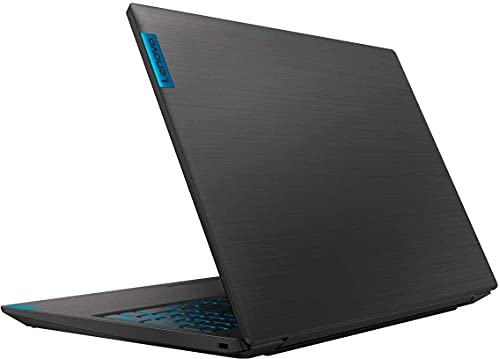
Lenovo IdeaPad L340, 15.6-inch Gaming Laptop, Intel Core i5, GTX 1650, 8GB RAM
- Intel Core i5 processor with NVIDIA GeForce GTX 1650 GPU
- 15.6-inch FHD display with 8GB RAM and 256GB SSD
- Harman speakers with Dolby Audio for immersive gaming sound
The IdeaPad L340 is the most affordable way to get into PC gaming with a dedicated GPU. The Intel Core i5 paired with an NVIDIA GeForce GTX 1650 runs most modern games at medium to high settings at 1080p. 8GB RAM and 256GB SSD keep things responsive. The Harman speakers with Dolby Audio are a step above what you’ll find on most budget gaming laptops. At $629.99, it’s the entry point I recommend for gamers who don’t want to overspend on their first gaming laptop.
HP Pavilion Gaming 15, AMD Ryzen 5 4600H, GTX 1650
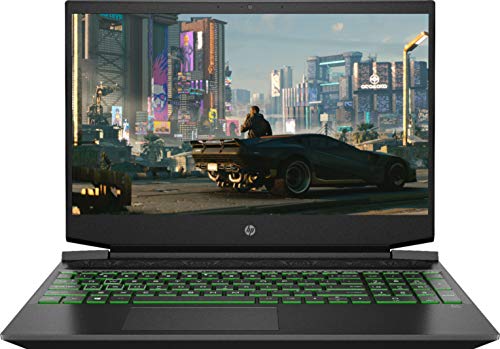
HP Pavilion Gaming 15, AMD Ryzen 5 4600H, NVIDIA GeForce GTX 1650, 8GB RAM
- AMD Ryzen 5 4600H processor with NVIDIA GeForce GTX 1650 GPU
- 15.6-inch Full HD IPS micro-edge display with 8GB DDR4 RAM
- 512GB PCIe NVMe SSD with enhanced thermal cooling
HP’s Pavilion Gaming line has gotten surprisingly good. The AMD Ryzen 5 4600H is a six-core processor that outperforms most Intel alternatives at this price, and the GTX 1650 handles 1080p gaming without issues. The 512GB PCIe NVMe SSD gives you fast load times and plenty of space for a decent game library. The enhanced thermal cooling keeps temperatures in check during long sessions. At around $699.99, it’s a well-rounded gaming laptop that doesn’t scream “gamer” in a meeting room.
Acer Nitro 5, Intel Core i5-10300H, GTX 1650 Ti
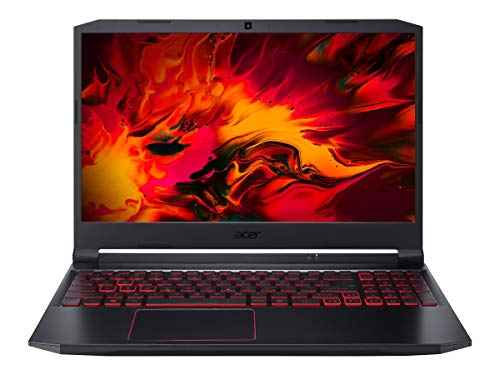
Acer Nitro 5 Gaming Laptop, Intel Core i5-10300H, GTX 1650 Ti, 15.6-inch Full HD
- 10th Gen Intel Core i5-10300H with NVIDIA GeForce GTX 1650 Ti
- 15.6-inch Full HD IPS display with 8GB DDR4 and 256GB NVMe SSD
- Killer Ethernet E2600 and WiFi 6 for lag-free online gaming
The Nitro 5 has been a gaming laptop staple for years, and this version keeps the tradition going. The i5-10300H paired with a GTX 1650 Ti is a meaningful step up from the standard GTX 1650, giving you 15-20% better frame rates in most games. WiFi 6 and Killer Ethernet are welcome additions for online gaming. 8GB RAM and 256GB NVMe SSD are the baseline, both upgradeable. At $819.99, it’s not the cheapest option, but the build quality and connectivity features justify the premium over the L340.
ASUS TUF Gaming A15, AMD Ryzen 5 4600H, 144Hz Display
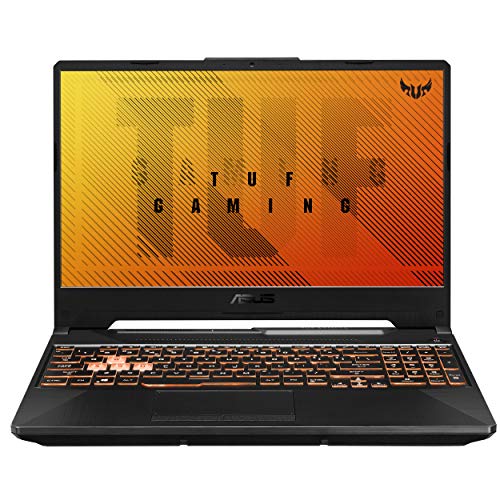
ASUS TUF Gaming A15, 15.6-inch 144Hz Full HD IPS, AMD Ryzen 5 4600H, GTX 1650
- 15.6-inch 144Hz Full HD IPS-Type display for smooth gameplay
- AMD Ryzen 5 4600H with NVIDIA GeForce GTX 1650 4GB GDDR6
- MIL-STD-810H military-grade durability with self-cleaning cooling
The TUF Gaming A15 is built to last. The MIL-STD-810H military-grade certification means this laptop can handle bumps, dust, and temperature extremes. The AMD Ryzen 5 4600H with GTX 1650 delivers reliable 1080p gaming performance, and the 144Hz display makes everything feel smoother. The self-cleaning cooling system is a standout feature that keeps the internals dust-free over time. At $849, you’re paying for durability alongside performance, which makes sense if you want a gaming laptop that’ll last 4-5 years.
ASUS TUF Gaming, Intel Core i7-9750H, GTX 1650, 144Hz
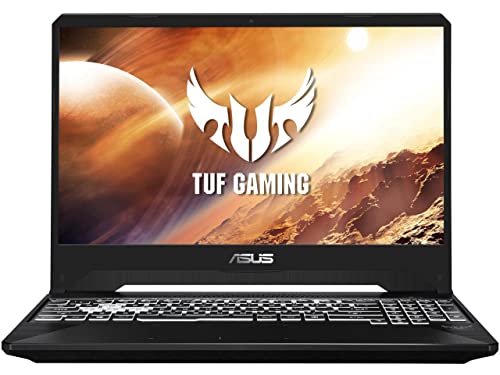
ASUS TUF Gaming Laptop, 15.6-inch 144Hz Full HD, Intel Core i7-9750H, GTX 1650
- Intel Core i7-9750H with NVIDIA GeForce GTX 1650 GPU
- 15.6-inch 144Hz Full HD IPS display for smooth visuals
- 8GB DDR4 RAM with 512GB SSD and military-grade build quality
This is the Intel variant of the TUF Gaming line, and it’s a solid choice if you prefer Intel’s ecosystem. The Core i7-9750H is a six-core processor that handles both gaming and productivity workloads. The 144Hz Full HD display, 8GB RAM, and 512GB SSD are identical to the A15. At $899, the extra $50 over the A15 gets you a slightly more powerful CPU for single-threaded tasks. If you play games that favor Intel processors (and some still do), this is worth the upgrade.
Lenovo Legion 5, AMD Ryzen 7 4800H, GTX 1660 Ti, 16GB RAM (Top Pick)
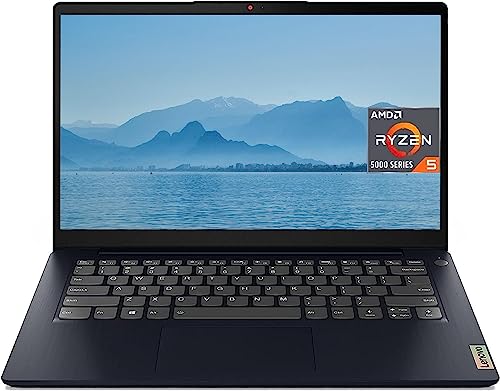
Lenovo Legion 5, 15.6-inch FHD 1920×1080 IPS, AMD Ryzen 7 4800H, GTX 1660 Ti, 16GB RAM
- AMD Ryzen 7 4800H octa-core with NVIDIA GeForce GTX 1660 Ti 6GB
- 15.6-inch Full HD IPS display at 240Hz with 16GB DDR4 RAM
- 512GB SSD with TrueStrike keyboard and Coldfront 2.0 cooling
This is my top gaming laptop recommendation at the $1,000 mark. The AMD Ryzen 7 4800H is an eight-core monster, and the GTX 1660 Ti is significantly faster than any GTX 1650 variant. You get 16GB RAM, a 512GB SSD, and a 240Hz FHD IPS display. The TrueStrike keyboard is one of the best you’ll find on a gaming laptop, and the Coldfront 2.0 cooling system keeps thermals under control. At $999.99, this outperforms laptops costing $200-300 more. If you can only buy one gaming laptop, make it this one.
MSI GL65 Leopard, Intel Core i7-10750H, RTX 2070
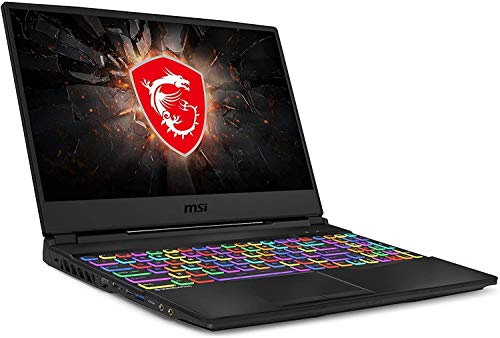
MSI GL65 Leopard, 15.6-inch FHD 144Hz, Intel Core i7-10750H, RTX 2070, 16GB RAM
- Intel Core i7-10750H with NVIDIA GeForce RTX 2070 for high-end gaming
- 15.6-inch FHD 144Hz 3ms display with thin-bezel design
- 16GB RAM and 512GB NVMe SSD with Cooler Boost 5 thermal system
The GL65 Leopard steps into RTX territory with the NVIDIA GeForce RTX 2070. That means ray tracing support and DLSS for significantly better visuals in supported games. The i7-10750H with 16GB RAM handles the most demanding titles at high settings. The 144Hz display at 3ms response time keeps gameplay smooth, and the Cooler Boost 5 thermal system uses 7 heat pipes to manage temperatures. At around $1,299, you’re getting serious gaming performance. This laptop can also double as a workstation for video editing and 3D rendering.
MSI GS75 Stealth, 17.3-inch 240Hz, Intel Core i7-10875H, RTX 2060
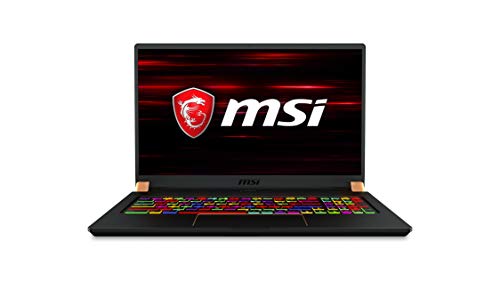
MSI GS75 Stealth, 17.3-inch 240Hz Gaming Laptop, Intel Core i7-10875H, RTX 2060
- Intel Core i7-10875H with NVIDIA GeForce RTX 2060 6GB
- 17.3-inch 240Hz display for ultra-smooth visuals, 512GB NVMe SSD
- Ultra-thin 0.69-inch profile at just 4.96 lbs with per-key RGB keyboard
The GS75 Stealth is for gamers who want a large 17.3-inch 240Hz display without the bulk. At just 4.96 lbs and 0.69 inches thin, it’s remarkably slim for a 17-inch gaming laptop. The i7-10875H is an eight-core processor, and the RTX 2060 provides excellent 1080p performance with ray tracing support. The per-key RGB keyboard adds a premium touch. At $1,299.99, it competes directly with the GL65 Leopard, trading the RTX 2070 for a larger, faster display and a thinner profile. Pick this if screen size matters more than raw GPU power.
Razer Blade 15, Intel Core i7-10750H, RTX 2070 Max-Q
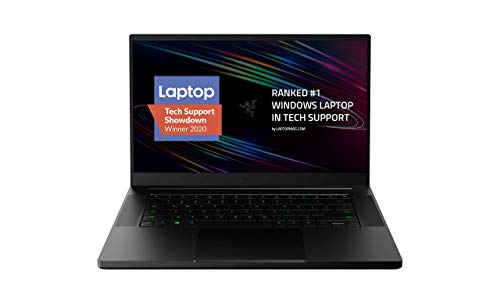
Razer Blade 15 Base Gaming Laptop, Intel Core i7-10750H, RTX 2070 Max-Q, 15.6-inch FHD
- Intel Core i7-10750H 6-core with NVIDIA GeForce RTX 2070 Max-Q
- 15.6-inch Full HD 144Hz display with 100% sRGB color accuracy
- CNC aluminum unibody with vapor chamber cooling and Chroma RGB keyboard
The Razer Blade 15 is the MacBook Pro of gaming laptops. The CNC aluminum unibody is gorgeous, the build quality is exceptional, and the 100% sRGB color-accurate display is good enough for professional photo and video work. The i7-10750H with RTX 2070 Max-Q delivers high-end gaming performance in a chassis that looks appropriate in a boardroom. The vapor chamber cooling is more efficient than traditional heat pipe designs. At $1,920.50, it’s the most expensive laptop on this list, but it’s also the only one you can game on and take to a client meeting without looking out of place.
Razer Blade Stealth 13, Intel Core i7-1065G7, GTX 1650 Ti Max-Q
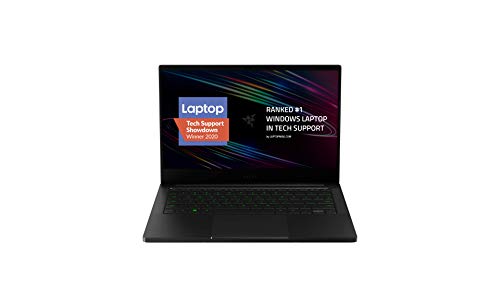
Razer Blade Stealth 13 Ultrabook Gaming Laptop, Intel Core i7-1065G7, GTX 1650 Ti Max-Q
- Intel Core i7-1065G7 quad-core with NVIDIA GeForce GTX 1650 Ti Max-Q
- 13.3-inch Full HD display in a compact ultrabook form factor
- CNC aluminum chassis with Thunderbolt 3 and WiFi 6 support
If you want a gaming-capable ultrabook, the Blade Stealth 13 is your best option. The 13.3-inch form factor makes it one of the most portable gaming laptops available. The i7-1065G7 with GTX 1650 Ti Max-Q won’t compete with the full-size gaming machines above, but it runs most games at medium settings comfortably. Thunderbolt 3 and WiFi 6 round out the connectivity. The CNC aluminum chassis feels premium. At around $1,599.99, you’re paying for the ultrabook form factor and Razer’s build quality. Best for travelers who want to game on the go without carrying a heavy machine.
Laptop Buying Checklist by Use Case
Before you finalize your purchase, run through these checklists based on your primary use case. I’ve seen too many people overspend on specs they don’t need, or worse, underspend on the one component that matters most for their workflow.
For Office and Everyday Use
- Processor: Intel Core i3/i5 or AMD Ryzen 3/5 is plenty
- RAM: 8GB minimum for comfortable multitasking
- Storage: 128GB SSD minimum (256GB preferred)
- Display: 14-15.6 inch Full HD (1080p)
- Battery: 8+ hours for all-day use
- Weight: Under 4 lbs if you carry it daily
- OS: Windows 10/11 or Chrome OS if your work is browser-based
- Budget: $300-$500
For Coding and Development
- Processor: Intel Core i5/i7 or AMD Ryzen 5/7 (multiple cores matter for compiling)
- RAM: 16GB recommended, 8GB minimum
- Storage: 256GB SSD minimum, 512GB if you run VMs or Docker
- Display: Full HD IPS, 14-15.6 inch with good color accuracy
- Keyboard: Comfortable key travel for long typing sessions
- Ports: USB-C, HDMI for external monitors, USB-A for peripherals
- Budget: $450-$800
For Design and Creative Work
- Processor: Intel Core i5/i7 or AMD Ryzen 5/7 (i7/Ryzen 7 for heavy rendering)
- RAM: 16GB minimum (32GB for video editing and 3D work)
- Storage: 512GB SSD minimum for project files
- Display: Full HD IPS with good color accuracy (100% sRGB preferred)
- GPU: Integrated graphics work for Photoshop/Figma, dedicated GPU for video/3D
- Touchscreen: Optional but useful for UI design and sketching
- Budget: $600-$1,200
For Gaming
- Processor: Intel Core i5/i7 or AMD Ryzen 5/7 (minimum quad-core)
- RAM: 16GB for smooth performance in modern games
- Storage: 512GB NVMe SSD for fast load times
- GPU: NVIDIA GTX 1650 minimum, RTX 2060+ for high settings and ray tracing
- Display: 15.6-inch Full HD with 144Hz refresh rate minimum
- Cooling: Look for dual-fan or vapor chamber cooling systems
- Battery: Expect 3-5 hours (gaming laptops sacrifice battery for performance)
- Budget: $700-$2,000 depending on GPU tier
How to Pick the Right Laptop for Your Needs
After recommending laptops to hundreds of clients over the years, I’ve noticed most buyers make one of two mistakes. They either overspend on specs they’ll never use, or they cheap out on the one component that matters most for their workflow. Here’s my no-nonsense advice.
If you’re on a tight budget and your work is browser-based, get a Chromebook. They’re faster, more secure, and cheaper than a Windows laptop with similar specs. If you need Windows for specific software, the Lenovo IdeaPad 3 or Acer Aspire 5 are your best bets under $400.
For design work, don’t cheap out on the display and RAM. A laptop with 8GB RAM and a mediocre screen will frustrate you daily. Spend the extra $100-200 to get 16GB RAM and a Full HD IPS panel. The Lenovo Flex 5 at $649.99 is the sweet spot here.
For gaming, the Lenovo Legion 5 at $999.99 is the best value. Don’t buy a GTX 1650 laptop for $900 when the Legion 5 gives you a GTX 1660 Ti, 16GB RAM, and a 240Hz display for just $100 more. If you’re on a tighter budget, the Lenovo IdeaPad L340 at $629.99 is the best entry-level gaming laptop.
Whatever you choose, remember that the laptop market moves fast. Prices drop throughout the year, especially during Black Friday, Prime Day, and back-to-school sales. If you can wait for a sale, you’ll often get 20-30% off the prices listed here. But if you need a laptop now, every recommendation on this list is a solid buy at its current price.
Frequently Asked Questions
What specs should I look for when buying a laptop in 2026?
Focus on these four things: processor (Intel Core i5/i7 or AMD Ryzen 5/7 for most users), RAM (8GB minimum, 16GB if you multitask heavily), storage (256GB SSD at minimum, 512GB if you store large files), and display quality (Full HD 1080p minimum). Battery life matters too, especially if you’re a student or travel often. Don’t overpay for specs you won’t use.
How much RAM do I actually need in a laptop?
8GB is the sweet spot for most people in 2026. It handles web browsing, office work, video streaming, and light photo editing without any issues. If you run virtual machines, edit video, or keep 30+ browser tabs open, go for 16GB. Gamers should aim for 16GB as well. 4GB is only acceptable for Chromebooks or very basic tasks like email and Google Docs.
Is an SSD really worth the extra cost over an HDD?
Absolutely. An SSD is the single biggest upgrade you can make to any laptop. Your system boots in under 15 seconds, apps open almost instantly, and file transfers are 5-10x faster. I stopped recommending HDDs as primary drives years ago. Even a 256GB SSD with a secondary HDD for storage is better than a standalone 1TB HDD.
Should I buy a gaming laptop for coding or design work?
It depends. Gaming laptops give you dedicated GPUs and powerful processors, which help with compiling code, running Docker containers, and handling design software like Photoshop or Figma. The downside is battery life (usually 3-5 hours) and weight (5+ lbs). If you don’t need a GPU for your work, a thin-and-light laptop with a good processor and 16GB RAM is a better choice for portability.
What’s the difference between Intel and AMD processors for laptops?
Both are excellent in 2026. AMD Ryzen processors typically offer better multi-core performance and power efficiency at the same price point, making them great for multitasking and creative work. Intel processors often edge ahead in single-core performance and have better compatibility with some enterprise software. For most buyers, pick whichever gives you the best specs within your budget.
How important is screen size when choosing a laptop?
It depends on how you’ll use it. 13-14 inch screens are best for portability, fitting easily into backpacks and airplane tray tables. 15.6-inch is the most popular size and strikes a good balance between screen real estate and portability. 17-inch models are ideal for designers, video editors, and gamers who prioritize display size over carrying convenience. If you’ll use an external monitor at your desk, a smaller screen is fine for travel.
Is a Chromebook a good laptop for students?
Yes, if your work is browser-based. Chromebooks boot fast, stay secure without antivirus, and last 8-13 hours on a single charge. They’re also much cheaper than Windows laptops. The trade-off: you can’t install traditional desktop software like Microsoft Office (desktop version), Adobe Photoshop, or programming IDEs. If your school requires specific software, check compatibility before buying. For web browsing, Google Docs, and video calls, a Chromebook is hard to beat under $400.
When is the best time to buy a laptop to get the best deals?
The best deals typically come during Black Friday and Cyber Monday (November), Amazon Prime Day (July), and back-to-school season (August-September). New models usually launch in spring, which pushes previous-generation prices down. I’ve seen discounts of 20-40% during these sales events. If you don’t need a laptop urgently, waiting for one of these windows can save you $100-300 on the same model.