
Best Amazon Affiliate Plugins for WordPress in 2026
Amazon made affiliate marketing harder. Again.
In November 2024, they quietly changed the Product Advertising API requirements. You now need 10 qualifying sales in the past 30 days to access PA-API. Used to be 3 sales in 180 days. That’s a massive jump for new affiliates trying to display product data on their sites.
The right WordPress plugin can work around this. The wrong one leaves you stuck with broken product boxes and no way to show prices.
I’ve tested every major Amazon affiliate plugin over the past 16+ years of running WordPress sites. Here’s what actually works in 2026.
Best Amazon Affiliate Plugins at a Glance
- AAWP — Industry standard with proprietary API that works without PA-API access
- AzonPress — Budget-friendly at $23/year with Zero API mode
- AmaLinks Pro — Maximum customization with TOS-compliant design
- WZone — WooCommerce integration for Amazon storefront-style sites
- Amazon Auto Links — Best free option with automatic category feeds
- AffiliateX — Free Gutenberg blocks for affiliate product displays
- ThirstyAffiliates — Essential link management and smart Amazon uncloaking
- Auto Affiliate Links — Automatic keyword-to-link conversion site-wide
- Lasso — Multi-network affiliate management for serious sites
Amazon Affiliate Program in 2026: What Changed
Before picking a plugin, you need to understand what Amazon’s done to affiliates recently. It matters for your plugin choice.
First, commissions keep shrinking. Average rates dropped from 9.25% in 2012 to about 3.14% today. Electronics? 1-3%. Luxury beauty? 10%. Know your category rates before expecting big payouts.
Second, API access is now gated. That 10-sale-per-30-days requirement I mentioned? It’s not documented anywhere official. Affiliates discovered it the hard way when their API credentials stopped working. New affiliates can’t access product data, prices, or images through the official API until they hit this threshold.
Third, SiteStripe image links died in December 2023. If you were using those, they broke. Amazon’s pushing everyone toward the API or nothing.
And fourth, compliance is tighter. No scraping star ratings from Amazon’s frontend. No dual commission earning. No sharing customer data with third parties. Violations can get your account terminated.
This is why plugin choice matters more than ever. The best plugins now have fallback options that work without API access.
Best Amazon Affiliate Plugins for WordPress
AAWP – Amazon Affiliates WordPress Plugin (My Top Pick)
Best for: Serious Amazon affiliates who want automatic product data from day one, even without PA-API access.
AAWP is the industry standard for a reason. I’ve used it on client sites for years, and it’s the plugin I recommend most often to serious Amazon affiliates.
Here’s what makes it stand out: the proprietary AAWP API.
The AAWP API Advantage
This is AAWP’s killer feature in 2026. Their custom API lets you display product data even without Amazon PA-API access. New affiliates who haven’t hit 10 sales yet? They can still show prices, images, and product details through AAWP’s infrastructure.
When you don’t have PA-API credentials, AAWP pulls data through their own systems. Your product boxes still work. Prices still update. You’re not stuck with static content while trying to build your first sales.
Once you qualify for Amazon’s PA-API, you can switch to direct API access. Or keep using AAWP’s API. Your choice.
I’ve tested this on a fresh affiliate account with zero sales. Product boxes rendered perfectly. Prices updated within 24 hours of Amazon changes. This alone justifies the price for new affiliates.
Core Features
AAWP supports 14 Amazon locales including US, UK, Germany, France, Italy, Spain, Canada, Japan, India, and more. Built-in geo-targeting means visitors see products from their local Amazon store automatically.
The automatic bestseller and new release lists are genuinely useful. Point AAWP at a category, and it generates updating product lists without manual work. I use this for “best of” roundup posts that stay current.
Product boxes, comparison tables, text links, CTA buttons. All handled through simple shortcodes or Gutenberg blocks. The comparison tables are particularly good for “vs” style content that converts well.
Everything updates automatically when Amazon changes prices or availability. You set it up once, and it maintains itself.
Honest Limitations
The mobile comparison table experience isn’t great. Tables stack vertically on phones, which makes side-by-side comparisons harder to read. AAWP acknowledges this issue but hasn’t fixed it yet.
Price: Starts at €79/year for one site (about $86). The Personal license covers 1 site, Plus covers 3 sites at €129/year, and Pro covers 10 sites at €199/year. Lifetime licenses run €299-€999. Not cheap, but it pays for itself if you’re serious about Amazon affiliate income.
30-day money-back guarantee if it doesn’t work for you.
AzonPress – Best Budget Option
Best for: Budget-conscious affiliates who want AAWP-level features at a fraction of the price.
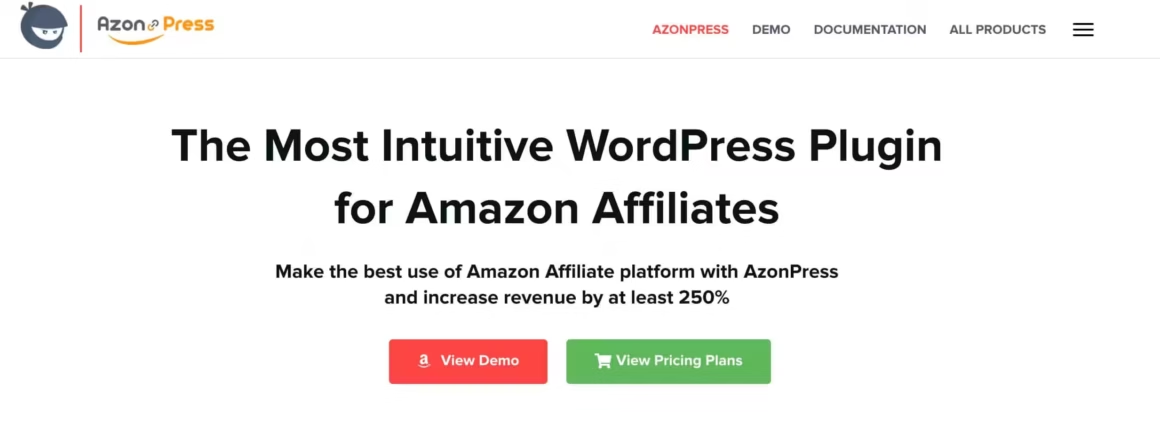
AzonPress relaunched in February 2024 with version 2.1.0, and it’s become a serious competitor. At $23/year for a single site, it’s the most affordable premium option.
Built by WPManageNinja (the Fluent Forms team), so you know the code quality is solid. They don’t abandon plugins.
Zero API Feature
Like AAWP, AzonPress offers a “Zero API” mode that works without PA-API credentials. You can display product boxes with pricing even as a new affiliate with no sales history. Sometimes it works, other times, it doesn’t.
Built-in geo-targeting with country analytics shows you where your clicks come from. Useful for deciding which Amazon locales to prioritize.
In my testing, comparison tables loaded about 164% faster than some competitors. That’s significant for Core Web Vitals.
Where It Falls Short
Steeper learning curve than AAWP. The interface isn’t as intuitive, and documentation is lighter. You’ll spend more time figuring things out.
Not available on WordPress.org. You buy directly from their site. Not a dealbreaker, but some people prefer the WordPress plugin repository for updates.
Price: $23/year single site, $39/year for 5 sites, $174 lifetime unlimited. Excellent value if you’re budget-conscious.
AmaLinks Pro – Customization Champion
Best for: Affiliates who want full control over product display design without relying on Amazon’s API.

AmaLinks Pro takes a different approach. It focuses on letting you create beautiful product displays with or without API access.
The visual builder works completely without PA-API. You can manually enter product data, upload your own images, and create custom displays. Slower than automatic data pulls, but it works for anyone regardless of sales history.
Developer Matthew Allen is known for exceptional support. Real responses, not canned replies. That matters when you’re troubleshooting at 11pm.
TOS-Compliant by Design
AmaLinks Pro deliberately omits star ratings to avoid Amazon TOS violations. Some other plugins scrape ratings from Amazon’s frontend, which technically violates their operating agreement. AmaLinks Pro plays it safe.
The Downsides
No built-in geo-targeting. You’ll need Geniuslink or Amazon OneLink for international visitors. That’s extra cost and complexity.
No multi-currency pricing display. Visitors see prices in your configured currency only.
Price: $67/year single site, $97/year for 3 sites, $597-$797 lifetime options.
WZone – WooCommerce Amazon Affiliates (Use With Caution)
Best for: WooCommerce store owners who want an Amazon storefront-style shopping experience on their own domain.
WZone (also called WooZone) integrates Amazon products with WooCommerce. Visitors browse your store, add items to cart, then get redirected to Amazon for checkout. You earn the affiliate commission.
The Chrome extension imports products without PA-API access. Bulk import works reasonably well for building large catalogs. I’ve seen niche sites with 500+ products running WZone, and the import workflow handles volume better than manually entering products one by one.
The plugin also supports automatic price and availability syncing, so out-of-stock items get flagged without you checking manually. It handles product variations (size, color, etc.) and can display Amazon’s product images directly.
The Security Concern
WZone had serious security vulnerabilities in the past, including SQL injection risks in older versions. Version 14.1.0+ patched these issues, but the history makes some affiliates nervous. Make sure you’re running the latest version and keep auto-updates enabled.
The other downside: it requires WooCommerce, which adds significant overhead to your WordPress install. If you’re running a content-first affiliate site (blog posts with product recommendations), WZone is overkill. It makes more sense for dedicated Amazon niche stores.
Price: $49 one-time purchase on CodeCanyon. Includes 6 months of support, extendable to 12 months for $15.75. One of the cheapest options long-term since there’s no annual fee.
Amazon Auto Links – Best Free Option
Best for: Zero-budget affiliates who need a free plugin to get started with automatic product feeds.
If you’re starting with zero budget, Amazon Auto Links is the free plugin worth trying. Over 10,000 active installations, 4.6/5 rating.
October 2024’s version 5.4.3 patched some security issues, so make sure you’re updated.
It supports all 14 Amazon locales and generates automatic category feeds. Point it at “Electronics > Laptops” and it creates updating product lists. The feeds are customizable, you can filter by price range, prime eligibility, and minimum ratings. Useful for building targeted “best of” pages around specific categories.
The Reality Check
Most useful features require PA-API access. Without it, you’re limited. And users report “TooManyRequests” throttling errors when Amazon’s servers get slammed.
The Pro version costs $47.9/year and adds more functionality, but at that price point, AzonPress at $23/year is a better deal with more polished output.
Use the free version to learn the basics. Graduate to AAWP or AzonPress when you’re making money.
AffiliateX – Gutenberg Blocks for Affiliates
Best for: Block editor users who want clean, modern product displays without touching code.

AffiliateX is a free Gutenberg block plugin with over 10,000 installations and a 4.8/5 rating. It’s designed for the block editor, not shortcodes.
Good for creating product boxes, comparison tables, and verdict boxes without writing code. The designs are clean and modern out of the box. You get 20+ block types including pros/cons lists, notice boxes, rating counters, and single product layouts.
The free version works great for manual product entries. If you’re reviewing 5-10 products per article, manually entering data isn’t painful. It becomes an issue at scale, which is where premium plugins earn their price.
Free version requires manual data entry (no API import). Pro versions at $49-$199/year add API integration, but AAWP does this better for similar money.
ThirstyAffiliates – Link Management
Best for: Managing and organizing affiliate links across Amazon and other programs from one dashboard.
ThirstyAffiliates isn’t specifically for Amazon, but it’s essential for managing affiliate links across any program. Over 443,000 downloads.
It cloaks your ugly affiliate URLs into clean links like yoursite.com/recommends/product-name. Easier to share, easier to remember. You can organize links by category, add notes, and track click-through rates from your WordPress dashboard.
Important: Amazon prohibits cloaked links. ThirstyAffiliates has smart uncloaking specifically for Amazon that keeps you compliant. Your Amazon links stay transparent while other affiliate links get cloaked.
Free version handles basic link cloaking and management. Pro adds automatic keyword linking (every mention of “running shoes” becomes an affiliate link), geographic redirects (send US visitors to Amazon.com, UK visitors to Amazon.co.uk), and detailed click tracking with CSV export.
Pair this with AAWP for a complete setup: AAWP for product displays, ThirstyAffiliates for link management.
Auto Affiliate Links – Automatic Keyword Linking
Best for: Content-heavy sites that want hands-off monetization by auto-linking keywords to affiliate URLs.

Auto Affiliate Links automatically converts keywords in your content into affiliate links. Set “running shoes” to link to your Amazon affiliate URL, and every mention becomes a link.
Latest updates have added Gemini AI integration for smarter keyword matching. The AI suggests related terms you might want to link, catching variations you’d miss manually.
It works with multiple networks: Amazon, ClickBank, ShareASale, eBay, Walmart. Useful if you’re not Amazon-only. You can set maximum links per page, prevent linking inside headings, and control which post types get auto-linked.
Watch out: It modifies content at render time, which can conflict with recipe plugins, lightboxes, and some page builders. Test thoroughly before going site-wide.
Lasso – Multi-Network Affiliate Management
Best for: Established affiliate sites earning from Amazon plus other networks who need centralized link management and broken link alerts.
If you’re running affiliates across Amazon, ShareASale, Impact, and other networks, Lasso centralizes everything.
It creates consistent product displays regardless of source network. Tracks performance across all your affiliate programs in one dashboard. Alerts you when links break or products go out of stock. That last feature alone saves hours of manual checking on larger sites.
Lasso also detects unmonetized links on your site, product mentions that aren’t linked to any affiliate program. For sites with hundreds of articles, this surfaces money you’re leaving on the table.
Some large affiliate sites combine AAWP (for Amazon-specific features) with Lasso (for cross-network management). Overkill for beginners, essential for six-figure affiliate sites.
Price: $39/month (Starter) to $299/month (Portfolio) depending on features and number of sites. The performance analytics and broken link detection justify the cost for serious affiliates, but it’s too expensive if Amazon is your only program.
Plugins to Avoid in 2026
Some previously popular plugins are now dead or dangerous. Remove these if you have them:
- Amazon Associates Link Builder (AALB) – Amazon’s official plugin. Discontinued in March 2020 when PA-API 4.0 was deprecated. Won’t work anymore.
- EasyAzon – Multiple security vulnerabilities including CVE-2023-6956 (XSS) and broken access control issues. Development appears abandoned.
- AzonTables – Creator moved on to develop AmaLinks Pro instead. No longer maintained.
- Prosociate – Failed to transition to PA-API 5.0. Broken and abandoned.
- Amazon Native Shopping Ads – Amazon discontinued this in August 2023. Any plugin relying on it won’t work.
Which Plugin Should You Choose?
After testing all of these, here’s my recommendation framework:
- New affiliates without PA-API access yet: Start with AAWP. The proprietary AAWP API means you can display full product data from day one. Yes, it costs €79/year. It’s worth it. The alternative is ugly static content that doesn’t convert while you’re trying to hit 10 sales.
- Budget-conscious affiliates: AzonPress at $23/year is the value play. Zero API feature works without credentials. Just expect a steeper learning curve.
- Established affiliates with consistent sales: AAWP remains the gold standard. The automatic bestseller lists, geo-targeting, and comparison tables are worth every euro.
- WooCommerce store owners: WZone if you accept the security history and stay on the latest version. Otherwise, use AAWP product boxes and standard affiliate links.
- Multi-network affiliates: AAWP for Amazon products, Lasso for everything else. The combination covers all bases.
- Zero-budget starters: Amazon Auto Links (free) + AffiliateX (free) + ThirstyAffiliates (free). Upgrade to AAWP when you’re making money.
The Bottom Line
Amazon affiliate marketing in 2026 rewards adaptability. The API restrictions, commission compression, and compliance requirements mean your plugin choice matters more than ever.
AAWP remains my top recommendation for most WordPress affiliates. The proprietary AAWP API feature alone solves the biggest problem new affiliates face: displaying product data before qualifying for Amazon’s PA-API. Add automatic updates, 14-locale support, native geo-targeting, and proven reliability over years of operation.
Whatever you choose, have a fallback strategy. API access can disappear if your sales dip. Build an email list. Diversify beyond Amazon when you can. And keep testing what converts.
Start with one plugin. Get it working. Make sales. Then worry about optimization.
FAQs
What is the AAWP API and how does it help new affiliates?
The AAWP API is a proprietary data system built by the AAWP plugin developers. It lets you display Amazon product data (prices, images, descriptions) even without Amazon PA-API access. New affiliates who haven’t made 10 qualifying sales yet can still show fully functional product boxes. Once you qualify for Amazon’s official API, you can switch to direct access or keep using AAWP’s system.
Do I need Amazon PA-API access to use Amazon affiliate plugins?
Not anymore. Several plugins now offer workarounds. AAWP has its proprietary API, AzonPress has a Zero API feature, and AmaLinks Pro lets you manually enter product data. These options exist specifically because Amazon tightened PA-API requirements in 2024. You can start displaying products immediately and switch to official API access once you qualify.
What are the Amazon PA-API requirements in 2026?
Amazon now requires 10 qualifying sales in the past 30 days to maintain PA-API access. This changed in November 2024 and wasn’t officially documented. Previously, you needed just 3 sales in 180 days for initial qualification. If your sales drop below the threshold, your API credentials stop working until you hit the requirement again.
Which is the best free Amazon affiliate plugin for WordPress?
Amazon Auto Links is the most capable free option with over 10,000 installations and support for 14 Amazon locales. But most useful features require PA-API access. For a zero-budget setup, combine Amazon Auto Links with AffiliateX (for Gutenberg blocks) and ThirstyAffiliates (for link management). Upgrade to AAWP or AzonPress when you start making money.
Can I use multiple Amazon affiliate plugins together?
Yes, and many affiliates do. A common combination is AAWP for product displays plus ThirstyAffiliates for link management. Large affiliate sites often pair AAWP with Lasso for cross-network tracking. Just avoid running two plugins that do the same thing (like two product display plugins) as they can conflict and slow your site.
Why do some plugins display star ratings and others don’t?
Amazon’s Terms of Service prohibit scraping star ratings from their frontend. Some plugins do it anyway, which puts your affiliate account at risk. AmaLinks Pro deliberately omits star ratings to stay compliant. If a plugin shows ratings without PA-API access, it’s likely scraping them, which violates Amazon’s operating agreement. I recommend avoiding plugins that take this shortcut.
What happened to Amazon SiteStripe image links?
Amazon discontinued SiteStripe image links in December 2023. If you were using them on your site, they broke. Amazon now pushes affiliates toward the PA-API for product images, which requires meeting sales thresholds. This change is partly why plugins with alternative data sources (like AAWP’s proprietary API) became more valuable in 2026.
Is WZone (WooZone) safe to use in 2026?
WZone had SQL injection vulnerabilities in older versions, but version 14.1.0 and later patched these issues. It’s safe to use if you keep it updated. That said, it requires WooCommerce which adds overhead. Only use it if you specifically want a storefront-style Amazon site, not for content-first affiliate blogs.
How do I choose between AAWP and AzonPress?
AAWP costs more (€79/year vs $23/year) but has better documentation, an easier interface, and more polished features. AzonPress offers similar core functionality at a fraction of the price. Choose AAWP if you value ease of use and don’t mind paying more. Choose AzonPress if you’re budget-conscious and comfortable with a steeper learning curve. Both work without PA-API access.
Do Amazon affiliate plugins slow down my website?
They can if you’re not careful. Product boxes and comparison tables add HTTP requests and render time. In my testing, AzonPress comparison tables loaded about 164% faster than some competitors. AAWP performs well but comparison tables on mobile can be heavy. Use a caching plugin, limit the number of product displays per page, and test with PageSpeed Insights after adding any affiliate plugin.
Disclaimer: This site is reader-supported. If you buy through some links, I may earn a small commission at no extra cost to you. I only recommend tools I trust and would use myself. Your support helps keep gauravtiwari.org free and focused on real-world advice. Thanks. - Gaurav Tiwari