
 by
by
WordPress email marketing plugins do three different jobs: capture consent, manage subscribers and campaigns, or deliver transactional mail. A popup builder is not a newsletter engine, and an SMTP plugin is not a bulk-marketing platform.
For a WordPress-native CRM and automation workflow, FluentCRM is my strongest fit. MailPoet is the simpler newsletter-first choice. OptinMonster and the lead-capture tools below feed those systems; they do not replace campaign, unsubscribe, bounce, complaint, or suppression-list handling.
I am the named author of this update. Some links are affiliate links, but category fit, sending architecture, maintenance, and operational risk decide the recommendations.
Choose the Right WordPress Email Layer
| Layer | Job | Examples on this page | Must handle | Not a substitute for |
|---|---|---|---|---|
| Lead capture | Forms, popups, landing pages, and consent | Convert Pro, OptinMonster, Thrive Leads | Consent evidence, targeting, frontend assets, data routing | Campaign engine or delivery provider |
| Newsletter, CRM, and automation | Contacts, segments, campaigns, sequences, and events | FluentCRM, MailPoet, Mailster | Unsubscribes, suppression, queues, cron, exports, deletion, automation state | Authenticated sending infrastructure |
| Transactional delivery | Password resets, orders, form notifications, and receipts | SMTP or API mail plugin plus provider | SPF, DKIM, DMARC, logs, retries, webhooks, bounce visibility | Bulk newsletter consent and campaign management |
WordPress calls wp_mail(), which uses PHPMailer. On an unconfigured site, final delivery often depends on the host’s mail setup. An SMTP or API provider can improve authentication, logging, and reliability, but Gmail or a basic SMTP relay is not a general newsletter engine.
Email Plugin Test and Deliverability Criteria
- Import synthetic contacts, build a two-email automation, pause and resume the queue, and simulate a missed cron run.
- Process unsubscribe, suppression, bounce, complaint, export, and deletion events without mailing real unsolicited recipients.
- Verify SPF, DKIM, DMARC guidance, provider webhooks, sending limits, retry behavior, consent records, and WooCommerce events.
- Measure database growth and frontend assets on a page with a form and a page with no form.
Keeping subscriber data in WordPress gives you more direct control, but it also makes you responsible for security, consent evidence, suppression lists, queues, cron, backups, deletion requests, and sender reputation. It is not automatically more private or cheaper than a hosted service.
Lead Capture Plugins to Pair With an Email Platform
These tools build forms, popups, and landing pages. Compare targeting, consent fields, script loading, data routing, and current maintenance. Do not rank them as direct alternatives to FluentCRM, MailPoet, or a delivery provider.
If you want a standalone email marketing platform that integrates well with WordPress, Kit (formerly ConvertKit) is worth a look. It gives you 10,000 free subscribers, visual automations, and landing pages built for creators and bloggers.
- Convert Pro
- Landing Page Builder plugin by PluginOps
- Bloom
- OptinMonster
- Optin Forms
- WP Subscribe
- Ninja Popups
- Thrive Leads
Convert Pro
- Drag-and-drop popup editor
- Behavioral targeting triggers
- Built-in A/B testing

Convert Pro is one of the best lead generation and email marketing tools for WordPress. It offers various targeting rules for your email capture forms. Under these rules, you will be able to target your opt-ins by various conditions, such as the content on your website, signed-in WordPress users, referrers, new vs. returning visitors, devices, etc. It also allows you to create and showcase various kinds of offers like inline forms, welcome mats, notification bars, lightbox popups, and much more.
You can conveniently design forms with the help of its excellent templates and visual drag-and-drop builder. After publishing a popup, you can use Convert Pro’s inbuilt Google Analytics integration to analyze its effectiveness.
You can get Convert Pro for $79, which allows you to use it on unlimited websites.
Landing Page Builder plugin by PluginOps

Landing Page Builder plugin by PluginOps
- Free landing page builder
- Email capture form templates
- No coding required

The Landing Page Builder plugin by PluginOps has been mainly designed for building landing pages. However, you can use it for list building as well. It comes with a handy drag-and-drop interface and is entirely based on HTML/CSS. With its help, you can drag every element of your page, move around widgets, and reorder rows using its drag-and-drop features.
This plugin’s free form builder widget lets you gather and store email addresses, form submissions, and other data. You can also add any form using shortcodes and save leads with the help of inbuilt subscribe forms in the page builder database.
Bloom

- 100+ opt-in form templates
- 6 display types including pop-ups and fly-ins
- Integrates with 19+ email providers

This is a relatively simple building plugin from Elegant Themes, the creators of the well-known Divi plugin/theme. Bloom offers six different kinds of forms, including content lockers, inline forms, pop-ups, and slide-ins. After beginning with over a hundred ready-made templates, you can proceed to customize your selected template’s colors and content to match your website with the help of a simple editor.
Unfortunately, Bloom does not have a drag-and-drop builder, which means less visual approach to optin building. You can, however, edit the colors and content of the templates. There are many rules for triggering your popups, including certain special options that allow you to trigger a popup when a user buys something or posts a comment. You will also get all the basic targeting rules, such as page-level targeting.
Bloom also features A/B testing, inbuilt analytics, and integration of over 19 email marketing services, including all the prominent options. It is a great choice as long as you are not bothered by the lack of advanced targeting rules (such as referrer targeting) and a flexible drag-and-drop builder.
If you are satisfied with Elegant Themes’ other plugins or themes like Divi, you could also consider going for this one.
Bloom is available with Elegant Themes’ $89 membership. This membership gives you access to all other themes and plugins from them, including the Divi theme, Monarch, and Bloom Plugins.
OptinMonster
- Exit-intent technology
- Page-level targeting
- Drag-and-drop campaign builder
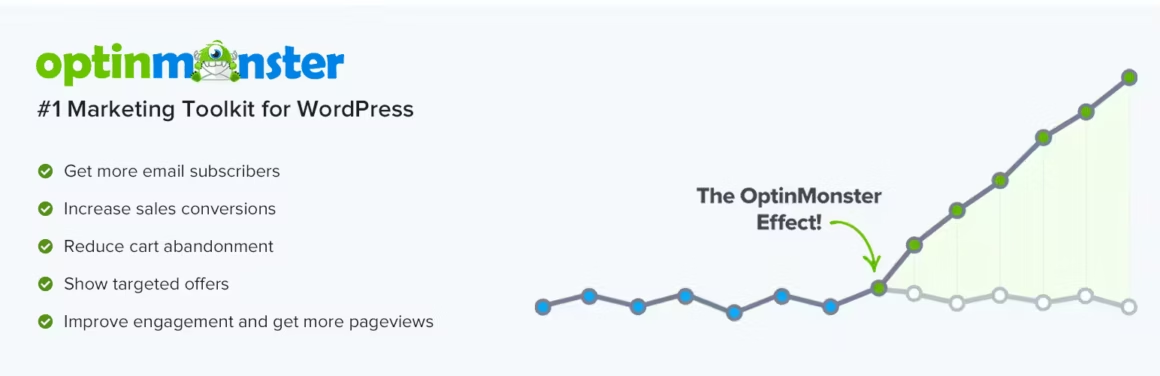
This list-building tool has been mainly designed to help you produce various kinds of popup offers, including notification bars, welcome mats, lightbox popups, and so on.
Although OptinMonster began as a list-building plugin, it is now more of a standalone SaaS tool. However, a dedicated WordPress integration plugin is still available, and you can use it to display your opt-in forms on your website conveniently.
You can easily create your opt-in forms using OptinMonster’s excellent ready-made templates and a handy visual drag-and-drop builder, which allows you to customize each part of your form completely. OptinMonster is also well-known for its versatile options when it comes to triggering and targeting rules. These give you incredible control and help you customize your opt-ins, thus helping you improve your conversion rates. Listed below are some of the prominent rules you will receive:
- Location (geotargeting)
- New vs. returning visitors
- Referring websites
- If a user has visited a particular page or not
- Device
- Your website’s content
If you need to run a WooCommerce store, OptinMonster offers helpful targeting rules specific to e-commerce as well. It will also give you access to flexible trigger rules like the well-known exit intent trigger. OptinMonster is readily compatible with all major email marketing services, such as Aweber, Mailchimp, and GetResponse.
After you publish your offer, this plugin features its inbuilt analytics integration with Google Analytics, giving you access to all your conversational content inside your Google Analytics report. You can optimize your offers with the help of A/B tests as well.
OptinMonster is free to begin with, but the pro pricing begins at $108 per year. To get access to features like exit intent triggers and A/B testing, you will have to go for higher-tier plans.
Optin Forms
- 5 pre-designed form templates
- Major email service integrations
- Completely free to use

Optin Forms is a free-to-use plugin that is refreshingly devoid of the annoying popups present in many other email list-building tools. Rather, it allows you to conveniently build high-quality inline forms which you can easily display above or below your content.
You can also use a shortcode to manually put an opt-in form in the middle of your content or elsewhere on your website. This plugin is readily compatible with all major autoresponder services like GetResponse, AWeber, Mailchimp, and so on.
Optin Forms has five native templates of decent quality, which are readily customizable. However, it does not come with a drag-and-drop builder. You can personalize your forms with greater ease by its handy live preview option. It is an excellent choice for users who require a free and simple plugin to put opt-in forms in their content.
WP Subscribe

- Clean popup and sidebar forms
- Mailchimp and AWeber integration
- Lightweight and fast

This is a relatively simple WordPress list-building plugin that works closely along the lines of Bloom. Namely, you will have access to ready-made templates that can be readily customized with your own content and colors. Unfortunately, due to the lack of a drag-and-drop builder, you will not be able to fully personalize each and every element. That said, WP Subscribe Pro is still a great option if you simply need to put together some visually appealing opt-in forms in a short span of time.
WP Subscribe readily integrates with all major email marketing services. It also possesses triggers like exit-intent and page-level targeting, allowing you to control where your popup forms are displayed. Although its features are rather limited compared to other list-building plugins, it is simple to use and economically priced. If you seek a plugin that fulfills these criteria, you should consider going for it.
You can try out a limited free version of WP Subscribe at WordPress.org. Its paid version is $19 and can be used on a single site.
Ninja Popups

Ninja Popups
- Marketplace listing unavailable; existing installs need a migration plan

Ninja Popups belongs only in the lead-capture category. Its CodeCanyon listing returned 410 Gone on July 24, 2026, so I would not choose it for a new production install. Existing users should preserve a rollback copy and plan a supported replacement.
Ninja Popups comes with a large number of ready-made templates, which you can personalize with the help of a reasonably good drag-and-drop builder. It also has many other helpful features like inbuilt statistics, A/B testing, page-level targeting rules, numerous placement options, and many trigger options like exit intent. It is also compatible with all prominent email marketing service providers like Campaign Monitor, Mailchimp, GetResponse, iContact, and Aweber.
If you wish to add additional features, you can purchase optional add-ons, giving you access to more ready-made templates and placement options like a widget or notification bar. Ninja Popups costs $27 for lifetime usage on a single site with six months of support.
Thrive Leads

- SmartLinks targeting technology
- Built-in A/B test engine
- Multiple form types and placements

Thrive Leads has been developed by Thrive Themes, the creators of several other prominent WordPress tools that deal with conversion. It is a robust lead generation tool that you can use to produce several different opt-in forms, such as notification bars, slide-ins, welcome mats, and lightbox popups. You can choose to give the popups a go and produce regular inline forms, which can be displayed wherever you like on your website. It is readily compatible with most major email marketing and webinar services.
You can either make use of Thrive Leads’ numerous ready-made templates or put together your own designs afresh. It also features a high-quality visual drag-and-drop builder, which is a simpler version of the Thrive Architect page builder plugin by Thrive Themes. It gives you precise control over your designs. You will also have access to an impressive list of targeting rules, which includes page-level targeting. Some advanced targeting rules like referrer targeting, however, are missing here.
You will get inbuilt analytics to monitor a form after you have published it. You can also optimize it with the help of new A/B tests. Thrive Leads is especially remarkable for allowing you to do more than simply testing content changes. It lets you test various targeting rules and even build drastically different kinds of forms. It also has SmartLinks – a special feature that allows you to conceal the opt-in form from your existing subscribers and display another offer instead.
As part of the Thrive Suite membership, Thrive Leads is priced at $90 per quarter. By subscribing, you will also get access to all other Thrive tools, such as Thrive Optimize, Thrive Ovation, Thrive Comments, Thrive Architect, and so on.
Which one to choose?
- If you’re a WordPress website owner who wants value for money, you should go for Thrive Leads or Convert Pro.
- If you’re looking for a truly outstanding set of targeting rules, you should consider OptinMonster.
- For popups and inline forms, shortlist a currently maintained lead-capture tool whose consent fields, targeting, data routing, and frontend assets you have tested.
WordPress Newsletter, CRM, and Automation Plugins
A WordPress-native campaign system still needs a sending provider and reliable background processing. Amazon SES, Brevo, Postmark, Mailgun, and similar services have different bulk, transactional, bounce, complaint, and policy models. Match the provider to the mail type.
If you’re thinking about setting up your own email mailing list or subscription service, here are 3 really good and reliable self-hosted email marketing services for bloggers and small businesses.
FluentCRM

- Contacts and automation data stored in WordPress
- Email sequences and automation
- Deep WooCommerce and LMS integrations
FluentCRM is my WordPress-native CRM choice when contacts, tags, sequences, WooCommerce or LMS events, and automation should live in WordPress. The tradeoff is operational: queues, cron, database growth, backups, exports, and sending-provider webhooks become part of your WordPress maintenance.
Dozens of built-in integrations with WordPress major plugins give you the power to create a fully automated marketing campaign and build a thriving online business that doesn’t need expensive third-party solutions.
The FluentCRM plugin offers powerful features for creating and managing email marketing campaigns. It gives you the tools to engage with your prospects and make more informed business decisions, from planning your campaign to tracking the performance of your email marketing deliverability.
Mailpoet

- Block-based email editor
- WooCommerce automated emails
- Free for up to 500 subscribers
MailPoet is the simpler newsletter-first option for WordPress users who want subscriber forms, campaigns, and WooCommerce email features in one dashboard. Check current subscriber limits, sending-plan rules, and export needs before committing.
It seamlessly integrates with WordPress, so you can send emails right from your dashboard.
MailPoet lets you collect data points such as open rates, click-throughs, time spent on your newsletters and much more. Improve your email marketing with MailPoet.
Mailster
- Complete newsletter management in WordPress
- Visual email template builder
- Detailed campaign analytics
Mailster is a CodeCanyon-sold newsletter plugin with a one-time regular license and optional support renewal. Treat the marketplace price separately from sending-provider cost, queue reliability, bounce and complaint processing, update access, and long-term support.
Transactional Email Is a Separate System
Password resets, order receipts, form notifications, and account messages should not wait behind a newsletter queue. Use a provider and plugin that expose authentication, logs, retries, and delivery events. Keep promotional consent and campaign suppression rules in the marketing system.
Operational Checklist Before You Choose
- Identify who owns the contact record, consent timestamp, subscription state, and suppression list.
- Confirm sending method, provider policy, domain authentication, bounce and complaint webhooks, queue rate, cron fallback, and retry behavior.
- Test export, deletion, unsubscribe, failed automation, WooCommerce events, multisite, backups, and restore.
- Budget for the plugin, sending provider, subscriber tier, transactional volume, storage, and operator time.
WordPress Email Marketing FAQ
What is the best WordPress email marketing plugin?
FluentCRM is my WordPress-native CRM and automation choice. MailPoet is simpler for newsletters. The better fit depends on contact ownership, sending provider, automation, WooCommerce needs, and how much WordPress infrastructure you want to operate.
Can WordPress send newsletters through Gmail or SMTP?
A basic SMTP route can transport mail, but bulk marketing also needs consent, unsubscribe handling, suppression, bounce and complaint processing, rate control, and reputation management. Use a provider that permits and supports the intended mail type.
Does WordPress use PHP mail by default?
WordPress calls wp_mail(), which uses PHPMailer. Final transport depends on server and provider configuration. An SMTP or API plugin can add authenticated transport, logs, and delivery visibility.
Is self-hosted email marketing more private?
It gives you more direct control over subscriber data, but you also own security, consent evidence, suppression, backups, deletion requests, queues, cron, and provider integrations. Privacy depends on the full data flow, not only where the contact table lives.
Tell Google you want more of this.
Add Gaurav Tiwari as a preferred sourceOne tap, and this site shows up more often in your own Top Stories, AI Overviews and AI Mode. Remove it any time.
Disclaimer: This site is reader-supported. If you buy through some links, I may earn a small commission at no extra cost to you. I only recommend tools I trust and would use myself. Your support helps keep gauravtiwari.org free and focused on real-world advice. Thanks. - Gaurav Tiwari