
5 Benefits of Managed WordPress Hosting (And When to Skip It)
 by
by
Managed WordPress hosting is the difference between owning a website and running a tiny, unpaid IT department. Every hour you spend patching plugins, debugging a white screen, or restoring a backup at midnight is an hour your actual business didn’t get.
I’ve run client sites on everything from $3 shared boxes to dedicated servers, and I’ve cleaned up the wreckage when both went wrong. The honest summary: managed WordPress hosting is worth the premium for most sites that make money, and a waste of money for most sites that don’t. This article covers the five benefits that justify the price, and just as importantly, when to skip it.
What Managed WordPress Hosting Actually Means
Managed WordPress hosting is a plan where the host runs WordPress for you: server configuration, caching, security hardening, daily backups, core updates, and support staff who actually know WordPress. You write content and run your business; they keep the machine alive.
Compare that with the alternatives. On shared hosting, you get a control panel and good luck. On a VPS, you get root access and every 2 a.m. problem that comes with it. Managed WordPress hosting sits at the top of that ladder: less control than a VPS, far less work than either. I’ve broken down the underlying tiers in my guide to shared, VPS and dedicated hosting if you want the full picture.
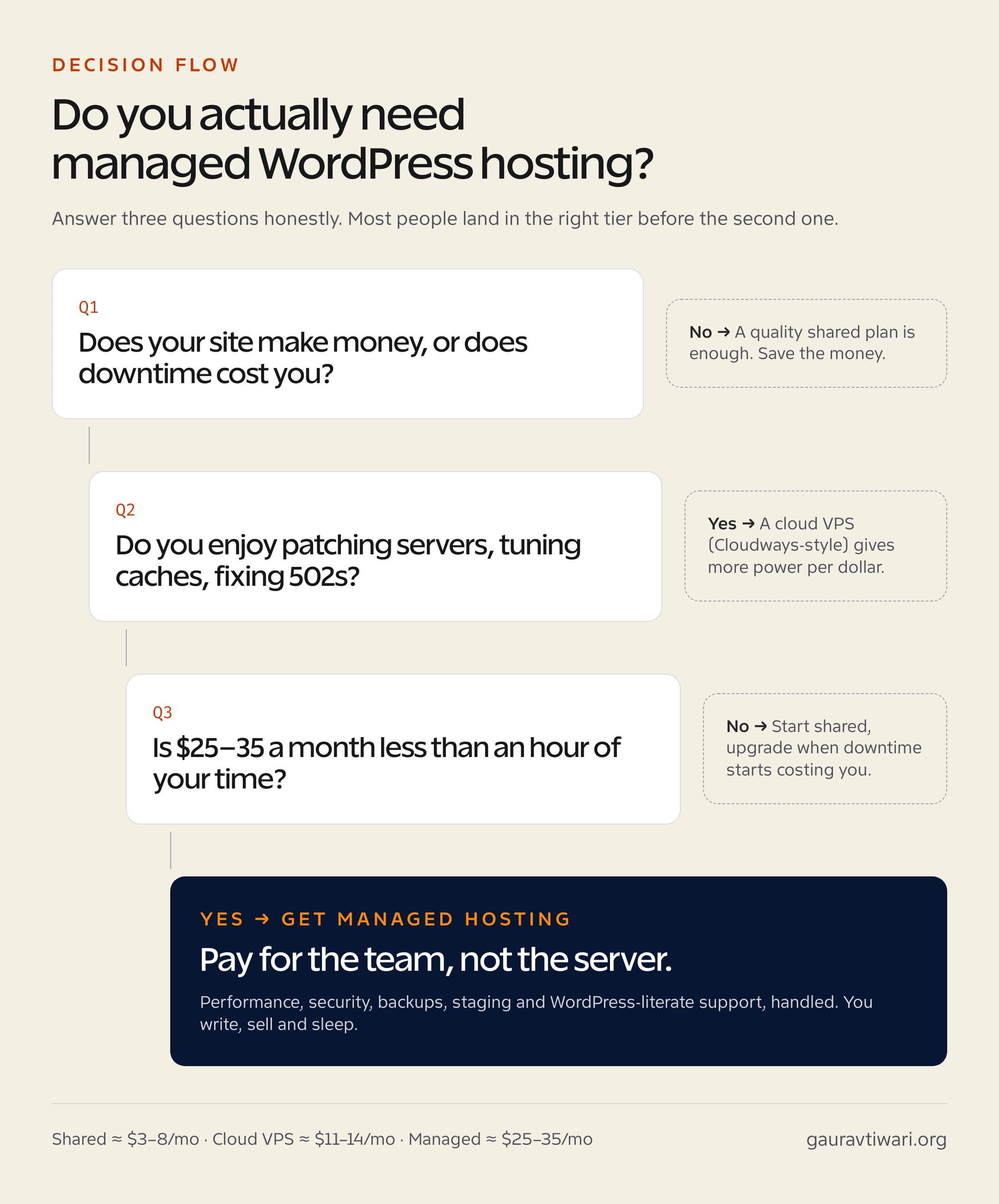
The catch is price. Real managed hosting starts around $25 to $35 a month, against $3 to $8 for shared. The five benefits below are what that gap actually buys.
1. Performance Tuned for WordPress Before You Install a Single Plugin
A good managed WordPress host gives you server-level page caching, NVMe storage, current PHP, and an object cache out of the box. That stack matters more than any optimization plugin you’ll ever install. Server-level caching responds before WordPress even wakes up, which is something no plugin can fully replicate.
The numbers back this up. When I tested hosts for my WordPress hosting rankings, the managed providers held TTFBs in the 100 to 300 millisecond range under load, while budget shared plans drifted past 800 milliseconds the moment traffic arrived. Rocket.net goes further than most by routing every site through Cloudflare Enterprise, so visitors hit an edge server near them instead of your origin.
There’s a quieter benefit too: you stop needing half your performance plugins. Page caching, CDN, image optimization… the host already does it, often better, and their support team can’t blame a third-party plugin they themselves replaced.
2. Security That Understands WordPress Specifically
Generic hosting security watches the server. Managed WordPress security watches WordPress: login abuse, vulnerable plugin signatures, file changes in wp-content, XML-RPC floods. That specificity is why managed hosts catch infections that generic firewalls sail past.
The stack you typically get: a web application firewall tuned for WordPress attack patterns, malware scanning, free SSL, isolated site containers so a neighbor’s hacked site can’t crawl into yours, and automatic minor-version security updates within hours of release.
And here’s the clause worth real money: the hack-fix guarantee. Kinsta and WP Engine will clean your site for free if it’s compromised on their watch. I’ve billed enough malware cleanups to tell you that single promise can pay for a year of hosting in one bad afternoon.
3. Backups, Staging, and Updates You Don’t Have to Think About
Every managed WordPress host worth the name gives you automatic daily backups stored off your server, one-click restore, and a staging environment. Those three features quietly change how you work.
Staging is the one people underrate. You clone your live site with one click, test the risky plugin update there, and push to production only when nothing breaks. The alternative workflow, updating live and praying, is how half the emergency calls I’ve taken over the years started.
Some hosts now go a step further with visual regression testing on plugin updates: they screenshot your pages before and after, and roll back automatically if a layout breaks. That used to be an agency-only luxury. Now it ships with a $30 plan.
4. Support Staff Who Speak Fluent WordPress
Ask a shared host’s support about a plugin conflict and you’ll get a canned reply about clearing your browser cache. Ask a managed WordPress host and you’ll usually get someone who can read a debug log, name the conflicting plugin, and suggest the fix, because WordPress is the only thing they support all day.
That said, let me be honest about the limits. Managed support maintains the platform; they won’t debug your custom theme code or fix the mess a page builder made. The fair expectation: they keep the engine running, you’re still responsible for what you bolt onto it.
5. Your Time Back (the Benefit That Pays for the Other Four)
Run the math you’re probably avoiding. Self-managing a WordPress site honestly costs three to five hours a month: updates, backup checks, the occasional something’s-broken hour, security monitoring. If your time is worth even $25 an hour, that’s $75 to $125 a month in labor to save a $25 hosting premium.
That’s the real product managed WordPress hosting sells. Not servers… attention. Yours, returned to the work that actually grows the site. The performance, security, backups and support are mechanisms; the benefit is that none of them ping you at 2 a.m.
When Managed WordPress Hosting Is NOT Worth It
Skip managed hosting if any of these describe you:
- Your site doesn’t make money yet. A hobby blog on a $4 shared plan loses nothing that matters. Upgrade when downtime starts costing you.
- You genuinely enjoy server work. A Cloudways-style cloud VPS gives you more raw power per dollar, from about $11 a month, if you’re happy doing the management yourself.
- You run many small sites. Managed pricing is usually per site or per visit tier. Ten microsites on Kinsta is real money; ten on a single VPS is lunch.
- You expect email hosting. Most managed WordPress hosts don’t include mailboxes at all. Budget for Google Workspace or similar separately.
- You rely on plugins hosts ban. Managed hosts block backup and caching plugins that duplicate their stack. Check the banned-plugin list before you migrate, not after.
Managed vs Shared vs Cloud VPS: The Honest Comparison
Here’s how the three realistic options stack up for a working WordPress site:
| Factor | Shared | Cloud VPS (Cloudways) | Managed (Rocket.net, Kinsta) |
|---|---|---|---|
| Typical price | $3–8/mo | $11–14/mo | $25–35/mo |
| TTFB under load | 800ms+ | 200–400ms | 100–300ms |
| Who fixes a hack | You | You | The host, often free |
| Staging site | Rarely | Yes, manual setup | One click |
| Backups | Weekly, maybe | You configure | Daily, automatic, off-site |
| WordPress-literate support | No | Partial | Yes |
| Your monthly time cost | 3–5 hours | 2–4 hours | Minutes |
Which Managed WordPress Host I’d Actually Pick
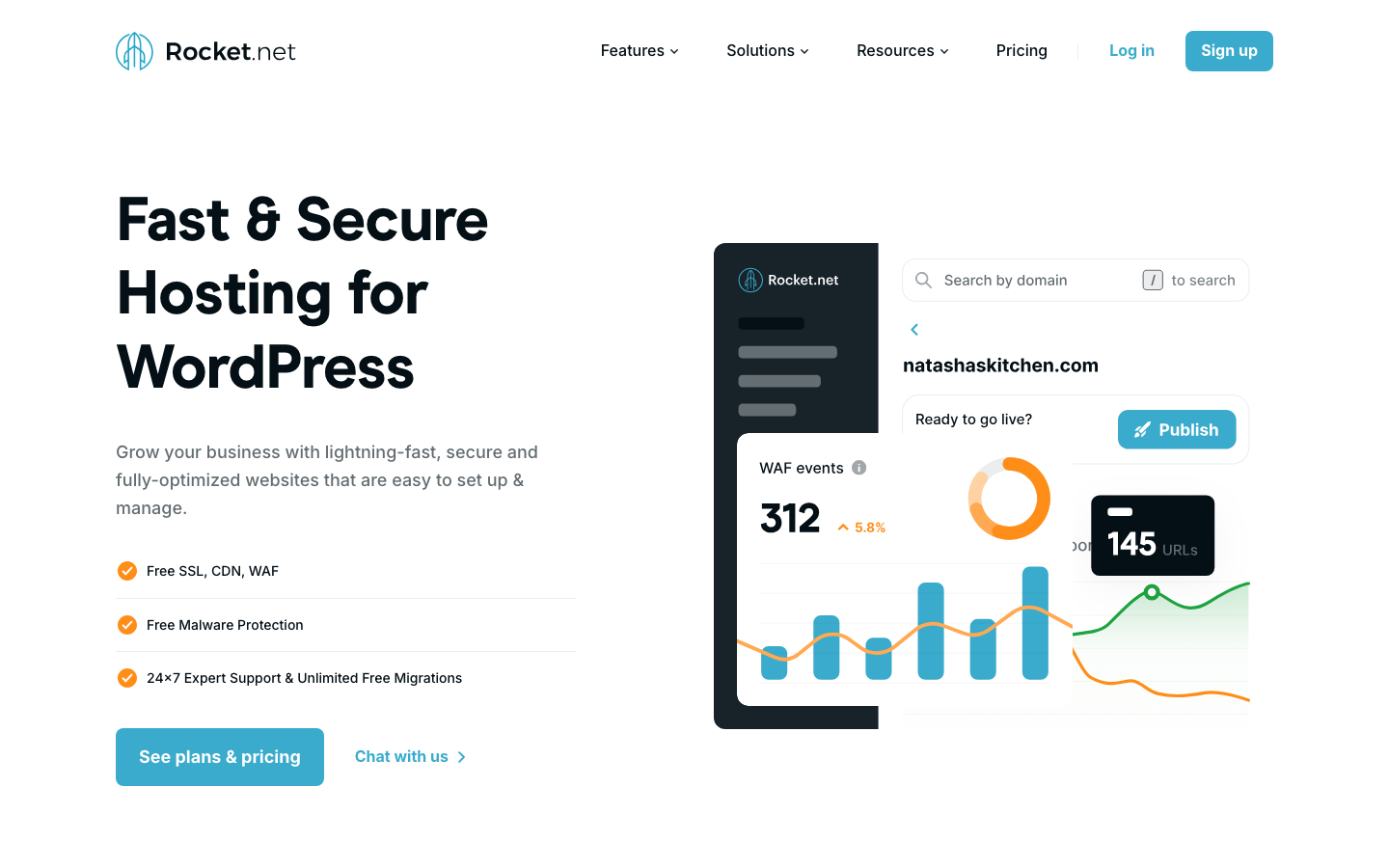
My pick is Rocket.net. Cloudflare Enterprise on every plan, consistently the best TTFB I’ve measured in this tier, and the Starter plan runs $25 a month (the first month is $1, which makes testing it risk-free). It tops my hosting rankings for a reason.
If your needs differ: Kinsta at $35 a month has the most polished dashboard and that hack-fix guarantee, great for agencies handing clients a login. WPX from about $18 a month is the value play with famously fast support (my WPX review has the details). And Cloudways is the middle path if you want managed-ish cloud power without full managed pricing; I covered it in my managed cloud hosting roundup.
Whatever you choose, the decision itself is simple. If your WordPress site earns money or guards your reputation, managed WordPress hosting stopped being a luxury the day that became true. Buy back your hours. They’re the only resource on your site that doesn’t scale.
The Hidden Costs Nobody Puts on the Pricing Page
Managed WordPress hosting pricing looks clean until you read the meter. Before you commit, check these four lines in the fine print:
- Visit-based overages. Most managed plans cap monthly visits per tier. Kinsta’s Starter covers 25,000 visits; cross it and you pay per thousand extra. One viral post can double your bill, so check the overage rate, not just the plan price.
- Per-site pricing. That $25 covers one WordPress install. A portfolio of five small sites can cost more on managed hosting than one VPS that holds all of them comfortably.
- Storage that’s smaller than it sounds. 10 GB disappears fast when your media library grows. Image-heavy sites should check whether the host offloads media or charges for the next tier.
- Email isn’t included. Worth repeating, because it surprises almost everyone. Add $6 or so per user for Google Workspace to the comparison.
None of these are deal-breakers. They’re just the difference between the sticker price and the real one, and a host that’s upfront about them is usually honest about everything else too.
How I Test a Managed WordPress Host in the First Week
Almost every managed host offers free migration and a money-back window of 30 days or so. That window is your audit period. Here’s the exact sequence I run before any long-term commitment:
- Baseline before you move. Screenshot PageSpeed Insights and note your TTFB on the old host. Without a before, the after is marketing.
- Let their team do the migration. It’s free, and how they handle it is your first support quality sample.
- Retest from three locations. Use a tool like KeyCDN’s performance test to read TTFB from regions where your readers actually live, not just the one nearest the data center.
- File one real support ticket. Ask something WordPress-specific, like which plugins on your site conflict with their caching. A canned answer inside two minutes is worse than a real answer in twenty.
- Run a restore drill. Restore yesterday’s backup to staging. If you can’t figure out how within ten minutes, that matters more than any feature list.
- Push staging to live once. Make a small change on staging and deploy it. This is the workflow you’ll rely on every month from now on.
If a host passes all six, keep it. If it stumbles on two or more, you’re still inside the refund window. That’s the whole point of doing this in week one.
What Migrating to Managed Hosting Actually Looks Like
The migration fear is mostly outdated. Every host I’ve recommended here migrates your site for free, handled by their team, usually within a day. Your job is three things: point them at your current hosting login, review the migrated copy on a temporary URL, and switch your DNS when it looks right.
Done in that order, downtime is effectively zero, because your old site keeps serving visitors until DNS flips to the new one. The only genuine gotchas: email records (if your DNS hosts mail, copy every MX record before changing nameservers) and propagation time, so don’t schedule the switch an hour before a product launch. Pick a quiet Tuesday, and the whole thing is boring… which is exactly what you’re paying for.
FAQs About Managed WordPress Hosting
Is managed WordPress hosting worth it?
If your site makes money or protects your reputation, yes. You’re trading roughly $20 a month extra for performance tuning, security monitoring, daily backups, staging and expert support, which replaces three to five hours of monthly maintenance. For hobby sites, quality shared hosting is the smarter spend.
What is the difference between shared and managed WordPress hosting?
Shared hosting rents you space on a server and leaves the management to you. Managed WordPress hosting runs the platform for you: server-level caching, hardened security, automatic updates, backups and WordPress-trained support. Shared costs $3 to $8 a month; real managed starts around $25.
Does managed WordPress hosting include email?
Usually not. Most managed WordPress hosts, including Kinsta and Rocket.net, host only your website and expect you to run mailboxes through Google Workspace or a similar service at $6 or so per user. Budget for that separately when comparing total costs.
Do I still need a caching plugin on managed hosting?
Mostly no. Managed hosts cache at the server level, which works better than any plugin, and many ban caching plugins outright to avoid conflicts. You might still add a lightweight optimizer for critical CSS or script delaying, but check the host’s allowed-plugin list first.
Can I install any plugin on managed WordPress hosting?
Almost any, with a short banned list. Hosts block plugins that duplicate their own stack, mainly backup plugins, caching plugins, and some related-posts plugins that hammer the database. Check the banned list before migrating; the overlap is usually functionality you no longer need anyway.
How much does managed WordPress hosting cost in 2026?
Entry plans run $25 to $35 a month: Rocket.net starts at $25, Kinsta at $35, and WPX undercuts both at about $18. Expect visit or storage limits per tier, and watch renewal pricing. Annual billing typically saves around two months.
Tell Google you want more of this.
Add Gaurav Tiwari as a preferred sourceOne tap, and this site shows up more often in your own Top Stories, AI Overviews and AI Mode. Remove it any time.
