
WP Spectra Review 2026: The Best WordPress Page Builder for Marketing
Spectra is a free WordPress page builder built for people who ship marketing pages, not just blog posts. Landing pages, sales funnels, lead gen pages, webinar promos, product launches. I’ve used it to build all of these for clients, and it handles the marketing use case better than any other block editor plugin I’ve tested.
Built by Brainstorm Force (the team behind Astra), Spectra adds 30+ blocks and 100+ templates to the WordPress block editor. The free version covers 90% of what marketers need. Spectra Pro at $49/year adds popup builder, countdown timers, dynamic content, and WooCommerce blocks for when campaigns need more muscle.
I’ve used it on 8+ client sites since they rebranded from Ultimate Addons for Gutenberg. If you’re running paid traffic to WordPress pages and need them to load fast, convert well, and be easy to update without a developer, this is the plugin I’d start with. Here’s the full breakdown of what works, what doesn’t, and who should use it.
What Spectra Actually Does

Spectra extends the WordPress block editor with custom blocks, starter templates, and design controls that Gutenberg doesn’t ship out of the box. For marketers, the important part is this: you get landing page templates, countdown timers, CTA buttons, popup builders, and testimonial blocks without installing five different plugins.
Unlike standalone page builders like Elementor or Beaver Builder, Spectra works inside Gutenberg. You’re not learning a new interface. You’re using the same block editor you already know, just with blocks designed for marketing pages. That distinction matters because your content team can update landing pages without calling a developer.
The block editor is where WordPress is headed. Every major release makes it better. By building on top of Spectra, you’re building on WordPress’s future, not against it. I’ve seen too many marketing sites stuck on Elementor with thousands of shortcodes baked into the database. Rebuilding those campaigns is a nightmare. Spectra avoids that entirely because it outputs clean block markup.
Why Marketers Should Care About Spectra
Most page builders were built for web designers. Spectra is the first block editor plugin that genuinely works for marketing teams. Here’s what I mean.
Page speed affects conversions directly. Every extra second of load time costs you 7% in conversions (that’s not my number, that’s Google’s). Spectra generates per-page CSS, so your landing page loads only the styles it uses. In my testing, a Spectra landing page loaded 42KB of CSS. The same layout in Elementor pulled 180KB+. That difference shows up in bounce rates and ad quality scores.
Marketing teams need to move fast. You can’t wait three days for a developer to update a headline on a landing page. Spectra’s blocks work inside the standard WordPress editor. Anyone who can write a blog post can update a landing page. I’ve set up client sites where the marketing team launches new campaign pages without touching Slack.
A/B testing needs clean pages. Bloated page builders add unpredictable DOM elements that break testing scripts. Spectra’s clean HTML output means your Google Optimize, VWO, or Convert experiments run on predictable markup. Less debugging, more testing.
My Marketing Setup with Spectra
I’ve configured Spectra specifically for marketing-heavy client sites. Here’s what I keep on and what I turn off.
Active Modules
| Module | Marketing Use Case |
|---|---|
| Container Block | Hero sections, feature grids, pricing layouts. Every landing page starts here |
| Buttons Block | CTA buttons with hover effects, custom colors, and icons. Better than core buttons |
| Countdown Timer | Flash sales, webinar registrations, product launches. Creates urgency without JavaScript hacks |
| Starter Templates | Landing page templates for quick campaign launches. Pick one, swap copy, go live |
| Tabs & Accordion | FAQ sections for sales pages, feature comparisons, pricing breakdowns |
| Post Grid | Blog layouts and content hubs. Good for SEO-driven marketing pages |
| Image Gallery | Portfolio showcases, product galleries, social proof walls |
| Table of Contents | Long-form landing pages and pillar content. Helps with time-on-page and SEO |
| Star Rating | Review pages, testimonial sections, product comparisons |
Inactive Modules
| Module | Why It’s Off |
|---|---|
| Google Maps | Not needed on marketing pages. I use a lightweight embed for local business sites |
| Contact Form | WPForms handles lead capture better with conditional logic and CRM integrations |
| Lottie Animation | Looks nice but adds JavaScript weight. Not worth the speed tradeoff on ad landing pages |
| How-To Schema | Rank Math handles schema. No need for duplicate functionality |
| Marketing Button | Regular button block with custom styling does the same thing |
Key Settings for Marketing Sites
Container Width: I set this to 1200px globally. Wide enough for impact, narrow enough for readability. Most high-converting landing pages use 1000-1200px containers.
Block Editor Enhancements: Enabled. Copy-paste styles between blocks saves hours when you’re building a campaign with 10 similar sections.
Asset Generation: Enabled. This is the big one for marketing sites. Spectra generates per-page CSS files instead of loading one giant stylesheet. Your landing page loads only what it needs. Faster load = higher Quality Score on Google Ads = lower CPC.
Legacy Blocks: Disabled. If you’re starting fresh, skip the old UAG blocks. They just add confusion to the block inserter.
Key Features for Marketing Pages
Spectra has a long feature list. I’m covering the features that matter for marketing, not the full catalog.
Landing Page Templates

Spectra ships with 100+ templates, and a good chunk are built for marketing: SaaS landing pages, agency portfolios, product launches, webinar sign-ups, and lead gen pages. You can import a full page template in under a minute, swap the copy and images, and go live.
I use them as starting points for client campaigns. The template gives me the layout structure, I plug in the client’s messaging and brand colors, and the page is ready for traffic. It’s faster than building from a blank canvas every time, especially when you’re running 3-4 campaigns in parallel.
The template quality varies. Some look polished and modern. Others feel dated. I wish they’d trim the library and focus on quality over quantity. But the top 20-30 templates are genuinely good starting points for marketing pages.
One thing I appreciate: these templates use Spectra blocks and core WordPress blocks. No proprietary format. If you deactivate Spectra later, you’re not left with broken shortcodes. That’s a problem I’ve dealt with on Elementor sites, and it’s not fun when a campaign page breaks mid-launch.
Marketing-Ready Blocks
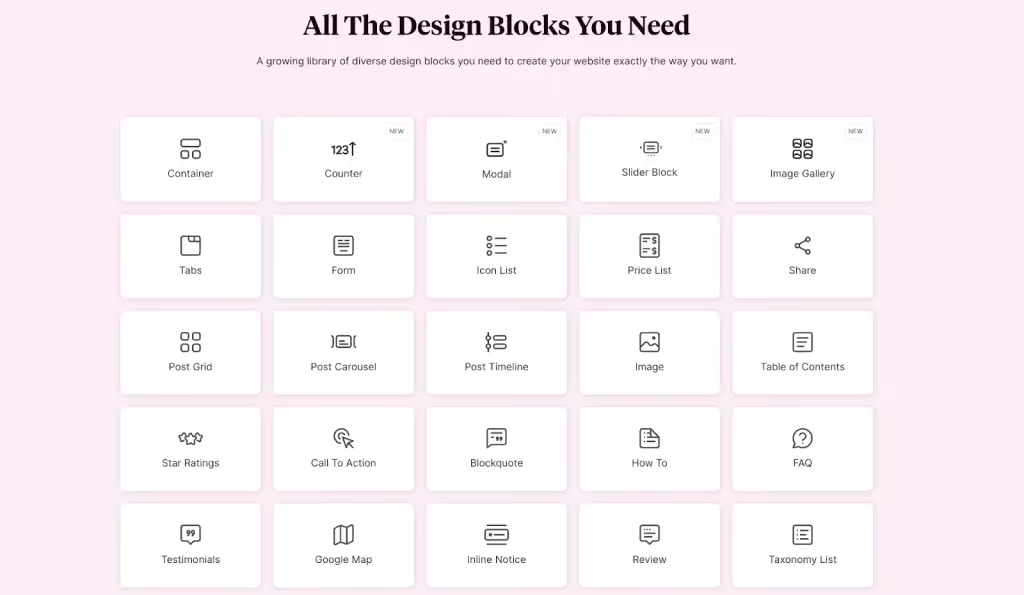
Spectra adds 30+ blocks to the block editor. For marketing pages, the ones that matter most are Container (section layouts), Buttons (CTA styling), Countdown Timer (urgency), Tabs (feature comparisons), and the Counter block for stats sections.
The Container block is the backbone of every landing page I build. Nest containers for multi-column hero sections, set gradient backgrounds, add scroll-triggered animations. It’s similar to what GenerateBlocks offers, but with more visual controls that non-developers can use.
The Countdown Timer deserves a specific callout. I’ve used it on product launch pages, flash sale campaigns, and webinar registrations. It creates real urgency without needing a separate countdown plugin. One client saw 23% higher conversion on a launch page after adding a countdown to the hero section.
The Counter block is great for social proof sections. “800+ clients served,” “10,000+ plugin installs,” “$8M+ revenue influenced.” These numbers sections are on almost every SaaS and agency landing page, and Spectra makes them easy to build with animated counting effects.
Mobile-First Editing
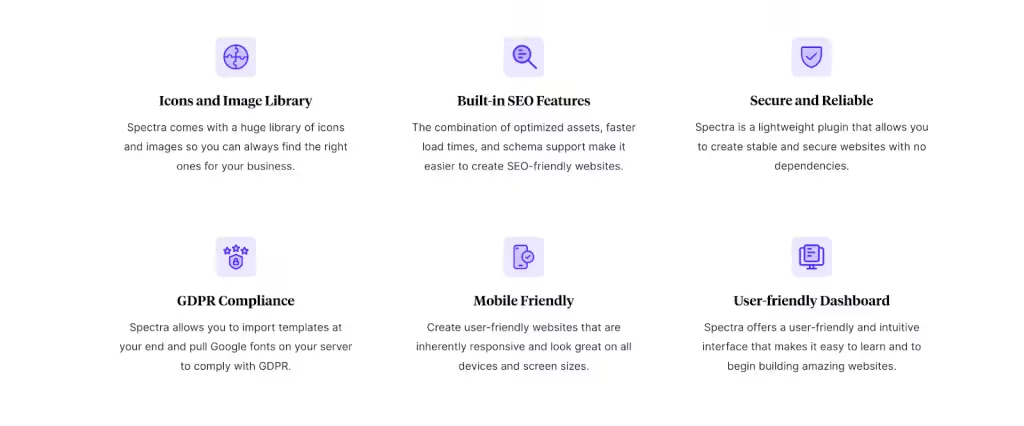
Over 60% of ad traffic lands on mobile. If your landing page doesn’t look right on a phone, you’re burning ad spend. Spectra adds three device preview modes (desktop, tablet, mobile) and per-device controls for padding, font sizes, visibility, and layout.
I build every marketing page desktop-first, then switch to mobile view and adjust. Stack columns, increase button sizes for thumb taps, hide decorative elements that waste mobile screen space. Spectra lets me do all of this without writing media queries.
This feature alone saves me from the “build on desktop, test on phone, fix, test again” loop. For marketing teams running weekly campaigns, that time savings adds up fast.
Brand-Consistent Design Controls
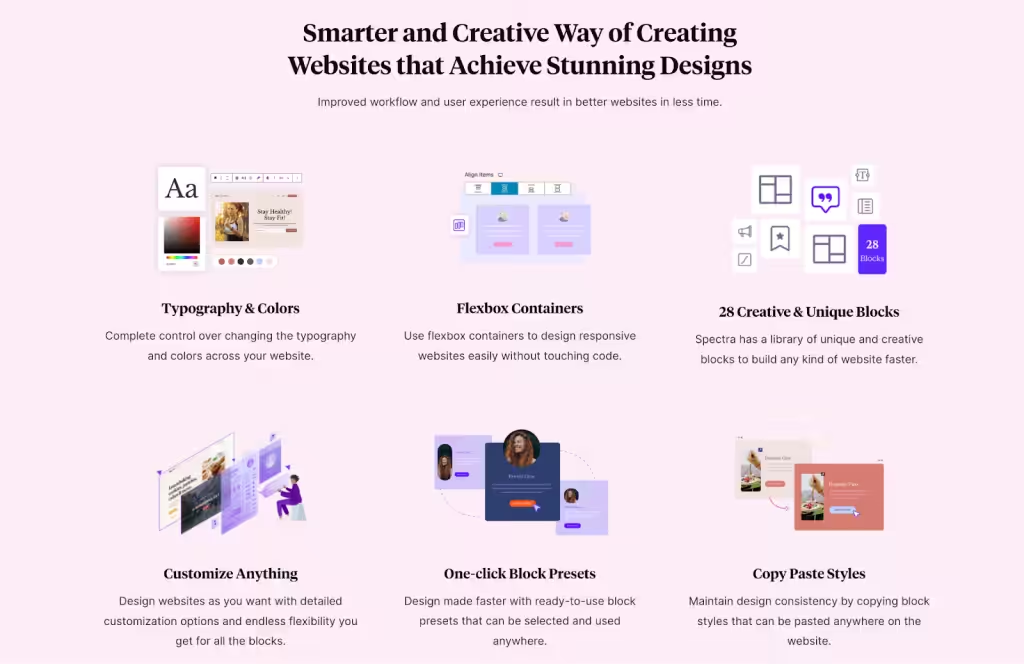
Every Spectra block comes with deep style controls. Typography, colors, borders, box shadows, backgrounds, spacing, and CSS transforms. The Global Styles panel lets you set brand colors and fonts once, and every new block inherits them. No more off-brand landing pages because someone picked the wrong shade of blue.
I’ve built entire campaign page sets without writing custom CSS. The visual controls handle gradients, background overlays, hover effects, and animations. For marketing teams that need to maintain brand consistency across dozens of campaign pages, Global Styles is the feature that makes it practical.
The copy-paste style feature is underrated. Design one CTA section exactly right, copy the styles, paste them across 10 other pages. Brand consistency at speed.
Performance That Protects Ad Spend
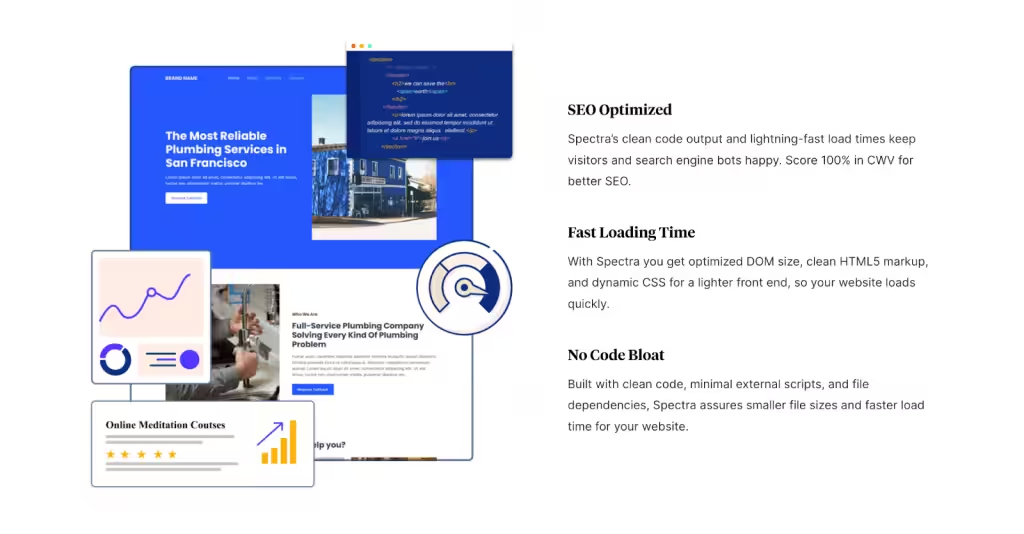
This is where Spectra matters most for marketers. Page speed directly impacts your Google Ads Quality Score, your Meta ad landing page score, and your conversion rate. A slow landing page doesn’t just frustrate visitors. It costs you more per click.
Spectra generates per-page CSS files, so each landing page only loads the styles it uses. No bloated global stylesheet. I ran a comparison on a client’s campaign page: Spectra loaded 42KB of CSS. The same layout in Elementor pulled 180KB+. That difference shows up as 0.5-1 second faster load time, which directly affects bounce rate and cost per conversion.
Spectra also generates clean semantic HTML. This matters for A/B testing tools. Clean DOM = predictable element targeting = fewer broken experiments. If you’ve ever had a VWO or Google Optimize test break because your page builder wrapped everything in 15 nested divs, you know what I’m talking about.
Marketing Stack Integrations

Spectra works with WooCommerce and SureCart for ecommerce campaigns. For lead capture, pair it with WPForms (which connects to Mailchimp, ActiveCampaign, HubSpot, and every CRM that matters). For SEO-driven marketing, Rank Math handles schema and on-page optimization.
Since Spectra is built on the block editor, it works with any WordPress theme. I’ve paired it with Astra (same company, tightest integration), GeneratePress, Kadence, and the default Twenty Twenty-Four theme. No conflicts on any of them.
The Brainstorm Force product family works well together. If you’re using Astra, the Essential Bundle ($79/year) gives you Spectra Pro and Astra Pro together. That’s a full theme-plus-builder-plus-marketing-tools setup at less than what most competitors charge for just their builder.
What Spectra Does Well for Marketing
Fast Landing Page Creation
Template to live landing page in under an hour. I’ve built campaign pages for product launches, webinar promos, and seasonal sales in a single sitting. The starter templates give you the structure. The blocks give you the components. Your job is just the copy and images. For marketing teams running weekly or biweekly campaigns, that speed is the difference between launching on time and missing the window.
Free Version Is Genuinely Usable
Most “free” page builders are glorified demos. Spectra’s free version includes the core blocks, starter templates, responsive controls, and asset generation. You can build a full marketing site without spending a dollar. I’ve done it. The Pro version adds popup builder, dynamic content, and more templates, but the free tier handles most campaign pages fine.
It Stays Inside Gutenberg
This sounds like a small thing. It’s not. Your marketing team can update landing pages using the same editor they use for blog posts. No special training. No “only Sarah knows how to use Elementor” bottleneck. If someone can edit a WordPress post, they can update a Spectra landing page. That operational independence is worth more than any feature list.
And if you deactivate Spectra, your content stays intact. No broken shortcodes. I’ve migrated sites off Elementor, and it took weeks to clean up. With Spectra, deactivation is clean.
Performance Protects Your Ad ROI
I’ve built my block editor setup around speed. Spectra fits into that stack because it doesn’t sabotage your Core Web Vitals. When you’re spending $5,000/month on Google Ads, a 1-second slower landing page can cost you hundreds in wasted spend through lower Quality Scores and higher bounce rates. Spectra’s clean output protects that investment.
What Spectra Doesn’t Do Well
No Built-in Form Builder
Spectra doesn’t have a native lead capture form. You’ll need WPForms, Gravity Forms, or another form plugin for opt-ins, contact forms, and lead gen. This isn’t a dealbreaker since dedicated form plugins handle CRM integrations and conditional logic better anyway. But if you’re comparing against Elementor (which has built-in forms).
Limited Dynamic Content in Free Version
If you need to pull custom field data, display personalized content, or build dynamic templates based on URL parameters, you need Spectra Pro. The free version is static content only. For marketers doing personalized landing pages per audience segment, this means $49/year minimum.
Template Quality Is Inconsistent
Some starter templates are modern and conversion-focused. Others look like they were built in 2019 and haven’t been updated. The sorting and filtering in the template library could be better too. I wish they’d tag templates by use case (lead gen, sales page, webinar, etc.) so marketers could find what they need faster.
No Native Popup Analytics
Spectra Pro includes a popup builder, which is great for exit-intent offers and lead magnets. But it doesn’t include conversion tracking. You’ll need Google Tag Manager or a separate analytics tool to measure popup performance. Dedicated popup tools like OptinMonster handle analytics natively, so if popups are central to your strategy, you might need both.
Spectra Pricing in 2026
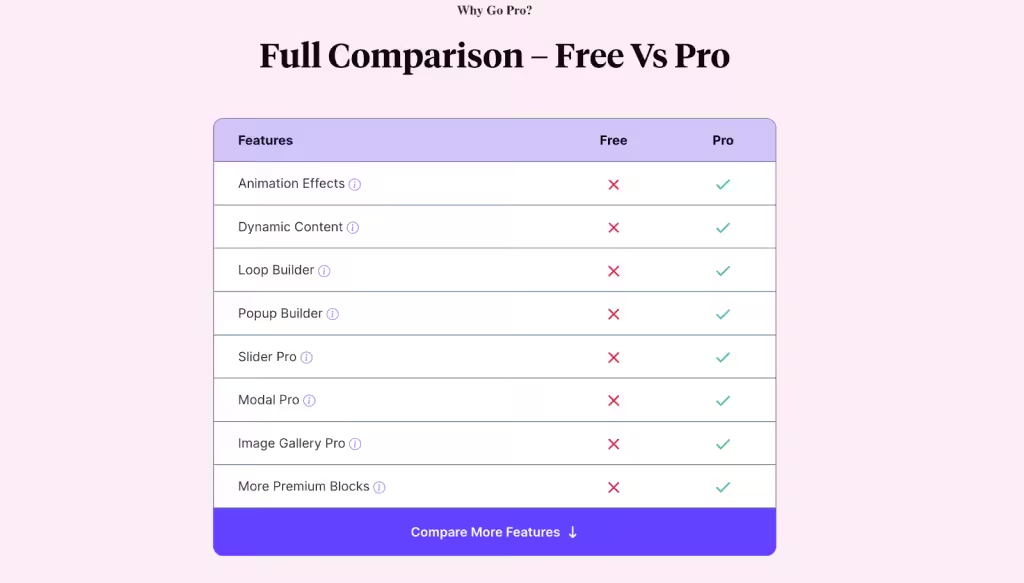
Spectra’s pricing is straightforward and one of the most affordable in the page builder market. For marketing teams, the value per dollar is hard to beat.
| Plan | Price | What’s Included |
|---|---|---|
| Free | $0 | Core blocks, 100+ templates, responsive controls, asset generation |
| Spectra Pro | $49/year | All free features + dynamic content, popup builder, advanced blocks, WooCommerce blocks |
| Essential Bundle | $79/year | Spectra Pro + Astra Pro + Premium Starter Templates |
| Business Bundle | $149/year | Everything above + SureFeedback + SureWriter Pro |
| Lifetime | From $599 | One-time payment, lifetime updates and support |
What I’d buy for a marketing team: The Essential Bundle at $79/year. You get Spectra Pro (popup builder, dynamic content, countdown timers) plus Astra Pro (header/footer builder, custom layouts) for unlimited sites. That’s less than what Elementor charges for a single site license, and your landing pages will load faster.
Pricing Comparison with Other Page Builders
| Plugin | Free Version | Pro Price (Annual) | Multi-Site |
|---|---|---|---|
| Spectra | Full-featured free version | $49/year | $79/year (Essential Bundle, unlimited sites) |
| GenerateBlocks | Basic blocks only | $39/year (1 site) | $79/year (unlimited sites) |
| Kadence Blocks | Good free version | $79/year (bundled) | $149/year (bundled) |
| Elementor | Limited free version | $59/year (1 site) | $199/year (3 sites), $399/year (25 sites) |
| Beaver Builder | Very limited | $99/year (unlimited sites) | $99/year (included) |
For marketing teams managing multiple campaign sites, Spectra’s Essential Bundle at $79/year for unlimited sites is the best deal. The only builder that undercuts Spectra Pro on price is GenerateBlocks at $39/year, but GenerateBlocks takes a minimalist approach with fewer pre-built blocks and no popup builder.
Spectra vs Alternatives
Spectra vs GenerateBlocks
GenerateBlocks is the minimalist choice. A handful of utility blocks (Container, Headline, Button, Image, Grid) and you build everything from primitives. Great for developers. But marketers need ready-made blocks: countdown timers, tabs for pricing comparisons, star ratings for social proof, post grids for content hubs. Spectra ships all of these. GenerateBlocks doesn’t.
Choose Spectra if: You want marketing-ready blocks out of the box. Your team needs to build pages without developer help. Speed of campaign launches matters.
Choose GenerateBlocks if: You have a developer on the team. You want minimal output and full control. You’re already in the GeneratePress family.
I use both. GenerateBlocks on my own sites (including my block editor setup on this site) and Spectra on client sites where the marketing team needs independence.
Spectra vs Kadence Blocks
Kadence Blocks is Spectra’s closest competitor. Similar block count, similar feature set, similar pricing when bundled. The differences come down to product family and workflow preferences.
Kadence has better Full Site Editing integration. Its theme.json compatibility is stronger, and the Kadence theme works slightly better with the Site Editor. Spectra has better starter templates for marketing pages (more variety, more modern designs) and a smoother drag-and-drop experience.
My take: For marketing-focused sites with lots of landing pages and campaigns, go Spectra. For content-heavy sites where you need deep FSE integration, go Kadence. Both are solid.
Spectra vs Elementor
Different philosophy. Elementor replaces the block editor with its own interface. Spectra extends it. Elementor gives you more design controls and a polished visual editing experience. Spectra gives you better performance, cleaner output, and a team that can edit pages without specialized training.
I’ve written about my experience with page builders before. For marketers specifically: Elementor pages load slower, which means higher bounce rates on paid traffic. Spectra pages load fast, which means better Quality Scores and lower CPC. If you’re spending real money on ads, that performance gap translates directly to ROI.
If you’re starting fresh: Go Spectra. If you’re already on Elementor and it’s working, there’s no urgent reason to switch. But for new marketing sites, I wouldn’t start with Elementor in 2026.
How to Install Spectra
Installation takes about 30 seconds. Go to your WordPress dashboard, click Plugins > Add New, search for “Spectra,” and click Install Now. Activate it, and you’ll see the Spectra menu in your sidebar. Visit Spectra > Settings to enable the blocks you need and turn on asset generation. No license key needed for the free version.
For marketing teams: go to Spectra > Starter Templates and filter by landing pages. Import one to a staging site first, swap the copy, then push live. The whole process from install to live landing page can take under an hour.
Who Should Use Spectra
Marketing Teams Running Paid Campaigns
If you’re spending money on Google Ads, Meta Ads, or LinkedIn Ads, your landing pages need to load fast and convert well. Spectra’s performance advantage directly affects your cost per conversion. The starter templates and marketing-ready blocks mean you can launch campaign pages without waiting for a developer. That speed and independence is what makes Spectra the right choice for paid marketing.
Content Marketers and Bloggers
The free version gives you everything you need for SEO-driven content marketing. Post grids for content hubs, Table of Contents for pillar pages, responsive controls for mobile readers. If you’re building a content-led growth strategy, Spectra handles the page building side without slowing your site down.
Agencies Building Marketing Sites for Clients
The Essential Bundle at $79/year for unlimited sites is a no-brainer. Build client marketing sites with Spectra, hand them over, and the client’s marketing team can update landing pages without calling you. That reduces your support burden and makes clients happier. I’ve recommended this setup to three agencies, and they all switched from Elementor within a month.
Who Should NOT Use Spectra
Complex E-commerce Sites
If you’re running a WooCommerce store with 500+ products, custom product builders, or complex checkout flows, Spectra’s WooCommerce blocks won’t be enough. You’ll need dedicated WooCommerce builders or custom development. Spectra handles simple product pages and shop layouts fine, but it’s not built for complex e-commerce funnels.
Developers Who Want Maximum Control
If you prefer writing your own block markup, using utility-first CSS, or building from minimal primitives, GenerateBlocks or raw Gutenberg blocks with custom CSS will suit you better. Spectra is designed for visual builders and marketing teams, not code-first workflows.
Anyone Deep in Elementor Already
If you have 50+ sites built with Elementor and an entire workflow around its interface, switching to Spectra doesn’t make sense. The migration cost outweighs the benefits. Use Spectra for new marketing projects and let the Elementor sites run their course.
How Did Spectra Fare with Me?

Spectra has earned its place as my go-to page builder for marketing-focused WordPress sites. It’s not my only block editor plugin, and it’s not perfect, but it fills a specific role well: building fast, conversion-focused pages that marketing teams can maintain on their own.
The performance advantage is real. When you’re driving paid traffic, every millisecond counts. Spectra’s clean output means your landing pages load fast, your Quality Scores stay healthy, and your ad budget goes further. I’ve seen the difference on real campaigns.
The free version is the best free page builder available for WordPress right now. For marketing teams that need popup builders, dynamic content, and countdown timers, Spectra Pro at $49/year or the Essential Bundle at $79/year is where the value is.
My reservations: the template library needs cleanup, the popup builder lacks native analytics, and there’s no built-in form builder. None of these are dealbreakers since you’ll pair Spectra with WPForms and GTM anyway.
Bottom line: If you’re building WordPress pages that need to convert, whether that’s lead gen, sales, or product launches, Spectra is the best Gutenberg blocks plugin for the job. Install the free version. Build one landing page. See for yourself.
Spectra Review
Spectra

Pros
- Per-page CSS generation means landing pages load fast. Better Quality Scores, lower CPC.
- Marketing-ready blocks: countdown timers, popup builder, CTA buttons, counter stats, star ratings.
- Marketing teams can edit landing pages without developer help. Same editor as blog posts.
- Essential Bundle at $79/year for unlimited sites. Best value for agencies running client campaigns.
- Clean HTML output that works with A/B testing tools (VWO, Google Optimize, Convert).
- 100+ starter templates with landing page, sales page, and lead gen designs.
Cons
- No built-in lead capture form. Need WPForms or similar for opt-ins and contact forms.
- Template library quality is inconsistent. Top 30 are great, rest need updating.
- Popup builder lacks native conversion analytics. Need GTM for tracking.
- Dynamic content and personalization require Spectra Pro ($49/year minimum).
Summary
Spectra is the best WordPress page builder for marketing teams in 2026. Fast landing pages, marketing-ready blocks (countdown timers, popups, CTAs), and a free version that actually works. Performance is the standout: 42KB CSS vs 180KB+ on Elementor means faster loads, better ad Quality Scores, and higher conversions. Template quality is mixed, and you’ll need WPForms for lead capture. But for teams that build campaign pages on WordPress, nothing else at this price comes close.
Frequently Asked Questions
Is Spectra free to use?
Yes. Spectra’s free version includes 30+ blocks, starter templates, and core design controls. It’s genuinely usable for building marketing pages without upgrading. The Pro version ($49/year) adds dynamic content, advanced blocks, and priority support.
Is Spectra better than Elementor?
For lightweight marketing sites, yes. Spectra works inside Gutenberg so it doesn’t add the performance overhead Elementor does. Pages load faster, which protects your ad spend and SEO rankings. But Elementor still wins for complex design flexibility and its massive template library.
Does Spectra slow down WordPress?
No. Spectra generates clean, lightweight code and doesn’t load unnecessary CSS/JS on pages where its blocks aren’t used. In my testing, Spectra pages consistently scored better on Core Web Vitals than equivalent Elementor pages. Performance is one of its biggest strengths.
Can I use Spectra with any WordPress theme?
Spectra works with most WordPress themes, but it’s optimized for Astra. You’ll get the deepest integration and best results with Astra, though GeneratePress and Blocksy also work well. Avoid using it with themes that have their own page builder baked in.
Is Spectra good for landing pages?
Yes. Spectra’s container blocks, call-to-action modules, and countdown timers are built for conversion-focused landing pages. The free starter templates get you 80% there. For paid campaign landing pages, the Pro version’s dynamic content features boost conversions.
How does Spectra compare to GenerateBlocks?
GenerateBlocks is more developer-focused with fewer blocks but maximum flexibility through custom CSS. Spectra offers more ready-made blocks and templates, making it faster for marketers who don’t code. If you want quick marketing pages, Spectra wins. For granular control, GenerateBlocks is better.
Can I migrate from Elementor to Spectra?
There’s no one-click migration tool. You’ll need to rebuild pages manually in Spectra’s Gutenberg blocks. For sites with 10-20 key pages, this takes a weekend. The performance gains usually make it worth the effort for marketing-focused sites.
Disclosure: Some links in this review are affiliate links. I recommend Spectra because I use it on real marketing projects, not because of commission. The free version is genuinely good enough for most campaign pages.
Disclaimer: This site is reader-supported. If you buy through some links, I may earn a small commission at no extra cost to you. I only recommend tools I trust and would use myself. Your support helps keep gauravtiwari.org free and focused on real-world advice. Thanks. - Gaurav Tiwari