
A Mac Performance Guide to Increase Computer’s Speed
A Mac that takes 45 seconds to boot used to take 12. Apps beach-ball for 5-10 seconds before responding. Safari tabs reload themselves because there’s not enough free RAM. These aren’t signs of a dying machine. They’re signs of a neglected one.
The performance gap between a well-maintained Mac and a neglected one is massive. Apple’s own support data shows that Macs with less than 10% free storage run up to 50% slower on routine tasks. Cluttered startup items add 30-90 seconds to every boot. Background processes you forgot about years ago silently consume CPU cycles and drain battery life. Every week you ignore these problems, the slowdown compounds.
The fix doesn’t require new hardware or expensive software. These 10 steps work on any Mac running macOS Sequoia, Sonoma, or Ventura, and most take under 5 minutes each. Start with tip #1 (it makes the biggest difference) and work down the list. By the end, your Mac should feel noticeably faster.
Clear Disk Space
Low disk space is the single biggest reason Macs slow down. macOS needs 15-20% of your drive free for virtual memory, swap files, and system caches. Drop below that threshold and everything degrades: app launches take longer, file saves stutter, and the system starts aggressively swapping to disk instead of keeping data in RAM.
Check your current storage by clicking the Apple menu, then System Settings, then General, then Storage. The color-coded bar shows exactly what’s eating space. On most Macs, the biggest offenders are old iOS backups (10-50 GB each), cached media from apps like Spotify and Podcasts, and forgotten downloads sitting in ~/Downloads for months. Delete what you don’t need, starting with the largest files first.
For ongoing maintenance, enable “Optimize Mac Storage” in iCloud settings. This keeps full-resolution photos and rarely accessed files in iCloud while freeing local space automatically. Moving large project archives to an external SSD or Dropbox also works well. The goal is keeping at least 30-50 GB free at all times. Once you cross that threshold, the speed difference is immediate.
Open Terminal and run du -sh ~/Library/Caches/* to see exactly how much space app caches are consuming. It’s common to find 5-15 GB of stale cache data that’s safe to delete.
Use Activity Monitor
Activity Monitor is macOS’s built-in task manager, and it reveals exactly which processes are dragging your system down. Open it from Applications > Utilities > Activity Monitor, then click the CPU tab and sort by “% CPU” descending. Anything consistently above 80-100% that isn’t your active app is a problem.
Common culprits include “kernel_task” (which throttles CPU when the Mac overheats), “WindowServer” (which spikes when too many windows or displays are active), and rogue browser tabs running heavy JavaScript. Chrome is a notorious memory hog: a single tab running a web app like Figma or Google Sheets can consume 500 MB-1 GB of RAM. Switching to Safari for everyday browsing frees significant resources, since Safari uses 30-50% less memory than Chrome on macOS.
Check the Memory tab too. The “Memory Pressure” graph at the bottom tells you if your Mac needs more RAM. Green means you’re fine. Yellow means the system is compressing memory to cope. Red means it’s actively swapping to disk, which slows everything dramatically. If you’re consistently in yellow or red, closing unused apps helps immediately. Long-term, that’s a signal to either reduce your multitasking or consider a Mac with more RAM. For more on managing Mac apps and utilities, check the full guide.
Manage Startup Items
Every app that launches at startup adds time to your boot and consumes resources before you even start working. On macOS Sequoia and Sonoma, go to System Settings > General > Login Items & Extensions. You’ll see two lists: “Open at Login” (apps that launch automatically) and “Allow in the Background” (services running silently).
Be aggressive here. Most people have 8-15 login items they never intentionally added. Apps like Spotify, Discord, Adobe Creative Cloud, Microsoft Teams, and Slack all add themselves to startup by default during installation. Unless you need them the instant your Mac boots, remove them. You can always launch them manually when needed. The difference is significant: removing 5-10 startup items typically cuts boot time by 20-40 seconds.
The “Allow in the Background” section is equally important. Background agents for apps you’ve uninstalled sometimes persist. Updater services for software you no longer use run constant network checks. Toggle off anything you don’t recognize or don’t need running 24/7. If something breaks after disabling it, you can always re-enable it.
Turn Off Visual Effects
macOS animations look great on newer hardware, but they consume GPU cycles that older Macs can’t spare. The Dock animation alone adds a perceptible delay every time you open an app. On Macs from 2018-2020 with integrated graphics, disabling these effects makes the entire interface feel snappier.
Go to System Settings > Desktop & Dock. Turn off “Animate opening applications” and set “Minimize windows using” to “Scale effect” instead of “Genie effect.” The Scale effect renders faster. Also disable “Automatically hide and show the Dock” if you find the slide-in animation laggy. In System Settings > Accessibility > Display, enable “Reduce motion” and “Reduce transparency.” These two settings alone make a noticeable difference on older hardware by eliminating the blur and parallax effects that tax the GPU.
On Apple Silicon Macs (M1 and newer), these optimizations matter less since the GPU is powerful enough to handle animations without breaking a sweat. But on Intel Macs, especially those with integrated Intel Iris graphics, turning off visual effects is one of the highest-impact changes you can make. It won’t show up in benchmarks, but the perceived speed improvement is real.
Update macOS and Apps
Running outdated software is a performance and security risk. Apple’s macOS updates frequently include performance optimizations, memory management improvements, and bug fixes that directly affect speed. macOS Sequoia 15.3, for example, fixed a memory leak in WindowServer that caused slowdowns after extended use. Missing that update means living with the bug indefinitely.
Check for system updates in System Settings > General > Software Update. For App Store apps, open the App Store and click Updates. For non-App Store apps (like Chrome, VS Code, or Slack), most have built-in update checkers in their menu bar. The risk of not updating isn’t just missing performance fixes. Outdated apps are the primary vector for malware on macOS. Apple’s XProtect and Gatekeeper rely on current signatures to block threats.
One caveat: don’t rush to install a major macOS version (like jumping from Sonoma to Sequoia) on the release day. Wait 2-3 weeks for the .1 patch to land. Minor updates (15.3 to 15.3.1) are safe to install immediately. Major upgrades occasionally introduce compatibility issues with third-party apps that take developers a few weeks to patch.
Clean Up Browser Extensions
Browser extensions run JavaScript in the background on every page you visit. Each extension adds memory overhead, increases page load times, and can introduce security vulnerabilities. A Mac with 8 GB of RAM running Chrome with 15 extensions and 30 tabs open is essentially running out of memory before you even open another app.
Audit your extensions ruthlessly. In Chrome, go to chrome://extensions. In Safari, check Settings > Extensions. In Firefox, visit about:addons. For each extension, ask: “Did I use this in the last 30 days?” If not, remove it. Common offenders include old coupon finders, abandoned password managers you’ve replaced, social media tools, and “productivity” extensions that ironically slow everything down.
Ad blockers are the exception. A good ad blocker (like uBlock Origin) actually speeds up browsing by preventing heavy ad scripts from loading. Keep that one. But VPN extensions, screenshot tools, and tab managers each add 50-200 MB of memory usage. Switch to native alternatives where possible. macOS Screenshot (Cmd+Shift+5) replaces most screenshot extensions. Safari’s built-in screen capture handles basic needs. Every extension you remove is memory your Mac gets back.
Reduce Desktop Clutter
Every file on your desktop is rendered as a preview thumbnail by macOS Finder. 50 files on the desktop means 50 thumbnails constantly maintained in memory. PDFs and images are the worst offenders because macOS generates high-resolution previews for each one. A desktop covered in screenshots and documents can consume 200-500 MB of RAM just for icon rendering.
The fix is simple: use Desktop Stacks. Right-click the desktop and select “Use Stacks.” This groups files by type (images, documents, screenshots) into collapsible piles, reducing the number of visible thumbnails from dozens to a handful. Even better, make it a habit to clear the desktop weekly. Move project files into proper folders. Delete screenshots you’ve already used. Archive old documents.
For writers and developers who save everything to the desktop as a quick-access habit, create a single “Inbox” folder on the desktop instead. Dump everything there, then sort it once a week. One folder with 100 files inside it uses far less resources than 100 files scattered across the desktop surface. The visual simplicity also reduces cognitive load, which is a productivity win beyond just system performance.
Upgrade Storage and RAM
If software optimizations aren’t enough, hardware upgrades are the next step. On older Intel Macs (pre-2020), replacing an HDD with an SSD is the single most dramatic upgrade possible. Boot times drop from 60-90 seconds to 10-15 seconds. App launches go from 5-10 second waits to near-instant. A 500 GB SATA SSD costs $40-60 on Amazon and transforms the entire experience.
Adding RAM is the second-best hardware upgrade. If your Mac supports user-replaceable RAM (most 27-inch iMacs and pre-2012 MacBooks do), upgrading from 8 GB to 16 GB costs $25-40 and eliminates the memory pressure issues that cause constant disk swapping. Check your Mac’s specs at support.apple.com/en-us/111901 to see if RAM is upgradeable on your specific model.
Important reality check: Apple Silicon Macs (M1, M2, M3, M4, M5) have soldered RAM and storage. Neither can be upgraded after purchase. If you own an M-series Mac and it’s running out of memory, the only hardware solution is buying a new Mac with more RAM. This is why choosing 16 GB or 24 GB at purchase time matters so much. For Intel Mac owners considering an SSD upgrade, the laptop buying guide covers what specs to prioritize if you decide to replace the machine entirely instead.
Before opening your Mac for any hardware upgrade, back up everything to Time Machine or an external drive. Also check if your Mac is still under AppleCare. Opening the case yourself voids the warranty on some models.
Scan for Malware
The myth that Macs don’t get viruses died years ago. macOS malware has increased 400% since 2019 according to Malwarebytes’ annual State of Malware report. Adware, cryptominers, and trojans specifically targeting macOS are common. A cryptominer running silently in the background can consume 80-100% of your CPU, making your Mac feel impossibly slow while generating cryptocurrency for someone else.
macOS includes built-in protection through XProtect (signature-based malware blocking) and Gatekeeper (app verification), but neither catches everything. Run a full scan with Malwarebytes for Mac (the free version works fine for on-demand scanning). It checks for adware, potentially unwanted programs, and known macOS threats. If it finds anything, remove it and check Activity Monitor to confirm the suspicious processes are gone.
Prevention matters more than cure. Don’t download apps from random websites. Use the Mac App Store or verified developer sites. Don’t disable Gatekeeper (the “Allow apps from anywhere” option in Security settings). And be suspicious of browser pop-ups claiming your Mac is infected. Those are almost always scams that install the very malware they warn about. Real macOS security warnings come from System Settings, not browser windows.
Reset SMC and PRAM (Intel Macs)
Intel Macs have two low-level controllers that occasionally need resetting: the SMC (System Management Controller) and PRAM/NVRAM (Parameter RAM). When these get corrupted, symptoms include fans running at full speed for no reason, sluggish wake-from-sleep, incorrect display brightness, and general system lag that no other fix resolves.
To reset NVRAM: shut down the Mac, then press the power button and immediately hold Option+Command+P+R for 20 seconds. The Mac will restart, and the NVRAM is cleared. For SMC reset on MacBooks with T2 chip (2018-2020): shut down, hold Control+Option+Shift on the left side for 7 seconds, then also press the power button for another 7 seconds. Release all keys, wait 5 seconds, then boot normally.
Apple Silicon Macs (M1 and newer) don’t have an SMC or traditional NVRAM reset. Instead, a full shutdown (not restart) for 30 seconds followed by a normal boot achieves a similar result. If an M-series Mac is behaving erratically, booting into Recovery Mode (hold power button on startup) and running First Aid on the startup disk through Disk Utility is the equivalent troubleshooting step. This repairs file system errors that can cause performance degradation.
Clean Dust and Manage Thermals
Overheating is a silent performance killer. When a Mac’s internal temperature exceeds safe limits, macOS throttles the CPU to prevent hardware damage. A Mac that benchmarks at full speed when cool might run at 50-70% capacity when overheating. Dust buildup in the fans and vents is the primary cause of thermal throttling in Macs older than 2 years.
For MacBooks, use compressed air to blow out the vents along the hinge area. Don’t use a vacuum (static risk). For iMacs and Mac Pros, follow Apple’s service guide for your model to access and clean the internal fans. On a MacBook that’s been used daily for 3+ years without cleaning, it’s common to find visible dust buildup on the fan blades and heat sink fins. Removing that dust can drop operating temperatures by 10-15 degrees Celsius.
Beyond cleaning, environment matters. Using a MacBook on a bed, couch, or pillow blocks the bottom vents and traps heat. A hard, flat surface (or a laptop stand with airflow) keeps temperatures manageable. If you’re running sustained workloads like video editing or code compilation, a cooling pad with active fans ($15-25) prevents thermal throttling during those peak-demand periods. Install a free tool like “Stats” from the Mac App Store to monitor CPU temperature in real time from the menu bar.
When to Upgrade Your Mac
Sometimes, no amount of optimization can fix a machine that’s simply too old for current software demands. If your Mac is from 2018 or earlier and running an Intel chip, the performance gap between your machine and a current Apple Silicon Mac is staggering. M-series chips deliver 3-5x faster performance for most tasks while using less power and generating less heat. macOS Sequoia already dropped support for some older Intel models, and that trend will continue.
The practical test: if you’ve completed every step in this guide and your Mac still beach-balls during normal tasks (email, web browsing, document editing), it’s upgrade time. The MacBook Air with M5 chip at $1,299 is the best value Mac ever made. For power users who need sustained performance for compiling code, video rendering, or running multiple virtual machines, the MacBook Pro with M5 Pro justifies the premium. Check the full list of essential Mac apps to get the most from a new machine from day one.
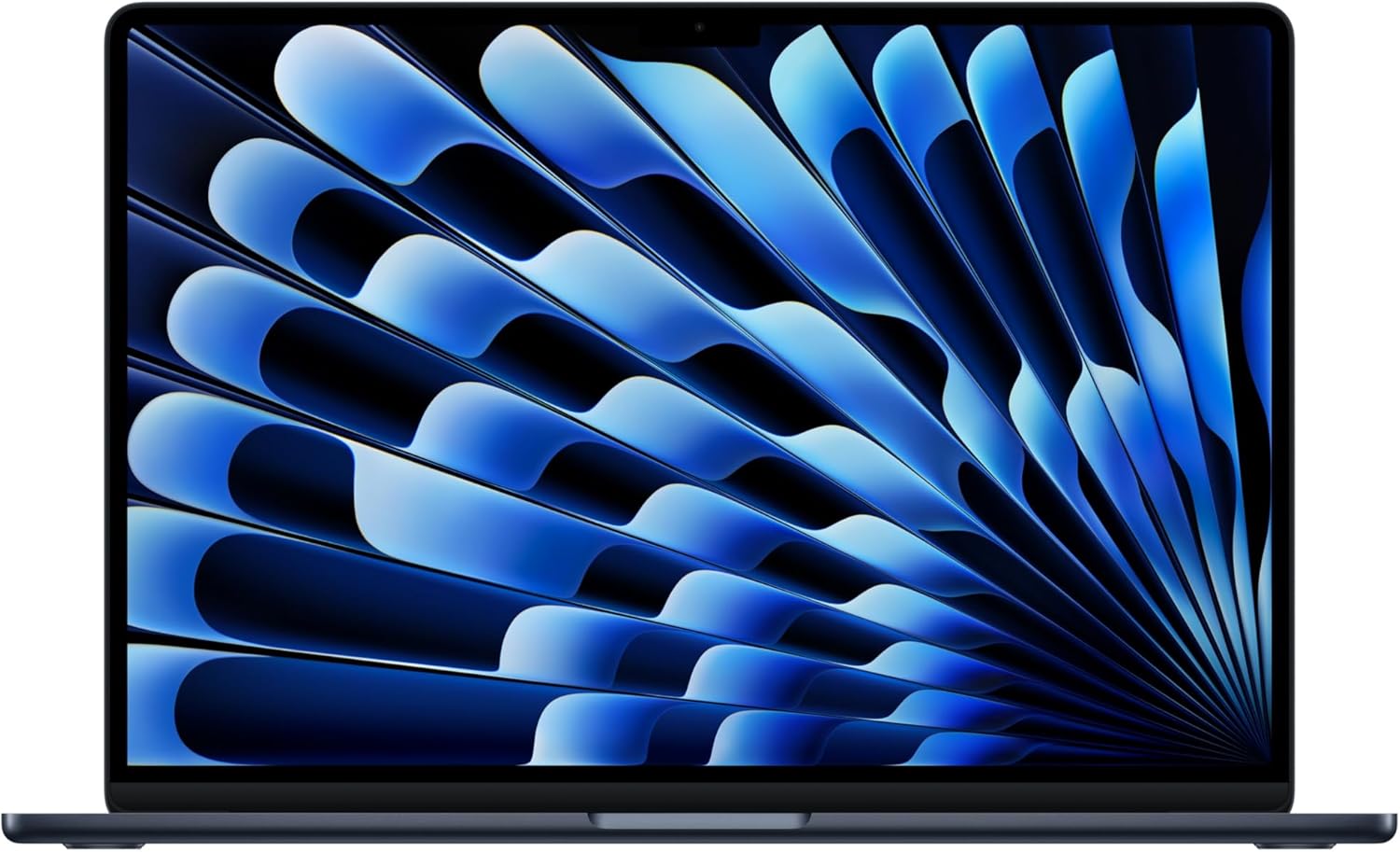
Apple 2025 MacBook Air 15-inch with M5 Chip
- 8-core CPU and 10-core GPU handles everyday tasks and light creative work
- 15.3-inch Liquid Retina display with 1 billion colors
- 18 hours of battery life, enough for a full workday without charging
- Under 0.5 inches thin and just 3.3 lbs for maximum portability
- Apple Intelligence built in for writing, image generation, and Siri upgrades
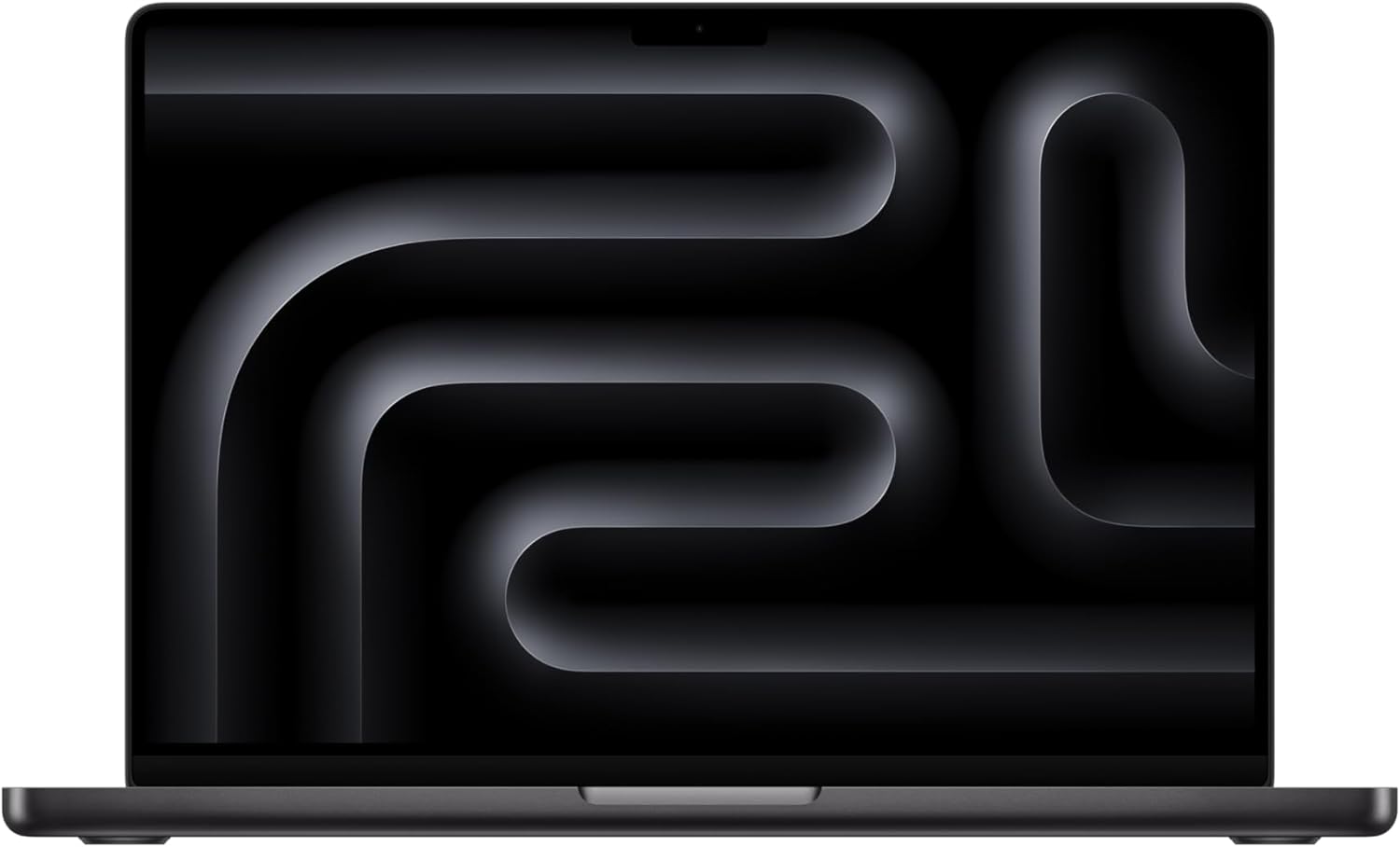
Apple 2025 MacBook Pro 14-inch with M5 Pro Chip
- 12-core CPU and 19-core GPU for demanding creative and development workflows
- Up to 32 GB unified memory for heavy multitasking without slowdowns
- 18 hours battery life with full performance on battery or plugged in
- Liquid Retina XDR display with 1000+ nits brightness and ProMotion 120Hz
- Three Thunderbolt 4 ports, HDMI, SD card slot, and MagSafe charging
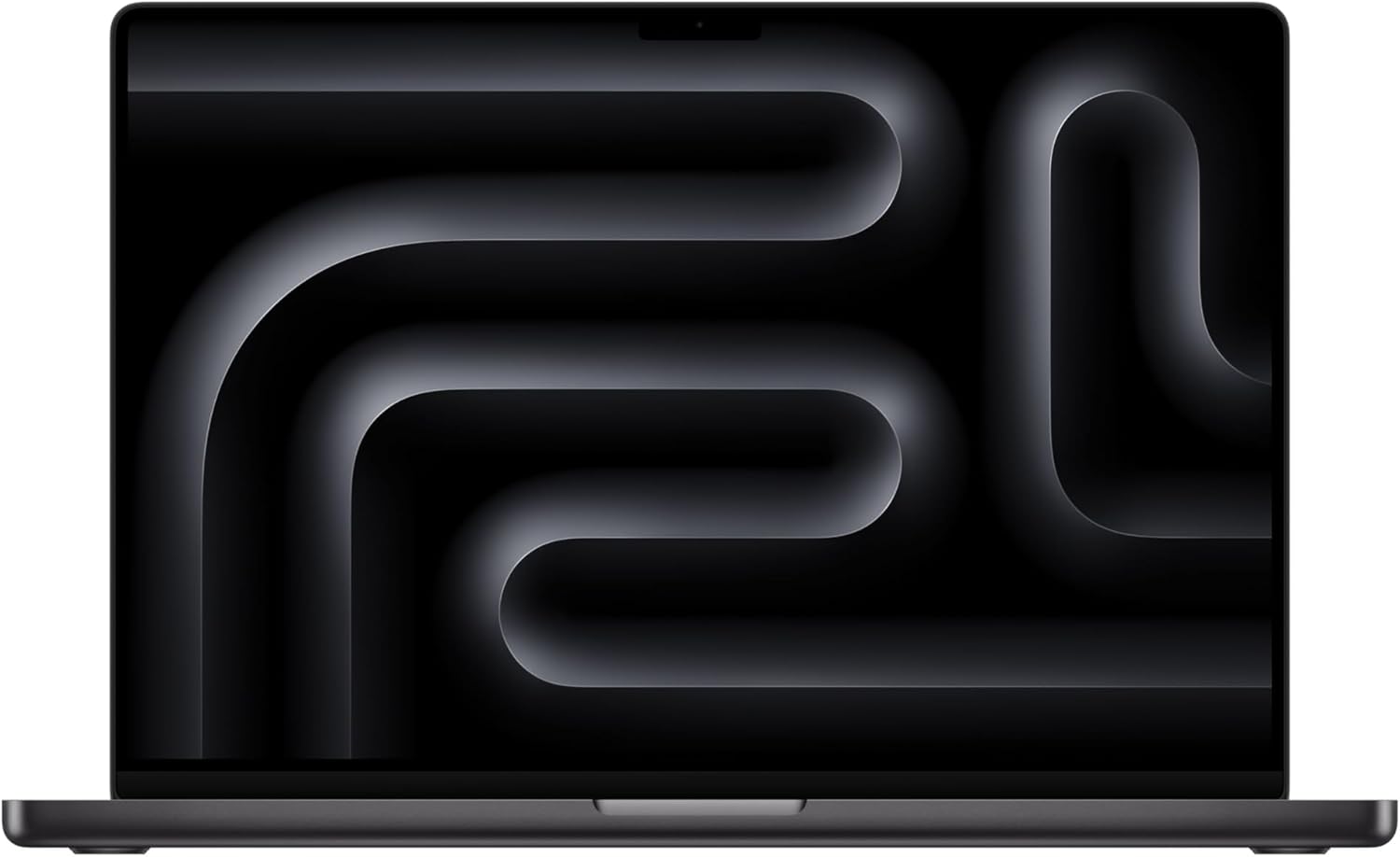
Apple 2025 MacBook Pro 16-inch with M5 Max Chip
- 12-core CPU and 38-core GPU for video editing, 3D rendering, and ML workflows
- Up to 96 GB unified memory for the most demanding professional workloads
- 22 hours battery life, the longest of any Mac laptop ever
- 16.2-inch Liquid Retina XDR display with ProMotion and 1600 nits peak HDR
- Six-speaker sound system with Spatial Audio and studio-quality mic array
FAQs
Why is my Mac so slow all of a sudden?
The most common causes are low disk space (below 15% free), too many startup items, runaway background processes, or outdated macOS. Open Activity Monitor to check CPU and memory usage, then check storage in System Settings > General > Storage. Clearing 20-30 GB of space and removing unnecessary login items fixes most sudden slowdowns.
Does resetting NVRAM actually help Mac performance?
On Intel Macs, resetting NVRAM can fix issues like fans running at full speed, slow wake-from-sleep, and display brightness problems. It won’t magically make a slow Mac fast, but it resolves specific hardware controller glitches that cause performance symptoms. Apple Silicon Macs (M1 and newer) don’t have traditional NVRAM resets. A full 30-second shutdown achieves a similar result.
Is 8 GB of RAM enough for a Mac in 2026?
8 GB works for basic tasks like web browsing, email, and document editing with Safari and a few apps open. But it’s tight. Running Chrome with 20+ tabs, Slack, and a creative app simultaneously will push an 8 GB Mac into memory pressure. For most users, 16 GB is the minimum recommended configuration in 2026, especially since Apple Silicon Macs can’t be upgraded after purchase.
Should I use a Mac cleaner app like CleanMyMac?
Cleaner apps can help find and remove cache files, old logs, and leftover app data. CleanMyMac X is the most reputable option. However, you can do most of the same cleanup manually through Finder and System Settings for free. The built-in Optimize Storage feature in macOS handles the basics. Cleaner apps are most useful for people who don’t want to dig through system folders themselves.
How often should I restart my Mac?
Restart your Mac at least once a week. macOS accumulates temporary files, cached data, and minor memory leaks during extended use. A restart clears all of this and resets system processes to their default state. If you notice performance degrading after several days of uptime, a restart is the fastest fix. Check uptime in Activity Monitor’s CPU tab to see how long it’s been since your last restart.
Can I upgrade the SSD or RAM in my MacBook?
Apple Silicon MacBooks (M1, M2, M3, M4, M5) have soldered RAM and storage that cannot be upgraded after purchase. Intel MacBooks from 2012 and earlier have user-replaceable RAM. Some Intel MacBooks from 2013-2017 have replaceable SSDs but require specific proprietary connectors. The 27-inch iMac (2012-2020) is the most upgrade-friendly Mac, with accessible RAM slots behind a small door.
Does Safari actually use less memory than Chrome on Mac?
Yes, significantly. Safari uses 30-50% less memory than Chrome for the same tabs and websites. Safari is optimized specifically for macOS and Apple Silicon, while Chrome runs a separate process for each tab. With 20 tabs open, Chrome can consume 3-5 GB of RAM compared to Safari’s 1.5-2.5 GB. Switching to Safari is one of the easiest ways to free up memory on a Mac.
How long should a Mac last before needing replacement?
With proper maintenance, a Mac should last 5-7 years for most users. Apple Silicon Macs are likely to last even longer due to better power efficiency and thermal management. The typical replacement triggers are: macOS dropping support for your model (Apple usually supports hardware for 7-8 years), battery health dropping below 80%, or consistent performance issues that optimization can’t resolve.
Disclaimer: This site is reader-supported. If you buy through some links, I may earn a small commission at no extra cost to you. I only recommend tools I trust and would use myself. Your support helps keep gauravtiwari.org free and focused on real-world advice. Thanks. - Gaurav Tiwari