
0.2.0
Fifteen more patterns, and somewhere to find them. The library had two visible groups while the headers and footers sat under core’s categories where nobody looks. There are now six Osmium groups in the inserter.
Install
Download osmium-0.2.0.zip below, then Appearance → Themes → Add New → Upload Theme. Requires WordPress 7.0 and PHP 7.4. Upgrading from 0.1.0 is a straight replace; nothing you have built changes.
New in this release
Headers, now five. Alongside centered and minimal: one with a call to action for a site that sells, one with a notice strip for an announcement, and one with search in the open for a site with a deep archive.
Footers, now five. A signup band, a centered stack for a personal site, and a dark closing band that follows whichever palette is active rather than turning white.
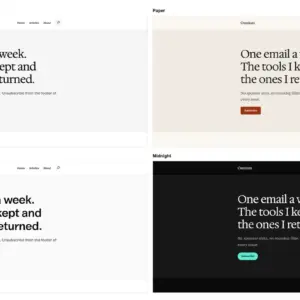
Openers, a new group of five. The newsletter band moves here, joined by a text and image split, a centered statement with one clear next step, a single sentence for an essayist, and one that leads with whatever you published last so the top of the page changes on its own.
Five more sections. A numbers row, a three-step explainer, a section with the heading beside the text so a long passage keeps its measure, a callout note for inside an article, and a keep-reading block for the end of one.
Every pattern that pulls posts carries an empty state, so a new site never renders a heading with nothing under it.
The theme now ships
| | | |—|—| | Templates | 11 | | Patterns | 42, in six groups | | Style variations | 4, plus 3 section styles | | Theme CSS | 8.0 KB | | Theme JavaScript | none |
Checked, not assumed
Every pattern and template validates in the block editor. PHPCS is clean. Colour contrast passes in all four palettes, measured by script. axe-core reports zero WCAG 2.2 AA violations across every template and every new pattern, at desktop and mobile, on a fresh install and a populated one.
Known limits
- Tested on WordPress 7.0 and 7.1. The 7.2 beta opens on 20 October and this will be retested then.
- The Front Page template takes precedence over a static front page you set yourself. To use your own page, edit or delete that template in Appearance → Editor → Templates.
- Not submitted to the WordPress.org theme directory yet.