
0.3.1
Headers, footers, and breadcrumbs now line up with the rest of the page.
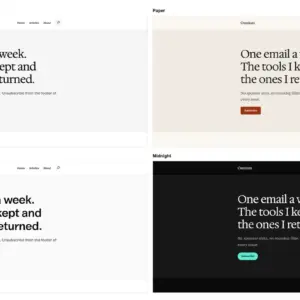
In 0.3.0 their rows sat at the reading width, 42rem, while wide sections, featured images, and the front page ran at 72rem. On a large screen the logo and menu sat well inside the edges of everything below them. Now they span the wide width too.
Install
Download osmium-0.3.1.zip below, then Appearance → Themes → Add New → Upload Theme. Upgrading from 0.3.0 is a straight replace: upload the zip and confirm the replace when WordPress asks.
Changed
- All nine headers and all nine footers span the wide width, so logos, menus, and footer columns line up with the edges of wide content.
- Footer text keeps its readable line length. A heading, a short paragraph, and buttons in a footer band start at the wide edge but don’t stretch across it.
- Breadcrumbs at the foot of posts, pages, and archives span the wide width, so they line up with the footer beneath them.
Checked
Every changed pattern and template validates in the WordPress 7.1 block editor, and PHPCS is clean. axe-core reports zero WCAG 2.2 AA violations on the front page, the four post templates, a page, a category archive, and search results, at desktop and mobile. At a 1280px window, the header, footer, and breadcrumbs now run from 64px to 1216px, the same edges as wide content.
Known limits
- If you edited your header or footer in the Site Editor, your saved copy wins and keeps the old width. Reset the template part to get the new one, or set its rows to wide width yourself.
- A header or footer pattern you inserted by hand keeps the width it had when you inserted it.