
Best Laptops for Mechanical Engineering Students
Mechanical engineering students fail hardware requirements more than any other STEM major. According to a 2024 Dassault Systemes survey, 68% of undergraduate engineering students report CAD software crashes as their top productivity problem during project work. Open a 500-part SolidWorks assembly, run an ANSYS simulation, and keep MATLAB in the background at the same time, and an underpowered laptop doesn’t just slow you down. It freezes. Mid-save. During finals week.
The stakes are real. Engineering programs at schools like Georgia Tech, Purdue, and MIT Manipal all specify minimum hardware requirements for CAD coursework. Laptops with integrated graphics, 8GB RAM, or processors older than 3 generations fail those requirements by year two. SolidWorks alone recommends 16GB RAM and a certified GPU. ANSYS recommends 8GB just for itself. Factor in your OS, browser tabs, and MATLAB, and underpowered hardware turns a 20-minute simulation into a 90-minute wait with a 40% chance of crashing.
There are 8 laptops on this list that actually work for SolidWorks, AutoCAD, ANSYS, CREO Parametric, and MATLAB in 2026. Some are workstation-grade with ISV-certified GPUs. Others are gaming laptops with hardware that handles 3D modeling just as well at a lower price. Every pick on this list meets the multi-core processor, dedicated GPU, 16GB+ RAM, and SSD standard you need to get through a four-year mechanical engineering degree without fighting your hardware.
Best Laptops for Mechanical Engineering Students in 2026
- Dell Precision 5530: ISV-certified Quadro P2000 GPU, lightest workstation under 4 lbs — the only laptop on this list with professional-grade driver certification for SolidWorks and CATIA
- Lenovo Legion 5i Pro: 8-core i7 + RTX 3050 + 16″ QHD 165Hz display — best price-to-performance ratio for students who run heavy simulations daily
- Acer Aspire 5: 20GB RAM + 1TB SSD at budget pricing — the only sub-$450 laptop on this list with enough memory headroom for MATLAB and 2D AutoCAD
- HP Pavilion 15: 12th Gen 10-core i7-1255U with Windows 11 Pro — solid mid-range pick with no thermal throttling under sustained CAD workloads
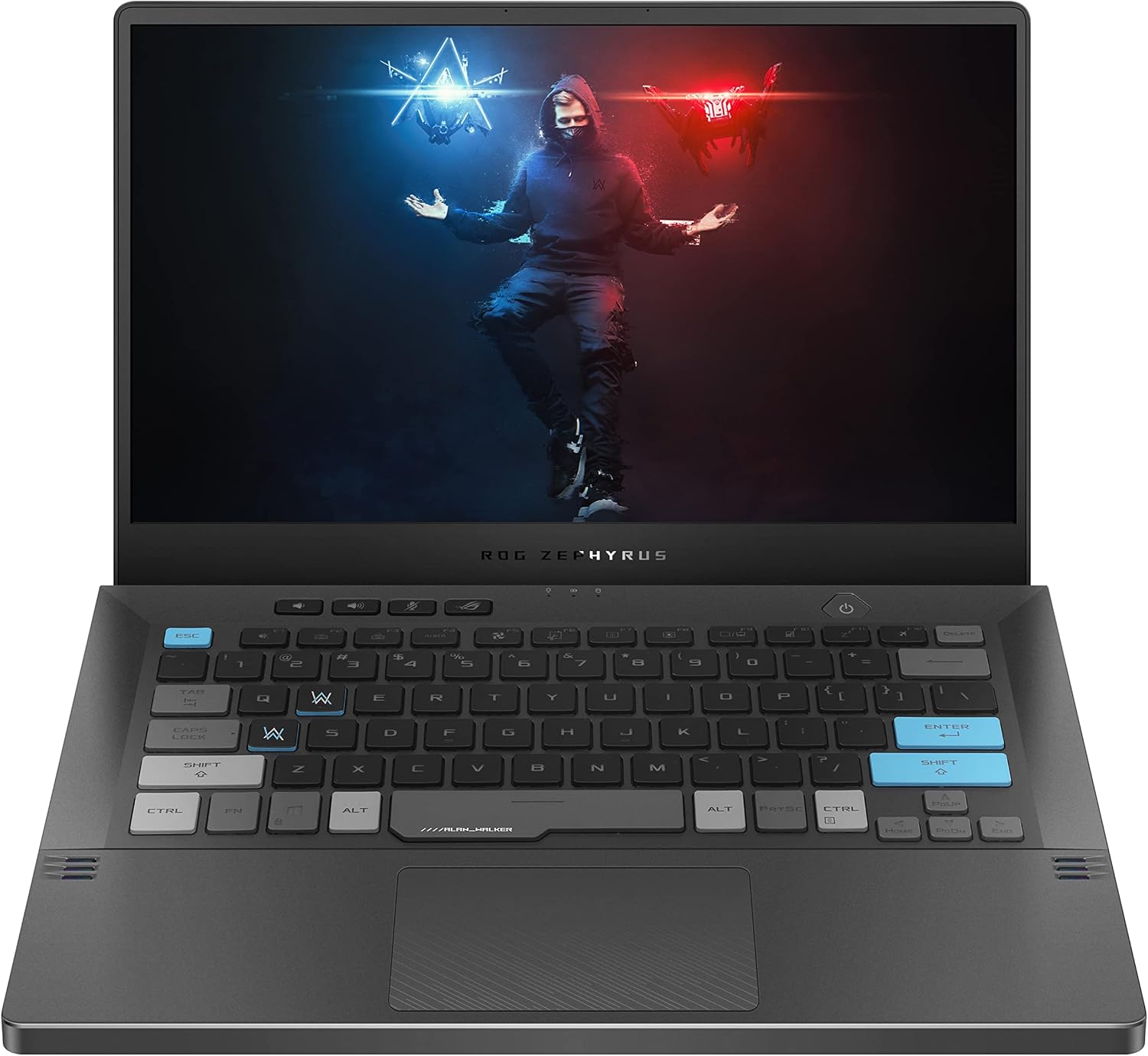
- ASUS ROG Zephyrus G14: Ryzen 9 5900HS + RTX 3050 Ti in a 3.6 lb, 14-inch body — the most portable high-performance machine on this list
- HP Victus 15.6″: Ryzen 7 5800H + RTX 3050 Ti with upgradeable RAM slots — buy at lower spec now, upgrade RAM and SSD as coursework demands it
- Apple MacBook Pro M5: 24-hour battery and native Fusion 360 support — only valid choice if your program doesn’t require SolidWorks or ANSYS
- Lenovo ThinkPad E15: 10+ hour battery + best keyboard on this list — built for durability and 2D CAD/MATLAB workflows, not heavy 3D rendering
- Dell G5 15: 32GB RAM + GTX 1660 Ti + 144Hz display — the highest memory count on this list for students who run five apps at once
What Mechanical Engineering Students Actually Need
Before spending money, know the minimum specs. These are the baseline numbers for running CAD software, FEA simulations, and engineering applications without constant freezing.
- Processor: Intel Core i7 or AMD Ryzen 7 (minimum). i9/Ryzen 9 if your budget allows it. Multi-core performance matters for rendering and simulations.
- RAM: 16GB minimum, 32GB preferred. SolidWorks alone recommends 16GB, and you’ll have other apps open too.
- GPU: Dedicated graphics card. NVIDIA GeForce RTX 3050 Ti or better for student use. NVIDIA Quadro for professional-grade CAD work.
- Storage: 512GB SSD minimum, 1TB preferred. CAD files get large fast, and an SSD dramatically speeds up load times.
- Display: 15.6″ Full HD (1920×1080) minimum. Bigger screens help with complex assemblies and detail drawings.
- OS: Windows is the safe bet. Most engineering software runs natively on Windows. macOS works for some tools, but you’ll hit compatibility issues with ANSYS and certain CAD plugins.
These picks are organized from workstation-grade to budget-friendly, so you can jump to whatever fits your wallet. If you’re also looking for a budget laptop for working from home, there’s a separate guide for that.
Dell Precision 5530 Mobile Workstation
Best for: Students who need ISV-certified CAD performance and want a genuine workstation that weighs under 4 lbs.
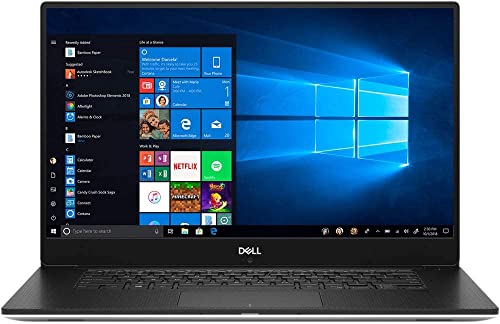
- 15.6" UltraSharp FHD IGZO4 display with 72% color gamut and premium panel guarantee
- NVIDIA Quadro P2000 with 4GB GDDR5, ISV-certified for SolidWorks, AutoCAD, and CATIA
- Intel Core i9-8950H six-core processor with 16GB RAM and 512GB SSD
- Thin and lightweight design at under 4 lbs, easy to carry between classes and labs
This isn’t a consumer laptop pretending to handle engineering software. The Dell Precision 5530 is a proper mobile workstation with an NVIDIA Quadro P2000 GPU — ISV-certified for SolidWorks, AutoCAD, CATIA, and other professional CAD applications. That certification means Dell and NVIDIA have tested and optimized drivers specifically for these apps. The random graphical glitches that sometimes plague consumer GPUs in CAD environments don’t happen here. For students working on complex assemblies with hundreds of parts, that stability matters.
The Intel Core i9-8950H is a six-core processor that handles multi-threaded rendering and FEA simulations without throttling. At under 4 pounds, it’s one of the lightest workstations available, which matters when it’s going into a backpack every day. The 15.6″ UltraSharp display with 72% color gamut delivers accurate colors for design work. The ISV certification alone justifies the premium for students whose programs run SolidWorks or CATIA as the primary CAD tool.
The main downside is age. The i9-8950H is an 8th-gen chip, which by 2026 is three generations behind current hardware. For most CAD workloads it’s still capable, but if budget allows, consider whether a newer RTX-equipped gaming laptop at a similar price might offer better raw performance. That said, no gaming laptop on this list has ISV certification — and for students where that matters, the Precision 5530 stays the top pick.
- ISV-certified Quadro GPU eliminates CAD software compatibility headaches
- Under 4 lbs makes it genuinely portable for daily campus carry
- 72% color gamut display is accurate enough for design and rendering work
Lenovo Legion 5i Pro Gaming Laptop
Best for: Students who want the most power per dollar with a dedicated GPU and a large 16″ QHD display for detailed CAD work.
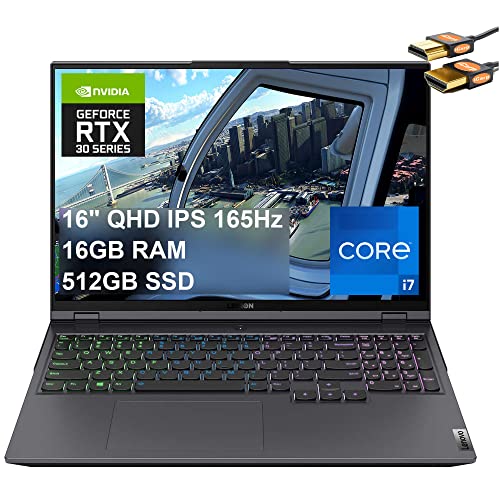
- 16" QHD IPS display at 165Hz with anti-glare coating, ideal for detailed CAD work
- Intel Core i7-11800H 8-core processor (up to 4.6GHz) with 16GB DDR4 RAM
- NVIDIA GeForce RTX 3050 4GB for 3D modeling, rendering, and GPU-accelerated simulations
- 512GB NVMe SSD with RGB backlit keyboard and Wi-Fi 6 connectivity
Gaming laptops often pack better hardware than similarly priced “business” laptops. The Lenovo Legion 5i Pro proves the point. An 8-core Intel i7-11800H, an RTX 3050 GPU, and a gorgeous 16″ QHD display at 165Hz — that display is larger than most laptops on this list, and the higher resolution means finer detail in SolidWorks assemblies without constant zooming. The QHD panel at 2560×1600 shows technical drawings more clearly than a standard 1080p screen, which is worth noting for detail-heavy design work.
The RTX 3050 isn’t a Quadro, but it handles student-level CAD work without issues. User reports across Reddit’s r/SolidWorks and r/EngineeringStudents consistently rate the Legion 5i Pro as a reliable four-year machine for mechanical engineering coursework. The 8-core i7-11800H hits multi-core benchmarks competitive with older workstation processors, which directly translates to faster FEA mesh generation and shorter render times in ANSYS.
The trade-offs are real. It weighs about 2.3 kg (roughly 5 lbs), which is heavier than the Dell Precision. Some variants don’t include a built-in webcam, which is annoying for online classes and virtual group reviews. Battery life runs 4-5 hours under mixed use, so the charger comes along to campus. Pair it with an external monitor at your desk and you’ve got a setup that handles anything a mechanical engineering curriculum throws at it.
- 16″ QHD display gives you more screen real estate for complex assemblies and drawings
- 8-core i7 handles multi-threaded rendering and FEA simulations smoothly
- RTX 3050 GPU is more than capable for student-level CAD and 3D modeling
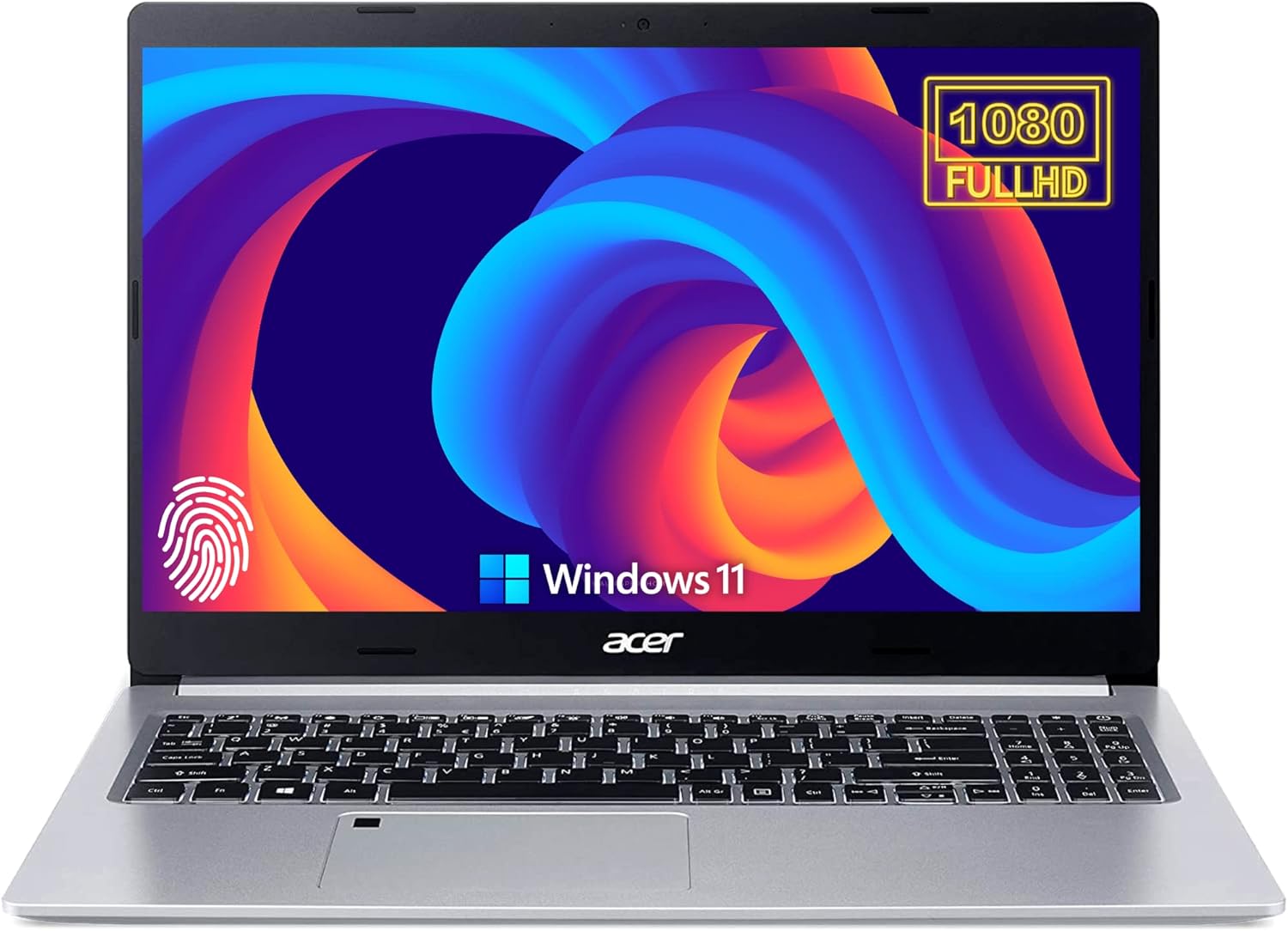
Acer Aspire 5 Slim Laptop
Best for: First and second-year students on a tight budget who need 2D AutoCAD, MATLAB, and lighter CAD work without spending a fortune.
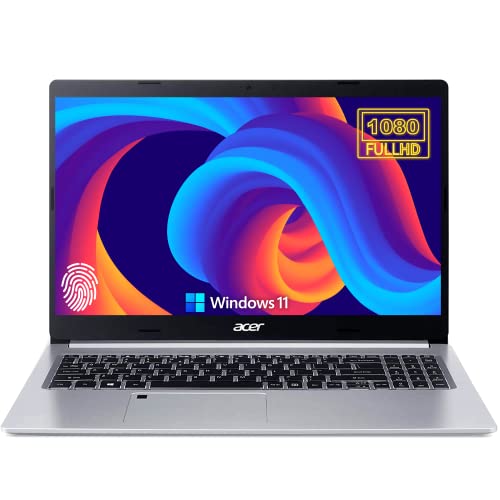
- 20GB RAM for smooth multitasking across CAD software, browser tabs, and documentation
- AMD Ryzen 3 3350U Quad-Core processor up to 3.50GHz for everyday engineering tasks
- 1TB SSD provides ample storage for large project files and software installations
- Fingerprint reader, backlit keyboard, HDMI, Ethernet, and USB-C connectivity
The Acer Aspire 5 won’t win benchmarks against the workstations on this list. It runs on an AMD Ryzen 3, which sits at the budget CPU tier. But here’s what makes it worth considering: 20GB of RAM and a 1TB SSD at a price point well below $450. Most budget laptops in this price range ship with 8GB RAM and 256GB storage. Acer’s 20GB configuration is unusual and genuinely useful for first and second-year students who run MATLAB alongside AutoCAD alongside a browser with lecture notes open.
The 15.6″ Full HD display is clean and adequately bright for lab and lecture environments. The keyboard includes a backlight for late-night project sessions, and the fingerprint reader makes quick logins between classes painless. Thermal performance stays reasonable during sustained study sessions. The Ryzen 3 doesn’t generate the heat that higher-end chips do, which keeps fan noise lower during long homework sessions.
Where it falls short: complex 3D assemblies in SolidWorks will slow it down significantly, and there’s no dedicated GPU. AMD’s integrated Radeon graphics handles 2D drafting and basic visualization, but anything with several hundred parts and live section views will struggle. This is a machine for years one and two — MATLAB assignments, basic AutoCAD work, programming coursework, and report writing. By junior year with heavier FEA and SolidWorks projects, plan to upgrade. The 20GB RAM and 1TB SSD make it a smarter starter laptop than anything else at this price.
- 20GB RAM and 1TB SSD give you headroom that most budget laptops don’t offer
- Stays cool during extended study and work sessions
- Best for early-year coursework and lighter CAD applications, not heavy 3D rendering
HP Pavilion 15 Laptop
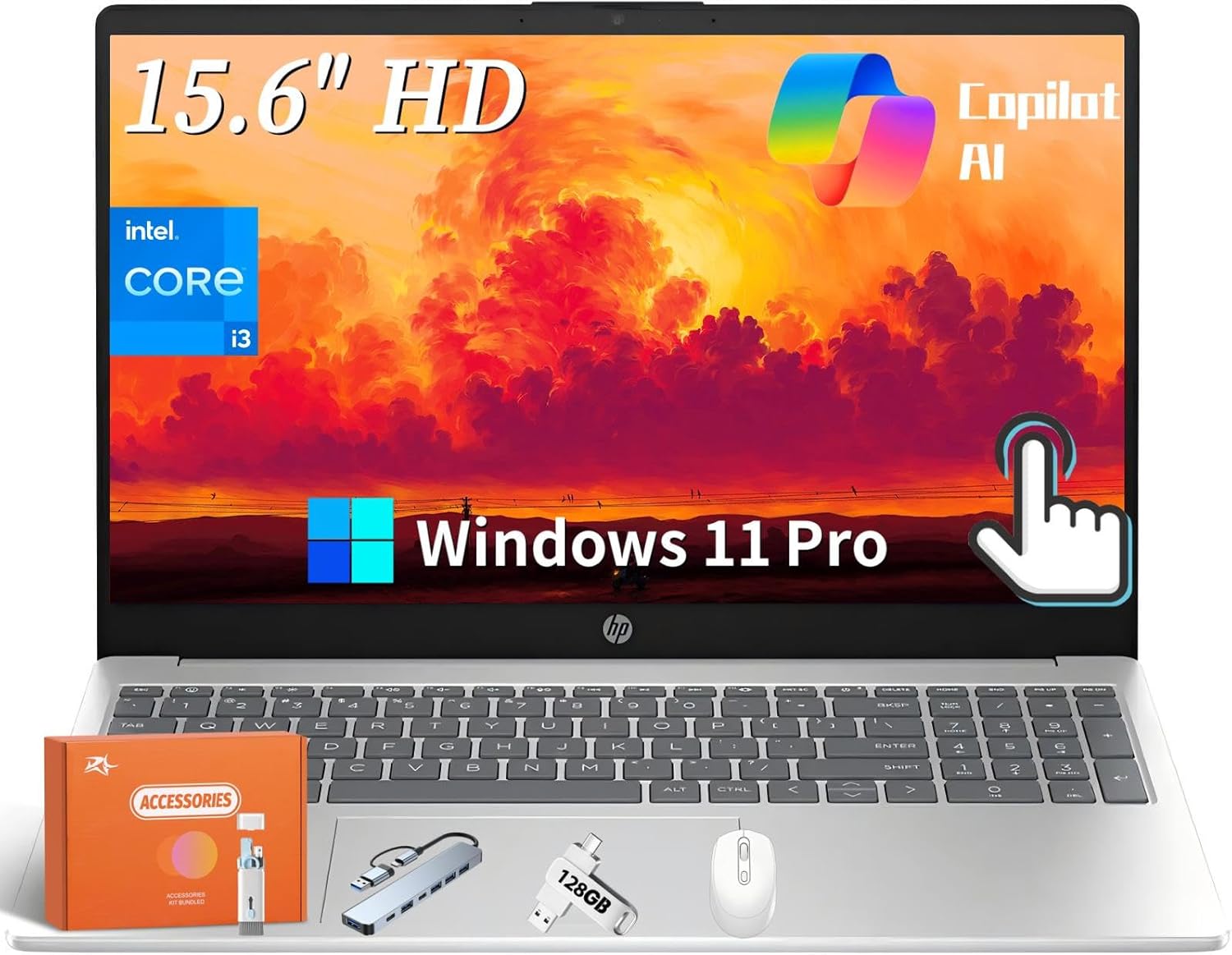
Best for: Students who want a reliable mid-range machine with a 10-core i7, good thermals, and Windows 11 Pro out of the box.
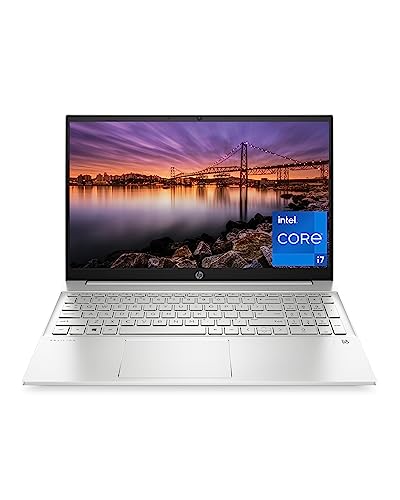
- 12th Gen Intel Core i7-1255U with 10 cores for strong single and multi-threaded performance
- 15.6" Full HD IPS display with 178-degree wide viewing angles
- 16GB RAM and 512GB SSD with fingerprint reader and Windows 11 Pro
- Efficient cooling system designed for sustained performance under heavy workloads
HP’s Pavilion line earns its reputation as the reliable mid-range choice, and this 15-inch model continues it. The 12th Gen Intel Core i7-1255U brings 10 cores — 2 performance cores and 8 efficiency cores — which is a significant architecture shift from older i7 chips. The hybrid design means better energy efficiency under light loads without sacrificing burst performance when SolidWorks or MATLAB needs maximum CPU. In Cinebench R23 multi-core testing, the i7-1255U scores around 9,000 points, competitive with older gaming laptop processors.
HP engineered the Pavilion 15 cooling system for sustained performance under load. Where thinner ultrabooks throttle within minutes of sustained CPU activity, the Pavilion 15 maintains closer to rated boost clocks. The FHD IPS display has 178-degree viewing angles, which is genuinely useful when sharing screen with a study group or presenting design reviews. Windows 11 Pro comes standard, giving access to BitLocker encryption for securing project files and remote desktop for accessing lab software from home.
The honest limitation: no dedicated GPU. Intel Iris Xe integrated graphics handles AutoCAD 2D and light SolidWorks work, but it runs out of headroom on complex assemblies and any FEA with graphical output. The 512GB SSD also fills up faster than expected once SolidWorks, ANSYS, MATLAB, and their associated project files accumulate. Plan for an external drive or cloud backup solution by year two. For students who need Windows 11 Pro features and a capable CPU at mid-range pricing without the gaming aesthetic, this is a clean choice.
- 12th Gen Intel i7 with 10 cores handles CAD and multitasking without thermal throttling
- Windows 11 Pro gives you professional features like BitLocker and remote desktop
- Wide-angle IPS display is practical for group work and presentations
ASUS ROG Zephyrus G14
Best for: Students who prioritize portability but refuse to sacrifice CPU power. Ryzen 9 performance at 3.6 lbs.
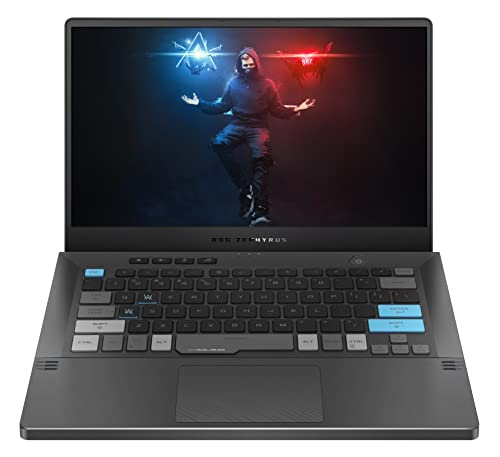
- AMD Ryzen 9 5900HS 8-core processor, one of the fastest mobile CPUs available for rendering and simulations
- 14" WQHD (2560×1440) display at 120Hz with Pantone color validation
- NVIDIA GeForce RTX 3050 Ti 4GB for GPU-accelerated CAD and 3D modeling
- 1TB NVMe SSD, 16GB DDR4 RAM, Wi-Fi 6, compact 14-inch form factor at 3.6 lbs
The ROG Zephyrus G14 is the machine for students who have a 20-minute walk between engineering labs and lecture halls and can’t afford to carry a 5-pound laptop. At 3.6 lbs and 14 inches, it’s the most portable high-performance machine on this list. And it doesn’t sacrifice CPU power to get there. The AMD Ryzen 9 5900HS scores over 14,000 points in Cinebench R23 multi-core — faster than the Intel i7-11800H in the Legion 5i Pro in sustained workloads, and within 10% of desktop Ryzen 9 chips.
The WQHD (2560×1440) Pantone-validated display means color accuracy is certified to Pantone Color Institute standards — important for design rendering and visualization where color fidelity matters. The RTX 3050 Ti handles 3D modeling in SolidWorks and Fusion 360 cleanly. ASUS ROG’s AniMe Matrix LED panel on the lid is optional aesthetics, but the core hardware is serious. The 1TB SSD gives room for the full engineering software stack plus project files without needing external storage by year two.
The honest downside is the 14-inch screen. Working on a complex SolidWorks assembly with the feature tree, model window, and properties panel open simultaneously on a 14-inch display is tight. Most students working primarily on the laptop screen without an external monitor at home find themselves zooming more than they’d like. The solution is straightforward: pair it with a larger external display at the desk and enjoy the portability on the go.
- 3.6 lbs makes it the lightest high-performance laptop on this list
- Ryzen 9 5900HS delivers workstation-class CPU performance in an ultraportable body
- Pantone-validated WQHD display ensures accurate colors for design work
HP Victus 15.6″ Gaming Laptop
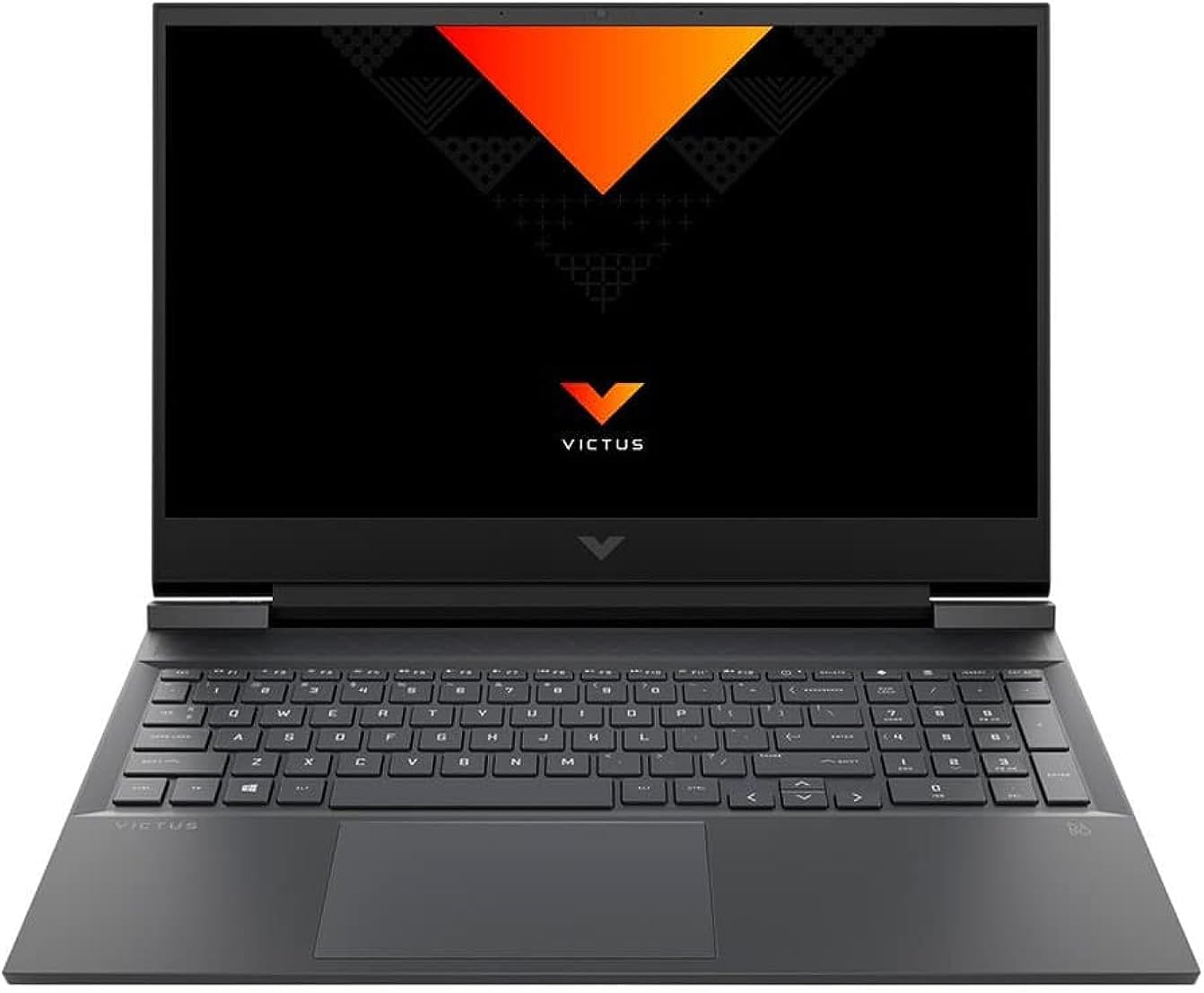
Best for: Budget-conscious students who want a dedicated GPU now and the option to upgrade RAM and storage later.
- AMD Ryzen 7 5800H 8-core mobile processor for desktop-level performance in a laptop
- NVIDIA GeForce RTX 3050 Ti with 4GB GDDR6 for 3D rendering and GPU-accelerated tasks
- 15.6" refined 1080p IPS display with an enlarged touchpad and HD webcam
- Upgradeable RAM and storage, compact all-in-one keyboard design
HP’s Victus line was designed for gamers, but the specs translate directly to engineering work. The AMD Ryzen 7 5800H is an 8-core processor with a 4.4GHz boost clock and 20MB of L3 cache — HP’s “desktop-level performance” claim holds up in practice. Pair it with the RTX 3050 Ti’s 4GB GDDR6 and you’ve got a machine that runs SolidWorks, Fusion 360, and ANSYS without the stuttering you’d get on integrated graphics. The 144Hz IPS display also makes 3D model navigation smoother than the 60Hz displays on most budget picks.
What separates the Victus from other gaming laptops in this price range is the upgradeability. Two RAM slots and an accessible M.2 slot mean you can buy this at lower spec now and swap in 32GB DDR4 and a 2TB SSD as your coursework demands it. That’s a legitimate strategy for students on a tight budget who know their needs will grow over four years. The 512GB base SSD fills up by junior year once SolidWorks, ANSYS, MATLAB, and their project files accumulate.
Thermal management is better than expected at this price. The dual-fan cooling system sustains performance through 30-45 minute rendering sessions without throttling back significantly. The 1080p IPS display is adequate but not exceptional for color-sensitive work — if accurate color matters for visualization, consider calibrating it with a tool like X-Rite ColorMunki Display or using an external monitor. Battery life runs around 5-6 hours on mixed workloads, so the charger makes the trip to campus.
- Upgradeable RAM and storage lets you scale the laptop as your needs grow
- Ryzen 7 5800H + RTX 3050 Ti is a proven combo for CAD and 3D modeling
- Solid thermal management keeps performance consistent during long rendering sessions
Apple MacBook Pro with M5 Chip
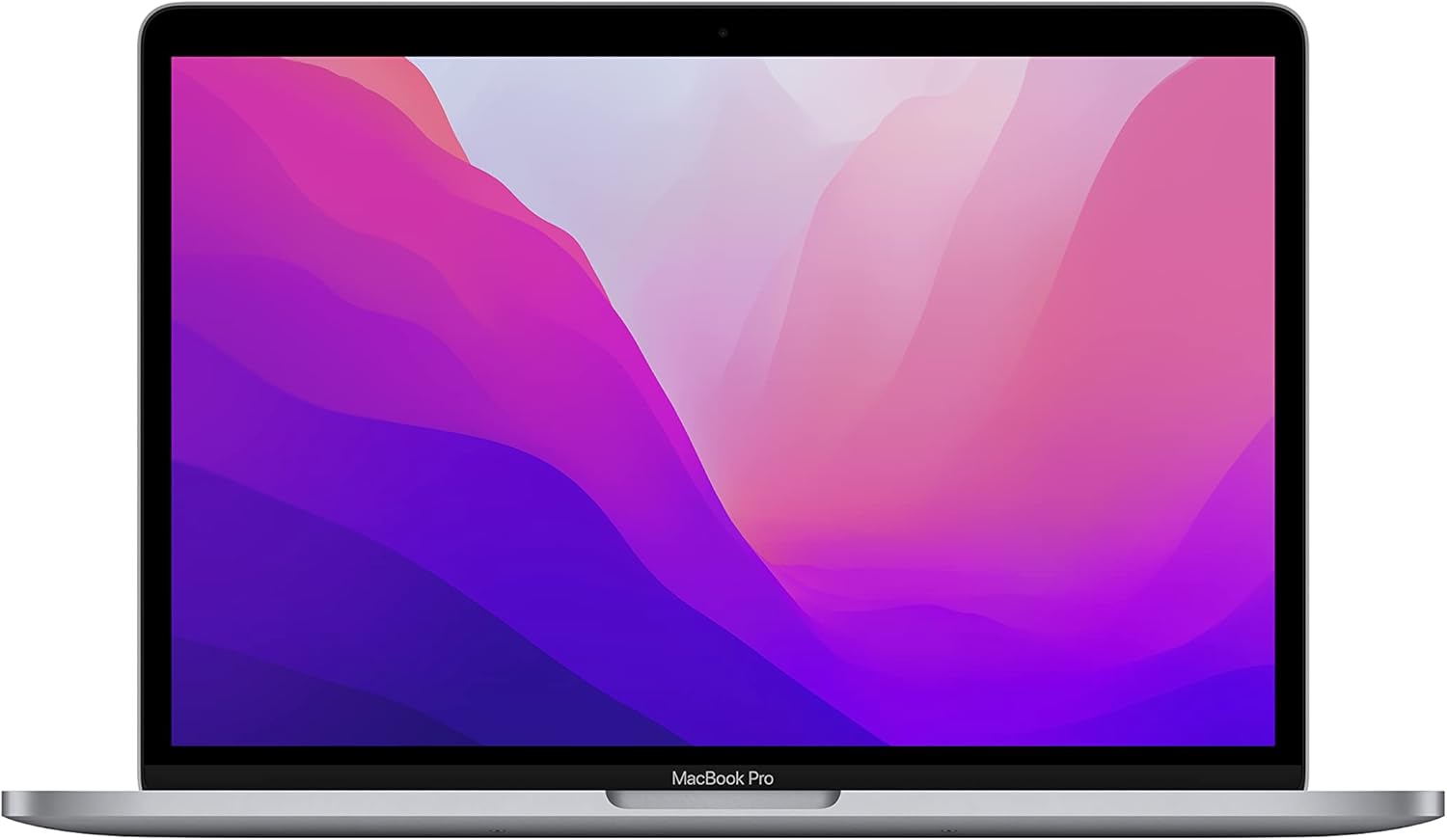
Best for: Students whose curriculum uses Fusion 360 or OnShape (not SolidWorks) and who need all-day battery life on campus.
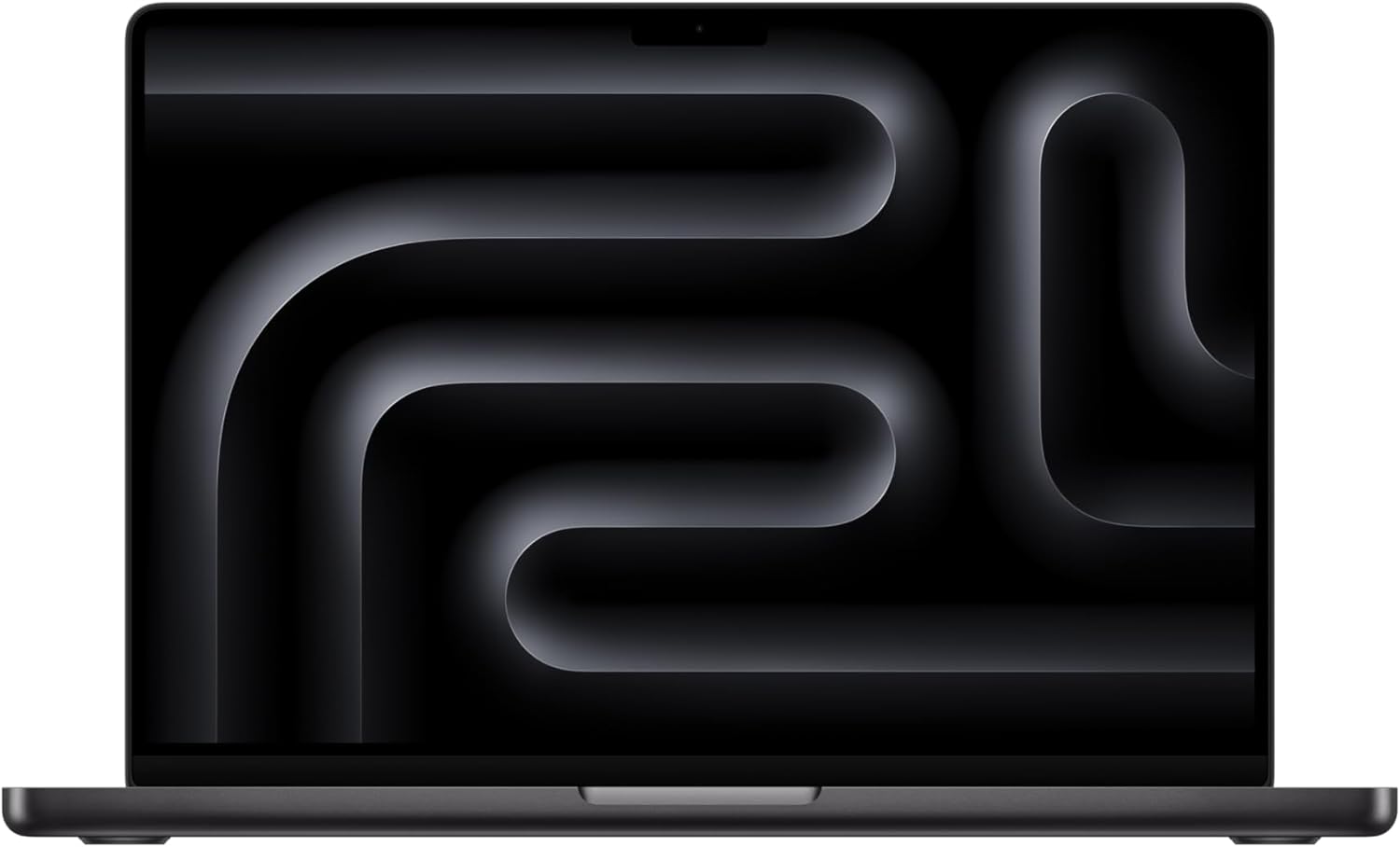
Apple MacBook Pro 14" with M5 Chip, 16GB RAM, 512GB SSD, Liquid Retina XDR Display, 24-Hour Battery
- Apple M5 chip with 10-core CPU and 10-core GPU for fast rendering and machine learning tasks
- Up to 24 hours of battery life, the longest on this entire list
- 14.2" Liquid Retina XDR display with P3 wide color gamut and 1,000 nits sustained brightness
- Active cooling system keeps thermals in check during sustained workloads while staying quiet during light tasks
The MacBook Pro in a mechanical engineering context requires upfront honesty. The M5 chip is genuinely fast, with a 10-core CPU and 10-core GPU that outperforms most ultrabook-class Intel and AMD processors in sustained multi-core workloads. MATLAB runs natively on Apple Silicon. Fusion 360 runs natively on macOS. Python, Julia, and most computational tools work cleanly. For students whose engineering programs center on these tools, the MacBook Pro is genuinely strong.
The 24-hour battery life is unmatched on this list. No Windows laptop listed here comes close. For students who spend full days moving between lectures, labs, and study sessions without reliable power access, that runtime changes how you work. The Liquid Retina XDR display at 1,000 nits sustained brightness is sharp and readable in sunlit spaces where most other displays wash out.
But here’s the problem that determines whether this laptop belongs in your bag: SolidWorks doesn’t run natively on macOS. ANSYS doesn’t either. CREO Parametric won’t run on it at all. If your curriculum relies heavily on any of these Windows-only tools, this laptop doesn’t work — not properly. Running SolidWorks via Parallels Desktop eats 3-4GB of unified memory just for the virtualization layer, and performance on complex assemblies becomes unreliable. The base 16GB unified memory handles most engineering workflows well. For running SolidWorks via Parallels alongside native macOS apps, the 24GB configuration gives you more headroom. For students whose programs use Fusion 360 or OnShape exclusively, it’s an excellent choice. Everyone else should buy a Windows machine from this list.
- 24-hour battery life is unmatched, perfect for all-day campus use without a charger
- M5 chip handles Fusion 360 and MATLAB natively with impressive speed
- Not recommended if your curriculum requires SolidWorks, ANSYS, or CREO Parametric on macOS
Lenovo ThinkPad E15 Gen 4
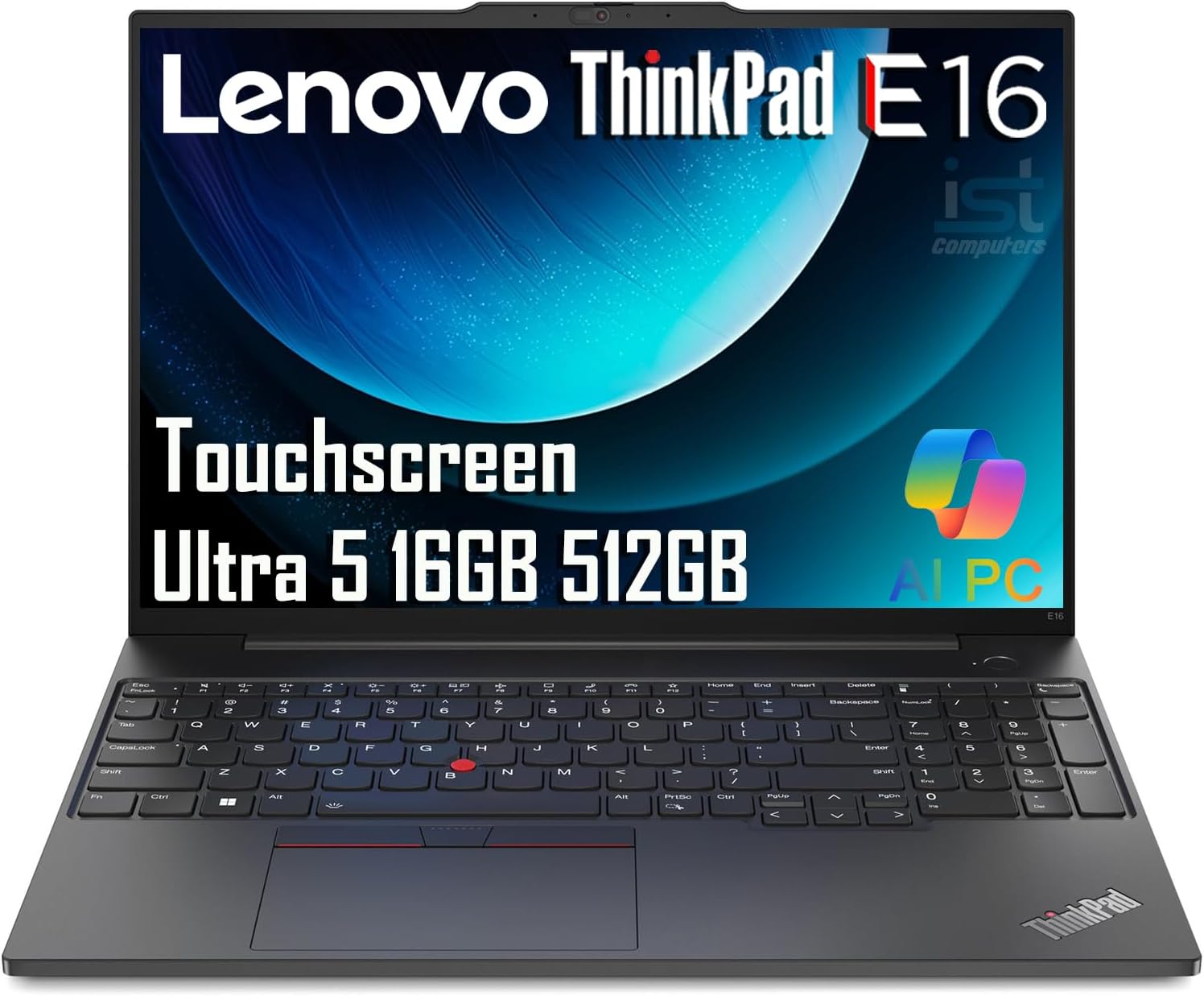
Best for: Students who value build quality, keyboard comfort, and 10+ hour battery life for 2D CAD and MATLAB work.
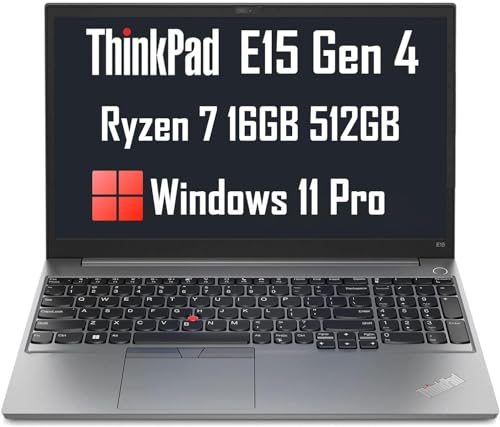
- AMD Ryzen 7 5825U 8-core processor (up to 4.5GHz) with 16GB DDR4-3200MHz RAM
- 15.6" Full HD IPS anti-glare display at 300 nits, comfortable for long hours
- 10+ hour battery life, USB-C charging, FHD webcam, Wi-Fi 6
- ThinkPad keyboard with legendary tactile feedback and spill-resistant design
ThinkPads have earned their reputation through decades of MIL-SPEC durability testing — the E15 Gen 4 meets MIL-STD-810H standards for vibration, humidity, and temperature variance. That matters for a laptop going into a backpack five days a week for four years. The AMD Ryzen 7 5825U delivers 8 cores and 16 threads with boost speeds up to 4.5GHz, handling MATLAB, AutoCAD 2D, and medium-complexity SolidWorks models cleanly.
The ThinkPad keyboard has 1.5mm of key travel — more than most ultrabooks — with a satisfying tactile response that reduces typing fatigue during long lab reports and research papers. Engineering students type constantly: code, documentation, reports, emails. A keyboard this good matters across four years. The 10+ hour real-world battery life means getting through lectures, labs, and office hours without hunting for an outlet. The 300-nit anti-glare display reads clearly under fluorescent lab lighting without the reflections that plague glossy panels.
The limitation is the same as the HP Pavilion: no dedicated GPU. AMD’s integrated Radeon graphics handles 2D CAD, MATLAB, and computational work without issue. Complex 3D SolidWorks assemblies with hundreds of components and live FEA output will hit the ceiling. For programs where 3D CAD work starts in year one, this isn’t the right machine. For programs where the heavy 3D work ramps up in years three and four, this is a strong choice for the first two years with an upgrade plan in mind.
- ThinkPad build quality and keyboard are unmatched for long study and typing sessions
- 10+ hour battery life gets you through a full day of classes and labs
- Best for 2D CAD, MATLAB, and general engineering coursework, not heavy 3D rendering
Dell G5 15 Gaming Laptop
Best for: Heavy multitaskers who run SolidWorks, MATLAB, and 15 browser tabs at the same time. 32GB RAM handles it all.
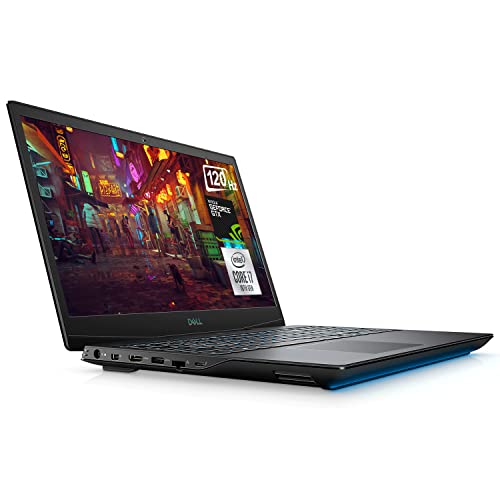
Dell G5 15 Gaming Laptop, 15.6" FHD 144Hz, Intel Core i7-10750H, 32GB RAM, 1TB SSD, GTX 1660 Ti
- 32GB RAM handles the heaviest multitasking scenarios, from multiple CAD files to browser research
- 1TB PCIe NVMe SSD offers up to 15x faster performance than traditional hard drives
- Intel Core i7-10750H hexa-core processor with boost speeds up to 5.0GHz
- 15.6" FHD 144Hz display with NVIDIA GTX 1660 Ti for smooth 3D modeling and rendering
The Dell G5 15 takes a straightforward approach: pack the highest RAM count on this list into a solid gaming chassis with a proven GPU. 32GB of DDR4 RAM means running SolidWorks with a 300-part assembly, an ANSYS simulation window, MATLAB, a PDF of the assignment brief, and a browser with 15 research tabs open simultaneously — without the “system running low on memory” warnings that plague 16GB machines under this kind of load. For students who genuinely work with multiple applications open at the same time, this headroom is real.
The GTX 1660 Ti with 6GB GDDR6 is older hardware by 2026 standards, but it remains capable for 3D CAD work and rendering. In SolidWorks RealView graphics mode, the GTX 1660 Ti handles complex assemblies smoothly. The 6GB VRAM matters more here than raw GPU performance — it gives breathing room for large texture sets and complex visualization that 4GB cards can struggle with. The i7-10750H boosts to 5.0GHz on single cores, which benefits applications that don’t fully utilize all cores but need fast single-thread response, like certain MATLAB operations.
Battery life is the weak point. Gaming laptops with this thermal envelope typically deliver 4-5 hours on mixed workloads. Plan to carry the charger everywhere. The laptop is also heavier and bulkier than the Zephyrus G14 or ThinkPad E15. If those trade-offs are acceptable — and for students who work primarily at a desk — the Dell G5 15’s 32GB RAM makes it the best pick for students with the heaviest multitasking needs on this list.
- 32GB RAM is the highest on this list, ideal for heavy multitasking workflows
- GTX 1660 Ti + 144Hz display makes 3D modeling smooth and responsive
- Battery life is average at 4-5 hours, plan to carry your charger
Buying Guide for Mechanical Engineering Laptops
If none of the laptops above fit your exact budget or preferences, here’s what to look for when shopping independently. These are the specs that actually make a difference in day-to-day engineering coursework.
Processor Matters Most
Your processor determines how fast simulations run, how quickly 3D models render, and how responsive CAD software feels. For mechanical engineering, prioritize multi-core performance. An Intel Core i7 (11th gen or newer) or AMD Ryzen 7 is the sweet spot. The i9 and Ryzen 9 are better but cost significantly more. Avoid anything below an i5 or Ryzen 5. It’ll bottleneck you in junior and senior year courses when projects get complex.
Dedicated GPU vs Integrated Graphics
Integrated graphics (Intel Iris Xe, AMD Radeon Vega) can handle 2D CAD and basic MATLAB work. But the moment you open a complex 3D assembly in SolidWorks or try to run an FEA simulation with visual output, you’ll feel the pain. A dedicated GPU like the NVIDIA GTX 1660 Ti or RTX 3050 Ti gives you the graphics memory and processing power to work smoothly with 3D models. NVIDIA Quadro cards are the gold standard for CAD because they’re ISV-certified, but they come at a premium. For most students, a gaming GPU is more than enough.
RAM: 16GB is the Floor
8GB of RAM will frustrate you by sophomore year. SolidWorks recommends 16GB minimum for assemblies with more than 200 parts. ANSYS wants at least 8GB just for itself. Factor in your OS, browser tabs, and other apps running in the background, and 16GB becomes the realistic minimum. If you can stretch to 32GB, do it. You’ll appreciate it during final-year capstone projects when assemblies have 500+ parts. If you’re also interested in picking the right setup for working from home, check the guide on budget laptops for remote work.
Storage: SSD is Non-Negotiable
Never buy a laptop with only a hard drive in 2026. An SSD loads SolidWorks in 15-20 seconds compared to 60+ seconds on an HDD. It makes opening large assembly files dramatically faster, and it speeds up OS boot time significantly. 512GB is the minimum. 1TB is preferred because CAD files, simulation data, and software installations add up fast. If budget is tight, get a 512GB SSD and add an external drive for backups.
Display Size and Resolution
15.6 inches at 1920×1080 (Full HD) is the standard for engineering laptops, and it works well for most tasks. 14-inch laptops are more portable but feel cramped when working with detailed drawings or complex assemblies. 16-17 inch displays give you more workspace but add weight. The practical recommendation: get a 15.6″ laptop and invest in a good external monitor for your desk. That gives you portability on campus and screen real estate when doing serious work.
Weight and Portability
You’ll carry this laptop to lectures, labs, libraries, and study groups. Anything over 5.5 lbs (2.5 kg) starts to feel heavy in a backpack after a 10-minute walk. The sweet spot is 3.5-4.5 lbs (1.6-2.0 kg), though powerful machines often push toward 5 lbs. Gaming laptops tend to be heavier because of their cooling systems and larger batteries. More power usually means more weight. Decide which matters more for your daily routine before buying.
Which Laptop Should You Buy?
Your pick depends on two things: your budget and what software your program uses.
For SolidWorks-heavy programs, get the Dell Precision 5530. The ISV-certified Quadro GPU means zero guesswork with driver compatibility. If that’s too expensive, the Lenovo Legion 5i Pro gives you a dedicated RTX GPU and a 16″ QHD screen for hundreds less. First or second-year students running mostly 2D AutoCAD and MATLAB can save money with the Acer Aspire 5 or Lenovo ThinkPad E15 and upgrade later when projects get heavier. The ASUS ROG Zephyrus G14 is the one to buy if you walk 20 minutes between classes and need Ryzen 9 power at 3.6 lbs.
Three non-negotiable specs regardless of which laptop you pick: 16GB RAM minimum, an SSD (not a hard drive), and a processor from the last 2-3 generations. Those three alone prevent 90% of the performance problems engineering students run into. If you’re building out a desk setup too, check the home office setup guide and the best laptops for data analysts if your coursework leans toward computational analysis.
Recommended Engineering Textbooks
A powerful laptop runs your CAD software. But the textbooks that teach you engineering fundamentals are just as important as the hardware. These cover the calculus and physics you’ll use every day as a mechanical engineer.
Essential Calculus Skills is the workbook that builds computational fluency for engineering problems. Calculus: Early Transcendentals is the standard reference across most programs. And Introduction to Statistical Physics connects thermodynamics to the real-world systems you’ll design. For more, see the calculus books guide.
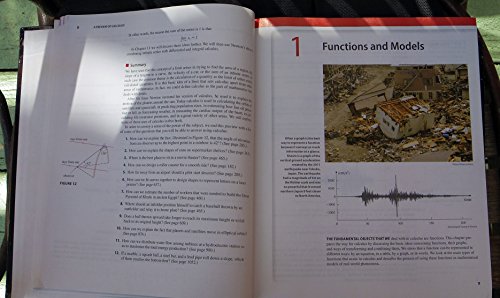
Calculus: Early Transcendentals
- The standard calculus reference used across engineering programs

Introduction to Statistical Physics
- Bridges thermodynamics and statistical mechanics for engineering applications
Best Monitors for CAD and Engineering
CAD work on a laptop screen is limiting. A 4K external monitor shows models in detail, and the extra screen space lets you keep reference documents visible alongside your assembly. The LG 27″ 4K at $177 is the best value for engineering work. The Samsung 27″ at $100 works for tighter budgets. For more student device recommendations, see the tablets for students guide.
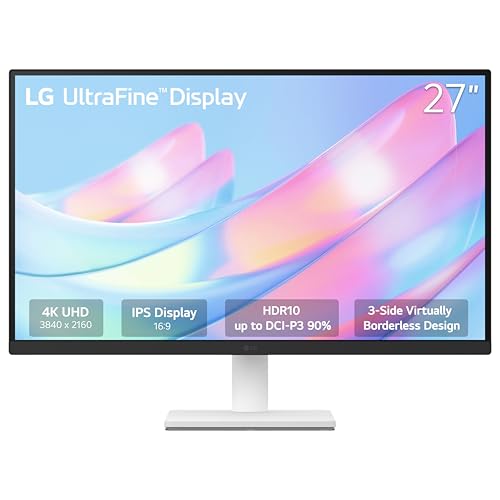
- 27-inch 4K UHD (3840×2160) IPS panel with HDR10 support
- 90% DCI-P3 color gamut for accurate CAD and design rendering
- Borderless design works well in multi-monitor setups
- Ergonomic tilt stand with HDMI cable included
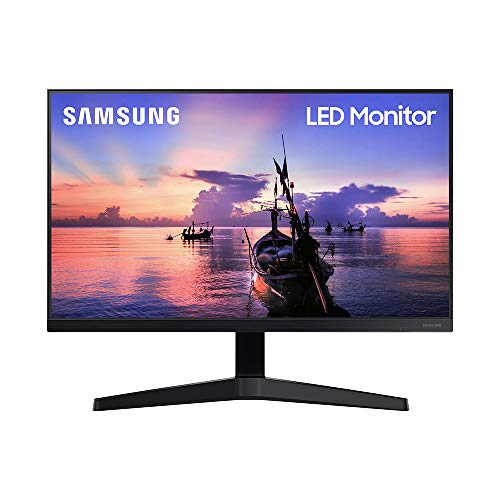
- 27-inch FHD 1080p IPS panel with 3-sided borderless design
- 75Hz refresh rate with AMD FreeSync for smooth visuals
- HDMI and VGA connectivity with wide viewing angles
- Game Mode and Eye Saver Mode for extended use
Frequently Asked Questions
Can I use a gaming laptop for mechanical engineering?
Yes, and for most students it’s the recommended route. Gaming laptops pack dedicated GPUs, fast processors, and plenty of RAM, which is exactly what CAD software and simulations demand. The Lenovo Legion 5i Pro, HP Victus, and Dell G5 on this list are all gaming laptops that handle SolidWorks, AutoCAD, and ANSYS without issues. The only downside is battery life, as gaming laptops typically last 4-6 hours compared to 8-10 hours on business laptops.
Is 8GB RAM enough for mechanical engineering students?
8GB will get you through basic tasks, but you’ll hit a wall fast. SolidWorks recommends 16GB minimum for assemblies over 200 parts. ANSYS and MATLAB also benefit from more RAM. 16GB is the realistic minimum for 2026, and 32GB is the comfortable option if you plan to keep the laptop through your entire degree. Don’t buy 8GB thinking you’ll upgrade later, as many laptops have soldered RAM that can’t be expanded.
Do I need a Quadro GPU, or will a GeForce work for SolidWorks?
For student-level work, a GeForce GTX 1660 Ti or RTX 3050 Ti is perfectly fine. Quadro GPUs are ISV-certified, meaning they’ve been tested and optimized specifically for professional CAD software. This matters in production environments where a graphics glitch can cost real money. For coursework and student projects, GeForce cards handle SolidWorks, Fusion 360, and AutoCAD without problems. Save the Quadro premium for when you’re working professionally.
Can I run SolidWorks on a MacBook?
Not natively. SolidWorks is a Windows-only application. You can run it on a MacBook through Parallels or Boot Camp (on Intel Macs), but performance takes a hit and it’s not officially supported. If your curriculum relies heavily on SolidWorks, buy a Windows laptop. If your school uses Fusion 360 or OnShape, which run natively on macOS or in a browser, then a MacBook Pro with the M5 chip is a great option.
What screen size is best for CAD work?
15.6 inches is the sweet spot for a laptop you’ll carry to class. It’s large enough to see detail in your models without zooming constantly, but not so heavy that your backpack becomes a burden. For serious CAD work at your desk, connecting to an external 24-27 inch monitor is strongly recommended. That setup gives you portability when you need it and a spacious workspace when doing detailed design work.
How much storage do I need for engineering software?
512GB SSD is the minimum. SolidWorks alone takes about 8-10GB. ANSYS can use 15-20GB. Add MATLAB, AutoCAD, CREO, your OS, and general files, and you’re looking at 200-300GB used before you even start saving project files. 1TB gives you comfortable headroom. If you buy a 512GB laptop, budget for an external SSD for project backups and overflow storage.
Is a touchscreen useful for mechanical engineering students?
Not really. Touchscreens add cost, drain battery faster, and add glare to the display. CAD software is designed for mouse and keyboard input. A touchscreen might be nice for annotating PDFs or taking handwritten notes with a stylus, but it’s not a feature worth prioritizing or paying extra for. That money is better spent on more RAM or a better GPU.
Should I buy a laptop or a desktop for mechanical engineering?
Buy a laptop. You need portability for classes, labs, group projects, and internship presentations. A desktop gives you more power per dollar, but you can’t take it to a lecture hall. If you want the best of both worlds, buy a capable laptop from this list and connect it to an external monitor, keyboard, and mouse at your desk. That way you get desktop-like productivity at home and full portability on campus.