
 by
by
Most people choose an e-reader by screen size and price, and the trouble shows up a few months later. Their books are tied to one store, the library app won’t connect, or the class PDFs are too small to read without zooming on every page. So the best e-reader for you in 2026 depends on two things before any spec sheet: where your books come from and what you read.
Get those two right and the hardware choice gets short. Here is how I’d shortlist one:
- You already buy Kindle books: get a Kindle Paperwhite. Your library, highlights and any Kindle Unlimited plan carry over.
- You read EPUB files or want page-turn buttons: get a Kobo, the Clara BW for novels or the Libra Colour for color and a stylus.
- You want Kindle, Kobo, Google Play Books and a library app on one device: get a BOOX Go 7, and expect more setup.
- You study from A4 PDFs and want to write on them: skip the 6- and 7-inch readers and look at a 10.3-inch or 11-inch screen.
Most readers end up choosing between three brands. Kindle is Amazon’s e-reader line, built around the Kindle Store. Kobo, owned by Rakuten, makes dedicated readers that open EPUB files natively and connect to library borrowing in supported countries. BOOX, from Onyx International, makes E Ink tablets that run Android and Google Play, so you install the stores you already use.
Amazon refreshed the Kindle lineup in October 2026, and the new Paperwhite and Colorsoft are still on preorder. In India the list is shorter: the 2026 Kindles aren’t sold there, so the 12th-generation Paperwhite and Kobo’s own Amazon.in listings are what you can buy with local support.
Quick Picks
Each pick solves one reading job. Find yours in the first column, then jump to the model.
| Reading job | My pick | Price | The catch |
|---|---|---|---|
| Kindle books you already own | Kindle Paperwhite | $199.99 · ₹20,999 (12th gen) | No physical page-turn buttons |
| Cheapest Kindle | Kindle | $149.99 | 6-inch, no warm light, not waterproof, not sold in India |
| EPUB books on a budget | Kobo Clara BW | $159.99 · ₹16,999 | No page-turn buttons or stylus |
| Color, page buttons and pen notes | Kobo Libra Colour | $259.99 · ₹23,999 | Stylus costs extra |
| Color inside the Kindle Store | Kindle Colorsoft | $289.99 | Ships October 28, not sold in India |
| Every reading app on one device | BOOX Go 7 | $269.99 | Water-repellent only, India by import |
| Phone-sized reading | BOOX Palma 2 Pro | $399.99 · ₹54,990 | Narrow page for PDFs |
| A4 PDFs and handwritten notes | Kindle Scribe | $499.99 | Not sold in India |
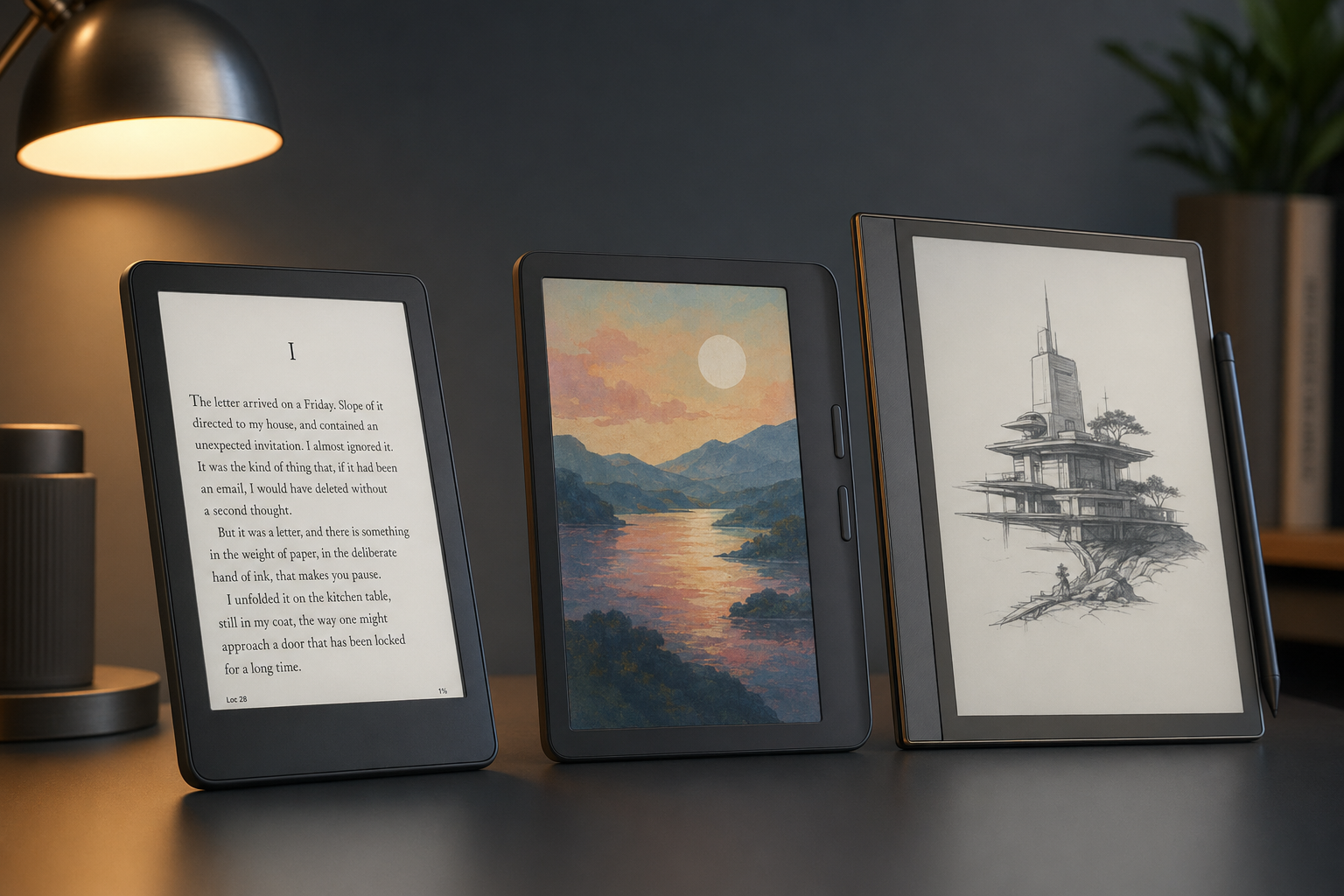
Kindle vs Kobo vs BOOX
The brand decides where your books live, and that is much harder to change than a screen. Books bought from the Kindle Store carry copy protection (DRM) and open only in Kindle apps and on Kindles. Books from the Kobo Store open in Kobo’s apps and on Kobo readers. A BOOX can run both apps side by side, because it’s an Android tablet with an E Ink screen.
File format and copy protection are separate questions. A DRM-free EPUB, such as a public-domain classic or a book a publisher sells without protection, opens on all three. An EPUB locked by another store’s DRM won’t go onto a Kindle at all, and on a Kobo it needs Adobe Digital Editions if it uses Adobe’s DRM.
| Kindle | Kobo | BOOX | |
|---|---|---|---|
| Where your books come from | Kindle Store, plus your own files through Send to Kindle | Kobo Store, plus EPUB and PDF files copied over USB | Any store with an Android app: Kindle, Kobo, Google Play Books and more |
| EPUB files | Converted by Send to Kindle | Opens natively, including Adobe DRM library books | Opens natively or in any EPUB app |
| Library borrowing | Libby to Kindle works in the US only | Built in, in 14 countries (not India) | Your library’s own Android app |
| Subscription in India | Kindle Unlimited, ₹169 a month | Kobo Plus, ₹149 to ₹299 a month | Whichever app you subscribe in |
| Page-turn buttons | None on the 2026 models | Libra Colour only | Go 7, Go Color 7 (Gen II) and Palma 2 Pro |
| Water | Paperwhite and Colorsoft are IPX8, basic Kindle is not | IPX8 on all current models | Water-repellent, not waterproof |
| Setup effort | Lowest | Low | Highest, with app-by-app tuning |
For most readers, the sensible default is to stay where your books already are. If you have no ebook library yet, Kobo is the more open start, and DRM-free EPUB files move with you to any reader, Kindle included through Send to Kindle. BOOX makes sense when one store isn’t enough, such as a student who needs Kindle textbooks, Google Play Books and a college library app on the same device.
Buy the e-reader made for the store where your books already live.
PocketBook is the fourth brand worth knowing if you live in Europe. Its readers open more formats out of the box than Kindle or Kobo, DJVU and FB2 among them, and the Era Color has physical buttons. PocketBook’s own where-to-buy list doesn’t include India or the US, so it gets one card below instead of a column here.
Best E-Readers
I’ve grouped the picks by brand, because the brand is the decision you’ll live with longest. Prices are US list prices unless an Indian price is given.
Kindle Paperwhite

The Kindle Paperwhite is my pick for anyone who already buys from Amazon or plans to use Kindle Unlimited. It has the screen most novel readers want: 7 inches, sharp, with a warm light for night reading, in a waterproof body that Amazon made thinner and lighter for 2026.
- 7-inch, 300 ppi screen with adjustable warm light
- IPX8 waterproofing, rated for 60 minutes in 2 m of fresh water
- 16 GB, 204 g, battery rated for up to 12 weeks at 30 minutes of reading a day with wireless off
- $199.99. The Signature Edition ($249.99) adds 32 GB, a self-adjusting light, double-tap page turns and dock charging
- Releases October 28, 2026 in the US, with preorders rolling out in Amazon’s other launch countries
In India you get the 12th-generation (2024) Paperwhite instead, at ₹20,999. On paper the two share the screen size, sharpness, warm light, waterproofing and rated battery life, so an Indian reader isn’t missing much by buying the older model now.
The catch is buttons and openness. No 2026 Kindle has physical page-turn buttons; Amazon sells a $34.99 Kindle Click Bluetooth remote, and its $79.99 Page-Turn Cover fits only the Signature Editions. Library borrowing through Libby reaches a Kindle only in the US. If you want buttons or EPUB files without conversion, the Kobo Libra Colour is the closer fit.
Kindle
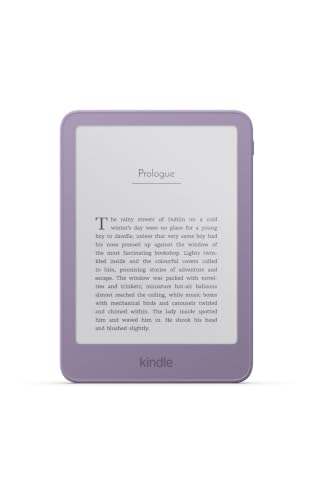
The basic Kindle is the cheapest way into Amazon’s ecosystem at $149.99, and it’s a sensible first reader for novels at home.
- 6-inch, 300 ppi screen with a front light but no warm light
- Not waterproof
- 16 GB, 140 g, battery rated for up to 6 weeks
- Lock-screen ads unless you pay for the ad-free option. The $189.99 aluminum version has 32 GB and no ads
- Available now in Amazon’s launch countries, not sold in India
The $50 step up to the Paperwhite buys a 7-inch screen, a warm light and waterproofing. I’d pay it if you read in bed with the lights off or anywhere near water.
Kindle Colorsoft

The Kindle Colorsoft is for readers who want color without leaving the Kindle Store: comics, cookbooks, children’s books, textbooks with diagrams and color-coded highlights.
- 7-inch screen: 300 ppi for black-and-white text, 150 ppi for color
- Warm light, IPX8, 16 GB, no ads, battery rated for up to 8 weeks
- $289.99. The Signature Edition is $319.99
- Releases October 28, 2026, not sold in India
That’s $90 more than the Paperwhite, and for novels it buys nothing you’d see on the page. I’d buy it only if a good share of what you read has color in it. The 2024 Colorsoft is still sold in the US, and it’s worth taking instead whenever Amazon has it discounted below the new model’s price.
Kobo Clara BW
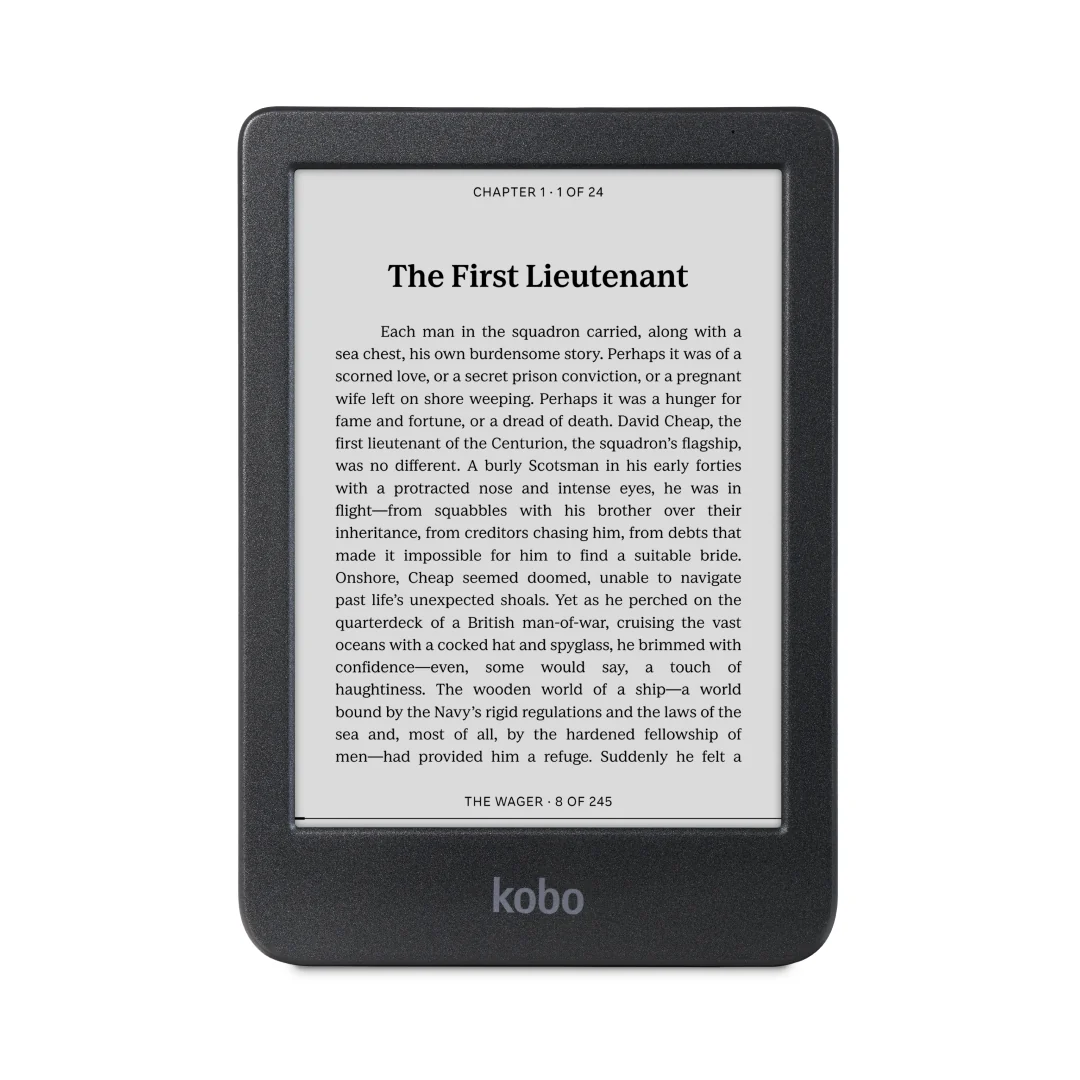
The Kobo Clara BW is my pick for novels and EPUB files on a budget. It opens EPUB natively, so books from other stores, publishers and public-domain sites go straight on over USB, with no conversion step.
- 6-inch E Ink Carta 1300 screen at 1448 x 1072
- IPX8, 16 GB, USB-C, 174 g
- Battery rated for up to 53 days at 30 minutes a day, with the light at 10% and wireless off
- 15 formats natively, including EPUB, PDF, MOBI and CBZ/CBR comics
- $159.99, or ₹16,999 from Kobo_India on Amazon.in
It has no page-turn buttons and no stylus support, and the 6-inch screen is too small for A4 PDFs. If you want buttons and color, the Libra Colour is the step up.
Kobo Clara Colour
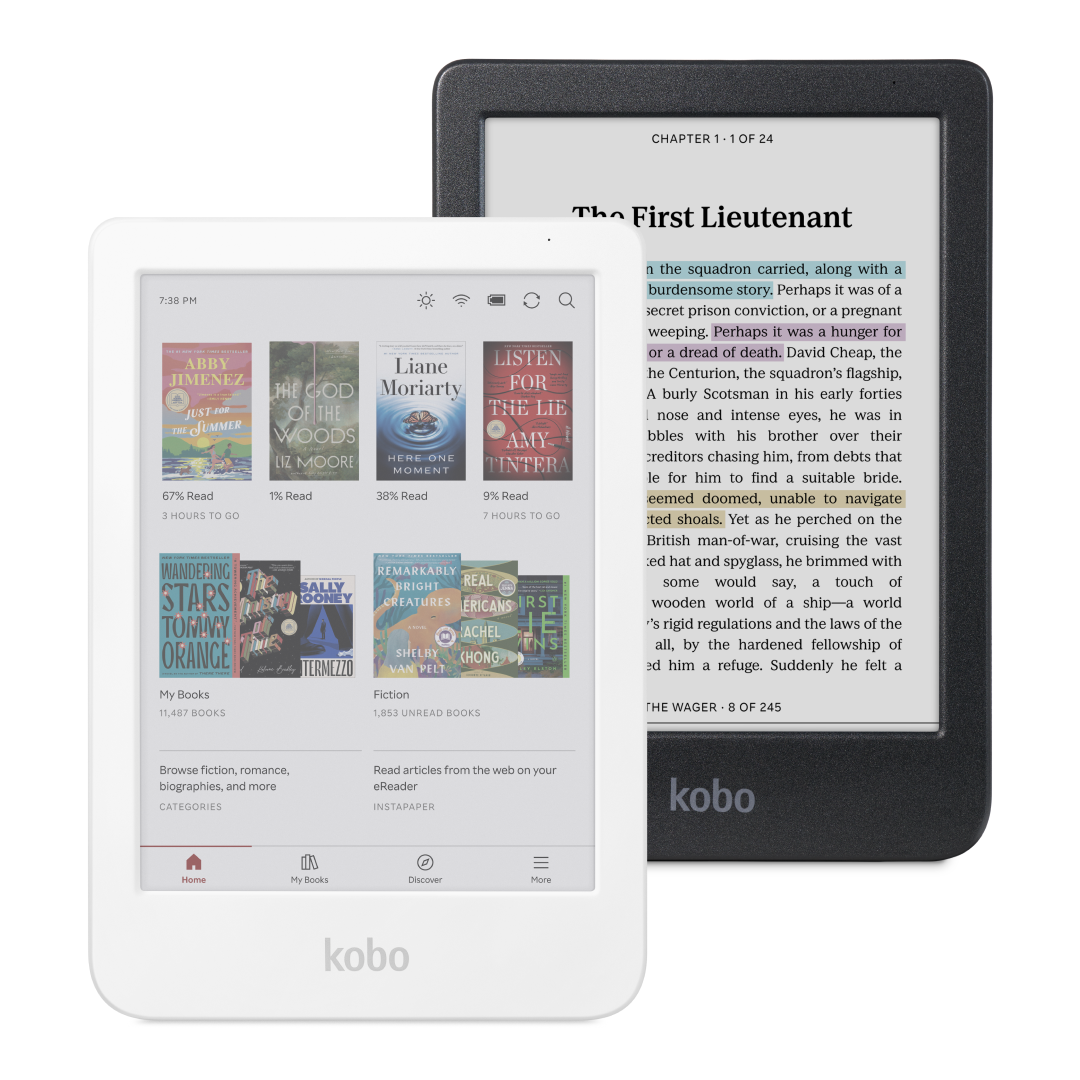
The Kobo Clara Colour is the same compact 6-inch Kobo with a Kaleido 3 color screen, for $20 more in the US.
- 6-inch Kaleido 3 screen: 300 ppi black-and-white, 150 ppi color
- IPX8, 16 GB, 174 g, no page-turn buttons, no stylus support
- Battery rated for up to 42 days at 30 minutes a day, with the light at 30%
- $179.99
In the US that $20 is easy to justify if you read comics or like colored highlights. In India the math flips: the only listing I found was ₹24,990 through a reseller, which is more than Kobo_India charges for the bigger Libra Colour. The Libra Colour is the better buy there.
Kobo Libra Colour
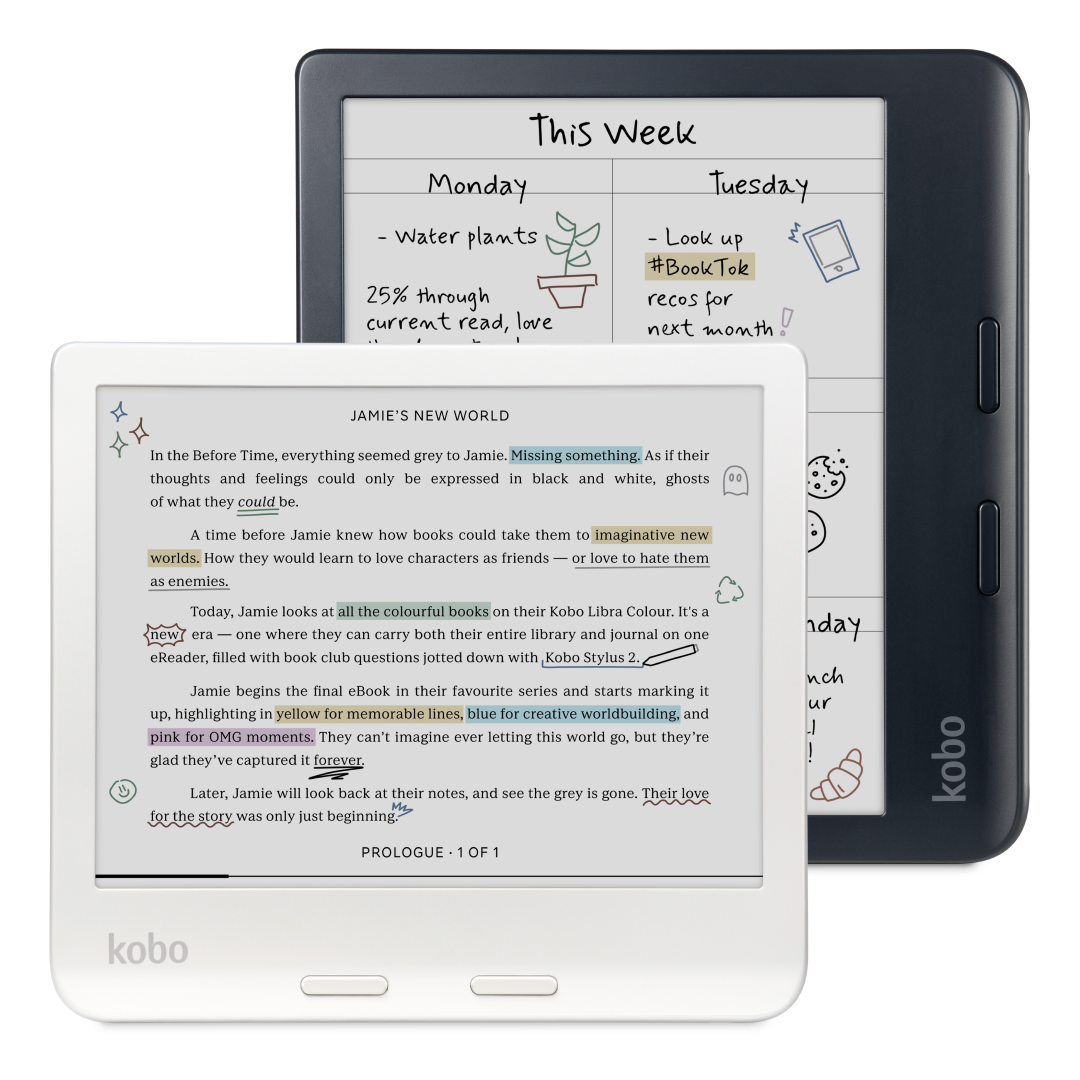
The Kobo Libra Colour is the reader I’d give most students who want one device for novels and coursework. It has physical page-turn buttons, a 7-inch color screen and support for the Kobo Stylus 2, so you can highlight with the pen and keep handwritten notebooks.
- 7-inch Kaleido 3 screen: 300 ppi black-and-white, 150 ppi color
- Page-turn buttons, IPX8, 32 GB, 199.5 g
- Battery rated for up to 40 days at 30 minutes a day, with the light at 30%
- Kobo Stylus 2 sold separately: $69.99, or ₹6,899 in India
- $259.99, or ₹23,999 from Kobo_India on Amazon.in
Seven inches is still small for A4 PDFs, which shrink to about half their printed size on this screen. You should treat it as a reader with a pen, and pick a 10.3-inch device if PDFs are most of your reading.
BOOX Go 7
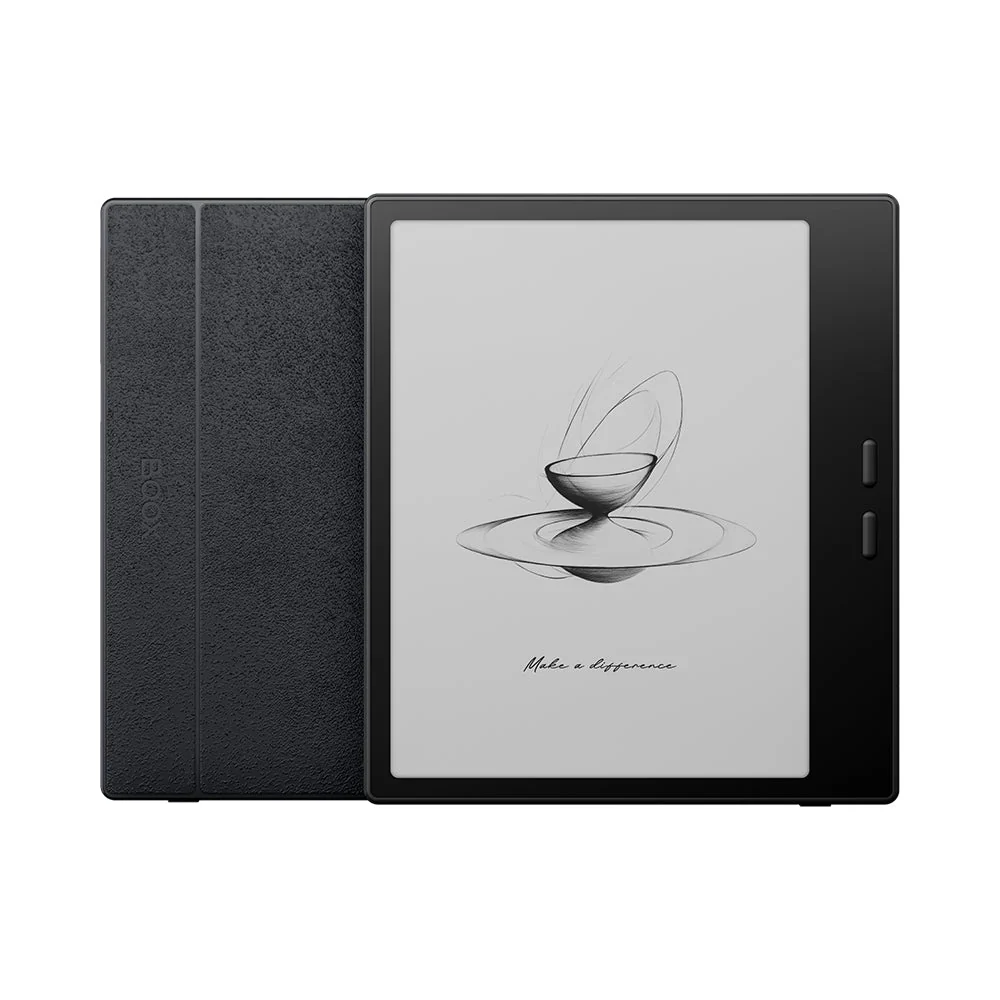
The BOOX Go 7 is the pick when one bookstore isn’t enough. It runs Android 13 with the Google Play Store, so Kindle, Kobo, Google Play Books, Libby and your PDF app sit side by side on an E Ink screen.
- 7-inch Carta 1300 screen at 300 ppi
- Physical page-turn buttons, warm and cold front light, speaker
- 64 GB plus a microSD slot, 195 g
- Works with BOOX’s InkSense stylus, sold separately
- $269.99 from BOOX’s US warehouse
Android brings work with it. You set up each app, adjust it for the E Ink screen and decide which reader to use for which book. BOOX describes the Go 7 as water-repellent and states plainly that it is not waterproof. In India it’s available only through importers.
BOOX Go Color 7 (Gen II)
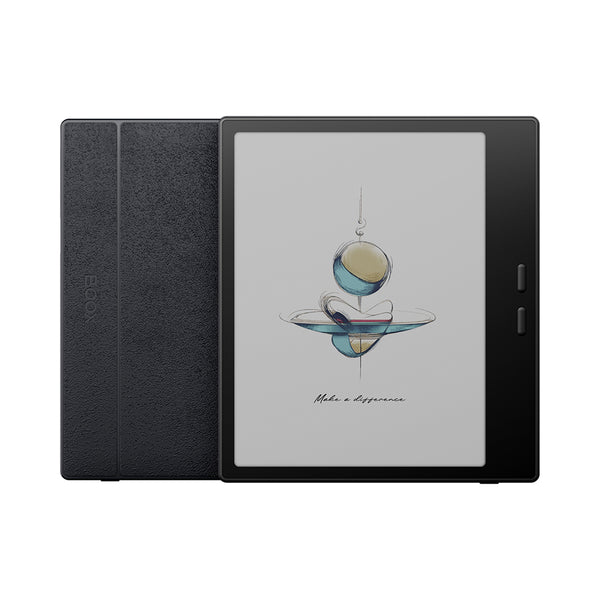
The Go Color 7 (Gen II) is the same device with a Kaleido 3 color screen: 300 ppi for text and 150 ppi for color, at $289.99. The $20 difference is small, so the choice comes down to what you read: color for comics, diagrams and highlights, the black-and-white Go 7 if your reading is mostly text.
In India it showed up at ₹63,007 from a third-party importer, far above BOOX’s own price, and you’d have to confirm warranty support yourself.
PocketBook Era Color
The PocketBook Era Color is for readers in Europe who want physical buttons, a color screen and the widest file support in this guide. It opens 25 formats, including DJVU, FB2, DOCX and Adobe DRM EPUB and PDF, and it reads text aloud.
- 7-inch Kaleido 3 screen: 300 ppi black-and-white, 150 ppi color
- Page-turn buttons, IPX8, 32 GB, with no microSD slot listed
- Audiobooks over Bluetooth, plus text-to-speech in English with more languages as free downloads
- €239 on PocketBook’s German store
Outside Europe, import listings cost far more and support is uncertain. The Kobo Libra Colour covers the same job with local sellers in more countries.
Compact E-Readers
A phone-shaped E Ink reader is narrow enough to carry like a phone, which a 6-inch Kindle or Kobo isn’t. The trade-off is a tall, narrow page: fine for novels and saved articles, poor for PDFs, which shrink to about a third of their printed size.
BOOX Palma 2 Pro
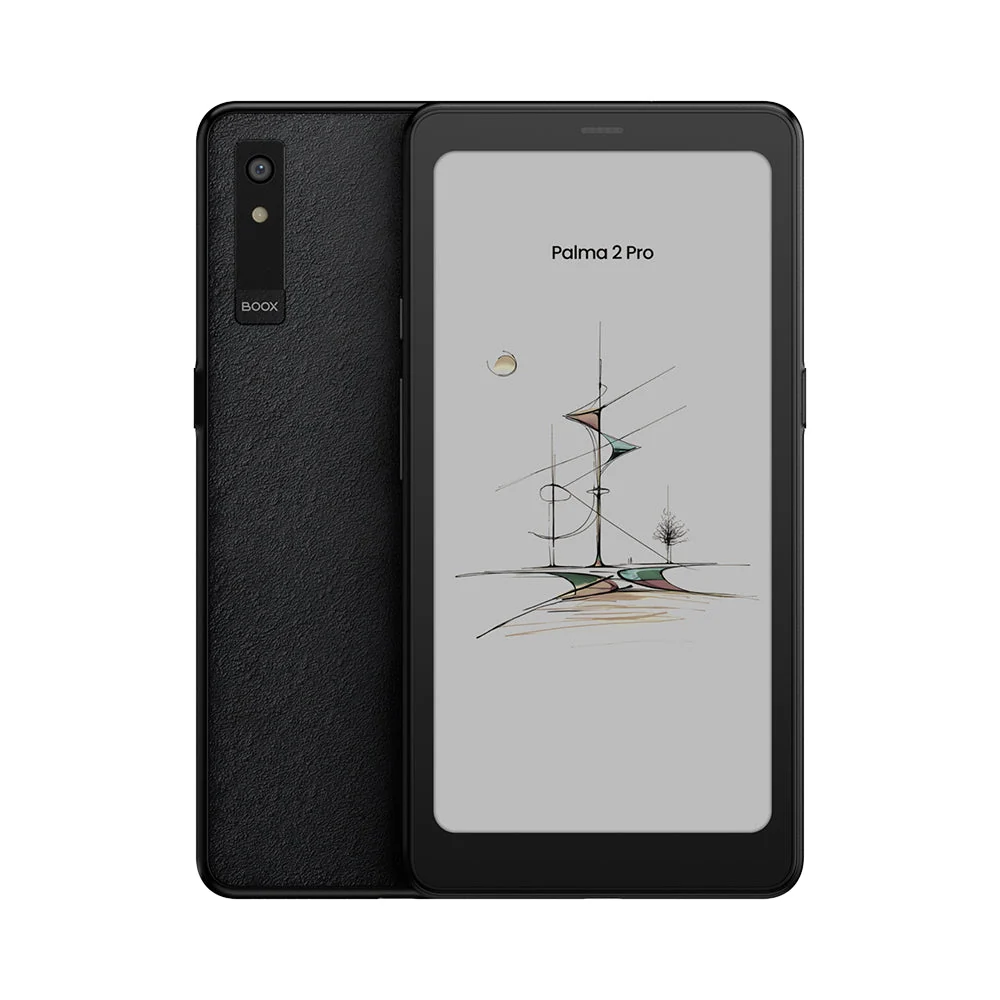
The BOOX Palma 2 Pro is the phone-shaped reader you can buy today. It has a 6.13-inch color screen, runs Android 15 with Google Play and takes a data-only 5G SIM, so it can sync books and articles away from Wi-Fi.
- 6.13-inch Kaleido 3 screen: 300 ppi black-and-white, 150 ppi color
- Page-turn and volume buttons, fingerprint power button
- 8 GB RAM, 128 GB, microSD through the hybrid SIM slot, 175 g
- Water-repellent, not waterproof
- $399.99, or ₹54,990 on Amazon.in through Appario Retail
BOOX lists the SIM support as data-only, so don’t plan on it replacing your phone for calls. BOOX’s store also shows the black-and-white Palma 3 as Available Soon at $339.99, with Android 16 and no mobile data listed. I’d wait for it if you read mostly text and don’t need a SIM.
E-Readers for PDFs and Notes
For students, this is the decision that matters most. A novel or an EPUB textbook is reflowable: the text rewraps to fit any screen at the font size you choose. A PDF has a fixed layout, so the whole page shrinks to fit the screen and the printed text shrinks with it.
Screen size decides how much it shrinks. On a 7-inch reader an A4 page shows at about half its printed size, so 11 pt textbook text lands near 5 pt. On a 10.3-inch or 11-inch screen it shows at 70 to 75%, around 8 pt, about the size of footnotes in a printed book.
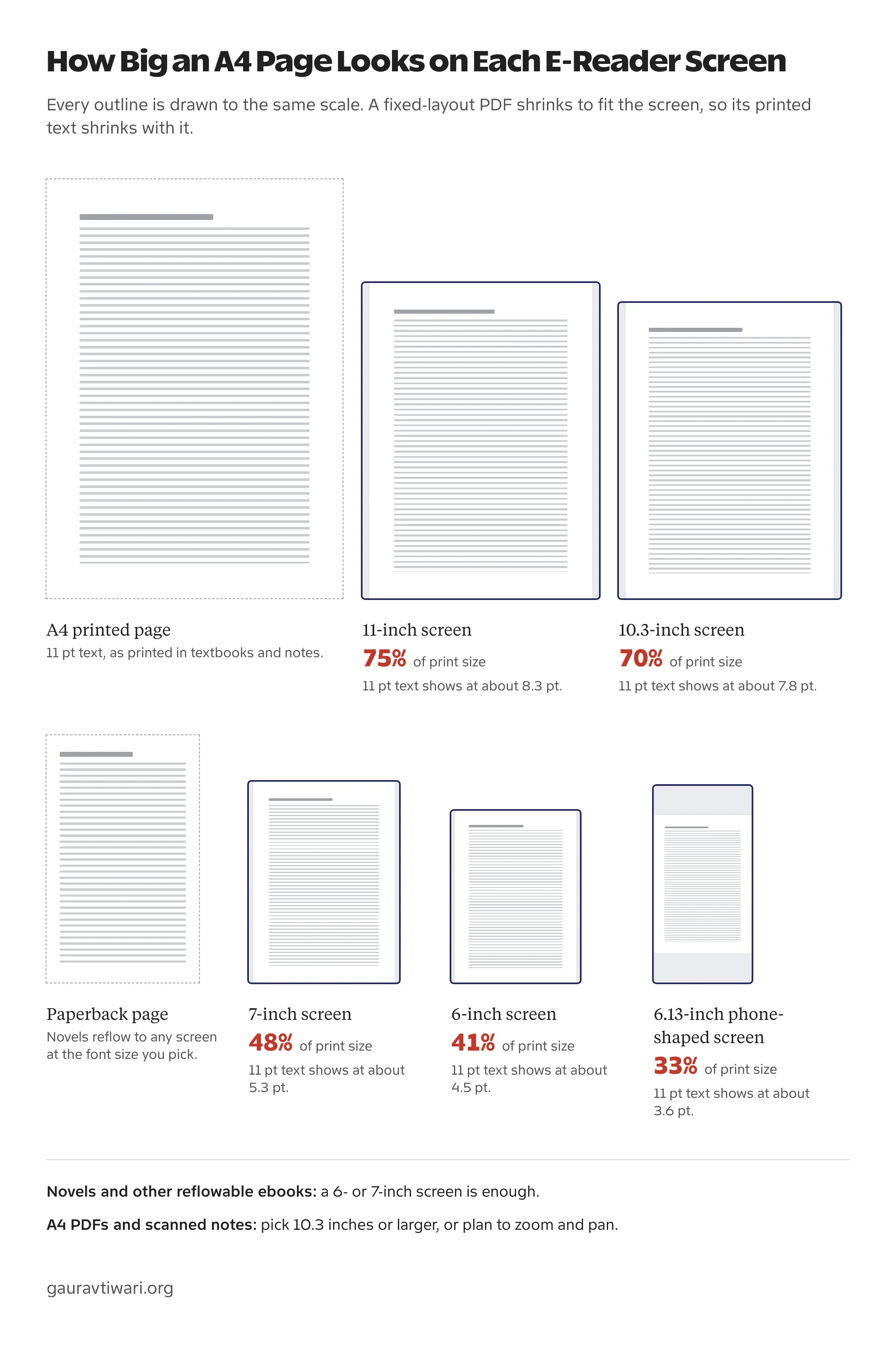
Zooming and cropping margins help on a 7-inch screen, but then you pan across every page. If PDFs, NCERT textbooks or class notes are most of what you read, a 10.3-inch or 11-inch device is worth the extra money. These are the three I’d compare:
| Device | Screen | Pen | Good at | US price | In India |
|---|---|---|---|---|---|
| Kindle Scribe | 11-inch, black-and-white (Colorsoft version in color) | Included | Kindle books plus writing on PDFs and exporting them | $499.99 ($629.99 Colorsoft) | Not sold |
| BOOX Note Air6 C | 10.3-inch, color | Included | Any Android PDF, notes or reading app | $579.99 | Import only |
| reMarkable Paper Pro | 11.8-inch, color | Included | Writing and PDF markup | From $629 | ₹69,999 from reMarkable India |
The Scribe is the easy choice for a Kindle reader who also marks up PDFs: you can import files from Google Drive or OneDrive, write directly on the pages and export the annotated copy. Its AI notebook tools process your notes in the cloud and work only in a limited list of countries. The Note Air6 C suits a student who wants their existing Android apps on paper-like glass. The reMarkable is a writing tablet first, and it can’t open Kindle books or other DRM-protected ebooks.
I compare these three in more depth in my guide to digital notebooks. If you need fast page jumps, color figures or video lectures, a tablet for students is the better tool.
Color vs Black and White
Color helps when the color carries information. Biology diagrams, maps, charts, comics and color-coded highlights all read better on a color screen. For novels, color adds nothing you’d notice.
The color readers in this guide, from the Kindle Colorsoft to Kobo’s Colour models and BOOX’s color devices, show text at 300 ppi and color at 150 ppi. The color layer has half the resolution of the text, which is fine for a chart and noticeably softer for a detailed photo. The extra cost of color varies a lot by brand:
- Kobo Clara BW to Clara Colour: $20 more
- BOOX Go 7 to Go Color 7 (Gen II): $20 more
- Kindle Paperwhite to Kindle Colorsoft: $90 more
So color is cheap on Kobo and BOOX and expensive on Kindle. For mostly-text reading, I’d keep the money or put it toward a stylus.
Buying an E-Reader in India
Indian buyers have fewer models to choose from and two practical limits. Amazon’s 2026 Kindles aren’t sold here, and the library borrowing that makes Kobo attractive abroad isn’t built in for India: Kobo’s Libby integration covers 14 countries, and India isn’t one of them. Libby’s Kindle delivery works only in the US.
That leaves subscriptions and your own files. Kindle Unlimited costs ₹169 a month in India, and Kobo Plus costs ₹149 a month for ebooks or audiobooks alone, or ₹299 for both. PDF textbooks, university notes and DRM-free EPUBs load onto any of these readers.
| Model | Seller on Amazon.in | Price (October 2026) | Worth knowing |
|---|---|---|---|
| Kindle Paperwhite (12th generation) | Amazon.in sellers | ₹20,999 | The only Kindle in stock, so check the seller shown in the buy box |
| Kobo Clara BW | Kobo_India | ₹16,999 | No page-turn buttons or stylus |
| Kobo Libra Colour | Kobo_India | ₹23,999 | Kobo Stylus 2 is ₹6,899 extra |
| Kobo Clara Colour | Appario Retail | ₹24,990 | Costs more than the Libra Colour |
| reMarkable Paper Pro with Marker Plus | reMarkable India | ₹69,999 | A notebook first, with no Kindle or DRM-protected books |
| BOOX Palma 2 Pro | Appario Retail | ₹54,990 | BOOX has no official Indian distributor |
| BOOX Go Color 7 (Gen II) | Third-party importer | ₹63,007 | Far above BOOX’s $289.99 store price |
It is wise to buy from the brand’s own storefront where one exists: Amazon for the Kindle, Kobo_India for Kobo and reMarkable India for reMarkable. BOOX has no official Indian distributor. Its own store ships to India from the Hong Kong warehouse, you pay any import duty, and its warranty terms exclude “nonlocal” devices, so confirm with BOOX support how an India order is covered before you pay.
For most students in India, my pick is the 12th-generation Kindle Paperwhite if your books are on Amazon, and the Kobo Libra Colour if you want page-turn buttons, color and a pen for notes. The Clara BW is the budget option at ₹16,999.
Buy Now or Wait?
It depends on where you live and how soon you need the reader.
- US and other Kindle launch countries: the 2026 Kindle is in stock now. The new Paperwhite and Colorsoft release October 28, 2026 in the US, with preorders rolling out elsewhere. The 2024 Paperwhite is still listed at the same $199.99, so buy the older one only on a real discount.
- India: Amazon hasn’t listed the 2026 Kindles for India. If you need a reader this term, the 12th-generation Paperwhite or a Kobo_India model is the sensible buy, because waiting on an unannounced launch is a gamble.
- BOOX Palma: the Palma 3 is listed as Available Soon with no date. Buy the Palma 2 Pro if you need color or mobile data now.
- Kobo: the Clara BW, Clara Colour and Libra Colour are all in stock on Kobo’s US store, with no reason to wait.
If you’re still undecided, open the app where most of your ebooks already live and let that store pick the brand. You can add a larger device for PDFs later.
FAQs on E-Readers
What is the best e-reader for most people?
For readers who already buy ebooks from Amazon, the Kindle Paperwhite is the best e-reader: a 7-inch, 300 ppi waterproof screen with a warm light, at $199.99 in the US or ₹20,999 for the 12th-generation model in India. If you read EPUB files or want physical page-turn buttons, the Kobo Clara BW or Kobo Libra Colour fits better.
Can I read my Kindle books on a Kobo or BOOX?
Not on a Kobo. Books bought from the Kindle Store are copy-protected and open only in Kindle apps and on Kindle devices. A BOOX runs Android, so you can install the Kindle app from Google Play and read your Kindle library there.
Can a Kindle open EPUB files?
Yes, through Send to Kindle. Amazon converts an EPUB you send by email, from the Kindle app or through the Send to Kindle website, with files up to 200 MB on the website. EPUBs locked with another store’s copy protection won’t convert.
Is an e-reader good for studying from PDFs?
For reflowable ebooks, yes. For A4 PDFs you need a 10.3-inch or larger screen: a 7-inch reader shows an A4 page at about half its printed size, so 11 pt text drops to around 5 pt. Students who mostly read PDFs should compare the Kindle Scribe, BOOX Note Air6 C and reMarkable Paper Pro.
Can I borrow library books on an e-reader in India?
Not through the built-in options. Kobo’s Libby integration doesn’t include India, and Libby’s Kindle delivery works only in the US. In India you can use Kindle Unlimited at ₹169 a month, Kobo Plus at ₹149 to ₹299 a month, or your own DRM-free EPUB and PDF files.
Which e-readers have physical page-turn buttons?
The Kobo Libra Colour, BOOX Go 7, BOOX Go Color 7 (Gen II), BOOX Palma 2 Pro and PocketBook Era Color have them. None of the 2026 Kindles do. Amazon sells a $34.99 Kindle Click remote, and a $79.99 Page-Turn Cover for the Signature Editions.
Tell Google you want more of this.
Add Gaurav Tiwari as a preferred sourceOne tap, and this site shows up more often in your own Top Stories, AI Overviews and AI Mode. Remove it any time.
Disclaimer: This site is reader-supported. If you buy through some links, I may earn a small commission at no extra cost to you. I only recommend tools I trust and would use myself. Your support helps keep gauravtiwari.org free and focused on real-world advice. Thanks. - Gaurav Tiwari