
Best Back to School Deals and Sales for Students (2026)
Every year around July and August, brands drop prices on laptops, tablets, software, and subscriptions specifically for students and teachers. I’ve been tracking these sales since 2009, and the pattern is always the same: the best deals disappear within weeks, and the stragglers aren’t worth your time. If you’re heading back to school (or sending someone back), this is the list I’d use to shop smart in 2026.
I’ve sorted everything by category so you can jump straight to what you need. Some of these are Amazon deals with real discounts. Others are direct from brands like Apple, Wondershare, and Coursera. I only include deals I’ve verified myself, and I’ll keep updating this page as new ones go live.
One thing I want to be upfront about: “back to school” is a marketing phrase that brands love to slap on everything. Not all of these deals are genuinely good. I’ve filtered out the noise and kept only the ones where you’re actually saving real money on products worth buying.
Best Laptop Deals for Students
A laptop is the single most important purchase you’ll make before the semester starts. I’ve seen students waste money on flashy gaming machines they don’t need, and I’ve seen others suffer through four years on a cheap Chromebook that couldn’t run a spreadsheet properly. The sweet spot for most students is a mid-range ultrabook with at least 8GB of RAM and an SSD. Check my best budget laptops guide if you’re working within tight limits.
Apple MacBook Deals
Apple’s education pricing is consistent and real. You won’t see 50% off a MacBook, but the $100 education discount on MacBook Air and MacBook Pro is the best Apple does outside of refurbished units. During the back to school season, you also get 20% off AppleCare+ and up to $150 in extra credits when trading in an eligible device. These deals are available on the Apple Education Store.
- MacBook Air from $899 (includes $100 education discount)
- MacBook Pro from $1,199 (includes $100 education discount)
- iMac from $1,249 (includes $100 education discount)
- 20% off AppleCare+ with any education purchase
If you’re a student deciding between the Air and Pro, I’d pick the MacBook Air for 90% of use cases. The M-series chip handles everything from Zoom lectures to Photoshop without breaking a sweat, and you save $300. The Pro only makes sense if you’re doing video editing, 3D rendering, or running heavy engineering software.
ASUS ZenBook Duo 14
If you’re not in the Apple ecosystem, the ASUS ZenBook Duo 14 is a standout for students who multitask heavily. It has a secondary ScreenPad Plus display that sits above the keyboard, which is genuinely useful for keeping reference material open while you write. I’ve tested dual-screen laptops from multiple brands, and ASUS does it better than anyone else.
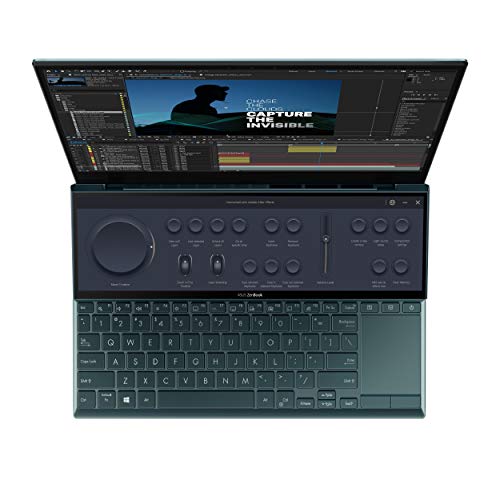
ASUS ZenBook Duo 14 – 14" FHD Touch, Intel Core i5, 8GB RAM, 512GB SSD, ScreenPad Plus
- 14-inch FHD touchscreen with 16:9 aspect ratio for comfortable viewing
- Tilting ScreenPad Plus: 12.6-inch secondary display for multitasking
- Intel Evo Platform with Core i5-1155G7, 8GB RAM, 512GB PCIe SSD, Wi-Fi 6E
The Intel Evo certification means this laptop wakes instantly, has excellent battery life, and handles multitasking without lag. With 512GB of SSD storage and Wi-Fi 6E, it’s future-proofed for a few years. The secondary screen is a productivity hack that most students don’t realize they need until they’ve used one. You can keep your lecture notes on the bottom screen while taking notes on top, or use it as a calculator while working on a problem set.
Fair warning: the dual-screen setup does eat into battery life more than a standard laptop. If you’re always near a power outlet, that’s fine. If you’re running between lectures all day, you’ll want to carry a charger.
Best Tablet Deals for Students
Tablets have become essential for students, especially if you’re annotating PDFs, taking handwritten notes in class, or just want something lighter than a laptop for reading. I’ve covered the best tablets for students in a dedicated guide, but here are the standout deals right now. If you’re specifically looking at iPads, check my best iPad for students comparison.
Apple iPad Air 11-inch (M4)
The iPad Air with the M4 chip is the tablet I recommend to most students. It’s powerful enough for serious work, supports Apple Pencil and Magic Keyboard, and costs significantly less than the Pro. The Liquid Retina display is gorgeous for reading textbooks, and with 128GB of base storage, you won’t run out of space in your first semester.
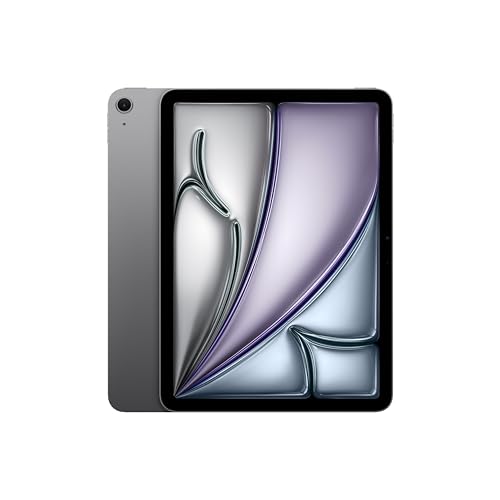
Apple iPad Air 11-inch (M4) – Liquid Retina Display, 128GB, Wi-Fi 6E, Touch ID
- M4 chip with Apple Intelligence support for powerful multitasking and creative work
- 11-inch Liquid Retina display with True Tone and P3 wide color
- Wi-Fi 6E, 12MP front and back cameras, Touch ID, all-day battery life
Apple Intelligence is baked in, which means features like writing assistance, smart summaries, and image generation work natively. For students writing research papers or summarizing lecture recordings, that’s genuinely useful and not just a marketing checkbox. The 12MP cameras on both sides are solid for scanning documents and joining video calls.
My recommendation: grab the iPad Air if you want a capable tablet for notes, reading, and light creative work. You don’t need the Pro unless you’re doing professional-grade video editing or illustration work on the tablet itself.
Apple iPad Pro 11-inch (M5)
The iPad Pro with the M5 chip is overkill for most students, and I mean that as a compliment. If you’re studying design, architecture, filmmaking, or any field where you need desktop-class power in a tablet form, this is the one. The Ultra Retina XDR display is the best screen Apple has ever put on a tablet, and the LiDAR scanner opens up augmented reality apps that architecture and engineering students will actually use.
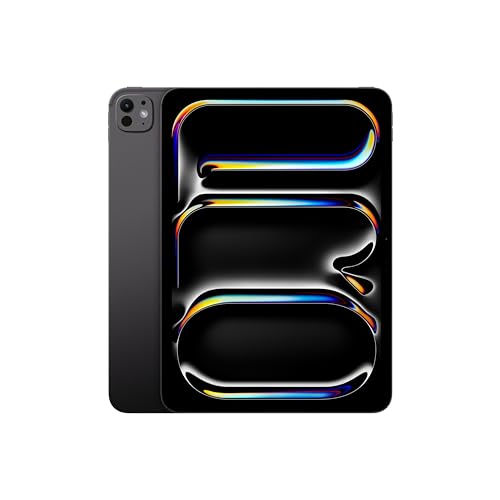
Apple iPad Pro 11-Inch (M5) – Ultra Retina XDR, 256GB, LiDAR, Face ID, Wi-Fi 6E
- M5 chip with Apple Intelligence for desktop-class performance in a tablet
- Ultra Retina XDR display with ProMotion, extreme brightness, and nano-texture option
- LiDAR Scanner, Face ID, 12MP front and back cameras, Thunderbolt/USB 4 support
At $957.90, it’s a serious investment. But consider that some students use this as their only device, pairing it with the Magic Keyboard to create a full laptop replacement. If you go that route, you’re looking at roughly $1,250 total, which is still less than a MacBook Pro. The Thunderbolt/USB 4 port means you can connect external displays, fast storage, and audio interfaces directly.
My honest take: unless you have a specific creative or technical use case, save the $370 difference and get the iPad Air instead. The Air handles 95% of student tasks just as well.
Drawing and Pen Tablet Deals
If you’re studying art, graphic design, animation, or even just taking handwritten notes on a large screen, a dedicated drawing tablet makes a real difference. Wacom has dominated this category for years, and their back to school pricing is actually competitive.
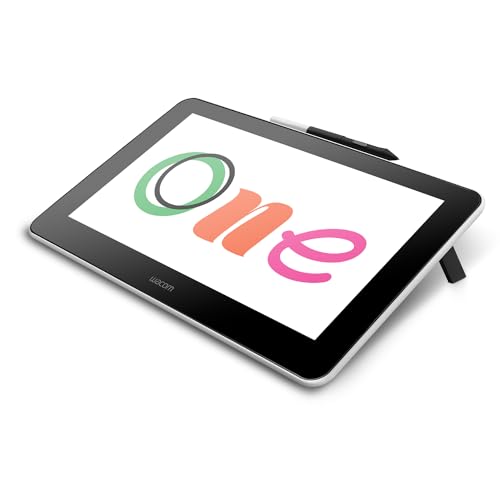
Wacom One HD Creative Pen Display – 13.3" Drawing Tablet with Screen
- 13.3-inch pen display designed for creative hobbyists and visual thinkers
- Works with all software: Photoshop, Illustrator, Clip Studio, and more
- Compatible with Mac, PC, Chromebook, and select Android devices
At 43% off (down from $399.95 to $229.95), this is one of the better deals on this page. The Wacom One gives you a 13.3-inch pen display that works across basically every platform. I like that it’s compatible with Chromebooks, which are common in schools, and it works with any drawing software you’d use in a design class.
The pen doesn’t need charging, which is a small detail that matters more than you’d think. No batteries, no USB-C charging mid-session. You just pick it up and draw. For students just getting into digital art, this is the entry point I’d recommend over spending $700+ on a Cintiq. The pressure sensitivity is more than adequate for coursework and portfolio projects.
Best Software Deals for Students
Software discounts are where students save the most money during back to school season. Unlike hardware deals that shave off $50 here and there, software deals regularly hit 40-70% off. That’s hundreds of dollars saved on tools you’ll use throughout your degree.
PDFElement – 60% Off
If you’re a student, you deal with PDFs constantly: research papers, lecture slides, assignment submissions, forms. PDFElement is 60% off during the back to school campaign, and all versions (Windows, macOS, iPadOS) are discounted. You also get access to hundreds of free PDF templates for essays, resumes, invoices, and other documents you’ll need.
I’ve used PDFElement for client contracts and proposals, and it handles annotation, editing, and OCR scanning without the bloat of Adobe Acrobat. For students, the annotation features alone are worth it. You can highlight, comment, and markup any PDF without converting it to another format first.
Parallels Desktop – 50% Off for Students
If you own a Mac but need Windows for a specific course, Parallels Desktop is the cleanest solution. It runs Windows inside macOS without rebooting, which means you can have your Mac apps and Windows apps open side by side. The student discount brings it to 50% off, which is the best pricing I’ve seen from Parallels outside of Black Friday.
This is especially relevant for engineering, accounting, and business students who need Windows-only software like AutoCAD, certain versions of Excel with macros, or specialized lab programs that don’t have Mac versions.
Wondershare DemoCreator – $59 Lifetime
Online presentations are a fact of student life now. DemoCreator lets you record your screen, add webcam overlays, and edit everything into polished presentation videos. At $59 for a lifetime license, it’s cheaper than a single month of some competing tools. I’d grab this if you’re regularly creating video presentations for classes or if you’re thinking about starting a YouTube channel alongside your studies.
EdrawMax and EdrawMind – 70% Off
Mind mapping and diagramming software that’s 70% off is hard to ignore. EdrawMax handles flowcharts, org charts, UML diagrams, and floor plans. EdrawMind is focused on mind mapping for brainstorming and study notes. Both are useful if you’re the type of student who thinks visually. The bundle deal makes this even better value.
Online Course and Learning Platform Deals
This is where I get genuinely excited. The cost of quality online education has dropped dramatically, and back to school sales make it even more accessible. Whether you’re supplementing your coursework or building skills your degree doesn’t cover, these platforms are worth your money. I recommend checking my study tools for college students guide for more resources.
DataCamp – 65% Off Personal Plan
DataCamp is the platform I recommend for learning coding and data science. With 380+ courses, career tracks, and hands-on projects, it’s a complete learning system, not just a collection of videos. Forbes ranked it the #1 certification program, and during the back to school sale, you can get 65% off the all-in-one personal plan.
Do I recommend it? Yes, especially if you’re studying anything STEM-related. Even if your degree isn’t in computer science, knowing Python or SQL gives you an edge in almost every field now. The interactive coding exercises are better than watching someone else code on YouTube.
Coursera Plus – Save $100
Coursera Plus gives you unlimited access to 7,000+ courses from universities like Stanford, Yale, and Google. The annual subscription with $100 off is the best value in online education right now. You get hands-on projects, professional certificates, and courses that actually carry weight on a resume. If you’re going to invest in one learning platform this year, this is the one that gives you the most breadth.
Skillshare – 30 Days Free + 50% Off
Skillshare is ideal for creative students. Design, branding, illustration, photography, video editing: it covers the creative skills that traditional education often skips. Start with the 30-day free trial, and if you decide to stay, use code BFCM2024AFF for 50% off during the back to school sale. That’s a once-a-year discount.
Teachable – 40% Off for Teachers
This one’s for teachers and educators who want to create their own online courses. Teachable is offering 40% off Pro, Pro+, and Business annual plans. If you’ve been thinking about turning your expertise into a course, this is the best entry price you’ll see. I’ve seen teachers build significant side income through Teachable, and the platform handles payments, student management, and content delivery without you needing any technical skills.
Amazon Prime Student and Subscription Deals
Amazon’s student benefits are genuinely generous, and most students don’t even know about half of them. If you’re not already a Prime Student member, this is the time to sign up.
Prime Student – 6 Months Free
As a student, you get a 6-month free trial of Amazon Prime, and 50% off the subscription after that. Prime Student includes free shipping, faster delivery, early access to deals, Prime Reading, Prime Music, Prime Video, and more. That’s a lot of value for effectively $7.49/month after the trial ends.
I’d sign up even if you only care about the free shipping. When you’re ordering textbooks, supplies, and dorm essentials, free 2-day shipping pays for itself within the first month.
Kindle Unlimited – $0.99 for 3 Months
Kindle Unlimited’s 3-month subscription is available for $0.99. You’ll need to log in to your Amazon account to see the offer. This gives you access to over a million titles, including textbooks, reference materials, and fiction for when you need a break from studying. At 33 cents per month, it’s practically free.
All Kindle e-readers are also on sale with bundled Kindle Unlimited subscriptions ranging from 3 months to a full year. If you don’t already own a Kindle, this is the cheapest time to get one.
Audible – 3 Months Free for Students
Audible is offering 3 months of free access to students. If you commute to campus, audiobooks turn dead commute time into productive study time. I listen to audiobooks during my morning routine, and over a semester, that adds up to dozens of books you wouldn’t have otherwise read. This offer is for first-time users only.
More Back to School Deals Worth Checking
Here are additional deals that didn’t fit neatly into the categories above but are still worth your attention:
- Animoto – 40% off annual Pro and Pro+ plans. Great for creating video projects for school without learning complex editing software.
- pdfFiller – 25% off annual plans for PDF annotation and form filling. signNow is 20% off as well. These tools rarely discount, so this is unusual.
- Careerist – 50% off on tech career training (QA, UX Design, and more). Includes mentorship, internships, and job placement support. Good for students with no tech background who want to pivot into tech roles.
- Udacity – 50% off all courses. Udacity is a full university-style platform, not just a course library. Their Nanodegree programs carry real weight in the job market.
- The Economist – 50% off subscriptions, with up to 75% off for academic discounts. Or try the first month free. Essential reading if you’re studying economics, business, or international relations.
- Chegg Study – 20% off (up to $3) on Chegg Study and Chegg Study Pack products. Useful for homework help and textbook solutions.
- MEL Science – 50% off your first order. If you have younger siblings or kids who are curious about science, these hands-on kits make learning genuinely fun.
How to Get the Best Back to School Deals
After tracking these sales for years, I’ve noticed a few patterns that help you save more:
- Sign up for Prime Student first. The free 6-month trial gives you early access to deals and free shipping. Many of the best prices are Prime-exclusive.
- Don’t rush into laptop purchases. Laptop prices fluctuate throughout the back to school season. The best deals often show up in the last two weeks of August.
- Stack education discounts. Apple, Microsoft, and Adobe all have separate education stores with verified student pricing. These stack with back to school promotions for double savings.
- Check software licensing. Many student software licenses expire after graduation. Others, like lifetime licenses from Wondershare, stay with you forever. Read the fine print before buying.
- Bookmark this page. I update it as new deals go live throughout the season. The best offers don’t all drop on the same day.
What to Skip During Back to School Sales
Not everything labeled “back to school deal” is actually a good deal. Here’s what I’d avoid:
- Cheap Chromebooks under $200. They feel great for the first month, then the limited storage and slow performance catch up. If you need a budget laptop, get a refurbished ThinkPad instead.
- Extended warranties on electronics. Amazon’s extended warranty on a $500 laptop costs $80-$120 and rarely pays off. Manufacturer warranties cover defects for the first year, which is when failures happen.
- “Bundle” deals that include accessories you don’t need. A laptop + case + mouse + headphone bundle sounds great until you realize the accessories are low quality items the retailer is trying to offload.
- Previous-generation tablets at tiny discounts. A 10% discount on a 2-year-old iPad isn’t a deal. It’s clearing inventory. Either buy current-gen or look at certified refurbished for real savings.
Final Thoughts
Back to school shopping doesn’t have to drain your bank account. The deals I’ve listed here are verified and genuinely useful for students and teachers. My top recommendations: start with Amazon Prime Student (it’s free for 6 months), grab the iPad Air if you need a tablet, and invest in one good learning platform like DataCamp or Coursera Plus.
I’ll keep this page updated as new deals come in throughout the 2026 back to school season. If you find a deal I’ve missed, drop it in the comments and I’ll verify and add it.
When do back to school sales start and end?
Back to school sales typically start in early July and run through mid-September. The best deals peak in late July through August. Amazon, Apple, and major software brands all run promotions during this window. Some deals, like Amazon Prime Student’s 6-month free trial, are available year-round but get extra attention during this period.
Do I need a .edu email to get student discounts?
Most student discounts require verification through a .edu email, UNiDAYS, or Student Beans. Amazon Prime Student verifies through SheerID. Apple’s education store works on the honor system for most products but may require verification for larger discounts. International students can typically use their university email even if it’s not a .edu address.
Should I buy a laptop or a tablet for college?
For most students, a laptop is the safer choice. You’ll need it for writing papers, running software, and taking exams. A tablet works as a supplement for note-taking and reading, but it can’t fully replace a laptop for most coursework. The exception is if you’re pairing an iPad Pro with a Magic Keyboard and your program doesn’t require Windows-only software.
Is Amazon Prime Student worth it?
Absolutely. You get 6 months free, then 50% off the regular Prime price. That includes free 2-day shipping, Prime Video, Prime Music, Prime Reading, and early access to deals. If you order textbooks, supplies, or dorm essentials through Amazon even a few times per semester, the free shipping alone covers the cost. The streaming services are a bonus.
What’s the best budget laptop for students in 2026?
For most students, a MacBook Air with the education discount ($899) is the best value. If you need Windows, look for laptops with at least 8GB RAM, a 256GB SSD, and a 10th-gen or newer Intel Core i5 (or AMD Ryzen 5). The ASUS ZenBook lineup consistently delivers good specs at reasonable prices. Avoid anything with less than 8GB RAM or a traditional hard drive.
Are refurbished electronics a good option for students?
Yes, certified refurbished products are often the smartest buy for students on a budget. Apple’s certified refurbished store offers like-new products with full warranty at 15-20% off. Amazon Renewed also has solid options with 90-day return policies. The key is buying certified refurbished from the manufacturer or a trusted retailer, not random third-party sellers on eBay.
Can teachers get back to school discounts too?
Yes. Apple’s education pricing is available to teachers, not just students. Parallels offers a 50% student and teacher discount. Teachable’s 40% off applies to educators creating courses. Most software companies with education pricing include K-12 teachers, college professors, and school administrators. You’ll usually need to verify through your school email or an ID verification service.
How do I stack multiple discounts for the biggest savings?
Start with Prime Student for free shipping and early deal access. Then use Apple’s education store for hardware (the $100 discount stacks with trade-in credits and AppleCare discounts). For software, check if the brand has a separate education portal before buying through the regular store. Some platforms like Coursera and DataCamp offer student pricing that’s separate from their seasonal sales, and you can sometimes combine both. Always check UNiDAYS and Student Beans for additional coupon codes.
Disclaimer: This site is reader-supported. If you buy through some links, I may earn a small commission at no extra cost to you. I only recommend tools I trust and would use myself. Your support helps keep gauravtiwari.org free and focused on real-world advice. Thanks. - Gaurav Tiwari