
Why Slack is the Most Important Tool for Young Entrepreneurs in 2026
 by
by
Slack is the first piece of software I install for any new venture, before the project tracker, before the CRM, often before the company even has a domain name. Across four of my own businesses and dozens of client engagements since 2014, the pattern repeats: teams that configure Slack for young entrepreneurs deliberately ship faster, onboard new hires in a third of the time, and make decisions that don’t disappear into someone’s inbox. Teams that install it and accept the defaults end up anxious, interrupted, and watching their chat history vanish at the 90-day mark. The difference between the two outcomes is roughly 90 minutes of one-time setup. That’s the entire pitch.
If you’re still building the broader stack, start with 5 indispensable tools for young entrepreneurs. Slack fits inside a larger toolkit, not as a replacement for one.
Why Slack Beats Everything Else for Young Entrepreneurs
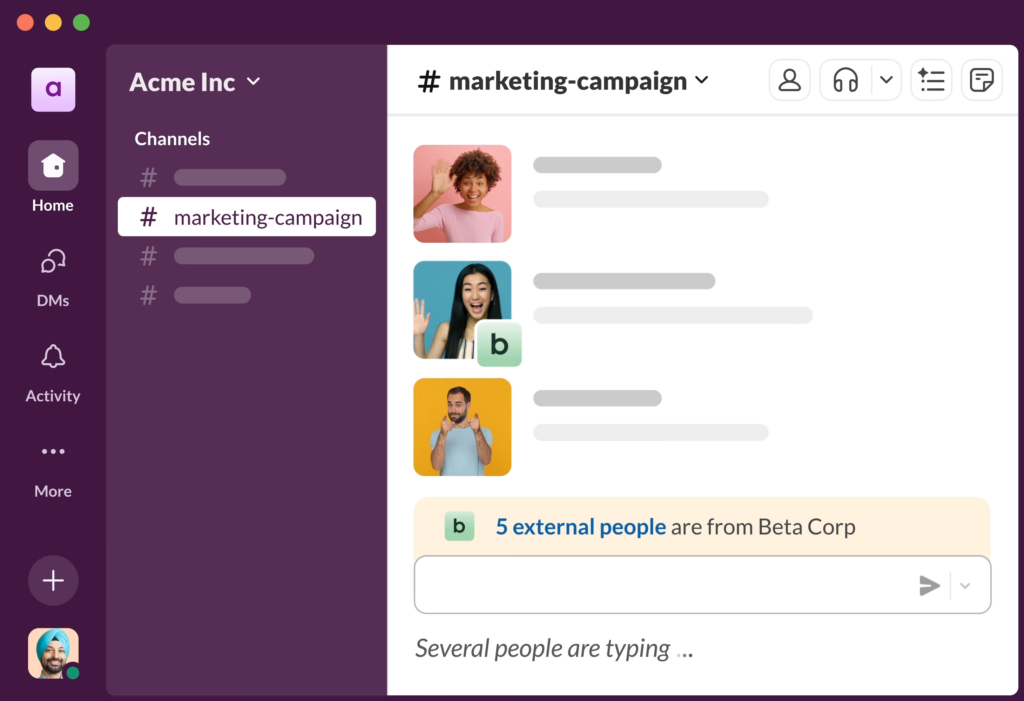
Slack for entrepreneurs didn’t win the team-chat market because the product was uniquely brilliant. It won because it was the first chat tool that treated developers, designers, and operators as the primary users instead of as an IT afterthought. The integrations work. The API is properly documented. The search actually finds things. Threads stop a busy channel from becoming an unreadable wall. None of that sounds revolutionary in 2026, because every competitor has copied it. In 2014 it was.
For Slack for young entrepreneurs at the 2-10 person stage, three Slack properties matter more than the rest. Asynchronous communication by default. A well-run Slack workspace reduces meeting load by 40-60% because most “do you have a minute?” questions resolve in a channel without a calendar invite. Public-by-default channels. Decisions become searchable. New hires can read three months of history and onboard themselves on context that would otherwise take six weeks of one-on-ones. The integration surface. GitHub, Linear, Notion, Stripe, Calendly, Google Calendar, Zapier, and roughly 2,400 other apps push events into Slack so the entire team operates from a single timeline of what just happened.
Those three properties compound over a team’s first 12 months. They don’t compound if you treat Slack as a real-time chat app that happens to have channels. The difference between teams that get value out of Slack and teams that find it a distraction is almost entirely about how they configure those three properties at setup, not about the tool itself.
Slack Pricing for Young Entrepreneurs: The Real Math
Slack for young entrepreneurs comes in four plan tiers as of 2026. The marketing pages are confusing on purpose. Here’s the math that actually matters for an early-stage entrepreneur or founder.
| Plan | Price (per active user/month) | Message history | Apps/integrations | Best for |
|---|---|---|---|---|
| Free | $0 | 90 days (rolling) | 10 apps | Pre-revenue solo founders, hobby projects |
| Pro | ~$7.25 (annual) / $8.75 (monthly) | Unlimited | Unlimited | 2-15 person teams shipping daily |
| Business+ | ~$12.50 (annual) | Unlimited + retention controls | Unlimited + SSO + compliance exports | 15-100 person companies with HR/compliance needs |
| Enterprise Grid | Custom (typically $25+) | Unlimited + advanced data controls | Unlimited + HIPAA/GovCloud options | 500+ person orgs and regulated industries |
The 90-day message-history cap on Free is the single most underrated cost trap in this category. It’s not really a “free plan” so much as a 90-day trial that automatically deletes your decision history. For a startup that’s actually building something, the cost of losing three-month-old context from your engineering channel is real. I’ve watched teams burn entire afternoons trying to reconstruct decisions that were made and recorded inside Slack and then vanished. Budget for Pro from day one if you have any intent of being a real company.
The realistic monthly cost for a 5-person seed-stage team on Slack Pro (annual): 5 × $7.25 = $36.25/month, or $435/year.
The realistic cost on Business+: $62.50/month, or $750/year.
The marginal cost of going from Pro to Business+ is the SSO integration, compliance exports, and 24/7 support. For most teams under 15 people that aren’t in a regulated industry, Pro is the right answer until you have a specific reason to upgrade.
Pricing trap to watch: Slack bills “per active user,” which it defines as anyone who logged in during the billing period. Inactive accounts you forgot to deactivate still cost you. Audit your active users every quarter. On client teams I’ve audited, 15-25% of paid seats were people who’d left months earlier. That’s roughly $20-50/month of pure waste on a 10-seat plan.
The 9 Slack Patterns That Make Young Entrepreneurs More Productive
The advice on “how to use Slack for young entrepreneurs” online is mostly generic productivity vapor. These nine patterns are the ones I’ve watched produce measurable improvements on real teams. Pick the ones that match your context and ignore the rest.
- One channel per project, not per team. Channels named after permanent teams (“#engineering”) become noise dumps. Channels named after time-bounded projects (“#q3-billing-rebuild”) have a clear lifecycle and can be archived when done. My rule: archive any project channel that has been silent for 30+ days. The workspace stays small, search stays useful.
- Threads for everything that isn’t broadcast. Top-level channel messages are broadcasts that interrupt everyone. Threads contain the conversation. The discipline of “did this need to be a top-level message or could it be a thread reply” is the single biggest noise-reduction technique I know. Teams that use threads consistently report 30-40% lower message volume in their main channels without losing information.
- Default-off notifications outside business hours. Settings → Notifications → Notification schedule. Pick 9am-6pm in your timezone. Slack quietly stops paging you outside that window. Founders who skip this step are training their own brains to associate Slack with anxiety. Don’t.
- Stop using @channel and @here. Both are interrupt grenades. Use direct mentions of the specific people who need to act. If you find yourself wanting to use @channel, the message probably belongs in an async update document, not in chat.
- Status updates via a scheduled message bot. Geekbot, Status Hero, or a simple Zapier workflow that pings each engineer at 10am with “what are you working on today, what’s blocking you, what shipped yesterday.” Replaces a daily standup. Saves 15 minutes × team size × 5 days = a meaningful number of hours per week.
- One canonical pinned message per channel. The Channel description plus one pinned message with the rules: what this channel is for, what it’s not for, who to ping for what. New joiners read it once and know how to operate. Reduces the “where do I post this” decision fatigue.
- DM only when it’s actually private. Default to public channels. Direct messages can’t be searched by anyone else, can’t be referenced later, and can’t be picked up by colleagues who’d benefit from the context. The DM tax compounds. A year of decisions trapped in private messages is a year of institutional knowledge gone with the person who left.
- Reactions for low-effort acknowledgments. ✅ instead of typing “got it.” 👀 instead of “I’m looking at this now.” Saves dozens of messages per day across a team and keeps the channel readable. Set custom reactions for your team’s specific signals (e.g. :ship-it: for code review approvals).
- Search operators most people don’t use.
in:#channel,from:@person,has:link,before:2026-04-01,has:pin. Slack’s search is genuinely good once you use the operators. Learn three of them and you’ll stop asking colleagues “where was that doc again” forever.
The Slack Integration Economy: What Young Entrepreneurs Should Pay For
The integration story is half of why Slack wins, and most of why teams that “love Slack” end up spending more on Slack-adjacent SaaS than they spend on Slack itself. The honest math: the average serious Slack workspace adds at least 4-8 paid integrations over its first year. Pay attention to which ones earn the cost.
| Integration | What it does | Typical cost | Worth it? |
|---|---|---|---|
| Google Calendar for Slack | Meeting reminders, status sync | Free | Yes, day one |
| GitHub for Slack | PR notifications, deployment alerts | Free | Yes if you ship code |
| Linear for Slack | Ticket updates, project status | Free with Linear sub | Yes if you use Linear |
| Zapier | Custom workflows across 6,000+ apps | $19.99-69/mo | Yes for non-engineering teams |
| Geekbot / Status Hero | Async standup automation | $2.50-3/user/mo | Yes for distributed teams |
| Donut | Random coffee pairing for culture | $5-49/mo | Useful for fully-remote teams over 15 people |
| Polly | In-channel polls | Free + paid tiers | Sometimes, not essential |
| Concur for Slack | Expense submission via Slack | SAP enterprise pricing | Only if you’re already on SAP Concur |
The “Zapier tax” is real and worth naming. Most Slack workflows that look magical (Google Form submission posts to channel, Stripe charge alerts a finance bot, a Typeform response triggers a Calendly invite) are actually Zapier workflows.
Notion for documentation, Monday for project management, ClickUp for cross-functional work, and Dropbox for file storage all integrate cleanly with Slack and reduce the Zapier load substantially.
For non-engineering founders, Zapier itself is worth the $19.99/month Starter plan. Engineering teams typically replace Zapier with Slack’s own Workflow Builder or custom GitHub Actions / Linear integrations.
The Slack documentation on official integrations is solid (see Google Calendar for Slack as the canonical example). The third-party docs vary in quality. Set up the four or five integrations you’ll actually use in week one and stop. Adding integrations later is much easier than removing notification noise from integrations you stopped using six months ago.
Why Slack Still Wins vs Teams, Discord, and Mattermost
The team-chat category is bigger than Slack. The right pick depends on what you already pay for and what you actually need. Most ot the time, Slack is the right answer but you may need to be choosing the right Slack alternative if you have a different use case or locked to a specific ecosystem. Three serious alternatives:
| Tool | Cost | Best for | Where it loses |
|---|---|---|---|
| Slack | $7-12/user/mo | Tech-adjacent startups, integration-heavy workflows | Cost stacks fast on large teams |
| Microsoft Teams | Included in Microsoft 365 ($6-22/user/mo) | Teams already on Microsoft 365 for email/docs | Worse integration ecosystem, slower native UI |
| Discord | Free + optional Nitro | Community-led startups, creator businesses, gaming | Less professional perception, no compliance story for B2B |
| Mattermost | Free self-hosted; $10/user/mo cloud | Regulated industries, full-data-control requirements | You have to host and update it yourself |
My honest call by team type.
- Bootstrapped young entrepreneur under 10 people: Slack Pro, full stop. The integration ecosystem, the developer mindshare, the better daily UX all compound in ways the alternatives don’t.
- Microsoft 365 captive: Teams works if you’re already inside the Microsoft tax, but for a fresh startup not yet committed to Microsoft, Slack still wins.
- Creator or community business: Discord is the right pick for the community-facing side. Most creator businesses run Discord for the audience and Slack for the actual team.
- Regulated industry: Mattermost self-hosted or Slack Enterprise Grid. The bar of “I need an audit trail” pushes you into the compliance tier, not out of Slack.
- For everyone else, which is the vast majority of young entrepreneurs reading this, Slack remains the most important communication tool you can install in 2026.
The Five Edge Cases Where Slack Isn’t the Answer
This is the section the Slack marketing pages will never write. Five real situations where Slack is the wrong call:
- Solo founders with no team yet. You’re talking to yourself. Use a Notion or Obsidian doc instead. Adding Slack to a one-person operation creates the appearance of work without the substance of work.
- Teams that should be writing docs instead of chatting. If your engineering culture relies on Slack for technical decisions, you’ll lose those decisions in 90 days on Free or in nobody-can-find-it on Pro. Long-form decisions belong in Notion, Linear docs, or a wiki. Slack is the announcement layer, not the memory layer.
- Decisions that need calendar-based deliberation. Architecture decisions, budget approvals, performance reviews. Slack’s real-time vibe tricks teams into making important decisions in a half-attention chat window. Pull them into a doc or a meeting on purpose.
- Customer support at scale. Once support volume crosses ~200 tickets a week, Slack stops working as a triage layer. Use a real helpdesk (Zendesk, Help Scout, Front, Intercom). Pipe ticket events into a #support channel for visibility, but don’t run the actual queue out of Slack.
- Anywhere compliance requires audit trails. Healthcare, finance, government. Slack Enterprise Grid handles this, regular Slack doesn’t. Don’t try to operate inside HIPAA or SOC 2 boundaries on Slack Pro; the audit will not be kind.
Configuring Slack So It Doesn’t Wreck Your Focus

Every conversation about Slack eventually reaches the same complaint: “I can’t focus anymore.” That’s almost always a configuration problem, not a Slack problem. The default notification settings are tuned for visibility, not focus. Out of the box, every mention, every DM, every channel keyword pings you. On a 10-person team, that’s typically 60-150 interrupts per day. Nobody can build anything serious through that.
The configuration that actually works on a serious team:
- Notification schedule on. 9-6 or 10-5 weekdays. Nothing on weekends. Slack respects it.
- Channel notifications set to “only mentions” for everything except your 2-3 primary channels. Default Slack pings you for every message in every channel you’ve joined. That’s the wrong default.
- Mobile notifications delayed by at least 30 minutes from desktop. Settings → Notifications → Devices. Prevents the double-tap interrupt when you’re at your desk and your phone also goes off.
- Do Not Disturb during focus time. Two 90-minute deep-work blocks a day, DND on. Slack’s “snooze notifications” feature is one click and tells colleagues you’re focused. Most respect it.
- Email notifications off for everything. The Slack email summaries are noise. If something matters, you’ll see it in Slack itself. If it doesn’t matter, you don’t need an email about it.
The single biggest predictor of “Slack makes me anxious” vs “Slack works for me” is whether the user has actively configured notifications. Founders who use Slack with defaults are usually unhappy. Founders who spent 20 minutes setting it up correctly are usually fine.
The Slack Setup I Run on My Own Ventures
For full transparency, here’s the actual setup I run across my own ventures. Lift what fits.
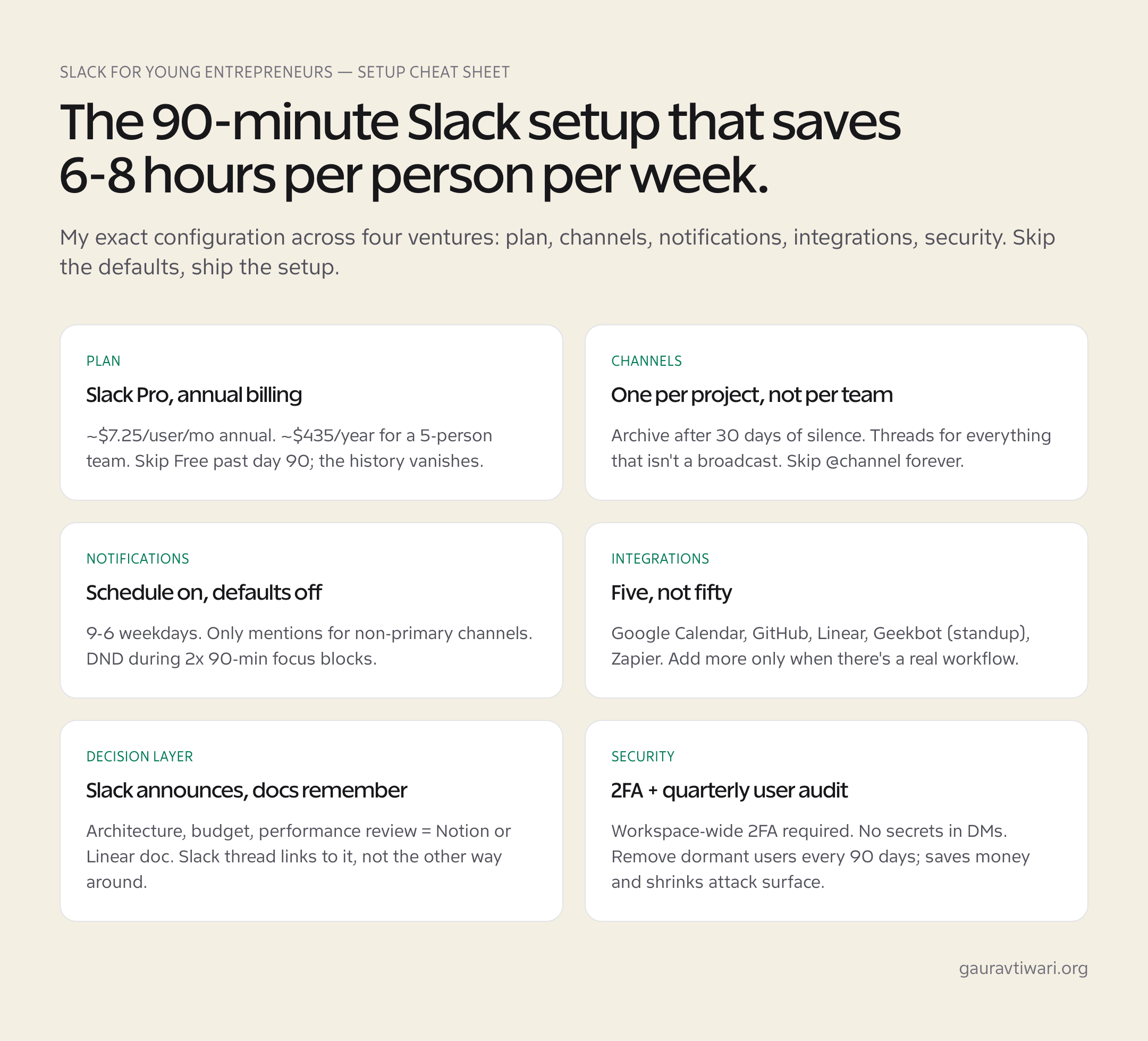
- Plan: Slack Pro (annual). $7.25/user/month effective, billed yearly.
- Channel taxonomy: #general (lightly used), #announcements (read-only), #random (culture), one project channel per active initiative, one #wins channel for ship-it celebrations, one #help channel for blocking questions.
- Daily standup: Geekbot. Pings each person at 10am with three questions, posts answers to #standup channel. Async, takes 3-5 min per person, replaces a daily 15-minute meeting.
- Integrations active: GitHub (PR + deploy notifications), Linear (ticket updates), Google Calendar (meeting reminders), Geekbot (standup), Stripe (alert on charges over $X), Loom (video updates).
- Notification schedule: 9am-6pm IST, weekdays. Off on weekends. DND during 10-11:30am and 2-3:30pm focus blocks.
- Channel notifications: Only mentions for everything except #help and the current top-priority project channel.
- Pinned in every channel: One message stating channel purpose, escalation path, and where the canonical decision doc lives.
- Threads: Strict discipline. New top-level message must announce or ask something the whole channel needs to see. Anything else is a thread reply.
The whole setup takes about 90 minutes to configure on day one and saves roughly 6-8 hours per person per week vs an unstructured Slack workspace. For more on building the broader business tooling around it, see my best CRM software guide and the top 7 business startup mistakes piece. Both cover adjacent decisions that compound with how you run Slack.
Slack Security and Hygiene Young Entrepreneurs Often Skip
The security story matters more for entrepreneurs than the marketing suggests, because Slack accumulates substantial sensitive context over time. API keys posted in DMs, customer information in support channels, financial discussions in #founders. A compromised Slack account at year two of a startup is potentially worse than a compromised email inbox.
- Two-factor authentication enforced workspace-wide. Settings → Authentication → Require 2FA. No exceptions. Took me one minute to enable, blocks essentially all credential-stuffing attacks.
- SSO via Google Workspace or Microsoft 365 if you have it. Business+ tier required. Removes a password-management problem and shortens offboarding to one click in your IdP.
- Quarterly active-user audit. Remove anyone who hasn’t logged in for 60 days. Save money, reduce attack surface.
- Secret hygiene policy: No API keys, no credentials, no production database URLs in Slack. Ever. Use 1Password, Doppler, or AWS Secrets Manager for sharing. If a secret leaks into a channel, rotate it before deleting the message; deletion is not retrieval-proof.
- Retention policy on sensitive channels. Business+ lets you set per-channel message-retention rules. 30-day retention on #founders and #finance reduces blast radius if an account is compromised.
- App audit every six months. Settings → Apps → Manage. Remove integrations nobody uses. Each one is an OAuth permission grant that’s still active.
For the broader picture on protecting a young business, see my best practices to secure your business guide. Slack is one surface among many.
Frequently Asked Questions
Is Slack worth it for a young entrepreneur or startup?
Yes. Slack for young entrepreneurs is one of the highest-ROI tools the moment you have at least 2-3 people on the team and are shipping work regularly. For a solo founder pre-team, Slack is overkill; use Notion or a personal doc instead. For a 2-15 person team, Slack Pro at roughly $7.25 per user per month (billed annually) is one of the highest-ROI tools you can buy. The structured channels, threads, and integration surface save 6-8 hours per person per week versus unstructured email-and-DM communication.
How much does Slack cost in 2026?
Slack Free is genuinely free with a critical limitation: only 90 days of message history (rolling). Slack Pro is roughly $7.25 per user per month on annual billing, $8.75 on monthly. Business+ is roughly $12.50 per user per month annual. Enterprise Grid is custom-quoted, typically starting around $25 per user per month for compliance-grade workspaces. For most early-stage founders, Pro on annual is the right answer.
Slack vs Microsoft Teams: which is better for a small business?
If you already pay for Microsoft 365 for email and Office, Teams is included and integrates better with Outlook, Word, Excel. If you don’t need Microsoft 365 for any other reason, Slack has the stronger third-party integration ecosystem and the better-loved daily UX, particularly for tech-adjacent teams. The honest split: Microsoft-shop, use Teams. Anyone else, use Slack.
Can I use Slack Free forever?
Technically yes, practically no. The 90-day message-history cap on Slack Free means anything older than three months disappears from search. For a startup actively building, the cost of losing three-month-old decision context is much larger than the $36-50 a month a Pro plan costs for a small team. Treat Slack Free as a 90-day trial, not a permanent option.
What’s the single biggest Slack mistake new teams make?
Using default notification settings. Slack ships configured for maximum visibility, which produces 60-150 interrupts per day on an average team. Founders who don’t spend 20 minutes configuring notification schedules, per-channel preferences, and Do Not Disturb windows end up associating Slack with anxiety. The fix is configuration, not abandoning the tool.
Should I keep technical decisions in Slack or move them to a doc?
Move them to a doc. Slack is the announcement layer; Notion, Linear docs, or a wiki is the memory layer. Architecture decisions, budget approvals, and any decision your future team will need to reference belong in a long-form document with the Slack thread linked from it. Decisions buried in Slack threads become impossible to find within six months even on Pro.
What are the best Slack integrations for a startup?
For an early-stage startup: Google Calendar (free, day one), GitHub (free, if you ship code), Linear or whatever project-management tool you use (free with the parent subscription), a standup bot like Geekbot ($2.50-3 per user), and Zapier ($19.99 per month Starter) for non-engineering automation. Add Loom for async video updates. Add Donut if you grow past 15 people and want random coffee pairing for culture. Skip everything else until you have a clear use case.
Why Slack Is the Most Important Tool for Young Entrepreneurs
Slack is the most important tool for young entrepreneurs in 2026 because it does three jobs no other piece of software in the same price band does together: it absorbs asynchronous communication so a small team can stop scheduling status meetings, it makes decisions searchable so new hires onboard themselves on context, and it surfaces the entire integration economy (GitHub, Linear, Notion, Stripe, Calendly, roughly 2,400 other apps) inside a single readable timeline.
The cost math (~$435/year for a 5-person team on Pro) is small relative to the alternative of running on email and DMs, and the productivity ceiling depends almost entirely on three configuration decisions: notification discipline, channel taxonomy, and the integrations you actually use versus the ones you install and forget.
The honest 80/20 for a young entrepreneur: if you’re under 15 people, on Slack Pro annual, with notifications configured deliberately and one project channel per initiative, Slack will give your team back roughly 6-8 hours per person per week versus unstructured communication. Add integrations sparingly. Move long-form decisions to docs. Audit users quarterly. Skip @channel forever. Do those six things and Slack does exactly what it promises. Skip them and Slack becomes the thing your team blames for everything that’s wrong with how you work, even though the tool isn’t really the problem. Configuration is the difference between Slack-as-the-most-important-tool and Slack-as-the-most-resented-tool.
Ready to set up Slack for young entrepreneurs the right way? Get started with Slack on the Free tier for the first 90 days, configure it the way I described above, and upgrade to Pro the day you decide your team is real. That’s the whole playbook.
Tell Google you want more of this.
Add Gaurav Tiwari as a preferred sourceOne tap, and this site shows up more often in your own Top Stories, AI Overviews and AI Mode. Remove it any time.