
 by
by
App store optimization (ASO) improves how often your app appears in Apple App Store and Google Play searches, then helps more listing visitors install it. The work has two parts: discovery, where you align the app name, subtitle, keywords, and descriptions with search intent, and conversion, where the icon, screenshots, video, ratings, and reviews earn the install.
I’ve watched developers spend months polishing an app and treat the store listing like release-day paperwork. That order is backwards. A focused listing with a clear promise will beat a longer, keyword-stuffed listing that makes people work to understand the product.
Start with one primary search term, make the first three screenshots explain the app’s main outcome, ask for ratings only after a positive action, and test one listing element at a time. Apple and Google index different fields, so copying the same metadata into both stores wastes opportunities.
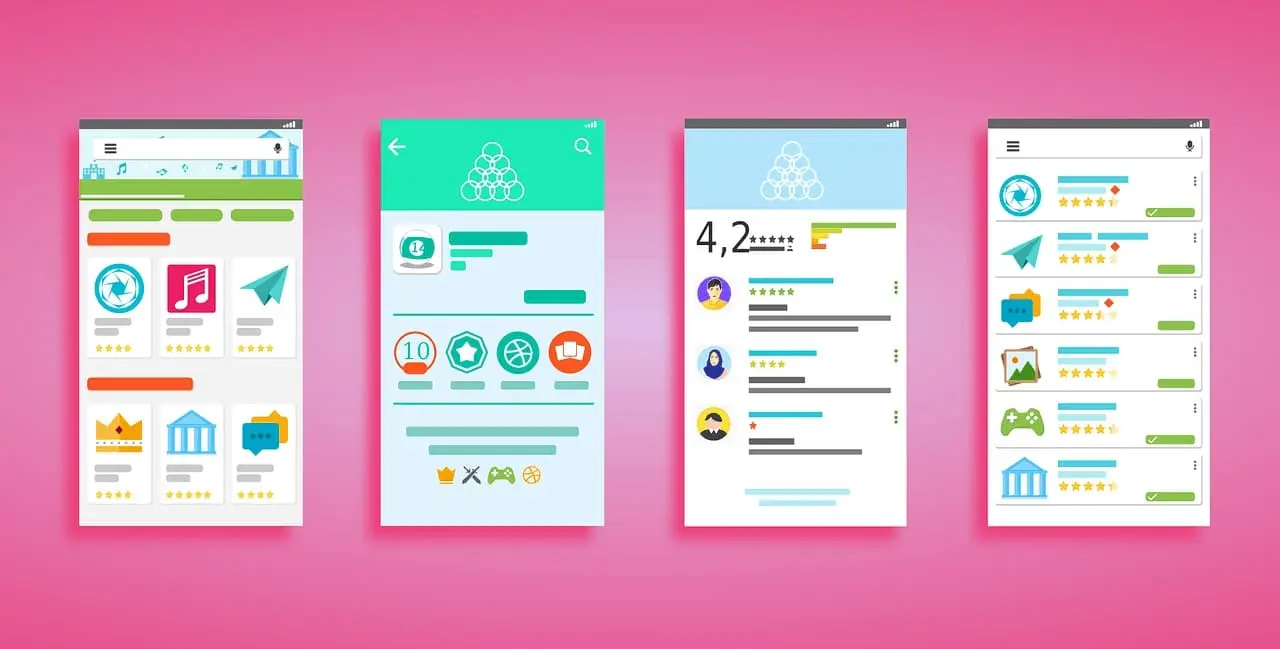
What Should You Optimize First for ASO?
Optimize the fields and assets that affect discovery and conversion directly: the app name or title, subtitle or short description, first three screenshots, ratings, and store-specific keyword coverage. Then test icons and screenshots with Product Page Optimization in App Store Connect or Store Listing Experiments in Play Console.
| Priority | What to change | What to measure |
|---|---|---|
| 1. Positioning | Make the app’s main job obvious in the name, subtitle, or short description. | Search impressions and listing visits |
| 2. First impression | Use the icon and first three screenshots to communicate one clear outcome. | Product page conversion rate |
| 3. Trust | Prompt for ratings after a successful action and respond to useful reviews. | Rating, review volume, and review themes |
| 4. Testing | Change one asset or message at a time with a store-native experiment. | Conversion lift with a reliable confidence level |
| 5. Expansion | Localize only after the core listing converts in its primary market. | Performance by country and language |
What Is App Store Optimization (ASO)?
App Store Optimization is the practice of improving your app’s listing so it ranks higher in app store search results and converts more visitors into downloads. It covers everything from your app title and keywords to screenshots, ratings, and reviews.
Two things make ASO different from traditional SEO. First, you’re working inside stores whose search systems and policy rules are controlled by Apple and Google. Second, discovery and conversion sit on the same page. A higher position helps only if the listing gives the right user a convincing reason to install.
ASO works on two levels: discovery (helping people find your app) and conversion (convincing them to tap “Install”). Most developers focus on discovery and ignore conversion. That’s a mistake. A listing with great keywords but bad screenshots will still underperform.
ASO Ranking Factors: What Actually Matters
Apple and Google do not publish a weighting formula for app search, so any table that assigns precise percentages is guessing. The useful approach is to separate the signals you can control and measure.
- Metadata relevance: Use accurate language in the app name or title and the store-specific supporting fields. Do not trade clarity for keyword repetition.
- Listing conversion: The icon, screenshots, video, and visible copy determine whether a qualified visitor installs.
- Ratings and reviews: Recent, genuine feedback builds trust and exposes product problems that hurt conversion.
- Acquisition: Search, browse, editorial, paid, and external campaigns all contribute installs. Measure the source instead of treating every download as proof that ASO worked.
- Product quality: Crashes, poor retention, and uninstall behavior are product issues first. Metadata cannot rescue a weak experience.
- Maintenance and compliance: Keep the app compatible with current platform requirements and make every listing claim accurate.
Start with three things: a clear app title, the first three screenshots, and a well-timed review request. They give you the cleanest path from search relevance to listing conversion and user trust.
Apple App Store vs. Google Play Store: Key Differences
App store optimization needs separate metadata plans for Apple App Store and Google Play. Their visible fields, limits, and keyword inputs are not interchangeable.
| Listing element | Apple App Store | Google Play |
|---|---|---|
| App name or title | 30 characters | 30 characters |
| Supporting summary | 30-character subtitle | 80-character short description |
| Keyword input | Dedicated field with up to 100 bytes | No dedicated keyword field |
| Full description | Up to 4,000 characters; write for customers and web search | Up to 4,000 characters; keep terms relevant and natural |
| Flexible message | Promotional text up to 170 characters without a new version submission | Use the short description or a targeted custom store listing |
| Creative testing | Product Page Optimization for icons, screenshots, and app previews | Store Listing Experiments for listing copy and creative assets |
The practical difference is simple: Apple provides a dedicated keyword field, while Google Play relies on the language used across the public listing. Apple’s description can appear in web search, but Apple does not present it as a native App Store keyword field. Build two field maps instead of copying one listing into both stores.
Keyword Research for App Store Optimization
Keyword Research for mobile apps starts with relevance, intent, and the language customers use. My broader keyword research process still applies, but app-store volume and ranking data need store-specific tools.
Start with seed keywords. What does your app do? If it’s a meditation app, your seeds might be: meditation, mindfulness, sleep sounds, breathing exercises, stress relief. Then expand from there.
Step 1: Check autocomplete suggestions. Type your seed keyword into the App Store or Play Store search bar. The suggestions that appear are real searches people make. Write them all down.
Step 2: Analyze competitor keywords. Look at the top apps for your main term in each target country. Note the language used in their names, subtitles, short descriptions, and screenshots. Semrush can add web-search and competitor context, but verify app-store demand with store suggestions, App Store Connect, Play Console, or an ASO platform.
Step 3: Evaluate keyword difficulty. A specific, lower-volume term can bring more qualified installs than a broad term where your app never reaches a visible position. Target relevant long-tail terms first. “Budget tracker for couples” is a better starting point than “budget app” for a new product built for shared finances.
Step 4: Map keywords to metadata fields. Put your highest-value keyword in the title. Secondary keywords go in the subtitle (Apple) or short description (Google). Everything else goes in the keyword field (Apple) or full description (Google).
Review the keyword map after each meaningful release and at least monthly while the app is growing. Change a field only when the data gives you a reason, then annotate the release so you can connect the edit to impressions, listing visits, and installs.
Writing App Titles and Descriptions That Convert
Your app title is the first thing people see. It needs to do two jobs: include keywords and communicate what the app does. Don’t sacrifice clarity for keyword stuffing.
A good title formula: [Brand Name]: [Primary Keyword + Benefit]
Examples that work:
- “Fintrak: Budget Planner” (brand plus primary job)
- “Quietly: Sleep Sounds” (brand plus clear outcome)
- “MoveWell: Home Workouts” (brand plus specific use case)
For your description, the first 1-3 lines matter most. On both stores, users see a preview before tapping “Read More.” That preview needs to hook them. Lead with your strongest benefit or a specific number. “Join 10 million people who sleep better with Calm” works. “Calm is an app for meditation” doesn’t.
In the full description (especially on Google Play where it’s indexed), include your target keywords naturally. Use short paragraphs. Add bullet points for features. Don’t write a wall of text.
How to Optimize App Store Screenshots
Screenshots are one of the strongest conversion levers you control. Treat the first three as a compact sales page because they may be the only assets a visitor studies before deciding whether the app looks relevant.
Here’s what I’ve seen work:
Tell a story with your screenshots. Don’t just show random screens. Walk through the user experience: onboarding, main feature, results, social proof. Each screenshot should make the viewer want to see the next one.
Add text captions. Plain UI screenshots don’t convert well. Add a short headline above or below each screenshot that explains the benefit. “Track every dollar in 10 seconds” above a screenshot of your expense entry screen says more than the screen alone.
Front-load the outcome. Put the strongest value proposition first, then use the next two screenshots to show how the app delivers it. Do not make visitors swipe through setup screens before they see the result.
Use the current dimensions. Device requirements change. Build from reusable source files, then export the exact sizes requested by App Store Connect and Play Console at upload time. Check every crop on a phone-sized preview before submission.
Use video when motion explains the value. Both stores support product video, but a weak tour adds friction. Show one task, keep the opening understandable without sound, and compare its conversion against a screenshot-led listing.
Review and Rating Management
Your app’s average rating and recent reviews are visible trust signals. They can change whether a searcher opens the listing and whether that visitor feels safe installing the app.
Ask at the right moment. Don’t show a rating prompt on first launch. Wait until the user has completed a positive action: finished a workout, saved money, completed a level. Happy users leave better reviews.
Use the native review APIs. Apple and Google provide store-native review requests. Apple can display a prompt up to three times within a 365-day period, so ask only after a meaningful success. The system can still choose not to show it.
Respond to negative reviews. Both stores let you reply publicly. A thoughtful response to a 1-star review does two things: it might get the user to update their rating, and it shows potential users you care about fixing problems.
Monitor review themes. Tag recurring complaints by version, device, and feature. If the same failure appears repeatedly, fix the product before changing the listing. Reviews are free user research.
Both Apple and Google actively detect fake reviews and incentivized installs. Getting caught can result in your app being removed entirely. I’ve seen it happen. Build reviews organically through good timing, a quality product, and genuine user engagement.
A/B Testing Your App Listing
You don’t have to guess which screenshots, icons, or descriptions work best. Both stores offer testing tools.
Google Play: Store Listing Experiments let you test listing copy and creative assets with Play Console traffic. Define the audience, run the experiment long enough to reduce weekday noise, and judge the result by retained installers as well as first-time installs.
Apple App Store: Product Page Optimization lets you test up to three treatments against the original product page. You can test icons, screenshots, and app previews, then compare performance in App Analytics before applying a winner.
What to test first? Your icon and your first screenshot. These have the biggest impact on conversion rate. Test one element at a time so you know what caused the change. I usually start with screenshots because they’re the fastest to produce and have the highest upside.
ASO Tools Worth Using in 2026
The ASO tool market has grown fast. A few tools now use AI to automate keyword research, predict ranking changes, and generate listing copy. Here’s what’s worth looking at.
AppTweak: A mature ASO platform for keyword discovery, competitive research, listing analysis, and market monitoring. It makes more sense when you manage multiple markets or need historical competitor data.
Sensor Tower: Strong on market intelligence and download estimates. Good for understanding competitor performance. Enterprise pricing, so it’s better for teams with budget.
AppFollow: Focused on review management and reputation monitoring. Their AI categorizes reviews by sentiment and topic automatically. Useful if you’re getting 100+ reviews per week.
Semrush: If you’re already using Semrush for web SEO, use its mobile-app datasets for competitor context and keep it for the web landing page. It does not replace App Store Connect or Play Console as the source of truth for your own listing.
You don’t need all of these. Start with the two store consoles, add one specialist platform when spreadsheets stop being enough, and keep a consistent keyword set long enough to learn from it.
Deep Linking and App Indexing
Deep links point to specific content inside your app instead of just the home screen. They’re important for two reasons: better user experience and better SEO.
App Indexing: Google can index content inside your app and show it in mobile search results. When someone searches for content your app contains, they see your app as a result with a direct link. Setting this up requires adding App Links (Android) or Universal Links (iOS) to your app.
Deferred Deep Links: These preserve the intended destination when a user installs the app after clicking. Firebase Dynamic Links shut down on August 25, 2025, so remove its SDK and migrate old links. Use Android App Links and iOS Universal Links for platform routing, plus a maintained provider when you need deferred deep linking and attribution.
Why this matters for ASO: Deep links from websites and social media drive installs. Those installs signal popularity to the app store algorithms. And if you have a website for your app (you should), linking web content to corresponding in-app content creates a loop that benefits both your web SEO and app store rankings.
If you’re serious about mobile marketing, set up deep links from day one. Retrofitting them later is painful.
App Store SEO: Getting Found Outside the Stores
ASO doesn’t stop at the app store listing. Your app can also appear in Google web search results through app packs and single app results.
App results can appear in Google for app-seeking queries such as “budget planner app” or “meditation app for beginners.” Their layout changes, so do not build the strategy around a fixed pack size or presentation.
Branded app results can surface the app name, rating, icon, and store destination for navigational or specific searches. A crawlable product page helps Google connect the brand, website, and app listing.
To rank in web search for your app:
- Build a dedicated landing page on your website with the app name, features, screenshots, and a download link.
- Get backlinks to both your website and your app store listing.
- Earn press coverage and app review articles from relevant blogs.
- Make sure your Google Play listing is indexed (it is by default). Apple App Store pages are also crawlable.
The apps that rank in both app store search and web search get a compounding advantage. They build brand recognition across channels, which drives even more organic installs.
How to Localize an App Store Listing
Localization works when it matches the language, search behavior, and product promise of a real market. Translation alone is not ASO because customers in different countries may use different words for the same job.
Localize the title, supporting copy, keyword choices, screenshots, and cultural references together. Keep the product experience and support ready for that audience too. A localized listing that leads into an English-only onboarding flow creates the wrong kind of conversion lift.
You don’t need to localize everything at once. Start with the markets where you already see some organic traction. Check your analytics for countries that show downloads but have no localized listing. Those are your quick wins.
Don’t use machine translation alone. Automated translations miss cultural context and local keyword preferences. A native speaker should at least review your translated listing, especially the title and subtitle.
Tracking ASO Performance
App store optimization improves only when you measure the listing and the product together. These are the metrics that matter.
Keyword Rankings: Track your position for target keywords weekly. Both App Store Connect (Apple) and Google Play Console show impression data, but dedicated ASO tools give you more granular keyword tracking.
Conversion Rate: The percentage of product-page or store-listing visitors who install. Segment it by store, country, source, and device. Use your own previous version and a relevant category peer set as the benchmark; a single global target hides more than it explains.
Organic vs. Paid Downloads: Separate organic downloads from paid campaign installs and branded demand. A changing channel mix can move the organic percentage even when the listing itself has not improved.
Review Velocity: How many new reviews per week? Are they trending positive or negative? A sudden drop in average rating often signals a bug in your latest release.
Competitor Benchmarks: Track 3-5 direct competitors. Watch their keyword rankings, review counts, and update frequency. When a competitor jumps in rankings, check what they changed in their listing.
ASO Launch Checklist
Common ASO Mistakes to Avoid
Most ASO mistakes come from chasing a ranking shortcut instead of improving relevance, conversion, or product quality. Avoid these common traps.
Keyword stuffing your title. “Budget Money Finance Tracker Expense Manager Savings” isn’t a title. It’s spam. Both stores penalize this. Use 1-2 keywords naturally.
Ignoring the subtitle/short description. These fields are indexed and visible. Leaving them generic or empty wastes a major ranking opportunity.
Using the same strategy for both stores. Apple and Google Play have different rules. Copy-pasting the same listing to both stores means you’re underperforming on at least one of them.
Changing the listing without a reason. Refresh metadata or creative after a product release, a market shift, or a measured conversion problem. Random quarterly edits destroy the baseline you need to judge performance.
Chasing volume keywords only. A broad term does little when your app is buried below better-known competitors. A specific phrase such as “hiit timer for home workouts” can bring fewer but more qualified searchers. Target relevance and attainable visibility before raw volume.
Ignoring negative reviews. Unanswered critical reviews weaken trust and hide useful product evidence. Respond promptly, acknowledge the issue, and tie recurring complaints to the version that caused them.
What Is Changing in App Store Optimization in 2026?
The core work is stable, but the listing is becoming more segmented and more measurable. These are the changes worth planning around in 2026.
Audience-specific product pages. Apple custom product pages and Google custom store listings let you match the screenshots and message to a country, campaign, audience, or search intent. One generic page is no longer the only option.
Search-targeted listings. Google Play can target custom store listings to search keywords. Use this when the app solves distinct jobs, but keep each promise accurate and consistent with the product.
Store-native creative testing. Product Page Optimization and Store Listing Experiments make controlled tests available without routing all traffic through third-party landing pages. The advantage comes from disciplined hypotheses, not from running more variants.
Stricter metadata discipline. Google explicitly warns against repetitive, irrelevant, misleading, pricing, and ranking claims in listing copy and assets. Plain, product-specific language is safer and usually converts better than keyword blocks.
The core principles do not change: match real search intent, make the listing easy to understand, earn genuine reviews, maintain the product, and measure every important edit.
App store optimization is not a one-time launch task. Review the listing monthly, but change it only when search data, conversion data, a product release, or a store-policy change gives you a reason. Start with the title, first three screenshots, and review timing. Then test one variable and keep the result in your release notes.
App Store Optimization FAQs
What is app store optimization?
App store optimization is the process of improving an app’s visibility and conversion performance in Apple App Store and Google Play. It combines store-specific metadata, keywords, icons, screenshots, video, ratings, reviews, localization, experiments, and performance tracking.
How is ASO different from SEO?
SEO improves visibility in web search, while ASO focuses on app-store discovery and product-page conversion. ASO happens inside platforms controlled by Apple and Google, and each store uses different metadata fields. A strong app strategy often uses both ASO and a crawlable web landing page.
How long does app store optimization take?
You can improve metadata and creative assets before the next release, but reliable learning takes repeated measurement. Give an experiment enough traffic and time to cover normal weekday variation. Track impressions, listing visits, installs, retention, and ratings so a short-term conversion gain does not hide lower-quality users.
Which Apple App Store fields support keyword discovery?
Apple provides a 30-character app name, a 30-character subtitle, and a dedicated keyword field with up to 100 bytes. The description can contain up to 4,000 characters and may appear in web search, but Apple does not describe it as the native App Store keyword field.
Does Google Play use the full description for ASO?
Google Play has no dedicated keyword field, so the public listing copy matters. Use accurate language in the 30-character app title, 80-character short description, and 4,000-character full description. Do not repeat keywords unnaturally because Google prohibits repetitive, irrelevant, or misleading metadata.
How often should you update ASO?
Review performance at least monthly and after every meaningful app release. Change metadata or creative when you have a specific hypothesis based on search terms, conversion, reviews, localization, seasonality, or policy changes. Record the edit date and avoid changing several major elements at once.
Tell Google you want more of this.
Add Gaurav Tiwari as a preferred sourceOne tap, and this site shows up more often in your own Top Stories, AI Overviews and AI Mode. Remove it any time.