
10 Best Laptops for Law School Students and Lawyers
Your laptop is going to be your most important tool in law school. Nobody walks into a Civil Procedures lecture with just a pen and paper anymore. You’ll use your laptop for everything: taking notes, studying case law, completing assignments, running legal research on Westlaw or LexisNexis, taking exams, and drafting briefs.
I’ve helped hundreds of students pick the right tech for their needs over the years, and law students have very specific requirements. You need something lightweight enough to carry between classes, powerful enough to handle dozens of browser tabs and PDFs simultaneously, and reliable enough that it won’t die during a timed exam. Battery life isn’t optional here.
The good news? You don’t need a gaming rig or a workstation. Law school is primarily text-based work, so you can prioritize portability, keyboard quality, and battery life over raw processing power. Here are my top picks for 2026.
Best Laptops for Law School Students and Lawyers

I’ve tested and reviewed dozens of laptops, and these ten stand out for law school students and legal professionals. Whether you’re looking for premium build quality or a solid budget option, there’s something here for you.
MacBook Air (M3)
If I had to recommend just one laptop for law school, this is it. The MacBook Air with the Apple M3 chip is blazing fast, dead silent (no fan), and gets 18 hours of battery life. You’ll never worry about finding an outlet between classes.
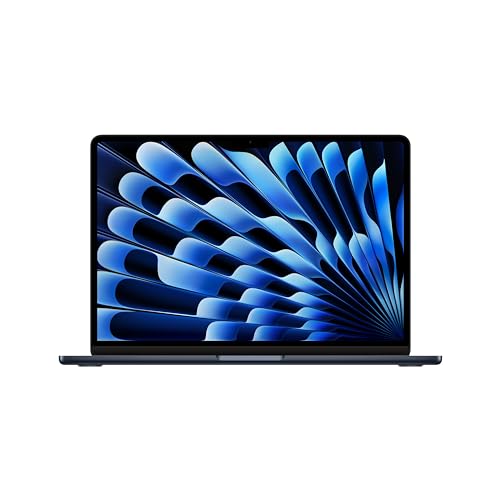
Apple MacBook Air 13-inch (M3, 2024)
- Apple M3 chip with 8-core CPU and 10-core GPU for fast, silent performance
- 18-hour battery life, the longest on this list
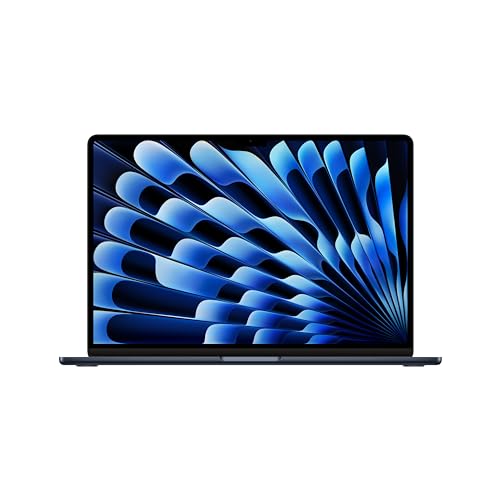
Apple MacBook Air 15-inch (M3, 2024)
- 15.3-inch Liquid Retina display for comfortable split-screen reading
- Apple M3 chip with up to 10-core GPU, fanless and silent
The 13-inch model is what I’d recommend for most law students. It’s incredibly light at 2.7 pounds, and the keyboard is genuinely excellent for long typing sessions. If you prefer a bigger screen for split-view reading (case briefs on one side, notes on the other), the 15-inch model gives you that extra real estate without sacrificing portability.
Macbooks now ship with Apple Silicon processors that handle everything you’ll throw at them in law school. The M3 chip runs cool, stays quiet, and absolutely flies through document-heavy workflows. If your budget allows, the MacBook Pro models offer even more power, but honestly, the Air is more than enough for legal work.
LG Gram 15Z90Q
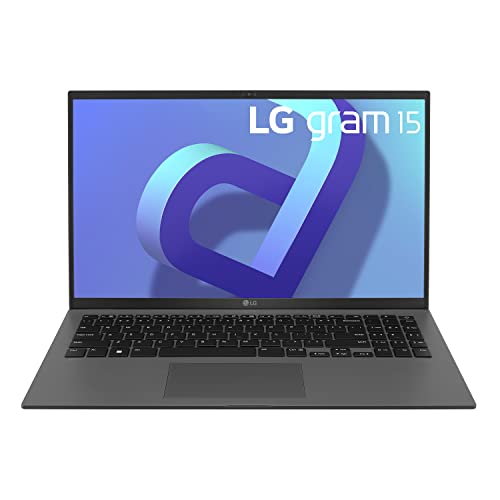
LG Gram 15Z90Q 15.6" Touchscreen Laptop (2022)
- 80Wh battery delivers up to 12.5 hours of continuous use
- 12th Gen Intel Core i7 with 32GB RAM and 1TB SSD at under 3.5 lbs
The LG Gram is the laptop I recommend to students who want a big screen without the weight. It packs a 15.6″ Full HD IPS display with DCI-P3 99% color gamut into a chassis that barely tips the scales. You get a 12th Gen Intel Core i7 processor, 32GB of RAM, and 1TB of storage, which is overkill for law school in the best way possible.
What really sells this laptop for law students is the 80Wh battery. You’re looking at up to 12.5 hours of continuous use and nearly 20 hours of video playback. The port selection is generous too: two USB-C with Thunderbolt 4, two USB-A 3.2, HDMI, a headphone jack, and a microSD reader. You won’t need a dongle collection.
Acer Aspire 5
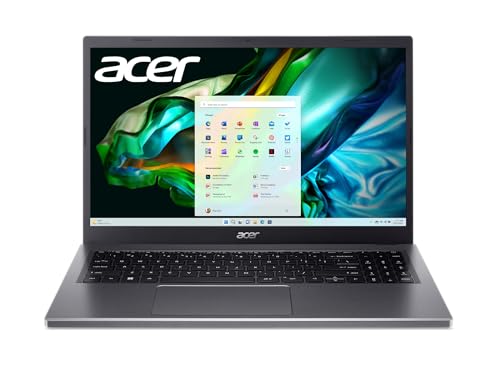
- 13th Gen Intel Core i5-13420H for fast multitasking and document workflows
- 15.6-inch FHD IPS touchscreen with comfortable viewing angles
This is my top budget pick. The Acer Aspire 5 delivers genuinely good performance at a price that won’t make you wince on top of law school tuition. The 13th Gen Intel Core i5 processor handles multitasking without breaking a sweat, and the 15.6″ FHD IPS touchscreen display is sharp and comfortable for long reading sessions.
The backlit keyboard is a nice touch for late-night study sessions, and Acer’s BlueLightShield helps reduce eye strain when you’re deep into case law at 2 AM. Battery life sits around 7-8 hours, which should get you through a full day of classes if you’re not running anything demanding in the background.
Lenovo Flex 5
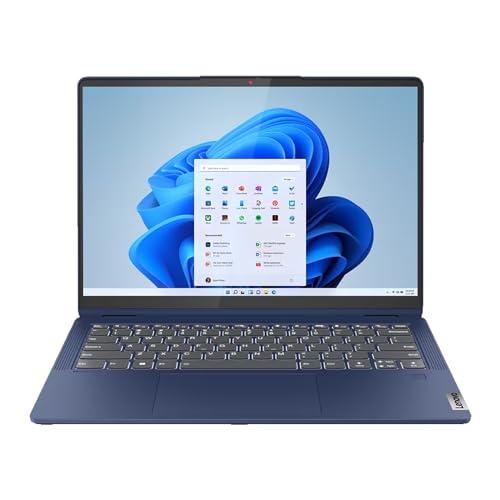
Lenovo IdeaPad Flex 5 14" Touchscreen Laptop (Renewed)
- AMD Ryzen 7 7730U with 16GB RAM for seamless multitasking
- 360-degree hinge converts between laptop, tablet, and tent modes
The Lenovo Flex 5 is a 2-in-1 that punches well above its price point. The 360-degree hinge lets you flip it into tablet mode for taking handwritten notes with a stylus, or fold it into tent mode for watching lecture recordings. The AMD Ryzen 7 processor and 16GB of RAM handle heavy multitasking without hesitation.
I particularly like this for law students who want versatility. You can use it as a traditional laptop for typing briefs, then flip it around for reading PDFs and case documents in a more comfortable tablet orientation. The 12-hour battery with Quick Charge means you’ll rarely be tethered to a wall outlet.
ASUS Vivobook S 14 OLED
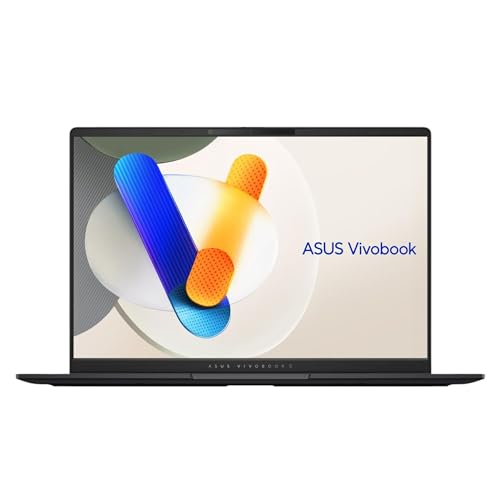
ASUS Vivobook S 14 OLED Laptop (Intel Core Ultra 9)
- 14-inch OLED display with vivid colors and deep blacks
- Intel Core Ultra 9 processor with Windows 11
The ASUS Vivobook S 14 OLED is a serious upgrade from the older VivoBook 14 models. You get an Intel Core Ultra 9 processor, which is wildly overpowered for law school work, but that means this laptop will last you well beyond graduation and into your legal career. The 14″ OLED display is the real highlight here. Text looks incredibly sharp, and the deep blacks make reading long documents much easier on your eyes.
At just 3.3 pounds, it’s portable enough for daily carry. The NanoEdge display design means the bezels are minimal, giving you more screen in a compact body. The built-in fingerprint sensor is a convenience you’ll appreciate when you’re rushing to open your laptop before a lecture starts. It also supports Wi-Fi 6E for fast, stable connections on campus networks.
HP 17-cn0025nr
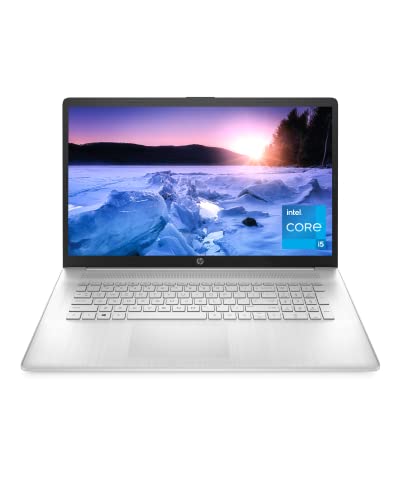
HP 17-inch Laptop (Intel Core i5, 11th Gen)
- 17.3-inch display gives the most screen space for document-heavy work
- 11th Gen Intel Core i5 with Windows 11
If you want a large screen and don’t mind a bit of extra weight, the HP 17-cn0025nr is worth considering. The 17-inch HD+ display gives you 1.4 million pixels of workspace, which is great for split-screen research where you have a legal database on one side and your document on the other.
It runs on an 11th Gen Intel Core i5 with Iris Xe graphics, which handles everyday law school tasks without issues. The anti-glare panel is a thoughtful addition for those long study marathons. This isn’t the lightest option on this list, but if portability isn’t your primary concern and you value screen size, it’s a solid pick.
HP Pavilion 15.6 HD Micro-Edge
The HP Pavilion’s 15.6-inch micro-edge BrightView display packs a larger screen into a smaller frame thanks to its nearly invisible bezels. It’s a practical choice for law students who need a full-size display without carrying a bulky machine to class.
With 8GB of DDR4 RAM and 256GB of storage, it covers the basics well. You can run multiple browser tabs, Word documents, and legal research tools simultaneously without slowdowns. It’s not going to win any performance awards, but for note-taking, research, and writing briefs, it does exactly what you need.
Dell Inspiron 14 5425
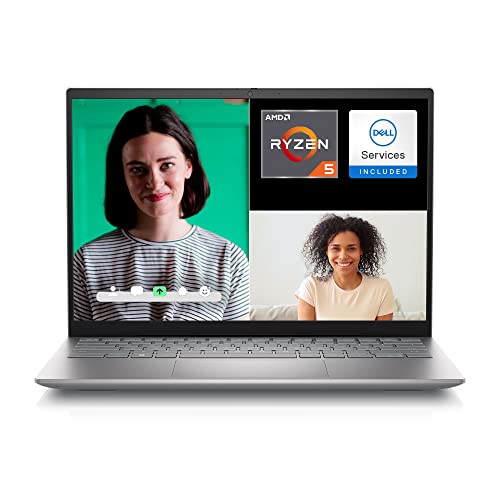
Dell Inspiron 14 5425 (AMD Ryzen 5)
- 14-inch FHD+ (1920×1200) anti-glare display with ComfortView
- AMD Ryzen 5 5625U 6-core processor with Radeon graphics
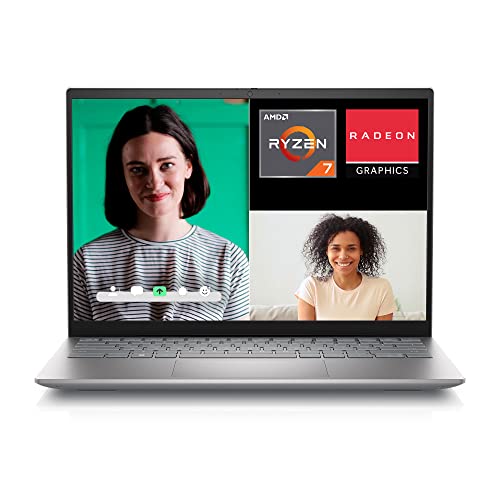
Dell Inspiron 5425 14" Touchscreen (AMD Ryzen 7)
- 14-inch FHD+ touchscreen with 16:10 aspect ratio
- AMD Ryzen 7 5825U 8-core processor with Radeon graphics
Dell’s Inspiron 14 5425 hits a sweet spot between performance and price. The 14-inch FHD+ display uses a taller 16:10 aspect ratio, which gives you more vertical space for reading documents. That might sound minor, but when you’re scrolling through hundreds of pages of case law, those extra pixels make a real difference.
The AMD Ryzen processor with Radeon Graphics handles everyday tasks smoothly, and the lid sensor that powers up the laptop the moment you open it is a small convenience that adds up over three years of law school. Wi-Fi 6 keeps your connection stable in crowded lecture halls and libraries. The Ryzen 5 model is great value, while the Ryzen 7 variant adds touchscreen support and more processing headroom.
Samsung Chromebook Plus V2
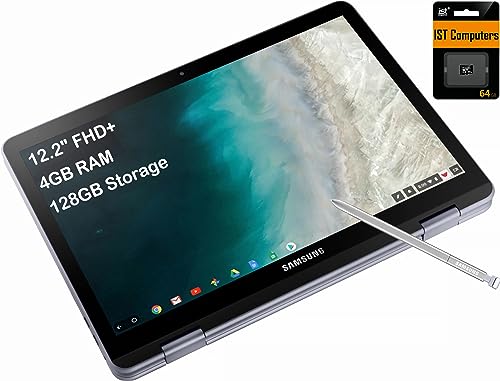
Samsung Chromebook Plus V2 360 2-in-1
- 360-degree hinge for laptop, tablet, and tent modes
- Lightweight and affordable ChromeOS device for basic legal research
I’ll be honest: a Chromebook isn’t my first recommendation for law school. Many law school exam software tools (like ExamSoft) require Windows or macOS. But if your school supports Chromebooks and you’re looking for the most affordable option possible, the Samsung Chromebook Plus V2 is hard to beat at under $300.
It weighs less than three pounds, folds into tablet mode, and comes with a built-in pen that never needs charging. The 128GB of storage is decent for a Chromebook, and you can expand it with a microSD card. Just make sure you verify your school’s exam software compatibility before going this route.
Microsoft Surface Laptop Go
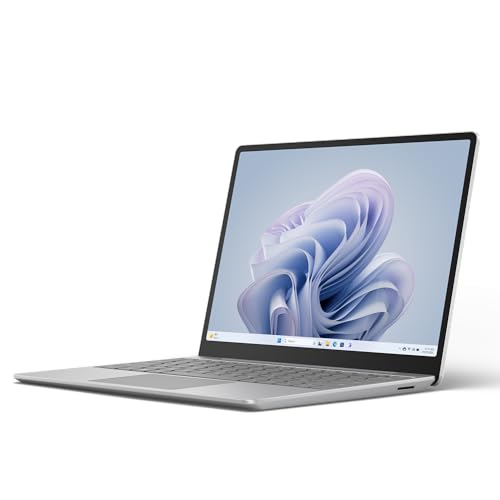
Microsoft Surface Laptop Go 3 (2023)
- Ultra-portable at under 2.5 lbs with 12.4-inch PixelSense touchscreen
- Intel Core i5 with all-day battery and Windows 11
The Surface Laptop Go 3 is Microsoft’s answer to the MacBook Air, and it’s a compelling alternative if you prefer Windows. At just 2.44 pounds, it’s one of the lightest laptops on this list. The 12.4″ PixelSense touchscreen is beautiful, and the fingerprint power button means you can open and sign in with a single gesture.
You get up to 13 hours of battery life, a 720p HD camera for video calls and virtual office hours, and the build quality you’d expect from Microsoft’s Surface line. It comes in four colors (Platinum, Sage, Sandstone, and Ice Blue) with a cool metal finish that looks and feels premium. For Windows users who want a sleek, lightweight laptop that handles law school demands, this is my top recommendation.
What to Look for in a Law School Laptop
Before you buy, here’s what actually matters for law school. Battery life is non-negotiable. You need at least 8 hours to get through a full day of classes. Weight matters too, since you’ll be carrying this thing across campus along with heavy textbooks. A good keyboard is essential because you’ll be typing thousands of words every week. And make sure whatever you buy is compatible with your school’s exam software.
If you’re also looking for productivity tools to complement your new laptop, check out the best note-taking apps for students and the ultimate AI study toolkit to get the most out of your setup.
Conclusion
If money isn’t a concern, get the MacBook Air with M3. It’s the best overall laptop for law students in 2026, period. If you’re on a budget, the Acer Aspire 5 or Lenovo Flex 5 give you excellent value. For Windows loyalists who want premium build quality, the Microsoft Surface Laptop Go 3 is the way to go.
Whatever you choose, invest in a laptop that won’t let you down during a timed exam or an all-night study session. Your law school laptop is a tool that directly impacts your academic performance. Pick one that matches your needs and budget, and you’ll be set for the next three years.
You might also find these helpful: best laptops for engineering students, best PDF apps for students, and best iPad for students.
What is the best laptop for law school students?
The MacBook Air with M3 chip is the best overall laptop for law school students. It offers 18 hours of battery life, a silent fanless design, an excellent keyboard for long typing sessions, and enough processing power for legal research, document editing, and exam software. It’s also lightweight at just 2.7 pounds.
What is the best budget laptop for law school?
The Acer Aspire 5 and Lenovo Flex 5 are the best budget options for law school students. Both offer solid performance, good displays, and reliable build quality at prices under $550. The Lenovo Flex 5 adds 2-in-1 versatility with its 360-degree hinge, while the Acer Aspire 5 offers a larger 15.6-inch screen.
Is a MacBook or Windows laptop better for law school?
Both work well for law school. MacBooks offer superior battery life, build quality, and a virus-resistant operating system. Windows laptops offer broader software compatibility, including most exam software like ExamSoft, and more options at lower price points. Check your school’s exam software requirements before deciding.
How much RAM do I need for law school?
8GB of RAM is the minimum for law school, but 16GB is recommended. Legal research often involves dozens of browser tabs open simultaneously alongside Word, PDF readers, and legal databases like Westlaw or LexisNexis. With 16GB, you won’t experience slowdowns during heavy multitasking sessions.
Can I use a Chromebook for law school?
You can, but with limitations. Many law school exam software programs like ExamSoft require Windows or macOS and don’t support ChromeOS. If your school uses web-based exam tools and you primarily work with Google Workspace or web apps, a Chromebook can work. Always verify your school’s software requirements first.
What screen size is best for law school laptops?
13 to 14 inches is the sweet spot for most law students. This size balances portability with enough screen real estate for reading case law and taking notes. If you frequently work with split-screen views or prefer larger text, a 15-inch model like the LG Gram provides more workspace without excessive weight.
How long should a law school laptop’s battery last?
Aim for at least 8 hours of real-world battery life. Law school days can be long, with back-to-back lectures, library study sessions, and group meetings. A laptop with 10+ hours of battery life ensures you won’t be scrambling for an outlet between classes. The MacBook Air M3 leads with up to 18 hours.
Do law students need a powerful processor?
Not really. Law school work is primarily text-based, involving document editing, web browsing, PDF reading, and legal research. A mid-range processor like Intel Core i5 or AMD Ryzen 5 handles these tasks easily. You don’t need a high-end processor unless you plan to use your laptop for other resource-intensive tasks beyond legal work.