
Which is the Best iPad for Students?
Apple sells four iPads in 2026, with a $950 price gap between the cheapest and most expensive model. The spec sheets blur together. M4 vs. M5 vs. A16 vs. A17 Pro, 11-inch vs. 13-inch vs. 8.3-inch, Liquid Retina vs. OLED XDR. None of it tells you which one actually fits your major and budget.
Picking the wrong model wastes hundreds. A design student with the base $349 iPad hits walls within a semester when apps like Procreate and SketchUp demand more GPU power. A business major with the $1,299 Pro pays $700 extra for a LiDAR scanner and Thunderbolt port they’ll never touch. And the $499 iPad mini? It’s too small as a primary device, but perfect as a secondary one for the right student.
The iPad Air with M4 chip at $599 handles everything from split-screen note-taking to video editing without lag. It supports Apple Pencil Pro and runs the same M4 chip found in the MacBook Air. Below is a breakdown of every current model matched to specific student needs, not just the specs on the box.
Best iPads for Students in 2026
- iPad Air M4 ($599) – Best for most students. M4 chip, Apple Pencil Pro, 11-inch Liquid Retina display.
- iPad Pro M5 ($999-$1,299) – Best for creative and STEM majors. OLED XDR display, 10-core GPU, Thunderbolt port.
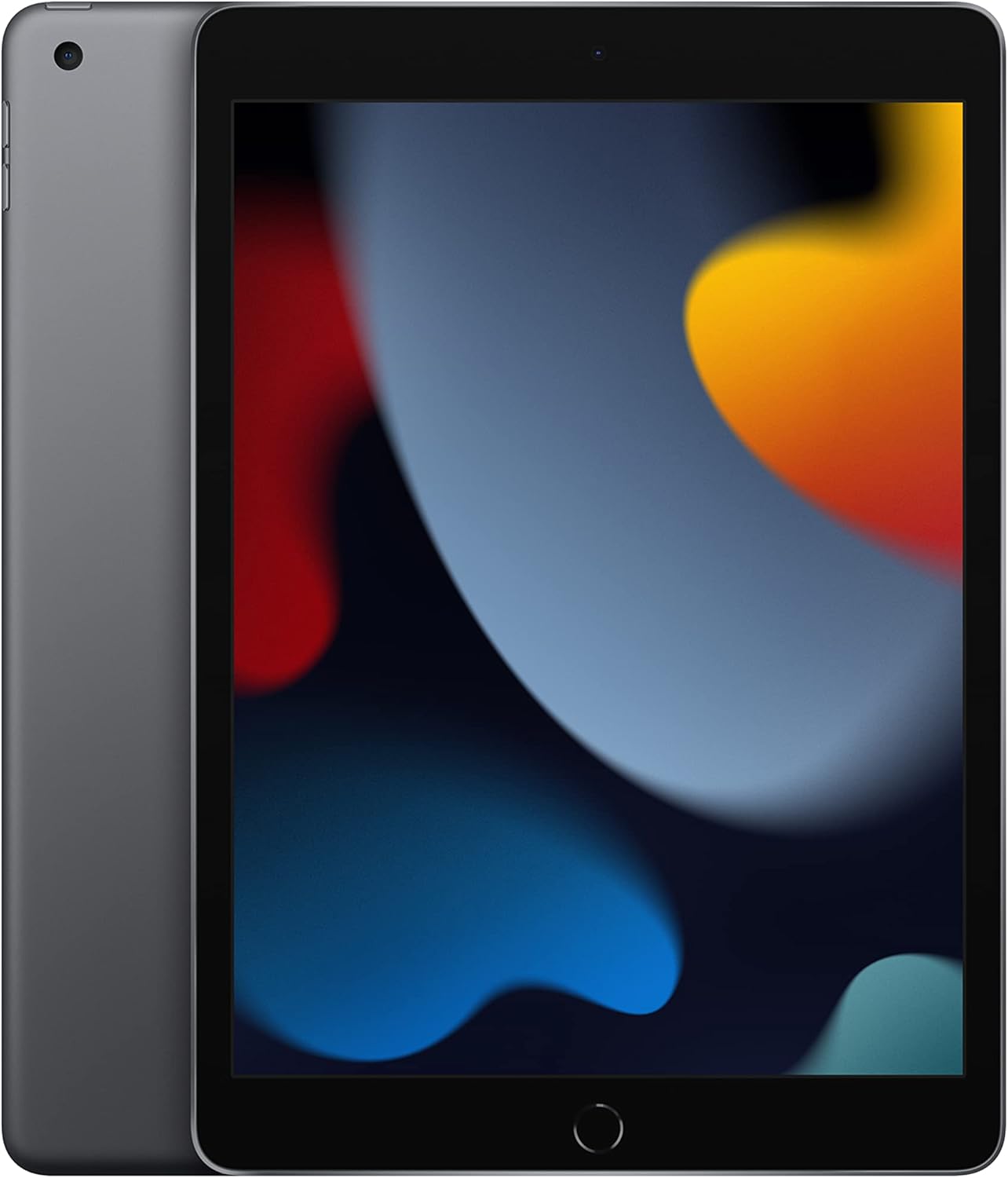
- iPad 11th Gen A16 ($349) – Best budget pick. A16 Bionic, 128GB storage, USB-C Apple Pencil support.
- iPad mini A17 Pro ($499) – Best for portability. 8.3-inch screen, lab coat pocket-sized, Apple Pencil Pro support.
iPad Air M4: Best iPad for Most Students
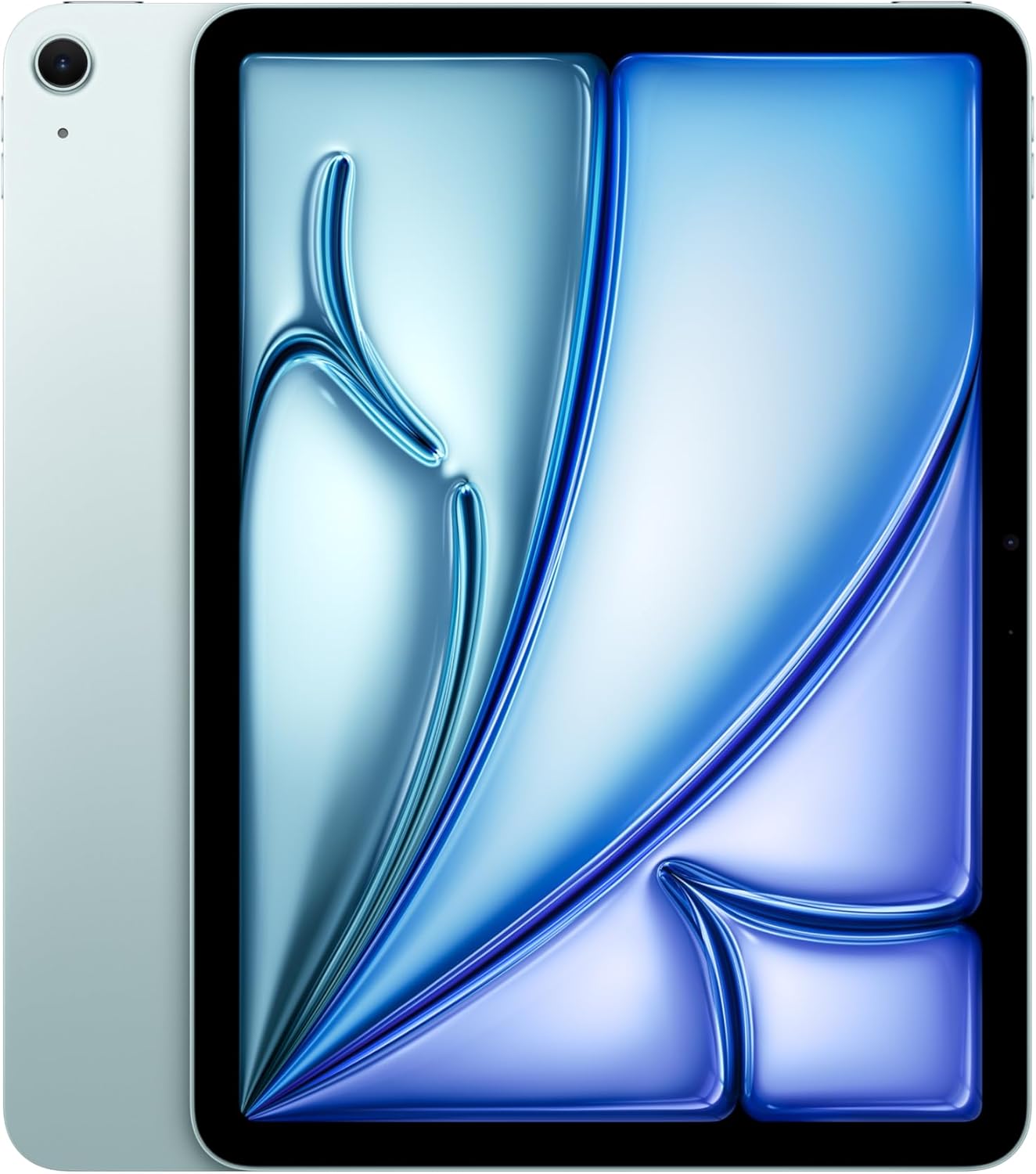
Best for: Business, liberal arts, sciences, pre-med, law, and any major that doesn’t require GPU-heavy creative work.
Apple iPad Air 11-inch (M4, 2026) – Liquid Retina Display, 128GB, Wi-Fi 6E
- M4 chip delivers laptop-class performance for multitasking, video editing, and running demanding apps
- 11-inch Liquid Retina display with P3 wide color and True Tone
- Supports Apple Pencil Pro and Magic Keyboard for full laptop replacement
- 12MP front camera with Center Stage keeps you framed during video calls
The iPad Air M4 delivers about 90% of the iPad Pro’s performance at $599, making it the standout pick for most college students. The M4 chip is the same processor Apple uses in the MacBook Air lineup, which means laptop-grade processing power in a tablet that weighs just over a pound. It handles annotating research papers, running multiple Split View apps during study sessions, and even light video editing in Final Cut Pro without stuttering.
For note-taking apps like GoodNotes or Notability, the M4 is overkill in the best way. PDFs load instantly, handwriting recognition is fast, and you can have a lecture recording playing while taking notes in split screen without any lag. Stage Manager support means you can run multiple floating windows simultaneously, something the standard iPad can’t do.
The 11-inch Liquid Retina display is bright and sharp with P3 wide color and True Tone. It’s not the Pro’s OLED, but unless you’re doing color-critical design work, the difference won’t show during everyday use. True Tone adjusts the white balance based on ambient lighting, which matters more than expected when reading textbooks for hours at a time.
Apple Pencil Pro support is a big deal here. The Pro version adds haptic feedback, a squeeze gesture, and barrel roll, so you can switch tools and adjust brush angles without touching the screen. Studies show handwritten notes improve retention over typing, and the writing experience on the Air is identical to the Pro. The 12MP front camera with Center Stage automatically keeps you framed during Zoom lectures and study group video calls.
The honest downside? The 128GB base storage fills up faster than expected if you’re downloading lecture recordings, offline textbooks, and large PDFs. Consider the 256GB option ($699) if your program is media-heavy. Cloud storage helps, but campus Wi-Fi isn’t always reliable, especially in crowded lecture halls. Also, there’s no Thunderbolt port here, just USB-C, so external drive transfers are slower than on the Pro. For non-Apple alternatives, check out the best tablets for students guide.
iPad Pro M5: Best for Creative and STEM Students
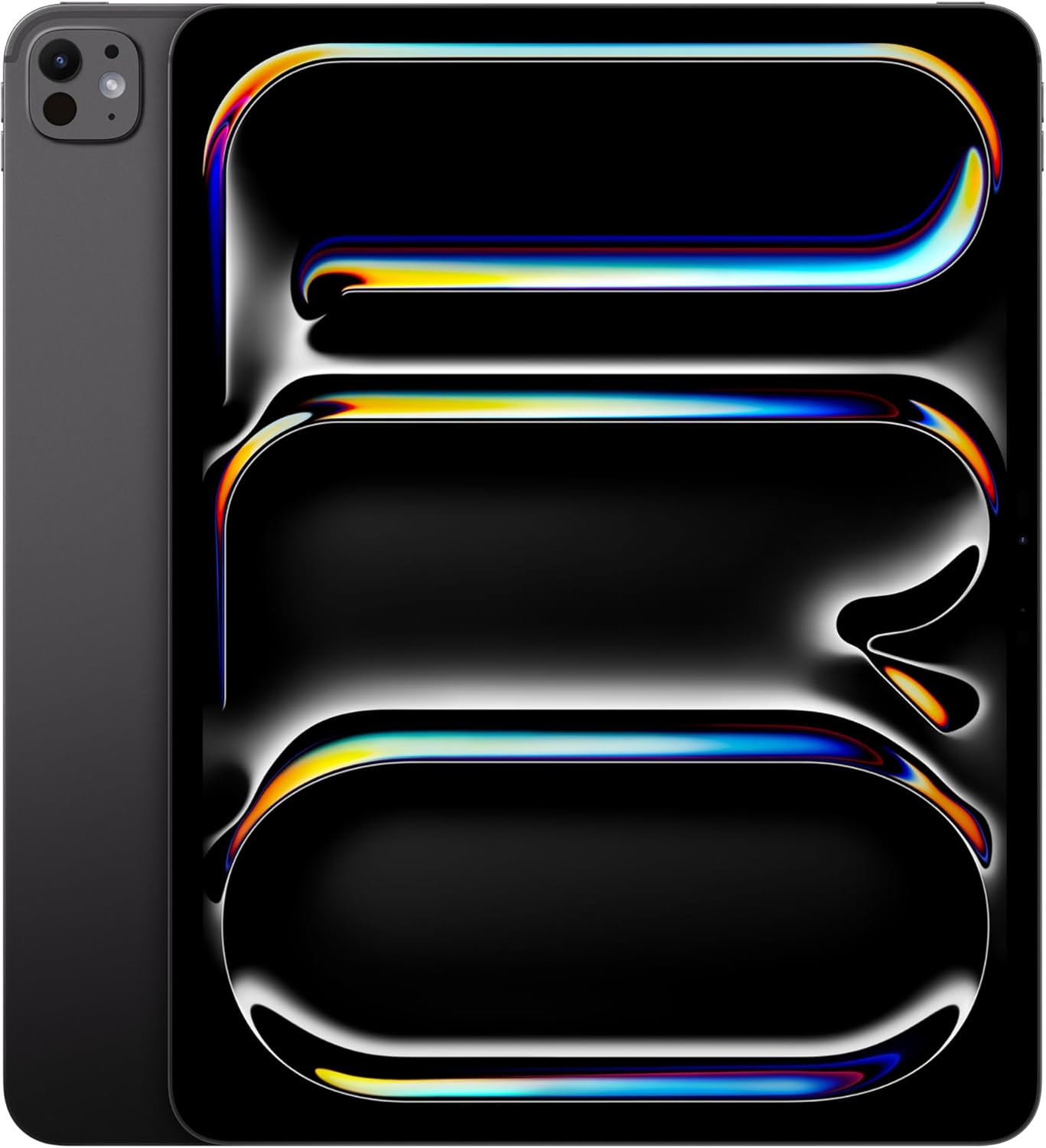
Best for: Graphic design, architecture, film production, engineering, fine arts, and medical imaging.
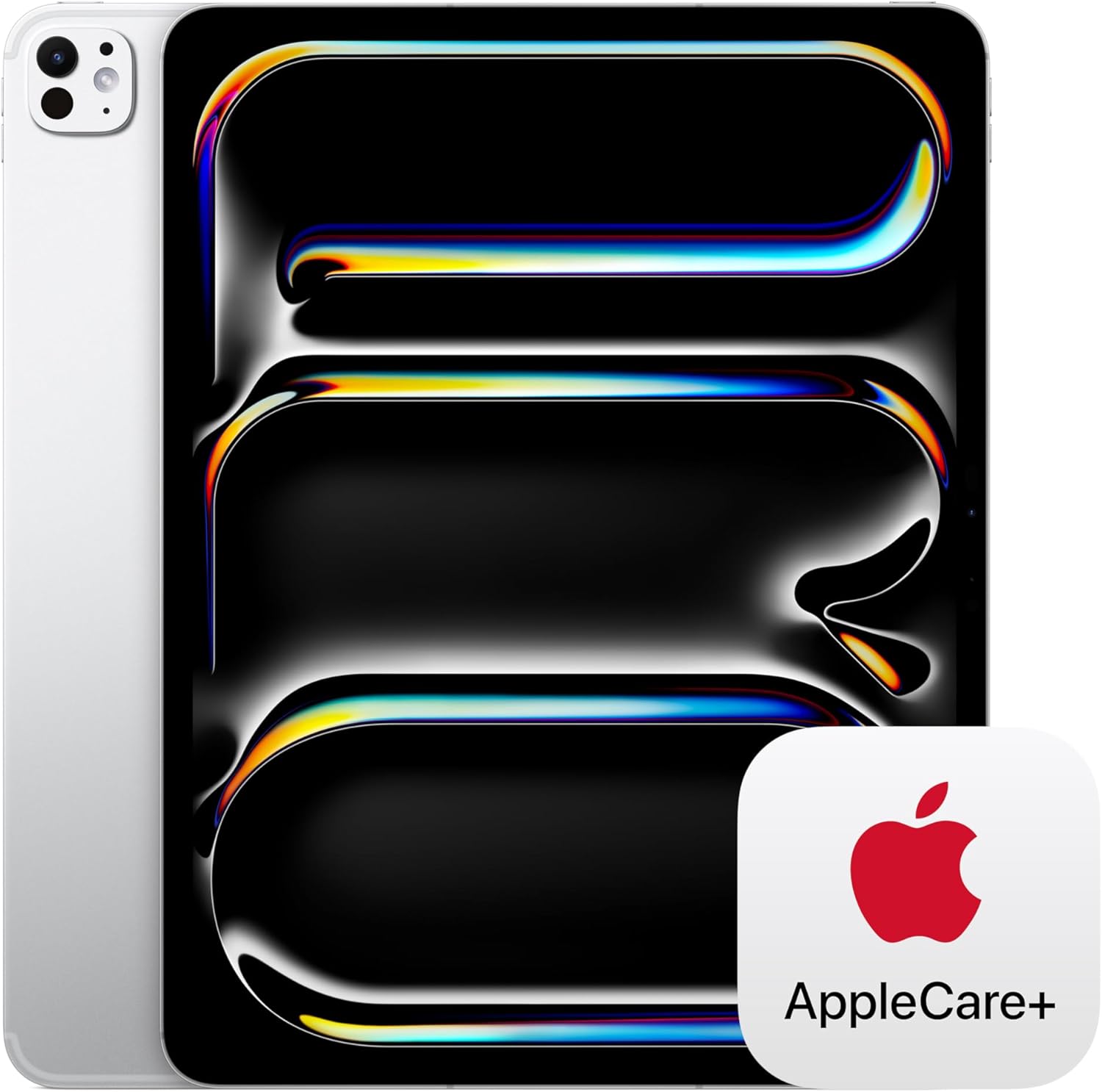
Apple iPad Pro 13-inch (M5) – Ultra Retina XDR Display, 256GB, Wi-Fi 6E, Face ID
- M5 chip with 10-core GPU delivers desktop-level performance for 3D modeling, video editing, and CAD applications
- 13-inch Ultra Retina XDR OLED display with ProMotion 120Hz and extreme dynamic range
- LiDAR scanner for AR applications and room scanning, useful for architecture and design students
- Face ID, Thunderbolt/USB 4 connectivity, and up to 2TB storage options
The iPad Pro M5 is the most powerful tablet you can buy right now. If you’re studying graphic design, architecture, film, engineering, or medicine, this is the one to get. The M5 chip has a 10-core GPU that handles 3D rendering, video editing in Final Cut Pro, and complex CAD drawings without slowing down.
The 13-inch Ultra Retina XDR display is the real standout. It uses a tandem OLED panel that produces deeper blacks, brighter highlights, and more accurate colors than any other tablet display on the market. For design students, this matters because what you see on screen is what you’ll get in print. The 120Hz ProMotion refresh rate makes scrolling, drawing, and handwriting feel noticeably faster and more responsive.
At $1,299 for the 13-inch (or $999 for the 11-inch), this isn’t a casual purchase. The 13-inch model is also heavier than the Air, which matters when carrying it across campus all day. But if your coursework involves serious creative or technical work, the Pro pays for itself. Architecture students run full SketchUp models on it. Med students use the LiDAR scanner for anatomy apps like Complete Anatomy. Film students edit 4K video in Final Cut Pro with zero export lag. These aren’t theoretical use cases.
The Thunderbolt/USB 4 port is a Pro exclusive that students overlook. It lets you connect external displays, fast external drives, and audio interfaces at up to 40 Gbps. For anyone building a portable editing setup or presenting to a larger screen, that single port gives you options the Air can’t match.
The downside worth mentioning: this iPad is overkill for 80% of students. If your coursework is reading, notes, research, and papers, the $599 iPad Air does the same job. The Pro only justifies its price when you’re actively using the OLED color accuracy, the M5’s 10-core GPU, or the Thunderbolt connectivity. Don’t buy it just because it’s the “best.” Buy it because your major demands it.
iPad Pro M5 11-inch: The Compact Alternative
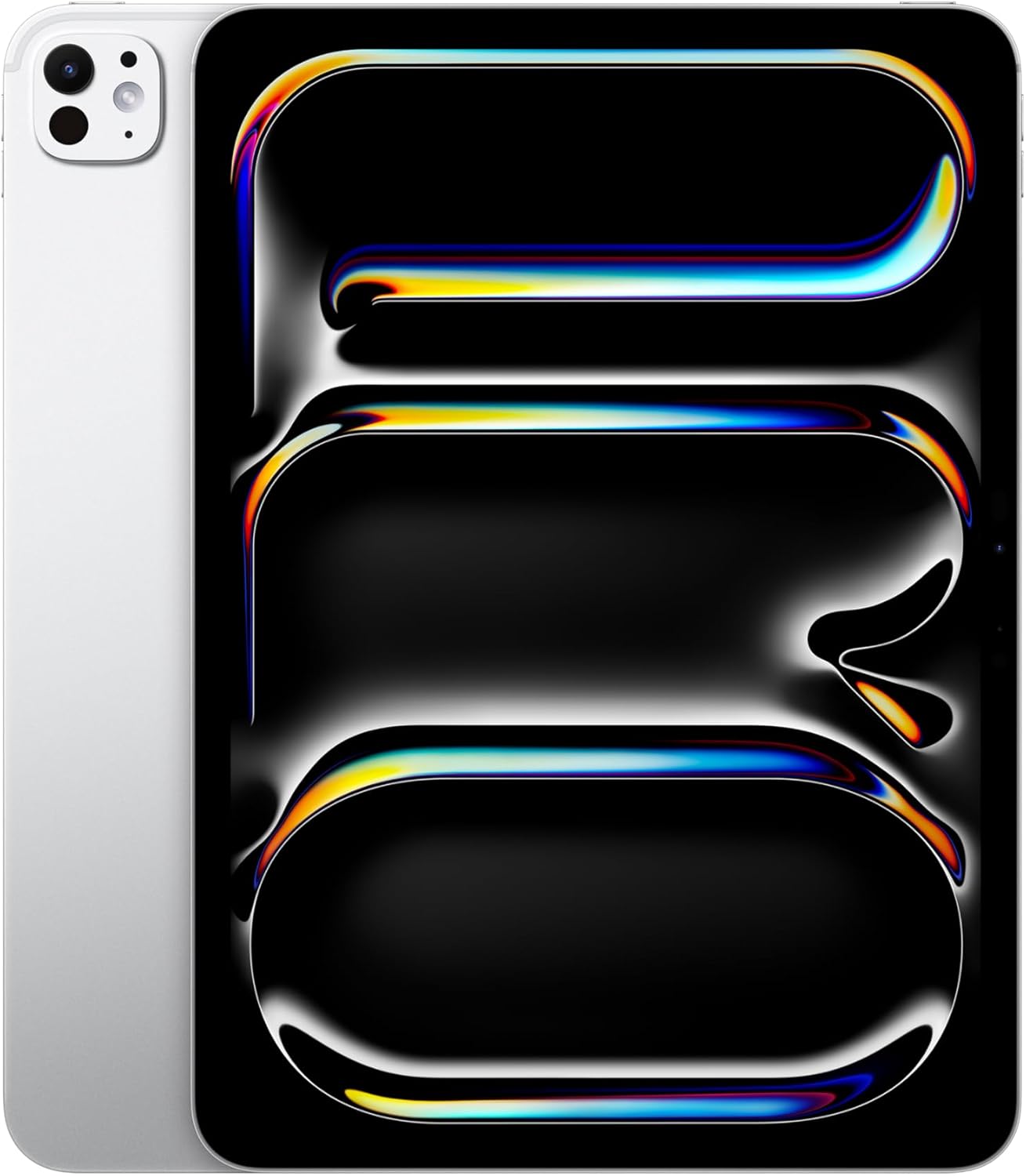
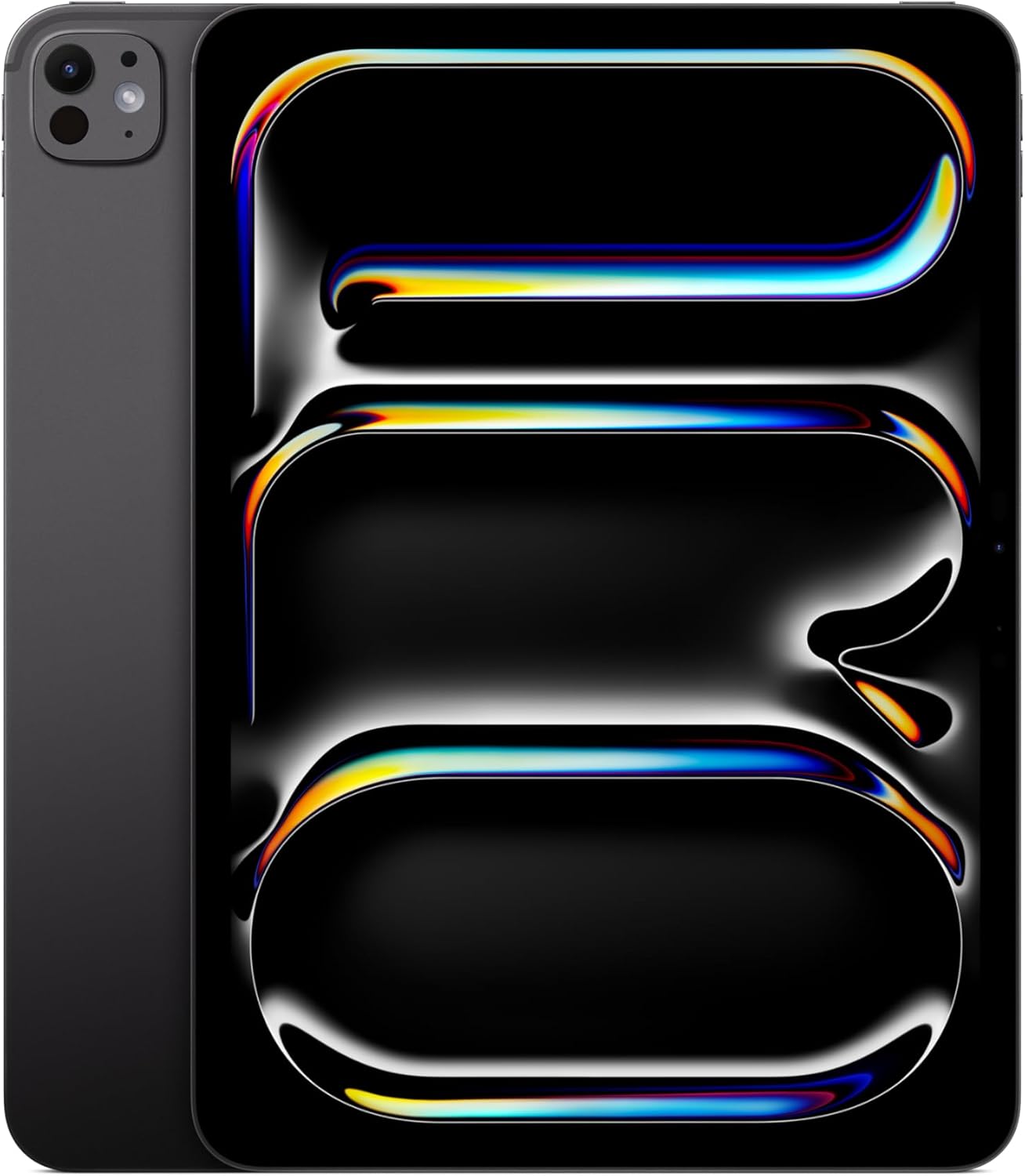
Apple iPad Pro 11-inch (M5) – Ultra Retina XDR Display, 256GB, Wi-Fi 6E, Face ID
- Same M5 chip and Ultra Retina XDR OLED display as the 13-inch model
- Lighter and more portable at just 0.98 pounds, easier to carry between classes
- Supports Apple Pencil Pro, Magic Keyboard, and Thunderbolt/USB 4 connectivity
If you want the Pro’s power but don’t need the 13-inch screen, the 11-inch model is $200 cheaper and lighter at just 0.98 pounds. You get the same M5 chip, the same OLED display quality, and the same Thunderbolt port. The only real tradeoff is screen size, and 11 inches is plenty for note-taking and most creative work.
The 11-inch Pro makes more sense than the 13-inch for students who commute or have packed backpacks. The weight difference looks small on paper, but it adds up after carrying it across campus for 8 hours. If you’re doing heavy split-screen work or detailed drawing, go 13-inch. For everything else, 11 inches is the smarter pick.
One thing to watch out for: the Magic Keyboard for the 11-inch Pro costs $299, the same price as the 13-inch version. Factor that into your total budget. An 11-inch Pro ($999) plus Apple Pencil Pro ($129) plus Magic Keyboard ($299) totals $1,527. That’s serious money, so make sure your program actually requires Pro-level hardware before committing.
iPad 11th Generation (A16): Best Budget iPad for Students
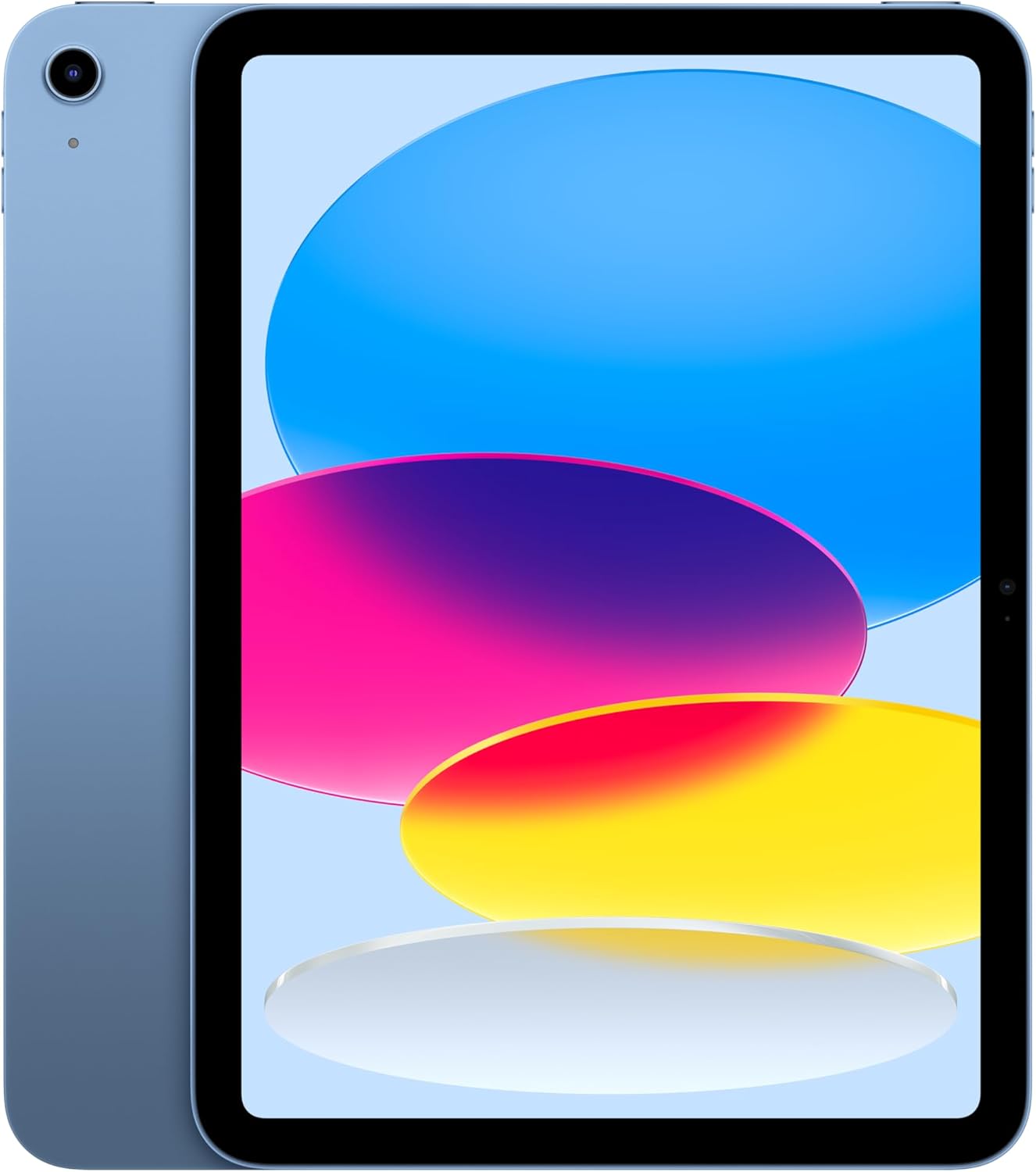
Best for: Budget-conscious students who need a reliable device for notes, reading, Zoom calls, and everyday apps.
At $349, this is the go-to iPad for students who just need something that works. The A16 Bionic chip is the same processor Apple used in the iPhone 15, so it handles everything a student throws at it: note-taking, web browsing, Zoom calls, streaming lectures, and running apps like Google Docs, Notion, and GoodNotes without any issues. Amazon frequently discounts it to $299-$329 during sales, making it even more accessible.
The 11-inch Liquid Retina display is bright, color-accurate, and comfortable for long reading sessions. True Tone adjusts the display warmth based on your surroundings, reducing eye strain during late-night study sessions. The 12MP front camera with Center Stage keeps you centered during Zoom lectures and study group calls, which is a noticeable upgrade over older iPads.
One tradeoff to know about: this iPad supports the Apple Pencil (USB-C) at $79, not the Apple Pencil Pro. The USB-C Pencil doesn’t have pressure sensitivity or tilt detection, which means it’s fine for handwriting and basic sketching but not ideal for detailed illustration work. If drawing and design are part of your coursework, spend more on the Air. Also, there’s no Stage Manager support, so you’re limited to Split View for multitasking instead of floating windows.
The 128GB base storage is generous for a budget model, doubled from the previous generation’s 64GB. You can store thousands of documents, hundreds of downloaded lectures, and dozens of apps without running out of room. USB-C means you can plug in external drives when you need more space. A complete student setup with this iPad ($349) plus Apple Pencil USB-C ($79) comes to just $428, which is hard to beat. Check out the best budget laptops guide if you’re also considering a laptop alternative.
iPad mini (A17 Pro): Best for Portability
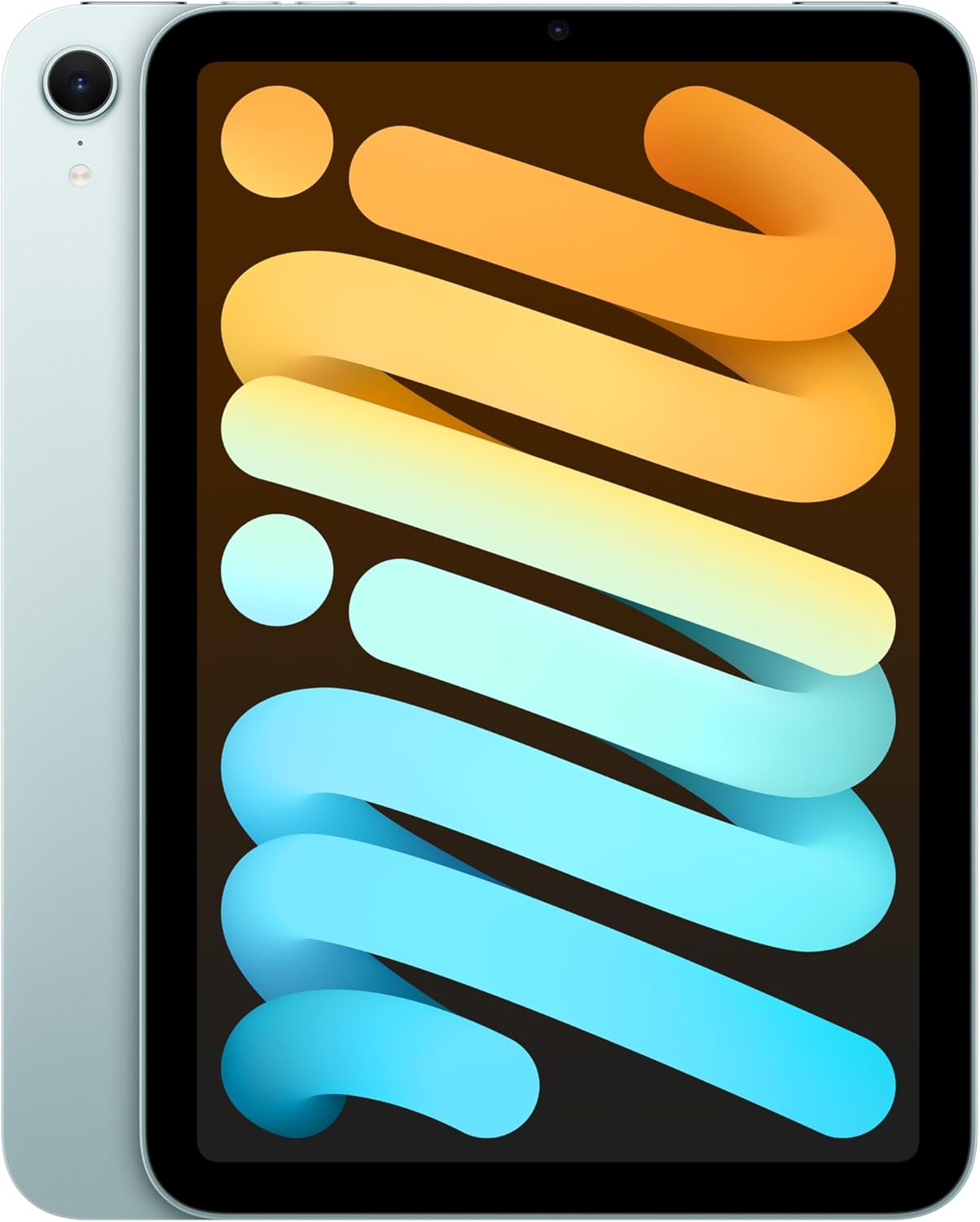
Best for: Students who already have a laptop and want a pocket-sized companion for reading, clinical reference, or commuting.
Apple iPad mini (A17 Pro) – 8.3-inch Liquid Retina Display, 128GB, Wi-Fi 6E, Touch ID
- A17 Pro chip (same as iPhone 15 Pro) delivers fast performance with Apple Intelligence support
- Compact 8.3-inch display fits in one hand, weighs just 0.65 pounds
- Supports Apple Pencil Pro for precise note-taking on the go
- Wi-Fi 6E and optional 5G connectivity for constant access to study materials
The iPad mini is a niche pick, and it’s worth being honest about who it’s for. At 8.3 inches, it’s too small to be a primary note-taking device. Split View works, but the text gets cramped fast. The mini earns its spot because it’s the best secondary iPad and the best “always in your bag” device for students who already have a laptop.
The A17 Pro chip is borrowed from the iPhone 15 Pro, which means this tiny tablet is faster than you’d expect. It supports Apple Intelligence features, runs demanding apps without slowing down, and handles multitasking well for its size. With Apple Pencil Pro support, you can quickly jot notes, mark up documents, and sketch ideas on the go. At just 0.65 pounds, it weighs less than most textbooks.
The mini shines in three specific student scenarios. First, medical and nursing students who use it as a clinical reference device. It fits in a lab coat pocket and gives instant access to drug databases and anatomy apps. Second, commuters who read textbooks and PDFs on public transit, where a full-size iPad is awkward to hold one-handed. Third, students who already have a MacBook and want a lightweight companion for reading and quick note-taking between classes.
The honest downside: at $499, it’s not cheap for what’s essentially a secondary device. Amazon has dropped it to $399 during sales, so waiting for a deal can save $100. There’s also no Magic Keyboard support, so typing longer assignments means pairing a Bluetooth keyboard. The 128GB base storage is enough for most use cases, and Wi-Fi 6E keeps it connected on modern campus networks.
Which iPad Should You Actually Buy?
Here’s a quick decision framework. Your major and budget should drive this decision, not marketing specs.
Get the iPad Air M4 ($599) if: You’re a general student who wants the best combination of performance, display quality, and Apple Pencil Pro support. This covers business, liberal arts, sciences, pre-med, law, and most other majors. It’s the safest bet.
Get the iPad Pro M5 ($999-$1,299) if: You’re in graphic design, architecture, film production, engineering, or fine arts. You need the OLED display accuracy, the M5’s GPU power, or the Thunderbolt port for external displays and drives. Don’t buy this just because it’s the “best.” Buy it because your coursework demands it.
Get the standard iPad A16 ($349) if: You’re on a budget and need a reliable device for notes, reading, web browsing, and video calls. It handles all the basics without compromise. Pair it with the Apple Pencil (USB-C) for $79 and you’ve got a solid study setup for under $430 total.
Get the iPad mini ($499) if: You already have a laptop and want a portable companion for reading, quick reference, or clinical use. Don’t buy it as your only device for college.
Best Accessories for Student iPads
An iPad without the right accessories is only half the equation. Two accessories stand out as must-haves for students, and skipping them means leaving performance on the table.
Apple Pencil Pro – Pixel-Perfect Precision, Tilt and Pressure Sensitivity, Haptic Feedback
- Squeeze gesture and barrel roll for switching tools and adjusting line weight without interrupting your flow
- Haptic feedback confirms tool changes with a subtle tap you can feel
- Compatible with iPad Pro (M5) and iPad Air (M4), charges magnetically on the side
The Apple Pencil Pro works with the iPad Pro M5 and iPad Air M4. If you’re buying either of those iPads, don’t skip this. The squeeze gesture alone saves time every session. You squeeze the barrel to bring up a tool palette, pick what you need, and keep going. No reaching for on-screen buttons. The barrel roll feature rotates shaped brushes and pens based on how you twist the Pencil, which is great for calligraphy and sketching.
For the standard iPad, get the Apple Pencil (USB-C) at $79 instead. It doesn’t have the Pro features, but it’s accurate, responsive, and charges via the same USB-C port on your iPad. Good enough for handwritten notes and annotations.
Apple Magic Keyboard for iPad Pro 11-inch (M5) – Built-in Trackpad, Function Row, USB-C
- Full-size backlit keyboard with scissor mechanism and new function row for quick controls
- Built-in glass trackpad with haptic feedback for precise cursor control
- USB-C pass-through charging so you can charge your iPad while the keyboard is attached
The Magic Keyboard turns your iPad Pro into a proper laptop replacement. The typing experience is better than most tablet keyboards on the market, the glass trackpad with haptic feedback responds like a MacBook’s, and the function row gives you quick access to brightness, volume, and media controls. USB-C pass-through charging means you only need one cable.
At $299, it’s expensive. But if you plan to type long essays, research papers, or code on your iPad, the Magic Keyboard is worth it over cheaper third-party options. The hinge design lets you adjust the screen angle smoothly, and the keyboard doubles as a protective case. Build quality holds up well through daily use over multiple semesters.
If the Magic Keyboard’s price is too steep, look into Logitech’s Combo Touch keyboard for the iPad Air. It costs about half as much and includes a detachable keyboard with a built-in trackpad. Not as premium, but a solid alternative for budget-conscious students.
Tips for Getting the Most Out of Your Student iPad
Buying the right iPad is step one. Setting it up properly for school is step two. These tips make a real difference in getting the most value from your purchase.
Get a note-taking app immediately. GoodNotes and Notability are the two big ones (here’s a full roundup of the best note-taking apps for students). GoodNotes stands out for its folder organization and search-through-handwriting feature. Both cost a one-time fee or a small subscription. Don’t use the default Notes app for serious academic note-taking.
Learn Split View and Stage Manager. iPadOS lets you run two apps side by side (Split View) or manage multiple floating windows (Stage Manager, available on M-series chips). Having your textbook open on one side and your notes on the other is how you should be studying. It takes about a week to build the habit, and most students don’t go back to single-app mode after that.
Use iCloud or Google Drive for automatic backups. Too many students lose notes before exams because they didn’t set up sync. Set up automatic cloud sync on day one. iCloud gives you 5GB free, which fills up fast. The 50GB plan costs $0.99/month, and it’s the best dollar you’ll spend all semester.
Download content for offline access. Campus Wi-Fi can be unreliable, especially in large lecture halls. Download your PDFs, lecture recordings, and key documents to the iPad itself. Most apps like Google Drive, OneDrive, and even Safari’s Reading List let you save content offline. For more recommendations, check out the study tools for college students guide.
Enable Focus modes. Set up a “Study” Focus mode that blocks social media notifications and only allows alerts from your school email and calendar. iPadOS makes this easy to configure, and you can set it to activate automatically based on time or location. Your grades will thank you.
iPad for Students: Quick Comparison
| Feature | iPad (A16) | iPad Air (M4) | iPad Pro (M5) | iPad mini (A17 Pro) |
|---|---|---|---|---|
| Price | $349 | $599 | $999-$1,299 | $499 |
| Display | 11″ Liquid Retina | 11″ Liquid Retina | 11″ or 13″ OLED XDR | 8.3″ Liquid Retina |
| Chip | A16 Bionic | M4 | M5 | A17 Pro |
| Apple Pencil | USB-C | Pro | Pro | Pro |
| Keyboard | Third-party only | Magic Keyboard | Magic Keyboard | Bluetooth only |
| Biometrics | Touch ID | Touch ID | Face ID | Touch ID |
| Port | USB-C | USB-C | Thunderbolt/USB 4 | USB-C |
| Best For | Budget students | Most students | Creative/STEM | Portability |
Budget Alternative: Kindle and Fire Tablets
iPads are great, but they’re overkill if you mainly read textbooks and watch lectures. The Fire HD 10 gives you a 10.1-inch screen for $140 (or $75 for the budget version), which is one-third the price of the cheapest iPad.
The Kindle Paperwhite is a different beast. It’s purely for reading. No apps, no notifications, no distractions. The battery lasts weeks, and the screen reads like actual paper. If you’re buying Kindle textbooks (which save 40-60% over print), a Paperwhite is the best way to read them. For a full comparison, see the tablets for students guide.
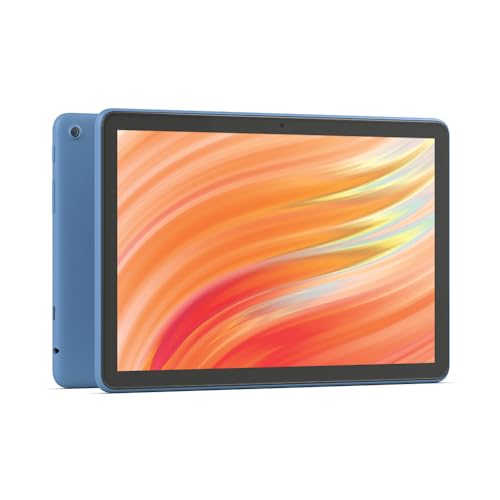
- 10.1-inch Full HD display with 25% faster octa-core processor and 3 GB RAM
- 13-hour battery life with 32/64 GB storage, expandable to 1 TB via micro-SD
- Aluminosilicate glass, 2.7x more durable than Samsung Galaxy Tab A8
- 5 MP front camera for Zoom, Google Meet, and video calls
- Optional stylus with 4,096 pressure levels for handwriting and sketching
- Split-screen multitasking for reading PDFs while taking notes
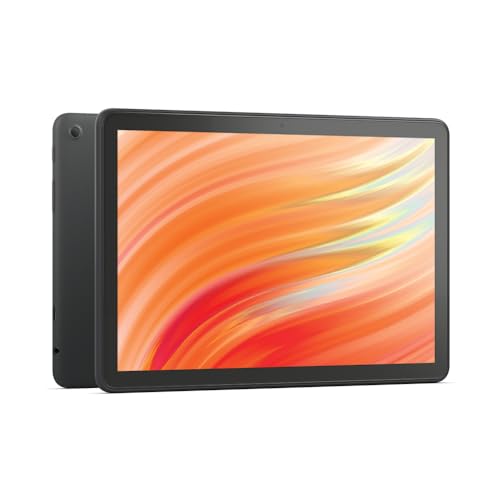
Amazon Fire HD 10 tablet (previous gen) – 10.1-inch Full HD, octa-core, 3 GB RAM
- 10.1-inch 1080p Full HD display with octa-core processor and 3 GB RAM
- 13-hour battery with 32/64 GB storage, expandable to 1 TB
- Aluminosilicate glass, 2.7x more durable than Samsung Galaxy Tab A8
- 5 MP front camera for video calls on Zoom and Google Meet
- Optional stylus pen with 4,096 pressure levels for note-taking
- Previous generation model available at steep discount
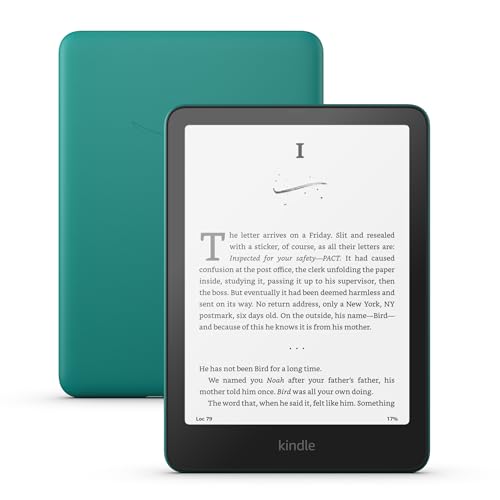
Amazon Kindle Paperwhite (16 GB) – 7-inch glare-free display, weeks of battery life
- 7-inch glare-free display with higher contrast and 25% faster page turns
- Ultra-thin, lightweight design perfect for backpacks and travel
- No social media or notification distractions, just your books
- USB-C charging with up to 12 weeks of battery life
- Adjustable white-to-amber display for day and night reading
- IPX8 waterproof for poolside or outdoor reading
Frequently Asked Questions
Is the iPad Air good enough for college students, or do I need the Pro?
The iPad Air M4 is more than good enough for 90% of college students. You get the same Apple Pencil Pro support, a fast M4 chip that handles multitasking without lag, and a sharp 11-inch display. The Pro only makes sense if you’re in a creative or technical program that requires OLED color accuracy, 3D rendering power, or Thunderbolt connectivity. For note-taking, research, writing papers, and studying, the Air does everything the Pro does at $500 less.
Can an iPad replace a laptop for college?
It depends on your major. For most coursework like note-taking, research, writing, email, and presentations, yes. Pair an iPad Air or Pro with a Magic Keyboard and you’ve got a capable laptop replacement. But some programs require specific desktop software (certain engineering, statistics, or programming tools) that don’t have iPad versions. Check with your department first. If you need specialized software, keep a laptop and use the iPad as a companion device.
Which Apple Pencil works with which iPad?
Apple Pencil Pro works with iPad Pro (M5) and iPad Air (M4). Apple Pencil (USB-C) works with the standard iPad (A16), iPad Air (M4), iPad Pro (M5), and iPad mini (A17 Pro). Apple Pencil (2nd Generation) works with older iPad Pro models and older iPad Air models. Check Apple’s compatibility page before buying, because the wrong Pencil won’t pair with your iPad.
How much storage do I need on a student iPad?
128GB is enough for most students. That’s room for note-taking apps, a few hundred PDFs, offline lecture recordings, and all your everyday apps. If you plan to store large video files, use the iPad for video editing, or download entire textbook libraries, go for 256GB. Cloud storage (iCloud, Google Drive) helps extend your local storage, but don’t rely on it completely since campus Wi-Fi isn’t always reliable.
Is the iPad mini too small for studying?
As a primary study device, yes, 8.3 inches is cramped for long note-taking sessions and split-screen work. But as a secondary device for reading textbooks, quick references, and on-the-go annotations, it’s excellent. Medical students, in particular, love the mini because it fits in a lab coat pocket. If you’re buying only one device, get the 11-inch iPad or iPad Air instead.
Should I buy the Wi-Fi or Wi-Fi + Cellular model?
Wi-Fi only, for most students. Campus Wi-Fi is available in classrooms, libraries, and common areas. The cellular upgrade adds $150-$200 to the price, plus you’ll need a separate data plan. The only exception is if you study in locations without Wi-Fi regularly, like field research, clinical rotations at hospitals without guest Wi-Fi, or long commutes where you need constant connectivity. For everyone else, Wi-Fi is fine.
What’s the best note-taking app for iPad students?
GoodNotes and Notability are the two top choices. GoodNotes charges a one-time fee and is better for organization with folders, tags, and handwriting search. Notability uses a subscription model and is better for recording lectures synced to your handwritten notes. GoodNotes edges ahead for its cleaner interface and one-time purchase model. Both work well with Apple Pencil and support PDF annotation.
When is the best time to buy an iPad for school?
Apple runs a Back to School promotion every summer (usually June through September) that gives students a free Apple Gift Card (up to $150) with qualifying iPad purchases. Amazon also discounts iPads during Prime Day (July), Black Friday, and back-to-school season. If you can wait for one of these sales, you’ll save $50-$150. Apple’s education pricing at apple.com/education is available year-round and knocks a small amount off retail prices.
If you’ve read this far and still aren’t sure, get the iPad Air M4. At $599, it handles every student workload thrown at it: split-screen research, handwritten notes with Apple Pencil Pro, video calls, even light video editing in Final Cut Pro. Add the Apple Pencil Pro ($129) and you’re looking at $728 total for a setup that’ll last four years of college.
One more thing: Apple runs a Back to School deal every summer with up to $150 in gift cards on qualifying iPads. If you can wait until June, you’ll save enough to cover the Pencil. Check the best tablets for students guide to compare non-Apple options too.
Disclaimer: This site is reader-supported. If you buy through some links, I may earn a small commission at no extra cost to you. I only recommend tools I trust and would use myself. Your support helps keep gauravtiwari.org free and focused on real-world advice. Thanks. - Gaurav Tiwari