
 by
by
The fastest way to lose your crypto isn’t a market crash, it’s keeping it on an exchange or in a hot wallet when something goes wrong. Exchanges get hacked, freeze withdrawals, and go bankrupt, and a single piece of malware can drain a software wallet in seconds. A hardware wallet fixes that by keeping your private keys on a small offline device that signs transactions without ever exposing the keys to your computer or phone.
I’ve used cold storage since the early Nano S days, and the truth is that for anyone holding more than a few hundred dollars of crypto, a hardware wallet is the single best security upgrade you can make. The good news: the best ones now cost less than a night out, and they’ve gotten far easier to set up than the intimidating gadgets of a few years ago.
Below are the hardware wallets I’d actually recommend in 2026, from the do-everything Ledger Nano X to a card you tap with your phone. Each pick includes who it’s for, so you can match the device to how you actually hold and use your coins. If you’re still choosing what to buy, see my guide to the best cryptocurrencies to invest in and the best crypto exchanges first.
Best crypto hardware wallets at a glance
Here are my five picks, each chosen for a different kind of crypto holder. Prices are approximate and drop during sales.
| Wallet | Best for | Connection | Approx. price |
|---|---|---|---|
| Ledger Nano X | Best overall | USB-C + Bluetooth | $79 |
| Ledger Nano S Plus | Best value | USB-C | $59 |
| Trezor Safe 7 | Best open-source | USB-C, touchscreen | $249 |
| Tangem | Easiest for beginners | NFC tap (phone) | $52.16 (2-pack) |
| SafePal S1 | Best air-gapped budget | Air-gapped QR | Sold direct by SafePal |
1. Ledger Nano X: best overall
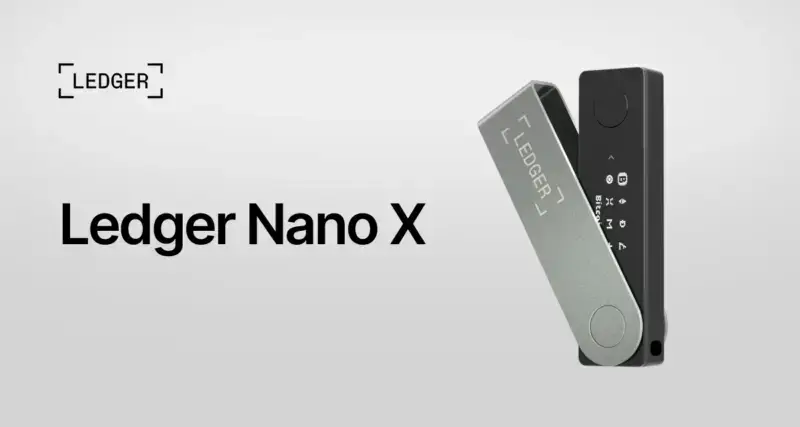
- Supports 5,500+ coins & tokens
- USB-C + Bluetooth for mobile
- Certified secure-element chip
- Proven, dependable track record
The Ledger Nano X is the hardware wallet I recommend to most people. It supports over 5,500 coins and tokens, connects to your phone over Bluetooth so you can manage crypto on the go, and runs everything through the polished Ledger Live app. The certified secure-element chip is the same kind used in passports and bank cards, and years of real-world use have proven the model dependable. If you want one device that does everything and you don’t want to think hard about it, this is the pick.
🔒 Buy if you want the most coin support, mobile Bluetooth access, and a proven track record. Skip if you only hold a couple of coins and want to spend less.
2. Ledger Nano S Plus: best value
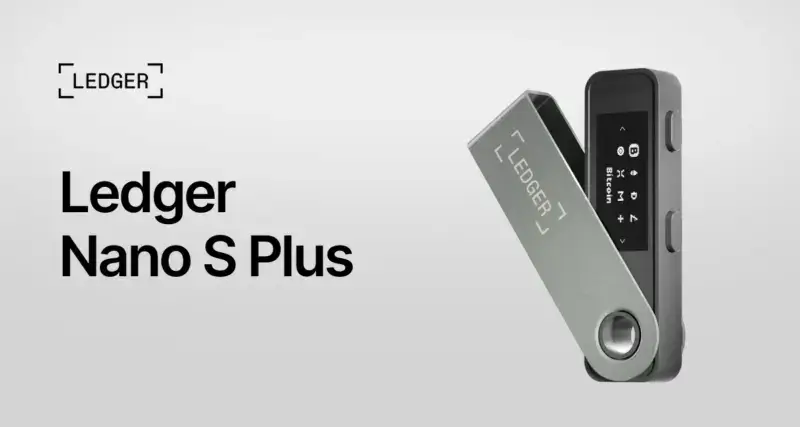
- Same secure element as Nano X
- 5,500+ coins supported
- Large screen, USB-C
- Best value cold wallet
The Nano S Plus gives you almost everything that makes the Nano X great, the same secure element, the same Ledger Live app, the same huge coin support, for $20 less. That gap used to be closer to half the price, and the narrowing is what changed my answer here: at $59 against $79, the Nano X is the easier call unless you are certain you will never want Bluetooth. The trade-offs are no Bluetooth (it’s USB-C only) and no battery, so you manage it plugged into a computer or phone. For most holders who keep their wallet at home, that’s no loss at all, making this the best value cold wallet you can buy.
🔒 Buy if you want Ledger quality and coin support at the lowest price. Skip if you specifically need Bluetooth and mobile use.
3. Trezor Safe 7: best open-source
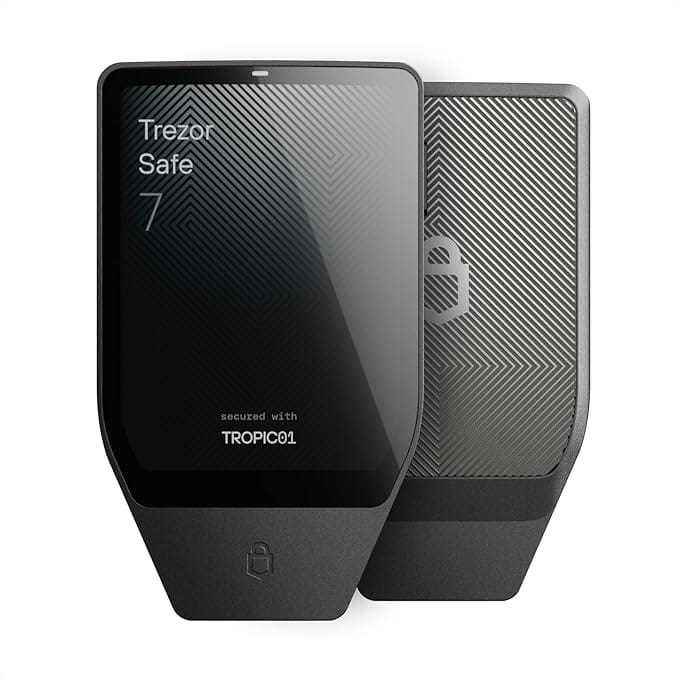
- Fully open-source firmware
- Color touchscreen
- Dedicated secure element
- Trusted security pedigree
If open-source transparency matters to you, Trezor is the name to know, and the Safe 7 is its most advanced wallet yet. It pairs a bright color touchscreen with a dedicated secure element, so you confirm every transaction on the device itself, and its firmware is fully auditable by the community. Trezor’s long security pedigree and open approach make it the choice for privacy-minded and technical users who want to verify, not just trust.
🔒 Buy if you value open-source firmware, a touchscreen, and a strong security reputation. Skip if you want the cheapest option or Bluetooth.
4. Tangem: easiest for beginners
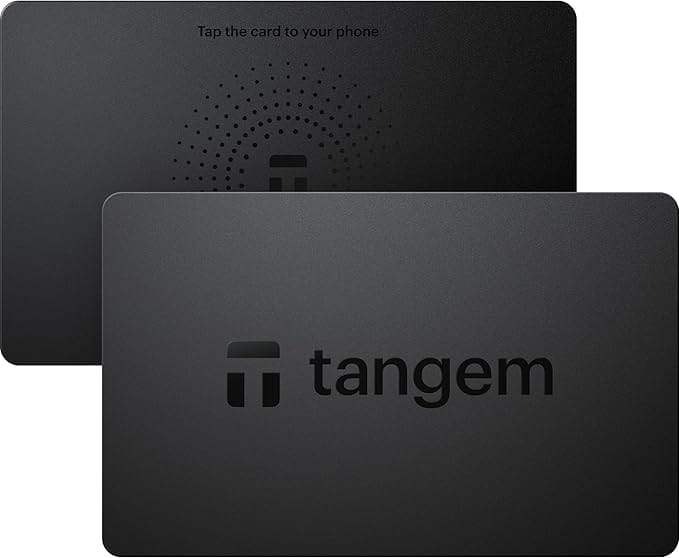
- Tap-to-phone NFC, no cables
- No battery or screen to fail
- Backup cards, no seed to lose
- Simplest cold storage to start
Tangem reinvents the hardware wallet as a card you tap to your phone, no cables, no battery, no screen to fumble with. You manage everything in the Tangem app, and the card’s chip signs transactions over NFC. It’s genuinely the easiest cold wallet for newcomers, and because it comes as a set of backup cards, there’s no fragile seed phrase to write down and lose. The trade-off is that it leans on your phone and app, but for a first hardware wallet it’s wonderfully simple.
🔒 Buy if you want the simplest possible cold storage and hate cables and seed cards. Skip if you want a standalone screen and buttons.
5. SafePal S1: best air-gapped budget
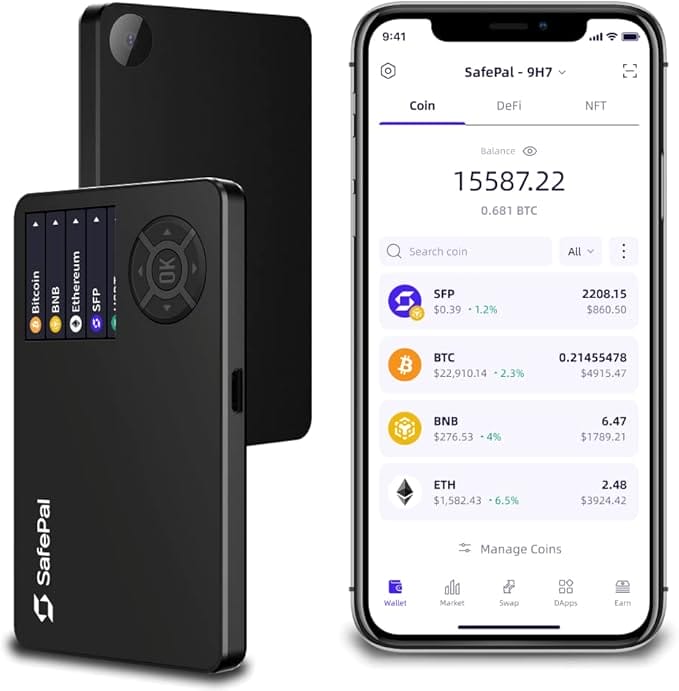
- 100% air-gapped (QR signing)
- Self-destruct tamper protection
- Wide coin support
- Genuine cold storage, low price
The SafePal S1 is the budget pick that doesn’t cut the security corners that matter. It’s fully air-gapped, meaning it never connects to anything, not USB, not Bluetooth, not Wi-Fi. Instead it signs transactions by scanning QR codes with the companion app, so your keys stay completely isolated. You get a self-destruct mechanism, a wide coin range, and genuine cold-storage security, which makes it a brilliant first wallet on a tight budget. Buy it from SafePal directly. Amazon stock on the S1 comes and goes, and the listing is dead more often than not.
🔒 Buy if you want air-gapped isolation and nothing else on this list goes far enough. Skip if you prefer the convenience of a USB or Bluetooth connection.
Why you need a hardware wallet
The phrase “not your keys, not your coins” exists for a reason. When your crypto sits on an exchange, you’re trusting that company to stay solvent, stay un-hacked, and let you withdraw, and history shows that trust is regularly broken. A hardware wallet hands control back to you by storing your private keys offline on a dedicated chip. Even if your computer is riddled with malware, the keys never leave the device, and every transaction must be physically confirmed on the wallet itself.
That offline isolation is the whole point. It protects you from remote hackers, phishing sites, fake apps, and the clipboard-swapping malware that quietly changes the address you’re sending to. For anyone holding meaningful value, or planning to hold long-term, it’s the difference between owning your crypto and merely hoping someone else keeps it safe.
How to choose a hardware wallet
Match the device to how you actually hold crypto. A few things matter more than the spec sheet.
- Coin support. Check the wallet supports every coin and token you own, and the chains you plan to use. Ledger and Trezor cover the widest range; niche wallets may miss newer chains.
- Connection type. USB-C is universal, Bluetooth adds mobile convenience, and air-gapped QR (SafePal) or NFC (Tangem) maximize isolation. More isolation is more secure but slightly less convenient.
- Secure element. Look for a certified secure-element chip (Ledger, Trezor Safe, Tangem all have one). It’s the dedicated, tamper-resistant hardware that protects your keys.
- Open-source vs closed. Open-source firmware (Trezor) can be audited by anyone; closed firmware (Ledger) relies on the company’s reputation. Both approaches have strong, secure products, so this is a philosophy choice.
- Backup and recovery. Every wallet gives you a recovery phrase (or backup cards). How you store that backup is the real security boundary, so prefer a device whose backup method you’ll actually follow.
- Buy direct, never used. Only buy from the manufacturer or an authorized seller, never second-hand or from an unknown marketplace listing. A tampered wallet can be pre-loaded with an attacker’s recovery phrase.
Once your coins are secured, keep an eye on your portfolio and stay ready for tax season with a tracker like CoinTracker, which pulls in every wallet and exchange and generates ready-to-file reports. And brush up on the basics with my guide to avoiding crypto scams.
Which hardware wallet should you buy?
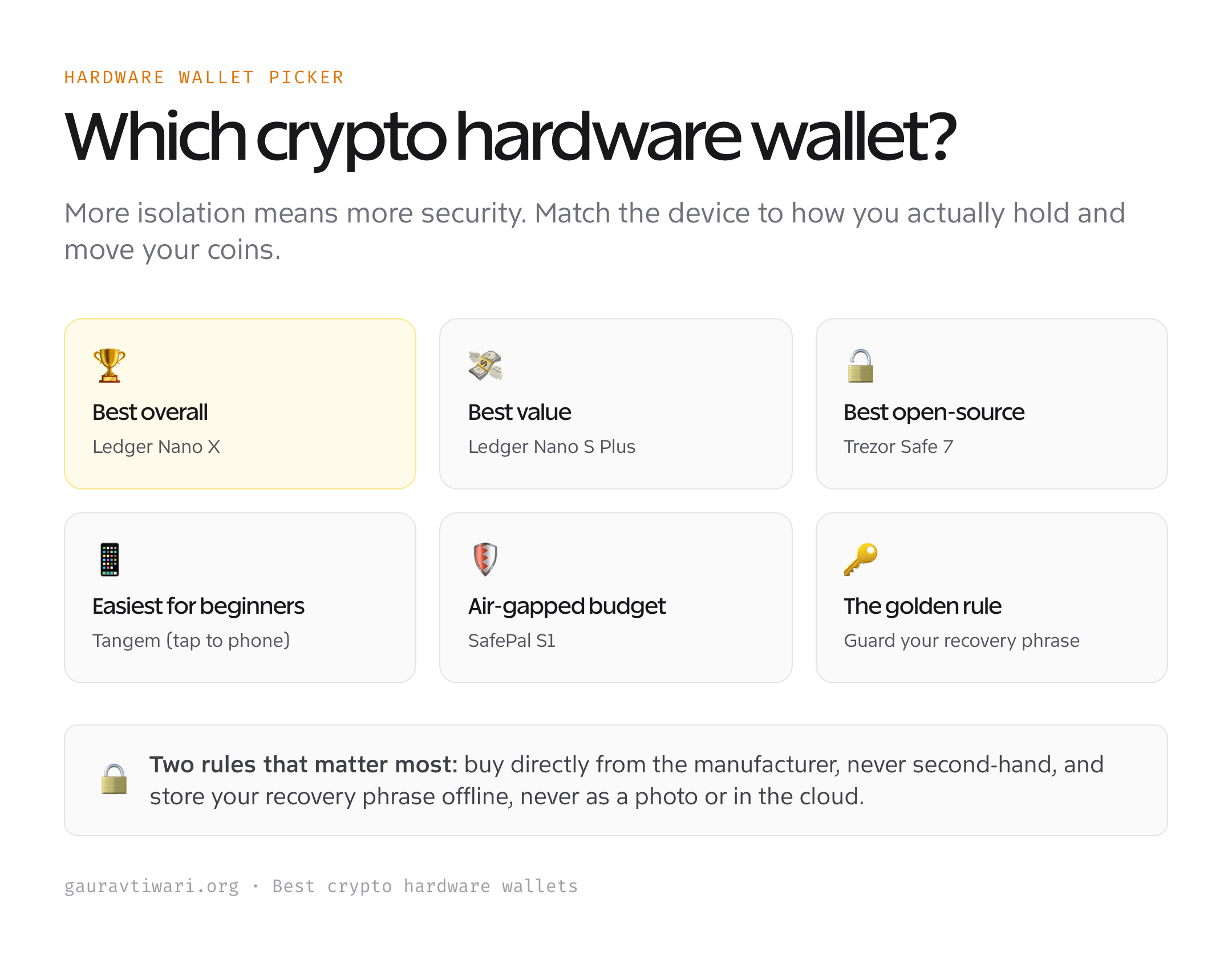
For most people, the Ledger Nano X is the best all-round choice, widest coin support, mobile Bluetooth, and a proven track record. Want the same security for less? The Ledger Nano S Plus is the value pick. Prefer open-source transparency and a touchscreen? Choose the Trezor Safe 7. If you’re new and want the simplest possible setup, the tap-to-phone Tangem is the friendliest cold wallet here, and the air-gapped SafePal S1 is the best protection per dollar on a tight budget. Whichever you pick, buy it directly from the maker and store your recovery phrase somewhere safe and offline.
Frequently asked questions
Do I really need a hardware wallet?
If you hold more than a small amount of crypto, or plan to hold long-term, yes. Keeping coins on an exchange means trusting that company not to get hacked, freeze withdrawals, or go bankrupt, all of which have happened repeatedly. A hardware wallet keeps your private keys offline and in your control, protecting you from remote hackers, malware, and phishing. For small amounts you’re actively trading, a software wallet is fine; for savings, cold storage is the safer home.
Ledger vs Trezor: which is better?
Both are excellent and secure; the choice comes down to philosophy. Ledger offers the widest coin support, Bluetooth mobile access, and the polished Ledger Live app, with closed-source firmware backed by a certified secure element. Trezor is fully open-source, so its firmware can be independently audited, and the Safe 7 adds a touchscreen and secure element. Pick Ledger for convenience and coin coverage; pick Trezor if open-source transparency is a priority for you.
What happens if I lose my hardware wallet?
Your coins are safe as long as you have your recovery phrase (or, with Tangem, your backup cards). The wallet itself is just a key, not the vault. Buy a new device of the same type, choose the restore option, enter your recovery phrase, and your funds reappear. This is exactly why writing down and safely storing your recovery phrase offline is the most important step, and why you should never store it as a photo or in the cloud.
Is it safe to buy a hardware wallet on Amazon?
Only from the manufacturer’s official store or an authorized seller. The risk with third-party marketplace listings is a tampered or pre-initialized device that comes with an attacker’s recovery phrase already set, so anything you deposit can be stolen. Ledger in particular sells primarily through its own site for this reason. Always set up the wallet yourself from scratch, generate a fresh recovery phrase, and never use a device that arrives with a phrase already filled in.
Can one hardware wallet hold multiple cryptocurrencies?
Yes. Modern wallets like the Ledger Nano X and Trezor Safe 7 support thousands of coins and tokens across many blockchains from a single device, all managed through one app. You can hold Bitcoin, Ethereum, stablecoins, and most major altcoins together, and add more as you go. Just confirm before buying that the specific coins and chains you use are supported, since a few niche or very new tokens may not be covered yet.
The bottom line
A hardware wallet is the cheapest insurance in crypto. For the price of a cheap dinner, you move your coins out of reach of exchange collapses, hackers, and malware, and into storage only you control. The Ledger Nano X is the best all-rounder, the Nano S Plus the value champion, the Trezor Safe 7 the open-source choice, Tangem the easiest, and the SafePal S1 the budget air-gapped pick. Choose one, buy it direct, secure your recovery phrase, and sleep better. For more, read up on Bitcoin for beginners and the altcoins worth knowing.
Tell Google you want more of this.
Add Gaurav Tiwari as a preferred sourceOne tap, and this site shows up more often in your own Top Stories, AI Overviews and AI Mode. Remove it any time.
Disclaimer: This site is reader-supported. If you buy through some links, I may earn a small commission at no extra cost to you. I only recommend tools I trust and would use myself. Your support helps keep gauravtiwari.org free and focused on real-world advice. Thanks. - Gaurav Tiwari