
 by
I get why buying a standing desk feels risky. Most of them look the same in photos, and the problems show up only after delivery. It might be a wobble every time you type, a motor that strains under 2 monitors or a height range that never reaches your elbows.
A standing desk is something you touch every working day for years, so a bad one turns into a daily annoyance. My advice is simple. I’d pick the frame first (motor, height range and weight capacity) and only then think about the top and the color.
My own desk is The Sleep Company AeroPlus, an electric height-adjustable desk with a 1600 x 700 mm top, and it’s my pick for buyers in India. I chose the other 5 best standing desks on published specs, warranty terms and owner feedback, and I’ve said where each one falls short.
The Best Standing Desks at a Glance
Each desk name jumps to its full entry. I’ve compared them on the specs that decide whether a desk suits your body and your setup, since prices change with every sale.
| Standing desk | Best for | Height range | Capacity | Warranty |
|---|---|---|---|---|
| Uplift V3 | Best overall | 22.6″-48.7″ | 355 lb | 15 years |
| FlexiSpot E7 Pro | Best value | 25.0″-50.6″ (frame) | 396 lb | 15 years (frame, motor) |
| The Sleep Company AeroPlus | Best for India | 72-120 cm | 80 kg | 2 years, on-site |
| Autonomous Desk Pro | Best for remote workers | 29.5″-48.5″ | 330 lb | Lifetime frame, 2-year top |
| Secretlab MAGNUS Pro | Best premium | 25.6″-49.2″ | 265 lb | 5 years |
| Fezibo | Best budget | 28.3″-46.5″ | 176 lb | Check the listing |
The Best Standing Desks
Each heading names the job that desk does best, so you can jump straight to yours.
Best overall: Uplift V3
The Uplift V3 is my pick for most people who want one desk that does everything well. Uplift released it in September 2025 as a refined V2. It keeps the dual motors, 3-stage legs and 355 lb capacity and adds a stiffer frame meant to cut wobble at standing height.
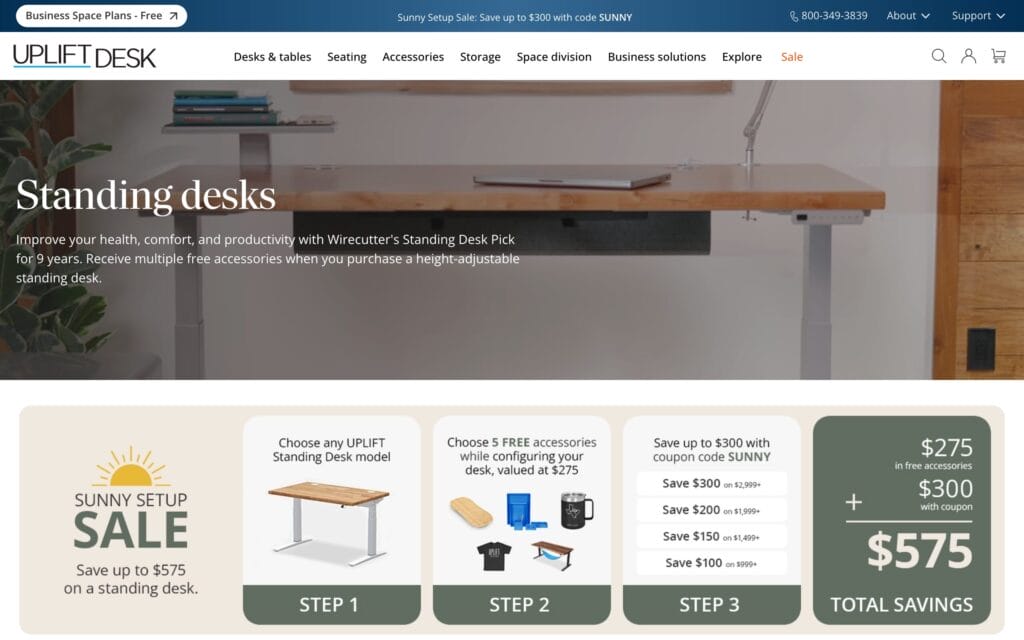
- Dual motors with 355 lb lift capacity
- 22.6" to 48.7" height range
- 15-year warranty on top, frame, motors and electronics
- Tops from 42" to 80" wide, 24" or 30" deep
- Height range: 22.6″ to 48.7″
- Capacity: 355 lb
- Warranty: 15 years on the top, frame, motors and electronics
- Tops: 42″ to 80″ wide and 24″ or 30″ deep, in laminate, bamboo and solid wood
The customization is the real reason I rank it first. You pick the top, the size, the keypad and a long list of trays and arms, so the desk fits your room rather than the other way around.
The catch is the price and the choice itself. It starts at $599 for the smallest laminate top direct from Uplift, Amazon sells set configurations such as the 60 x 30-inch black laminate desk, and the order page can feel like a quiz with a lot of upsells.
Best value: FlexiSpot E7 Pro
The FlexiSpot E7 Pro is the desk I’d recommend to most people in the US who don’t want to pay Uplift prices. Its dual-motor C-frame puts both legs at the back, so nothing blocks your knees at the front of the desk.
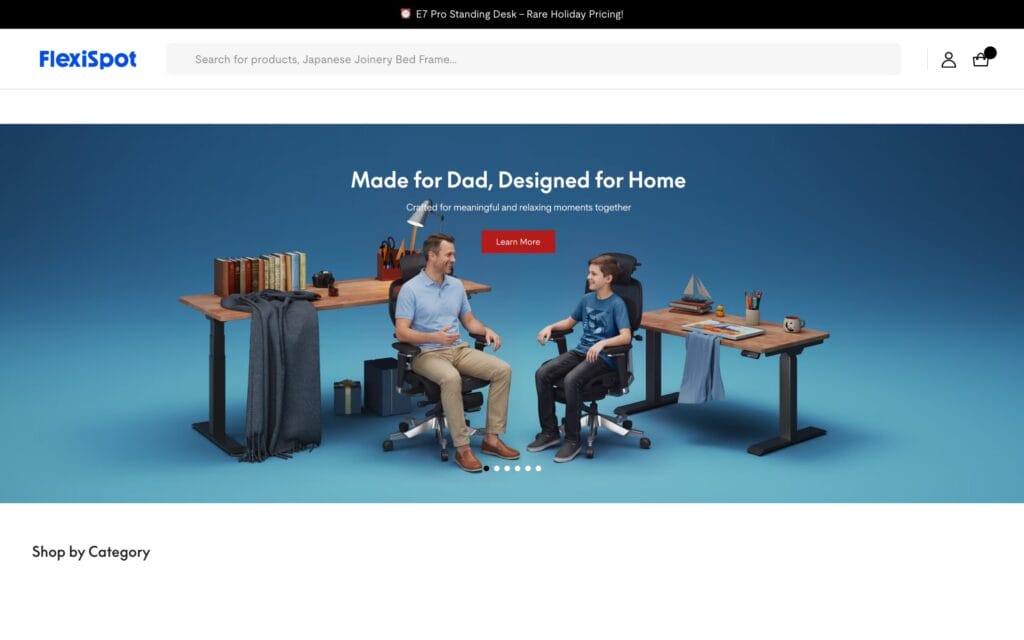
FlexiSpot E7 Pro Standing Desk
- Dual motors with 396 lb lift capacity
- 25.0" to 50.6" height range before the top
- C-frame with open knee space
- 15-year frame, motor and electronics warranty
- Height range: 25.0″ to 50.6″ before the top
- Capacity: 396 lb
- Warranty: 15 years on the frame, motors and electronics; 2 years on chipboard tops and 5 on solid wood
- Lift rating: tested for 30,000+ cycles
That 50.6-inch maximum makes it the best fit here for tall users, and 396 lb is the highest capacity on this list. The plain E7 costs less and goes lower (22.8 inches), which suits shorter people better, but it drops to 352 lb.
The limit to know is the top. The frame warranty is long, but a chipboard top is covered for only 2 years, so I’d pay for the solid wood or bamboo top if you plan to keep it.
Best for India: The Sleep Company AeroPlus
The Sleep Company AeroPlus is my pick for buyers in India, and it’s the desk I work at. The Sleep Company is the Indian brand behind the SmartGRID mattresses and chairs, and the AeroPlus is its electric height-adjustable desk for home offices.
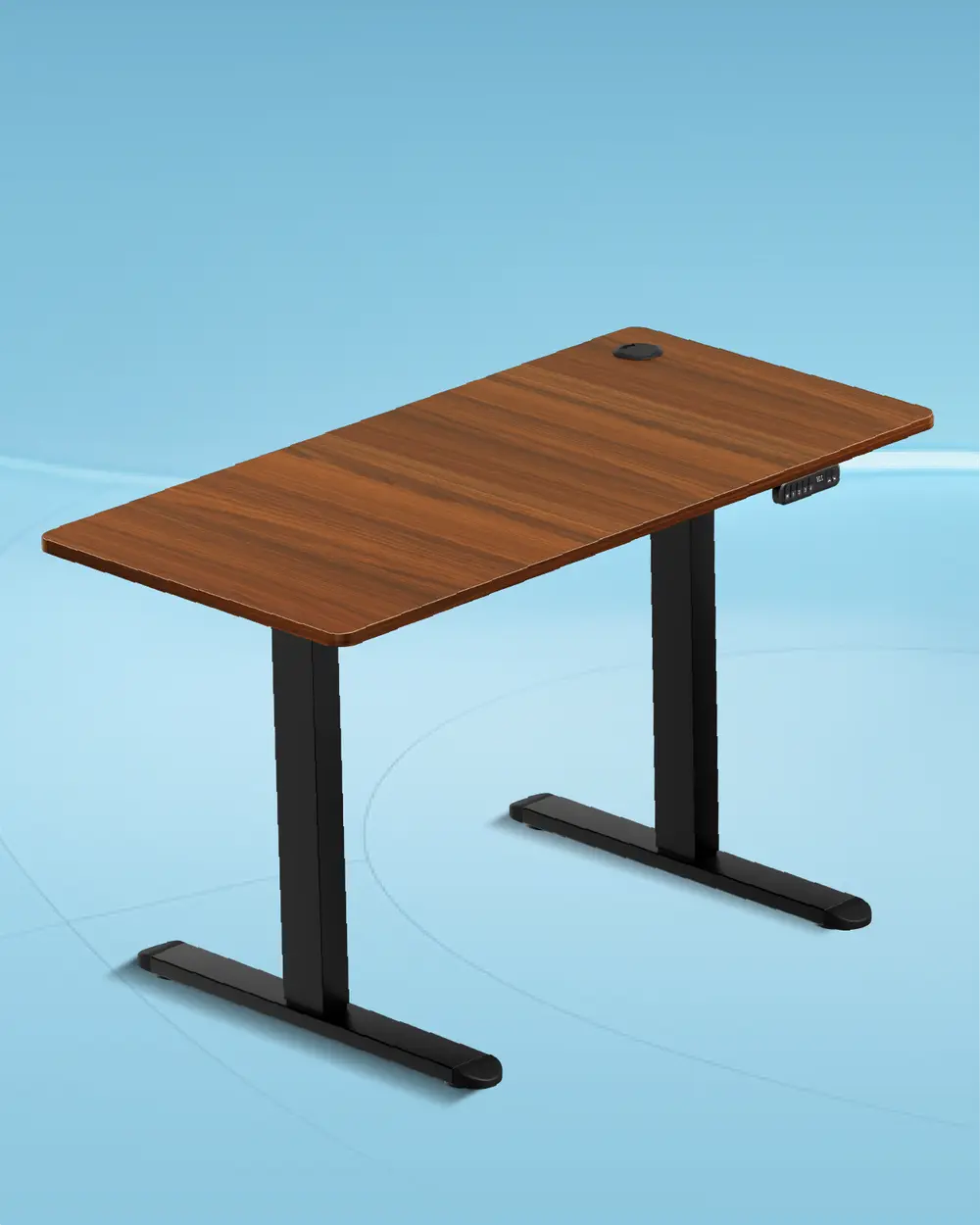
- 1600 x 700 mm top, with a 1200 mm option
- 72 to 120 cm height range
- 80 kg capacity and 4 memory presets
- Free installation and 2-year on-site warranty
These are the specs that matter:
- Top: 1600 x 700 mm (about 63 x 27.6 inches) engineered wood, with a cheaper 1200 mm version
- Height range: 72 to 120 cm (about 28.3 to 47.2 inches)
- Motor: a single motor driving two-stage legs
- Load capacity: 80 kg (about 176 lb)
- Memory presets: 4
- Warranty: 2 years, on-site, covering the motor and mechanism
- Installation: free, by The Sleep Company’s own technicians on serviceable pincodes
- Finishes: wooden, black, oak or white tops on a black or white frame
The 1600 mm width is the reason I’d buy it over a cheaper Indian desk. It has room for 2 monitors, a keyboard and a mic arm without anything hanging off the edge, and the 700 mm depth keeps a 27-inch screen at a comfortable distance.
Free installation matters more than it sounds. The boxed desk weighs about 50 kg, and a frame fitted slightly out of square is where a lot of wobble starts.
The limits are real, and I’d weigh them before buying. It runs on one motor, so it lifts more slowly and carries less than the dual-motor desks above, but 80 kg is still plenty for a 2-monitor setup. The 120 cm maximum suits people up to about 6’4″, while the 72 cm minimum can feel high for shorter people when seated.
The 2-year warranty is also short next to the 15 years Uplift and FlexiSpot give. It sells for about ₹20,000 on offer against an MRP close to ₹46,000, so I’d never pay the full price.
Best for remote workers: Autonomous Desk Pro
The Autonomous Desk Pro is the one I’d suggest if you’re outfitting a whole home office from one store. Autonomous renamed it from the SmartDesk Pro, and it sells direct alongside the brand’s own chairs and accessories, which makes bundling easy.
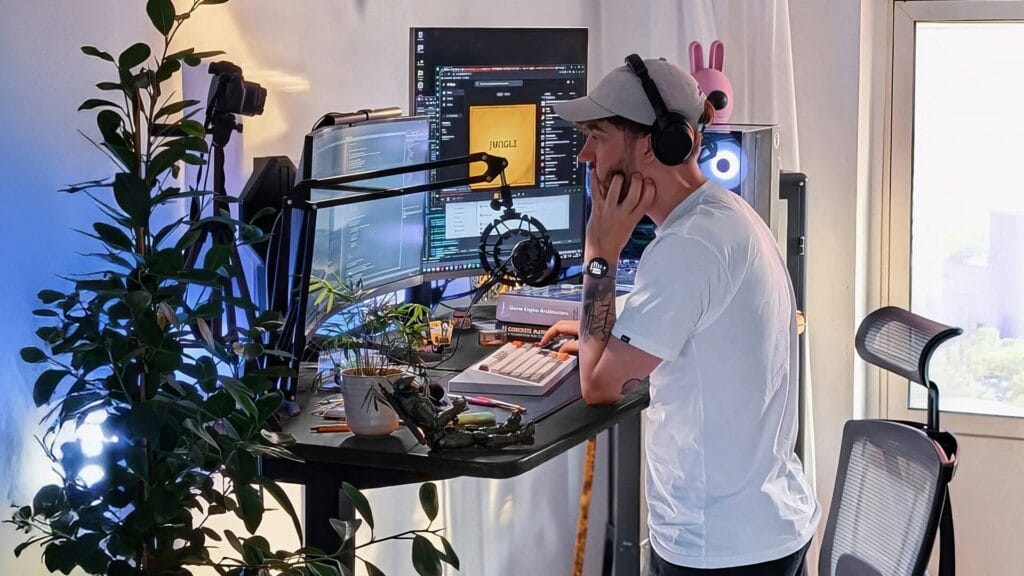
- Dual motors with 330 lb lift capacity
- 29.5" to 48.5" height range
- C-frame with no front crossbar
- Lifetime frame warranty
- Height range: 29.5″ to 48.5″
- Capacity: 330 lb
- Frame: dual motors on a C-frame
- Warranty: lifetime on the frame, 2 years on the top
Its weak point is the minimum height. At 29.5 inches, it sits too high for many people under about 5’6″ when seated. If that’s you, I’d look at the Uplift V3 or the Desk Pro AI (24.25″ to 53.5″, $599) instead.
For everyone else, $499 for a dual-motor desk with a lifetime frame warranty is a fair deal.
Best premium: Secretlab MAGNUS Pro
The Secretlab MAGNUS Pro is for people who care about a clean desk as much as a steady one. Its top is powder-coated metal over an MDF and steel core, so Secretlab’s magnetic cable management and accessories snap straight onto it.
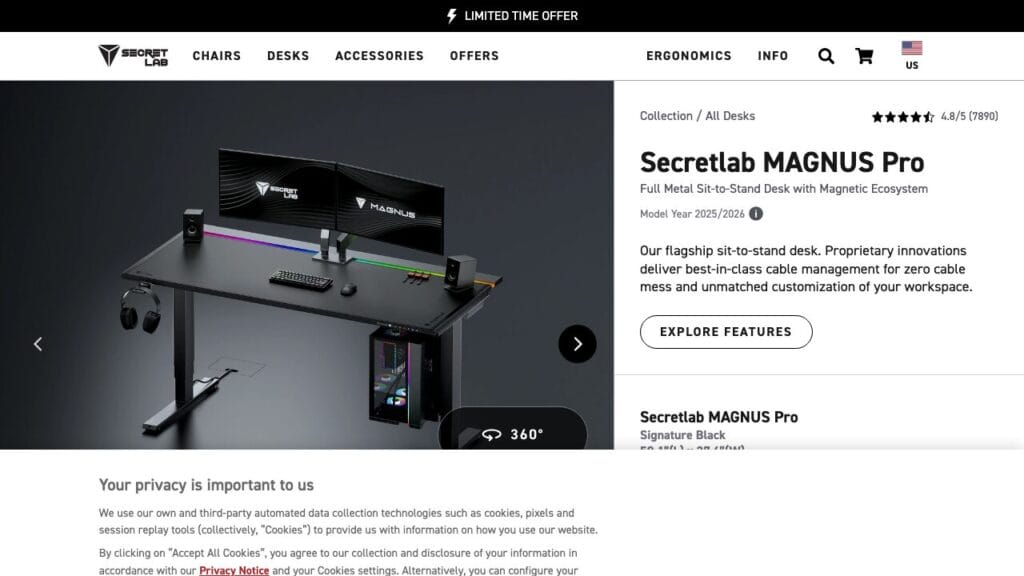
- Metal-skinned top with magnetic accessories
- 25.6" to 49.2" height range
- 265 lb capacity and 3 height presets
- Standard and XL sizes
- Height range: 25.6″ to 49.2″
- Capacity: 265 lb
- Presets: 3
- Warranty: 5 years
- Sizes: 59.1″ x 27.6″, or XL at 70.0″ x 31.5″
It now starts at $899, and the magnetic add-ons cost extra, so the full setup is the most expensive on this list. The 265 lb limit is also the lowest of the dual-motor desks here, and the 5-year warranty is a third of what Uplift and FlexiSpot give.
I’d buy it for the cable management, not for the frame. Secretlab also sells the cheaper MAGNUS Evo if you want the look for less.
Best budget: Fezibo
Fezibo is the cheapest way I’d start standing. Its basic 48 x 24-inch electric desk sells for about $100 on Amazon and still gives you a motor, 3 memory presets and a steel frame.
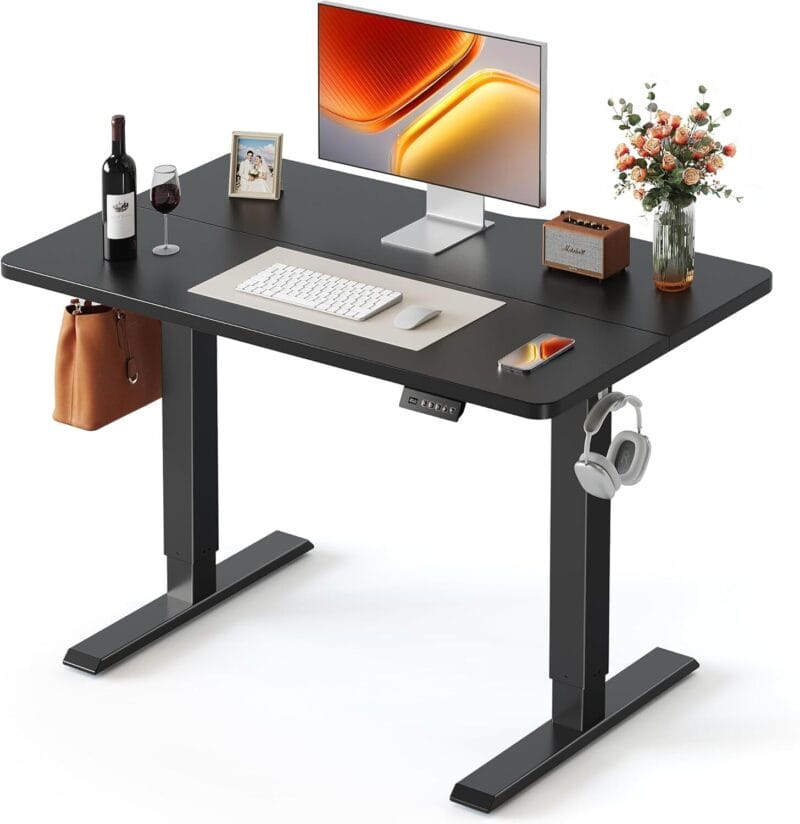
Fezibo Electric Standing Desk 48 x 24
- Electric lift with 3 memory presets
- 28.3" to 46.5" height range
- 176 lb capacity on a steel frame
- Mostly pre-assembled
- Height range: 28.3″ to 46.5″
- Capacity: 176 lb
- Motor: single, with 3 presets
- Top: 47.2″ x 23.6″ splice wood
The trade-offs show up at the edges. One motor lifts more slowly, 176 lb is enough for a laptop and a monitor or two but not a heavy rig, and the 46.5-inch maximum is short for very tall users.
It’s a good first desk or a second workspace. For daily heavy use, I’d save up for the FlexiSpot.
What Height Should Your Standing Desk Be?
Your standing desk should sit at about your standing elbow height, so your forearms rest flat with your elbows bent near 90 degrees. OSHA’s computer workstation guidance allows 90 to 120 degrees and puts the top of the monitor at or slightly below eye level.
The table is a starting point. I’d fine-tune it by 1-2 cm after a week, since shoes and keyboard height change the result.
| Your height | Approximate standing desk height |
|---|---|
| 5’0″ (152 cm) | 93 cm (36.5″) |
| 5’4″ (163 cm) | 100 cm (39.5″) |
| 5’8″ (173 cm) | 106 cm (41.5″) |
| 6’0″ (183 cm) | 112 cm (44″) |
| 6’4″ (193 cm) | 119 cm (47″) |
If you’re tall, the maximum height decides the desk. At 6’4″ you need about 119 cm, which sits at the very top of the AeroPlus range and comfortably inside the FlexiSpot E7 Pro’s.
How Long Should You Stand?
A standing desk helps because it lets you switch positions, and standing all day isn’t the goal. The research supports alternating, and it warns against overdoing the standing.
- Sitting time drops. A Cochrane review of workplace sitting interventions found sit-stand desks cut workplace sitting by about 100 minutes a day in the first 3 months, and by about 57 minutes at 3-12 months. The evidence quality was low, and the long-term effect hasn’t been measured.
- Too much standing has its own risk. A 2024 UK Biobank study of 83,013 adults linked standing more than 2 hours a day to a higher risk of circulatory problems such as varicose veins. The risk rose 11% for every extra 30 minutes. Standing didn’t lower heart-disease risk.
- Long sitting is still the bigger problem. The same study tied sitting more than 10 hours a day to a 15% higher heart-disease risk for each extra hour.
- Experts suggest building up slowly. An expert statement in the British Journal of Sports Medicine recommends working up to 2 hours a day of standing and light activity at work, and eventually 4 hours.
My suggestion is to switch every 30-60 minutes, take a short walk when you stand up and treat 2 hours of standing a day as a good first target. If your feet or legs ache, a standing mat helps more than standing longer.
How to Choose a Standing Desk
A standing desk lasts for years, so I’d judge it on the parts that still matter in year three.
- Stability at standing height: this is where cheap desks fail. A dual-motor frame with 3-stage legs stays steadier at full height, because the leg sections overlap more when they’re extended.
- Height range: your desk should let your forearms rest level with your elbows bent about 90 degrees. I’d check the desk’s minimum and maximum against the height table above, not against the product photo.
- Weight capacity: add up your monitors, arms, laptop and speakers, then leave plenty of headroom. The dual-motor desks on this list carry 265 to 396 lb, and a desk running near its limit lifts slowly and wears its motors faster.
- Top size: 1400-1600 mm (55-63 inches) wide and 700-800 mm (28-31 inches) deep suits most 2-monitor setups. Laminate is cheaper and tougher; wood and bamboo look better and cost more.
- Warranty: the frame, motor, electronics and top often have different terms. The motor and control box are the parts that fail, so their years matter most.
- Safety features: anti-collision stops the desk when it hits a chair or a window sill, and a keypad lock helps if kids are around.
If you only want to find out whether standing suits you, a converter on your current desk or a budget Fezibo is a sensible start. If you already know you’ll use it daily, my suggestion is to buy a sturdy dual-motor frame once and wait for a sale, because these desks go on discount often. For a student room, my list of study desks for students covers cheaper fixed-height options.
Other Standing Desks in India
If the AeroPlus is outside your budget, Green Soul is the other Indian brand I’d look at. The Green Soul Imperium costs about ₹15,000, covers 72-117 cm and carries 60 kg on a 110 x 60 cm top, which is enough for a laptop and one monitor.
The Imperium Pro raises the capacity to 80 kg for about ₹18,000. If you want dual motors in India, the Green Soul Alex costs about ₹28,000.
Frequently Asked Questions
What is the best standing desk?
The Uplift V3 is the best standing desk overall. It has dual motors, a 355 lb capacity, a 22.6″ to 48.7″ range and a 15-year warranty on every part. The FlexiSpot E7 Pro is the best value, and in India my pick is The Sleep Company AeroPlus.
Are standing desks worth it?
For people who sit at a desk most of the day, yes, because they make switching positions easy. A Cochrane review found sit-stand desks cut workplace sitting by about 100 minutes a day in the first 3 months. The evidence on back pain and productivity is weaker, so I’d buy one for the sitting time it saves.
How high should a standing desk be?
Your standing desk should sit at about your standing elbow height, so your forearms rest flat with your elbows bent near 90 degrees. For a 5’8″ (173 cm) person, that’s roughly 106 cm (41.5 inches). Set the top of your monitor at or slightly below eye level.
How long should you stand at a standing desk each day?
I’d start with about 2 hours of standing spread across the workday, switching every 30-60 minutes. An expert statement in the British Journal of Sports Medicine suggests building toward 2 hours of standing and light activity, and later 4. The point is to change position often, not to stand all day.
Is standing all day bad for you?
Yes, standing for long stretches has its own risks. A 2024 UK Biobank study of 83,013 adults linked standing more than 2 hours a day to a higher risk of circulatory problems such as varicose veins, and found standing didn’t lower heart-disease risk. Alternating between sitting and standing is the safer routine.
How much should a good standing desk cost?
A dual-motor desk that stays steady at standing height costs about $400 to $600, like the FlexiSpot E7 Pro or Uplift V3. Premium desks such as the Secretlab MAGNUS Pro start around $900. Single-motor budget desks from Fezibo start near $100, and in India a good electric desk costs ₹15,000 to ₹25,000.
Single-motor or dual-motor standing desk?
I’d choose dual-motor for anything heavier than a laptop and one monitor. A dual-motor desk has a motor in each leg, so it lifts more weight, moves faster and stays steadier at full height. Single-motor desks cost less and work for light setups, but they’re slower and usually carry less.
Standing desk or standing desk converter?
A converter sits on your current desk and raises only your screen and keyboard, so it’s the cheaper way to test standing. It’s less stable and leaves you less surface. A full height-adjustable desk costs more but gives you the whole top at the right height, so I’d buy one once you know you’ll stand regularly.
What is the best standing desk in India?
My pick is The Sleep Company AeroPlus, which is also the desk I use. It has a 1600 x 700 mm top, a 72-120 cm height range, 80 kg capacity, 4 memory presets and free installation. On a smaller budget, the Green Soul Imperium Electric is the cheaper option I’d consider.
My Recommendation
If you’re still deciding, I’d let your setup make the call. Add up what goes on the desk, check your standing elbow height against the table above and pick the cheapest desk here that covers both with room to spare. For most people in the US, that’s the FlexiSpot E7 Pro; in India, it’s the AeroPlus I use.
Once it arrives, I’d set 2 presets on day one, one for sitting and one for standing, and switch every 30-60 minutes. The chair matters just as much for the sitting half, so my guide to the best ergonomic office chairs is the next thing I’d read. My budget ergonomic chairs list covers the cheaper end.
Tell Google you want more of this.
Add Gaurav Tiwari as a preferred sourceOne tap, and this site shows up more often in your own Top Stories, AI Overviews and AI Mode. Remove it any time.
Disclaimer: This site is reader-supported. If you buy through some links, I may earn a small commission at no extra cost to you. I only recommend tools I trust and would use myself. Your support helps keep gauravtiwari.org free and focused on real-world advice. Thanks. - Gaurav Tiwari