
10 Best Study Desks for Students
Your desk is wobbling every time you type. The surface isn’t level, your laptop slides toward the edge, and after an hour your lower back hurts because the height is wrong. There’s nowhere to put your textbook except your lap.
That’s what happens when a desk is bought based on price alone, or inherited from whoever had the room before. A bad desk doesn’t just annoy you. Research from Cornell University’s ergonomics lab shows that poor workstation setup contributes to musculoskeletal discomfort in over 60% of students who study more than two hours daily. Bad posture shortens every study session. The wrong desk has you hunching over a shaky surface wondering why your neck hurts after 30 minutes.
The good news: you don’t need to spend much. Some of the best study desks for students cost under $100 and ship with everything needed for assembly. The five picks below cover every budget and room size, from $35 budget options to $170+ electric standing desks that protect your posture through four years of college in 2026.
Best Study Desks at a Glance
- CubiCubi Computer Desk — Best overall; steel crossbar frame, 32-63 inch sizes, side storage bag, $49-$139
- GreenForest L-Shaped Desk — Best for storage; corner-fit design, movable shelf, CPU stand, splits into two desks, $75-$120
- Need Computer Desk with Drawers — Best for tiny rooms; 31.5-inch width, 2 drawers, steel frame, $55-$75
- FEZIBO Electric Standing Desk — Best standing desk; 27.5-46.9 inch height range, 3 memory presets, 45 dB motor, $169+
- Amazon Basics Writing Desk — Best budget pick; 200-lb capacity, no-tool assembly, foldable, $35-$55
What Makes a Good Study Desk
Before getting into specific models, here’s what actually matters when picking a study desk. Students often buy based on looks and regret it within a month. Function beats aesthetics every time.
Surface Area
Measure your space before buying anything. The number one reason students return desks is that they didn’t fit. Measure the floor area where the desk will go, and leave at least 6 inches of clearance on each side for your chair and movement.
For most students, a desk surface of 40 to 48 inches wide and 20 to 24 inches deep is ideal. That gives enough room for a laptop, a notebook, a textbook, and a cup of coffee. If you’re using a monitor alongside your laptop, go for at least 48 inches wide. Anything smaller and you’ll be constantly shuffling things around.
Storage and Drawers
A clean desk helps you focus. Desks with built-in drawers or shelves keep pens, notebooks, chargers, and supplies organized and off the surface. At least one drawer and one shelf is worth having if your room doesn’t have much other storage.
If you’re tight on floor space, look for desks with vertical shelving (hutch-style). They use the wall space above the desk for books and supplies without eating up more floor area. For dorm rooms where space is really limited, a corner desk or an L-shaped desk can be a smart way to use dead corner space.
Build Quality and Weight Capacity
Your desk needs to hold a laptop (3 to 5 pounds), possibly a monitor (8 to 15 pounds), books, and whatever else gets piled on during study sessions. Cheap desks wobble. A desk that shakes every time you type is distracting and eventually breaks at the joints.
Look for desks with metal frames or solid wood construction. Particle board is fine for the desktop surface (most desks under $150 use it), but the legs and frame should be steel or solid wood for stability. Check the weight capacity in the specs. For a desk holding a laptop and books, at least 50 pounds capacity is needed. If you’re adding a monitor and desk lamp, aim for 80+ pounds.
Desk Height and Comfort
Standard desk height is 28 to 30 inches, which works for most people between 5’4″ and 6’0″. If you’re outside that range, consider a height-adjustable desk or use a monitor riser and keyboard tray to get the ergonomics right.
Elbows should be at roughly 90 degrees when typing, and the top of the screen should be at eye level. Bad desk height leads to neck strain, shoulder tension, and wrist problems over time. For students who study for hours daily, getting this right early prevents pain down the road. Pair your desk with a good chair. A desk chair with back support makes a bigger difference than most people expect. For full home office setup advice, check the dedicated guide.
Mobility and Floor Protection
Students move a lot. Dorm rooms change every year, apartments change every lease. A desk that’s easy to disassemble and move is worth more than a 200-pound solid wood monster you can’t get through a doorway. Look for desks that come apart into flat pieces for easy transport.
Also, check the leg tips. Rubber or felt-tipped legs protect hardwood and tile floors from scratches. If the desk has caster wheels, make sure they lock. A rolling desk sounds convenient until it slides away mid-study session.
Best Study Desks for Students in 2026
These are organized by type so you can jump to what fits your space and needs.
Best Overall: CubiCubi Computer Desk
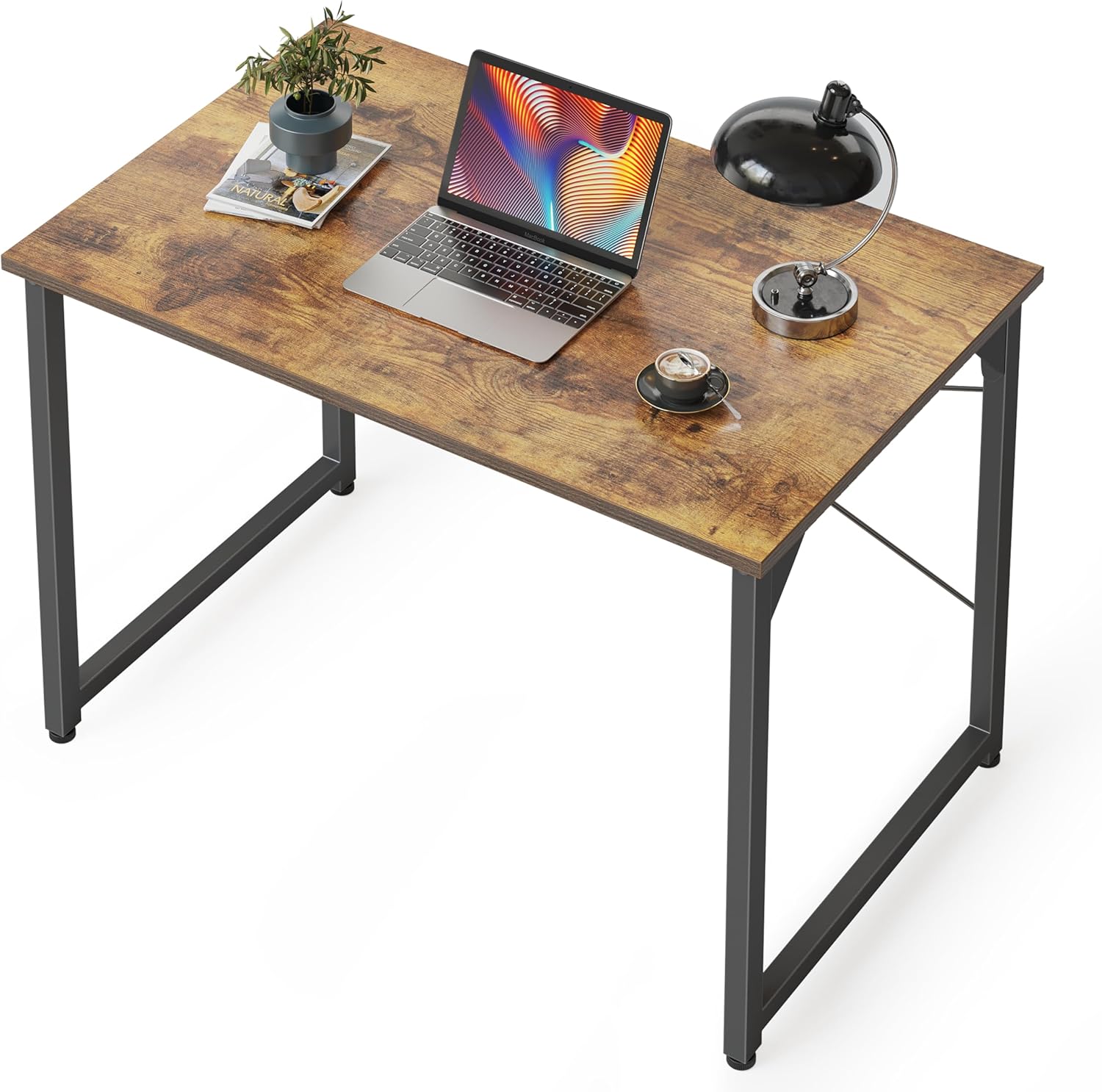
Best for: Most students who want a sturdy, minimal desk at a fair price with multiple size options.
The CubiCubi Computer Desk costs $49 to $139 depending on size and is one of the best-selling study desks on Amazon for good reason. It comes in six widths from 32 to 63 inches, so there’s a size for every room. The steel crossbar frame supports up to 175 pounds and the scratch-resistant melamine surface comes in five finishes: black, brown, walnut, white, and light oak. Assembly takes about 20 minutes and includes a side storage bag for books or headphones.
The crossbar design is what sets it apart at this price. Most desks under $70 use a basic four-leg frame that rocks side-to-side. The CubiCubi’s X-brace under the desktop eliminates that wobble almost entirely. The 40-inch version fits tight spaces without feeling cramped. The 47-inch hits the sweet spot for laptop-plus-notebook setups. If you need a monitor alongside your laptop, go for the 55 or 63-inch model, which gives you a full 24 inches of depth to work with.
The honest downside: there are no drawers. All your supplies go on the surface or in the side bag. If you accumulate clutter quickly, pair this desk with a small desktop organizer or a rolling drawer cart beside it. CubiCubi backs it with a 60-day money-back guarantee, which is rare at this price point. For most students, the 40-inch model at around $60 is the right starting point.
Best with Storage: GreenForest L-Shaped Desk
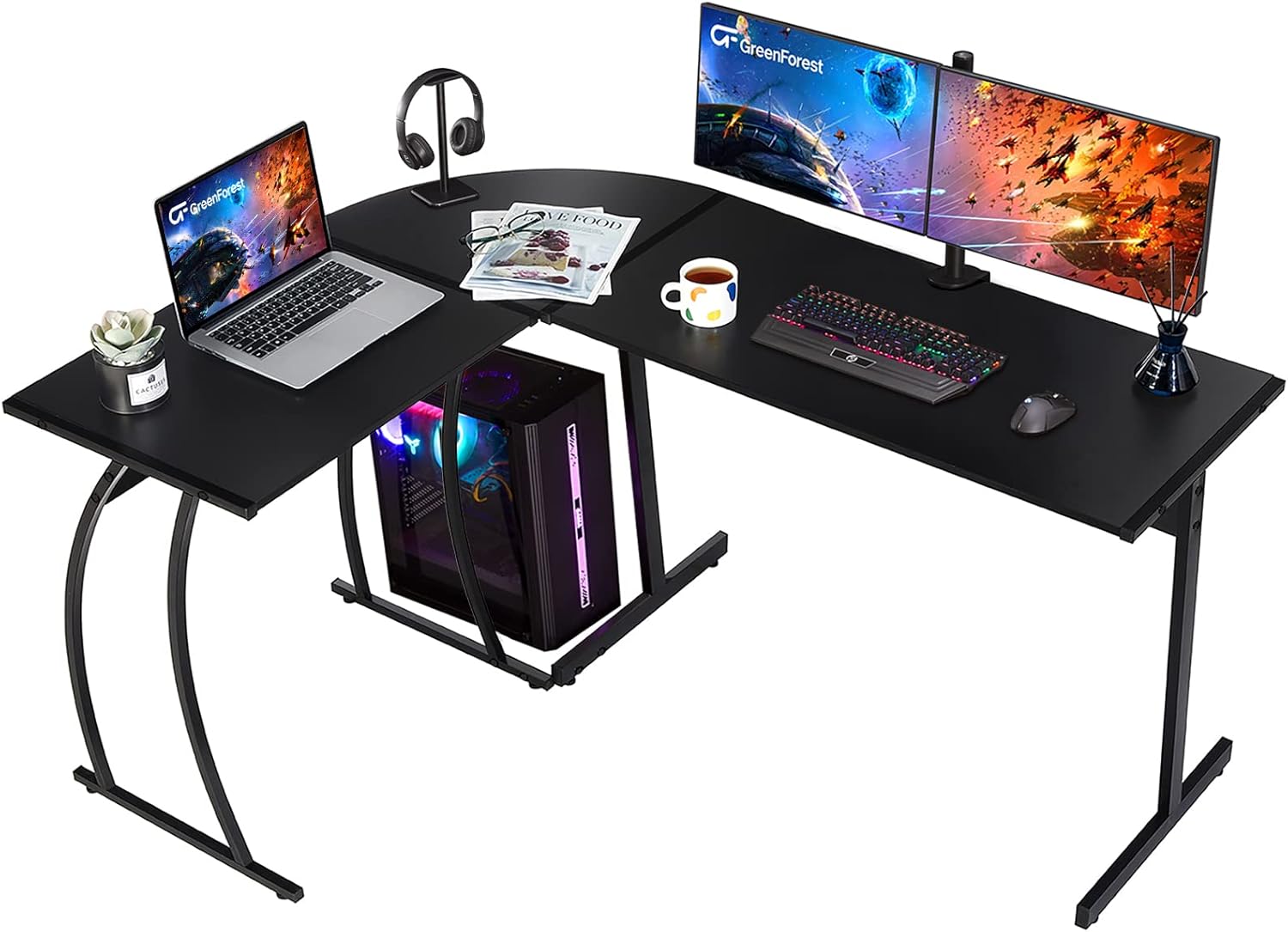
Best for: Students who need extra workspace and built-in shelving without eating up floor space.
The GreenForest L-Shaped Desk runs $75 to $120 depending on the model and turns a dead corner into a full workstation. The desk fits into any 90-degree corner, giving you two work surfaces in a footprint barely larger than a single straight desk. It comes in 50, 58, and 64-inch configurations. The 58-inch version measures 57.87 x 44.09 x 29.13 inches and includes a CPU stand, a movable storage shelf, and adjustable leveling feet for uneven floors.
Over 80% of Amazon buyers rate it 5 stars, with most citing the stability and the amount of usable surface area for the price. The waterproof board handles the inevitable coffee spill. Some models include a keyboard tray (22.84 x 9.25 inches) that slides under the desk surface to free up more room. One underrated feature: the desk can be disassembled and reconfigured as two separate straight desks, which makes it practical if you move frequently.
The downsides are real. Assembly runs 45 to 60 minutes, longer than any other desk on this list. Once placed in a corner, repositioning requires full disassembly. There are no drawers, just the movable shelf for storage. If your room doesn’t have a suitable corner, this desk doesn’t work. But if it does, the GreenForest gives you significantly more workspace per dollar than any straight desk in this price range.
Best for Small Spaces: Need Computer Desk with Drawers
Best for: Dorm rooms and tight bedrooms under 100 square feet where every inch counts.
At just 31.5 inches wide, the Need desk with built-in drawers is one of the most compact student desks available that still includes storage. The two drawers hold pens, chargers, sticky notes, and small supplies that would otherwise clutter the surface. The desktop is large enough for a laptop and a notebook side by side, but not much else. It costs $55 to $75 and comes in several finishes including rustic brown and black.
The steel frame punches above its weight class for stability at this size. The scratch-resistant laminate surface handles daily wear without showing marks. For context, 31.5 inches is narrower than a standard door, which makes this desk genuinely portable and easy to move in and out of tight spaces like dorm rooms with narrow entries. Students who’ve lived in 150-square-foot dorms consistently rate compact desks like this as the most practical choice for that environment.
The limitation is obvious: there’s not much room. A dual-monitor setup is out. Even running a laptop plus an external monitor is tight. This desk works best when paired with a wall-mounted shelf above it for books and binders, freeing the surface for active work only. If your room has more space, step up to the CubiCubi 40-inch instead. But for truly small rooms, the Need desk’s combination of drawers and minimal footprint is hard to match at this price.
Best Standing Desk: FEZIBO Electric Standing Desk
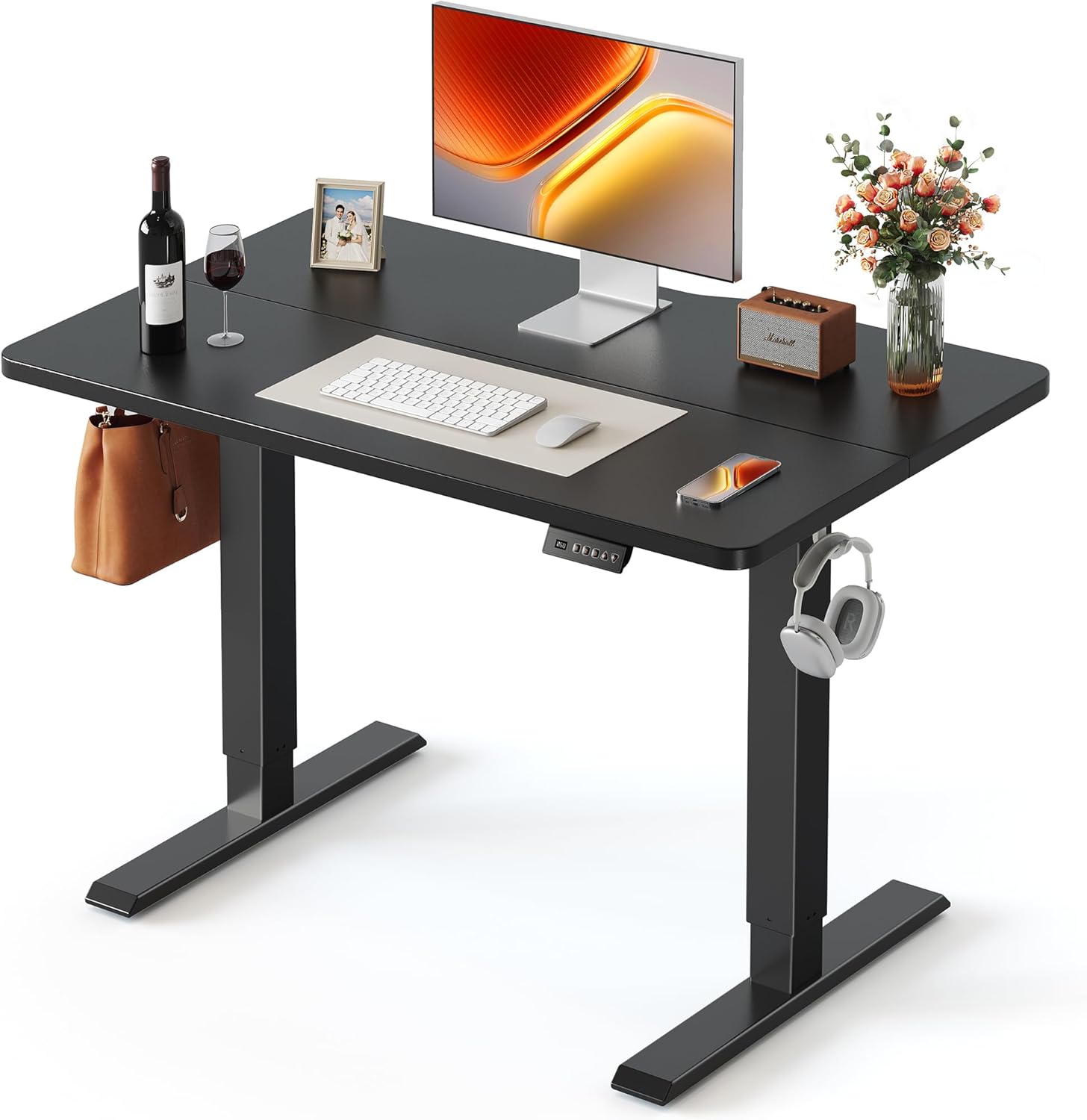
Best for: Students who study 4+ hours daily and want to alternate between sitting and standing.
Standing desks aren’t just for offices. A 2023 study published in the British Journal of Sports Medicine found that standing for just 30 minutes per hour reduced lower back pain by 32% in sedentary office workers, and the same principle applies to students. The FEZIBO Electric Standing Desk adjusts from 27.5 to 46.9 inches with a motor that operates at 45 dB, quieter than normal conversation. Three memory presets let you save your preferred sitting and standing heights so you’re not manually adjusting every time you switch.
The standard 48 x 24-inch desktop holds a full monitor setup and has a 176-pound weight capacity. Anti-collision technology stops the desk automatically if it hits anything while moving, which matters in cluttered dorm rooms. Tom’s Guide reviewed the FEZIBO and highlighted it as “extremely sturdy” with a price that undercuts most comparable electric standing desks by $100 or more. The base model (40 x 24-inch desktop, 2-stage frame) starts at $169. The 48-inch version with drawer storage runs closer to $250.
The honest case against it: $169+ is a real commitment for a student. If you’re in a temporary dorm room with a provided desk, adding this may not make sense. And at 48 x 24 inches, the standard desktop is on the narrower side if you want a dual-monitor setup with books alongside. But if you’re setting up a study space you’ll use for 3 to 4 years, the ergonomic benefit of being able to stand compounds significantly over that time. The FEZIBO is the most cost-efficient electric standing desk that doesn’t feel flimsy.
Best Budget Pick: Amazon Basics Writing Desk
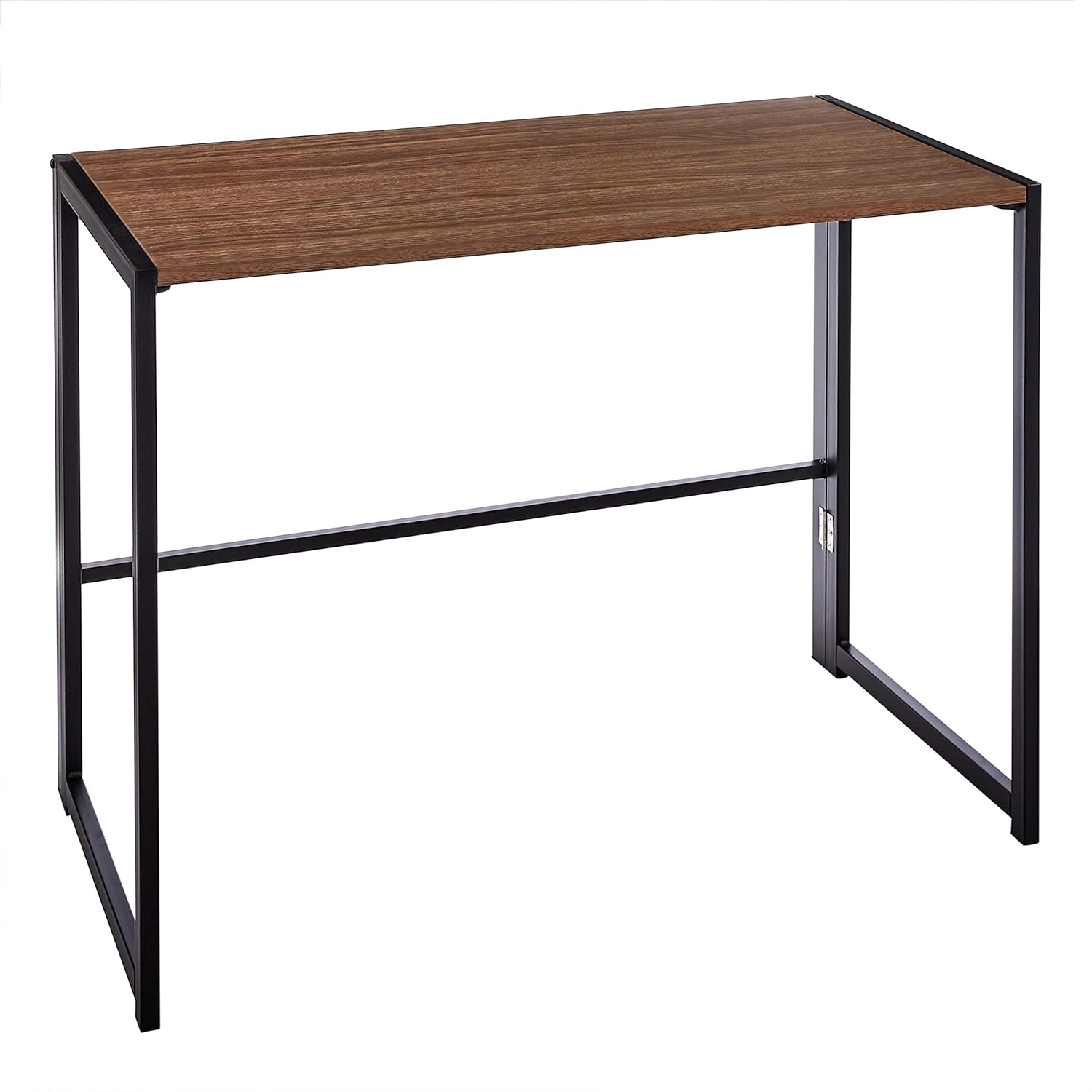
Best for: Students on a tight budget who want a clean, stable surface without extras.
The Amazon Basics Writing Desk at $35 to $55 is the cheapest desk worth recommending that doesn’t feel cheap. It’s a 40 x 20-inch rectangular desk with rust-resistant steel legs and a chipboard surface that handles daily use without warping. The foldable leg design means zero tools needed for assembly, the legs fold out and lock in about 60 seconds. Fully assembled it holds 200 pounds, which is the highest weight capacity of any desk on this list despite being the cheapest.
The foldable design is practical for students who move frequently. It folds flat to about 3 inches thick, which means it fits in a car without disassembly and stores under a bed. Available in white/natural wood and black finishes, it doesn’t look like a folding table from a catering company. The 40-inch width is enough for a laptop and a notebook side by side, though the 20-inch depth is shallow compared to the other desks on this list.
The tradeoff is clear: no drawers, no shelves, no storage at all. The foldable legs are also less rigid than the fixed steel frames on the CubiCubi or FEZIBO, so there’s a small amount of flex if you lean on the desk. For a student who just needs a clean surface to study at and wants to spend as little as possible, this desk does that job reliably. Add a desktop organizer for supplies and a small shelf unit beside it if you need storage. For study accessories to complete your setup, check the guide on study tools for college students.
Desk Accessories Worth Buying
A good desk gets better with the right accessories. These aren’t luxury items. They’re what make studying more comfortable and productive.
- Desk lamp: A good LED desk lamp with adjustable brightness prevents eye strain during late-night study sessions. If you do a lot of reading, check the book lights for reading guide.
- Monitor riser or laptop stand: Brings your screen to eye level. Costs $15 to $25 and saves your neck.
- Cable management tray: Clips under your desk and keeps charging cables organized. A tangled mess of cables is distracting and looks bad.
- Desk pad/mat: Protects the desk surface, gives you a smooth area for your mouse, and adds a bit of personality. A large felt or leather desk pad costs $10 to $20.
- Small desktop shelf: If your desk doesn’t have drawers, a small shelf or organizer on the desktop holds pens, sticky notes, and your phone.
How to Set Up Your Study Desk
Where you place your desk matters as much as which desk you buy. Here’s what consistent ergonomics research and workplace design studies show works best:
- Face a wall, not a window. Windows are distracting. Natural light should come from the side, not directly behind your screen (creates glare) or directly in front of you (you’ll stare outside instead of studying).
- Keep your phone out of arm’s reach. Put it in a drawer or across the room. If it’s on your desk, you’ll check it every 5 minutes.
- Minimize clutter. Only keep what you’re currently using on the desk surface. Everything else goes in drawers, shelves, or off the desk entirely. A clean desk improves focus, and that’s backed by research on cognitive load from Princeton’s neuroscience department.
- Position near a power outlet. Running extension cords across the room is a tripping hazard and looks messy. If you can’t reach an outlet, get a power strip that clips to your desk leg.
For a complete workspace setup guide, including creating your perfect home office, check the in-depth article.
The Best Pick for Most Students
For most students, the CubiCubi Computer Desk at $49 to $139 is the best balance of quality, size, and price. It’s sturdy, looks decent, assembles fast, and comes in enough size options to fit any room. If you need storage, the GreenForest L-shaped desk adds a movable shelf and CPU stand for $75 to $120. If the budget is tight, the Amazon Basics writing desk at $35 to $55 gets the job done with a surprisingly high 200-pound weight capacity.
Measure your space, pick the desk that fits, and stop studying on your bed. The CubiCubi 40-inch at around $60 works for the majority of students. If your room is tiny, the Need desk’s compact drawers make sense. If you study long hours and want to protect your back over four years of college, the FEZIBO standing desk at $169+ is the investment that pays off. The right desk removes enough friction that you’ll actually sit down and start.
Gadgets That Complete Your Study Desk
A desk without the right gadgets is just furniture. Once the desk and chair are sorted, the tech on the surface determines productivity. A minimal setup works best: laptop, one external monitor, a wireless keyboard, and good headphones.
The Logitech K380 keyboard connects to three devices (laptop, tablet, phone) with one-button switching at $37. The Fitbit Charge 6 works as a study timer, tracks focus sessions, and logs weekly study hours. For chair recommendations, see the best study chairs for students guide.
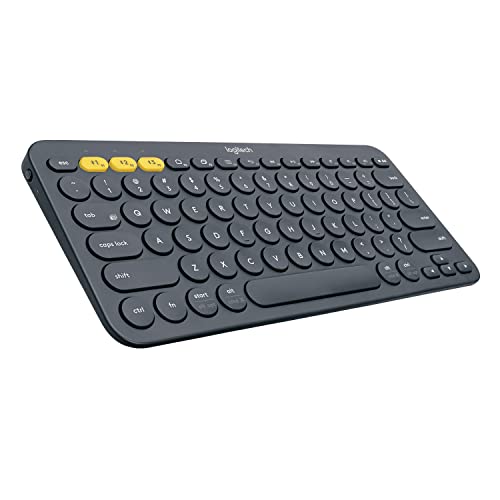
- Multi-device Bluetooth keyboard: The Logitech K380 Pebble keyboard is a universal keyboard for typing on all your computing devices: Windows, Mac, Chrome OS, Android, iPad, iPhone, Apple TV 2nd or 3rd generation
- Easy-switch: Connect up to 3 devices simultaneously and switch between them at the touch of button. Wireless range 10 meter
- Logitech flow cross-computer typing: Use as a regular keyboard or combine with a compatible Logitech flow mouse (sold separately) to type, copy, paste and move files seamlessly between computers
- Compact mobile keyboard: Easy to carry around your home for familiar typing in any room and Logitech options for Windows (Windows 7, Windows 8, Windows 10 or later), Logitech options for Mac (OS X 10.8 or later)
- OS adaptive: Automatically recognizes each device and maps keys to give you a familiar layout, including shortcuts. Battery life (not rechargeable) – 24 months. Connection type: Bluetooth classic (3.0)
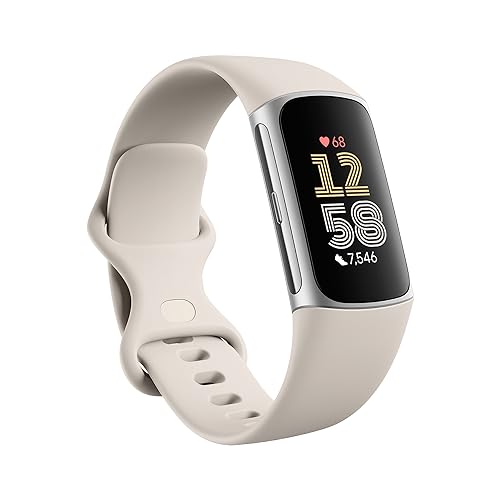
- Move more: Heart Rate on Equipment via Bluetooth, 40+ Exercise Modes, Built-in GPS, Active Zone Minutes, Daily Readiness Score, 24/7 Heart Rate, All-day Activity Tracking, Cardio Fitness Level, Automatic Exercise Tracking, Workout Intensity Map and Reminders to Move
- Comfortably Connected: Youtube Music Controls, Google Maps, Google Wallet, Call, Text and Smartphone App Notifications, Vibrant Colour Touchscreen with Customizable Clock Faces, Timer and Stopwatch
- Health: our most accurate heart rate yet, ECG and irregular Heart Rhythm Notifications, Oxygen saturation (SpO2) Monitoring, Resting Heart Rate and High/Low Heart Rate Notifications
- 7 days of battery and Water-resistant up to 50m
- Stress Management Score, Nightly Sleep Score, On-wrist mindfulness session, Smart Wake alarm, Sleep and Do not disturb modes
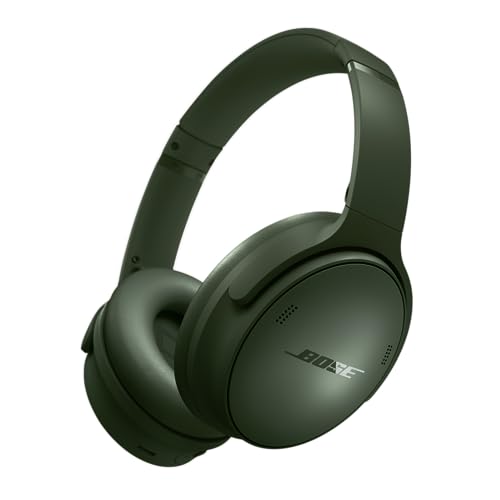
- NOISE CANCELLING HEADPHONES: Effortlessly combines noise cancellation technology with passive features so you can shut off the outside world, quiet distractions, and take music beyond the beat
- COMFORTABLE HEADPHONES: Plush earcup cushions softly hug your ears, while a secure and comfortable padded band gently keeps your over ear headphones in place for those extra-long listening sessions
- 2 LISTENING MODES: These wireless Bluetooth headphones feature Quiet and Aware Modes that let you toggle between full noise cancelling or full awareness of your surroundings for seamless sound control
- HIGH-FIDELITY AUDIO/EQ CONTROL: Supercharge your favorite tracks with high-fidelity audio and Adjustable EQ that puts you in control of the bass, mid-range, and treble for unmatched bold sound
- ALL DAY BATTERY LIFE: Bose QuietComfort wireless headphones provide up to 24 hours of battery on a single charge, plus a 15-minute charge gives you up to 2.5 hours of additional play time
Frequently Asked Questions
What size study desk is best for a dorm room?
A desk between 40-47 inches wide fits most dorm rooms comfortably. The Need Computer Desk at 39.4 inches works for tight spaces, while the CubiCubi at 47 inches gives you more surface area without overwhelming the room. Measure your space first.
Is a standing desk worth it for students?
Yes, if you study for long hours. The FEZIBO Electric Standing Desk lets you switch between sitting and standing, which reduces back pain and improves focus during marathon study sessions. At around $200, it’s a solid investment for your health throughout college.
What’s the best budget study desk under $100?
The Amazon Basics Writing Desk is the top budget pick. It’s sturdy, easy to assemble, and provides a clean workspace without unnecessary features. If you need storage, the CubiCubi Computer Desk offers built-in shelves at a similar price point.
Do L-shaped desks work for studying?
L-shaped desks are great if you have corner space available. The GreenForest L-Shaped Desk gives you separate zones for your laptop and books, which helps with organization. The downside is they take up more floor space, so measure your room first.
What desk height is correct for studying?
Standard desk height is 28-30 inches, which works for most people between 5’4″ and 6’0″. If you’re shorter or taller, an adjustable desk like the FEZIBO lets you dial in the perfect height. Your elbows should rest at 90 degrees when typing.
How much weight can a student desk hold?
Most desks listed here support 150-200 lbs, which is more than enough for a laptop, monitor, books, and desk accessories. The CubiCubi handles up to 200 lbs on the main surface. Check the weight capacity before loading up with dual monitors.
Disclaimer: This site is reader-supported. If you buy through some links, I may earn a small commission at no extra cost to you. I only recommend tools I trust and would use myself. Your support helps keep gauravtiwari.org free and focused on real-world advice. Thanks. - Gaurav Tiwari