
How Software Helps The Legal Sector Businesses?
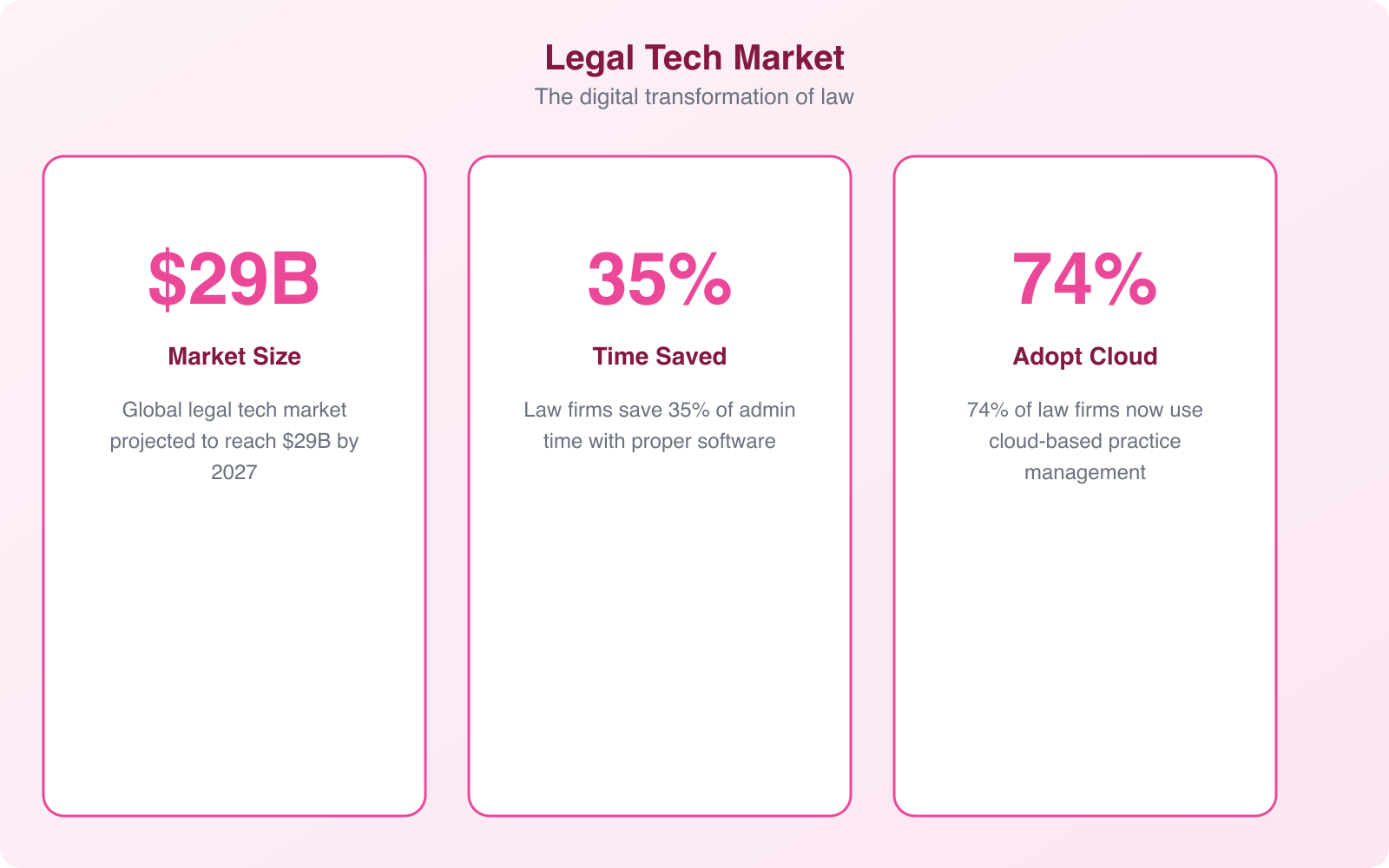
Law firms have historically been slow adopters of technology. While other industries went all-in on digital tools, most legal practices were still drowning in paper files, manually tracking billable hours, and running their client communication through a patchwork of emails and phone calls. That’s changing fast. Legal technology spending grew 38% between 2020 and 2023, and firms that invested early are pulling ahead of those still operating the old way.
I’ve built custom solutions for professional services firms, including legal practices. The transformation when a firm moves from spreadsheets and filing cabinets to purpose-built software is dramatic. Attorneys spend less time on administrative tasks, clients get faster responses, and the firm collects revenue faster. Here’s how each category of legal software makes that happen.
Case Management Software
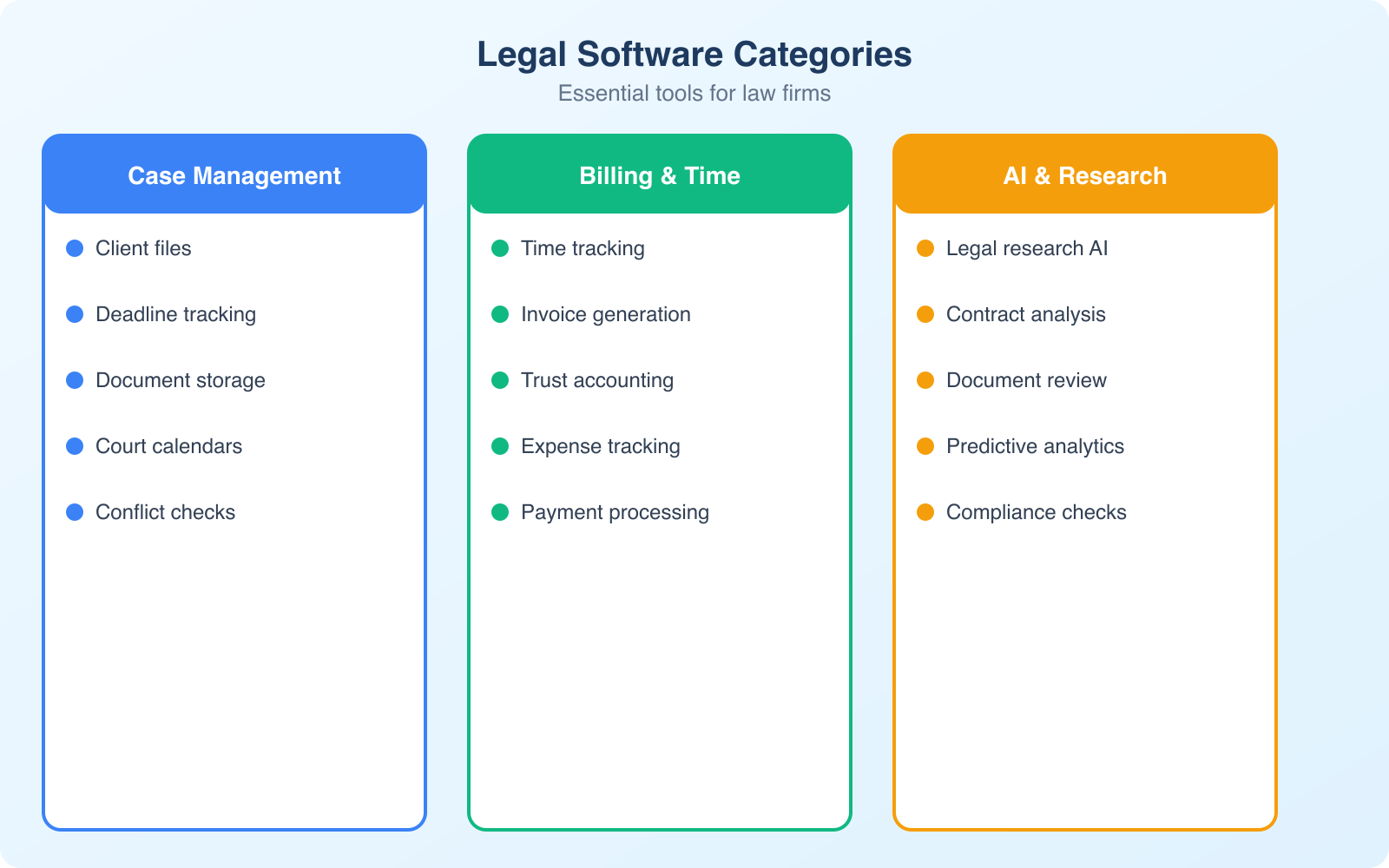
Case management is the central nervous system of any law firm. Good case management software tracks every matter from intake through resolution, keeping all related documents, communications, deadlines, and billing information in one place.
Without case management software, attorneys waste 20-30% of their workday searching for information scattered across email threads, file folders, and shared drives. That’s billable time going straight into the trash. A proper system eliminates that waste by creating a single source of truth for every case.
The best case management platforms in 2026 include Clio, PracticePanther, and MyCase. Clio leads the market with integrations for over 250 tools and pricing starting at $39/user/month. PracticePanther is popular with solo practitioners for its simpler interface. MyCase is strong for small firms that need client portal functionality.
Key features to look for: matter tracking, calendar integration with court deadlines, document storage with version control, client communication logs, task assignment, and conflict checking. Conflict checking alone justifies the investment because missing a conflict can result in disqualification from a case and potential malpractice claims.
Client Intake and CRM
Most potential clients who contact a law firm never become actual clients, and poor intake processes are the biggest reason. A study by Clio found that 64% of consumers expect a response within an hour when contacting a lawyer. If your intake process involves returning calls 2 days later after checking a voicemail, you’re losing more business than you realize.
Client intake software automates the initial contact, screening, and onboarding process. It can include web forms that capture case details before the first conversation, automated follow-up emails, conflict checks, and e-signature capabilities for engagement letters and fee agreements.
Tools like Lawmatics, Monday.com (configured for legal workflows), and Clio Grow handle intake automation. They let potential clients fill out a questionnaire on your website, automatically check for conflicts, route qualified leads to the right attorney, and send engagement documents for e-signature. The firm that responds in 5 minutes wins the client over the firm that responds in 5 hours.
Before investing in multiple separate tools, check whether your case management system already includes intake, billing, and document management features. Clio and PracticePanther offer all-in-one suites that can replace 4-5 standalone tools. An integrated platform reduces data entry, eliminates sync issues, and costs less overall.
Billing and Time Tracking
If you’re running a law firm, your inventory is time. Every minute an attorney spends that doesn’t get tracked and billed is revenue left on the table. Studies show that attorneys fail to capture 10-30% of their billable time because they reconstruct timesheets at the end of the day from memory instead of tracking time as they work.
Modern legal billing software tracks time passively. It can monitor which documents you’re working on, which emails you’re reading, and which calls you’re taking, then suggest time entries for you to review and approve. This captures time that would otherwise be forgotten.
Beyond time tracking, billing software handles invoicing, payment processing, trust accounting, and collections. Trust accounting is particularly critical for law firms because commingling client funds with firm funds is a violation of legal ethics rules in every jurisdiction. Software that automatically separates trust and operating accounts prevents costly mistakes.
Look for billing software that supports multiple fee arrangements: hourly, flat fee, contingency, and hybrid. Clients increasingly demand alternative fee arrangements, and your software needs to handle them without manual workarounds.
Document Management
Law firms produce and manage enormous volumes of documents. Contracts, pleadings, discovery materials, correspondence, research memos, and regulatory filings. Without a proper document management system (DMS), finding the right version of the right document in the right matter becomes a daily frustration.
A legal DMS does more than store files. It provides version control (so you never accidentally send a client an old draft), full-text search across all documents, access controls (so junior associates can’t access partner-only documents), and audit trails (so you know who accessed or modified every document).
NetDocuments and iManage are the two dominant platforms for mid-size and large firms. For smaller practices, the document management features built into Clio or project management tools like SharePoint are often sufficient. The key is having a single system that everyone in the firm actually uses. A DMS only works when adoption is universal.
Artificial Intelligence in Legal Practice
AI is the most transformative technology to hit the legal sector since email. It’s not replacing lawyers (despite the headlines), but it is fundamentally changing how legal work gets done.
Legal research: AI-powered research tools like Thomson Reuters’ CoCounsel and Westlaw Edge can analyze case law and statutes in seconds that would take a human researcher hours. They find relevant precedents, identify conflicting authorities, and even generate research memos. One attorney with AI research tools can do the work that previously required 3-4 junior associates.
Document review: In litigation, discovery can involve reviewing millions of documents. AI-assisted review (predictive coding) reduces the volume that human reviewers need to examine by 60-80% while actually improving accuracy. Machine learning models learn from human reviewers’ decisions and apply those patterns to the remaining documents.
Contract analysis: AI tools can review contracts, identify non-standard clauses, flag potential risks, and compare terms against your firm’s preferred language. This turns a multi-hour contract review into a 15-minute process where the attorney focuses on judgment calls rather than reading boilerplate.
Drafting assistance: AI writing tools can generate first drafts of routine documents like demand letters, motions, and client correspondence. The attorney reviews and refines instead of starting from scratch. This is particularly valuable for high-volume practices where attorneys draft dozens of similar documents per week.
AI tools for legal work must be vetted carefully. In 2023, a lawyer made headlines for submitting a brief containing fabricated case citations generated by ChatGPT. Always verify AI-generated legal research against primary sources. AI is a powerful assistant, but it hallucinates, and hallucinations in legal documents have real consequences.
Security and Compliance
Lawyers have a professional obligation to protect client confidentiality. This makes cybersecurity not just an IT concern but an ethical requirement. The American Bar Association’s Model Rule 1.6 requires lawyers to make “reasonable efforts” to prevent unauthorized access to client information.
Any software a law firm uses must meet baseline security requirements: encryption at rest and in transit, multi-factor authentication, role-based access controls, audit logging, and regular security audits. Cloud-based tools should be SOC 2 Type II certified at minimum.
Beyond cybersecurity, firms need to comply with data privacy regulations like GDPR (for EU clients), CCPA (for California clients), and industry-specific requirements like HIPAA (for healthcare-related legal work). Your technology stack needs to support these compliance requirements, and your vendor agreements need to include proper data processing clauses.
The Future of Legal Technology
Legal tech is moving fast, and several trends will reshape how firms operate in the next 3-5 years.
AI-first workflows: Rather than using AI as an add-on to existing processes, firms will rebuild their workflows around AI capabilities. Draft generation, research, review, and even basic legal analysis will start with AI, with human attorneys focusing on strategy, judgment, and client relationships.
Automation of routine work: Document assembly, deadline tracking, standard correspondence, and even basic filings will become fully automated. Firms that embrace automation will handle larger caseloads with the same headcount, while firms that resist will lose on price competition.
Client expectations: Clients increasingly expect the same digital experience from their law firm that they get from their bank or insurance company. Real-time case status updates, online scheduling, secure messaging, and transparent billing are becoming table stakes, not differentiators.
Data-driven decision making: Analytics tools will help firms identify which practice areas are most profitable, which attorneys are most efficient, and which clients are most valuable. Data will drive staffing, pricing, and business development decisions instead of gut feeling.
How to Choose the Right Legal Software
With hundreds of legal tech products on the market, choosing the right tools can feel overwhelming. Here’s a practical framework for making the decision.
Start with your biggest pain point. Don’t try to overhaul everything at once. If your firm’s biggest problem is missed deadlines, start with case management. If it’s uncaptured billable time, start with time tracking. If it’s slow client response times, start with intake automation. Fix the most expensive problem first.
Prioritize integration. Tools that talk to each other are exponentially more valuable than standalone products. Check that any new software integrates with your existing tools, particularly your email system (Outlook or Gmail) and your accounting software.
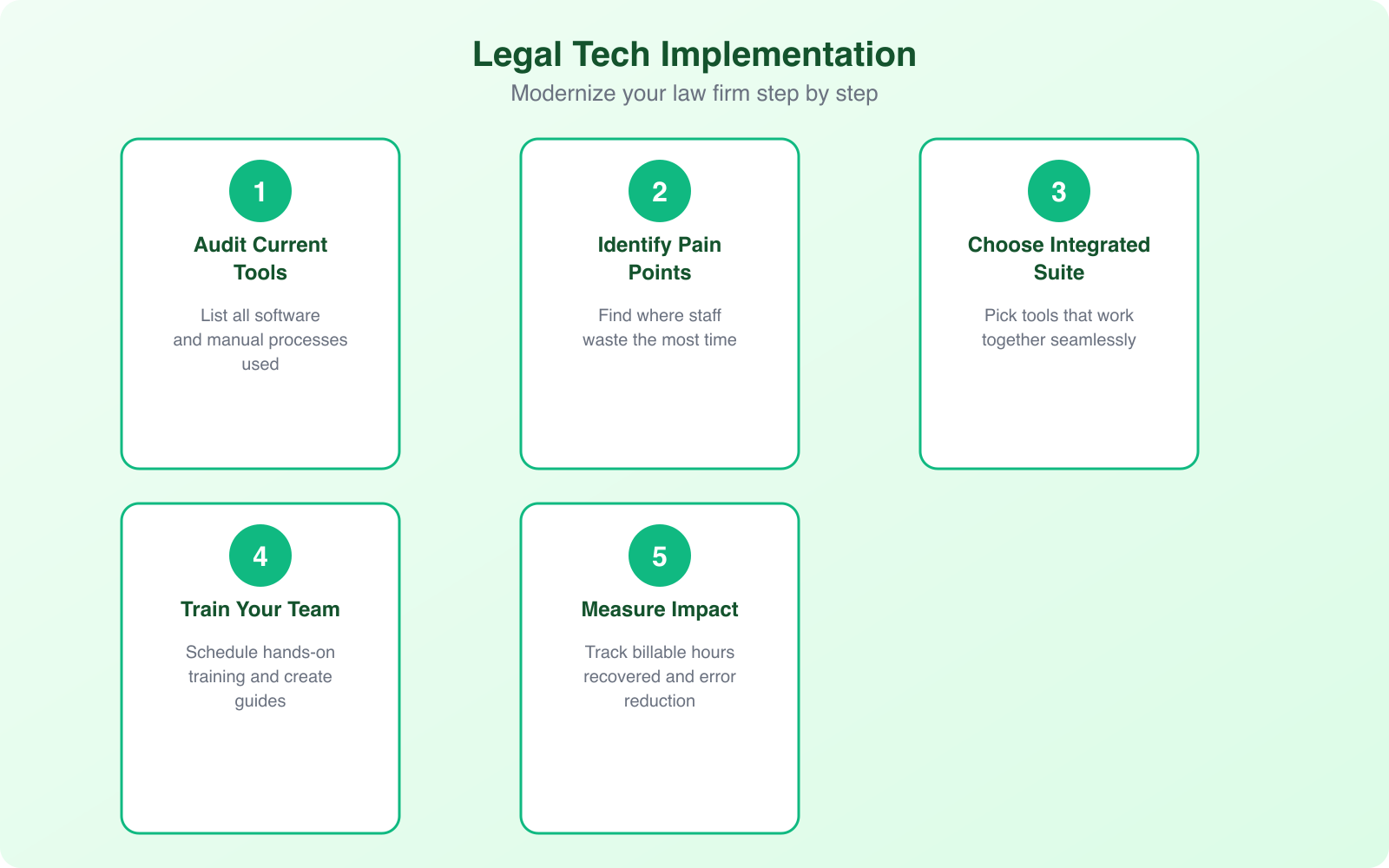
Get buy-in from your team. The best software in the world fails if nobody uses it. Involve key attorneys and staff in the evaluation process, provide proper training, and set clear expectations for adoption. Most legal tech vendors offer free trials, so let your team test-drive before committing.
Frequently Asked Questions
What is the best case management software for small law firms?
Clio is the most popular choice for small law firms because it combines case management, billing, client intake, and document management in a single platform. Pricing starts at $39/user/month. PracticePanther is a strong alternative for solo practitioners who want a simpler interface. MyCase is good for firms that prioritize client communication features. All three offer free trials so you can test before committing.
How much should a law firm budget for technology?
Most law firms should budget $150-$400 per attorney per month for their core technology stack (case management, billing, document management, communication tools). This doesn’t include hardware, internet, or IT support costs. The ROI typically exceeds 20x when you factor in recovered billable time and improved collection rates. Firms that invest in legal tech bill an average of 40% more hours per attorney according to industry studies.
Is AI going to replace lawyers?
No, but it will change what lawyers spend their time on. AI excels at research, document review, and drafting routine documents, but it cannot replace the judgment, strategy, negotiation skills, and client relationships that define legal practice. Lawyers who use AI tools will replace lawyers who don’t. The technology amplifies human capability rather than substituting for it.
What security features should legal software have?
At minimum: encryption at rest and in transit, multi-factor authentication, role-based access controls, audit logging, and SOC 2 Type II certification. For firms handling healthcare data, HIPAA compliance is required. For firms with EU clients, GDPR compliance is necessary. Your software vendor’s security certifications should be reviewed annually and included in your firm’s data security policy.
How do I get attorneys at my firm to actually use new software?
Start with a champion, one respected attorney who adopts the tool first and demonstrates its value. Provide thorough training (not just a one-hour webinar). Set clear adoption deadlines and expectations from firm leadership. Show the financial impact by tracking time saved and additional hours billed. And most importantly, choose software that actually makes their daily work easier, not harder. If the tool adds friction, people will find workarounds.
Final Thoughts
The legal sector’s technology transformation isn’t coming. It’s here. Firms that adopt the right software stack gain measurable advantages: more billable hours captured, faster client response times, fewer missed deadlines, and stronger security. Firms that resist are competing with one hand tied behind their back.
Start with case management as your foundation, then layer on document management, billing automation, and AI research tools based on your firm’s specific needs. The investment pays for itself many times over when you calculate the value of recovered billable time alone. For more on choosing the right business tools, see my best apps for business productivity guide and my comparison of project management software.