
12 Best Free Mailchimp Alternatives to Switch
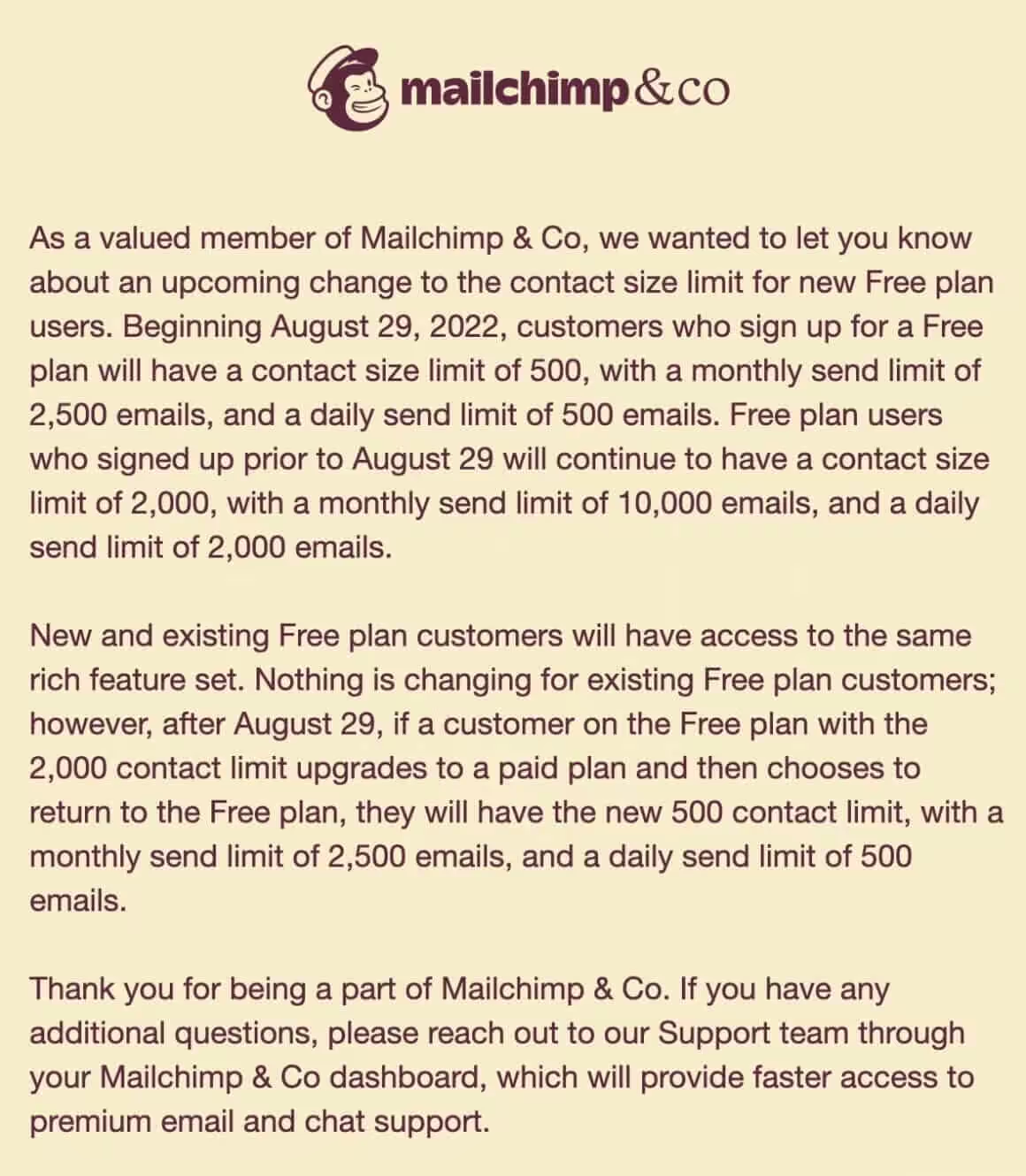
Mailchimp’s free plan keeps getting worse. Back in September 2022, they slashed their free tier from 2,000 contacts down to just 500. Monthly sends dropped from 10,000 to 2,500. And they’re not done. Every year, the limits get tighter while the “free” plan feels more like a trial.
I’ve tested dozens of free Mailchimp alternatives over the past 16 years. Some have genuinely better free tiers than what Mailchimp offers today. Others match Mailchimp’s features while giving you more room to grow. Here are the best free Mailchimp alternatives actually worth using in 2026.
Why People Are Leaving Mailchimp
The math stopped mathing. A newsletter with 600 subscribers can’t use Mailchimp’s free plan anymore. That forces you into paid plans earlier than competitors would.
Mailchimp announced these changes in May 2022. The new limits went live across all free accounts by late summer. Here’s what changed:
- Contacts: 2,000 → 500
- Monthly sends: 10,000 → 2,500
- Audiences: Multiple → 1
- Support: Email + chat → 30 days only
If you’re running a small blog, a side project, or just getting started with email marketing, these limits hurt. The free Mailchimp alternatives below give you more breathing room without paying a dime.
Every free Mailchimp alternative on this list offers more contacts, more sends, or better features than Mailchimp’s current free plan. The best choice depends on whether you prioritize list size (Mailrelay), creator tools (Kit), growth features (Beehiiv), or automation (Sender).
Quick Comparison: Free Email Marketing Plans
| Feature | Mailchimp | ActiveCampaign | Brevo | GetResponse | MailerLite | Drip |
|---|---|---|---|---|---|---|
| Free Plan | 500 contacts | No (14-day trial) | 300 emails/day | 500 contacts | 1,000 contacts | No (14-day trial) |
| Starting Price | $13/mo | $29/mo | $25/mo | $15.60/mo | $9/mo | $39/mo |
| Automation | Basic | Advanced | Good | Good | Good | Advanced |
| Best Feature Standout | Brand recognition | Automation workflows | Transactional emails | Webinars + email | Simplicity + value | E-commerce focus |
| Landing Pages | Yes | Yes | Yes | Yes | Yes | No |
| SMS Marketing | Yes (add-on) | Yes | Yes | Yes | No | Yes |
| WordPress Plugin | Yes | Yes | Yes | Yes | Yes | Yes |
| WooCommerce Integration | Yes | Yes (deep) | Yes | Yes | Yes | Yes (deep) |
| A/B Testing | Yes | Yes (advanced) | Yes | Yes | Yes | Yes |
| Best For | Small businesses | Advanced automation | Budget + transactional | All-in-one marketing | Beginners on budget | E-commerce stores |
| Visit Mailchimp | Visit ActiveCampaign | Visit Brevo | Visit GetResponse | Visit MailerLite | Visit Drip |
Mailrelay
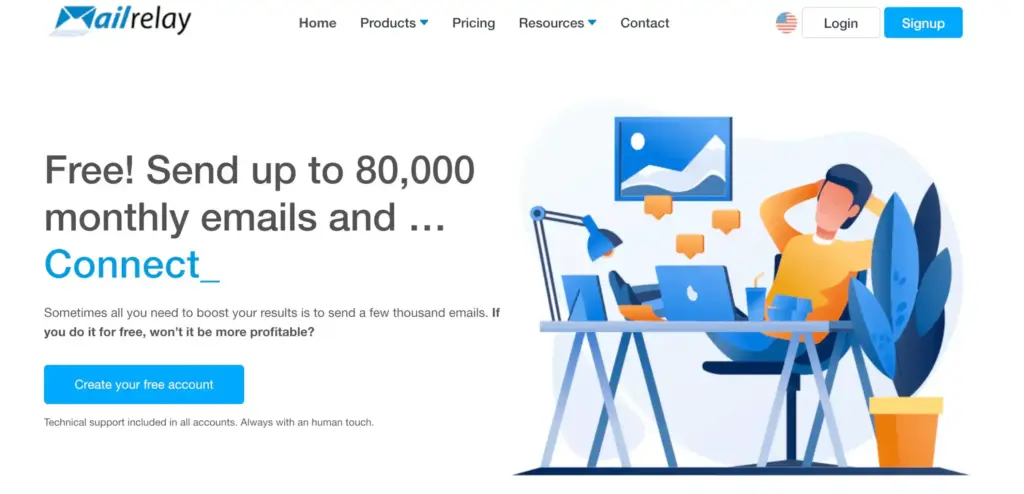
Mailrelay offers the most generous free plan I’ve seen from any traditional email marketing platform. You get 20,000 contacts and 80,000 monthly sends at no cost. That’s not a typo. Most competitors cap you at 500-2,500 contacts on their free tiers.
The platform has been around since 2004, making it one of the oldest email marketing services still operating. Their business model focuses on converting free users to paid plans through excellent service rather than artificially limiting features.
What You Get for Free
- Contacts: Up to 20,000 subscribers
- Monthly sends: 80,000 emails
- Automations: Complete automation flows including autoresponders, welcome sequences, and drip campaigns
- A/B testing: Full access without restrictions on subject lines, content, and send times
- Segmentation: Tag-based and custom field segmentation for targeted campaigns
- Analytics: Real-time reporting with heatmaps showing opens, clicks, and engagement patterns
- Editor: Drag-and-drop email builder with AI-assisted writing capabilities
- Integrations: WordPress plugin, REST API access, and webhook support
- List management: CSV import, automatic duplicate detection, bounce handling, and unsubscribe management
- Support: Phone, live chat, and ticket support available to all users including free accounts
Deliverability and Infrastructure
Mailrelay maintains its own sending infrastructure with dedicated IP addresses. They provide full SPF and DKIM configuration support, which matters for inbox placement. Their deliverability rates consistently rank among the better options in the industry, partly because they’re stricter about list quality than some competitors. If you need to clean your list first, use an email verification tool.
The Interface
The dashboard is functional but not as visually polished as newer platforms like Beehiiv or MailerLite. Navigation is straightforward once you learn the layout, but the learning curve is steeper than drag-and-drop-first platforms. The email editor works well for standard newsletters and promotional emails.
The Catch
Mailrelay isn’t as well-known in English-speaking markets. Most of their customer base is in Spanish-speaking countries and Europe. Documentation exists in English but isn’t as comprehensive as competitors. The interface translation sometimes feels clunky. None of this affects the core functionality, but it’s worth knowing upfront.
Best for: Anyone who needs to email a large list without paying. Nonprofits, community organizations, churches, schools, and bootstrapped startups will love the limits. If you have 15,000 subscribers and can’t afford $100+/month for email marketing, Mailrelay is the answer. To be honest, I am not sure how they are managing such a comfortable free tier.
HubSpot
HubSpot’s free CRM includes email marketing capabilities. You get unlimited contacts (yes, really) with 2,000 email sends per month. The integration between email and CRM data is seamless. Every email you send connects to contact records, deals, and company information.
HubSpot built their business on inbound marketing and CRM software. The email marketing tool is part of a larger ecosystem that includes sales automation, customer service, and content management. Free users get access to the entire CRM platform, not just email.
What You Get for Free
- Contacts: Unlimited (up to 1 million)
- Monthly sends: 2,000 emails
- CRM: Full contact management with company and deal tracking
- Forms: Form builder with 1,000 submissions/month
- Landing pages: Up to 20 landing pages
- Live chat: Website chat widget with chatbot basics
- Meeting scheduler: Let contacts book time on your calendar
- Email templates: Save and reuse email templates
- Contact insights: Company information auto-populated from public data
- Reporting dashboards: Customizable reports and analytics
- Mobile app: Manage contacts and deals from your phone
The CRM Advantage
HubSpot’s real value is connecting email to everything else. When you send an email, you see it in the contact’s timeline alongside calls, meetings, and deals. When a contact opens your email, you can trigger sales tasks or pipeline updates.
This integration simply doesn’t exist on standalone email platforms. You’d need to connect multiple tools through Zapier to approximate what HubSpot includes natively.
Sales and Marketing Alignment
For businesses with sales teams (especially those doing cold email outreach), HubSpot eliminates the gap between marketing and sales data. Marketing knows which leads sales is working. Sales knows which emails contacts received. Everyone sees the same contact history.
The meeting scheduler alone saves hours of back-and-forth. Contacts pick times from your availability, and meetings auto-create in your calendar with contact records attached.
The Catch
2,000 monthly sends is limiting. If you have 1,000 contacts and want to email them weekly, you’ll exceed the limit in two weeks. The unlimited contacts are somewhat misleading when you can barely use them.
HubSpot branding appears on all free emails, forms, and landing pages. The branding is noticeable and removing it requires paid plans starting at $50/month.
The platform is powerful but complex. The learning curve is steeper than simpler email tools. Free users don’t get priority support, and HubSpot’s documentation assumes you’re eventually buying the paid platform.
Advanced email features require Marketing Hub Starter or higher. Automation, A/B testing, and advanced analytics are all paid features. The free email tool is basic.
Best for: Businesses that want email marketing connected to sales pipelines. Service businesses, agencies, consultants, and B2B companies benefit most from the CRM features. If you’re already using HubSpot CRM, adding email marketing is obvious. If you just need email, other platforms offer more sending capacity.
Sendfox
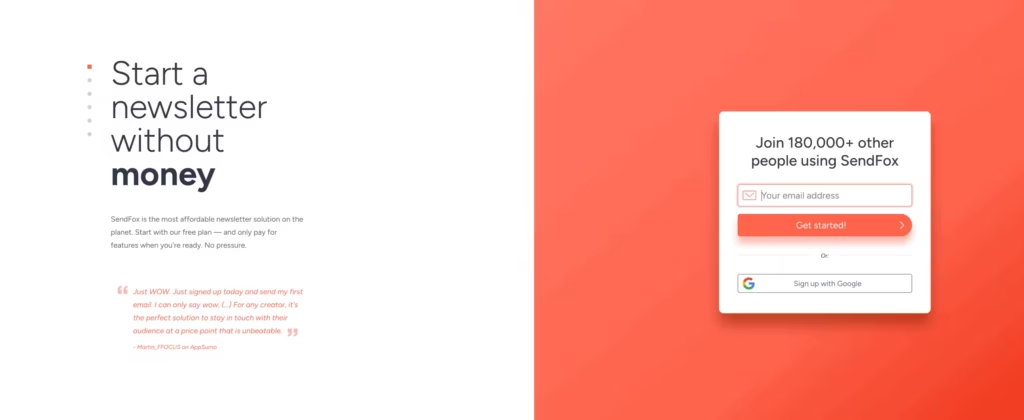
Sendfox offers a genuinely free plan with 1,000 contacts. But the real value is their lifetime deal: pay $49 once and get 5,000-7,000 contacts with unlimited sends forever. No monthly fees. No annual renewals. Pay once, own your email platform indefinitely.
Sendfox is part of the Sumo Group family (AppSumo, KingSumo). They launched with a lifetime pricing model specifically to attract bootstrapped creators who want to minimize recurring costs.
What You Get for Free
- Contacts: 1,000 subscribers
- Sends: Throttled delivery (not instant)
- Landing pages: Basic branded landing pages
- Signup forms: Embeddable forms for your website
- Automations: Simple drip sequences
- List management: Basic segmentation and tagging
- RSS-to-email: Automatically email new blog posts
- Integrations: Connect with Zapier and other tools
The Lifetime Deal
For a one-time $49 payment, you get:
- 5,000+ contacts (increases periodically)
- Unlimited email sends
- No monthly or annual fees
- Priority email delivery (not throttled)
- Smart pages with advanced customization
- Automation sequences
- Priority support
This is not a trial. It’s not a first-year discount. You pay $49 once, and you own the platform forever. For creators on tight budgets, this changes the economics of email marketing entirely.
The Bootstrap Philosophy
Sendfox was built for creators who bootstrap everything. The features are simple by design. No bloated dashboards, no enterprise features you’ll never use. Just the basics done well enough to grow an audience.
The platform integrates with other Sumo Group tools. KingSumo for giveaways, Sumo for pop-ups, AppSumo for deals. If you’re in that ecosystem, Sendfox fits naturally.
The Catch
Free plan emails are throttled, meaning they don’t go out immediately. Your newsletter might take hours to fully deliver rather than minutes. For time-sensitive content, this is problematic.
The platform is simpler than competitors. No fancy templates, no advanced segmentation, no sophisticated automation. If you need marketing sophistication, Sendfox isn’t it.
The editor is basic. Creating visually complex emails requires HTML knowledge or accepting the limitations. Most successful Sendfox users send text-focused newsletters rather than designed campaigns.
Support is limited. Documentation exists but isn’t comprehensive. Community forums help, but you won’t get hands-on assistance for free.
Best for: Creators on a tight budget who want to eliminate email marketing from their recurring expenses. If you’re building a newsletter or creator business and $49 one-time fits your budget better than $29/month forever, Sendfox makes sense. The lifetime deal is genuinely valuable for the right use case.
Mailpoet
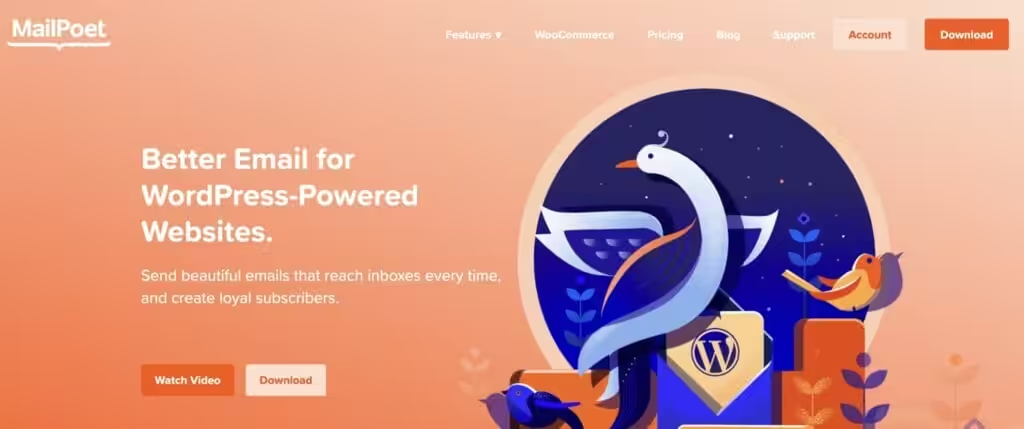
Mailpoet runs directly inside your WordPress dashboard. Free users get 1,000 subscribers with 5,000 monthly sends through their premium delivery servers. Everything stays inside WordPress: subscriber management, email creation, automation, and analytics. No separate login, no external platform.
Mailpoet has been around since 2011 and was acquired by WooCommerce (Automattic) in 2020. The integration with WooCommerce is particularly strong, making it a natural choice for WordPress-based online stores.
What You Get for Free
- Contacts: 1,000 subscribers
- Monthly sends: 5,000 emails via Mailpoet servers
- WordPress integration: Everything lives in your dashboard
- WooCommerce support: Automated emails for orders, cart abandonment, and customer follow-ups
- Drag-and-drop editor: Visual email builder inside WordPress
- Signup forms: Create forms with the WordPress block editor
- Automations: Welcome emails, post notifications, and basic sequences
- Subscriber management: Lists, segments, and custom fields
- Analytics: Opens, clicks, and engagement tracking
- Post notifications: Automatically email new blog posts
The WordPress Advantage
Mailpoet’s WordPress integration is genuinely deep. Subscriber forms use the block editor. Email templates can pull post content automatically. WooCommerce customer data syncs without configuration.
For WordPress users, this integration saves significant setup time. No embedding external forms, no connecting APIs, no syncing subscriber data. Everything works natively.
WooCommerce Automation
The WooCommerce integration deserves special attention. Abandoned cart emails, purchase follow-ups, and customer win-back campaigns work out of the box. You can segment customers by purchase history, order value, and product categories.
Most WooCommerce stores need email marketing. Mailpoet provides it without leaving WordPress or paying for additional services.
Self-Hosted Option
Advanced users can send through their own SMTP server instead of Mailpoet’s infrastructure. This removes subscriber limits but requires managing your own deliverability. For technical users with existing email infrastructure, this flexibility is valuable.
The Catch
You’re tied to WordPress. If you ever move to Squarespace, Webflow, or another platform, migrating is more complicated than with standalone email services. Your entire email system lives inside a single WordPress installation.
The sending limits through Mailpoet’s servers are modest. 5,000 monthly sends for 1,000 subscribers means you can email your list five times per month. For weekly newsletters, you’ll either need to upgrade or use your own SMTP.
The editor works well but has fewer templates than dedicated email platforms. Design options are more limited than MailerLite or Beehiiv. Highly designed emails require more effort.
Best for: WordPress users who want everything in one dashboard. Bloggers and WooCommerce store owners benefit most from the tight integration. If you’re committed to WordPress and want to avoid external email platforms, Mailpoet is the answer.
WordPress Alternatives: FluentCRM (self-hosted, more powerful), Newsletter (simpler), Icegram Express (free-focused)
Substack
Substack doesn’t have pricing tiers. Everyone gets the same platform for free. Unlimited subscribers, unlimited emails, full access to every feature. They make money by taking 10% when you charge readers for paid subscriptions. If you never monetize, you never pay.
This model changed the newsletter landscape. Writers who previously needed to cobble together email services, payment processors, and website builders now had everything in one place. The platform launched in 2017 and now hosts some of the most successful independent writers online.
What You Get for Free
- Contacts: Unlimited subscribers
- Monthly sends: Unlimited emails
- Publishing: Full newsletter publishing platform with web hosting
- Podcast hosting: Upload and distribute audio directly
- Archive: All posts live on your Substack URL as a searchable archive
- Mobile apps: Native iOS and Android apps where readers can subscribe and read
- Community features: Comments, discussions, and reader engagement tools
- Notes: Twitter-like short-form posts to engage subscribers between newsletters
- Chat: Direct messaging with subscribers
- Recommendations: Get discovered through other Substack writers
- Analytics: Subscriber growth, open rates, and engagement metrics
- Monetization: Accept paid subscriptions when you’re ready (10% + Stripe fees)
The Simplicity Trade-off
Substack’s strength is also its limitation. The platform is intentionally simple. You write, you publish, readers subscribe. No complex automations, no advanced segmentation, no A/B testing, no API integrations.
You can segment by free vs. paid subscribers. That’s it. No tagging based on interests, no behavioral triggers, no sophisticated nurture sequences. If you want to send different content to readers who clicked a specific link, Substack can’t do it.
The email editor is basic by design. You write in a clean interface, add images and embeds, and publish. No drag-and-drop blocks, no advanced layout options, no HTML customization. This works great for text-focused newsletters. It’s limiting if you want highly designed emails.
The Discovery Engine
Substack’s recommendation network is powerful. When writers recommend each other, subscribers flow between publications. The Notes feature and mobile apps create additional discovery opportunities. Some writers report significant growth from platform features alone.
The Substack app has millions of active users who browse and subscribe to newsletters within the app. This captive audience doesn’t exist on traditional email platforms.
The Monetization Model
When you charge for subscriptions, Substack takes 10%. Stripe takes approximately 2.9% + $0.30 per transaction, plus a 0.5% recurring billing fee (0.7% for accounts created after July 2024). Total fees land around 13-14%.
For free newsletters, you pay nothing. Ever. No subscriber limits, no email limits, no feature restrictions.
The Catch
You don’t own your infrastructure. Your newsletter lives at yourname.substack.com unless you pay for a custom domain. Subscriber data exports are limited. Moving away from Substack means rebuilding from scratch.
No custom branding on the free plan. Every Substack looks like a Substack. The reading experience is consistent, which readers appreciate, but your publication won’t stand out visually.
The algorithm increasingly influences what readers see. Your email might land in their inbox, but app notifications and recommendations can get buried. Some writers report declining engagement as the platform has grown.
Best for: Writers focused on content rather than marketing sophistication. If you want to write, build an audience, and potentially monetize with paid subscriptions, Substack removes almost every barrier. Journalists, essayists, analysts, and thought leaders thrive here.
Brevo (Formerly Sendinblue)
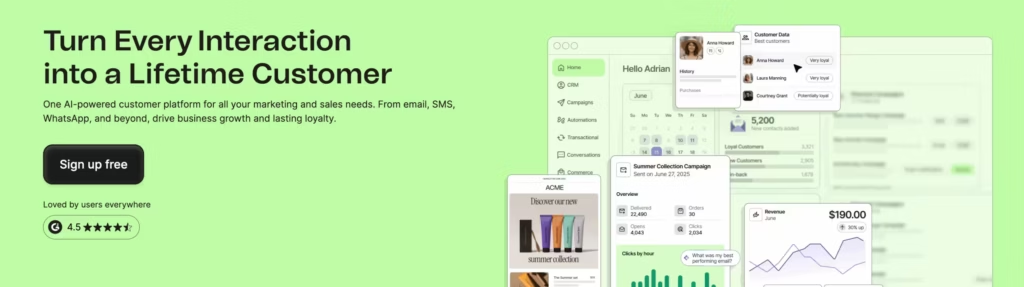
Brevo lets you store up to 100,000 contacts for free. The catch is you can only send 300 emails per day, which works out to about 9,000 per month. If you have a big list but don’t email frequently, this is perfect. The platform rebranded from Sendinblue in 2023 and expanded beyond email into a full CRM and marketing suite.
The company was founded in 2012 in Paris and has grown to serve over 500,000 customers worldwide. Their pricing model (unlimited contacts, limited sends) is unique in the industry and works exceptionally well for certain use cases.
What You Get for Free
- Contacts: Up to 100,000 subscribers
- Daily sends: 300 emails per day (~9,000/month)
- Marketing automation: Visual workflow builder with triggers and conditions
- CRM: Built-in contact management with deal tracking
- Transactional emails: Separate quota for order confirmations, password resets, etc.
- SMS marketing: Pay-as-you-go SMS available
- Chat: Website chat widget for real-time visitor engagement
- Email templates: Access to template library
- Segmentation: Filter contacts by behavior, demographics, and custom attributes
- Landing pages: Basic landing page builder
- Signup forms: Embeddable forms and pop-ups
- Reporting: Campaign analytics with delivery, open, and click tracking
The Transactional Email Advantage
Brevo separates marketing emails from transactional emails. Your 300 daily sends apply to newsletters and campaigns. Order confirmations, shipping updates, and password resets use a different quota. For ecommerce stores and SaaS products, this distinction matters enormously.
The transactional email service is genuinely excellent. Deliverability is high, the API is well-documented, and the pricing is competitive even when you exceed free limits.
CRM Integration
Unlike standalone email tools, Brevo includes a functional CRM. You can track deals, manage pipelines, and connect email engagement to sales activities. For businesses that need both email marketing and sales tracking, having everything in one platform simplifies operations.
The CRM isn’t as powerful as dedicated tools like HubSpot or Pipedrive, but it’s included free and handles basic sales workflows effectively.
The Catch
The daily sending limit means you can’t blast your entire list at once. If you have 5,000 subscribers and want to send a newsletter, it’ll take over two weeks to reach everyone. For time-sensitive announcements or product launches, this is a dealbreaker.
Brevo branding appears on all free plan emails. The “Sent with Brevo” footer is small but visible. Some businesses find this unprofessional for client communication.
Advanced features require paid plans. A/B testing, send time optimization, and detailed analytics are locked. The free plan is generous on contacts but limited on sophistication.
Best for: Businesses with large contact databases who send infrequently. Real estate agents with thousands of past clients, consultants with large networks, service businesses maintaining relationships with occasional updates. If you need to store contacts more than blast emails, Brevo’s model works perfectly.
Beehiiv
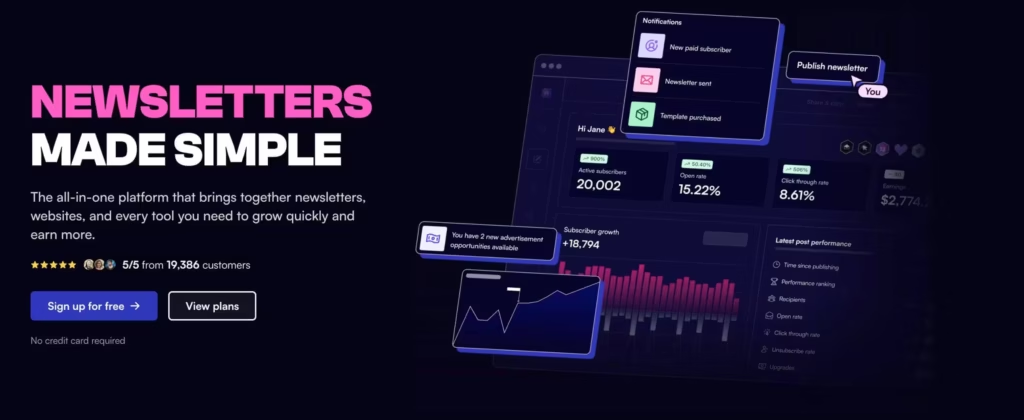
Beehiiv launched in 2021 by former Morning Brew employees who understood what newsletter businesses actually need. The platform focuses specifically on growth: built-in referral programs, recommendation networks, and audience development tools that don’t exist on traditional email platforms.
Their free plan (called “Launch”) gives you 2,500 subscribers with unlimited sends. More importantly, you get access to growth features that competitors charge premium prices for.
What You Get for Free
- Contacts: Up to 2,500 subscribers
- Monthly sends: Unlimited emails
- Custom domains: Connect your own domain (rare for free plans)
- Multiple publications: Run up to 3 separate newsletters
- Recommendation network: Get discovered by readers of other Beehiiv newsletters
- Segmentation: Tag and segment subscribers based on behavior and attributes
- Landing pages: Customizable subscribe pages and embeds
- Pop-ups: Exit-intent and timed pop-ups for your website
- Email templates: Access to template library and custom designs
- API access: Connect to other tools and build custom integrations
- Analytics: Subscriber growth, engagement metrics, and audience insights
- Web hosting: Your newsletter lives at a custom URL with archives
The Growth Toolkit
Beehiiv’s referral program lets readers earn rewards for sharing your newsletter. This viral loop helped Morning Brew grow to millions of subscribers. On Beehiiv, you can set up similar programs without coding or third-party tools.
The recommendation network functions like Substack’s but with more control. You choose which newsletters to recommend and can see attribution data on where your subscribers come from. Cross-promotion becomes measurable rather than guesswork.
Subscriber surveys help you understand your audience. Unlike basic email platforms where you’re guessing what readers want, Beehiiv lets you ask directly and segment based on responses.
The Newsletter-First Design
Everything about Beehiiv assumes you’re running a newsletter business, not just sending occasional emails. The analytics focus on growth metrics: subscriber trends, engagement over time, content performance. The editor is optimized for long-form content rather than promotional emails.
This focus makes Beehiiv excellent for media companies and newsletter creators. It makes it less ideal for ecommerce, SaaS, or traditional marketing use cases.
The Catch
Free users can’t monetize directly through Beehiiv. No paid subscriptions, no sponsorship marketplace, no Boosts (paid recommendations). The growth tools are available, but revenue features require upgrading to the $69/month Scale plan.
Email automations are also locked on the free plan. No welcome sequences, no behavioral triggers, no drip campaigns. You can send broadcasts and use the recommendation network, but sophisticated nurturing requires paid plans.
Beehiiv branding appears on free plan emails and landing pages. The branding is subtle but present.
AI writing assistance, advanced analytics, and priority support all require paid plans. The free tier is genuinely useful for growth, but monetization and automation need upgrades.
Best for: Newsletter creators focused on audience growth. If you’re building a media property, content publication, or audience-first business, Beehiiv’s growth tools give you advantages that traditional email platforms don’t offer. Media companies, journalists, and newsletter entrepreneurs should start here.
Sender
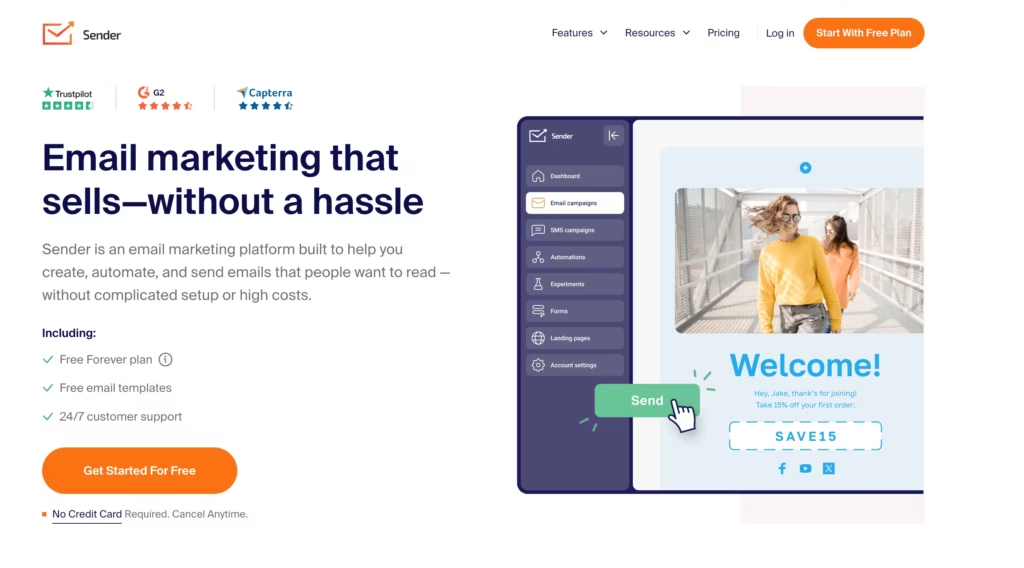
Sender gives you 2,500 subscribers and 15,000 monthly emails for free. That’s a 6:1 email-to-subscriber ratio, which is the best I’ve seen among mainstream platforms. You can email your entire list six times per month without upgrading. For most businesses, that’s more than enough.
The company is based in Lithuania and has been operating since 2012. They’ve grown steadily by offering more value on free forever plans than competitors, converting users through feature upgrades rather than artificial limits.
What You Get for Free
- Contacts: 2,500 subscribers
- Monthly sends: 15,000 emails
- Automations: Full automation capabilities including welcome sequences, abandoned cart, and behavioral triggers
- Segmentation: Create segments based on behavior, demographics, and custom fields
- Email templates: Access to pre-designed templates for various industries
- Form builder: Create embedded forms, pop-ups, and landing pages
- Drag-and-drop editor: Visual email builder with mobile preview
- Reporting: Delivery rates, opens, clicks, and engagement analytics
- Integrations: Connect with WordPress, WooCommerce, Shopify, and other platforms
- SMS marketing: Pay-as-you-go SMS available
- Push notifications: Web push notifications for additional engagement
Ecommerce Features
Sender includes ecommerce-specific features on the free plan that competitors lock behind paid tiers. Abandoned cart emails, product recommendations, and purchase follow-ups work out of the box with supported platforms.
The WooCommerce and Shopify integrations sync customer data automatically. You can segment based on purchase history, average order value, and buying behavior without manual list management.
The Automation Advantage
Unlike many free plans that limit automations to one or two workflows, Sender includes full automation capabilities. You can build complex sequences with multiple triggers, conditions, and actions. For a free plan, this is unusually generous.
The visual automation builder is intuitive. Drag triggers, add delays, set conditions, and connect email sends. It’s not as sophisticated as ActiveCampaign or Drip, but it handles common automation needs effectively.
The Catch
The email editor is more basic than competitors like MailerLite or Beehiiv. Templates are functional but not particularly modern. If visual design matters for your brand, you’ll need to invest time customizing or importing your own templates.
Custom sending domains require paid plans. On the free tier, emails send from Sender’s domain, which can affect deliverability for some use cases.
Support is limited on free plans. You’ll rely on documentation and community forums rather than direct assistance. The documentation is good, but complex issues may require upgrading.
Best for: Small businesses and ecommerce stores that want room to send frequently without watching limits. The automation features and sending capacity make Sender one of the best pure-value free plans available. If you’re running an online store and need abandoned cart emails on a budget, start here.
MailerLite

I use MailerLite for several projects. The free plan gives you 1,000 subscribers with 12,000 monthly sends. More importantly, you get access to features that competitors lock behind paid plans: automation, landing pages, and a genuinely good email editor. The balance between limits, features, and user experience is the best in the industry.
MailerLite launched in 2010 in Lithuania and has grown to over 1 million users. They’ve built a reputation for clean design, excellent deliverability, and honest pricing. The interface is what email marketing should feel like: simple enough for beginners, powerful enough for serious marketers.
What You Get for Free
- Contacts: 1,000 subscribers
- Monthly sends: 12,000 emails
- Automations: Single-trigger automation workflows
- Landing pages: Up to 10 landing pages with custom domains
- Signup forms: Embedded forms, pop-ups, and promotional bars
- Drag-and-drop editor: One of the best visual email builders available
- Websites: Build a simple website with your newsletter signup
- Subscriber management: Tags, segments, and custom fields
- Reporting: Opens, clicks, and engagement metrics
- Email support: Direct support from MailerLite team
The Editor Experience
MailerLite’s email editor deserves special mention. The drag-and-drop interface is genuinely pleasant to use. Blocks snap into place cleanly. Mobile preview works accurately. The experience feels modern and refined rather than clunky.
You can build everything from simple text newsletters to complex promotional emails with images, buttons, and multiple columns. The editor doesn’t fight you, which sounds basic but isn’t true of many email platforms.
Landing Pages Done Right
The landing page builder follows the same design philosophy. Clean templates, intuitive editing, custom domain support on the free plan. You can build lead magnets, coming-soon pages, and signup flows without external tools.
Ten landing pages might seem limiting, but most businesses don’t need more. And these are full-featured pages, not stripped-down templates.
The Catch
MailerLite has a strict approval process. New accounts get reviewed, and they’ll reject you if your content doesn’t meet their standards. Affiliate marketing, certain niches, and low-quality lists get denied. This keeps deliverability high for everyone but means some legitimate users get caught in the filter.
No pre-built email templates on the free plan. You’ll design from scratch or import your own. The editor makes this easy, but if you want to pick from a library and customize, you’ll need to upgrade.
The 1,000 subscriber limit is tight. You’ll outgrow it faster than platforms with 2,500+ contacts. MailerLite is banking on you loving the platform enough to upgrade.
Best for: Creators and small businesses who want a polished platform with real features. If you’re willing to design your own templates and can stay under 1,000 subscribers initially, the free tier is excellent. The quality of the product justifies upgrading when you need to.
Before switching from Mailchimp, export your subscriber list as a CSV and download any email templates you want to keep. Most platforms complete the import in under 10 minutes, and your subscribers won’t need to re-confirm.
EmailOctopus
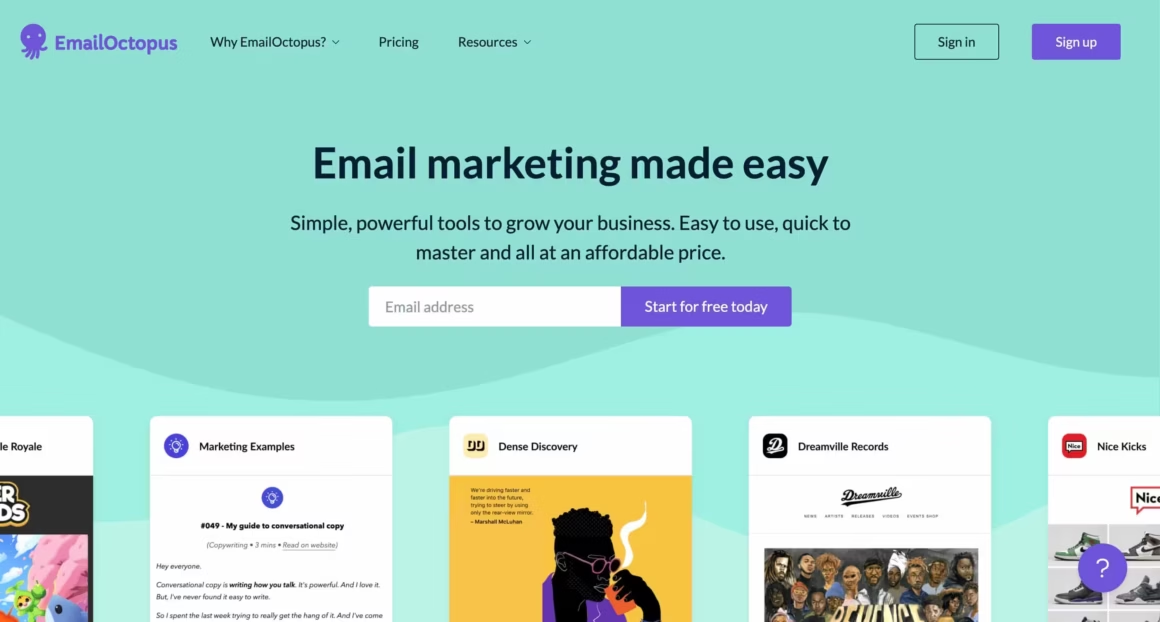
EmailOctopus focuses on doing email well without the bloat. Free users get 2,500 subscribers and 10,000 monthly sends. The interface is clean, the deliverability is solid, and upgrading is affordable when you need it. No CRM features, no SMS, no chat widgets. Just email, done right.
The company was founded in 2014 and originally built on top of Amazon SES, offering significant cost savings. They’ve since added their own sending infrastructure while keeping the simplicity and affordability that attracted users initially.
What You Get for Free
- Contacts: 2,500 subscribers
- Monthly sends: 10,000 emails
- Landing pages: Basic landing page builder
- Signup forms: Embedded forms with customization options
- Automations: Time-based drip sequences
- Segmentation: Filter subscribers by tags and behavior
- API access: Full API for custom integrations
- Zapier integration: Connect with thousands of apps
- Amazon SES option: Send through your own AWS account for lower costs
- Reporting: Opens, clicks, bounces, and unsubscribes
The Simplicity Philosophy
EmailOctopus deliberately avoids feature creep. They don’t have a CRM. They don’t offer SMS marketing. They don’t build website widgets or chat tools. They send emails and do it well.
This focus means the platform is fast to learn and fast to use. There’s no confusion about where features live or how things work. The mental overhead of using EmailOctopus is lower than fuller-featured platforms.
Amazon SES Integration
Power users can connect their own Amazon SES account and send emails at AWS rates, which can be dramatically cheaper than traditional email services at scale. This option requires technical setup but saves significant money for high-volume senders.
The default EmailOctopus sending infrastructure works well for most users. SES integration is optional for those who want it.
The Catch
EmailOctopus has fewer built-in integrations than bigger platforms. You’ll rely on Zapier or API connections for many tools. Direct integrations exist for popular platforms but the list is shorter than competitors.
Support for free users is limited to 30 days. After that, you’re on documentation and community forums. The docs are good, but complex issues may require upgrading.
The feature set is deliberately simple. If you need advanced segmentation, complex automations, or sophisticated personalization, you’ll outgrow EmailOctopus quickly. The platform optimizes for simplicity over power.
Best for: Startups and small businesses who want something that works without spending hours learning the platform. Technical teams who want API access and potential SES integration will appreciate the flexibility. If you want simple email sending without marketing suite complexity, EmailOctopus delivers.
GetResponse
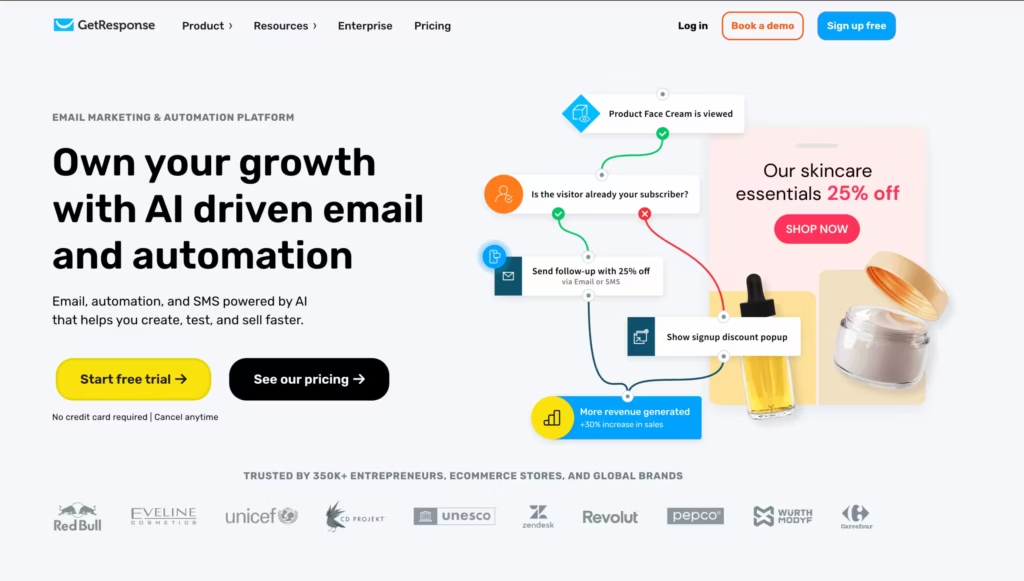
GetResponse’s free plan gives you 500 contacts and 2,500 monthly sends. The limits are modest, but you get access to marketing automation features that most competitors lock behind paid tiers. If you want to test sophisticated automation workflows before committing to a paid plan, GetResponse lets you do it.
The company was founded in 1998, making it one of the oldest email marketing platforms still operating. They’ve evolved from basic autoresponders to a full marketing suite with automation, webinars, landing pages, and conversion funnels.
What You Get for Free
- Contacts: 500 subscribers
- Monthly sends: 2,500 emails
- Automations: Basic marketing automation with visual workflow builder
- Landing pages: Build and publish landing pages with templates
- Signup forms: Create embedded forms and pop-ups
- Website builder: Build a basic website with GetResponse
- Email templates: Access to template library
- Autoresponders: Time-based email sequences
- RSS-to-email: Automatically send blog post notifications
- Reporting: Basic analytics on campaigns and automations
The Automation Builder
GetResponse’s visual automation builder works on the free plan. You can create workflows with triggers, conditions, and actions. When someone subscribes, open an email, clicks a link, or visits a page, you can trigger automated responses.
This level of automation usually requires paid plans elsewhere. Testing whether automation-driven email marketing works for your business before paying is valuable.
The All-in-One Approach
GetResponse tries to be an all-in-one marketing platform: emails, landing pages, websites, webinars, and conversion funnels. Free users get basic access to most features, which helps you understand whether the ecosystem fits your needs.
The landing page builder is serviceable. The website builder is basic but functional. You can run a simple online presence entirely within GetResponse.
The Catch
500 contacts is the most limiting factor. You’ll hit the ceiling quickly if your list grows at all. The free plan is really designed to let you test the platform before upgrading, not to run a real email operation indefinitely.
Webinar features, advanced automation, and most of the sophisticated tools require paid plans. The free tier gives you a taste, not a full solution.
GetResponse branding appears on free emails and landing pages. The branding is noticeable.
The interface has accumulated features over 25+ years, which means navigation isn’t always intuitive. The learning curve is steeper than simpler platforms.
Best for: Marketers who want to test sophisticated automation workflows before committing to a paid plan. If you’re evaluating all-in-one marketing platforms and want to try before you buy, GetResponse’s free plan gives you meaningful access to see if the approach works.
Kit (Formerly ConvertKit)
Kit rebranded from ConvertKit in 2024 and kept their creator-focused approach. Their free plan gives you 10,000 subscribers with unlimited sends. That’s more contacts than most paid plans elsewhere. The platform was built specifically for bloggers, YouTubers, podcasters, and online course creators.
Nathan Barry founded ConvertKit in 2013 after struggling to find email tools that worked for creators. That origin story shows in every feature. The platform assumes you’re building an audience, not running a traditional marketing operation.
What You Get for Free
- Contacts: Up to 10,000 subscribers
- Monthly sends: Unlimited emails
- Landing pages: Unlimited landing pages with customizable templates
- Signup forms: Embeddable forms, pop-ups, and slide-ins
- Email sequences: One automated email sequence
- Visual automations: One visual automation workflow
- Digital products: Sell digital products, accept tips, and run paid newsletters
- Subscriber tagging: Organize subscribers with tags and custom fields
- Broadcasts: Send one-time emails to your entire list or segments
- Creator Network: Get recommended by other Kit creators
- Basic reporting: Open rates, click rates, and subscriber growth
The Creator Network
Kit’s recommendation network deserves special mention. When subscribers sign up through another creator’s thank-you page, they can discover your newsletter. This creates organic growth opportunities that don’t exist on traditional email platforms. Free users must participate in recommendations (showing other newsletters to their subscribers), but the trade-off usually works in your favor.
Subscriber-Centric Model
Unlike most email platforms that charge based on total contacts, Kit counts unique email addresses. If someone subscribes through three different forms, they count once. This matters more than you’d think as your list grows and people sign up multiple times.
The Catch
Free users can only set up one automation and one sequence. For many creators, this is enough: a welcome sequence and a basic automation for new subscribers. But if you want multiple lead magnets with different follow-up sequences, you’ll need to upgrade.
The free plan also requires displaying Kit’s “Recommendations” feature that promotes other newsletters. Some creators find this valuable for discovery. Others see it as giving away attention they’d rather keep.
No A/B testing on the free plan. No advanced reporting. No priority support. The platform is designed to get you started, prove the concept, and then upgrade as your needs grow.
Best for: Bloggers, YouTubers, podcasters, course creators, and anyone building an audience. If your main goal is growing a newsletter and you want tools designed for creators rather than marketers, Kit’s free tier is hard to beat.
How to Choose the Right Alternative
If you need the highest volume
Mailrelay offers 20,000 contacts and 80,000 monthly emails for free. Nothing else comes close on pure limits.
If you’re a writer who wants to monetize
Substack gives you unlimited everything with no fees until you charge readers. The platform handles payments, hosting, and audience building.
If you’re a creator building an audience
Kit gives you 10,000 contacts with unlimited sends and creator-specific features. The recommendation network helps you grow.
If you want growth-focused tools
Beehiiv offers referral programs, recommendations, and audience development features that traditional email platforms don’t have.
If you have a large list but email infrequently
Brevo lets you store 100,000 contacts with 300 daily sends. Perfect for maintaining relationships without frequent campaigns.
If you want the best features-to-limits ratio
Sender offers 2,500 contacts with 15,000 monthly sends plus full automation. Email your list six times monthly without paying.
If you want a polished all-around platform
MailerLite balances features, limits, and user experience better than most. The 1,000 contact limit is tight, but everything else is excellent.
If you need CRM integration
HubSpot connects email to sales pipelines, deals, and contact records. Essential for B2B and service businesses.
If budget is the main concern
Sendfox’s $49 lifetime deal eliminates email marketing from your recurring expenses. Pay once, own forever.
If you use WordPress
Mailpoet keeps everything in your WordPress dashboard with native WooCommerce integration.
Other Mailchimp Alternatives Worth Considering
These platforms don’t have free tiers as generous as the ones above, but they’re solid Mailchimp alternatives for specific use cases.
Moosend
Moosend is the best Mailchimp alternative if budget is your main concern. You get automation workflows, landing pages, subscription forms, and transactional emails starting at $9/month. The automation builder is visual and works similarly to Mailchimp Journeys, but without the premium pricing.
Moosend handles everything from welcome sequences to abandoned cart emails. The reporting is solid and the deliverability rates are competitive with much more expensive platforms.
Omnisend
Omnisend is purpose-built for e-commerce and is a better Mailchimp replacement if you run an online store. It combines email and SMS marketing with native Shopify, WooCommerce, and BigCommerce integrations. Product recommendation blocks, abandoned cart flows, and post-purchase sequences work out of the box.
Campaign Monitor
Campaign Monitor is aimed at brands and agencies that need template-level control. The email builder enforces brand guidelines across teams, so marketing managers can lock down colors, fonts, and layouts while letting content editors fill in the copy. Transactional email support is included.
Making the Switch from Mailchimp
Most platforms make migration straightforward:
- Export your Mailchimp list as a CSV file (Audience → All Contacts → Export)
- Download your email templates or screenshot them for reference
- Import subscribers to your new platform
- Recreate your signup forms and embed them on your site
- Update your DNS records for custom sending domains
- Rebuild automations in your new platform
- Test deliverability with a small segment before full migration. Track your email marketing metrics closely during the transition
The actual migration takes 30-60 minutes for a simple setup. Complex automations with multiple triggers and sequences take longer to rebuild. Give yourself a week for a complete migration with testing.
FAQs
Which free Mailchimp alternative has the highest contact limit?
Mailrelay gives you 20,000 free contacts and 80,000 monthly sends, which is by far the most generous free tier in this category. Brevo lets you store unlimited contacts but caps sends at 300/day (9,000/month). Kit (formerly ConvertKit) offers 10,000 free subscribers with unlimited sends for creators and bloggers.
Why did Mailchimp cut its free plan limits?
Mailchimp reduced free contacts from 2,000 to 500 and monthly sends from 10,000 to 2,500 in September 2022. The strategic reason is pretty transparent: push free users into paid tiers faster. At 500 contacts, you hit the wall quickly if your list is growing. Most of their competitors kept more generous free tiers, which is why so many people have switched.
Is Brevo (formerly Sendinblue) a good Mailchimp replacement?
Brevo is excellent if you have a large contact list but send infrequently. Their free plan stores unlimited contacts but limits daily sends to 300 (9,000/month). For a weekly newsletter to 50,000 people, that’s too restrictive. For transactional emails or monthly campaigns to a large but low-frequency list, Brevo’s free plan is genuinely great.
What’s the best free email marketing tool for bloggers and creators?
Kit (formerly ConvertKit) is built specifically for creators. You get 10,000 free subscribers, unlimited sends, and features designed around content monetization like landing pages and paid newsletter options. If you’re building a newsletter alongside a blog and want to eventually sell digital products, Kit’s free plan is the strongest starting point.
Can I migrate from Mailchimp to another platform without losing subscribers?
Yes. Every major email platform accepts CSV imports from Mailchimp exports. Export your list from Mailchimp (Audience > Export), then import the CSV into your new platform. Your subscribers don’t need to re-confirm unless the new platform requires double opt-in for imported lists. Most don’t for lists that have already opted in elsewhere.
What is the best free Mailchimp alternative for small businesses in 2026?
For small businesses, Sender offers the best balance of features and limits. You get 2,500 contacts, 15,000 monthly sends, and full automation capabilities including abandoned cart emails and behavioral triggers. MailerLite is another strong choice with 1,000 contacts, 12,000 sends, and one of the best email editors available.
Is there a completely free email marketing tool with no limits?
Substack is the closest option. It offers unlimited subscribers and unlimited sends with no paid tiers required. The catch is that Substack takes 10% if you ever add paid subscriptions. For traditional email marketing with automation and segmentation, every platform has some limit on either contacts or sends.
Do free Mailchimp alternatives have good email deliverability?
Most established alternatives like Brevo, MailerLite, Kit, and GetResponse maintain deliverability rates comparable to Mailchimp. They all support SPF, DKIM, and DMARC authentication. Mailrelay runs its own infrastructure with dedicated IPs. The key factor is list hygiene and sending practices, not which platform you use.
Bottom Line
Mailchimp’s free plan isn’t what it used to be. The good news is there are plenty of free Mailchimp alternatives that outperform it. Mailrelay gives you the most contacts and sends. Substack handles writers who want to monetize. Kit works best for creators. Beehiiv offers growth tools. MailerLite balances everything well.
I’ve used MailerLite and Sendfox personally for different projects. Both work exactly as advertised. The free tiers are genuinely usable, not just trials dressed up as free plans. Start with whichever fits your subscriber count and goals, and upgrade when (and if) you need to.
Disclaimer: This site is reader-supported. If you buy through some links, I may earn a small commission at no extra cost to you. I only recommend tools I trust and would use myself. Your support helps keep gauravtiwari.org free and focused on real-world advice. Thanks. - Gaurav Tiwari