
 by
by
Free email providers are useful for personal mail, app signups, newsletters, and projects that do not yet need an identity of their own. The best free email service for most people is Gmail, but Proton Mail, Tuta, Outlook.com, Yahoo Mail, mail.com, and Zoho Mail each win under a different constraint.
My rule is simple: use a free inbox for personal communication, but move customer-facing email to a domain you own. you@yourcompany.com can move between hosts. yourcompany@gmail.com remains tied to Google’s namespace, recovery system, and account rules.
The short version:
- Choose Gmail for the safest general-purpose recommendation.
- Choose Outlook.com if your files and devices already live in Microsoft’s ecosystem.
- Choose Proton Mail or Tuta when privacy matters more than generous storage.
- Choose mail.com when free storage is the deciding factor.
- Keep Yahoo Mail when you already have an established address there.
- Check Zoho Mail when a tiny team needs a free custom-domain exception and can accept web-only access.
- Pay for business email when recovery, staff access, portability, or downtime affects the company.
The 7 best free email providers at a glance
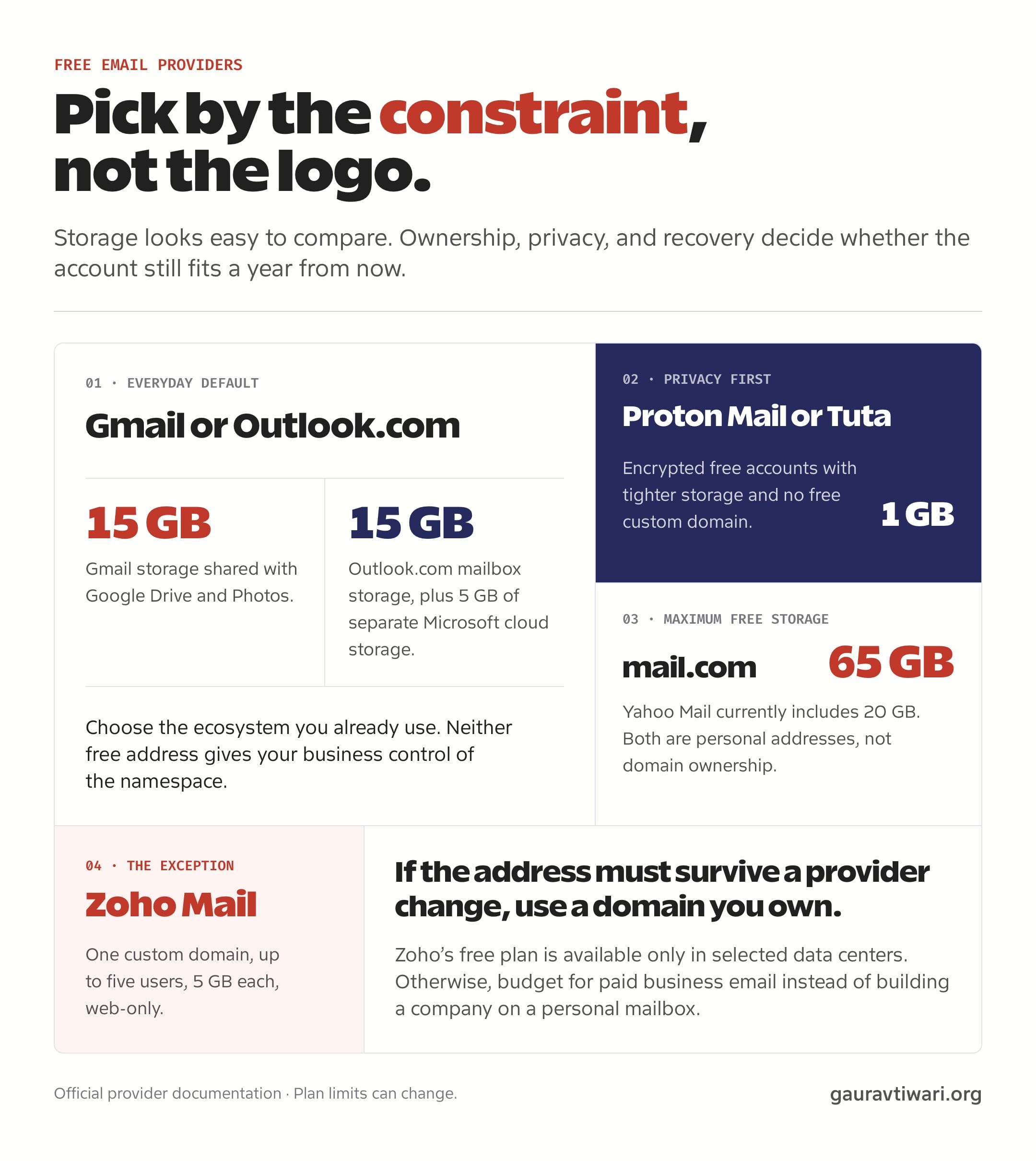
The best free email providers are not interchangeable. Gmail and Outlook.com optimize for ecosystem convenience. Proton Mail and Tuta optimize for privacy. Yahoo Mail and mail.com offer more storage. Zoho Mail is the unusual option that may host one custom domain for free.
| Provider | Free allowance | Own domain free? | Best fit and main catch |
|---|---|---|---|
| Gmail | 15 GB shared with Drive and Photos | No | Best overall for personal use; storage is shared across Google services. |
| Outlook.com | 15 GB mailbox plus 5 GB cloud storage | No | Best for Microsoft users; business administration requires a paid plan. |
| Proton Mail | 500 MB, expandable to 1 GB after setup steps | No | Best privacy-first ecosystem; low storage and a 150-message daily send limit. |
| Tuta | 1 GB | No | Best simple encrypted alternative; custom domains start on paid plans. |
| Yahoo Mail | 20 GB | No | Best for established Yahoo users; storage changed from the old 1 TB allowance. |
| mail.com | 65 GB | No | Best for maximum free email storage; the address still belongs to a provider domain. |
| Zoho Mail | 5 GB per user for up to five users | Yes, one domain in eligible data centers | Best free business-email exception; web-only access without IMAP, POP, or ActiveSync. |
Plan limits change. Check the provider’s current page in your country before moving important mail. If you already know you need a custom domain, my cheap email hosting comparison covers paid choices.
What does free email actually mean?
Free email means the provider subsidizes your mailbox while retaining control over the service and address namespace. That is a fair trade for personal mail. It becomes risky when the inbox is part of business operations.
Typical free-plan limits include:
- A provider-owned address such as
@gmail.comor@outlook.com - Storage and sending limits
- Ads or product promotion
- Consumer recovery rather than administrator recovery
- Few aliases and no central user offboarding
- No formal service-level agreement
- Limited retention, export, or audit controls
- Custom domains reserved for paid plans
None of this makes a free service bad. It makes it a consumer product. The mistake is asking a consumer account to behave like company infrastructure.
1. Gmail: best free email provider for most people
Gmail is my default free email recommendation because it works cleanly with Google Calendar, Drive, Docs, Meet, Android, and a huge third-party ecosystem. For a personal address, convenience usually matters more than one extra feature.
Google documents these limits:
- Up to 15 GB shared across Gmail, Google Drive, and Google Photos
- No custom domain on the free consumer plan
- Mail can stop sending or receiving when the shared storage is full
Use Gmail for a reliable personal inbox. Move to Google Workspace or another business host when you need you@yourdomain.com, administrator-managed users, or formal retention and security controls.
2. Outlook.com: best free email for Microsoft users
Outlook.com fits people whose devices, files, and calendar already live inside Microsoft’s ecosystem. The free mailbox is separate from the smaller cloud-storage pool used by OneDrive and some attachments.
- 15 GB of free Outlook.com mailbox storage
- 5 GB of separate Microsoft cloud storage
- 100 GB consumer mailbox storage for Microsoft 365 subscribers
Microsoft’s Outlook.com storage guide explains that exceeding a quota can interrupt mail. Choose it over Gmail when Windows, OneDrive, and Microsoft 365 are already the center of your workflow.
3. Proton Mail: best free email for privacy
Proton Mail is the strongest free choice when privacy is the deciding factor. Its free account is deliberately smaller than Gmail or Outlook.com, but the security model is the product rather than an add-on.
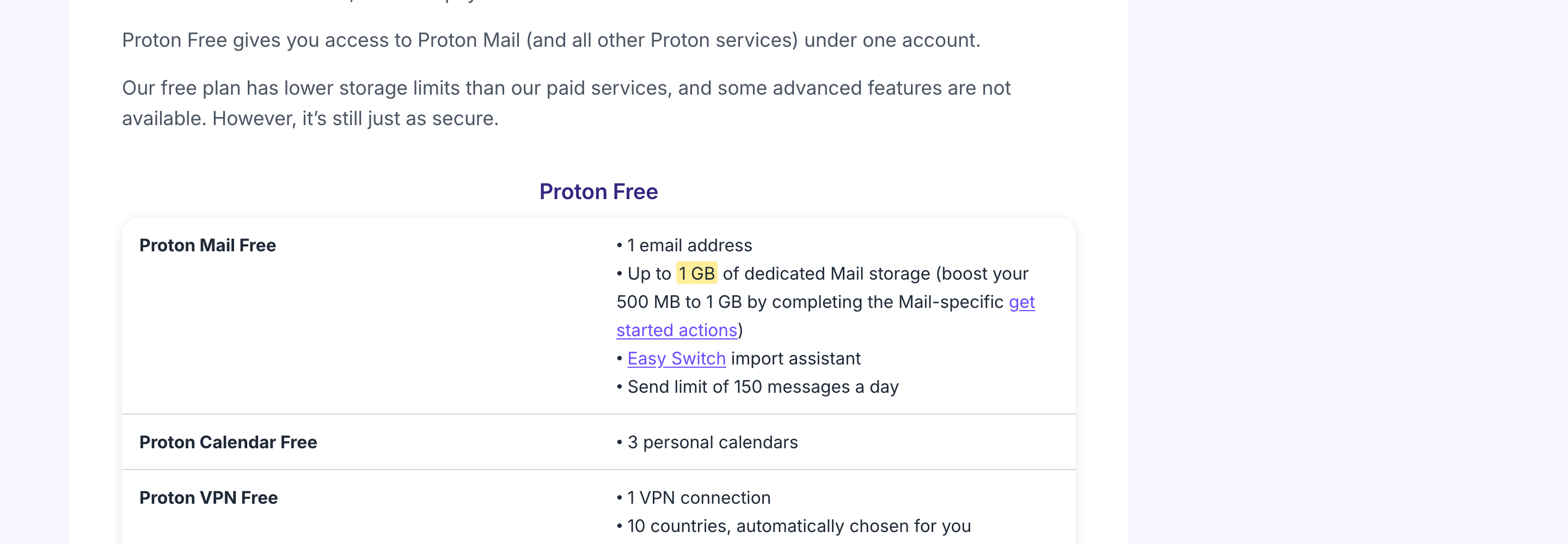
- One email address
- 500 MB of mail storage, expandable to 1 GB after completing setup actions
- A send limit of 150 messages per day
- No custom domain on the free plan
Choose Proton Mail when you want a private personal inbox and your storage needs are light. Pay when you need a custom domain, more addresses, more storage, or priority support. Do not use it as an email-marketing platform.
4. Tuta: best simple encrypted Gmail alternative
Tuta is a focused encrypted email and calendar service. Its free plan is easy to understand, and its apps are open source, but the feature ceiling is intentionally low.
- 1 GB of storage
- One calendar
- Three labels
- No custom domain on the free plan
Choose Tuta when you want encrypted mail without the wider Proton product suite. Pay when you need extra addresses, additional storage, custom domains, or faster support.
5. Yahoo Mail: best for an established Yahoo address
Yahoo Mail remains useful for people who already have an address their contacts know. I would not choose it as a new business identity, but abandoning a long-established personal mailbox can create more work than value.
Yahoo’s current US help page lists:
- 20 GB with a free account
- Paid 100 GB and 1 TB storage options
- 200 GB with Yahoo Mail Plus before optional storage add-ons
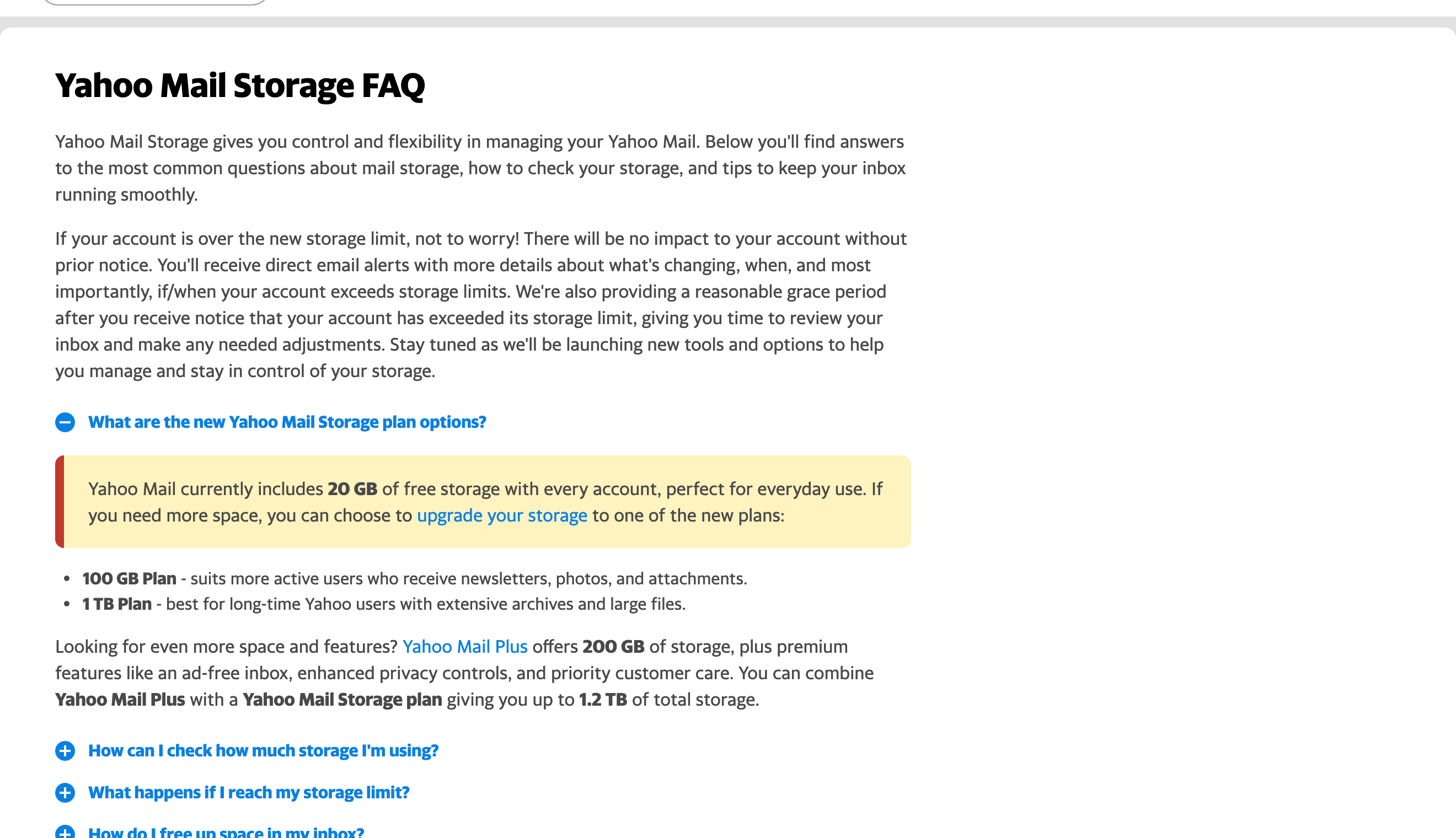
The important update is what not to trust: old comparison pages still repeat Yahoo’s former 1 TB free allowance. Check the current Yahoo Mail storage FAQ and the meter inside your account before planning a large archive.
6. mail.com: best free email provider for storage
mail.com currently offers the largest clearly documented free allowance in this shortlist: 65 GB of email storage plus 2 GB of cloud storage. It also offers a large selection of provider-owned domain endings for the address.
That flexibility is not the same as owning a domain. An address such as name@consultant.com may look specific, but mail.com still controls the domain and service. Choose mail.com when storage is the main constraint and the inbox is personal. Do not confuse a selectable provider domain with portable business identity.
7. Zoho Mail: the free custom-domain exception
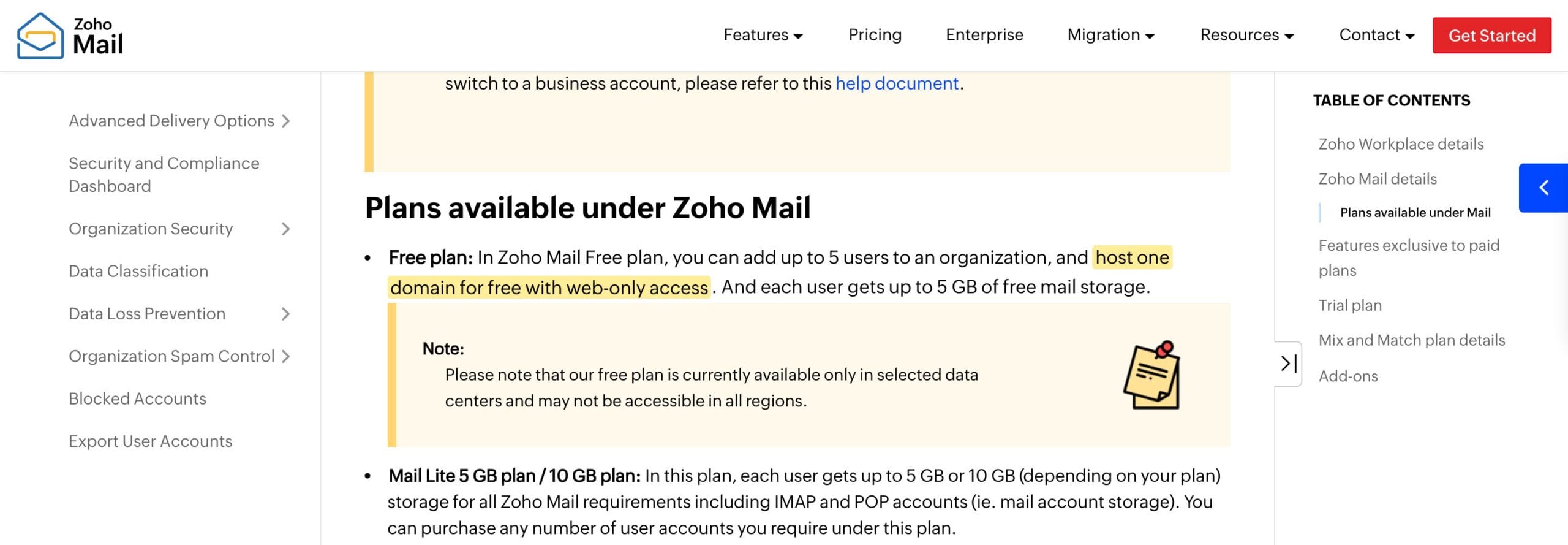
Zoho Mail is different because its free plan can host one custom domain for up to five users in selected data centers. This is the closest match for someone searching for free business email, but the restrictions matter.
- One custom domain
- Up to five users
- 5 GB of mail storage per user
- Web-only access without IMAP, POP, or ActiveSync
- Availability only in selected data centers
Choose Zoho Mail when a very small team can live inside Zoho’s web and mobile apps. Pay when staff need desktop clients, advanced routing, SSO, retention, or reliable plan availability across regions.
What do you gain by paying for business email?
Business email buys control, not just storage. The address lives on a domain you own, administrators can recover and reassign accounts, DNS records can authenticate sending, and the company can move providers without changing its public identity.
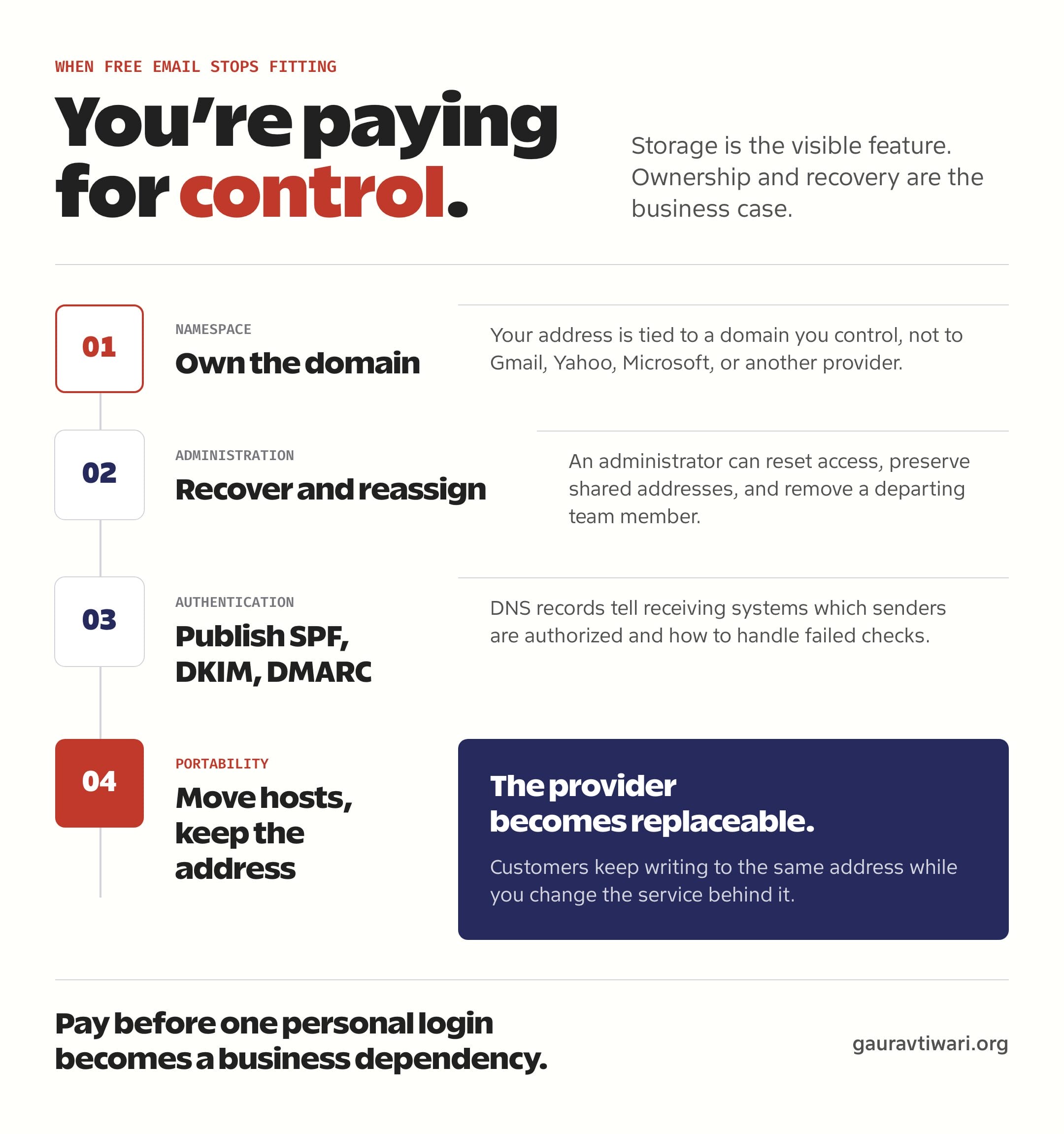
A custom-domain address is not proof that a company is legitimate. Scammers can buy domains too. It still improves brand consistency, creates clear role addresses such as support@, and gives the organization control over its namespace. My guide to business email and customer trust covers the buyer-facing side in more detail.
Does paid business email guarantee deliverability?
No. Paying for an email host does not guarantee inbox placement. It gives you the tools to authenticate the domain and manage sending correctly.
- SPF authorizes sending systems.
- DKIM adds a cryptographic signature to outgoing mail.
- DMARC tells receivers how to handle failed authentication and where to send reports.
- Stable sending behavior protects reputation.
- Multi-factor authentication and secure recovery protect accounts.
- Clean recipient lists reduce complaints and bounces.
Do not send newsletters from a normal business inbox. Transactional, personal, and promotional email have different operational needs. Use my email marketing software comparison when you need consent management, unsubscribe handling, campaign reporting, and bulk-sending infrastructure.
When should you pay for business email?
Pay as soon as losing the address would cost more than the mailbox. That threshold often arrives before the company hires its first employee.
- Customers send orders, documents, or sensitive details.
- The address appears on invoices, contracts, or public profiles.
- More than one person needs access.
- Staff join and leave.
- Recovery must be controlled by an administrator.
- Downtime affects revenue or support.
- Retention, audit, security, or legal requirements matter.
- You want to change hosts without changing the address.
For a one-person company, paid email is cheap insurance. My MXroute pricing guide is one route when you want custom-domain mail without buying a large office suite.
How do you migrate from free email to business email?
Run the old and new inboxes in parallel, configure authentication before the switch, then update every account that depends on the old address. Do not close the free mailbox until mail flow, recovery, and critical logins have been verified.
- Register or confirm control of the domain.
- Choose the new email provider.
- Create user and role addresses.
- Add the domain and verify ownership.
- Configure MX, SPF, DKIM, and DMARC.
- Export old mail and contacts.
- Import the data into the new mailboxes.
- Forward the old address where possible.
- Update banks, vendors, clients, invoices, and account logins.
- Test inbound mail, outbound mail, replies, and attachments.
- Document administrator ownership, backup codes, and recovery routes.
- Keep the old account active during the transition.
Do not change the website host, DNS provider, and email provider on the same day unless you have a tested rollback plan.
Which email setup would I choose?
For personal email, I would choose Gmail for convenience, Outlook.com for Microsoft integration, Proton Mail or Tuta for privacy, mail.com for storage, or keep Yahoo if the established address still serves me.
For a business, I would use a domain I own, choose a provider with the administration the company needs, configure SPF, DKIM, and DMARC, keep bulk marketing separate, and document recovery before the first lockout happens.
The monthly fee is not the expensive part. Losing access to the address that customers, vendors, and financial accounts depend on is.
FAQs
The right provider depends on whether you are choosing a personal inbox or business infrastructure.
Which free email provider is best?
Gmail is the best general recommendation. Outlook.com fits Microsoft users, Proton Mail and Tuta prioritize privacy, mail.com offers the most storage in this shortlist, Yahoo suits established users, and Zoho Mail may host one custom domain in eligible data centers.
Can I get free business email with my own domain?
Zoho Mail currently offers a limited free custom-domain plan in selected data centers for up to five users. It is web-only and excludes IMAP, POP, and ActiveSync.
Which free email provider offers the most storage?
mail.com currently documents 65 GB of free email storage. Yahoo Mail lists 20 GB, Gmail provides 15 GB shared with Drive and Photos, and Outlook.com provides a 15 GB mailbox.
Is Proton Mail better than Tuta?
Choose Proton Mail for a broader privacy ecosystem and Tuta for a focused encrypted email and calendar service. Both free plans provide about 1 GB of mail storage and reserve custom domains for paid plans.
Is paid business email more secure?
Paid business email can provide administrator recovery, managed users, logs, retention, and policy controls. Security still depends on correct authentication, multi-factor authentication, updates, and user behavior.
Should I use my business inbox for newsletters?
No. Use a dedicated email-marketing provider with consent records, unsubscribe handling, list management, reporting, and infrastructure designed for bulk sending.
Tell Google you want more of this.
Add Gaurav Tiwari as a preferred sourceOne tap, and this site shows up more often in your own Top Stories, AI Overviews and AI Mode. Remove it any time.
Disclaimer: This site is reader-supported. If you buy through some links, I may earn a small commission at no extra cost to you. I only recommend tools I trust and would use myself. Your support helps keep gauravtiwari.org free and focused on real-world advice. Thanks. - Gaurav Tiwari