
Introduction to GT Page Blocks Builder
GT Page Blocks Builder lets you build WordPress pages as editable HTML, CSS and JavaScript sections. The visual builder saves those sections as native gt-page-block/page-block blocks, so Gutenberg and the builder work on the same page content.
The course examples include an architecture portfolio, a teaware collection and a software landing page. You can import the finished layouts, inspect each section and make your own changes without configuring an AI provider.
The plugin works with any WordPress theme. It was originally part of the Marketers Delight theme and has been extracted into a standalone plugin that any site can use.
What It Does
The plugin provides two editing interfaces for creating section-based pages.
Gutenberg Block Editor Integration. A custom “Page Block” is registered in the WordPress block editor. Each block instance holds three code fields (HTML, CSS, JavaScript) and renders them on the frontend. You can add as many Page Block instances as you need, each one representing a distinct section of your page.
Frontend Visual Builder. A full-screen visual builder that runs outside the WordPress admin. It shows a live preview of your page alongside code editors, a section sidebar for managing and reordering sections, and viewport controls for testing responsive layouts. When you save, the builder writes your sections back to the post as Gutenberg blocks.
Who It’s For
This plugin is built for developers and technical content creators who want full control over their page output. If you’re comfortable writing HTML and CSS (and optionally JavaScript and PHP), this plugin lets you build pages without the overhead of a traditional page builder. There are no drag-and-drop widgets, no predefined row/column systems, and no abstraction layers between what you write and what gets rendered.
Key Capabilities
Raw code editing. Each section has dedicated fields for HTML, CSS, and JavaScript. CodeMirror provides syntax highlighting, code folding, bracket matching, and autocomplete for theme CSS classes.
Live preview. The visual builder renders your code in a sandboxed iframe with your theme’s stylesheets loaded. Changes appear in real time as you type.
Server-rendered preview. When you enable WordPress formatting (wpautop) or PHP execution on a section, the preview fetches rendered output from the server so you see the actual processed result.
Theme-aware. The builder automatically loads your active theme’s CSS files into the preview iframe, so your sections render with the same styles they’ll have on the live site. It also extracts class names from your theme stylesheets and offers them as autocomplete suggestions in the HTML editor.
Section management. Add, duplicate, delete, reorder (via drag-and-drop), and collapse sections. Each section is independently configurable.
Two page templates. On classic themes, a “Page Blocks Builder” template keeps your theme’s header and footer but removes layout constraints, and a “Full Page Builder” template that strips everything for complete control.
Autosave. The visual builder saves a draft to your browser’s localStorage every 5 seconds. If you close the tab or your browser crashes, you’ll be prompted to restore the draft next time you open the builder.
SEO integration. The plugin feeds Page Block content into Rank Math’s analysis so your SEO scores reflect the actual page content.
Architecture
The plugin separates inline page content from reusable library content.
- Inline sections are serialized as
gt-page-block/page-blockblocks inpost_content. - Reusable sections use
{prefix}gt_page_blocks; their revisions use{prefix}gt_page_blocks_revisions. - The authenticated
pbb/v1REST API manages library blocks. A linked placement stores the library reference rather than an independent copy.
Download the Course Demos
You can work from the complete JSON demo collection or choose a single layout below. Each file contains inline sections with embedded photographs and fonts, so it does not depend on the local demo site.
- Form & Field architecture portfolio and its garden-house case study.
- Steep & Still teaware collection with category filters and a local selection list.
- Folio software landing page and the Folio build-along workshop.
- A demo index page linking the layouts together.
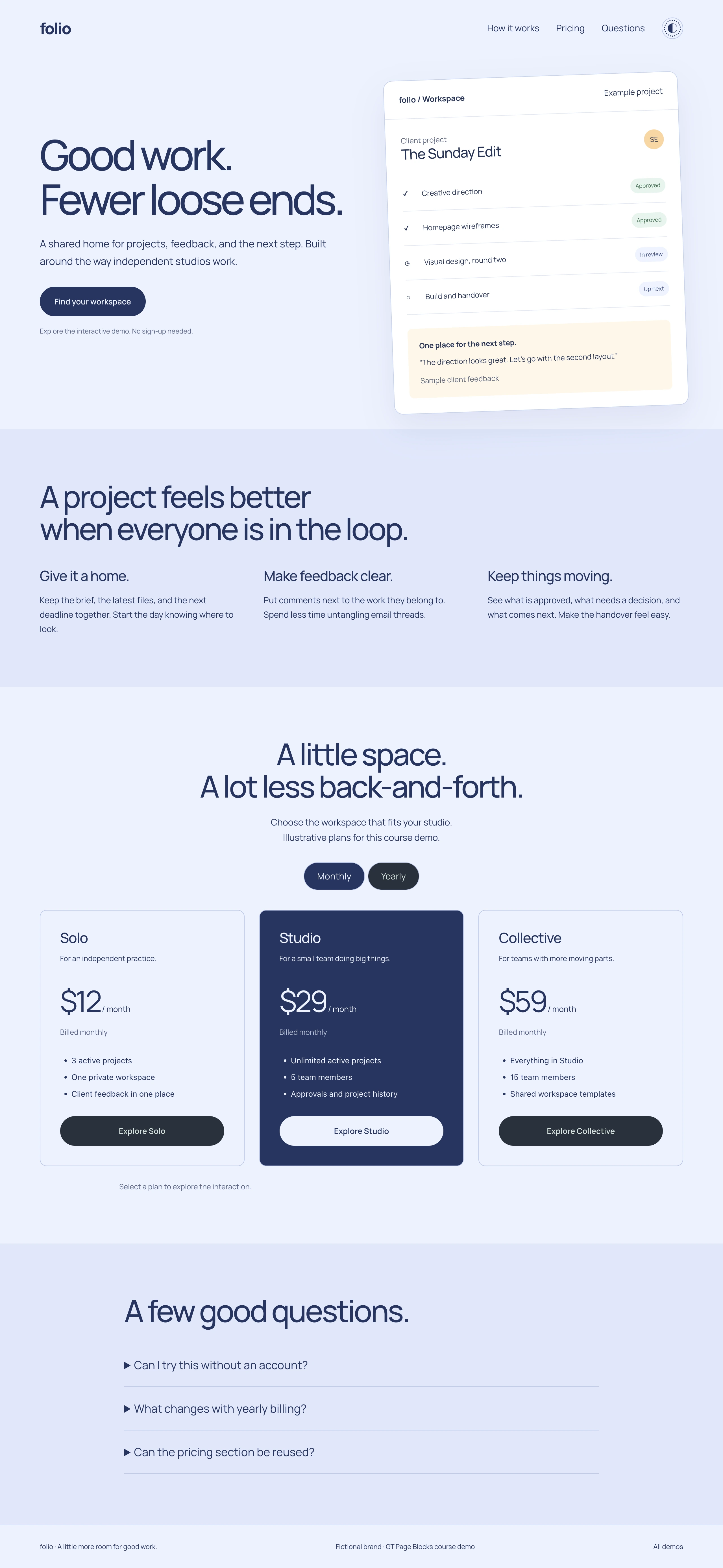
These are fictional design exercises. The product selection and pricing controls demonstrate JavaScript behavior; they do not place orders or create accounts.
Quick answers to common questions:
Who is Page Blocks Builder for?
Developers and designers who want full markup control with WordPress conveniences: native block storage, a visual builder with live preview, reusable library blocks, and theme integration. If you’d rather not write HTML, a conventional page builder will serve you better.
What’s new in the 2.x releases?
A top-level Page Blocks admin menu, a database-backed block library with shortcodes, a full REST API (pbb/v1), optional utility-class and reset stylesheets, Emmet expansion in the HTML editor, and in 2.6.0 theme regions plus hook positions so library blocks can render into headers, footers, and template hooks.
Will my existing marketers-delight/page-block content break?
No. The legacy block stays registered (hidden from the inserter) and renders exactly as before. A one-click transform converts blocks to the new name, and a migration tool plus WP-CLI command rewrites stored content in bulk, dry-run included.