
The GT Page Blocks Gutenberg Block
The GT Page Blocks Gutenberg block stores either a section’s code or a reference to a reusable library block. Its current name is gt-page-block/page-block, and you can find it under Page Blocks in the inserter.
That distinction matters when you edit. An inline section belongs to one page; a linked section reads from the library and can appear on several pages.
Block Registration
The inserter category is Page Blocks and the block is named Page Block. New content should use gt-page-block/page-block. The older marketers-delight/page-block registration remains for existing content.
Block Attributes
The content fields describe an inline section. A linked section instead resolves its source from the library.
content,cssandjshold the section code.blockIdselects a library block; a nonzero reference takes precedence over inline fields.jsLocationchooses footer or inline JavaScript.outputchooses inline or file-based assets.formatapplies paragraph formatting; shortcodes are processed separately.phpExecrequests PHP execution but does not bypass the site-level execution gates.
<!-- wp:gt-page-block/page-block {"blockId":42} /-->The ID above is only a syntax example. A library ID belongs to one site; importing code copies is safer than carrying that ID into an unrelated installation.
Editor Interface
In the Gutenberg editor, each Page Block shows a tabbed code editor with three tabs: HTML, CSS, and JS. The editors use CodeMirror (the same code editor used in the WordPress theme/plugin editor) with syntax highlighting, line numbers, code folding, and bracket matching.
The editor has two modes.
Editor mode. Shows the tabbed code editors. Tabs that contain code show a dot indicator so you can tell at a glance which fields have content.
Preview mode. Shows a live preview of the block’s rendered output in an iframe. Click the eye icon to switch to preview mode, and the pencil icon to switch back to editor mode.
Settings Panel
In the block’s Inspector Controls sidebar (right panel in Gutenberg), you’ll find three settings.
JavaScript Location. A dropdown to choose between “Footer” and “Inline” placement for the block’s JavaScript.
WordPress formatting (wpautop). A toggle to enable WordPress content formatting. When on, your HTML is processed with wpautop().
Execute PHP code. A toggle to enable PHP execution in the HTML content. Only available to administrators.
Theme Class Autocomplete
The plugin scans your active theme’s CSS files (both child and parent theme) and extracts class names. When editing the HTML tab, you get autocomplete suggestions for CSS classes as you type inside class="..." attributes. Trigger autocomplete manually with Ctrl+Space or Cmd+Space.
The autocomplete scans up to 2,000 unique classes from these locations in your theme directory.
style.css(root stylesheet)css/directory (recursive)assets/css/directory (recursive)
Server-Rendered Preview
Formatting or PHP can request server-rendered content. A linked block also needs its library source resolved rather than reading empty inline fields. PHP previews require the appropriate administrator permission and execution gates.
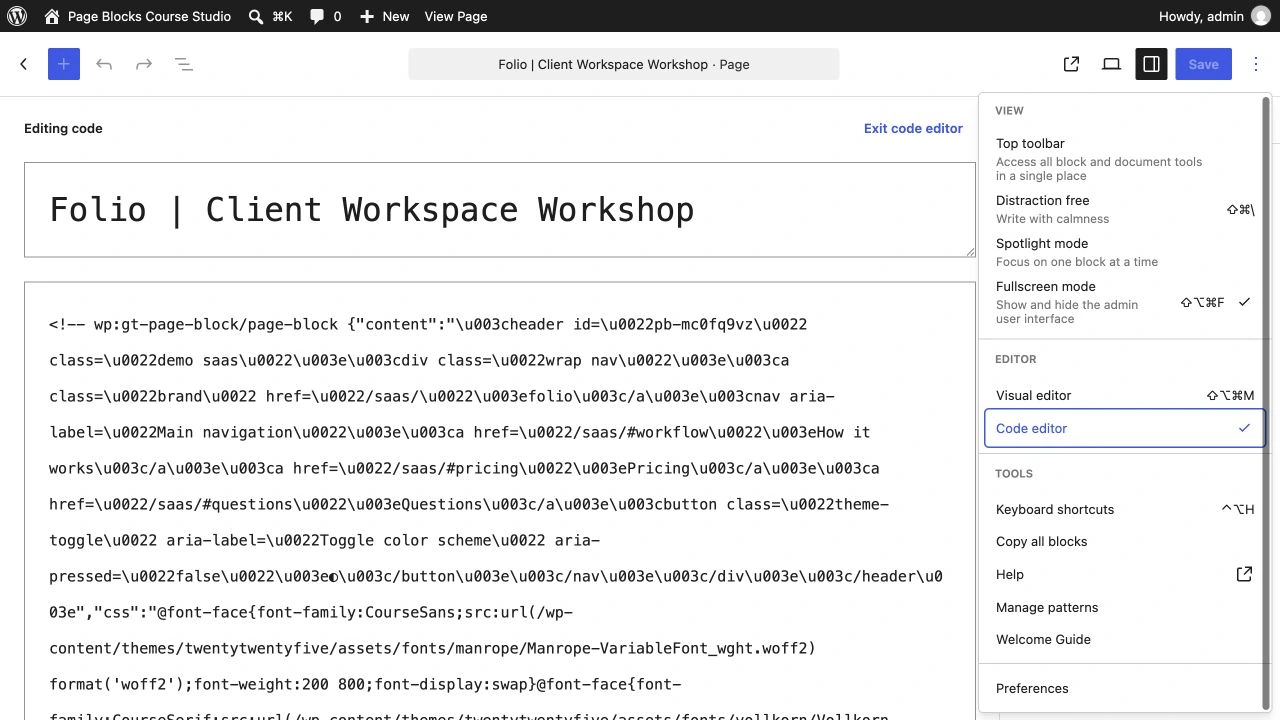
The WordPress 7.1 course environment showed a blank Gutenberg visual canvas while code view and the standalone builder remained usable. If you see this, first confirm the saved blocks in code view rather than replacing the page with empty content.
Frontend Rendering
The block uses a PHP render callback (not a save function in JavaScript). The JavaScript save function returns null, meaning the block is fully dynamic and renders server-side on every page load.
The render callback outputs content in this order.
- If CSS exists: a
<style>tag containing the minified CSS. - The HTML content, optionally processed through permitted PHP execution and
wpautop(). - If JavaScript exists and jsLocation is “inline”: a
<script>tag immediately after the HTML. - If JavaScript exists and jsLocation is “footer”: the script is queued and output during
wp_footer.
Each script tag gets a unique ID based on an MD5 hash of the JavaScript content (e.g., page-block-js-pb-a1b2c3d4).
Rank Math SEO Integration
The plugin includes automatic integration with Rank Math SEO. When Rank Math is active, the plugin hooks into Rank Math’s content analysis and feeds the text content from all Page Block instances on the page. This means Rank Math’s SEO scoring reflects the actual content of your Page Blocks, not just the raw block markup.
The integration strips HTML tags and PHP code before passing the text to Rank Math, and automatically refreshes the analysis when block content changes.
Link or Copy a Section
The architecture portfolio and its case-study page use the same header and footer library records. The library shows two placements for each shared record.
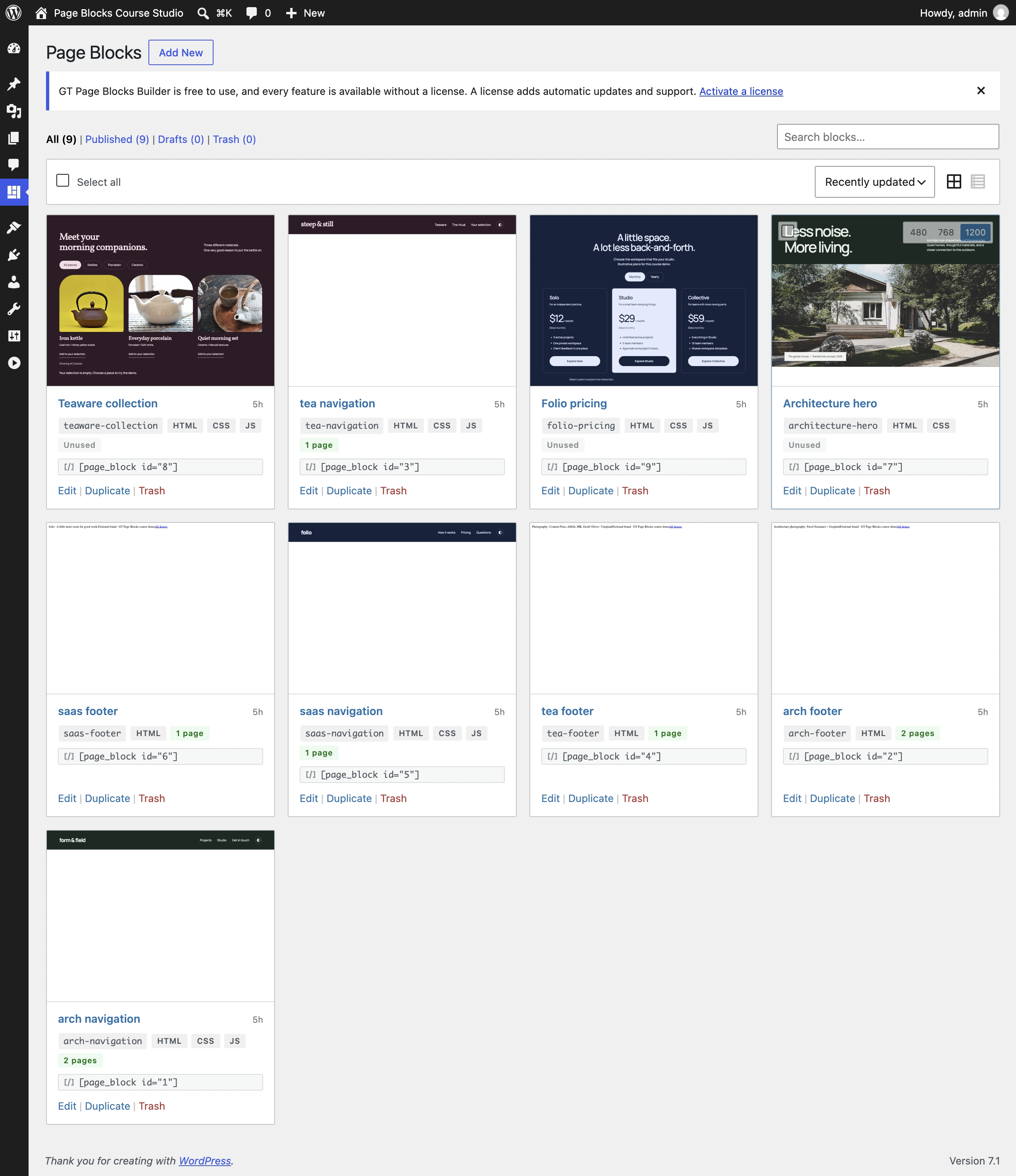
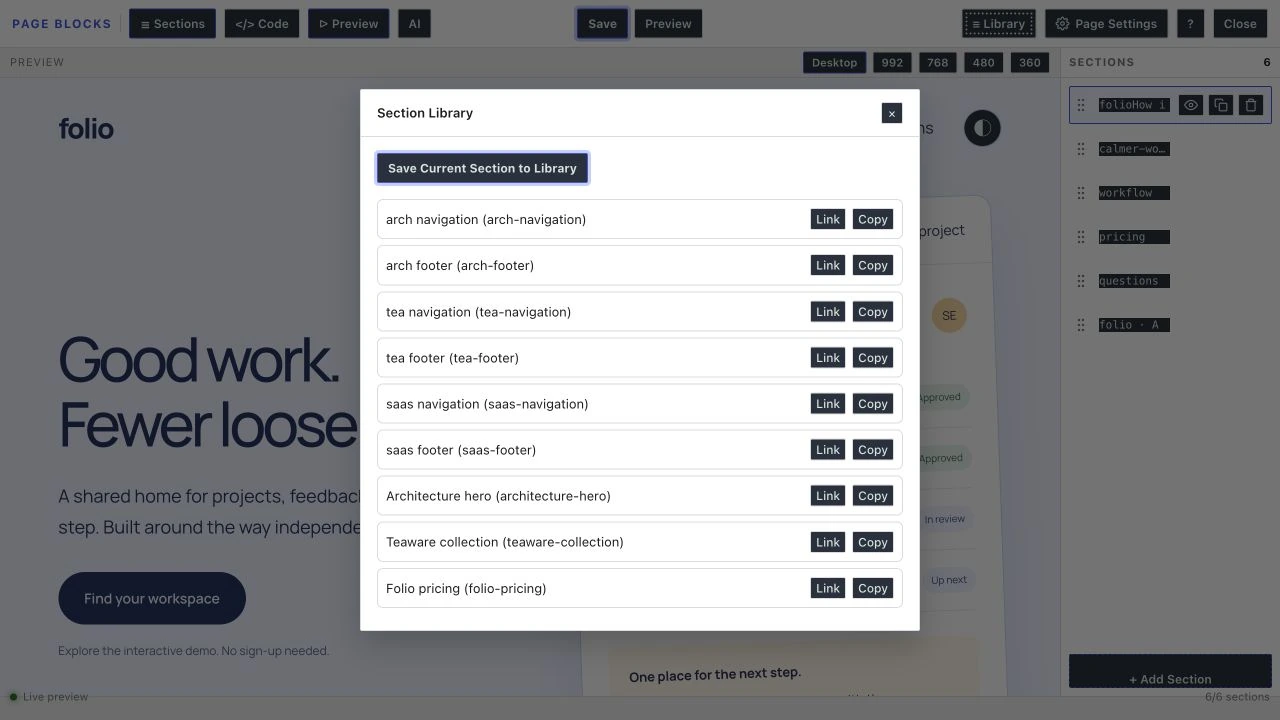
- Link keeps one shared source. Edit the library block when every placement should change.
- Copy creates an independent section. Edit it when only this page should change.
Quick answers to common questions:
Why did the block name change in 2.6.0?
The plugin became fully standalone, so the namespace moved from the Marketers Delight theme family to its own gt-page-block namespace. Old content keeps rendering via the legacy registration; the migration tool (Settings > Tools, or wp gt-pb migrate-blocks) rewrites stored content when you’re ready.
Does the block show a preview in the editor?
The block includes a preview mode, but editor compatibility can affect it. The course environment showed a blank Gutenberg visual canvas on WordPress 7.1 while code view and the standalone builder remained usable. Do not treat a blank canvas alone as lost content.
Where do CSS and JS actually load on the frontend?
Block CSS is delivered with the page that uses it, inline or as a generated file. JavaScript uses its selected footer or inline location. CSS selectors are not automatically isolated to one section, so use a distinctive wrapper class.