
The Best Laptops for Accountants, Tax Professionals and Students
Over the past 16 years, I’ve helped hundreds of business professionals pick the right tech for their work. Accountants, tax preparers, CPAs, bookkeepers, and accounting students make up a surprisingly large chunk of those conversations. And the question is always the same: “Which laptop should I get?”
The answer depends on what you actually do every day. If you’re running QuickBooks Desktop, TurboTax, Drake Tax, or heavy Excel workbooks with thousands of rows, you need a machine that won’t choke under load. If you’re a student working through your CPA prep, you need something portable with great battery life that handles multiple browser tabs and study apps without stuttering.
I’ve tested and researched the best options for 2026, and narrowed it down to 8 laptops that cover every budget and use case. Whether you’re a solo tax preparer working from home, a senior accountant at a firm, or a student grinding through intermediate accounting, there’s something here for you. Every pick prioritizes the things that actually matter for accounting work: fast processors for number crunching, enough RAM for multitasking, comfortable keyboards for data entry, and displays big enough to read spreadsheets without squinting.
Best Laptops for Accountants, Tax Professionals and Students in 2026
I’ve organized this list from premium business machines down to solid budget picks. Each one handles accounting software, Excel, tax prep tools, and general productivity without issues. I’ll tell you exactly who each laptop is for, what it does well, and where it falls short.
Lenovo ThinkPad E16 Gen 2 (Best Overall for Accountants)

- Intel Core Ultra 7 155U 12-core processor with dedicated NPU for AI-assisted productivity and enhanced battery efficiency
- 16-inch WUXGA (1920×1200) IPS anti-glare display with 300 nits brightness, perfect for spreadsheets and financial reports
- 32GB DDR5 RAM and 1TB PCIe NVMe SSD for handling large datasets and multiple accounting applications simultaneously
- MIL-STD 810H tested durability, fingerprint reader, backlit keyboard with numeric keypad, built-in Ethernet port
If I could only recommend one laptop for accountants and tax professionals, the Lenovo ThinkPad E16 Gen 2 is the one. ThinkPads have been the gold standard in accounting firms for decades, and this generation is no exception. The 16-inch display with a 16:10 aspect ratio gives you the extra vertical space that makes a real difference when you’re staring at spreadsheets all day. You can see more rows without scrolling, and that alone saves hours over a busy tax season.
The Intel Core Ultra 7 155U with 32GB DDR5 RAM handles QuickBooks Desktop, Excel with complex macros, and a dozen Chrome tabs without breaking a sweat. The built-in Ethernet port is a feature you won’t find on most ultrabooks, and it matters when you’re transferring large client files or need a stable connection for cloud-based accounting software. The keyboard is legendary for a reason. After typing thousands of entries during tax season, your hands will thank you.
Best for: CPAs, tax preparers, and accounting professionals who need a reliable 16-inch workhorse with a numeric keypad. The MIL-STD durability rating means it handles the daily grind of client meetings and office travel.
The downside: It’s not the lightest at around 4.2 pounds. The display is good but not OLED-quality. If you’re looking for something sleeker for client presentations, the Dell or HP below might suit you better. But for raw productivity in accounting work, nothing beats this ThinkPad.
Apple MacBook Air M4 (Best for Mac-Based Accounting)
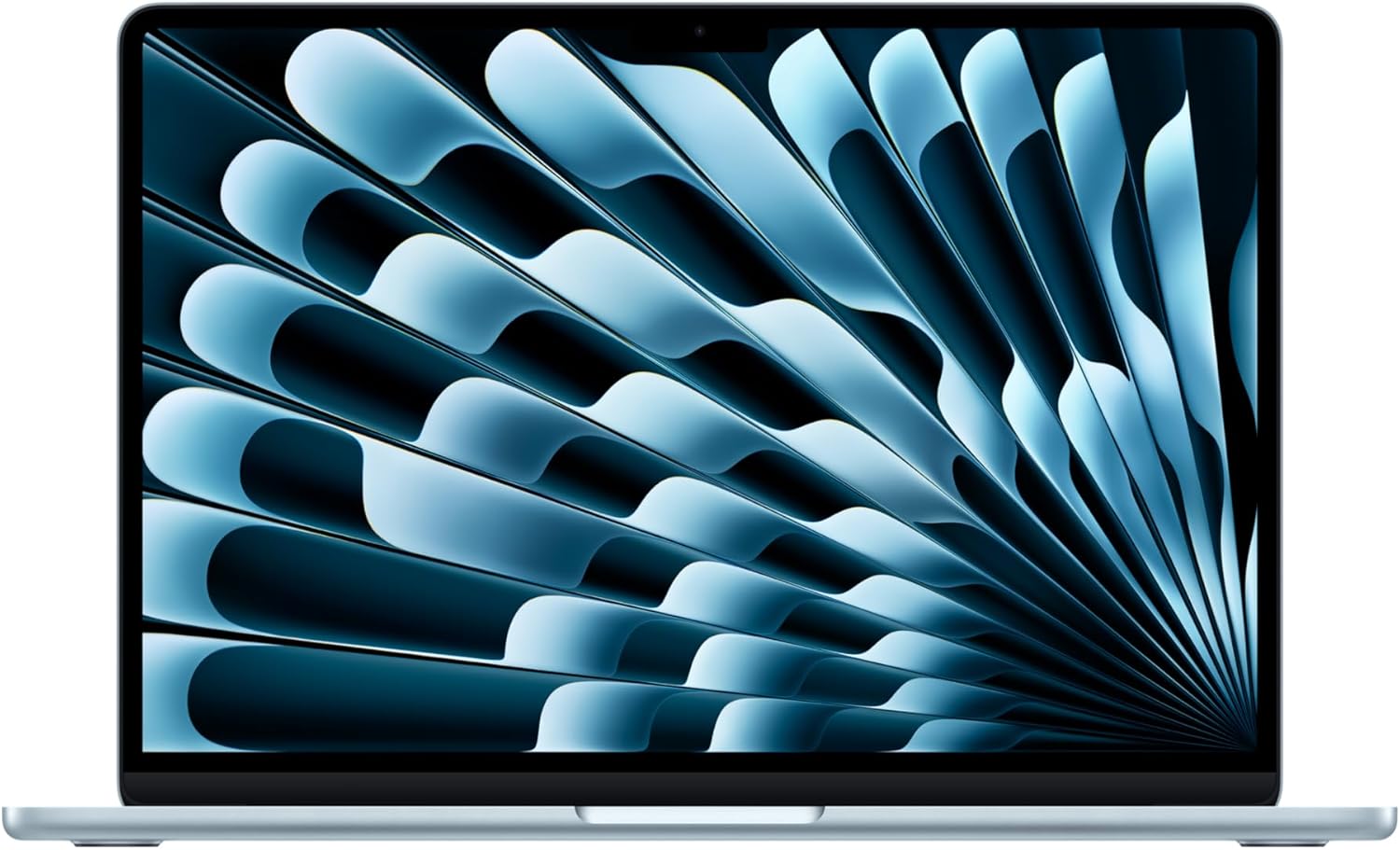
- Apple M4 chip delivers exceptional speed for running Numbers, Excel for Mac, and cloud-based accounting tools like QuickBooks Online
- 15.3-inch Liquid Retina display with True Tone provides a larger workspace for spreadsheets and financial reports
- Up to 18 hours of battery life, fanless design with zero noise during quiet office work and client meetings
- 16GB unified memory, 256GB SSD, MagSafe charging, Touch ID for secure login, weighs just 3.3 pounds
I know what you’re thinking: “Can accountants even use Macs?” Yes, and more of them do every year. QuickBooks Online, FreshBooks, Xero, and Wave all run beautifully in a browser on macOS. Excel for Mac is fully capable for most accounting work. And if you absolutely need a Windows app, Parallels runs flawlessly on the M4 chip.
I’m recommending the 15-inch MacBook Air M4 specifically because the larger screen makes a real difference for accounting work. You get more room for side-by-side windows, which is essential when you’re reconciling accounts or cross-referencing data between a spreadsheet and your accounting software. The 18-hour battery life means you can work a full day at a client’s office without hunting for an outlet. And at 3.3 pounds, it’s lighter than most 14-inch business laptops.
Best for: Accountants who use cloud-based accounting software, freelance bookkeepers, and accounting students who prefer macOS. The build quality and resale value are hard to beat.
The downside: QuickBooks Desktop doesn’t run natively on macOS. Some Windows-only tax software like Drake Tax or UltraTax CS requires either Parallels or a hosted virtual desktop. The 256GB base storage is tight if you keep large client files locally. Upgrade to 512GB if your budget allows, or lean on cloud storage.
HP EliteBook 840 G11 (Best Enterprise-Grade Security)

- Intel Core Ultra 7 155U with dedicated NPU for AI workloads, 32GB DDR5 5600MHz RAM, 1TB PCIe NVMe SSD
- 14-inch WUXGA (1920×1200) IPS anti-glare display, 300 nits brightness, ideal for long hours of financial data review
- HP Wolf Security suite with endpoint protection, 5MP webcam with privacy shutter, fingerprint reader, MIL-STD 810H durability
- Ultralight at just 1.4 kg (3.1 lbs), 2x Thunderbolt 4 ports, HP Fast Charge delivers 50% in 30 minutes
When you handle sensitive financial data for clients, security isn’t optional. The HP EliteBook 840 G11 takes security more seriously than any other laptop on this list. HP Wolf Security provides endpoint protection that goes beyond standard antivirus. The 5MP webcam has a physical privacy shutter, the fingerprint reader is fast, and the whole package is built for environments where client confidentiality matters.
At just 3.1 pounds, this is the lightest business laptop here. If you travel between client offices, attend networking events, or work from coffee shops, you’ll appreciate not carrying extra weight. The 14-inch display is compact but the 16:10 aspect ratio makes it feel larger than older 14-inch laptops. The Intel Core Ultra 7 155U and 32GB DDR5 RAM handle everything from tax software to multi-tab research without lag. HP Fast Charge gets you to 50% in 30 minutes, which is a lifesaver between client appointments.
Best for: CPAs and tax professionals at firms who handle sensitive client data and need enterprise-grade security features. Also excellent for mobile accountants who travel frequently.
The downside: The 14-inch screen feels cramped for heavy spreadsheet work compared to the 16-inch ThinkPad. No built-in Ethernet port (you’ll need a USB-C adapter). And the premium price tag puts it above what most solo practitioners need. If security isn’t your top concern, the ThinkPad E16 gives you a bigger screen for less money.
Dell Pro 14 Plus (Best Value Business Laptop)

- AMD Ryzen 5 PRO 230 6-core processor with built-in AI NPU, faster than Intel i7-1355U in every benchmark for rapid spreadsheet calculations
- 16GB 7500 MT/s LPDDR5x RAM (nearly double the speed of competitors) and 1TB PCIe SSD for lightning-fast data access
- 14-inch WUXGA (1920×1200) anti-glare display with 300 nits brightness, aluminum build, MIL-STD tested durability
- Up to 14.5 hours battery life, Wi-Fi 7, IR webcam, fingerprint scanner, smartcard reader, ExpressCharge
The Dell Pro 14 Plus is Dell’s successor to the beloved Latitude 5450 line, and it’s the best bang-for-buck business laptop on this list. The AMD Ryzen 5 Pro 230 processor is a beast. It beat the Intel i7-1355U in benchmarks I’ve seen, which means your QuickBooks reports generate faster, Excel recalculations happen in a blink, and you can run more applications at once without any slowdown.
What I love about this laptop for accountants is the 7500 MT/s RAM speed. That’s nearly double what most competitors offer, and it directly translates to snappier performance when you’re working with large financial datasets. The aluminum build feels premium without the premium price tag. The smartcard reader is a nice touch for firms that use physical authentication. And 14.5 hours of battery life means full-day mobile work is genuinely possible.
Best for: Solo practitioners, small firm accountants, and tax professionals who want enterprise-quality build and performance without overpaying. The AMD Ryzen Pro chip also offers hardware-level security features that IT departments appreciate.
The downside: The 14-inch screen is adequate but won’t feel spacious for dual-window spreadsheet work. 16GB RAM is fine for most accounting tasks, but if you run multiple virtual machines or very heavy datasets, you might wish for 32GB. The webcam is good but not as sharp as the HP’s 5MP camera.
Dell Latitude 5450 (Best for IT-Managed Firms)

- Intel Core Ultra 7 155U vPro processor with 12 cores, enabling remote management and hardware-level security for IT departments
- 14-inch FHD touchscreen display for annotating documents and navigating accounting software with touch gestures
- 16GB DDR5 RAM and 512GB PCIe SSD with 2x Thunderbolt 4 ports for connecting dual external monitors at 4K
- Built-in Ethernet port, IR webcam for Windows Hello facial recognition, backlit keyboard, Win 11 Pro
The Dell Latitude 5450 is the laptop that medium and large accounting firms buy in bulk. And there’s a good reason: Intel vPro. If your firm has an IT department, vPro lets them remotely manage, update, and troubleshoot your laptop without you handing it over. During tax season, when every hour counts, that kind of zero-downtime IT support is worth its weight in gold.
The touchscreen is genuinely useful for accounting work. I’ve seen tax professionals use it to annotate PDF returns, sign documents, and navigate through client portals more quickly. The Thunderbolt 4 ports let you connect two 4K external monitors at your desk, transforming this 14-inch laptop into a full workstation setup. The built-in Ethernet port ensures stable connections for firm-hosted applications and VPNs.
Best for: Accountants working at firms with IT infrastructure that supports vPro management. Also great for tax professionals who want a touchscreen for document annotation and signing without buying a separate tablet.
The downside: The 512GB SSD fills up faster than you’d expect with client files. Consider upgrading to 1TB if your firm doesn’t have centralized storage. 16GB RAM is sufficient for most tasks but tight if you’re running multiple instances of heavy software. The vPro features only matter if your IT team actually uses them, so solo practitioners should look at the Dell Pro 14 Plus instead.
ASUS Vivobook S 15 OLED (Best Display for Long Work Sessions)
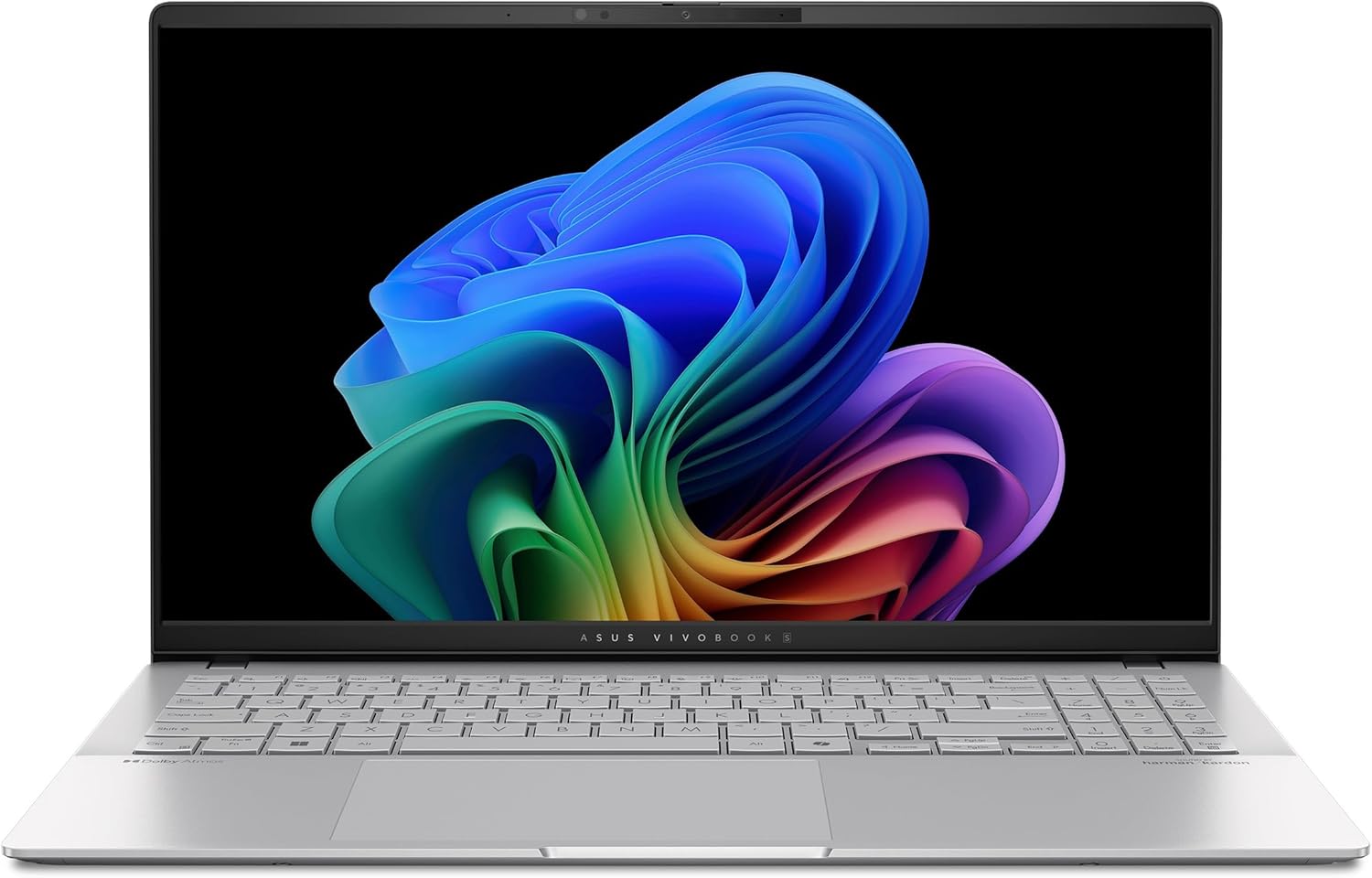
- 15.6-inch 3K (2880×1620) OLED display at 120Hz with 0.2ms response time, 100% DCI-P3 color gamut, sharp and easy on the eyes for reading spreadsheets all day
- Qualcomm Snapdragon X Elite X1E-78-100 12-core processor with dedicated NPU for AI-powered productivity and exceptional battery life
- 16GB RAM and 1TB SSD in a premium all-metal thin and light body, perfect for portable accounting work
- Full-size keyboard with numeric keypad for fast data entry, Wi-Fi 7, Windows 11 with Copilot+ AI features
Here’s something most “best laptops for accountants” articles won’t tell you: your display quality directly affects how tired your eyes get. If you’re staring at rows of numbers for 10-12 hours a day during tax season, a mediocre screen will leave you with headaches and eye strain. The ASUS Vivobook S 15 has a 3K OLED display that’s in a completely different league from the IPS panels on every other laptop here.
The 3K resolution (2880×1620) means text is razor-sharp even at small font sizes. The OLED panel produces deeper blacks with less blue light emission, which genuinely reduces eye fatigue. The 120Hz refresh rate makes scrolling through long spreadsheets feel buttery smooth. And the 15.6-inch screen with a numeric keypad is exactly what accountants need for data entry. The Snapdragon X Elite chip delivers outstanding battery life while handling everyday accounting software without issues.
Best for: Accountants and tax professionals who work long hours and value eye comfort. If you spend 10+ hours a day looking at numbers, this display will make a noticeable difference in how you feel at the end of the day.
The downside: The Snapdragon chip runs Windows on ARM, which means some older x86 accounting applications might run through emulation and feel slightly slower. QuickBooks Desktop and most tax software work fine, but niche industry tools could have compatibility issues. OLED screens carry a theoretical burn-in risk if you leave static elements on screen for extended periods. And the build quality, while good, isn’t as rigid as the ThinkPad or EliteBook.
Apple MacBook Pro 14 M4 Pro (Best for Power Users)
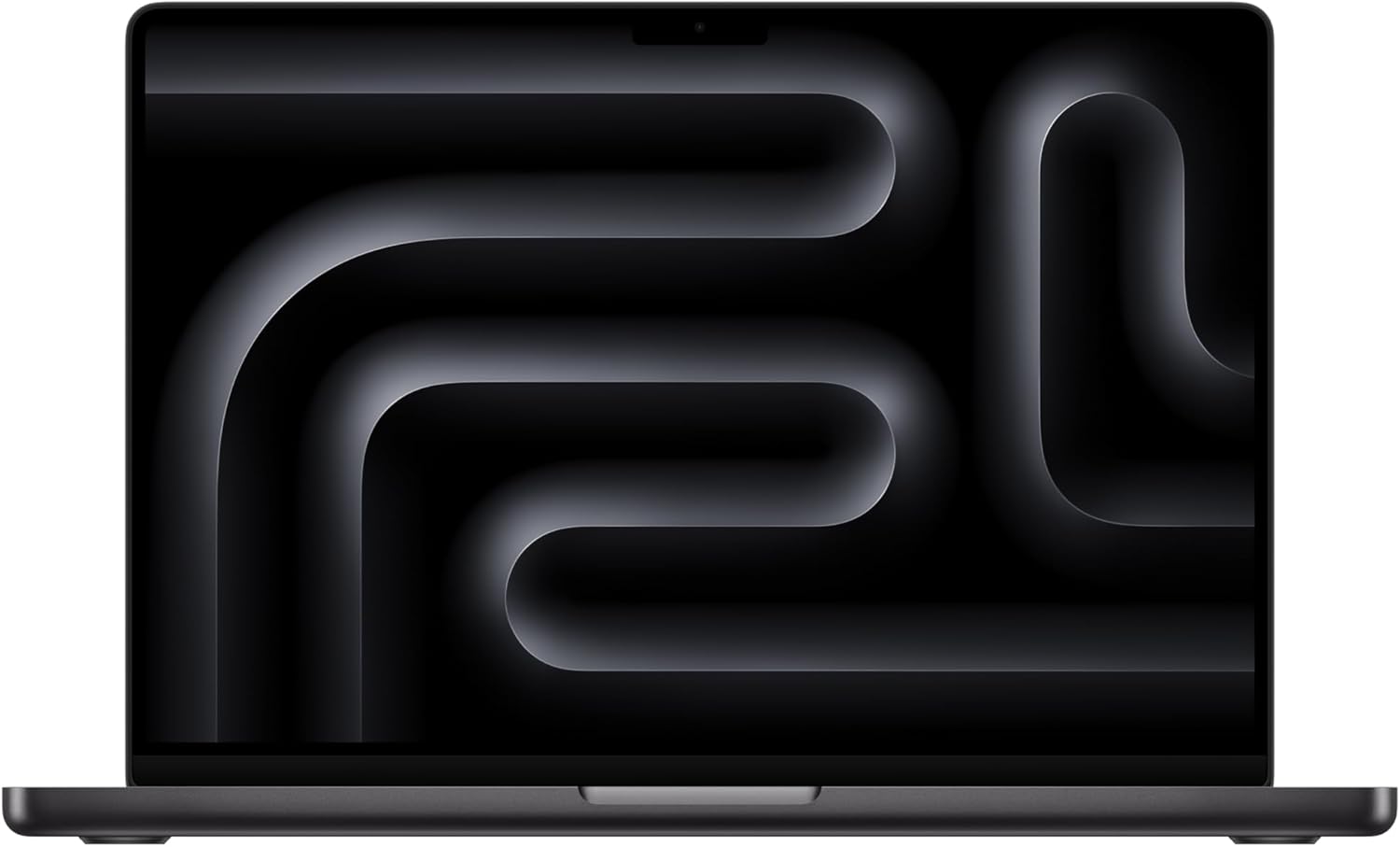
- M4 Pro chip with 14-core CPU and 20-core GPU delivers desktop-class performance for complex financial modeling and large datasets
- 14.2-inch Liquid Retina XDR display with ProMotion 120Hz, 1600 nits peak brightness, stunning clarity for detailed financial reports
- 24GB unified memory and 1TB SSD handle massive Excel files, multiple virtual machines, and parallel workflows without slowdown
- Up to 24 hours battery life, Thunderbolt 5 ports, HDMI, SD card slot, MagSafe charging, 1080p FaceTime camera
Most accountants don’t need a MacBook Pro. But some do. If you’re a CFO or financial analyst working with massive Excel models that have hundreds of thousands of rows, running complex Monte Carlo simulations, or managing multiple virtual desktops with Parallels, the MacBook Pro 14 with M4 Pro is the machine that won’t flinch.
The M4 Pro chip with 24GB of unified memory handles workloads that would bring lesser laptops to their knees. I’ve seen it process pivot tables on 500,000+ row datasets without the beachball. The Liquid Retina XDR display at 1600 nits is the best screen on any laptop, period. Up to 24 hours of battery life means you could theoretically work two full business days on a single charge. The HDMI port and Thunderbolt 5 make it trivial to connect external monitors at your desk.
Best for: Financial analysts, CFOs, partners at accounting firms, and anyone who works with truly massive datasets or needs to run Windows in a VM alongside macOS. If your accounting work pushes hardware limits, this is the answer.
The downside: It’s expensive. At this price point, you’re paying for power most accountants won’t fully use. The MacBook Air M4 handles 95% of accounting tasks just as well for significantly less money. Unless you regularly hit the limits of what the Air can do, save the difference. Same macOS compatibility considerations apply: QuickBooks Desktop needs Parallels, some Windows-only tax software needs a workaround.
Acer Aspire 15 (Best Budget Pick)

- Intel Core 5 120U processor handles Excel, QuickBooks, TurboTax, and general multitasking without lag for daily accounting work
- 16GB LPDDR5 RAM and 512GB Gen4 SSD provide smooth performance when working with multiple spreadsheets and browser tabs
- 15.6-inch Full HD IPS display gives you a spacious workspace for spreadsheets, with a backlit keyboard for after-hours number crunching
- Wi-Fi 6E connectivity, Copilot AI key, lightweight design for students and professionals on a budget
Not everyone needs a $1,000+ business laptop. If you’re an accounting student, a part-time bookkeeper, or someone just getting started with a small tax practice, the Acer Aspire 15 does everything you need at a fraction of the price. The Intel Core 5 120U with 16GB RAM handles QuickBooks, Excel, TurboTax, and a dozen browser tabs without any issues.
I like this pick for budget-conscious students because 16GB RAM and a 512GB SSD is genuinely more than enough for any accounting coursework. The 15.6-inch Full HD display is comfortable for reading financial statements, and the backlit keyboard means you can work late without straining your eyes. It’s not going to win beauty contests, but it gets the job done reliably.
Best for: Accounting students, entry-level bookkeepers, and anyone who needs a capable laptop for accounting work without spending over $600. Also makes a solid secondary machine for tax season overflow.
The downside: The plastic build feels cheaper than the business laptops above. No numeric keypad on this model, which is frustrating for heavy data entry. The display isn’t as bright or color-accurate as the premium options. Battery life is decent but not exceptional. And there’s no fingerprint reader, IR camera, or enterprise security features. You get what you pay for, but what you get is genuinely capable for accounting work.
Dell Inspiron 14 7440 2-in-1 (Best for Accounting Students)
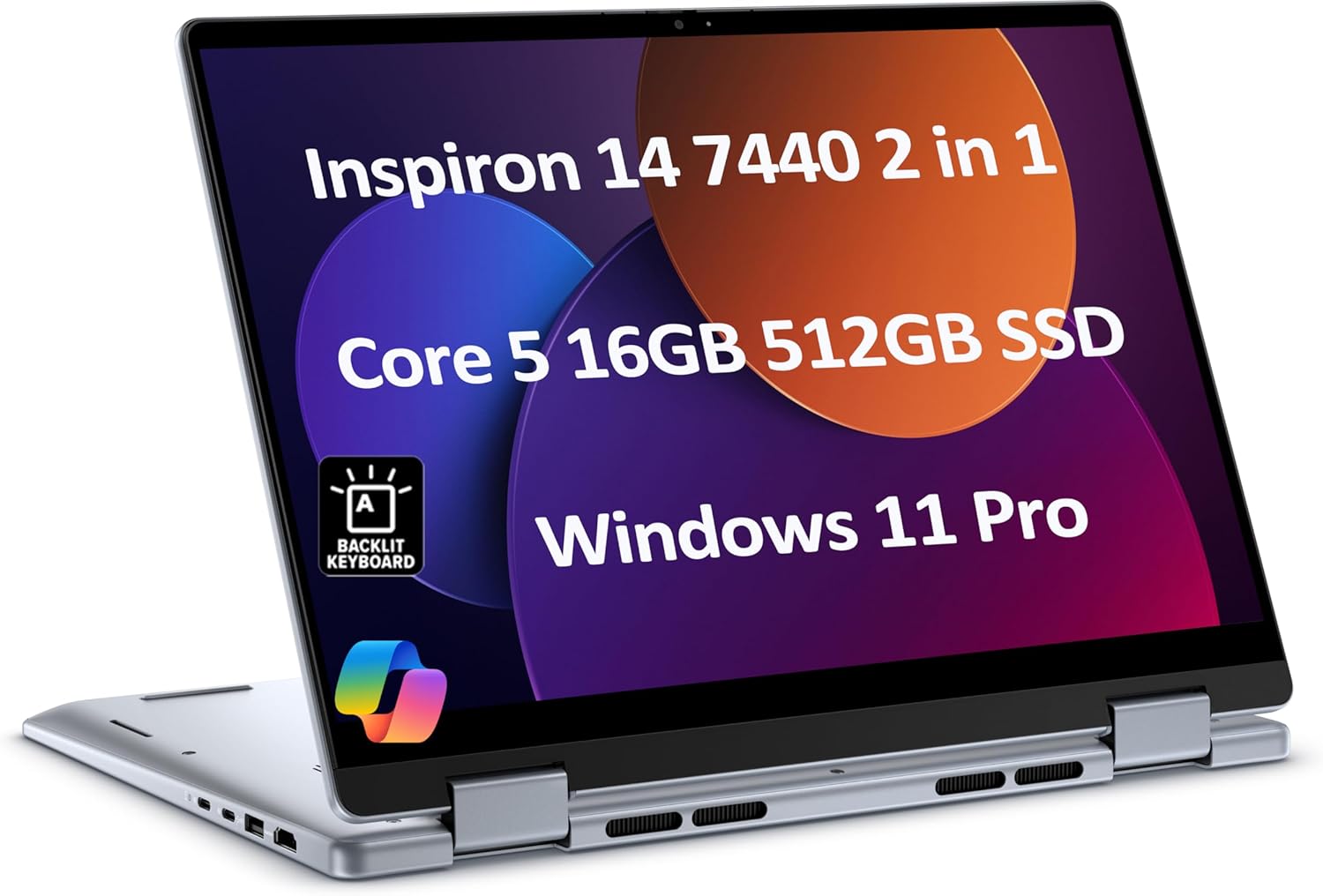
- Intel Core 5 120U processor with 16GB DDR5 RAM and 512GB SSD provides smooth performance for Excel, accounting software, and coursework
- 14-inch FHD+ touchscreen with 360-degree hinge for laptop, tent, stand, and tablet modes, ideal for note-taking and document review
- 10-hour battery life lasts through a full day of classes without needing a charger, lightweight and portable for campus carry
- Windows 11 Pro with full compatibility for all accounting software, backlit keyboard, USB-C and USB-A ports
I recommend the Dell Inspiron 14 7440 2-in-1 to accounting students more than any other laptop on this list. The 360-degree hinge lets you flip it into tablet mode for reading textbooks and taking handwritten notes with a stylus. You can tent it during study groups. And in laptop mode, it’s a solid performer for every accounting course you’ll take.
The Intel Core 5 120U with 16GB DDR5 and 512GB SSD runs Excel, QuickBooks student editions, and any accounting simulation software your program throws at you. The 10-hour battery life means you can get through a full day of classes and library time without a charger. Windows 11 Pro ensures compatibility with every piece of accounting software, which is critical because some CPA review courses require Windows-specific applications.
Best for: Accounting students who want the flexibility of a 2-in-1 for both coursework and exam prep. The touchscreen is especially useful for CPA review apps and annotating practice problems.
The downside: The 14-inch screen is smaller than what working professionals typically prefer. No numeric keypad, which you’ll miss during your first accounting data entry lab. The hinge feels slightly loose compared to Surface or Yoga models. Integrated graphics mean this isn’t for anything beyond basic computing. But for the price and versatility, it’s hard to beat for students.
What Accountants Need in a Laptop
I’ve consulted with dozens of accounting firms and tax preparers over the years, and the specs that matter for this profession are different from what most “laptop buying guides” tell you. Here’s what actually matters when you’re buying a laptop for accounting work.
Processor and RAM: The Non-Negotiables
The best accounting and bookkeeping software isn’t GPU-intensive, but it’s CPU and RAM hungry. When you recalculate a large Excel workbook with VLOOKUP formulas across multiple sheets, your processor does all the heavy lifting. QuickBooks Desktop is notorious for consuming RAM, especially with large company files. I recommend a minimum of an Intel Core i5 (or equivalent AMD Ryzen 5) and 16GB RAM for professional use. If you run multiple accounting applications simultaneously, 32GB RAM is the sweet spot.
For students, 8GB RAM works for basic coursework, but 16GB gives you breathing room for the next four years. Don’t buy a laptop you’ll outgrow before you graduate.
Display: Bigger Is Better for Spreadsheets
This is where I have a strong opinion. A 13-inch screen is too small for serious accounting work. You’ll spend your entire day scrolling horizontally through Excel columns. A 14-inch display is workable, but 15-16 inches is ideal if portability isn’t your top concern. The 16:10 aspect ratio found on newer laptops gives you more vertical space, which directly translates to more visible rows in your spreadsheet.
If you’re stuck with a smaller laptop, invest in an external monitor for your desk. I’ve reviewed the best monitors for productivity work, and many of those picks work just as well for accounting. I’d take a great 14-inch laptop with a 27-inch external monitor over a mediocre 17-inch laptop any day.
Keyboard: Get a Numeric Keypad If You Can
I hate when laptop reviews ignore the keyboard. For accountants, the keyboard is the most-used component on the entire machine. You need responsive keys with good travel, a comfortable layout, and ideally a numeric keypad. If you’re entering hundreds of journal entries or reconciling bank statements, a numpad saves you a massive amount of time compared to the top row number keys.
ThinkPads and 15-16 inch business laptops typically include numeric keypads. Most 14-inch laptops don’t. If your laptop doesn’t have one, buy an external USB numeric keypad for under $15. It’s a tiny investment that makes a huge difference during busy seasons.
Storage and Connectivity
Get an SSD. Not a hard drive. SSDs boot in seconds, open QuickBooks in a fraction of the time, and won’t slow down under load. 512GB is the minimum I’d recommend for professionals. Tax preparers who store client files locally should consider 1TB.
For connectivity, an Ethernet port is a genuine advantage for accountants. It provides more stable and secure connections for uploading tax returns, accessing firm-hosted applications, and transferring large client files. Thunderbolt 4 or USB-C ports let you connect external monitors for a multi-screen workstation setup at your desk.
Battery Life for Mobile Work
If you visit clients, attend networking events, or work from different locations, battery life matters more than raw performance. A laptop that dies after 4 hours is useless in a client meeting. I recommend 8+ hours of real-world battery life for any accountant who works outside the office. The MacBook Air M4 and ARM-based Windows laptops (Snapdragon) lead the pack here, often delivering 12-18 hours of genuine use.
Which Laptop Should You Buy?
Here’s my quick breakdown based on who you are:
If you’re a CPA or tax professional at a firm: Get the Lenovo ThinkPad E16 Gen 2. The 16-inch display, numeric keypad, legendary keyboard, and business-grade reliability make it the best all-around choice for daily accounting work.
If security and portability matter most: The HP EliteBook 840 G11 gives you enterprise-grade security in the lightest package. Perfect for mobile accountants who handle sensitive client data.
If you want the best value: The Dell Pro 14 Plus delivers business-grade performance and build quality at a lower price point than the ThinkPad or EliteBook. The fast RAM speed is a genuine advantage for number-heavy work.
If you prefer Mac: The MacBook Air M4 15-inch is unbeatable for battery life and build quality. Just make sure your accounting software runs on macOS or through a browser.
If you’re a student: The Dell Inspiron 14 7440 2-in-1 gives you the most versatility for coursework. The Acer Aspire 15 is the right call if you’re watching every dollar.
The right laptop is the one that fits your actual workflow. Don’t overspend on features you won’t use, and don’t underspend on specs that will slow you down during the busiest time of year. Tax season is stressful enough without a laptop that can’t keep up.
Frequently Asked Questions
What specs do I need in a laptop for QuickBooks and Excel?
For QuickBooks Desktop and heavy Excel use, you need a minimum of an Intel Core i5 or AMD Ryzen 5 processor, 16GB RAM, and a 256GB SSD. If you work with large company files in QuickBooks or Excel workbooks with thousands of rows and complex formulas, 32GB RAM and a 512GB SSD will give you a noticeably smoother experience. QuickBooks Online is less demanding since it runs in a browser, but you still want 16GB RAM for comfortable multitasking.
Can accountants use a MacBook for work?
Yes, and an increasing number do. QuickBooks Online, Xero, FreshBooks, and most cloud-based accounting tools work perfectly on macOS through a browser. Excel for Mac handles most accounting tasks. The catch is QuickBooks Desktop, which doesn’t run natively on Mac. You’d need Parallels (around $100/year) to run it in a Windows virtual machine. Some tax preparation software like Drake Tax and UltraTax CS also requires Windows. If your workflow is cloud-based, a MacBook is an excellent choice. If you depend on Windows-only software, stick with a Windows laptop.
Do I need a dedicated graphics card for accounting work?
No. Accounting software like QuickBooks, TurboTax, Excel, and Sage rely on CPU and RAM, not GPU performance. Integrated graphics from Intel or AMD handle everything you’ll need, including running dual external monitors. The only exception would be if you also do data visualization work with tools like Tableau or Power BI with very large datasets, where a dedicated GPU can speed up rendering. For 99% of accountants, integrated graphics are perfectly fine.
What screen size is best for accounting and tax work?
15-16 inches is the sweet spot for accountants who primarily work at a desk or carry their laptop between offices. This size gives you enough screen space to view spreadsheets without constant horizontal scrolling. A 14-inch laptop works well if portability is important, but I’d recommend pairing it with an external monitor at your primary workspace. Avoid anything under 13 inches for serious accounting work. The 16:10 aspect ratio found on newer business laptops gives you extra vertical space, which means more visible rows in your spreadsheets.
How much should I spend on a laptop for accounting?
For professional accountants and tax preparers, $800-$1,200 gets you a reliable business laptop that will last 4-5 years. The Lenovo ThinkPad E16 and Dell Pro 14 Plus fall in this range and handle everything accounting professionals need. Students can get by with $500-$700 on laptops like the Acer Aspire 15 or Dell Inspiron. Going above $1,500 only makes sense if you work with massive datasets, run virtual machines, or need premium features like OLED displays and enterprise security. Remember, a good laptop is a tax-deductible business expense.
Is a numeric keypad important for accountants?
For data entry and number-heavy work, a numeric keypad makes a significant difference in speed and comfort. Most 15-16 inch laptops include one, while 13-14 inch models typically don’t due to size constraints. If you enter journal entries, reconcile bank statements, or do tax data entry regularly, I’d prioritize getting a laptop with a built-in numpad. If you end up with a 14-inch laptop without one, buy an external USB numeric keypad for under $15. It’s a small investment that pays off immediately during busy season.