
The Best Tablets for Students
Students waste more money on the wrong tablet than on any other tech purchase. A 2023 survey by Student Loan Hero found that 62% of college students bought at least one device they regretted within the first semester. The pattern is consistent: wrong tablet for the wrong use case, bought based on price or brand loyalty rather than actual study needs.
A tablet that’s perfect for a graphic design student is actively bad for a law student who just needs to read cases and annotate PDFs. A premium iPad Pro sitting idle because it cost $1,299 and the student can’t afford the keyboard and pencil on top of that. A cheap Android tablet that slows to a crawl by November because it only had 3GB of RAM. The wrong choice costs real money and disrupts the study habits students were trying to build.
This guide cuts through the noise. Seven tablets, matched to specific student types and budgets, from $229 to $1,299. iPads dominate the list because Apple’s app ecosystem, stylus precision, and 6-7 years of software updates still lead the market. But the strongest Android options are here too, with honest assessments of where they win and where they fall short.
Best Tablets for Students in 2026
- Apple iPad Pro (M5): Only worth it for architecture, film, or design students who need desktop-class processing
- Apple iPad Air (M4, 2026): Just launched with M4 chip and 12GB RAM — the all-around pick for 90% of students
- Apple iPad Mini (A17 Pro): One-hand portable, Apple Intelligence-capable — built for reading-heavy courses
- Apple iPad 10th Gen: Full iPadOS experience for under $249 — the smart budget Apple buy
- Samsung Galaxy Tab S9 FE: S Pen included free, IP68 waterproofing — the best Android option for campus use
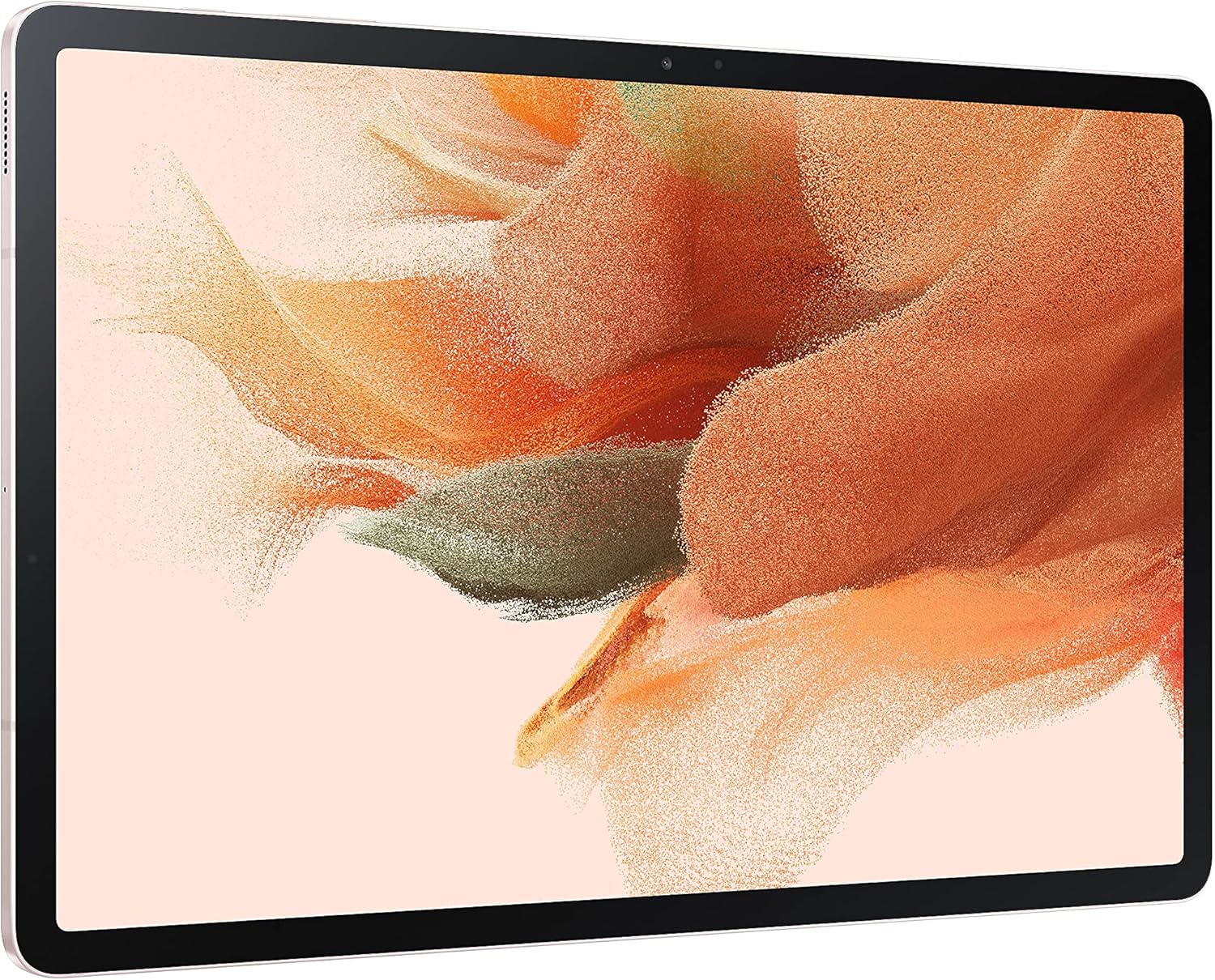
- Samsung Galaxy Tab S7 FE: 12.4-inch screen with 256GB storage for students who live in split-view multitasking
- Xiaomi Pad 6: Snapdragon 870 and 144Hz display at a mid-range price — the value pick for students outside the US
What to Look for in a Student Tablet
Students waste money on specs they’ll never use. These five things actually matter when picking a tablet for studying.
- Stylus support: If you take handwritten notes, this is non-negotiable. Apple Pencil and Samsung S Pen are the two best options. Third-party styluses don’t come close.
- Screen size: 10 to 11 inches is the sweet spot for most students. Anything smaller and you’ll struggle with split-screen multitasking. Anything larger gets heavy in your backpack.
- Battery life: You need at least 8-10 hours. A tablet that dies during a 3-hour lecture is useless.
- Storage: 64GB is the bare minimum. If you download lecture recordings or textbook PDFs, go for 128GB or higher.
- Software updates: iPads get 6-7 years of updates. Most Android tablets get 2-3. This matters for long-term value.
These are ordered from premium to budget, so skip straight to your price range.
Apple iPad Pro (M5 Chip)
Best for: Architecture, engineering, graphic design, and film students who need desktop-class performance in a tablet.
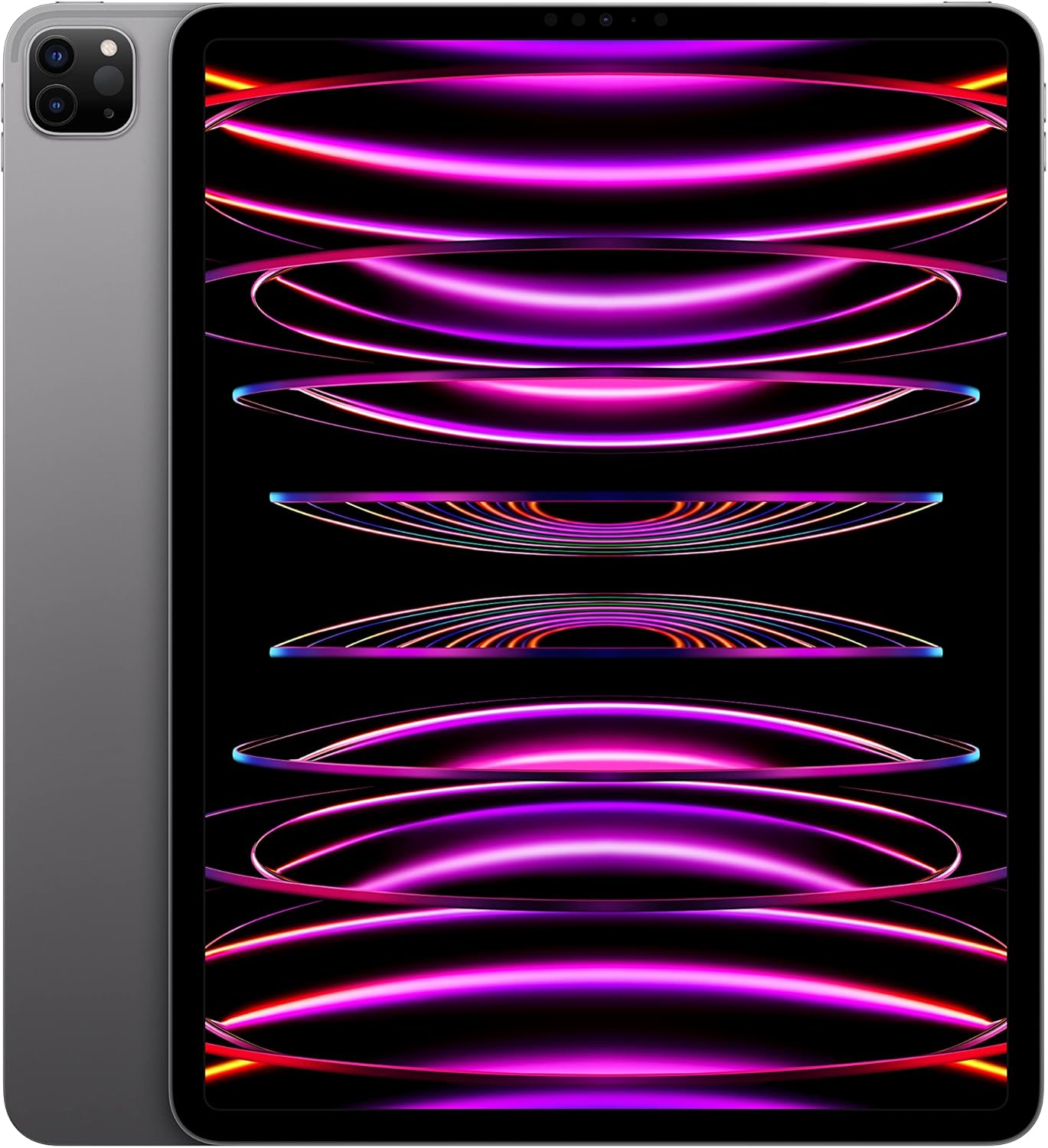
Apple iPad Pro 13-inch (M5 Chip) with Ultra Retina XDR OLED Display, 128GB, Wi-Fi 6E, Face ID
- M5 chip delivers laptop-class performance for demanding apps, 4K video editing, and multitasking
- 13-inch Ultra Retina XDR OLED display with ProMotion 120Hz for smooth note-taking with Apple Pencil
- Wi-Fi 6E, Face ID, all-day battery life, and Apple Pencil hover support
The iPad Pro is overkill for most students. That’s worth saying upfront. But for students in architecture, engineering, graphic design, or film production, this is the tablet that can genuinely replace a laptop. The M5 chip runs desktop-class apps without strain, and the 13-inch Ultra Retina XDR OLED display — 2732×2048 at 265ppi with ProMotion 120Hz — is the best screen on any tablet, period.
Apple Pencil 2 support with hover detection changes digital note-taking in a meaningful way. The stylus can preview strokes before touching the screen, which becomes valuable during fast-paced lectures or detailed technical drawings. The 120Hz ProMotion display makes writing feel closer to pen on paper than any other tablet achieves. For students doing architectural drawings, 3D modeling renders, or video editing, those differences matter.
The catch: the 13-inch model starts at $1,299. Add Apple Pencil 2 ($129) and the Magic Keyboard ($299) and you’re near $1,500. That’s more than many laptops. Students doing standard coursework — notes, research, reading, writing essays — don’t need any of this. The iPad Air below handles all of that at half the price. Renewed iPad Pro models are available on Amazon at significantly lower prices if budget matters and the cutting-edge chip isn’t essential. Only buy the Pro if your program genuinely demands it.
Apple iPad Air (M4 Chip, 2026)
Best for: Most students. The right balance of performance, screen size, Apple Pencil Pro support, and price.
Apple released the iPad Air M4 in March 2026, and it’s the strongest case for a student iPad that exists right now. The M4 chip — the same processor in the current MacBook Air — comes paired with 12GB of RAM, up from 8GB in the previous M1 model. That translates to smoother multitasking, faster app switching, and support for Apple Intelligence on-device AI features that competitors still can’t match.
The 11-inch Liquid Retina display at 2360×1640 handles textbook PDFs, annotated lecture slides, and split-screen note-taking comfortably. Wi-Fi 7 support means it takes full advantage of newer campus networks. Apple Pencil Pro compatibility is the key upgrade over the older M1 Air — the Pro pencil adds squeeze gestures and find-my support. For students who’ll use the stylus heavily, this matters. Notability and GoodNotes both work better with the Pro pencil’s expanded gesture controls.
At $599 (with launch deals dropping it to $559 on Amazon), the iPad Air M4 costs the same as its M1 predecessor did two years ago, which makes it genuinely good value for what’s now inside it. The one real downside: it doesn’t have ProMotion, so the 60Hz display won’t feel as buttery as the iPad Pro when writing. For most students, that’s not a problem. Skip the 128GB base model if the budget allows — 256GB fills up faster than expected once lecture recordings and PDFs pile up.
Apple iPad Mini (A17 Pro)
Best for: Reading-heavy courses (law, literature, history) and students who prioritize portability over screen size.
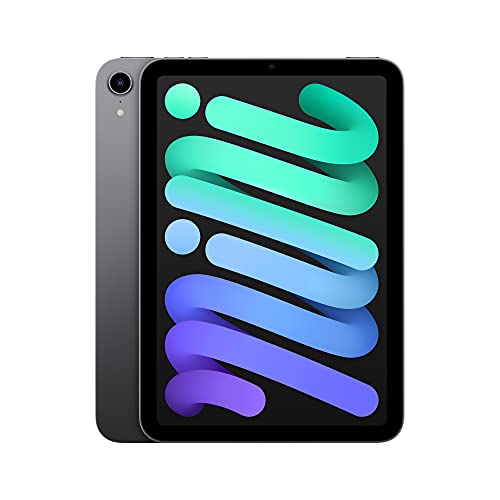
Apple iPad Mini (6th Gen) with A15 Bionic, 8.3-inch Liquid Retina Display, 64GB, Wi-Fi 6, Touch ID
- A15 Bionic chip (same as iPhone 13) for snappy performance in all student apps
- Compact 8.3-inch Liquid Retina display fits in one hand for reading on the go
- Apple Pencil 2nd Gen support, USB-C, stereo speakers, and all-day battery life
The iPad Mini updated to the A17 Pro chip in late 2024, and it’s a significant step forward. The A17 Pro — the same chip in the iPhone 15 Pro — delivers 30% faster CPU performance than the A15-based sixth-generation model it replaced. It now supports Apple Intelligence, which means on-device writing tools, smart summaries, and notification prioritization work natively. At 8.3 inches and 293 grams, it’s the most portable device on this list.
For law students reading case briefs, literature students annotating texts, or history students working through lengthy PDFs, the Mini’s form factor is genuinely useful. It fits in a coat pocket, holds easily in one hand for 45 minutes without fatigue, and the 326ppi Liquid Retina display renders text as sharply as any tablet available. Apple Pencil Pro support means handwritten annotations are responsive and precise. The USB-C port charges fast and connects to external storage when needed.
The limitations are real. The 8.3-inch screen is tight for split-screen multitasking. Running a lecture video alongside a notes app side-by-side gets cramped quickly — both panes shrink to awkward sizes. Students who need heavy multitasking will find the iPad Air’s 11-inch display meaningfully better. The $499 starting price (frequently discounted to $399 on Amazon) also puts it close to the iPad Air in cost, which has a bigger screen and faster chip. Buy the Mini specifically for portability and reading, not as a general-purpose student tablet.
Apple iPad (10th Generation)
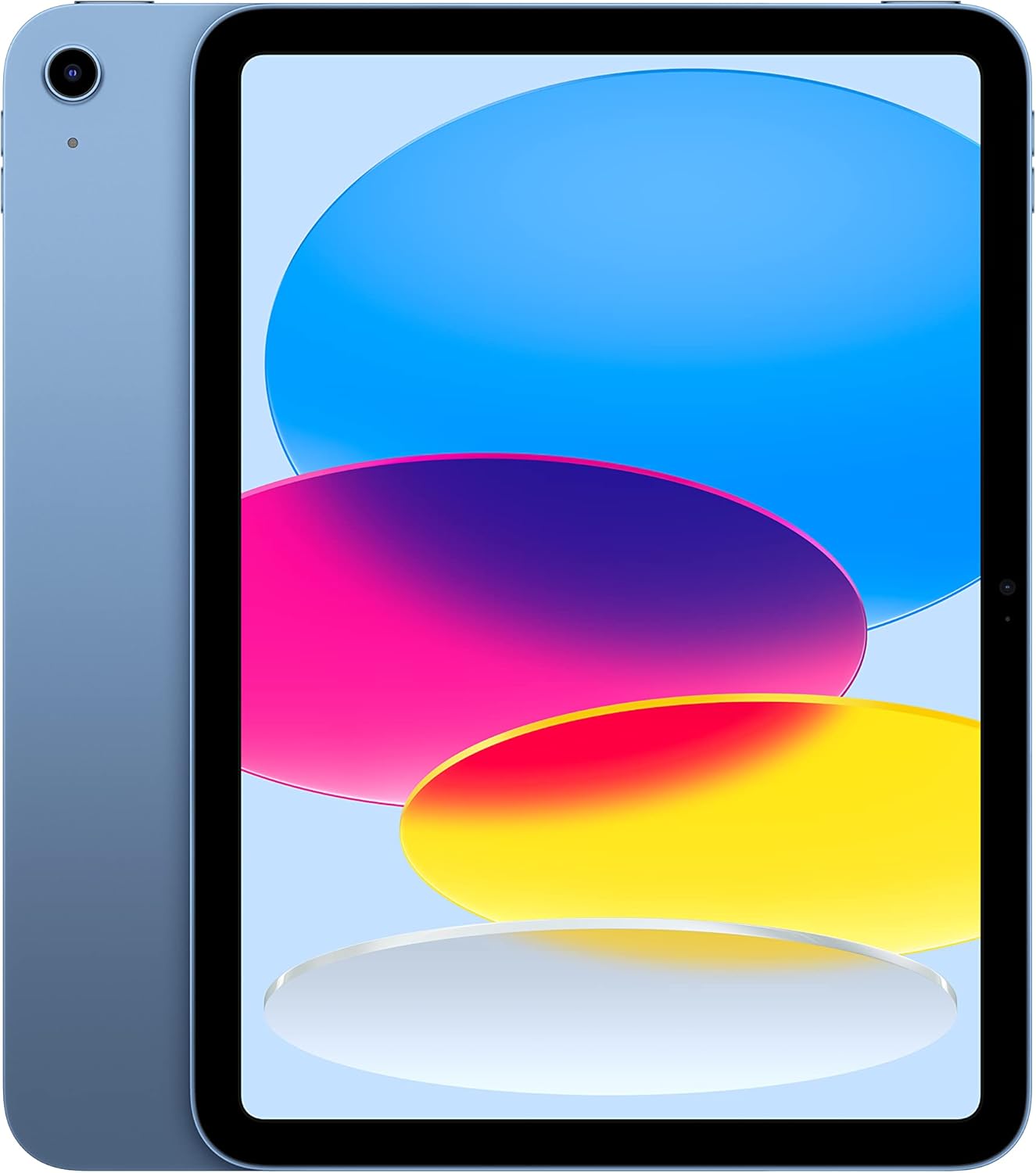
Best for: Budget-conscious students who want Apple’s ecosystem, 5+ years of updates, and a 10.9-inch screen under $249.
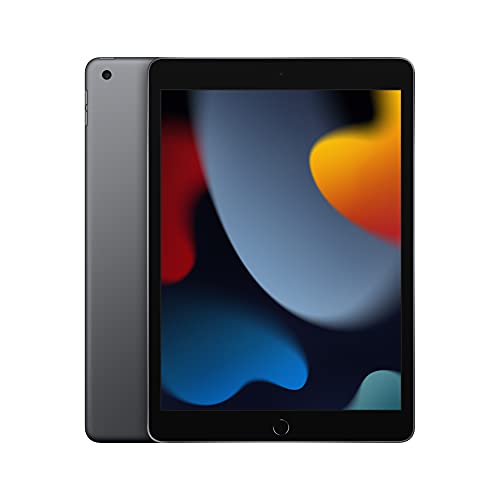
Apple iPad (10th Generation) with A14 Bionic Chip, 10.9-inch Retina Display, 64GB, Wi-Fi, Touch ID
- A14 Bionic chip handles all student apps, multitasking, and light creative work smoothly
- 10.9-inch Retina display with True Tone for comfortable reading and note-taking
- Apple Pencil support, 12MP front camera with Center Stage for video calls
At around $249 for the 64GB model, the 10th-generation iPad is the entry point for Apple’s ecosystem and still a genuinely capable student device in 2026. The A14 Bionic chip handles everything on a student’s daily list — Google Docs, Notability, web research, Zoom calls, lecture streaming — without hesitation. The 10.9-inch Liquid Retina display is the same size as the iPad Air, which means split-view multitasking works properly, unlike the cramped experience on the iPad Mini.
The 12MP front camera with Center Stage automatically keeps you centered in frame during video calls, which matters more than students expect for hybrid and online courses. Center Stage tracks movement, so walking to a whiteboard during a study session keeps the camera on you. The USB-C port replaces the old Lightning connector, which means one cable works for charging and data transfer. Battery life consistently reaches 10 hours of real use in student testing by outlets like The Verge and CNET.
Two honest downsides worth knowing. First, it only supports Apple Pencil 1st generation, not the magnetic-attach 2nd gen. The 1st gen pencil charges via a Lightning-to-USB-C adapter that feels clunky, and it doesn’t snap magnetically to the side of the tablet. Second, 64GB fills up faster than expected once PDFs, downloaded lectures, and apps accumulate. Spending the extra $50 for the 256GB model is worth it. Despite those limitations, for students who want iPadOS, excellent app quality, and 5+ years of software updates without spending $599, this is the right choice.
Samsung Galaxy Tab S9 FE
Best for: Android users who want a stylus included in the box and a tablet that can survive campus life (IP68 rated).
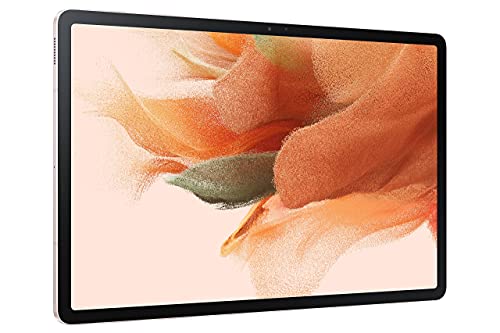
Samsung Galaxy Tab S9 FE 10.9-inch with Exynos 1380, 128GB, Wi-Fi, S Pen Included, Long Battery Life
- S Pen included in the box, no extra purchase needed for note-taking and drawing
- 10.9-inch display with IP68 water and dust resistance for worry-free campus use
- Samsung DeX mode turns the tablet into a desktop-like experience with keyboard accessory
The Galaxy Tab S9 FE is the strongest Android student tablet available right now, and the S Pen included in the box is the main reason to consider it over an iPad. With iPads, the Apple Pencil costs an extra $79-$129. Samsung includes the S Pen at no additional cost. For students watching the budget, that’s a meaningful difference. At around $229-$269 for the 128GB Wi-Fi model, the total stylus-plus-tablet cost comes in well below any comparable iPad configuration.
The IP68 water and dust resistance rating earns its place on a campus device. Tablets get used in dining halls, libraries, and lecture rooms where spills happen. The 10.9-inch WUXGA+ LCD display at 90Hz is crisp and comfortable for reading and note-taking. Samsung DeX mode deserves a mention: connect a keyboard and mouse, and the Tab S9 FE shifts into a desktop-style interface that’s the closest Android gets to replacing a laptop for essay writing and research tasks.
The trade-offs compared to an iPad are real. Android tablet apps lag behind iPadOS for quality and optimization — Samsung Notes is functional but not as polished as GoodNotes or Notability. Samsung has committed to four years of OS updates for the Tab S9 FE, compared to six or seven on an iPad. The Exynos 1380 processor is capable for everyday tasks but noticeably slower than Apple silicon in demanding workloads. For students already using Samsung Galaxy phones, the tight ecosystem integration makes this the natural choice. For everyone else, weigh the S Pen value against the iPadOS advantage.
Samsung Galaxy Tab S7 FE
Best for: Students who want a big 12.4-inch screen for split-view multitasking and don’t mind a slightly older processor.
- Massive 12.4-inch display perfect for split-screen multitasking and reading large documents
- S Pen included for handwriting notes, sketching, and annotating PDFs
- 256GB storage with Samsung DeX for desktop-mode productivity
The Tab S7 FE earns its spot on this list specifically because of its 12.4-inch display. That screen size is noticeably better for split-screen multitasking than the 10-11 inch options above. Two apps side by side — lecture video on one half, note-taking on the other — both get enough space to actually work comfortably. The 256GB storage is the most generous base configuration on this list, which is useful for students who store large files locally.
The S Pen is included in the box. Samsung DeX support means a keyboard and mouse turn this into a desktop-style workstation. The 10090mAh battery is one of the largest on this list, which translates to consistent all-day battery life even with demanding workloads. Students who spend long days on campus without access to charging will find that meaningful.
The downsides are worth being direct about. This is a 2021 device. The Snapdragon 778G processor, while capable for most student tasks, shows its age in demanding multitasking scenarios. The LCD panel (not AMOLED) means colors aren’t as vibrant as Samsung’s higher-end tablets. Software update support is limited given its age. At current prices around $300-$400, it’s competing against fresher hardware — the Tab S9 FE offers newer internals at a similar price point. The Tab S7 FE makes sense if a big screen is the top priority and the price is right.
Xiaomi Pad 6
Best for: Students in India and Southeast Asia who want flagship-level specs (Snapdragon 870, 144Hz display) without iPad pricing.

Xiaomi Pad 6 11-inch with Snapdragon 870, 144Hz Display, 128GB, Quad Speakers, 8840mAh Battery
- Snapdragon 870 chipset delivers flagship-level speed at a budget price point
- 11-inch 144Hz display with Dolby Vision for smooth scrolling and media consumption
- Quad speakers with Dolby Atmos and 8,840mAh battery for all-day use
The Xiaomi Pad 6 is the value champion of this list. The Snapdragon 870 processor is fast enough for everything a student needs — note-taking apps, web browsing, video streaming, PDF annotation, and light multitasking all run smoothly. The 11-inch 144Hz IPS display at 2880×1800 is smoother than most tablets at this price point. That higher refresh rate makes scrolling through long documents and reading dense text genuinely more comfortable over extended sessions. The 8840mAh battery consistently delivers 14+ hours of mixed use.
For students in India and Southeast Asia, the Xiaomi Pad 6 frequently hits prices between $299-$447 depending on configuration, making it significantly cheaper than any iPad option at comparable specs. The build quality is premium aluminum — it doesn’t feel like a budget device. Quad speakers with Dolby Atmos make it one of the better-sounding tablets for lecture streaming and media consumption. The optional Xiaomi Smart Pen supports handwritten notes and PDF annotation, though it’s sold separately at additional cost.
The limitations are the same ones that follow most Android tablets. Software updates are limited — expect 2-3 major Android versions, not the 6-7 years iPads receive. MIUI for Pad has improved significantly, but it can still feel bloated with pre-installed apps compared to stock Android or iPadOS. The tablet app ecosystem on Android remains thinner than iPadOS, particularly for productivity and note-taking apps. For students who need the best possible stylus and app experience, an iPad is worth the extra cost. For students who need solid performance and a high-quality display at a much lower price point, the Xiaomi Pad 6 is hard to argue against.
Which Tablet Should You Buy?
Here’s the short version for students who need a direct answer:
- Best overall for students: iPad Air (M4, 2026). M4 chip, 12GB RAM, Apple Pencil Pro support, all at $599. The strongest all-around student tablet available.
- Best budget: Base iPad 10th gen at ~$249. Full iPadOS with Center Stage, a proper 10.9-inch screen, and 5+ years of updates.
- Best for reading: iPad Mini (A17 Pro). The 8.3-inch form factor is ideal for reading case briefs, papers, and e-books one-handed.
- Best Android: Samsung Galaxy Tab S9 FE at ~$229. S Pen included, IP68-rated, Samsung DeX for desktop mode.
- Best budget Android: Xiaomi Pad 6. Snapdragon 870 and 144Hz display at mid-range pricing — hard to beat for the money.
- Best for creative students: iPad Pro (M5). If the coursework demands serious processing power — architecture, film, design — this is it.
Whatever the choice, invest in a good case and a stylus. A tablet without a stylus is just a big phone. With a stylus, it becomes the most useful study tool in any student’s kit. For students weighing whether a tablet can fully replace a laptop, the best iPads for students guide covers that question in depth.
Tips for Getting the Most Out of Your Tablet
Buying the right tablet is only half the battle. These are the setup decisions that separate students who get real productivity from those who use their tablet mostly for Netflix:
- Get a note-taking app immediately. GoodNotes and Notability are the two best on iPad. Samsung Notes works great on Galaxy tablets. Don’t just use the default notes app.
- Use split-screen multitasking. Have your lecture recording on one side and your notes on the other. Both iPadOS and Samsung’s One UI support this natively.
- Download your textbooks as PDFs. Annotating PDFs on a tablet is faster than highlighting a physical book, and you can search through annotations later.
- Set up cloud sync. Use iCloud (iPad) or Samsung Cloud + Google Drive (Android) so your notes are backed up automatically. Losing a semester of notes because of a cracked screen is a preventable disaster.
- Install a keyboard for longer typing sessions. Note-taking is great with a stylus, but essays and research papers are faster with a keyboard. Apple’s Magic Keyboard and Samsung’s Book Cover Keyboard are both worth the investment.
Amazon Kindle and Fire Tablets for Students
Not every student needs a $500 tablet. If reading and light browsing are the main uses, Amazon’s devices cost a fraction of Samsung or Apple and handle textbooks perfectly.
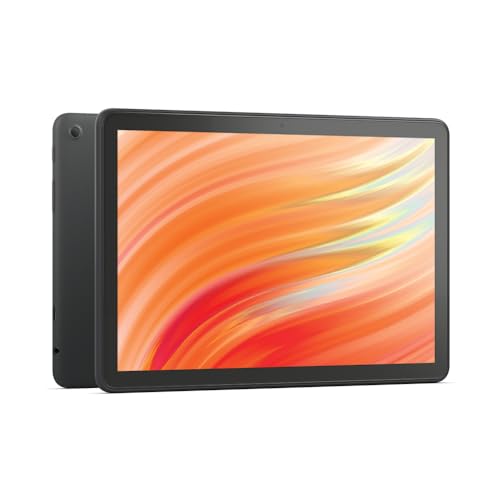
The Fire HD 10 runs Android apps and costs $140. The budget version at $75 has the same screen size. The Kindle Paperwhite at $130 pays for itself after two Kindle textbook purchases. For more device comparisons, see the iPad buying guide and PDF apps for students.
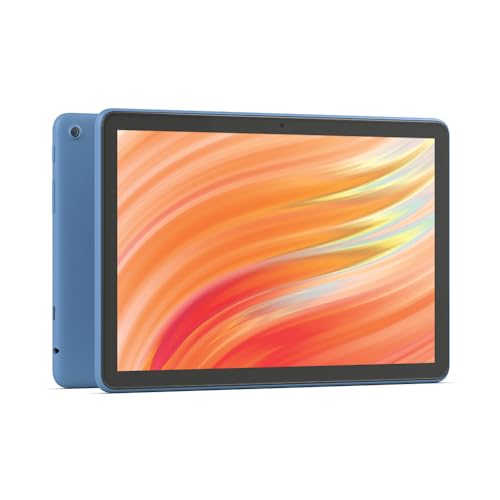
- Do what you love, uninterrupted — 25% faster performance than the previous generation and 3 GB RAM are ideal for seamless streaming, reading, and gaming.
- High-def entertainment — A 10.1" 1080p Full HD display brings brilliant color to all your shows and games. Binge watch longer with 13-hour battery, 32 or 64 GB of storage, and up to 1 TB expandable storage with micro-SD card (sold separately).
- Thin, light, durable — Tap into entertainment from anywhere with a lightweight, durable design and strengthened glass made from aluminosilicate glass. As measured in a tumble test, Fire HD 10 is 2.7 times as durable as the Samsung Galaxy Tab A8 (2022).
- Stay up to speed — Use the 5 MP front-facing camera to Zoom with family and friends, or create content for social apps like Instagram and TikTok.
- Ready when inspiration strikes — With 4,096 levels of pressure sensitivity, the Made for Amazon Stylus Pen (sold separately) offers a natural writing experience that responds to your handwriting. Use it to write, sketch in apps like OneNote, and more.
- Do what you love, uninterrupted — 25% faster performance than the previous generation and 3 GB RAM are ideal for seamless streaming, reading, and gaming.
- High-def entertainment — A 10.1" 1080p Full HD display brings brilliant color to all your shows and games. Binge watch longer with 13-hour battery, 32 or 64 GB of storage, and up to 1 TB expandable storage with micro-SD card (sold separately).
- Thin, light, durable — Tap into entertainment from anywhere with a lightweight, durable design and strengthened glass made from aluminosilicate glass. As measured in a tumble test, Fire HD 10 is 2.7 times as durable as the Samsung Galaxy Tab A8 (2022).
- Stay up to speed — Use the 5 MP front-facing camera to Zoom with family and friends, or create content for social apps like Instagram and TikTok.
- Ready when inspiration strikes — With 4,096 levels of pressure sensitivity, the Made for Amazon Stylus Pen (sold separately) offers a natural writing experience that responds to your handwriting. Use it to write, sketch in apps like OneNote, and more.
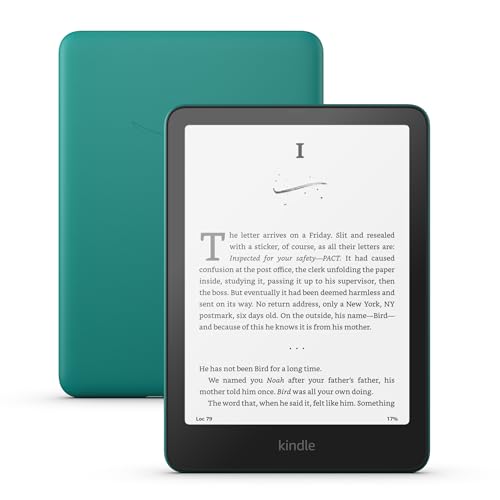
- Our fastest Kindle ever – The next-generation 7-inch Paperwhite display has a higher contrast ratio and 25% faster page turns.
- Ready for travel – The ultra-thin design has a larger glare-free screen so pages stay sharp no matter where you are.
- Escape into your books – Your Kindle doesn't have social media, notifications, or other distracting apps.
- Battery life for your longest novel – A single charge via USB-C lasts up to 12 weeks.
- Read in any light – Adjust the display from white to amber to read in bright sunlight or in the dark.
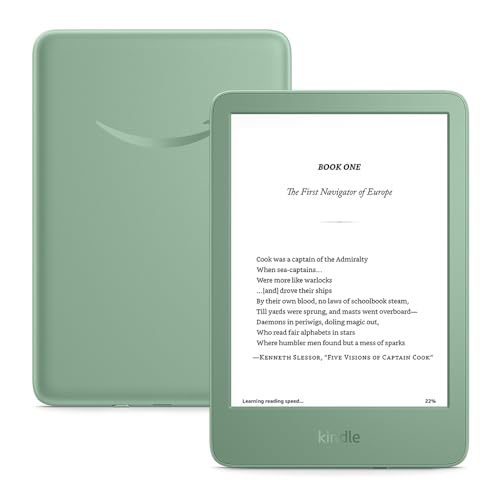
- The lightest and most compact Kindle – Now with a brighter front light at max setting, higher contrast ratio, and faster page turns for an enhanced reading experience.
- Effortless reading in any light – Read comfortably with a 6-inch glare-free display, adjustable front light—now 25% brighter at max setting—and dark mode.
- Escape into your books – Tune out messages, emails, and social media with a distraction-free reading experience.
- Read for a while – Get up to 6 weeks of battery life on a single charge.
- Take your library with you – 16 GB storage holds thousands of books.
Frequently Asked Questions
Is a tablet worth it for college students?
Yes, a tablet is one of the best investments a college student can make. You can take handwritten notes with a stylus, annotate lecture slides, read textbooks as PDFs, attend video calls, and carry everything in one lightweight device. Most students who switch to a tablet for note-taking say they’d never go back to paper notebooks.
Can a tablet replace a laptop for students?
For many students, yes. An iPad Air or iPad Pro with a keyboard case can handle note-taking, web research, document editing, video calls, and most student tasks. However, if your coursework requires specialized software like MATLAB, AutoCAD, or specific programming IDEs, you’ll still need a laptop. A tablet works best as a primary device for humanities, business, and general studies students.
iPad or Samsung tablet for students?
iPads are better for note-taking, app quality, and long-term software updates. Samsung tablets are better if you want the S Pen included for free, prefer Android, or need expandable storage. For most students, I recommend the iPad Air. If you’re already in Samsung’s ecosystem with a Galaxy phone, the Tab S9 FE makes more sense.
What size tablet is best for students?
10 to 11 inches is the sweet spot for most students. It’s large enough for comfortable reading, split-screen multitasking, and note-taking, but still portable enough to carry in a backpack all day. The 13-inch iPad Pro is great for creative work but heavy for everyday carry. The 8.3-inch iPad Mini is ideal for reading but too small for serious multitasking.
How much storage do students need on a tablet?
64GB works if you use cloud storage and don’t download many large files. 128GB is the comfortable middle ground for most students. 256GB is ideal if you download lecture recordings, store textbook PDFs locally, or do creative work. I recommend 128GB as the baseline. Cloud storage helps, but having enough local storage means your tablet stays useful even without internet.
Do you need an Apple Pencil for an iPad?
If you’re buying an iPad for studying, yes. The Apple Pencil transforms the iPad from a media consumption device into a powerful study tool. You can take handwritten notes, annotate PDFs, draw diagrams, and mark up lecture slides. The Apple Pencil 2nd Generation (for iPad Air and Pro) is the better version with magnetic charging and gesture support. Budget around $79 to $129 for it.
What’s the best note-taking app for students?
On iPad, GoodNotes and Notability are the two best options. GoodNotes is better for organizing notebooks and has a one-time purchase. Notability is better for recording audio alongside notes. On Samsung tablets, Samsung Notes is solid and comes pre-installed. For cross-platform needs, Microsoft OneNote works well on both iPad and Android.
Are budget Android tablets worth buying for studying?
Budget Android tablets like the Xiaomi Pad 6 can be great for reading, watching lectures, and basic note-taking. They won’t match the iPad experience for app quality and stylus precision, but they get the job done at a fraction of the price. Avoid very cheap tablets under $150 though. They tend to be too slow within a year, and the screens aren’t good enough for extended reading.
Still undecided: get the iPad Air (M4) with an Apple Pencil Pro and GoodNotes. That combination covers 90% of student needs, and it won’t feel outdated before graduation. On a tighter budget, the base iPad at ~$249 does the same job for less than half the price.
Pair any tablet with a keyboard case for essay writing and set up cloud sync on day one. For more tools that save time in school, the list of study tools for college students covers what actually works.
Disclaimer: This site is reader-supported. If you buy through some links, I may earn a small commission at no extra cost to you. I only recommend tools I trust and would use myself. Your support helps keep gauravtiwari.org free and focused on real-world advice. Thanks. - Gaurav Tiwari