
Best Laptops for College Students in 2026 + Buying Guide
The laptop you choose for college shapes how you work for the next four years. I've helped 850+ clients pick tech, and students consistently make the same mistakes: overspending on specs they'll never use or cheaping out on things that matter. This guide covers the ten best laptops for college students in 2026, organized by major and budget, plus a buying guide.
 by
by
The best laptops for college students aren’t the most powerful ones, they’re the ones that survive four years of lecture halls, coffee-shop sessions, and last-minute all-nighters without dying on you. After kitting out plenty of students, I’ve learned the priorities that actually matter: all-day battery, light enough to carry everywhere, a screen that’s easy on the eyes, and just enough power for your specific major. Everything else is marketing.
The two big questions are budget and operating system. Mac or Windows depends on what your program requires, some engineering and design software is Windows-only, while writing-heavy and general majors do beautifully on a MacBook. And a Chromebook can be all a lecture-and-essays student ever needs for a fraction of the price.
So here are the laptops I’d actually recommend to a student in 2026, across every budget and major, each with who it’s for. For a deeper Apple-only breakdown see my best MacBooks for students guide, and the budget laptops roundup covers cheaper all-rounders.
1. MacBook Air (M4): best overall
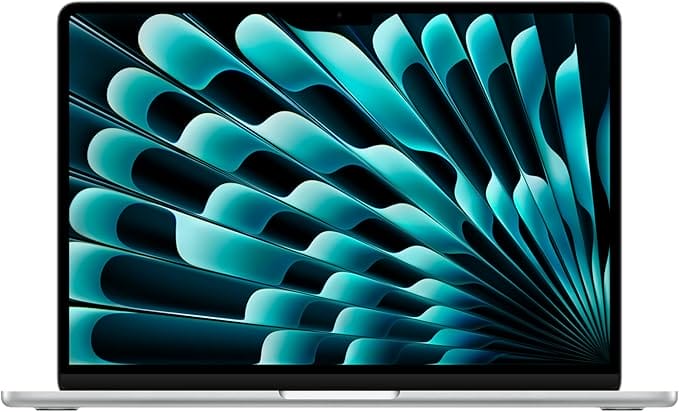
- Apple M4 chip
- All-day battery, fanless
- Premium, durable build
- macOS stays smooth for years
The MacBook Air with the M4 chip is the laptop I’d hand most students. It’s silent and fanless, fast enough for everything short of heavy 3D work, and the battery genuinely lasts a full day of classes. The build quality outlasts the degree, and macOS stays smooth for years. If your program doesn’t require Windows-only software, this is the safest, most future-proof buy on the list.
🎓 Buy if you want the best all-round student laptop and don’t need Windows. Skip if your major requires Windows-only apps or you’re on a tight budget.
2. MacBook Air (M3): best value Apple
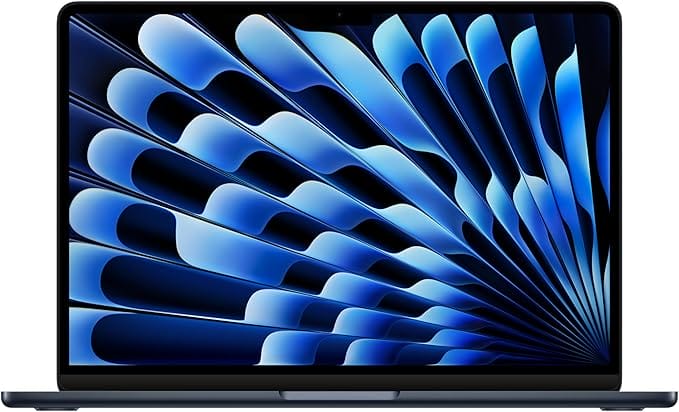
- Apple M3 chip
- Same screen and battery as M4
- Premium aluminum build
- Great value now it's a year old
The previous-generation MacBook Air with the M3 chip is the value play in Apple’s lineup. It does virtually everything the M4 does, same gorgeous screen, same all-day battery, same premium build, for noticeably less now that it’s a year old. Unless you’re doing demanding creative work, most students won’t notice the difference, which makes this the smart-money MacBook.
🎓 Buy if you want a MacBook for less and don’t need the very latest chip. Skip if you want maximum longevity, the M4 buys you another year of headroom.
3. Acer Aspire 5: best budget Windows
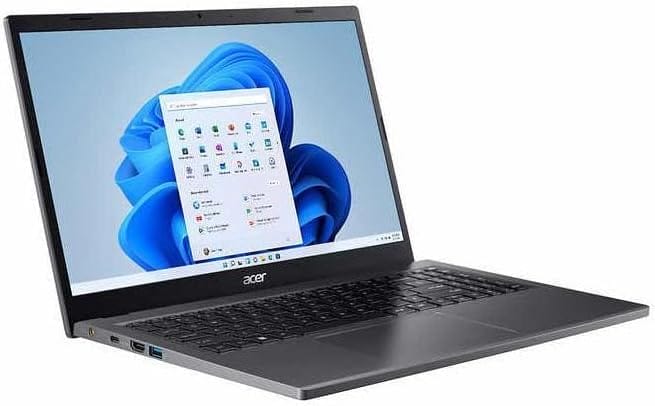
- 15.6" Full HD touchscreen
- Capable Intel processor
- Affordable and repairable
- Runs Windows-only software
The Acer Aspire 5 is the dependable budget Windows laptop that’s been a student staple for years. You get a 15.6-inch Full HD touchscreen, a capable Intel processor, and enough RAM and storage for coursework, web apps, and streaming, all at a price that won’t wreck your textbook budget. It’s not flashy, but it’s reliable, repairable, and runs the Windows-only software some programs demand.
🎓 Buy if you need affordable, full-featured Windows for general coursework. Skip if you want premium build or all-day battery, step up to the Air or Zenbook.
4. ASUS Vivobook 16: best big screen
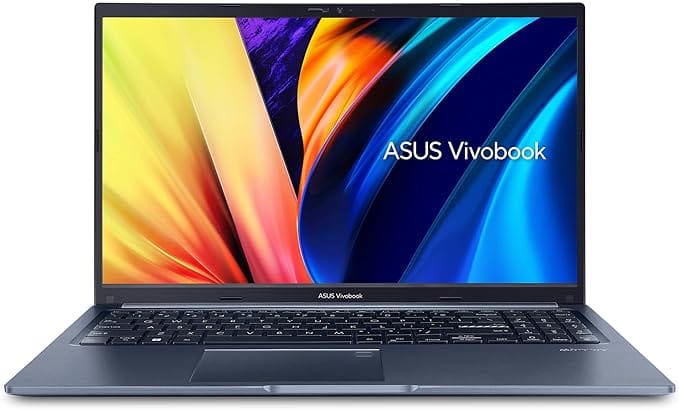
- 16-inch big display
- AMD Ryzen 7 processor
- Great for multitasking
- Mid-range value
If you want more screen for multitasking, research, and split-screen study, the ASUS Vivobook 16 delivers a large 16-inch display and a fast AMD Ryzen processor at a mid-range price. The extra real estate makes writing papers with sources open alongside far easier. It’s a touch heavier than a 14-inch, but for a dorm-desk workhorse that you carry a few times a week, the bigger screen is worth it.
🎓 Buy if you want a big screen for multitasking at a fair price. Skip if you carry your laptop everywhere daily, a 14-inch is lighter.
5. HP OmniBook 5: best battery life
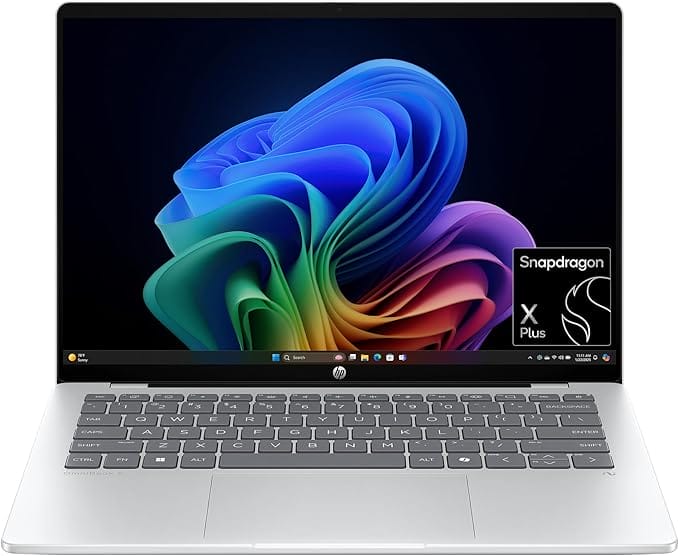
HP OmniBook 5 14" (Snapdragon X)
- Snapdragon X, huge battery
- Sharp 2K touchscreen
- Light, modern design
- On-device AI features
Built on an efficient Snapdragon X processor, the HP OmniBook 5 is the battery champion, the kind of laptop you can leave the charger at home for. It pairs that endurance with a sharp 2K touchscreen and a light, modern design, plus on-device AI features. The trade-off is that a few older Windows apps run through emulation, so check your program’s software, but for web, office, and writing, it flies and lasts.
🎓 Buy if you want the longest battery and mostly use web and office apps. Skip if you rely on niche Windows software that needs native x86.
6. Dell Inspiron 15: best mainstream Windows
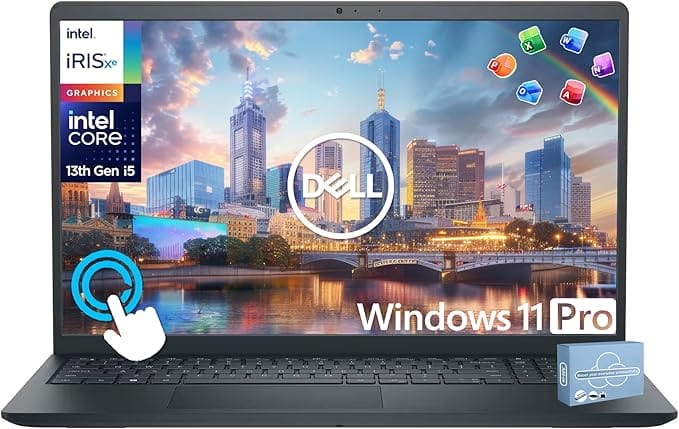
- 15.6" touchscreen
- Intel Core i5
- Dell build and support
- Well-configured for students
The Dell Inspiron 15 is the no-drama mainstream Windows pick: a 15.6-inch touchscreen, a solid Intel Core processor, and Dell’s reliable build and support network. It comes well-configured for student life with the RAM and SSD you need, and Dell’s service makes warranty issues painless. A sensible, widely available choice for anyone who just wants Windows that works.
🎓 Buy if you want dependable mainstream Windows with good support. Skip if you want the lightest or longest-lasting option here.
7. Lenovo Chromebook Plus: cheapest and simplest
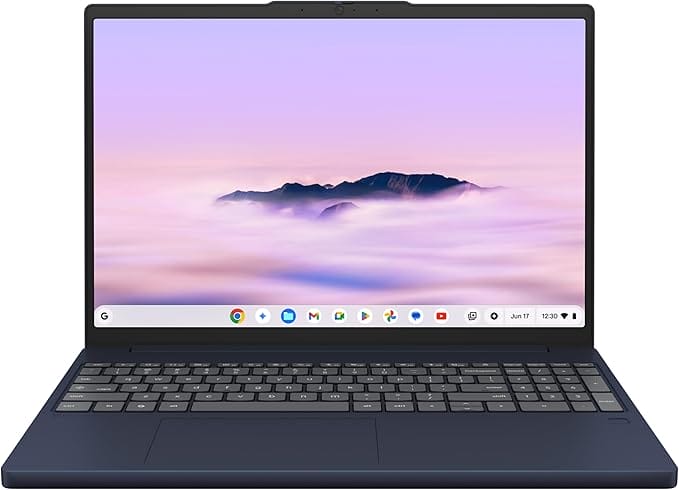
- ChromeOS, fast and secure
- Excellent battery life
- Chromebook Plus performance
- Lowest price here
For a student whose life is Google Docs, the browser, and lectures, a Chromebook Plus is all you need, and it costs a fraction of a Windows or Mac laptop. ChromeOS is fast, secure, and basically maintenance-free, with great battery life and the Chromebook Plus tier guaranteeing enough power for smooth multitasking. Just confirm your courses don’t require desktop software a Chromebook can’t run.
🎓 Buy if you live in the browser and want the cheapest reliable option. Skip if your program needs Windows or Mac desktop applications.
8. ASUS Zenbook 14 OLED: best for creative majors
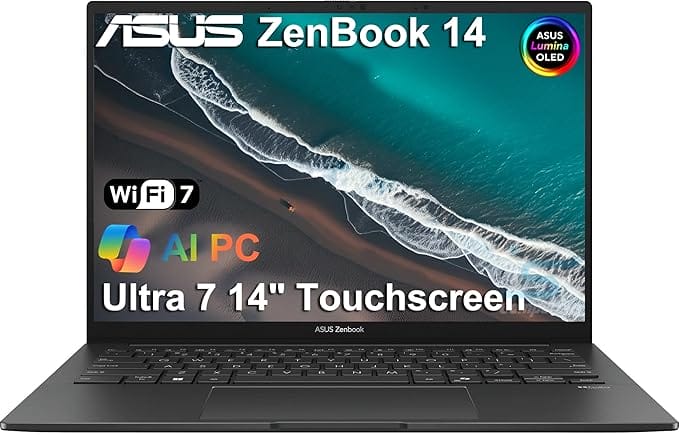
- Color-accurate OLED screen
- Intel Core Ultra power
- Slim premium aluminum build
- Great for creative apps
Design, film, photography, and art students need an accurate, beautiful screen, and the ASUS Zenbook 14 OLED delivers a stunning color-accurate panel in a slim, premium aluminum body. With a capable Intel Core Ultra chip and strong battery, it handles creative apps and everyday work alike. It’s the laptop that looks and feels a class above its price, ideal for visual-heavy majors.
🎓 Buy if you study a creative field and want a gorgeous OLED screen. Skip if you only write essays and browse, you’re paying for a screen you won’t fully use.
9. Acer Swift Go 14: best lightweight
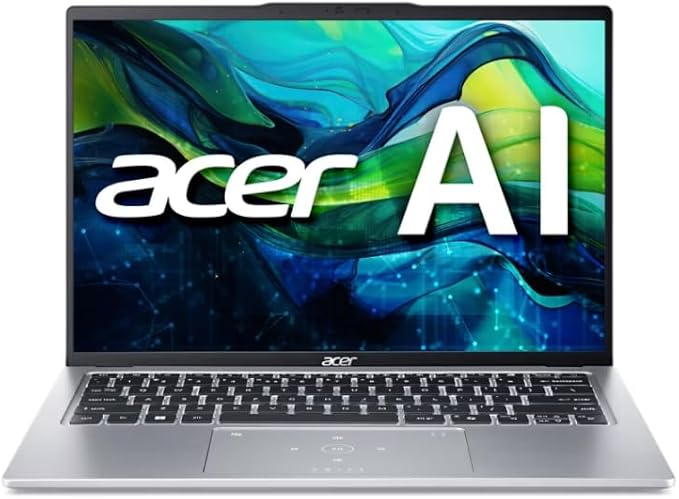
- Thin and lightweight
- 14" sharp touchscreen
- Modern Intel Core processor
- Easy to carry all day
If you carry your laptop across campus all day, the Acer Swift Go 14 keeps weight down without skimping on power. It’s a thin, light 14-inch with a sharp touchscreen and a modern Intel Core processor, easy to slip in a bag and forget until you need it. A great balance of portability, performance, and price for the on-the-go student.
🎓 Buy if you want a light, capable Windows laptop to carry everywhere. Skip if you want a bigger screen or the absolute longest battery.
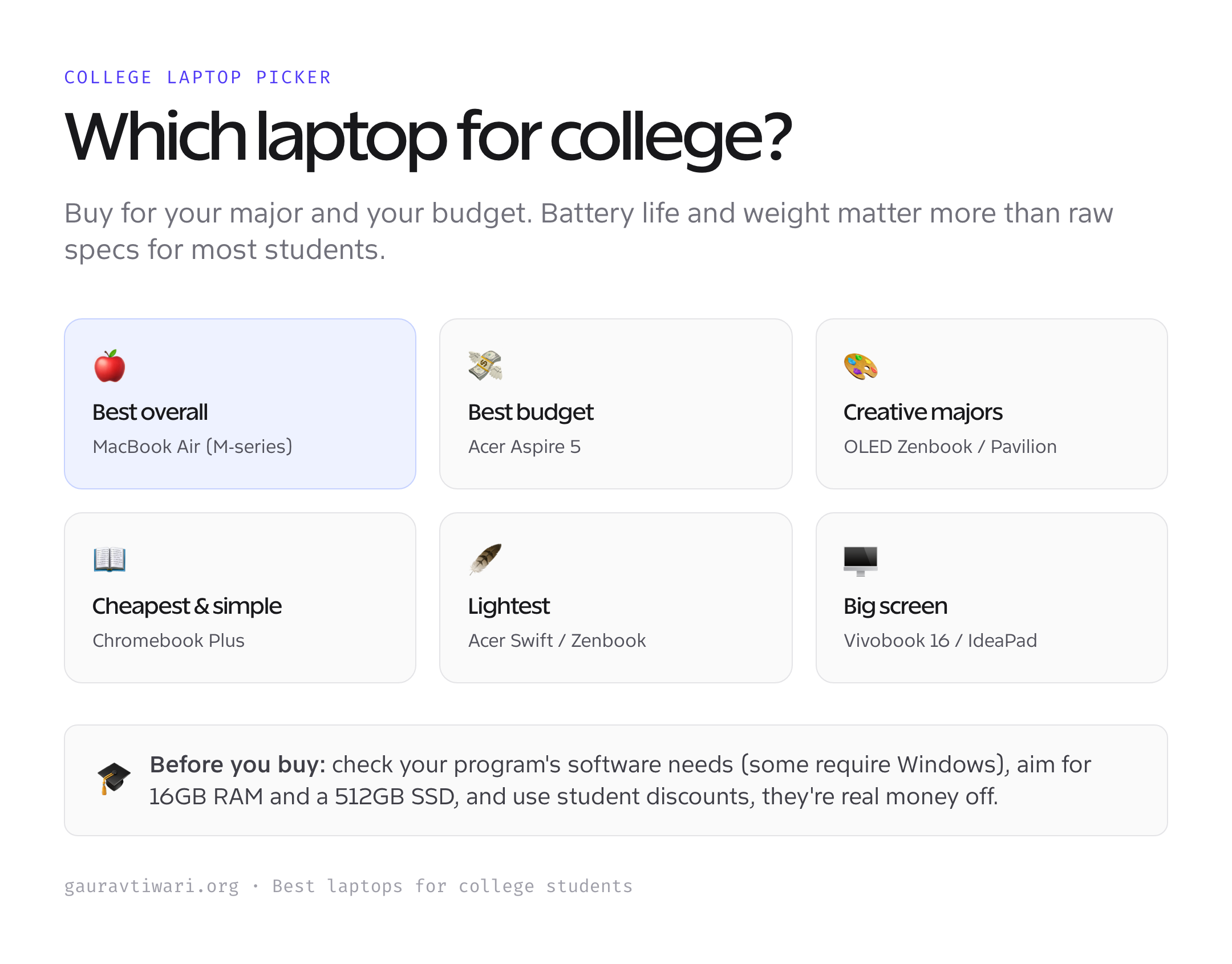
How to choose a laptop for college
Buy for your next four years, not just freshman week. Here’s what actually matters.
- Check your program’s software first. Some engineering, CAD, and stats apps are Windows-only; confirm before you buy a Mac or Chromebook.
- Prioritize battery and weight. You’ll carry it all day and won’t always find an outlet. All-day battery beats raw speed for most students.
- Aim for 16GB RAM and a 512GB SSD. 8GB and 256GB feel fine at first and cramped by sophomore year. This is the upgrade most worth paying for.
- Use the student discount. Apple, Dell, Lenovo, and others offer real education pricing. Always check before buying at full price.
- Don’t overbuy power. Unless you do video editing or heavy engineering, a thin-and-light is better than a bulky gaming laptop you’ll resent carrying.
Match those to your major and budget and you’ll skip the buyer’s remorse. For more options across price points, see my full laptops for students guide.
Which laptop should you buy?
For most students, the MacBook Air (M4, or the M3 to save money) is the best all-round choice, long battery, light, and built to last. Need Windows? The Acer Aspire 5 is the budget pick and the Dell Inspiron 15 the mainstream one. Creative major? The Zenbook 14 OLED. Living in the browser on a budget? The Lenovo Chromebook Plus. Check your software requirements, aim for 16GB RAM, and use your student discount.
Frequently asked questions
Mac or Windows for college?
It depends on your major. Writing-heavy, business, and general programs run beautifully on a MacBook, which offers the best battery and build. But some engineering, CAD, statistics, and finance software is Windows-only, so always check your department’s required software list before buying. When in doubt, ask your program or pick Windows for maximum compatibility.
How much RAM and storage does a student laptop need?
Aim for 16GB of RAM and a 512GB SSD if your budget allows. 8GB and 256GB work for light use but feel cramped within a year or two as projects, apps, and files pile up. RAM usually can’t be upgraded later on thin laptops, so buy enough up front. Cloud storage can supplement a smaller SSD if needed.
Is a Chromebook good enough for college?
For many students, yes. If your work is mostly Google Docs, web research, email, and streaming lectures, a Chromebook Plus is fast, secure, cheap, and has excellent battery life. The catch is software: Chromebooks can’t run full desktop Windows or Mac applications, so confirm your courses don’t require specific programs before choosing one.
How much should I spend on a college laptop?
A good Chromebook runs around $300 to $500, a solid Windows laptop like the Acer Aspire 5 around $500 to $800, and a MacBook Air or premium ultrabook roughly $900 to $1,300. Spend toward the higher end only if your major needs the power; otherwise put the savings toward RAM, storage, and a student discount rather than a faster chip you won’t use.
Do I need a touchscreen laptop for college?
It’s a nice-to-have, not a must. A touchscreen helps if you annotate PDFs, take handwritten notes with a stylus, or use a 2-in-1 in tablet mode. For typing papers and browsing, it makes little difference and can slightly reduce battery life. Choose based on whether you’ll actually use touch, not because it sounds premium.
What is the best laptop battery life for students?
Look for at least 10 hours of real-world battery so you can get through a full day of classes without hunting for an outlet. MacBook Air and Snapdragon-based laptops like the HP OmniBook 5 lead here, often exceeding a full day. Manufacturer claims are optimistic, so check independent reviews for real usage figures before buying.
The bottom line
The best college laptop is the one that matches your major, lasts all day, and is light enough that you’ll actually bring it. The MacBook Air is the all-round winner, the Acer Aspire 5 and Dell Inspiron cover Windows on a budget, the Zenbook OLED suits creatives, and a Chromebook Plus is unbeatable value for browser-based study. Check your software, aim for 16GB RAM, grab a student discount, and you’ll have a laptop that lasts the whole degree.