
Best Home Office Setup: Tools and Apps
I’ve been working from home since 2009. In that time, I’ve tested hundreds of products, rebuilt my office setup at least four times, and wasted real money on gear that looked great in reviews but fell apart within months. This guide is everything I’d tell a friend who’s setting up a home office from scratch in 2026.
Whether you’re a freelancer, remote developer, or someone who just moved to full-time WFH, the right tools make a measurable difference. I’m not talking about marginal gains. A proper standing desk, a decent monitor, and the right keyboard can easily add 1-2 productive hours to your day. I’ve seen it happen with my own workflow and with clients I’ve helped set up their offices.
This list covers 46 products across 14 categories. Every item here is something I’ve either used personally or recommended to clients who came back satisfied. I’m not padding this list with filler picks. If something made the cut, there’s a reason.
Best Home Office Gear by Category
- Standing Desks for better posture and energy throughout the day
- Monitors for sharp visuals and reduced eye strain
- Monitor Mounts and Stands for ergonomic screen positioning
- Keyboards for comfortable all-day typing
- Mice for precise control and wrist comfort
- Headphones and Earbuds for focus and video calls
- Computer Speakers for quality audio without headphones
- Webcams and Lighting for professional video calls
- USB Adapters, Hubs, and Cables for clean connectivity
- Laptop and Phone Docks for streamlined desk setups
- Storage and Backup for protecting your work
- Router and Modem for fast, stable internet
- Printers, Scanners, and Fax for document handling
- Productivity and Finance Apps for managing your workflow
Standing Desks
Sitting for 8+ hours a day will catch up with you. I switched to a standing desk in 2018, and the difference in my energy levels by 3 PM was noticeable within the first week. You don’t need to stand all day. The point is having the option to switch positions throughout your workday. Here’s the standing desk I recommend.
FlexiSpot Essential Standing Desk
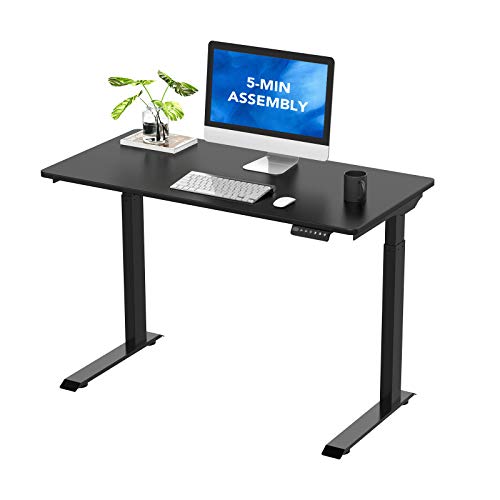
- Electric Height Adjustable Lift Systerm: A sturdy and stable design provides a superior ergonomic sit-stand office experience,…
- Anti-collision Technology: Four anti-collision sensitivity levels that can be set according to your needs allow the lifting column…
The FlexiSpot Essential is the standing desk I recommend to most people. It’s electric, adjustable between 28.7 and 48.4 inches, and the memory controller lets you save your favorite height positions. You press a button, walk away, and it glides to your preset. The build quality holds up well. I’ve seen setups with dual monitors and a full laptop on this desk with zero wobble.
At this price point, you’re getting a desk that competes with options costing twice as much. The 48 x 24 inch surface gives you plenty of room for a monitor, keyboard, and coffee without feeling cramped. If you’re on a tighter budget, check out my home office setup under $500 guide.
- Electric height adjustment from 28.7 to 48.4 inches with memory presets
- Anti-collision technology with four sensitivity levels
- Sturdy frame that handles dual monitor setups without wobble
Monitors
Your monitor is where you’ll spend 8-10 hours staring every day. Don’t cheap out here. A good IPS panel with accurate colors and comfortable viewing angles makes a real difference, especially if you’re doing design work, writing, or coding. I’ve tested dozens of monitors over the years, and these five cover every budget and use case. For a deeper dive specifically for developers, see my best monitors for programmers guide.
Acer R240HY 23.8-Inch Full HD Monitor
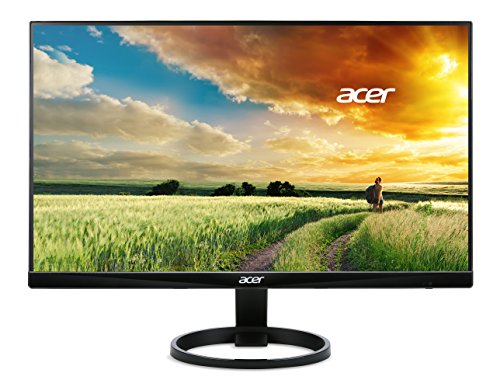
- 23.8" Full HD IPS widescreen with 1920 x 1080 resolution.Specific uses for product – Business
- Response time: 4ms, refresh rate: 60 hertz, pixel pitch: 0.2745 millimeter. 178 degree wide viewing angle, display colors: 16.7…
This is the budget pick that punches above its weight. The 23.8-inch IPS panel delivers solid 1080p visuals with wide viewing angles, so colors don’t wash out when you shift in your chair. The zero-frame design looks clean and works great if you’re planning a dual-monitor setup later. For the price, you won’t find a better daily driver for writing, browsing, and general productivity.
HP VH240a 23.8-Inch Full HD Monitor
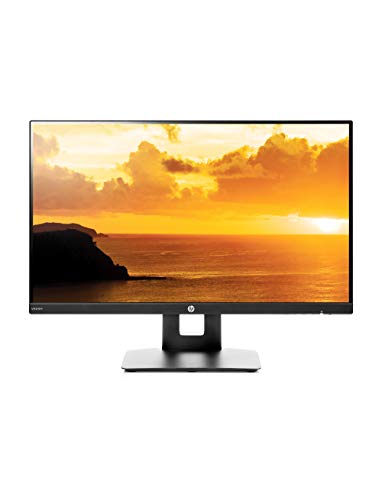
- This Certified Refurbished product is manufacturer refurbished, shows limited or no wear, and includes all original accessories…
- Response Time – 5ms with overdrive for a smooth picture that looks crisp and fluid without motion blur
The HP VH240a comes with built-in speakers and VESA mounting, which saves you money on extras. What I like most is the ergonomic stand that lets you pivot between landscape and portrait mode. If you read long documents or code, portrait mode is genuinely useful. The ultrathin bezels look modern, and the IPS panel handles color accuracy well for this price bracket.
ASUS VA24EHE 23.8-Inch Monitor
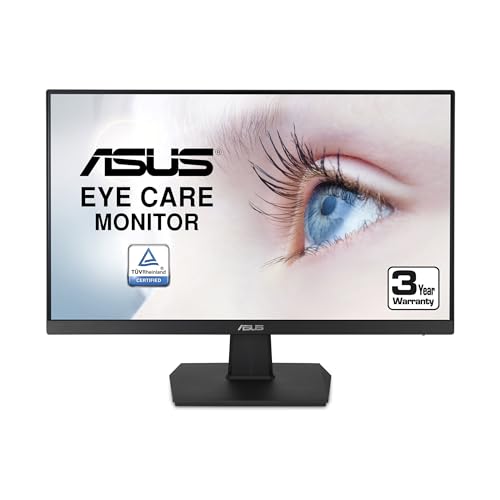
ASUS VA24EHE 23.8" Monitor 75Hz Full HD 1920×1080 IPS Eye Care HDMI D-Sub DVI-D,Black
- 23.8 inches Full HD (1920×1080) IPS monitor with 75Hz refresh rate and 5ms (GTG) response time Features adaptive Sync to eliminate…
- Frame less design gives an almost-seamless multi-display setup view and 178 degree wide viewing angle panel paired with an…
ASUS built this with eye care in mind. The 75Hz refresh rate is smoother than the standard 60Hz you get on most budget monitors, and the adaptive sync eliminates screen tearing if you game occasionally. The frameless design makes it ideal for multi-monitor setups. At under $110, this is one of the best value monitors you can get for a home office in 2026.
Dell S2719DGF 27-Inch QHD Monitor
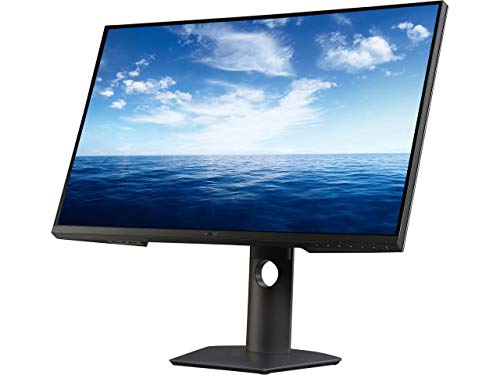
- Experience sharp, tear free graphics with a swift refresh rated to 155 hertz (overclocked) and AMD free sync for super smooth…
- Get blazing fast and responsive gameplay with minimum input lag at an extremely rapid 1ms response time. Pixel Pitch:0.2331 mm
When you step up to 27 inches and QHD (2560 x 1440), the difference is immediately obvious. You get 1.77 times more screen real estate than Full HD, which means more code visible, more spreadsheet columns, and less scrolling. The Dell S2719 has an ultrathin profile at just 6.5mm, supports HDR, and the stand lets you tilt, pivot, and swivel. This is the sweet spot for developers and designers who want more space without going ultrawide.
LG 34UM69G-B 34-Inch Ultrawide Monitor
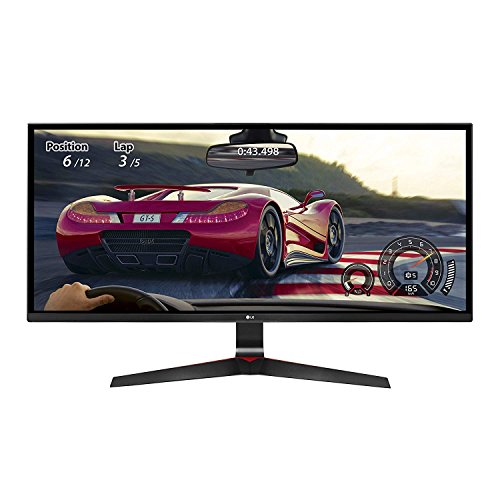
LG 34UM69G-B 34-Inch 21 9 UltraWide IPS Monitor with 1ms Motion Blur Reduction and FreeSync,Black
- 34 inches widescreen full HD IPS display; Refresh rate:75 hertz
- 21:9 Aspect Ratio; Resolution 2560×1080.OS compatibility windows 10
If you’ve never used an ultrawide, you’re in for a treat. The 21:9 aspect ratio gives you the equivalent of two monitors without the bezel gap in the middle. At 2560 x 1080, you can comfortably run a code editor on one side and a browser on the other. The 1ms motion blur reduction and 75Hz refresh rate make this surprisingly capable for gaming too. I’ve recommended this to several clients who wanted one screen to rule everything.
Monitor Mounts and Stands
A monitor mount frees up desk space and lets you position your screen at the perfect height for your posture. If you’re getting neck pain or hunching forward, a good mount is a cheaper fix than a chiropractor visit. Here are four options at different price points.
Monoprice Adjustable Gas Spring Desk Mount
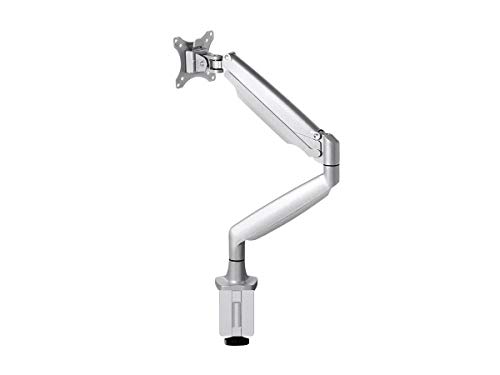
- Smooth Full-Range Motion: Effortlessly raise, lower, pull, push, and adjust your monitor with gas-spring assistance for the…
- Easy Setup: Organize your workspace and clear desk space by raising your monitors off the desk surface. Setup is quick and easy…
The Monoprice is my budget pick for monitor mounts. The gas-spring mechanism lets you raise, lower, push, and pull the arm with almost no effort. It supports monitors from 15 to 34 inches and up to 20 pounds. The built-in cable management keeps your desk looking clean. At around $60, this is the best value monitor arm you can get.
FlexiSpot Single Monitor Mount F7
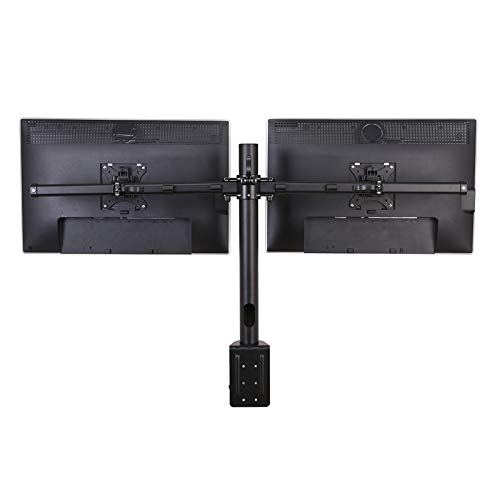
FlexiSpot’s F7 mount is surprisingly capable for its price. It handles monitors up to 36 inches with quick-release VESA mounting. The arm tilts, swivels, extends, and rotates, giving you full range of motion. Several buyers have reported successfully mounting ultrawide monitors on it despite the conservative weight rating.
Fully Jarvis Monitor Arm
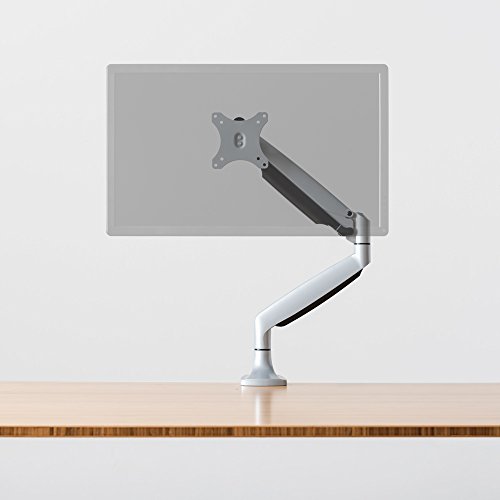
Fully Jarvis Monitor Arm – fits up to 32 Computer Display Single Silver
- ERGONOMIC POSITIONING: Elevate your monitor to keep your spine in its natural alignment to relieve strain on your neck, shoulders…
- Gas-activated and high quality monitor arm with secure adjustable tension
Fully makes some of the best ergonomic office equipment, and their monitor arm is no exception. It supports up to 20 pounds, includes built-in cable management, and comes with a 5-year warranty. The adjustability is smooth and precise. If you’re investing in a proper ergonomic setup, the Jarvis arm pairs perfectly with a standing desk.
Amazon Basics Single Monitor Stand
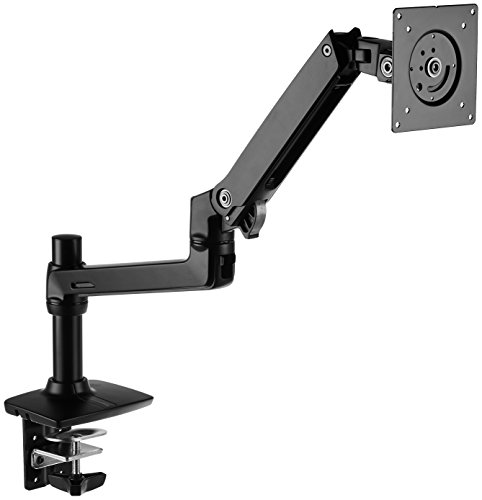
Amazon Basics Single Monitor Stand Lift Engine Arm Mount Black
- Single-arm monitor stand frees up desktop space and offers ergonomic viewing comfort
- Works with almost any LCD monitor up to 32 inches and up to 25 pounds
This mount supports up to 25 pounds and works with monitors up to 32 inches. The tilt range goes from 70 degrees back to 5 degrees forward, which covers just about any viewing position. You can rotate from landscape to portrait mode for reading or coding. Amazon Basics products tend to be reliable without frills, and this arm is no exception.
Keyboards
Your keyboard is the tool you interact with most. A bad keyboard leads to fatigue, typos, and wrist pain over time. I’ve gone through at least a dozen keyboards since I started working from home. These five cover everything from budget Bluetooth options to premium mechanical boards.
Logitech K380 Wireless Keyboard
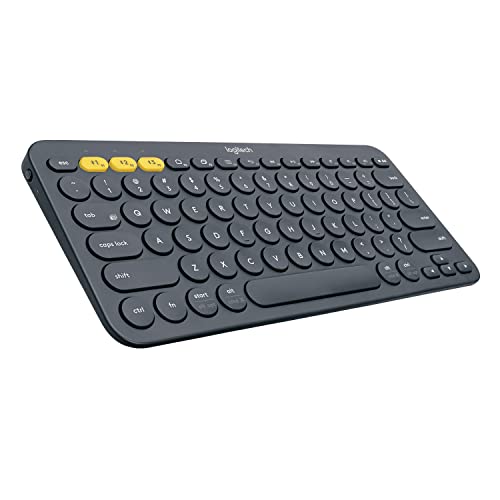
- Multi-device Bluetooth keyboard: The Logitech K380 Pebble keyboard is a universal keyboard for typing on all your computing…
- Easy-switch: Connect up to 3 devices simultaneously and switch between them at the touch of button. Wireless range 10 meter
The K380 is the keyboard I recommend to anyone who wants something simple that works across multiple devices. You can pair it with up to 3 Bluetooth devices, whether that’s a MacBook, iPad, or Windows PC, and switch between them with dedicated buttons. The compact size keeps your desk tidy, and the battery lasts about 2 years on a pair of AAA cells. It’s not a typing enthusiast’s dream, but for $40, it’s hard to beat for everyday productivity.
Dell KB216 Wired Keyboard
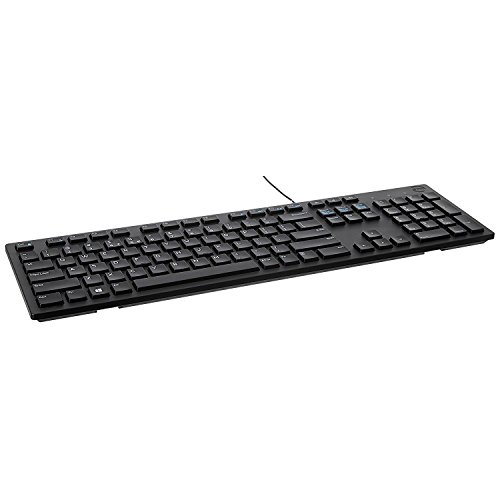
Dell Wired Keyboard – Black KB216 580-ADMT
- The Dell Wired Keyboard provides a convenient keyboard solution for everyday home or office computing uses.
- Device Type: Keyboard. Keys Style: Chiclet. Color: Black. Interface: USB.
Sometimes you just need a reliable wired keyboard that works out of the box. The Dell KB216 is exactly that. Full-size layout, chiclet-style keys with decent travel, and multimedia shortcuts for play, pause, and volume. At around $20, this is the cheapest keyboard on this list, and it does its job without any fuss. If you’re setting up a budget WFH station, this is the sensible pick.
Logitech G513 Carbon Mechanical Keyboard
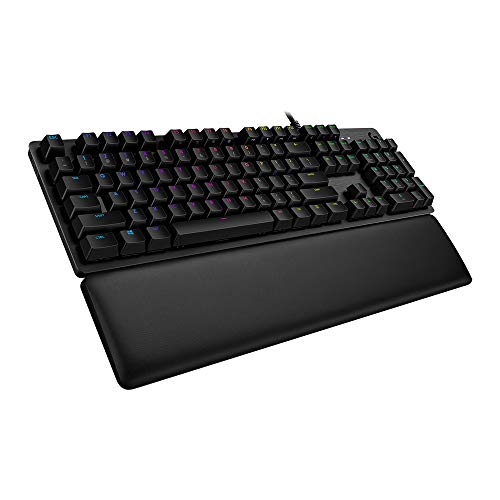
Logitech G513 Carbon LIGHTSYNC RGB Mechanical Gaming Keyboard with GX Blue Switches – Clicky
- Personalize lighting for each individual key, customize lighting effects, and enjoy in-game integrations from a spectrum of 16. 8M…
- Gx Blue is an iconic design providing both tactile and clicky feedback with snappy actuation you can feel and hear. This keyboard…
The G513 Carbon is built for people who care about their typing experience. The GX Blue switches give you that satisfying click, and the per-key RGB lighting is fun to customize. It’s one of the quietest mechanical keyboards I’ve used, which matters when you’re on calls. The palm rest is included, and the aluminum top case feels premium. This is a serious keyboard for serious work.
Keychron K3 Ultra-Slim Mechanical Keyboard
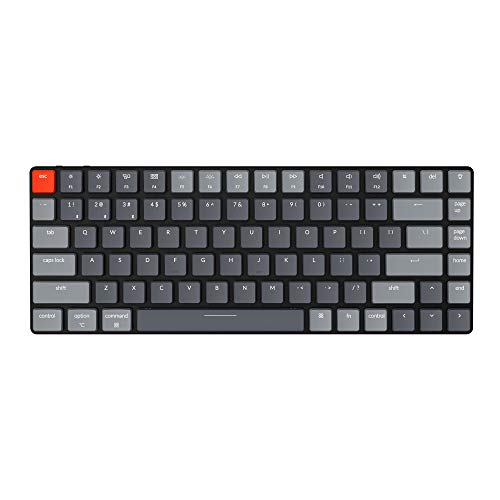
- 75% LAYOUT – Crafted for productivity, the Keychron K3's 75% layout is a compact version of tenkeyless layout. It allows users…
- ULTRA-SLIM – The redesigned low profile switch is 40% slimmer than conventional switches. Together with the streamlined aluminum…
The Keychron K3 hits the sweet spot between mechanical feel and portability. Its 75% layout gives you all the essential keys in a compact form factor. The hot-swappable optical switches let you change the typing feel without soldering. You get Bluetooth 5.1 for wireless use and USB-C for wired mode. The aluminum body is 40% slimmer than typical mechanical keyboards. If you want mechanical switches without the bulk, the K3 is hard to beat.
Satechi Slim X1 Bluetooth Keyboard
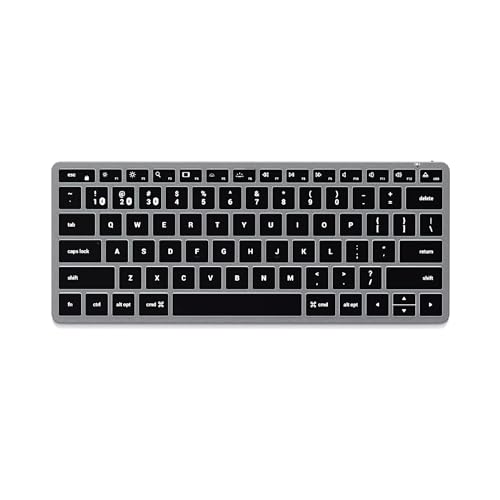
- OPTIMIZED FOR MAC – designed for Apple users in mind, the Slim X1 Bluetooth Keyboard features a full QWERTY layout, MacOS function…
- MULTI-DEVICE BLUETOOTH – equipped with easy-to-use Bluetooth keys to assign up to three devices – perfect to type across your…
If you’re deep in the Apple ecosystem, the Satechi Slim X1 is designed specifically for you. It has the macOS key layout with proper Command, Option, and Control placement. The backlit keys work well in dim lighting, and you can connect up to 3 devices via Bluetooth. It’s slim, lightweight, and matches the aesthetic of Apple hardware. A solid alternative to Apple’s own Magic Keyboard at a lower price.
Mice
The mouse you use matters more than you’d think. A good sensor, comfortable shape, and reliable clicks reduce hand fatigue over long work sessions. These three options cover wireless, wired, and ambidextrous needs.
Logitech G305 Wireless Mouse
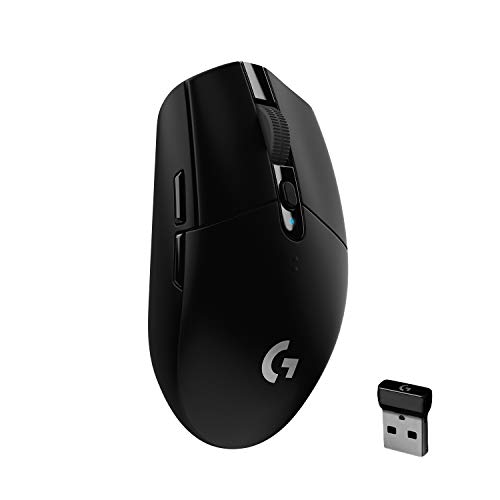
- HERO Gaming Sensor: Next-gen HERO mouse sensor delivers up to 10x the power efficiency over other gaming mice with exceptional…
- LIGHTSPEED Wireless: Ultra-fast LIGHTSPEED Wireless technology gives you a lag-free gaming experience. The G305 wireless gaming…
The G305 delivers a 1-millisecond response time wirelessly, which matches wired performance. The Hero sensor tracks at up to 12,000 DPI, though you’ll likely use it at a much lower setting for daily work. A single AA battery lasts up to 250 hours, and the mouse weighs just 99 grams. For $40, this is the best wireless mouse for productivity and casual gaming combined.
HyperX Pulsefire Surge
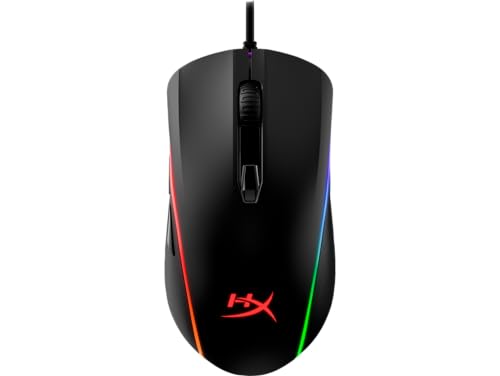
- Light Ring provides dynamic 360 degree RGB effects
- Pixart 3389 sensor with native DPI up to 16,000
The Pulsefire Surge is a precision mouse with the Pixart 3389 sensor, which offers pinpoint accuracy up to 16,000 DPI. The 360-degree RGB ring light is a nice visual touch. Omron switches are rated for 50 million clicks. If you need a reliable wired mouse that handles both work and gaming, the Pulsefire Surge delivers without the premium price tag that Logitech or Razer charge for equivalent specs.
SteelSeries Sensei Ten
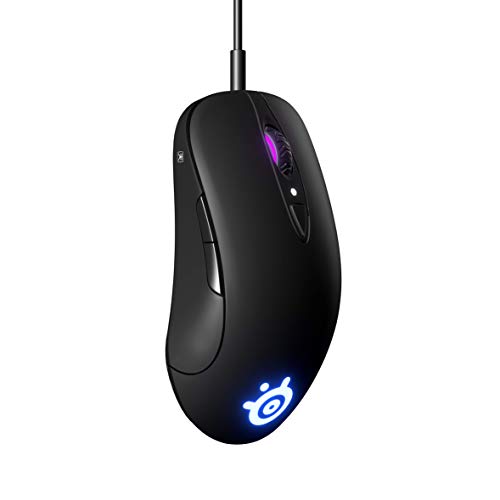
The Sensei Ten’s ambidextrous design makes it the go-to pick for left-handed users. It has buttons on both sides, a TrueMove Pro sensor for consistent tracking on any surface, and 60 million click switches. The shape is comfortable for long sessions regardless of grip style. If you’ve struggled to find a quality mouse that works for lefties, this is the one.
Headphones and Earbuds
Good headphones are non-negotiable for remote work. Between Zoom calls, focus music, and blocking out household noise, you’ll wear them for hours every day. I’ve tested everything from $50 earbuds to $400 over-ear cans. Here are the five I’d actually spend my money on.
Shure AONIC 50 Noise-Cancelling Headphones
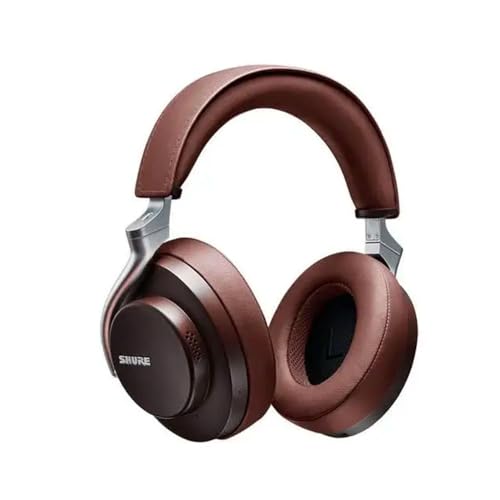
- PREMIUM WIRELESS STUDIO-QUALITY SOUND: Engineered from decades of professional experience. No cords. No wires. Just pure listening…
- ADJUSTABLE NOISE CANCELLING & ENVIRONMENT MODE: Eliminate distractions for a truly immersive listening experience and hear the…
The AONIC 50 is for people who care about audio quality first and everything else second. Shure’s 50mm drivers produce some of the most detailed sound I’ve heard in a wireless headphone. The noise cancellation is effective without the artificial pressure some competitors create. They’re heavier than Sony or Bose alternatives, but the padding is generous and comfortable for long sessions. If you listen to music while you work and want every note to sound right, these are worth every dollar.
Sony WH-1000XM4 Wireless Headphones
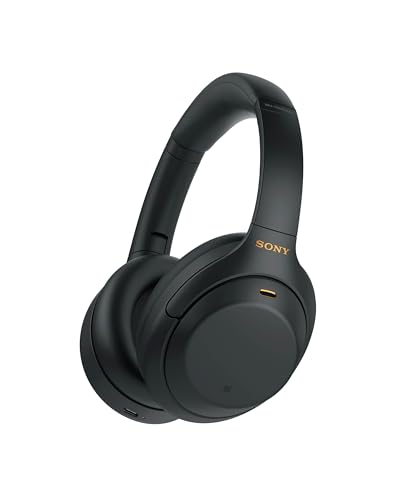
- ACTIVE NOISE CANCELLATION: Premium noise canceling with Dual Noise Sensor technology
- LONG BATTERY LIFE: Up to 30-hour battery life with quick charging (10 min charge for 5 hours of playback)(USB Type-C Cable…
The XM4 is the headphone I recommend most for remote workers. Sony’s Dual Noise Sensor technology is genuinely class-leading. You can hear every word in a podcast even with construction noise outside your window. The battery lasts 30 hours, and a quick 10-minute charge gives you 5 hours of playback. The Speak-to-Chat feature pauses your audio when you start talking, which is brilliant for quick conversations. At its current discounted price, this is the best value noise-cancelling headphone you can buy in 2026.
Sennheiser HD 650 Open-Back Headphones
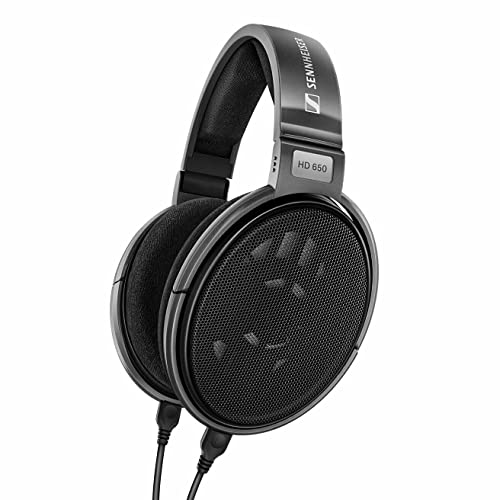
Sennheiser Consumer Audio HD 650 – Audiophile Hi-Res Open Back Dynamic Headphone Titan
- Specially designed acoustic silk ensures precision damping over the entire frequency range and helps to reduce THD to an…
- Improved frequency response is 10 39,500 Hertz ( 10 dB)
Not everyone needs noise cancellation. If you work in a quiet home and want to stay aware of your surroundings (kids, doorbell, phone calls), open-back headphones are the better choice. The HD 650 is an audiophile classic. The open-back design creates a natural, spacious soundstage that closed headphones can’t match. They’re wired, which means zero latency and no battery to worry about. These are the headphones audio engineers reach for.
Apple AirPods Pro

- Active noise cancellation for immersive sound
- Transparency mode for hearing and connecting with the world around you
If you’re in the Apple ecosystem, the AirPods Pro integrate seamlessly with every Apple device you own. The active noise cancellation works well for their size, and the silicone tips come in three sizes for a secure fit. Transparency mode lets ambient sound through when you need it. The switching between iPhone, Mac, and iPad is effortless. They’re not the best sounding earbuds at this price, but the convenience factor is unmatched.
1MORE ColorBuds Wireless Earbuds

- Note : If the size of the earbud tips does not match the size of your ear canals or the headset is not worn properly in your ears,…
- Premium Sound: Unique full-range balanced armature delivers higher definition, higher sensitivity, and abundant details across the…
The 1MORE ColorBuds are the budget earbuds I recommend. They don’t have active noise cancellation, but they seal well enough to block ambient noise passively. The full-range balanced armature driver delivers better sound than you’d expect at this price. Battery life hits 22 hours with the charging case. If you don’t want to spend AirPods money but still want reliable wireless earbuds for calls and music, these are the move.
Computer Speakers
Sometimes you don’t want headphones on your head all day. A good pair of desktop speakers lets you fill your office with music or podcast audio while keeping your ears free. These three sets cover different budgets and sound profiles.
Edifier R2000DB Bluetooth Bookshelf Speakers
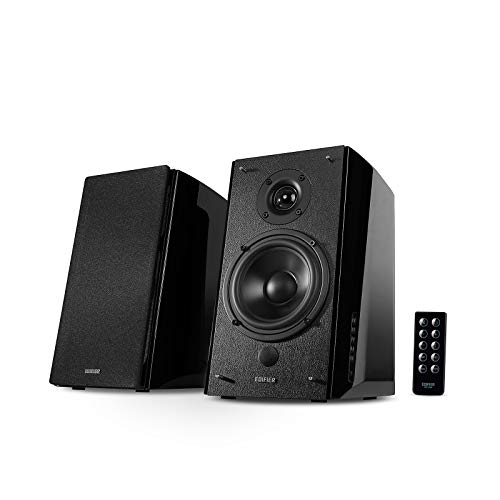
- BLUETOOTH CONNECTION – Pair your phone, tablet or computer for a true hassle free wireless experience, perfect for any iOS,…
- OPTICAL INPUT – Enjoy lossless digital connection from your TV, TV Box, DVD/blu-ray player, receiver, HTPC, computer or gaming…
The Edifier R2000DB speakers look and sound professional. The 5-inch bass driver and 1-inch tweeter deliver real depth, not the tinny output you get from cheap PC speakers. Bluetooth connectivity means you can stream from your phone without cables. The EQ controls on the back let you dial in the sound to your room. If you want speakers that double as a conversation piece, these fit the bill.
Audioengine A1 Desktop Speakers
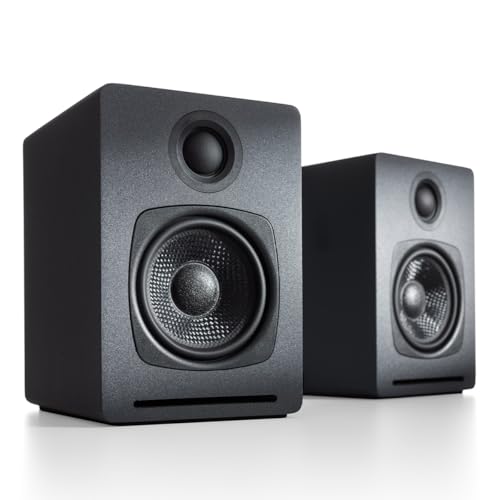
Audioengine A1 60W Wireless Bluetooth Desktop PC Computer Speakers – Gaming Music and More
- ROOM FILLING – A desktop shaking 60 watts of pure clean audio for your computer or laptop
- SUPERIOR ACOUSTICS – Custom hand built wood cabinets for richer fuller sound
Audioengine packed 60 watts into a surprisingly compact chassis. These speakers fill a room with clean, balanced sound that belies their size. Bluetooth streaming works flawlessly, or you can connect via the aux input. Fair warning: the volume on these gets loud fast. I’d say 20% volume is plenty for most home offices. The build quality and sound are a clear step above typical computer speakers.
PreSonus Eris E3.5 Studio Monitors
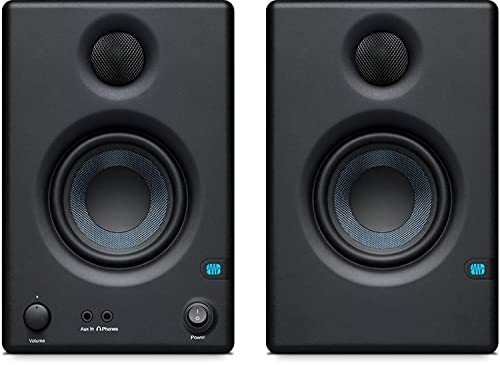
- There is a newer model of this item available Gen 2 (2024) Eris 3.5
- The only true studio monitor for multimedia, gaming, watching movies, or producing your next hit.
These are studio monitors used by actual audio engineers, and they’re under $100. The Eris E3.5 reveals details in audio that consumer speakers gloss over. If you listen to music while working and appreciate hearing every instrument clearly, these are worth the desk space they occupy. They’re compact enough for a home office and powerful enough to fill a small room.
Webcams and Lighting
Your webcam quality affects how people perceive you in meetings. A grainy, dark video feed sends the wrong message. These five picks cover webcams at every price point, plus a handy lighting accessory.
EMEET C950 Full HD Webcam
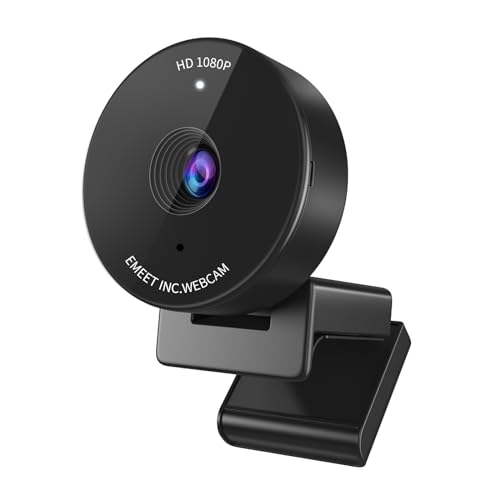
- Privacy Cover & USB Plug-n-Play – The EMEET C950 webcam for PC is equipped with a physical privacy cover slide designed to ensure…
- Privacy Cover & USB Plug-n-Play – The EMEET C950 webcam for PC is equipped with a physical privacy cover slide designed to ensure…
The EMEET C950 gives you 1080p video, built-in noise-reducing microphones, and a privacy cover for under $40. It’s plug-and-play with no software needed. The auto light correction handles dim rooms reasonably well. If you’re on a budget and need a webcam that just works for Zoom and Google Meet, this is the practical choice.
Razer Kiyo Streaming Webcam
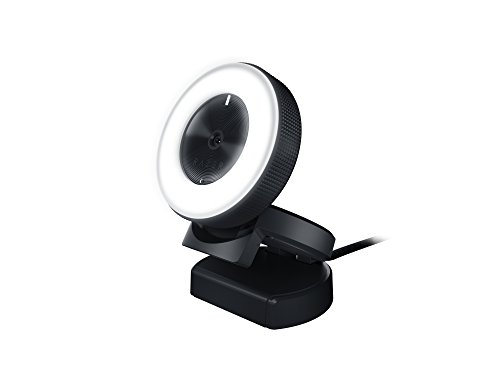
- FULL HD RESOLUTION – Experience crisp, detailed video and audio recording in 720p 60 FPS / 1080p 30 FPS. Works great for…
- CONVENIENT, BUILT-IN LIGHTING – Features a 5600K daylight-balanced ring light around the camera that provides even lighting…
The Razer Kiyo’s built-in ring light is what sets it apart. You get even, shadow-free lighting that you can brighten or dim to match your room. The camera records at 1080p/30fps or 720p/60fps. It was designed for streamers, but remote workers benefit from the same consistent lighting. No more looking washed out or shadowy on video calls.
Logitech C615 HD Webcam
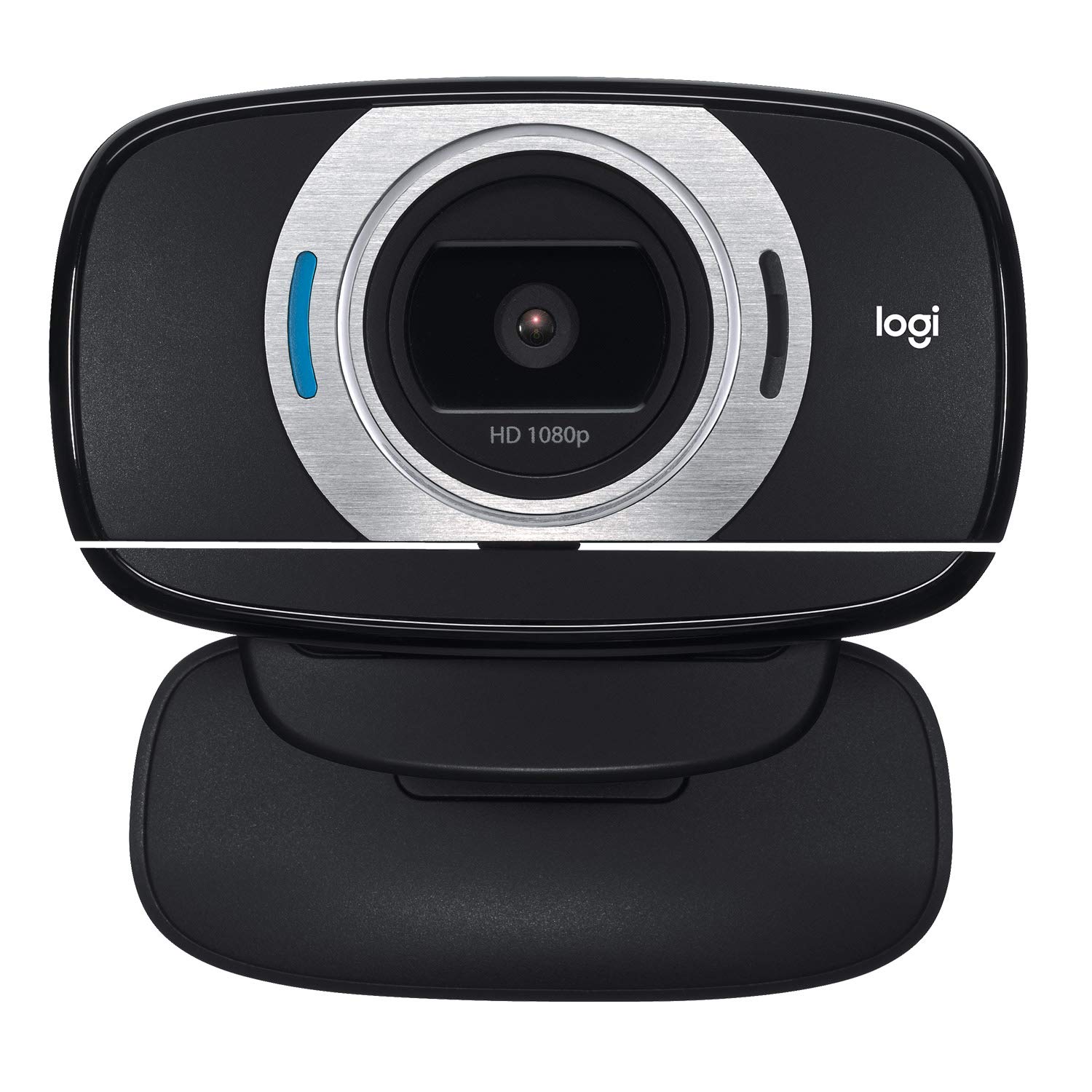
Logitech HD Laptop Webcam C615 with Fold-and-Go Design 360-Degree Swivel 1080p Camera
- Record sharp, vibrant HD 1080p videos that capture the smallest details compatible:Windows XP, Windows Vista , Windows 7, Windows…
- Video chat in fluid HD 720p on Skype, Google Hangouts, Face-time for Mac and most other major video calling services
The Logitech C615 has been around for years, and it’s still a solid pick. Full HD 1080p at 30fps, autofocus that actually works, and a fold-and-go design that travels well. The 360-degree swivel lets you adjust the angle quickly. With over 8,700 reviews and consistent positive feedback, this webcam has proven itself as a reliable workhorse.
Anker PowerConf C300 Webcam
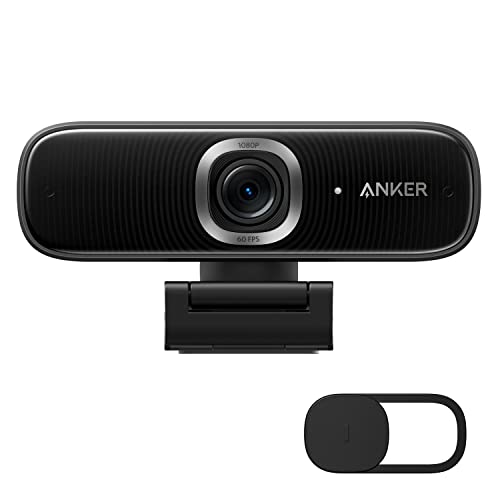
- Look Like a Pro: Make a great first impression with clients and impress your boss with PowerConf C300's crisp HD webcam…
- Clear Voice Pickup: Be heard loud and clear via HD webcam while working from home thanks to the ultra-sensitive dual microphones.
The Anker C300 uses AI-powered framing to keep you centered in the frame automatically. The auto white balance and color adjustment handle tricky lighting conditions well. If you present to clients regularly and want to look polished without buying a separate light, the C300’s intelligent features do the heavy lifting for you.
Lume Cube Panel Mini LED Light
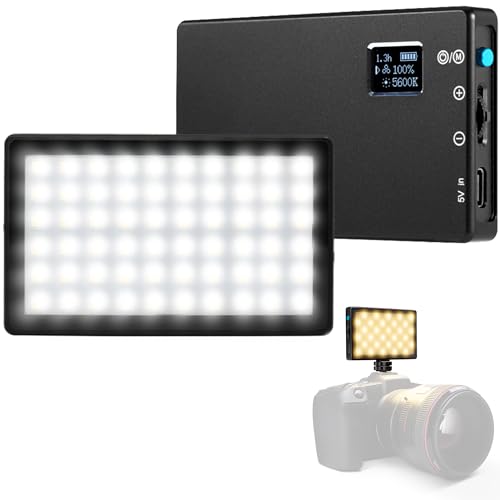
- POCKET-SIZED: Enhance your photography with this portable powerhouse, tailored for professional DSLR cameras. This credit card…
- ADJUSTABLE BRIGHTNESS: Take command of your lighting with a 300 lumen panel that adjusts from 1% to 100%, providing enhanced…
This isn’t a webcam, but it pairs perfectly with one. The Lume Cube Panel Mini is a pocket-sized LED light that dramatically improves your video quality. It mounts on a cold shoe or tripod, adjusts color temperature, and gets surprisingly bright for its size. Battery life is about an hour at full brightness, which is the main limitation. But for video calls, you’ll rarely need more than 50% brightness.
USB Adapters, Hubs, and Cables
Modern laptops ship with fewer ports than ever. A USB-C hub or dock restores the connectivity you need without cluttering your desk. Here are the hubs and cables that have held up in my daily use.
Moshi Symbus Q 6-in-1 USB-C Hub
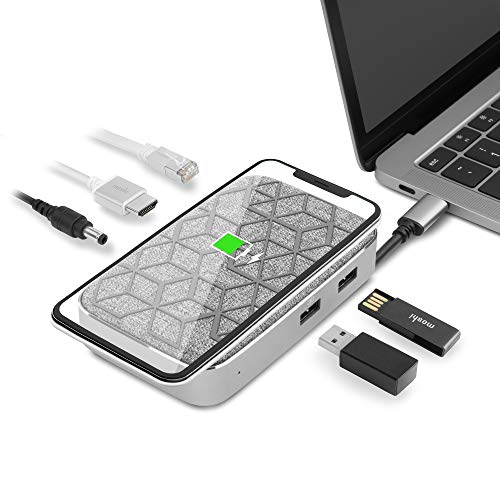
- World-Class Certification: Awarded by 2019 CES Innovation Awards- Computer Peripherals Category. CE and FCC Certified. Features…
- Wireless Charging 15W Max: Qi-EPP certified wireless charging makes charging safer. Enables charging through cases up to 5 mm…
The Moshi Symbus Q combines a USB-C hub with a 15W Qi wireless charger. Drop your phone on it while using the hub’s ports for your monitor, drives, and peripherals. It won a CES Innovation Award, and the build quality shows. The compact design doesn’t take up much desk space, and having wireless charging built into your hub is genuinely convenient.
Plugable USB-C Dock with 4K HDMI
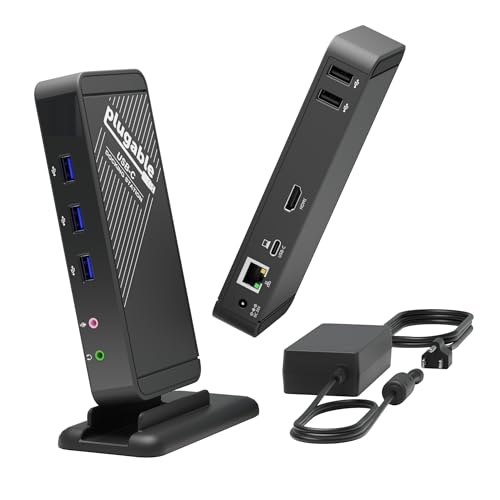
- 9-in-1 Dock: Enhance your setup with a single USB-C port for 4K HDMI, Gigabit Ethernet, 3.5mm headphone and mic jacks, 3x USB 3.0,…
- Compatibility: Works seamlessly with USB-C, Thunderbolt 3 / 4, USB4 devices on macOS, Windows, ChromeOS, Linux, iOS, and iPadOS;…
Plugable’s dock gives you nine ports through a single USB-C connection: five USB-A ports, HDMI, Ethernet, headphone jack, and mic input. It sits horizontally or vertically on your desk. If you’re tired of dongles sticking out of your laptop, this dock replaces them all. The 60W charging pass-through means your laptop stays powered while connected.
Anker PowerExpand+ 7-in-1 USB-C Hub
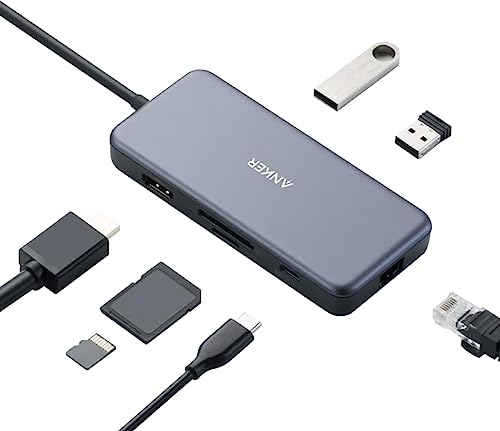
- The Anker Advantage: Join the 50 million powered by our leading technology.
- Massive Expansion: get way more out of your MacBook's USB-C port, with 4K 30Hz HDMI, high-speed Ethernet, SD/TF card Readers, and…
Anker’s reputation for reliable accessories is well earned. This 7-in-1 hub gives you 4K HDMI output, 60W power delivery, USB 3.0 ports, and an SD card reader in a compact form factor. Data transfer hits 5Gbps, which means moving large files takes seconds instead of minutes. At under $50, this is the best value USB-C hub for most people.
NOMAD USB-C to USB-C Cable (3m)
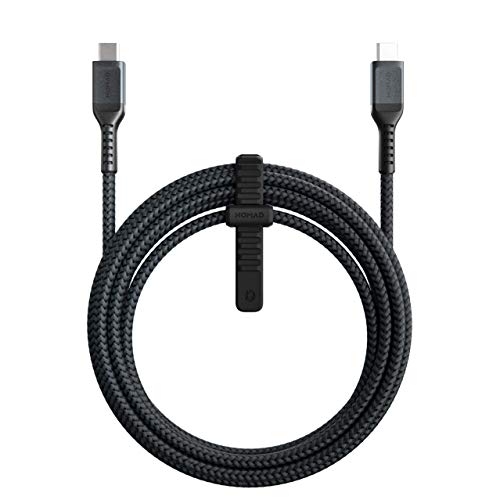
NOMAD USB C Cable | 3.0 Meters | USB-C to USB-C
- 100W Fast Charging and Sync: USB-C PD cable allows for up to 480Mbps of data transfer and up to 100W (20V5A) of charging speed,…
- Rugged Construction: Reinforced with a double-braided Kevlar outer sheath and strong metal alloy connector housings
NOMAD cables are built to last. The double-braided Kevlar sheath handles daily abuse that would destroy a regular cable. It supports 100W fast charging and data sync, so it works for charging your MacBook Pro and transferring files. The 3-meter length gives you real freedom to move around your desk without unplugging.
Amazon Basics USB-C to USB-C Cable
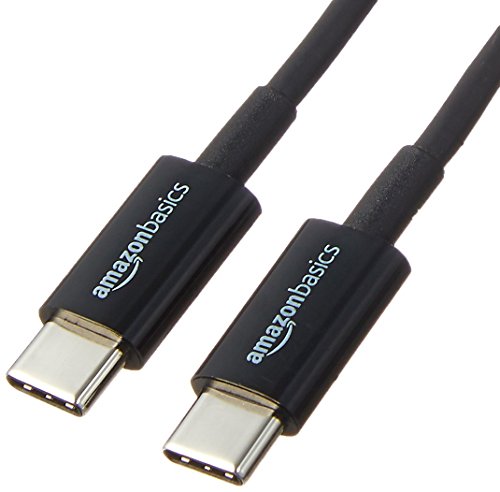
- USB-IF Certified, connects any USB-C enabled devices. For power transfer/charging smartphones, power banks, wall/car chargers, and…
- In the box: 1 cable, 6 foot 15W USB-C 2.0 cable for charging and powering devices, transfering data, photos, and music
If you need a reliable USB-C cable without the NOMAD premium, Amazon Basics delivers. It’s USB-IF certified, supports fast charging, and handles 480Mbps data transfer. You can use it with any USB-C device. For the price, it’s a no-brainer to keep a few of these around your office as backups.
Laptop and Phone Docks
A good dock turns your laptop into a full desktop workstation. Plug in one cable and get access to monitors, peripherals, charging, and storage all at once. Here are two that stand out.
Kensington Laptop Riser with Qi Charging Pad
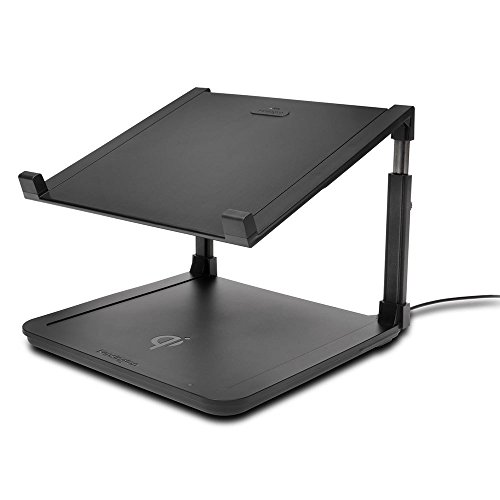
Kensington Laptop Riser with Qi Charging Pad K52784WW
- Qi inductive charging technology lets you wirelessly power a compatible phone simply by placing it on the charging pad 5W charging…
- Laptop riser adjusts to multiple heights to provide for optimal viewing compatible with laptops up to 15 6" and 7 7 lbs
This riser elevates your laptop to a comfortable viewing height while wirelessly charging your phone on the built-in Qi pad. It charges an iPhone from zero to 50% in about an hour. Unlike many Qi chargers, it comes with the charging stand, wall plug, and cable included. The ergonomic angle reduces neck strain if you use your laptop screen alongside an external monitor.
CalDigit TS3 Plus Thunderbolt 3 Dock
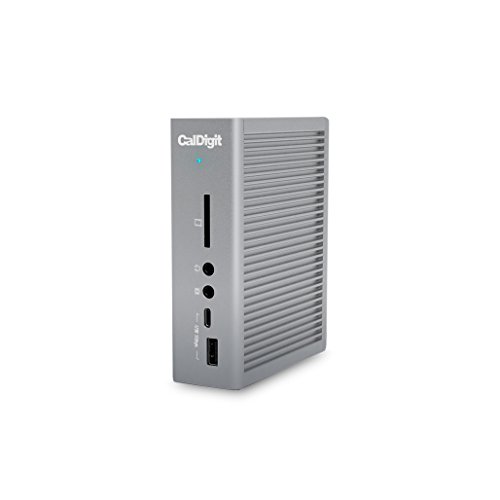
- [15 PORTS OF CONNECTIVITY]: 2x Thunderbolt 3 40Gb/s, DisplayPort 1.2, 5x USB-A & 1 USB-C 3.1 Gen 1 (5Gb/s), 1x USB-C 3.1 Gen2…
- [IMPROVED from 85W to 87W LAPTOP CHARGING]: Provides up to 87W to charge your laptop and power all of your USB peripherals. The…
The CalDigit TS3 Plus is the dock I use personally. With 15 ports, it’s the most comprehensive Thunderbolt 3 dock you can buy. Two Thunderbolt 3 ports, seven USB-A, USB-C Gen 2, DisplayPort, SD card slot, headphone jack, and Gigabit Ethernet. It delivers 87W of charging power. The compact vertical form factor barely takes up desk space. If you want one dock to connect everything, this is it.
Storage and Backup
Losing files isn’t a matter of if, it’s when. Every home office needs at least one backup solution, ideally two. A local drive for fast access and a cloud/NAS solution for redundancy. These four products cover your bases.
Western Digital My Book 4TB External Hard Drive
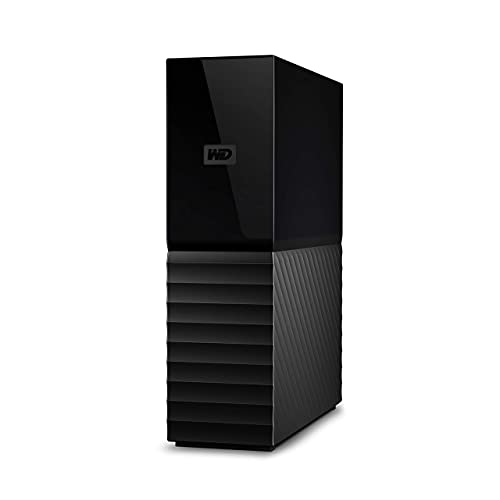
- Massive capacity, up to 22TB capacity. (1TB = one trillion bytes. Actual user capacity may be less depending on operating…
- Includes software for device management and backup with password protection (Download and installation required. Terms and…
The WD My Book is the desktop external drive I’ve used for years. It’s reliable, fast for USB 3.0, and available in capacities up to 22TB. Password protection and hardware encryption keep your data secure. For backing up your primary work files, photos, and project archives, this is the straightforward choice. Plug it in, set up automatic backups, and forget about it.
Seagate Portable 2TB External Hard Drive
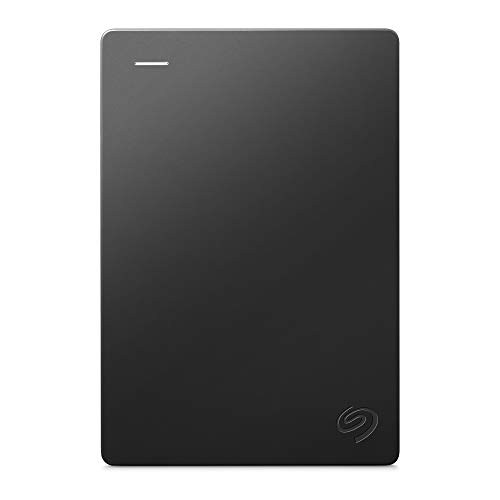
- Easily store and access 2TB to content on the go with the Seagate Portable Drive, a USB external hard drive
- Designed to work with Windows or Mac computers, this external hard drive makes backup a snap just drag and drop
The Seagate Portable is what you throw in your bag when you need files on the go. It’s lightweight, slim, and works across PC, Mac, and PlayStation. Across 9,000+ reviews, the failure rate is only 6.5%, which is remarkably low for portable drives. The read and write speeds are solid for the price, making this the budget pick for portable backup.
Synology DS720+ NAS
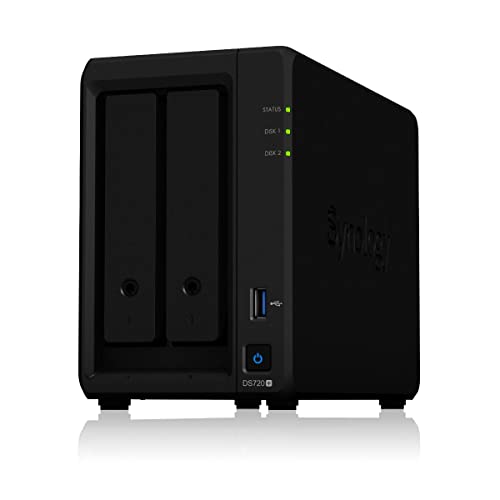
Synology 2 bay NAS DiskStation DS720+ Diskless
- Two built-in M.2 2280 NVMe SSD slots permit cache acceleration without occupying storage drive bays.
- Intel quad-core processor with AES-NI hardware encryption engine; over 225 MB/s sequential read and 195 MB/s sequential write…
If you’re serious about data, a NAS (network-attached storage) is the upgrade that changes everything. The Synology DS720+ is fast, expandable, and runs DiskStation Manager, which is one of the best NAS operating systems available. Two NVMe SSD cache slots accelerate performance, and the dual-core Intel Celeron handles multiple concurrent users. I recommend this to anyone who manages large file libraries or needs to access data across multiple devices.
Kingston DataTraveler Elite G2 64GB USB Drive
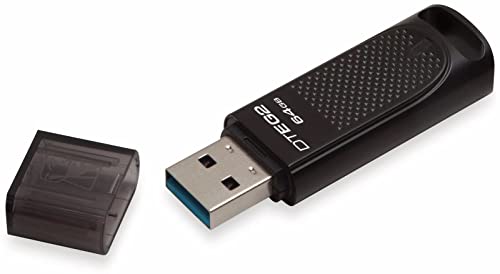
- Quicker file transfers compared to standard USB 3.1 Gen 1 and USB 2.0 devices
- Shock and water resistant metal casing with removable cap
Every home office needs a fast, reliable USB drive for quick file transfers and emergency backups. The Kingston DataTraveler Elite G2 offers 180MB/s read and 70MB/s write speeds in a durable metal casing. It’s waterproof, dustproof, and shock-resistant. At 64GB for under $30, the cost per gigabyte is excellent.
Router and Modem
Your internet connection is the foundation of remote work. A slow or unreliable router means dropped Zoom calls, laggy file uploads, and constant frustration. Investing in proper networking equipment pays for itself within a month of uninterrupted work.
TP-Link Archer AX3000 WiFi 6 Router
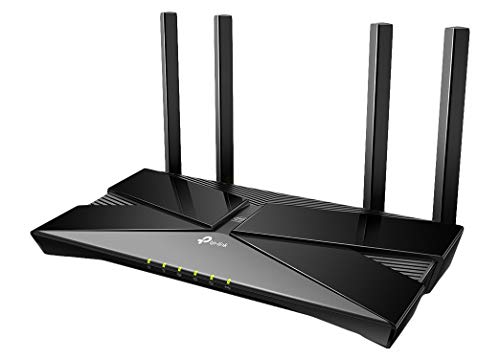
- Wi-Fi 6 Router: Wi-Fi 6 (802. 11ax) technology achieves up to 3x faster speeds, 4x capacity and 75% lower latency compared to the…
- Next-gen 3 Gaps speeds: 4-Stream Dual Band router reaches incredible speeds up to 3 Gaps (2402 Mbps on 5 GHz band and 574 Mbps on…
The Archer AX3000 is arguably the best WiFi 6 router for the money. It creates a fast, responsive network even across a medium-sized house. WiFi 6 (802.11ax) delivers up to 3Gbps speeds and handles multiple connected devices simultaneously without choking. If you’re still running an ISP-provided router, upgrading to this will feel like switching from dial-up to broadband. The difference is that noticeable.
Motorola MB7621 Cable Modem
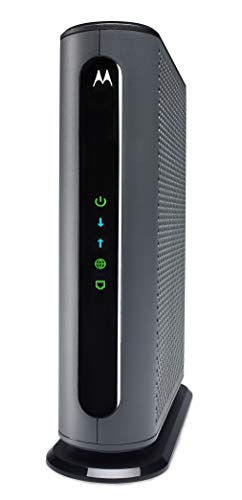
- Model MB7621 is recommended for actual cable Internet service speeds up to 650 Mbps. Wirecutter rates this "the best modem for…
- This cable modem's 1 Gigabit Ethernet port connects to a WiFi router, computer, HDTV, game station, or streaming video device….
If you’re renting a modem from your ISP, stop. The Motorola MB7621 pays for itself in 6-8 months of saved rental fees. It supports internet plans up to 600 Mbps with 24 downstream and 8 upstream channels. It’s compatible with every major cable ISP in the US. Buy your own modem, pair it with a good router, and save $10-15 every month.
Printers, Scanners, and Fax
Not everything can stay digital. Contracts, tax documents, and the occasional photo still need printing or scanning. These picks handle the physical side of your home office.
HP Color LaserJet Pro M255dw
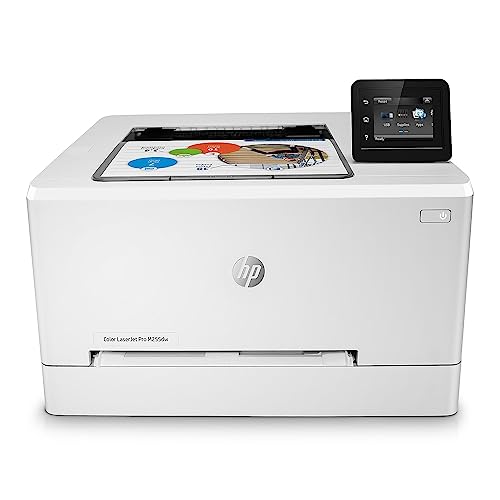
- Impress with color and increase efficiency: This business printer offers extraordinary wireless printing, fast print…
- Print remotely with the HP Smart app: Set up your LaserJet printer, manage print jobs, receive notifications, and print and scan…
Laser printers are faster, sharper, and cheaper per page than inkjets. The HP M255dw prints up to 17 pages per minute in color, supports auto-duplex printing, and connects via WiFi, Ethernet, or USB. If you print contracts, invoices, or marketing materials regularly, a color laser printer saves time and money over the long run.
Brother ADS-1250W Portable Scanner
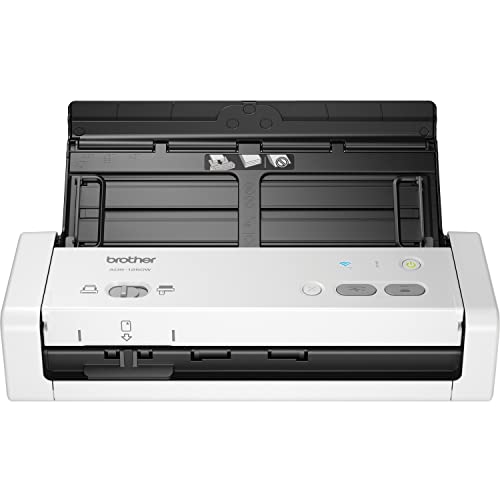
- COMPACT DESIGN AND FAST SCAN SPEEDS HANDLE A VARIETY OF DOCUMENTS Scan single and double sided, documents in a single pass at up…
- VERSATILE CONNECTIVITY AND PORTABILITY Use the Micro USB 3.0 connection to a laptop or PC for easy device portability (8)….
The Brother ADS-1250W scans documents fast and produces clean PDFs. It’s portable enough to keep on your desk without eating too much space, and the wireless connectivity means you can scan to your computer, phone, or cloud storage. If you deal with paper documents regularly, receipts, contracts, or forms, this scanner keeps everything organized and digital.
Productivity and Finance Apps
Hardware alone doesn’t make a productive office. The right software ties everything together. These apps handle task management, time tracking, taxes, and budgeting for freelancers and remote workers. You can also check my study desk recommendations for students setting up their first workspace.
Todoist is the task management app I keep coming back to. It doesn’t force a specific workflow on you. Instead, it gives you flexible project organization, calendar integration, and a clean design that stays out of your way. The free tier is generous enough for personal use. If you manage multiple client projects, the Pro plan adds labels, filters, and reminders that keep everything organized.
TurboTax Deluxe simplifies tax filing for freelancers and remote workers who itemize deductions. The step-by-step interface walks you through every form, and the context-sensitive help explains tax concepts without jargon. If you have a home office deduction, multiple income sources, or investment income, TurboTax handles it without the stress of manual filing.
You Need A Budget (YNAB) is the budgeting app that actually works because it forces you to engage with your money. Unlike passive trackers like Mint, YNAB walks you through the process of allocating every dollar before you spend it. For freelancers with variable income, this approach is transformative. It takes a couple of weeks to get the hang of it, but once the system clicks, your financial stress drops noticeably.
Toggl handles time tracking and project management for freelancers. If you bill by the hour or need to understand where your time goes, Toggl gives you clear reports and integrates with other project management tools. It sends reminders if you forget to start a timer, which happens more often than anyone admits.
Wrapping Up
Building a home office isn’t about buying the most expensive gear. It’s about choosing tools that match your work style and hold up over time. I’ve used nearly everything on this list, and the products that made the cut are the ones that earned their spot through real daily use.
Start with the essentials: a good desk, a decent monitor, and a comfortable keyboard. Add peripherals as your needs grow. If you’re working with a limited budget, my under-$500 home office guide shows you exactly how to prioritize your spending.
Your home office is an investment in your productivity, health, and career. Get it right, and you’ll work better, feel better, and actually enjoy the space where you spend most of your waking hours.
Complete Your Home Office with the Right Display
Your chair and desk get the most attention in a home office, but your monitor is what you stare at 8+ hours a day. I wasted two years on a cheap 24″ 1080p display before upgrading, and the impact on both productivity and eye strain was immediate.
The LG 40″ UltraWide 5K2K is my dream monitor for a home office. It replaces a dual-monitor setup entirely and the 5K resolution means text is paper-sharp. If that’s over budget, the Samsung 34″ ViewFinity at $299 is the best value ultrawide I’ve tested. See also my monitor picks for programmers.
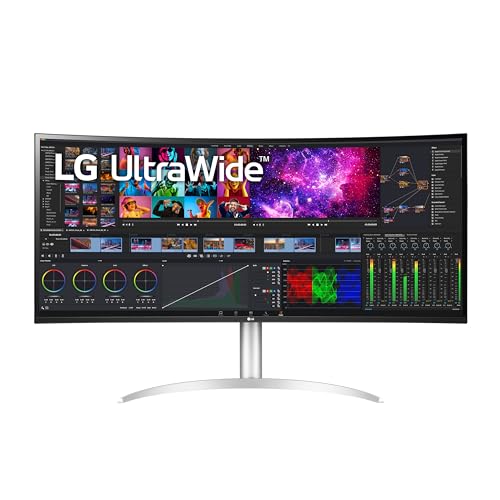
- The 5K2K UltraWide (5120 x 2160) resolution is great for your creative work as it can display everything you are working on – from video editing to special effects – all at once.
- Built in Speakers x 2 with Rich Bass
- DCI-P3 98% (Typ.) with HDR10
- Thunderbolt 4 Connectivity with 96W Power Delivery
- 3-Side Virtually Borderless Design
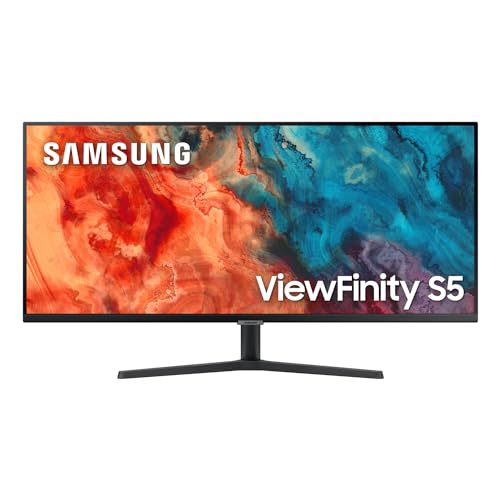
- HANDPICKED BY AMAZON: They did the research, so you don’t have to
- DO MORE ON ONE SCREEN: See every detail on the wider display featuring a 21:9 aspect ratio; Ultra-WQHD provides the simplest way to maximize screen real estate and experience truly seamless multitasking on just one screen
- ENJOY A BILLION COLORS W/ INCREDIBLE DEPTH: With HDR10 that displays over 1 billion colors compared to 16.7 million for typical SDR technology, dark colors are darker and the brightest are even brighter
- CARE FOR YOUR EYES DAY & NIGHT: An ambient light sensor on the monitor detects lighting in your workstation and automatically adjusts brightness; Eye Saver Mode minimizes excessive blue light, and Flicker Free relieves eye strain
- SEE CONTENT SMOOTHER, EVEN GAMING: A faster than average refresh rate updates the image on screen more often every second; 100Hz refresh rate reduces lag and motion blur when playing games, watching videos, or working on design projects
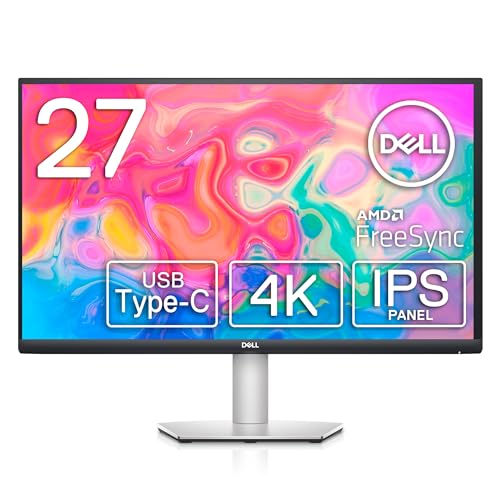
- SUPERIOR SCREEN: With a three-sided ultrathin bezel design that lets you to see more without interruptions, high functionality meets superb style. Enjoy crisp visuals with an impressive 4.0ms response time. Specific uses for product – Business. Pixel per inch (PPI) : 163. Operating Temperature: 0°C to 40°C (32°F to 104°F)
- COMFORT COMES FIRST: Customize your views with a height-adjustable stand and a monitor that tilts, swivels and pivots so you look your best and feel your best during work sessions or movie binges.
- VERSATILE CONNECTIVITY: Easily charge and connect your laptop on this USB-C monitor. This single-cable solution reduces clutter on your desktop and transmits power, video, audio and data—all at once.
- INTEGRATED SPEAKERS: This usb-c monitor comes equipped with everything you need including built-in dual 3W integrated speakers.
- PERSONALIZED COMFORT: Customize your views with a height-adjustable stand that tilts, swivels and pivots allowing you to view at your most optimal position.
Frequently Asked Questions
What’s the most important piece of equipment for a home office?
A good monitor. You stare at it all day, and a quality IPS panel with proper resolution reduces eye strain, increases visible workspace, and directly impacts your productivity. Everything else can be upgraded later, but your monitor is where the biggest immediate improvement comes from.
How much should I budget for a complete home office setup?
A solid home office setup runs between $500 and $2,000 depending on your needs. You can build a functional setup for under $500 with a basic monitor, keyboard, and mouse. Spending $1,000-$1,500 gets you a standing desk, quality monitor, mechanical keyboard, and decent headphones. Beyond $2,000, you’re adding premium peripherals and upgrades that are nice to have but not essential.
Is a standing desk actually worth it?
Yes, if you use it properly. The key is alternating between sitting and standing throughout the day, not standing for 8 hours straight. Most people find 2-3 hours of standing per day is the sweet spot. The health benefits are well documented, and I personally noticed better energy levels within the first week of switching.
Do I need a mechanical keyboard for working from home?
No, but you might want one. A good membrane or chiclet keyboard works fine for most people. Mechanical keyboards offer better tactile feedback, longer lifespan, and more satisfying typing experience. If you type for several hours daily and want to reduce finger fatigue, a mechanical keyboard is worth trying. The Keychron K3 is a good entry point.
What monitor size is best for working from home?
24 inches at 1080p is the minimum I’d recommend. 27 inches at 1440p is the sweet spot for most remote workers. It gives you enough screen real estate for side-by-side windows without needing to squint. If you do design work or video editing, a 34-inch ultrawide eliminates the need for dual monitors entirely.
Should I buy noise-cancelling headphones or open-back headphones?
It depends on your environment. If you deal with household noise, street traffic, or shared spaces, noise-cancelling headphones like the Sony WH-1000XM4 are essential. If you work in a quiet room and want to stay aware of your surroundings (doorbell, kids, phone), open-back headphones like the Sennheiser HD 650 give you better sound quality without isolation.
How can I improve my video call quality without spending a lot?
Lighting matters more than camera quality. A $40 webcam with good lighting looks better than a $200 webcam in a dark room. Start with an affordable webcam like the EMEET C950 and position yourself facing a window for natural light. If natural light isn’t an option, a Lume Cube Panel Mini costs under $100 and makes a dramatic difference.
What’s the best way to back up my home office files?
Use the 3-2-1 backup rule: three copies of your data, on two different types of storage, with one copy offsite. A local external drive like the WD My Book handles your primary backup. A cloud backup service like Backblaze covers the offsite copy. For advanced users, a Synology NAS adds fast network access and redundancy.
Do I really need to buy my own router and modem?
Buying your own modem saves $10-15 per month in rental fees, paying for itself in under a year. A dedicated router like the TP-Link Archer AX3000 outperforms the combo units ISPs provide. The improvement in WiFi stability and speed is noticeable, especially if you’re on video calls while other devices stream or download in your home.
What’s the single best upgrade for a home office on a tight budget?
An external monitor. Even a budget 24-inch IPS monitor like the Acer R240HY or ASUS VA24EHE transforms your productivity by giving you more screen space than a laptop alone. You can keep your email or chat on the laptop screen and your main work on the monitor. It’s the highest-impact upgrade for the lowest cost.