
Best and Easiest Website Builders for Teachers & Schools
I’ve built websites for schools, tutoring businesses, and educational nonprofits over the past 16 years. Most teachers don’t need a developer. They need a website builder that works in an afternoon, looks professional, and doesn’t require monthly maintenance.
The problem is that most website builders are designed for businesses, not educators. You end up paying for e-commerce features you’ll never use while missing the things you actually need: class schedules, document sharing, parent communication, and event calendars. I’ve tested all the major platforms and narrowed it down to the ones that actually work for schools and teachers in 2026.
Why do teachers/schools need websites?
In the modern digital age, every company, institute, and professional must have a properly functional and presentable website. It should have relevant and accurate content about whatever or whomever it represents. It should also be professional-looking and easy to navigate.
For example, if you are interested in promoting a new company, you should focus on social media integration and SEO tools.
Similarly, the principal of a school should have an online portal to keep the staff, students, and their parents updated. In other words, you need to optimize your website for your specific requirements.
You will need to help of a website builder to put together such a site. However, not all website builders are the same. If you start working with a website builder without properly learning about its features first, you might eventually discover that it is not able to meet your needs.
That will result in a big waste of money, time and energy.
But worry not. I’ve taken a close look at several website builders and compiled this list, which has my choices for the best website builders for teachers and schools.
Best Website Builders for Teachers and Schools in 2026
- Google Sites – Best free option for schools already using Google Workspace
- SITE123 – Best for teachers who want a site up in under an hour
- WordPress.com – Best for school blogs and content-heavy sites
- Wix – Best for template variety and drag-and-drop flexibility
- Squarespace – Best for design-focused school and portfolio sites
- Webflow – Best for full design control without coding
- Ghost – Best for educational newsletters and publishing
- Framer – Best for modern, interactive school landing pages
- Hostinger Website Builder – Best budget option with AI-assisted setup
Stop: Have a team that can handle the website?
Use WordPress with an LMS.
What are the features of the best website builders for teachers and schools?
In my opinion, these are the most important features that an ideal website builder for teachers and schools should have:
- It should be simple to use and user-friendly. You cannot afford to unnecessarily waste time while designing your website.
- It should have all the tools needed to meet the requirements of various educators. This includes blogs, chatrooms, newsletters, SEO tools, and more.
- The available templates should be professional in appearance. It leaves a strong impression on your visitors and makes them take your work more seriously.
Some people feel that professional website builders like My School Design, Educator Pages, and Edublogs are good options for an education site. But such tools have very limited features, although they cost as much as a well-equipped website builder.
I don’t recommend that you initially work with a basic builder and then build your site all over again in the next academic session.
In this article, I have listed quality website builders that will give you a wide variety of options to build your website the way you want to. You will also be able to add more features to your site in the future, as needed.
Define your goal
Are you building a class hub, a school portal, a teacher portfolio, or an online course platform? This determines which builder fits.
Check your budget
Google Sites and Ghost (self-hosted) are free. WordPress.com starts at $4/mo. Framer and Hostinger start under $5/mo. Squarespace and Webflow cost $14-16/mo.
Match features to needs
Need a blog? WordPress.com or Ghost. Need visual design freedom? Webflow or Squarespace. Need Google Classroom integration? Google Sites. Need newsletters? Ghost.
Try before you commit
Every builder on this list offers a free plan or free trial. Build a test page before migrating your real content.
Google Sites
If your school already uses Google Workspace for Education, Google Sites is the obvious first choice. It’s completely free, requires zero technical knowledge, and integrates natively with Google Classroom, Drive, Docs, Sheets, Slides, and YouTube. You can have a class website live in under 30 minutes.
I’ve set up Google Sites for several schools, and the biggest advantage is access control. You can make your site public, restrict it to your school domain, or limit it to specific people. That’s a real benefit when you’re sharing student work or internal schedules that shouldn’t be indexed by search engines.
Teachers can create a template site and duplicate it for every class or semester. Embedding Google Forms for assignments, Google Calendar for schedules, and YouTube videos for lectures takes a single click. The drag-and-drop editor is simple enough that students can build their own portfolio sites as class projects.
The trade-off is design flexibility. Google Sites looks like Google Sites. You won’t get the polished, branded look that Squarespace or Wix offer. There’s no custom domain on free accounts, no blog functionality, no plugins, and no e-commerce. But for a functional class hub, resource page, or internal school portal, it’s hard to beat free with zero maintenance.
SITE123
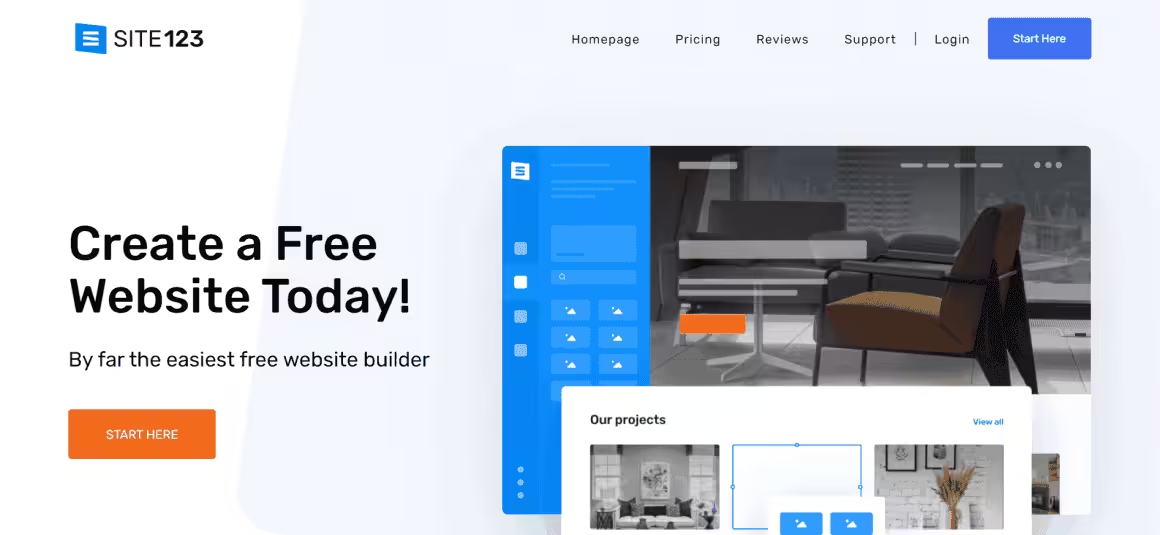
SITE123 is a handy website builder that can help you put together a professional-quality website relatively quickly. This is especially useful for private teachers and tutors who urgently require a functional website to promote their work. It offers you a variety of attractive layouts to add your content. You can also personalize your site in numerous ways, including features like social media tools, live chat, and a large number of free plugins. You can also go through its free icon and image libraries for more content. However, you need to subscribe to a paid plan to access all of its features.
SITE123 is highly versatile and readily adapts to any device you use on it. It is remarkably straightforward and simple to use – even more than drag-and-drop builders. Admittedly, the structured layouts can feel somewhat uncreative at times. However, if you have limited time available, they can actually be very helpful. Similarly, you can optimize your site for search engine results with the help of SITE123’s SEO tools. It also includes a powerful language editor, which can help you reach out to a wider, multilingual audience.
You will get 500 MB of storage and 1 GB of bandwidth with the free plan of SITE123, which is quite sufficient. However, they will give you a randomized subdomain, which looks awkward and is hard to memorize as well. Fortunately, its paid plans are reasonably priced and offer you a 14-day money-back guarantee as well. By subscribing to the Premium package, you will get 10 GB of storage, 5 GB of bandwidth, and a free custom domain for an entire year.
WordPress.com
- Fully managed by Automattic
- Built-in Jetpack features
- Free plan available
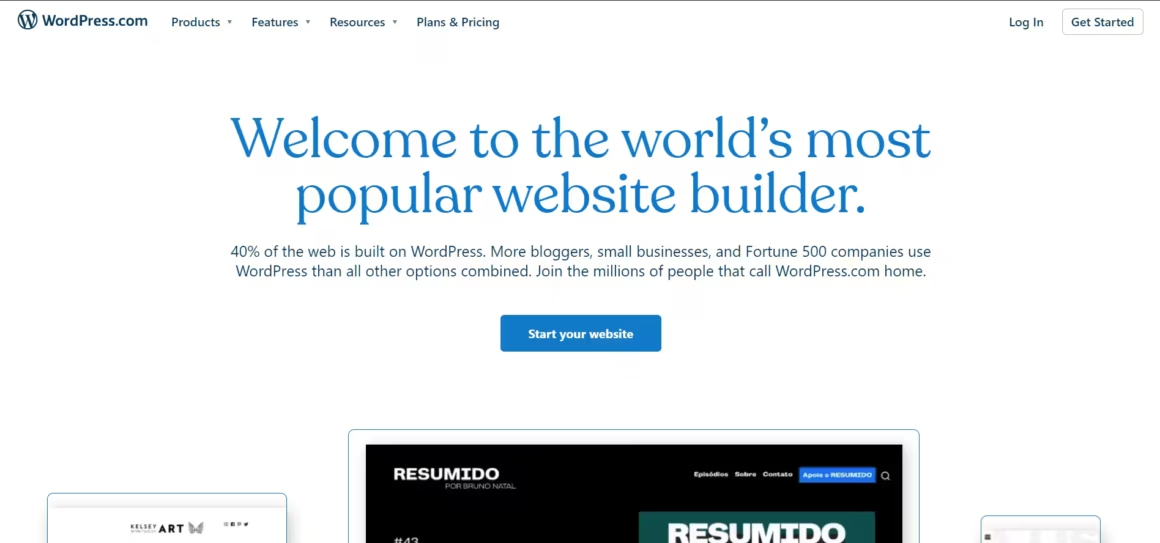
First of all, it is important to mention that WordPress.com is different from WordPress.org. The former is a much more user-friendly editor, which you can avail for a reasonable price and even for free.
WordPress.com features a decent selection of themes, most of which are free to use. They are innovatively designed and, in my opinion, can give tough competition to the ones offered by Squarespace. After clicking on the theme entry, you will be shown a preview of the same. Press the “Activate” button, and you will get access to the Customize options.
Unfortunately, WordPress.com’s free plans lack a bit when it comes to the level of customization offered. It does allow you to add more third-party themes and plugins to give your website more features if you pay for business or higher plans.
When it comes to video lessons, WordPress.com is arguably the best choice. It is a wholesome package that offers all the features you need to create a truly engaging website.
Even its free plan comes with 3 GB of storage which should be more than enough for most users. It is more than sufficient to store educational material like eBooks and video lectures. You will also have access to many customizable free themes and can enable or disable comments on your posts and pages whenever you like.
Apart from this, WordPress.com’s personal plan ($5 per month) will also give you access to Jetpack Essentials. You can use it to promote your website by optimizing its search engine ranking and automatically sharing all your posts to your social media profiles.
WordPress.com has out-of-the-box support for LaTeX and Markdown.
For getting access to more features, you will have to subscribe to the Pro or Business plan. That will allow you to use a large number of helpful plugins and improve your site even more. You can get better customer support and even connect your own domain as well.
Current pricing (2026): Free, Personal ($4/mo), Premium ($8/mo), Business ($25/mo). See all plans here.
Wix
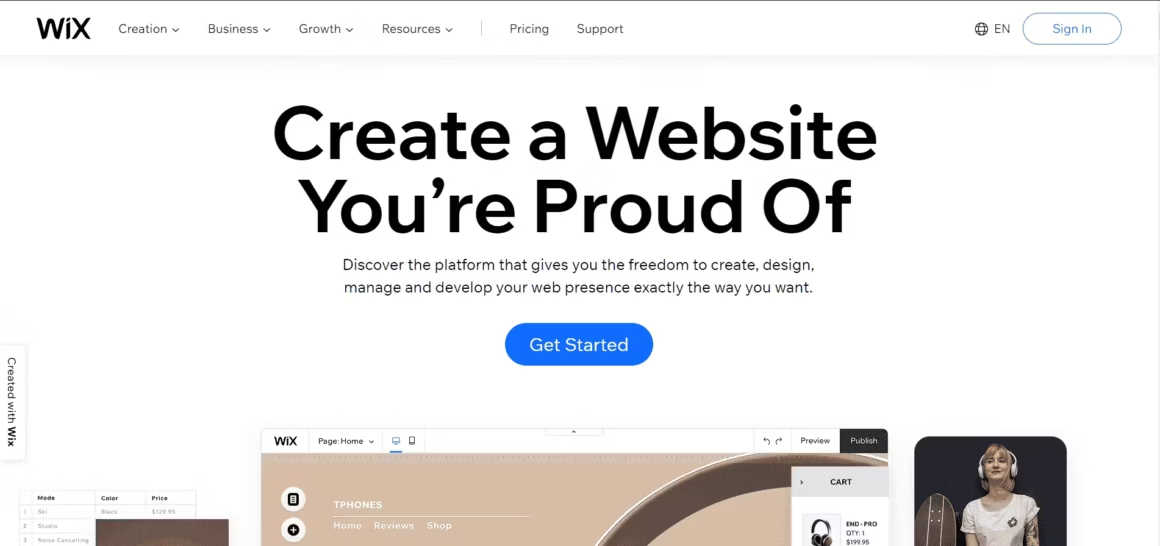
With over 30 education and community templates, Wix allows you to customize your website freely. It is well-known for its handy drag-and-drop editor, which even students can easily use to create their own websites. Apart from this, it has a truly unique feature – the Wix ADI (Artificial Design Intelligence). To use this tool, you simply need to answer a few simple questions regarding your teaching services or school. It will then automatically design an excellent website based on your needs, usually taking no more than a few minutes.
There are also a number of other useful tools you will find on this platform. For example, the Wix App Market sells a number of apps that can improve your website’s functionality. Some of these apps include Comments, Wix Video, Wix Chat, Online Calendar, and Scheduling Pro. Similarly, the Wix SEO Wiz helps you promote your school or services better by optimizing your website’s search engine ranking.
Wix’s free plan already comes with plenty of useful features, including unlimited pages and Wix branding. However, it only gives you 500 MB for bandwidth and storage. You can upgrade to a paid plan whenever you like. The prices are reasonable and, apart from more bandwidth and space, give you the ability to connect to your own domain name as well.
Squarespace

- Award-winning design templates
- Built-in ecommerce and analytics
- Domain registration and email included
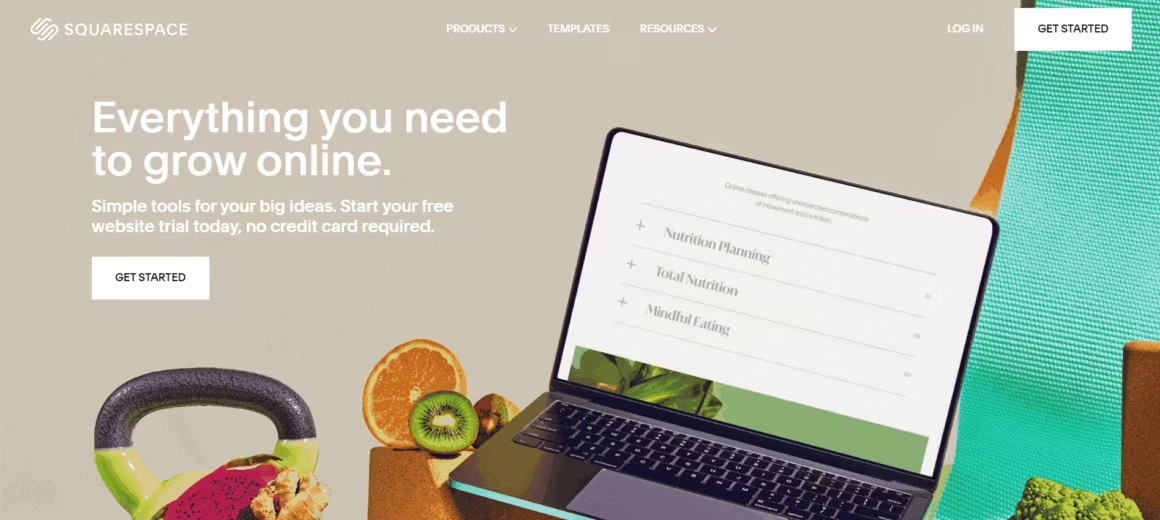
Squarespace is particularly well-known for its appealing and professionally designed templates. They are diverse in appearance and can make your site look truly dashing. The editor itself is pretty well-organized, although it might take some time to get used to the large number of options and buttons on there. Squarespace is mostly simple to use and offers many useful features for your classroom. For example, you can use the newsletters feature to keep staff and parents updated about recent and upcoming developments. Similarly, your students can use the forms feature to turn in their assignments and projects.
It allows you to embed high-resolution presentations in your website, including both images and videos. Your students can use the acuity scheduling integration feature to schedule appointments with you or your staff regarding their studies. Squarespace also offers a helpful post-scheduling feature, which allows you to set publication dates for every lecture or assignment. As a result, your students will automatically be given relevant parts of the lesson for the whole term, according to the schedule. Finally, you can integrate your social media profiles with your site and promote your educational services.
Squarespace doesn’t offer a free plan, but the 14-day free trial lets you build your entire site before committing. Plans start at $16/month (Basic) and go up to $23/month (Core) for full business tools including class booking and invoicing. Squarespace went private in late 2024 after Permira acquired it for $7.2 billion, but the platform continues to improve. Students and teachers may qualify for education discounts when registering with an academic email address.
Webflow
Webflow sits between traditional website builders and custom web development. You get the design freedom of hand-coded CSS without writing a single line of code. I use Webflow for client projects where the design needs to be pixel-perfect, and it works exceptionally well for art teachers, design instructors, and schools that want a website that looks nothing like a template.
The visual editor is more powerful than anything Wix or Squarespace offers. You can control spacing, animations, interactions, and responsive breakpoints with precision. Webflow also generates clean, semantic HTML, which means your site loads fast and ranks well in search results. The CMS is flexible enough to handle a portfolio of student work, a faculty directory, or a course catalog with custom fields.
The learning curve is steeper than other builders on this list. If you’ve never touched web design before, Webflow will feel overwhelming at first. But Webflow University (their free learning platform) is one of the best tutorial libraries I’ve seen from any SaaS company. Most teachers can build a competent site after a weekend of learning.
Webflow offers a free plan with webflow.io subdomain and 2 pages. Paid plans start at $14/month (Basic) for a custom domain and 150 pages. The CMS plan at $23/month unlocks the full content management system, which is what you’ll want for a school site with multiple sections.
Ghost
Ghost is the best option if your primary goal is publishing content. It’s an open-source platform built specifically for blogging and newsletters, and it does both better than any website builder on this list. I’ve recommended Ghost to several educator-bloggers who wanted to build an audience around their teaching expertise.
The editor is distraction-free and fast. You write in a clean interface, add images and embeds, and publish. Ghost has built-in email newsletters, so you can send updates to parents or students directly from your site without needing Mailchimp or a separate email tool. It also supports memberships and paid subscriptions if you ever want to sell course materials or premium content.
Ghost is not a drag-and-drop builder. You pick a theme, customize colors and navigation, and focus on content. If you need a complex multi-page school website with booking and forms, Ghost isn’t the right tool. But if you want a professional blog with a newsletter for your classroom, department, or personal teaching brand, Ghost is hard to beat.
Self-hosting Ghost is free (you need your own server). Ghost(Pro) managed hosting starts at $9/month for 500 members. Education pricing may be available if you contact their team directly.
Framer
Framer started as a prototyping tool for designers and evolved into a full website builder. It produces some of the fastest, most visually polished websites I’ve tested. Pages load almost instantly because Framer generates static sites with optimized assets. If site speed and modern aesthetics matter to you, Framer delivers.
The editor uses a component-based approach similar to Figma. You design sections visually, configure responsive behavior per breakpoint, and add animations without code. Framer also has a growing template marketplace with education-focused layouts. The AI-powered features can generate initial page layouts from a text description, which saves setup time.
Like Webflow, Framer has a learning curve. It’s designed for people who care about design, not for someone who wants to throw up a basic page in 10 minutes. But the results are noticeably better-looking than what Wix or SITE123 produce. For design departments, creative arts programs, or schools that want a modern web presence, Framer is worth the investment.
Framer’s free plan includes a framer.site subdomain and basic features. The Mini plan at $5/month adds a custom domain. The Basic plan at $15/month includes the CMS and more pages, which most school sites will need.
Hostinger Website Builder
Hostinger Website Builder (formerly Zyro) is the most budget-friendly option on this list. It comes bundled with Hostinger’s web hosting, so you get a website builder, hosting, a free domain, and an email account starting at around $2.99/month. For schools or teachers working with tight budgets, this is the most value per dollar.
The builder uses AI tools to help you get started. The AI Writer generates page content, and the AI Heatmap predicts where visitors will look on your page. The drag-and-drop editor is straightforward, though not as polished as Squarespace or Webflow. You get over 150 templates, including several designed for education and portfolios.
The main trade-off is flexibility. Hostinger’s builder has fewer integrations and plugins than WordPress.com or Wix. You won’t find a massive app marketplace here. But for a basic school website with a homepage, about page, class schedule, and contact form, it covers all the essentials at a fraction of the cost of other platforms.
All plans include hosting, free SSL, and a free domain for the first year. The builder is included with Hostinger’s Premium and Business hosting plans.
Which of these website builders for teachers and students should you choose?
| Website Builder | Free Plan? | Starting Price | Blog | Best For |
|---|---|---|---|---|
| Google Sites | Yes (fully free) | Free | No | Schools on Google Workspace |
| WordPress.com | Yes (1 GB, ads) | $4/mo | Yes | Teacher blogs and school portals |
| Wix | Yes (limited) | $17/mo | Yes | Custom school websites with booking |
| Squarespace | No (14-day trial) | $16/mo | Yes | Professional-looking school sites |
| Webflow | Yes (2 pages) | $14/mo | Yes (CMS plan) | Design-focused school sites and portfolios |
| Ghost | Yes (self-hosted) | $9/mo | Yes (native) | Teacher blogs and newsletters |
| Framer | Yes (subdomain) | $5/mo | Yes (CMS plan) | Modern, fast school websites |
| Hostinger Builder | No | $2.99/mo | Yes | Budget-friendly school sites |
| SITE123 | Yes (500 MB) | $10.80/mo | No | Quick, simple teacher pages |
The website builders I have included in this list are all user-friendly and equipped with useful features. However, all of them have their unique advantages and disadvantages as well. Besides, every person who wants to create a website has different goals and needs. What works well for one person may not be suitable for someone else.
Thus, you need to know what your expectations are from website builders. Based on your specific requirements, you can choose one particular website builder in the beginning itself instead of spending time checking out all of them. I have included some scenarios below:
Which is the best website builder for beginners?
For beginners who simply want to put together a working website quickly, Google Sites is the best option. It’s free, requires no technical knowledge, and integrates with Google Classroom if your school uses it. Hostinger Website Builder is another beginner-friendly option with AI tools that help generate your initial content and layout.
Which is the best website builder for hosting videos and documents?
If you need a website that can host video lectures and a number of files, WordPress.com is the best choice. You can embed YouTube videos directly and use the built-in media library for documents. Google Sites also handles video embedding well through its native YouTube integration.
Which website builder offers the best templates and design?
If you need a professional and polished website with premium templates, Squarespace has the best designs. Wix is a close second with over 2,600 education-specific templates and more customization options. For full design control without code, Webflow and Framer produce the most visually impressive results, though they take longer to learn.
I want students and parents to be updated with classes and events. Which website builder should I choose?
If you need to keep your students and their parents updated regarding classes and events, WordPress.com with its built-in blog and newsletter features works well. Google Sites is another strong option if your school already uses Google Workspace, since you can embed Google Calendar and share updates instantly.
Which is the easiest-to-use website builder?
Google Sites and SITE123 are the easiest to use. Google Sites requires almost no learning curve if you’re already familiar with Google apps. Hostinger Website Builder is also very beginner-friendly with its AI-assisted setup.
I want a fully functional online classroom. Which website builder provides that?
Hire a developer or build a custom website on WordPress with an LMS plugin. WordPress.com Business is the easiest way to do this. Bluehost offers cheaper options for a WordPress installation.
Pick one builder and commit to it this week. If your school uses Google Workspace, start with Google Sites. It’s free, takes 30 minutes, and your students already know how to use Google tools. If you want a blog with built-in newsletters, Ghost is purpose-built for publishing. If you want a polished public-facing website, WordPress.com at $4/month or Squarespace at $16/month are reliable choices. For design-conscious schools, Webflow and Framer produce standout results. And if budget is your biggest constraint, Hostinger Website Builder packs everything you need for under $3/month. Either way, your students and parents will appreciate having a single, reliable place to find schedules, resources, and updates.
Frequently Asked Questions
What is the best free website builder for teachers?
Google Sites is the best free option for teachers in 2026. It is completely free with a Google account, integrates with Google Classroom and Drive, and requires zero technical knowledge. If your school uses Google Workspace for Education, it is the natural choice. WordPress.com also offers a free plan with more customization options, though it displays ads and limits storage to 1 GB.
Can I build a school website without knowing how to code?
Yes. Every builder on this list uses drag-and-drop editors that require zero coding knowledge. Google Sites and SITE123 are the easiest to learn. You can have a functional school website live within a few hours of signing up, including pages for schedules, staff directories, and contact forms.
How much does a school website cost per year?
Google Sites is completely free. WordPress.com starts at $4/month (Personal plan) for a custom domain and no ads. Squarespace starts at $16/month and Wix at $17/month for their entry-level paid plans. For most teachers, the free options (Google Sites or WordPress.com free) are more than sufficient. Only upgrade to a paid plan if you need a custom domain or advanced features.
Should a teacher use WordPress.com or WordPress.org?
WordPress.com is better for most teachers. It handles hosting, security, and updates for you. WordPress.org gives you more control and plugin options, but you need to manage your own hosting and maintenance. If you just want a class website or school portal, WordPress.com is the simpler choice. If you want a full LMS with course enrollment, WordPress.org with a hosting provider like Bluehost is worth the extra setup.
Can I add an online classroom or LMS to my school website?
Yes, but not with every builder. WordPress.org with an LMS plugin like LearnDash or Tutor LMS is the best option for a full online classroom with lessons, quizzes, and student progress tracking. WordPress.com Business plan ($25/month) also supports plugins. Wix and Squarespace can embed third-party tools but don’t have native LMS functionality. Google Sites can link to Google Classroom for a lightweight alternative.
Which website builder is best for hosting video lectures?
None of them are ideal for direct video hosting because video files are large and eat storage quickly. The best approach is to upload videos to YouTube (unlisted if needed) or Vimeo and embed them on your website. WordPress.com, Wix, Squarespace, Ghost, and Google Sites all support video embedding natively. This keeps your site fast while giving students easy access to lectures.
Is Webflow or Framer too advanced for teachers?
Both have a steeper learning curve than Wix or Squarespace, but they are not as difficult as learning to code. Webflow University offers free video courses that can get you productive in a weekend. Framer has a growing template library that lets you customize pre-built designs rather than starting from scratch. If you teach design, art, or technology subjects, the extra learning time pays off with a significantly better-looking website.
What is the cheapest way to build a school website?
Google Sites is completely free. If you need more features than Google Sites offers, Hostinger Website Builder starts at around $2.99/month and includes hosting, a free domain, and an SSL certificate. Framer Mini at $5/month is another affordable option with better design tools. WordPress.com Personal at $4/month is the best value if you need a blog. Avoid paying for premium plans until you have outgrown the free or entry-level options.
Disclaimer: This site is reader-supported. If you buy through some links, I may earn a small commission at no extra cost to you. I only recommend tools I trust and would use myself. Your support helps keep gauravtiwari.org free and focused on real-world advice. Thanks. - Gaurav Tiwari