
10 Best CAD Software for Students & Architects in 2026
Picking the wrong CAD software costs you more than money. You lose weeks learning an interface that doesn’t match your workflow, only to discover it can’t handle the file formats your team needs. With options ranging from free open-source tools to $3,000+/year enterprise suites, the gap between what you need and what you’re paying for can be enormous.
The right CAD tool depends on your discipline. An architect needs different capabilities than a mechanical engineer, and a student learning parametric modeling has different priorities than someone running FEA simulations on production parts. I’ve broken down the 10 best CAD software options by use case, pricing, and honest tradeoffs.
Best CAD Software at a Glance
- AutoCAD — Best overall for 2D drafting and architectural design
- CATIA — Best for aerospace and complex surface modeling
- 3DS Max — Best for 3D visualization, animation, and rendering
- SolidWorks — Best for mechanical engineering and product design
- Fusion 360 — Best cloud-based CAD for startups and small teams
- FreeCAD — Best free open-source parametric modeler
- Solid Edge — Best for mid-market manufacturers needing hybrid modeling
- Inventor — Best for digital prototyping and sheet metal design
- OpenSCAD — Best for programmers who prefer code-based 3D modeling
- Siemens NX — Best enterprise-grade CAD/CAM/CAE for automotive and heavy industry
| CAD Software | Key Features | Pricing |
|---|---|---|
| AutoCAD | 2D and 3D design, drafting, modeling, and documentation, industry-specific toolsets | Starting at $1,690/year |
| SolidWorks | 3D CAD, simulation, product data management, and collaboration tools | Starting at $3,995 (one-time fee) |
| CATIA | Advanced 3D modeling, simulation, and product lifecycle management | Contact vendor for pricing |
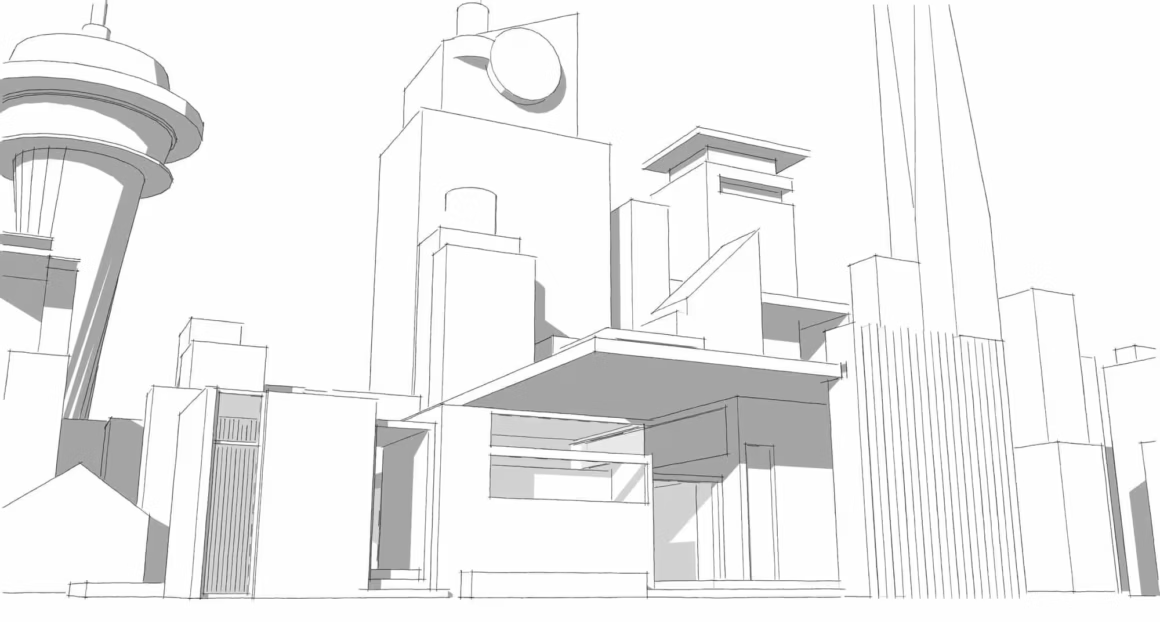
| SketchUp | 3D modeling, design, and visualization, user-friendly interface | Free version available; Pro version starts at $299/year |
| Fusion 360 | Integrated CAD, CAM, and CAE, cloud-based collaboration, and generative design | Free for personal use, commercial plans start at $495/year |
| Rhino | NURBS-based 3D modeling, versatile and powerful tools, compatible with various file formats | Starting at $995 (one-time fee) |
| Onshape | Cloud-based CAD, real-time collaboration, and version control | Free for personal use, commercial plans start at $1,500/year |
| Tinkercad | Simple, online 3D design and modeling tool, suitable for beginners | Free to use |
| PTC Creo | Parametric and direct modeling, simulation, and manufacturing tools | Contact vendor for pricing |
| Siemens NX | Advanced CAD, CAM, and CAE, product lifecycle management, and simulation | Contact vendor for pricing |
| Inventor | 3D mechanical design, simulation, and documentation, parametric modeling | Starting at $2,085/year |
| OpenSCAD | Script-based 3D modeling, highly customizable, ideal for programmers | Free and open-source |
| FreeCAD | Parametric 3D modeling, open-source, supports various engineering disciplines | Free and open-source |
| Solid Edge | Hybrid 2D/3D CAD, synchronous technology, simulation, and data management | Contact vendor for pricing |
| 3DS Max | 3D modeling, animation, and rendering, robust toolset for game and film industry | Starting at $1,620/year |
AutoCAD
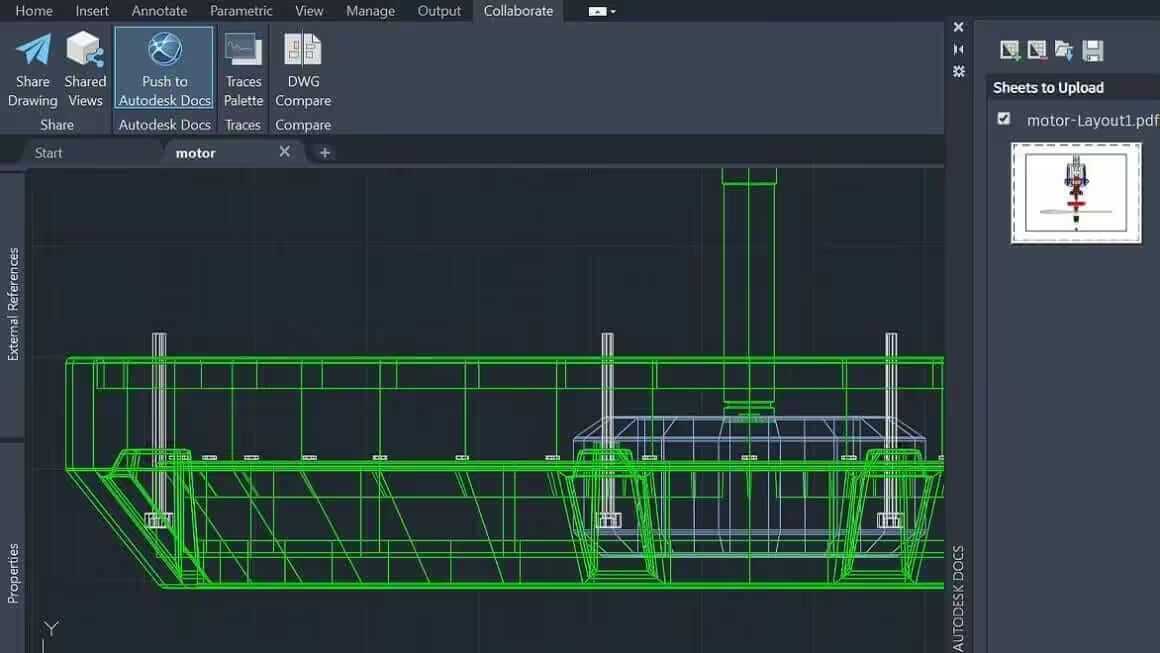
Best for: 2D drafting, architectural design, and general-purpose CAD work across all industries.
Autodesk AutoCAD is the industry standard for a reason. It’s easy enough for students to learn, yet powerful enough that professional engineers and architects rely on it daily.
AutoCAD software offers many unique features that help to create any 2D or 3D models easily and quickly. With Autocad’s 2D and 3D drawing tools, You can add annotations, lighting effects, and hatching to your drawings.
You can easily use pre-built components of this software to make things like walls, windows, and doors. In conclusion, refine your designs by modifying the transparency of particular elements or adjusting the lighting to show them more realistically with photorealistic rendering.
Converting 3D models to STL files for 3D printing is simple with AutoCAD. Although it is good for 2D drafting, many users claim it is difficult to use for 3D modeling purposes.
AutoCAD costs around $1,865/year or $5,315 for a 3-year subscription. Students and educators get free access through Autodesk’s education plan.
Catia
Best for: Aerospace engineering, automotive design, and complex surface modeling requiring extreme precision.
CATIA is a professional CAD software developed by Dassault Systèmes, mostly used for aerospace projects. It is especially beneficial for creating complex and precise designs. It is known for being both the most powerful and the most expensive software in the market. Although it is challenging software, it is the most preferred by many engineers. You may work on any product with this software. It gives you more design options and allows you to modify particular areas of your design, giving you more creative freedom.
If you’re an engineer working on complex assemblies, CATIA offers every tool you need. The learning curve is steep and pricing requires contacting Dassault directly, but for mission-critical aerospace and automotive work, it’s the industry standard.
3DS Max
Best for: 3D visualization, animation, and rendering for architecture, games, and film production.
3DS Max is another Autodesk CAD software that offers many powerful plugins to help you create any 3D models effortlessly.
As the name implies, 3Ds Max is all about 3D modeling. It provides fly-through animations for completed projects, making them perfect for sharing. Depending on the set packages for media work and entertainment, manufacturing and production design, engineering, architecture, and construction, you can add different plugins to this software to meet your demands.
To mention a few, 3Ds max offers few structure-building-focused options. These tools include steel details, structural analysis, building performance analysis, etc., which makes it highly flexible, giving you the freedom to create anything you want seamlessly.
3DS Max costs $1,785/year or $5,085 for a 3-year subscription. Free educational licenses are available through Autodesk.
Solidworks
Best for: Mechanical engineering, product design, and manufacturing with parametric modeling and simulation.
SolidWorks is a fantastic 3D modeling software made for engineers and 3D designers. SolidWorks is a comprehensive and powerful tool that offers designers and engineers a wide range of features to create innovative mechanical models effortlessly. This 3D software provides an easy-to-use interface that comes in handy during the designing or manufacturing of industrial parts. It’s a parametric feature-based model that offers design validation and reverse engineering tools.
Solidworks is mainly used for industrial purposes as it is convenient and comprehensive, giving better simulation and surfacing tool performance than any other design tool in the market. In addition, it has excellent rendering capabilities. This software enables the creation of extremely fine curvatures and also employs dimensional sketching rather than polygonal modeling, making resizing much easier. It also uses dimensional sketching rather than polygonal modeling, making resizing much easier.
Solidworks is an ideal CAD software for engineering students who need a powerful tool to create precise and excellent mechanical drawings!
It has different plans for commercial, learning, and academic needs. Commercial licenses start at $3,995 as a one-time purchase.
Fusion 360
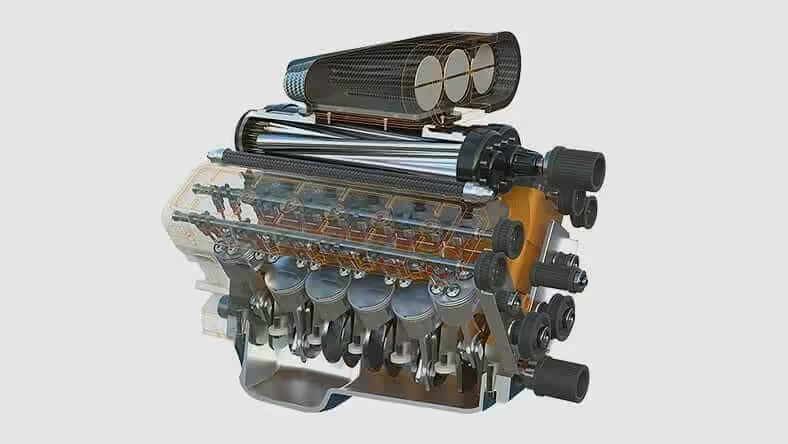
Best for: Startups and small teams that need integrated CAD, CAM, and CAE with cloud-based collaboration.
Fusion 360 is one of the market’s most powerful 3D CAD software. It has many unique features that use the cloud to connect design teams to collaborate on complex projects. This software offers some advanced tools that’ll work effortlessly on mesh modeling, solid modeling, and parametric modeling.
The great advantage of the Fusion 360° platform is that it stores the whole history of the model, including all revisions. It has various design options, such as solid, freeform, and mesh modeling. It offers a monthly-based subscription payment model.
Additionally, it is updated regularly, runs on a variety of devices, and lets users view their data from anywhere.
Fusion 360 is free for personal use. Commercial plans start at $495/year, making it one of the most affordable professional CAD options available.
FreeCAD
Best for: Students, hobbyists, and engineers who want a free, open-source parametric 3D modeler with Python extensibility.
FreeCAD is a free CAD software that offers open-source 3D modeling tools to help designers create unique mechanical engineering models and product designs. The software is designed as an alternative CAD solution, allowing users to create architectural and electrical design tasks efficiently.
Furthermore, its framework will enable you to add plugins to increase functionality. For example, FreeCAD lets you add extensions such as Python scripts or self-recorded macros to complicated applications such as C++ programs.
With FreeCAD, You’ll have complete access to all its elements, including the Python interpreter and external scripts. In addition, this software runs on a parametric model that streamlines design workflows and allows you to tweak the design before adjusting the parameters by referring to your model history.
Although FreeCAD isn’t intended for professional production use, it’s an excellent training tool and a solid choice for personal projects. Completely free with no limitations.
SolidEdge
Best for: Mid-market manufacturers who need hybrid 2D/3D modeling with synchronous technology and simulation.
Solid Edge combines traditional parametric modeling with Siemens’ synchronous technology, letting you edit imported 3D models without a full feature history. This makes it a strong choice for manufacturing teams that regularly work with files from multiple CAD systems. It’s also a capable platform for creating and simulating automotive and industrial parts.
Solid Edge provides comprehensive design solutions and scalable simulation, production, and data management tools. Small and medium businesses benefit from its flexible licensing options. Contact Siemens for pricing.
Inventor
Best for: Digital prototyping, sheet metal design, and mechanical drawings with a user-friendly interface.
Inventor is Autodesk’s flagship 3D CAD software used for product simulation, mechanical design, tooling creation, and many more. Inventor is a well-known software that has been on the market for more than 20 years, competing directly with other popular software such as SolidWorks or Catia. Inventor is considerably more focused on digital prototyping and simulation.
The most robust feature of this software is making precise sheet metal part models very quickly. It has the most excellent drafting and design tools for high-detail mechanical and civil drawings. The inventor can produce fine data with high precision. It is manufacturing-driven software, which means its users look for a real-world experience near the actual world to understand how their design will work.
It’s considered more user-friendly than its competitors, making it a solid choice for designers with limited engineering background. Inventor starts at $2,085/year.
OpenSCAD
Best for: Programmers and makers who prefer writing code over visual modeling for 3D-printable designs.
OpenSCAD is a free, open-source CAD Software that allows you to create solid 3D models with ease. It’s best for experienced users looking for a platform to build a complex project on. It is a 3D compiler that is based on a textual description language, not an interactive modeler.
An OpenSCAD specification describes geometric primitives and the methods for modifying and manipulating them to generate a 3D model enabling you to develop 3D designs with customizable elements or reuse code for future projects. Constructive solid geometry (CSG) and extrusion of 2D outlines are at the heart of OpenSCAD software.
The learning curve is steep, but OpenSCAD is free and open-source. It’s perfect for modeling enthusiasts who enjoy seeing their code come to life in 3D printers.
Siemens NX
Best for: Enterprise-level automotive, aerospace, and heavy industry teams needing integrated CAD/CAM/CAE.
NX, popularly known as “Unigraphics,” is a high-end CAD software developed by Siemens. NX is a powerful CAD tool that comes with extensive capabilities for examining a part’s structural integrity to determine a finished product’s functional capacity, such as its durability. With such features, NX’s applications, such as proof-of-concept development, go beyond what other CAD software packages can provide.
Nonetheless, this NX is widely used by General Motors, Nissan, Fiat Chrysler, and Suzuki in various industries, including automotive. Unigraphics NX can deliver all features for Industrial, Engineering, Human Modeling, Progressive Die Design, Ship Design, Mould Wizard, Manufacturing (CAM), Drafting, Mechatronics, and all other features available, according to industrial market requirements.
It also includes a section on Advanced Simulation for Prototype, and the most significant characteristic of this software is the CAE (CMM). With such features, the NX’s features go beyond what other CAD software tools offer, making it a tough competitor in the arena.
Best Laptops and Monitors for CAD Work
CAD software is the most hardware-demanding category on this list. AutoCAD alone recommends 16GB RAM and a dedicated GPU. SolidWorks and Fusion 360 are even hungrier. I’ve seen students try to run SolidWorks on ultrabooks and it’s not pretty.
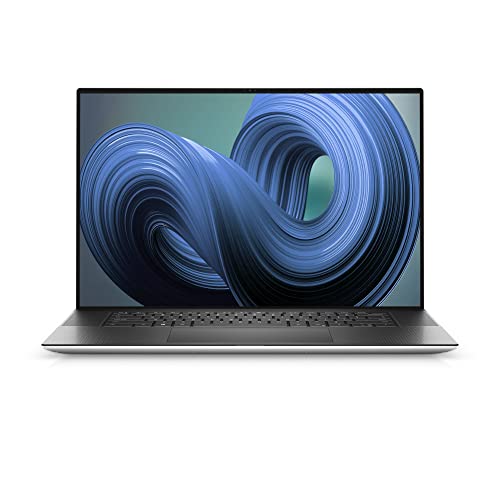
For CAD work, you need raw GPU power and a color-accurate display. The Dell XPS 17 with its 4K touch display handles complex 3D models, and the Wacom Cintiq Pro lets you draw directly on screen for design work. For budget options, check my guide on the best laptops for engineering students.
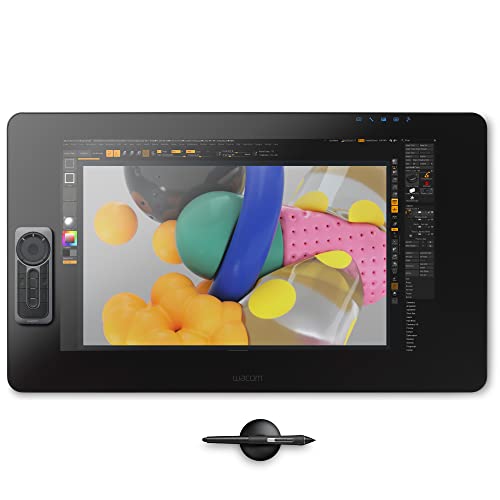
- Stunning 23.6" touchscreen display with 4K resolution so you can see every detail of your creation in pinpoint accuracy
- True-to-life color with 99% Adobe RGB & 97% sRGB color performance and 1.07 billion colors (10 bits color)
- Includes a Wacom Pro Pen 2 with tilt recognition & 8,192 levels of pressure sensitivity. Optical bonding eliminates parallax, mimicking the precision & feel of pen and paper
- Multi-touch gestures, an on-screen keypad, radial menus and the included ExpressKey Remote for one-touch shortcuts
- Register your Cintiq Pro & receive 3-month trials of Capture One, Toon Boom Harmony & Storyboard Pro, MASV, and a 6-month trial to Clip Studio Paint EX; offer available for customers located in the Americas
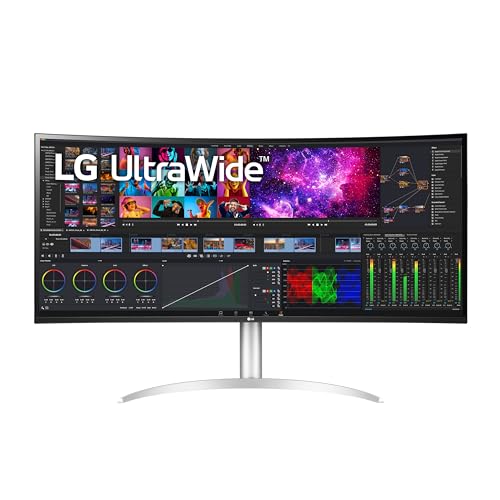
- The 5K2K UltraWide (5120 x 2160) resolution is great for your creative work as it can display everything you are working on – from video editing to special effects – all at once.
- Built in Speakers x 2 with Rich Bass
- DCI-P3 98% (Typ.) with HDR10
- Thunderbolt 4 Connectivity with 96W Power Delivery
- 3-Side Virtually Borderless Design
How to Choose the Right CAD Software
Your choice depends on your discipline, budget, and collaboration needs:
For architecture and 2D drafting: AutoCAD. It’s the industry standard with the largest talent pool, which matters when you’re hiring or collaborating.
For mechanical engineering: SolidWorks or Inventor. Both excel at parametric modeling and simulation. SolidWorks has better third-party plugin support; Inventor integrates tighter with other Autodesk tools.
For startups on a budget: Fusion 360. Free for personal use, $495/year commercial, and it combines CAD, CAM, and CAE in one cloud-based tool.
For students learning CAD: FreeCAD (free, open-source) or AutoCAD’s free educational license. Both give you real parametric modeling experience without spending anything.
For enterprise manufacturing: Siemens NX or CATIA. These are the heavyweights used by GM, Nissan, Boeing, and Airbus. Expensive, but nothing else matches their simulation and lifecycle management capabilities.
Most of these tools offer free student versions or trials, so test before you commit. And make sure your hardware can handle it — check the best laptops for engineering students guide if you need a machine upgrade.
What’s the best free CAD software for students?
FreeCAD is the best free option for students learning parametric modeling. It’s open-source, runs on Windows, Mac, and Linux, and supports STEP, IGES, and STL file formats. Fusion 360 also offers a free personal license with more features, but it requires a cloud connection.
Is AutoCAD worth the $1,690/year price tag?
For professional architects and drafters who use it daily, yes. AutoCAD’s 2D drafting tools, industry-specific toolsets, and DWG compatibility make it the standard. But if you’re a student or hobbyist, Fusion 360 or FreeCAD will handle most tasks at a fraction of the cost.
Can I use SolidWorks on a Mac?
SolidWorks doesn’t have a native Mac version. You’ll need to run it through Boot Camp, Parallels, or a virtual machine with Windows installed. If you want native Mac support, Fusion 360 or FreeCAD are better options.
What’s the difference between CAD and CAM software?
CAD (Computer-Aided Design) is for creating digital models and drawings. CAM (Computer-Aided Manufacturing) takes those designs and generates toolpaths for CNC machines, 3D printers, or other manufacturing equipment. Some tools like Fusion 360 and Siemens NX combine both.
Which CAD software is best for 3D printing?
Fusion 360 is the top pick for 3D printing because it handles STL export natively and includes mesh editing tools. FreeCAD and OpenSCAD also work well for 3D printing, especially if you prefer code-based modeling or need a free solution.
Do I need a powerful computer to run CAD software?
It depends on the tool. Lightweight options like FreeCAD and OpenSCAD run fine on mid-range hardware. But programs like CATIA, SolidWorks, and Siemens NX need a dedicated GPU (NVIDIA Quadro recommended), 16GB+ RAM, and an SSD for smooth performance on complex assemblies.