
Tools and Software Every Business Should Invest In

I’ve built websites and digital systems for hundreds of businesses over the years, and the pattern is always the same. The ones that grow fast invest in the right tools early. The ones that stagnate try to do everything manually or pick the cheapest option for every category. Your tech stack isn’t just a line item on your budget. It’s the backbone of how you sell, communicate, secure data, and scale.
Here’s the thing: you don’t need 50 tools. You need the right ones in each category, and you need them working together. I’m going to walk you through the essential software categories every business should invest in, with specific recommendations I’ve actually used or tested for clients.
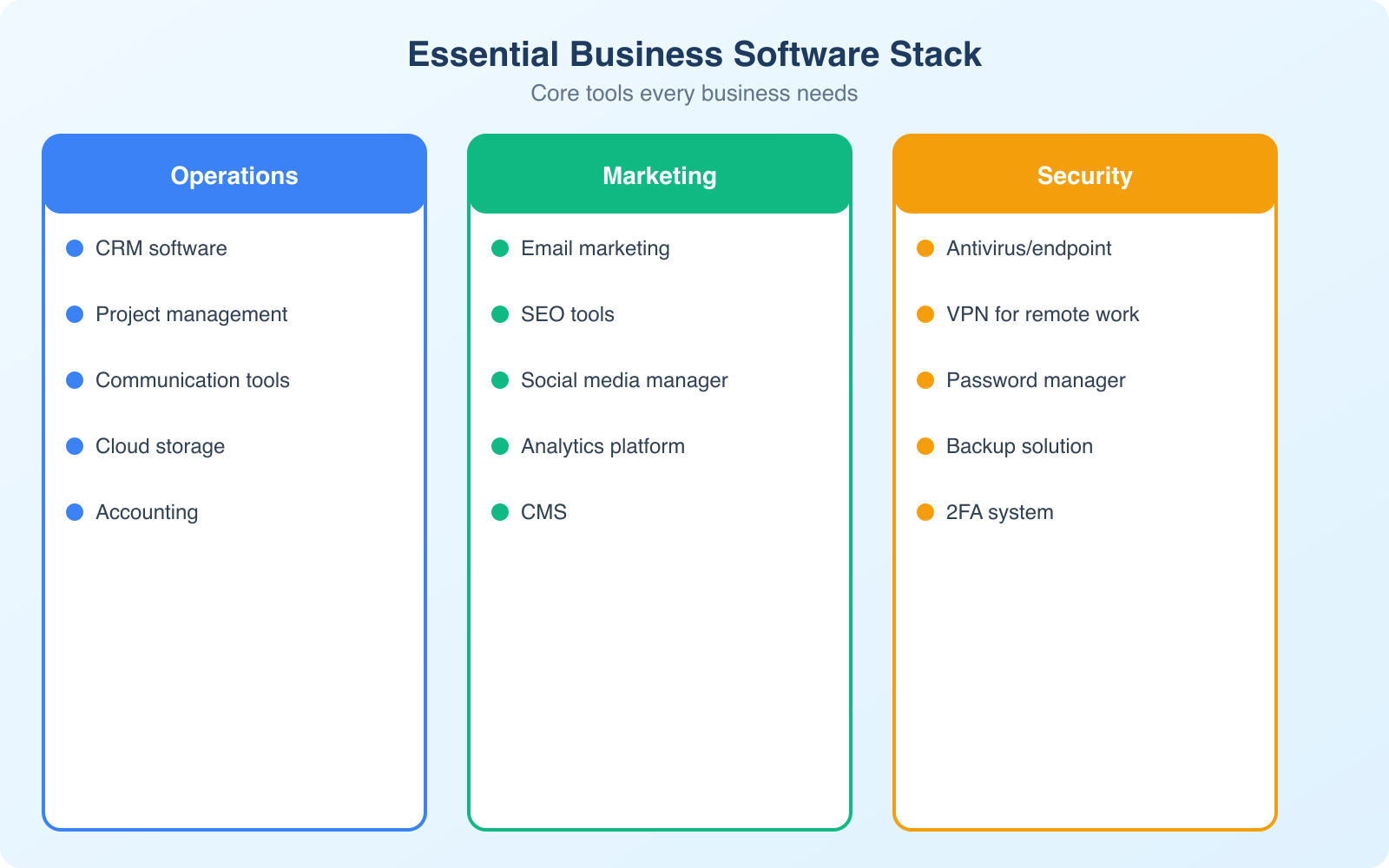
Customer Relationship Management (CRM) Software
If you’re still tracking leads in a spreadsheet, you’re leaving money on the table. A CRM gives you a 360-degree view of every customer interaction, from first touchpoint to closed deal and beyond. Modern CRMs don’t just store contact information. They automate follow-ups, score leads based on behavior, and predict which deals are most likely to close.
For small businesses, ClearCRM stands out with built-in AI that writes follow-up emails and scores deals automatically. If your team does heavy outbound calling and emailing, Close CRM is another strong option with a power dialer baked right in.
What to look for in a CRM:
- Automation and AI: Auto-segment customers, schedule reminders, and predict sales trends without manual input.
- Omni-channel integration: Manage email, social media, chat, and phone interactions from one dashboard.
- Pipeline visibility: See every deal stage at a glance so nothing falls through the cracks.
- Customization: Tailor dashboards, workflows, and reports to match how your team actually works.
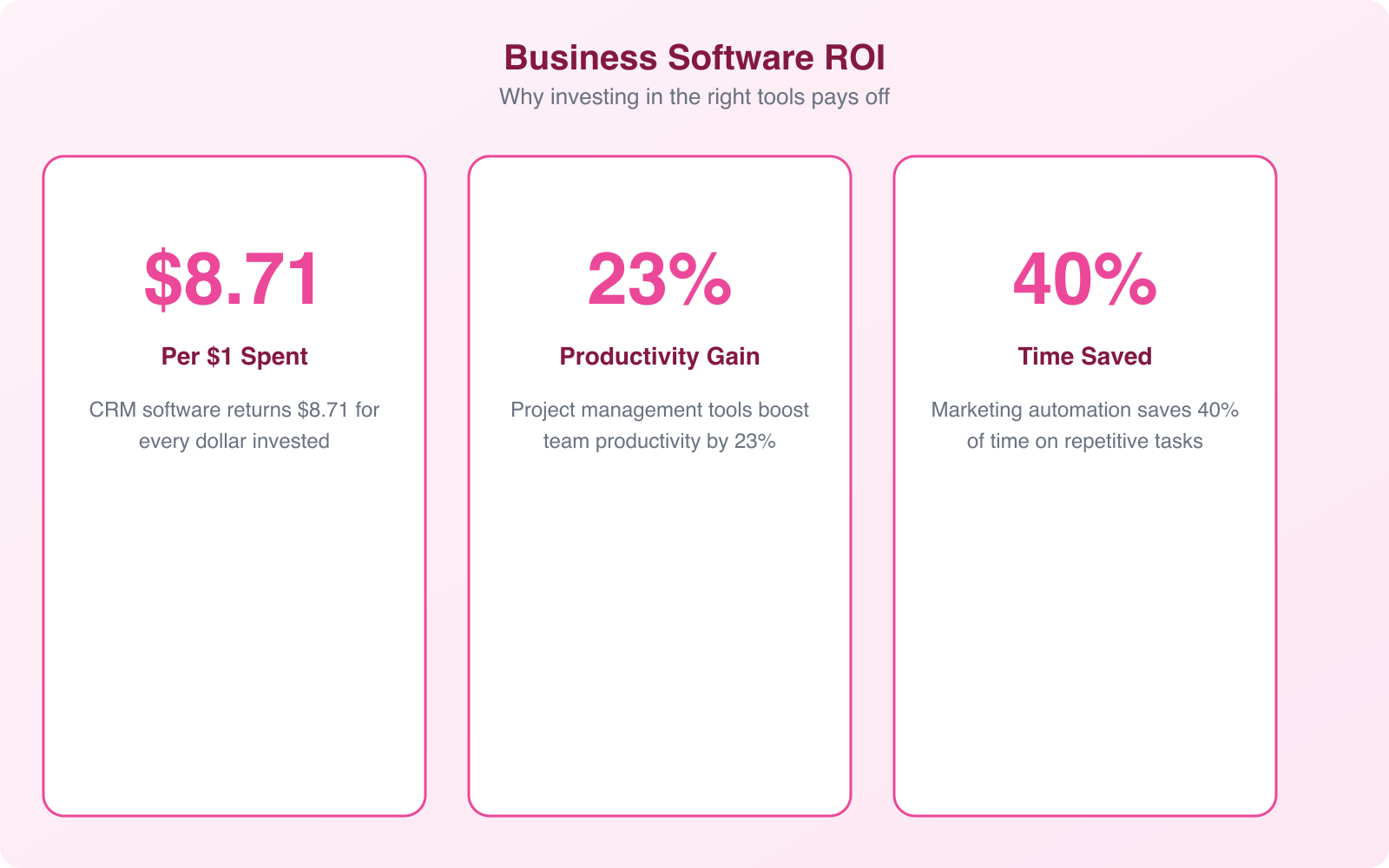
I’ve seen businesses increase close rates by 20-30% just by moving from spreadsheets to a proper CRM. The visibility alone changes how you sell.
Content Management Systems (CMS)
Your website is your storefront, your salesperson, and your brand’s first impression rolled into one. A Content Management System lets you build, edit, and scale your website without writing code from scratch every time you need to update a page.
WordPress powers over 43% of all websites on the internet, and for good reason. It’s flexible, has an enormous plugin ecosystem, and you own your content. For businesses that want something simpler, SitesGPT builds complete websites from a text description using AI. Describe your business and it generates pages, copy, and design in minutes.
Why you need a CMS:
- Ease of use: Non-technical team members can create, edit, and publish content without developer help.
- SEO optimization: Modern CMS platforms come with built-in SEO tools that help your pages rank higher in search results.
- Scalability: Add new pages, product listings, or entire sections without redesigning your site.
- Security: Regular updates, SSL support, and security plugins protect against common vulnerabilities.
If you’re choosing between platforms, I’d recommend WordPress for most businesses. The right hosting provider combined with WordPress gives you both performance and flexibility at a reasonable cost.
Don’t pick a CMS based on the cheapest plan. Pick one based on what you’ll need in 2-3 years. Migrating between platforms later costs 5-10x more than choosing the right one upfront.
Cybersecurity Tools
I can’t stress this enough. Cybersecurity isn’t optional, even if you’re a 5-person company. The average cost of a data breach hit $4.88 million in 2024 according to IBM’s annual report. Small businesses aren’t immune. They’re actually targeted more frequently because attackers assume weaker defenses.
For website security specifically, Sucuri provides a web application firewall, malware scanning, and DDoS protection. For VPN protection when your team works remotely, NordVPN encrypts your internet connection and keeps browsing data private.
Essential cybersecurity layers:
- Antivirus and anti-malware: Real-time scanning tools that catch threats before they spread.
- Firewall protection: Block unauthorized access at the network and application level.
- Password managers: Store and encrypt passwords so your team stops reusing “company123” across 12 accounts. I recommend checking out the best password managers for options.
- Multi-factor authentication (MFA): One of the simplest and most effective ways to prevent unauthorized access.
- Encryption software: Encrypt sensitive data during transfer and storage.
- SSL certificates: A non-negotiable for any business website. SSL certificates protect data in transit and boost search rankings.
Layer these tools together. No single solution covers everything, but a combination of firewall, VPN, password manager, and malware scanner covers 90% of common attack vectors.
Project Management Tools
Once your team grows beyond 3-4 people, managing projects without a dedicated tool becomes chaos. Missed deadlines, duplicated work, and “I thought you were handling that” conversations multiply fast. Project management software fixes this by giving everyone a single source of truth.
Monday.com is my go-to recommendation for most teams. It’s visual, flexible, and doesn’t require a PhD to set up. For simpler needs, Notion combines project management with documentation, which works great for content teams and small agencies.
What project management software gives you:
- Task assignment and tracking: Know who’s doing what, when it’s due, and where it stands.
- Collaboration features: File sharing, comments, and real-time updates keep everyone aligned.
- Time tracking: Monitor how long tasks actually take to optimize future estimates.
- Integrations: Connect with your CRM, email, and other tools to eliminate context-switching.
Krisp provides AI noise cancellation for business calls and automatically generates meeting transcripts with action items. Pricing starts free, with Pro at $8/month. If your team does a lot of calls, this alone saves hours of note-taking every week.
Accounting and Financial Tools
You can’t grow what you can’t measure. Accounting software gives you real-time visibility into cash flow, expenses, profit margins, and tax obligations. Trying to manage finances with spreadsheets works until your first audit, your first tax deadline crunch, or your first “where did all the money go?” moment.
FreshBooks is excellent for freelancers and service businesses. It handles invoicing, expense tracking, and time tracking with a clean interface that doesn’t feel like you need an accounting degree. For larger operations, Zoho Books offers deeper automation and multi-currency support.
Key features to look for:
- Real-time financial data: Know your cash position at any moment, not just at month-end.
- Automated tax calculations: Reduce errors and never miss a filing deadline.
- Expense management: Categorize spending, capture receipts, and spot budget leaks.
- Invoicing and payments: Send professional invoices, accept payments, and reconcile accounts in one place.
Email Marketing Software
Email marketing still delivers the highest ROI of any digital marketing channel. For every $1 spent, email generates an average of $36 in return. That’s not a typo. No social media platform comes close.
The key is picking a platform that grows with you. ActiveCampaign combines email marketing with marketing automation and CRM features. For simpler needs, EmailOctopus offers generous free plans and straightforward campaign building.
Why you should invest in email marketing:
- Segmentation: Send personalized emails based on customer behavior, purchase history, or demographics.
- Automation: Set up welcome sequences, abandoned cart reminders, and re-engagement campaigns that run on autopilot.
- Analytics: Track open rates, click-through rates, and revenue per email to continuously improve.
- Templates: Create professional emails quickly without design skills.
If you’re not building an email list from day one, you’re building your business on rented land (social media platforms that can change algorithms overnight).
Collaboration and Communication Tools
Remote and hybrid work is here to stay. Even fully in-office teams benefit from structured communication tools that reduce meetings and keep decisions documented. The right tools prevent the “I didn’t see that email” problem.
CloudTalk replaces traditional phone systems with VoIP that includes call recording, analytics, IVR menus, and CRM integration. For team messaging and async communication, Google Workspace bundles Gmail, Docs, Meet, and Drive into one subscription.
Communication categories to cover:
- Team messaging: Real-time chat organized by channels and topics.
- Video conferencing: Face-to-face meetings, webinars, and screen sharing.
- Document collaboration: Real-time editing, commenting, and version control.
- VoIP phone systems: Business phone lines without the hardware.
Customer Support Tools
Great products with terrible support don’t survive long. Customers expect quick, helpful responses across multiple channels. A proper helpdesk tool centralizes everything so no ticket gets lost and response times stay low.
Freshdesk handles ticketing, SLA management, and multi-channel support across email, phone, chat, and social media. The free plan covers up to 10 agents, making it accessible for small teams. For live chat specifically, LiveChat provides real-time customer communication with canned responses and chat routing.
Don’t just measure response time. Track resolution time. A fast “we’re looking into it” response means nothing if the actual fix takes 5 days. Your support tool should surface both metrics.
Scheduling and Appointment Tools
Back-and-forth emails to find a meeting time waste everyone’s hours. Scheduling tools eliminate this by letting clients and teammates book directly from your calendar, with automatic timezone detection, reminders, and payment collection.
TidyCal replaces Calendly at a fraction of the cost. It handles appointment booking, calendar sync, and custom booking pages. The lifetime deal makes it one of the best scheduling investments for small businesses.
For appointment-based businesses like salons, clinics, or consultancies, Trafft handles scheduling, payments, and reminders. Clients book directly on your website, pay upfront, and get automated confirmations. This alone can reduce no-shows by 30-40%.
Document and Workflow Automation
If your team still prints documents, signs them by hand, scans them, and emails them back, you’re wasting at least 5-10 hours per week on administrative work that should take minutes.
airSlate automates document-heavy workflows with e-signatures, PDF editing, and form creation. Route contracts through approval chains automatically. airSlate pricing scales from solo founders to enterprise teams.
signNow handles legally binding e-signatures with template management and team workflows. signNow features include bulk sending, in-person signing, and role-based document access.
For professional link management, a branded link shortener turns generic URLs into branded short links with click tracking and retargeting pixels. This is particularly useful for marketing teams running campaigns across multiple channels.
How to Choose the Right Tools for Your Business
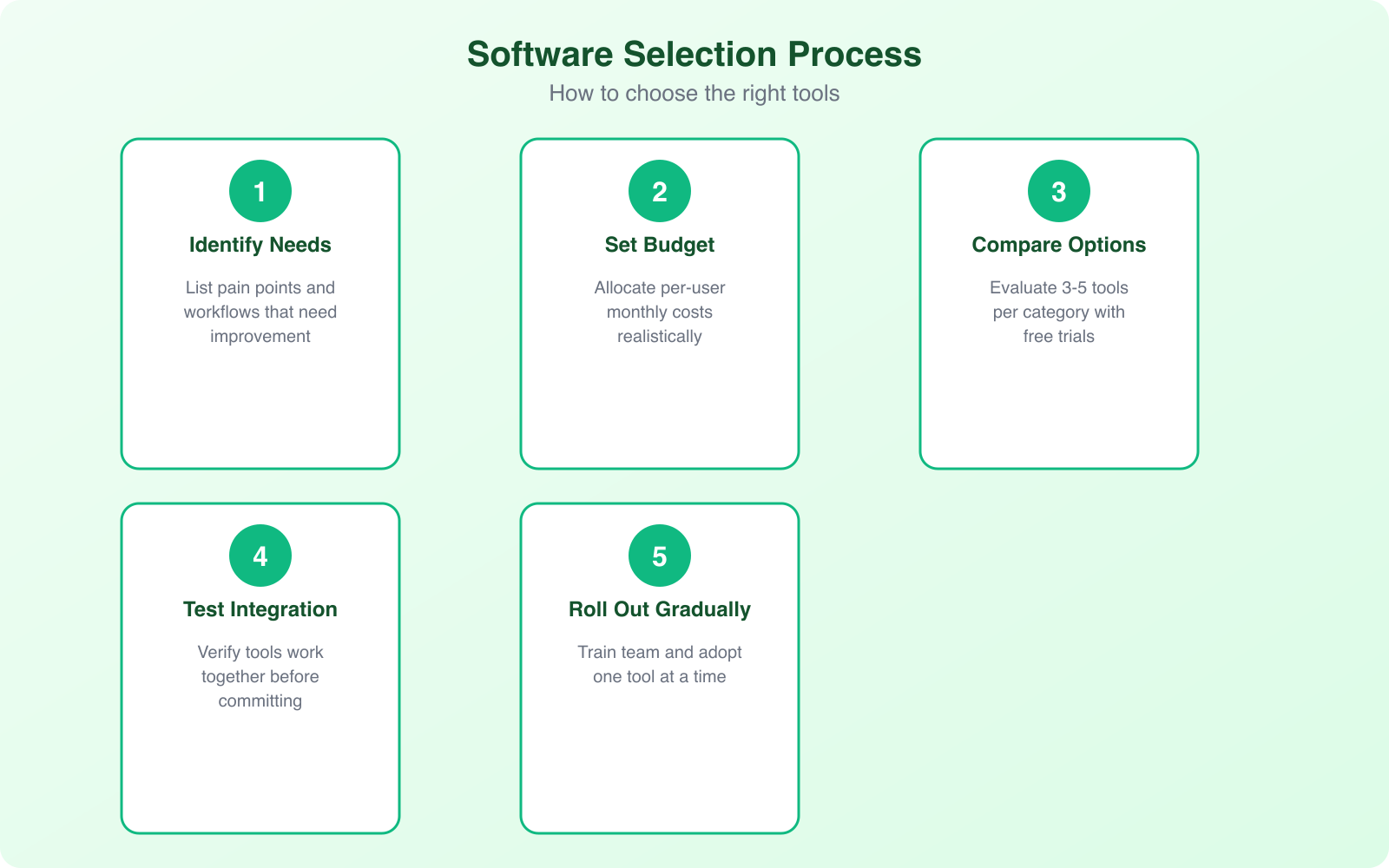
With hundreds of options in every category, picking the right tools can feel overwhelming. Here’s the framework I use when recommending tools to clients:
- Start with your biggest bottleneck. If leads are falling through the cracks, get a CRM first. If your team can’t coordinate, start with project management.
- Check integration compatibility. Tools that don’t talk to each other create data silos. Make sure your CRM connects to your email platform, your PM tool connects to your calendar, and so on.
- Calculate total cost of ownership. A $29/month tool that saves you 10 hours of work per month is a bargain. A free tool that requires 3 hours of manual workarounds is actually expensive.
- Try before you commit. Most tools offer free trials or free tiers. Use them for at least 2 weeks with your actual workflow before deciding.
- Plan for growth. Don’t pick tools you’ll outgrow in 6 months. Check pricing tiers and feature limitations at each level.
Invest in Tools for Future Growth
The businesses I’ve watched grow fastest over the years all share one trait: they treat their software stack as an investment, not an expense. A $50/month CRM that helps you close two extra deals per month isn’t costing you $50. It’s making you thousands.
Start with the categories that solve your most painful problems. Get those working well. Then expand. You don’t need to implement everything at once. But you do need to start. The right combination of tools gives you back time, reduces errors, and lets you focus on actually growing your business instead of wrestling with spreadsheets and manual processes.
Whatever you choose, make sure your tools integrate with each other. A disconnected tech stack creates more work than no tools at all. The real power comes when your CRM talks to your email marketing, your project management connects to your calendar, and your analytics feed into your business decisions.
Frequently Asked Questions
What tools does a small business need to start with?
At minimum, you need a CRM for tracking leads, a CMS for your website, email marketing software, and basic cybersecurity tools (password manager + 2FA). As you grow past 3-4 team members, add project management and accounting software. Don’t try to set up everything at once.
How much should a business budget for software tools?
Most small businesses spend between $200-$500 per month on their core software stack. This covers CRM, email marketing, project management, accounting, and communication tools. The key is calculating ROI, not just cost. If a $50/month tool saves you 10 hours of work, that’s a massive return.
Can I use free tools instead of paid ones?
Free tiers work well when you’re starting out. Most CRMs, email platforms, and project management tools offer generous free plans. However, you’ll eventually hit limits on contacts, features, or team members. Plan your budget for when you outgrow free tiers so the transition doesn’t disrupt your workflow.
How do I make sure my business tools integrate with each other?
Before buying any tool, check its integration page. Most modern SaaS products connect with hundreds of other tools natively or through Zapier. Prioritize tools within the same ecosystem when possible (like Freshworks suite or Zoho suite) for deeper, more reliable integrations.
What’s the most important business tool to invest in first?
It depends on your biggest pain point. If you’re losing leads, start with a CRM. If your website is outdated, invest in a CMS. If you’re getting hacked or dealing with security issues, cybersecurity comes first. Fix your most expensive problem first, then build from there.
Disclaimer: This site is reader-supported. If you buy through some links, I may earn a small commission at no extra cost to you. I only recommend tools I trust and would use myself. Your support helps keep gauravtiwari.org free and focused on real-world advice. Thanks. - Gaurav Tiwari