
Best Study Tools for College Students: What Actually Works in 2026
You’re three weeks into the semester. Your desk is a mess, your notes are scattered across four apps you downloaded but never organized, and that highlighter system you saw on TikTok lasted exactly two days. The tools aren’t the problem. The approach is.
I’ve watched this pattern play out hundreds of times while working with students and professionals on their study setups. They buy 12 products before midterms, use each one for about 45 minutes, then go back to staring at their textbook and hoping the information sticks. Meanwhile, the students who actually perform well? They use 3 or 4 tools consistently. That’s it.
This guide covers both sides of the equation: the physical supplies that keep your workspace organized and comfortable, plus the digital tools and apps that match how your brain actually learns. I’ve tested dozens of products across every category and sorted them by what genuinely makes a difference versus what looks good in a shopping cart. If you’re also shopping for devices, check out my guides on the best iPad for students and best tablets for students.
Note-Taking and Organization Supplies
Your notes are only as good as the tools you use to capture them. I’ve watched students struggle with flimsy notebooks that bleed ink everywhere and sticky notes that don’t actually stick. These picks solve those problems. They’re affordable, they last, and they’ll keep your study sessions organized from day one.
Vicnova Sticky Notes Set
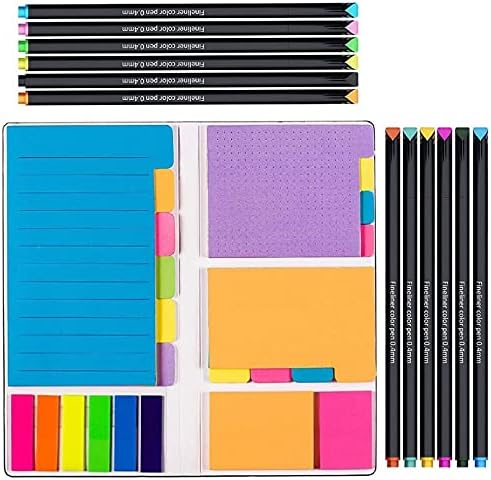
Vicnova Sticky Notes Set with Ruled Lined Notes, Index Tabs, and Fine Point Pens
- Complete study kit with ruled, dotted, and blank sticky notes in multiple sizes plus 150 index tabs
- Includes 12 fine-point pens with acid-free ink for clean, lasting marks on any paper
Sticky notes are the unsung heroes of effective studying. I use them constantly when reviewing long documents or marking key chapters in textbooks. This Vicnova set is one of the most complete packages I’ve found. You get ruled, dotted, and blank sticky notes in multiple sizes (4×6, 3×4, 2×2), plus 150 index tabs and 12 fine-point pens with acid-free ink.
What I like most is the variety. The ruled notes work for summarizing key points, the dotted ones are great for quick diagrams, and the smaller tabs are perfect for flagging textbook pages. The whole set is compact enough to toss in your backpack. Vicnova also backs it with a 30-day money-back guarantee, which tells you they’re confident in the product.
Five Star Spiral Notebooks with Study App
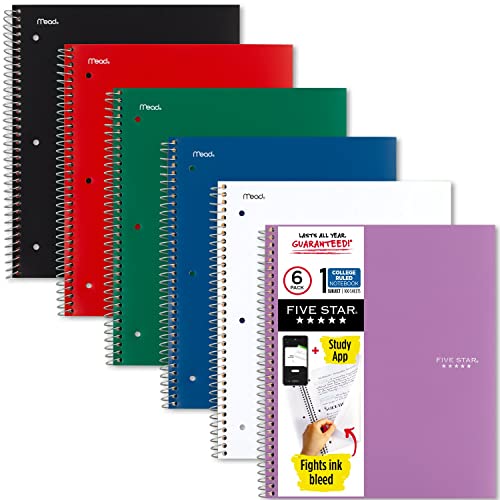
Five Star Spiral Notebook + Study App, 6 Pack, College Ruled, 100 Sheets
- Guaranteed to last all year with water-resistant covers and ink-bleed protection
- Five Star App integration: scan notes, create flashcards, sync to Google Drive
I’ve used Five Star notebooks since my own college days, and they’re still the standard. This 6-pack gives you one notebook per subject, each with 100 double-sided, college-ruled sheets on 8.5″ x 11″ paper. The covers are water-resistant, and the ink-bleed protection actually works, so you can write on both sides without worrying about ghosting.
The real bonus is the Five Star Study App integration. You can scan your handwritten notes to create instant flashcards and sync everything to Google Drive. It bridges the gap between analog note-taking and digital organization. Six colors in the pack (black, red, blue, green, white, purple) make it easy to assign one per class. These are guaranteed to last all year.
BIC Brite Liner Grip Pastel Highlighter Set
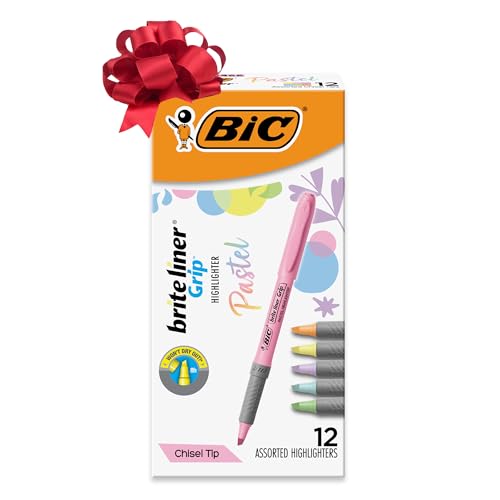
BIC Brite Liner Grip Pastel Highlighters, 12-Count Assorted Colors
- 12-pack of pastel highlighters in assorted colors for easy color-coding
- COMFORT & CONTROL: Soft grip provides comfort and control during long study sessions or meetings
I prefer pastel highlighters over the neon variety because they’re easier on the eyes during long study sessions. This 12-pack from BIC covers all the colors you need for a solid color-coding system. The soft grip is a small detail that makes a big difference when you’re highlighting through 50 pages of lecture notes.
Each highlighter writes for up to 8 hours without the cap on, which means you won’t dry one out just because you forgot to click the cap back. The chisel tip lets you switch between broad strokes for full sentences and fine lines for single words. At under $10 for a dozen, you can’t really go wrong. I keep a set at my desk and another in my bag.
Aiscool Big Capacity Pencil Case
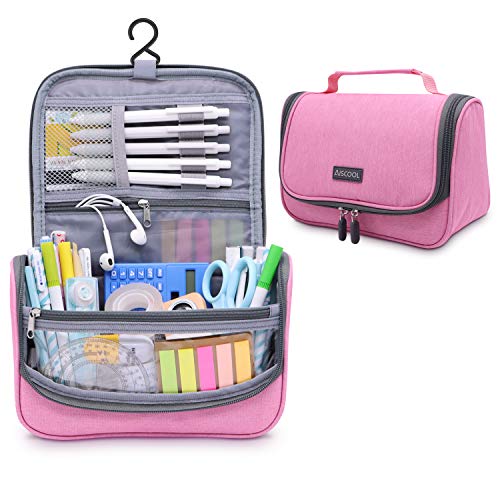
Aiscool Big Capacity Pencil Case with Dry-Wet Separation
- 1.7L capacity fits 100+ pencils, markers, and accessories in three organized layers
- Dry-wet separation compartment keeps markers and correction fluid from smearing other items
Most pencil cases are either too small or fall apart within a semester. Aiscool’s 1.7-liter case can hold up to 100 regular pencils, along with markers, erasers, scissors, and whatever else you need. The three-layer design is clever: waterproof 300D oxford fabric on the outside, insulated pearl cotton in the middle, and a smooth lining inside.
The dry-wet separation compartment is a thoughtful touch. You can store marker pens or correction fluid separately, so they don’t smear everything else. If you carry a lot of stationery (and most college students do), this case will actually fit everything without looking like a stuffed pillow. It’s one of those products that costs a few dollars more but saves you the hassle of replacing a cheaper case every few months.
Smead 24-Pocket Poly Project Organizer
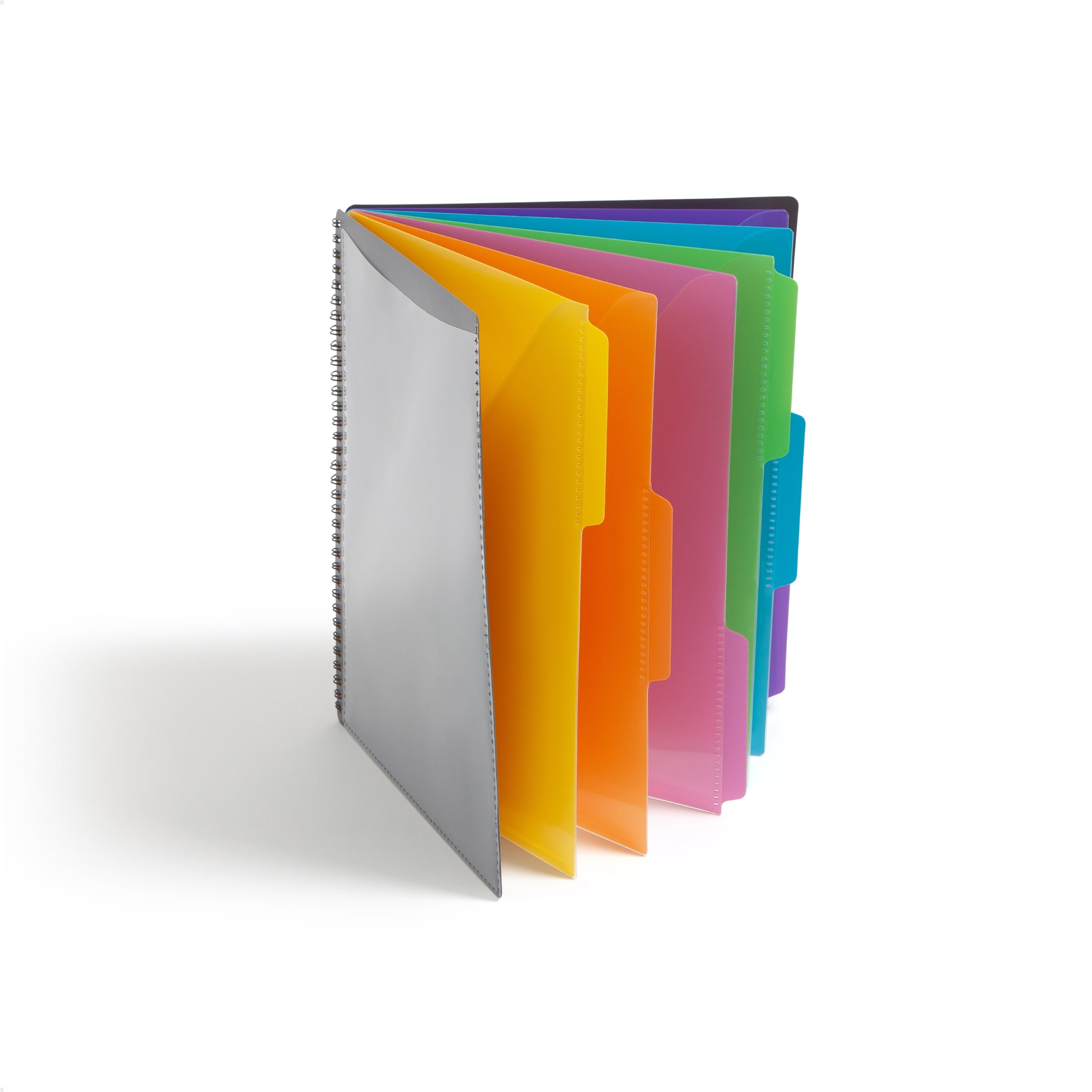
Smead 24-Pocket Poly Project Organizer, Letter Size, Color-Coded Tabs
- 24 pockets with 12 color-coded dividers hold up to 25 sheets per pocket for easy semester-long organization
- Tear-resistant poly material in letter size (10 x 12 inches) survives daily backpack use
If you’re the type who accumulates loose papers, handouts, and printed assignments, you need this. The Smead organizer has 24 pockets with 12 color-coded dividers, and each pocket holds up to 25 sheets. It’s letter-size (10″ x 12″), so standard documents fit without folding.
I recommend assigning each divider to a class or project. By the end of the semester, you’ll have everything sorted instead of stuffed into a random binder. The tear-resistant poly material is sturdy enough to survive being tossed into a backpack daily. For students juggling 5 or 6 courses at once, this is a lifesaver.
Muscccm Geometry Set
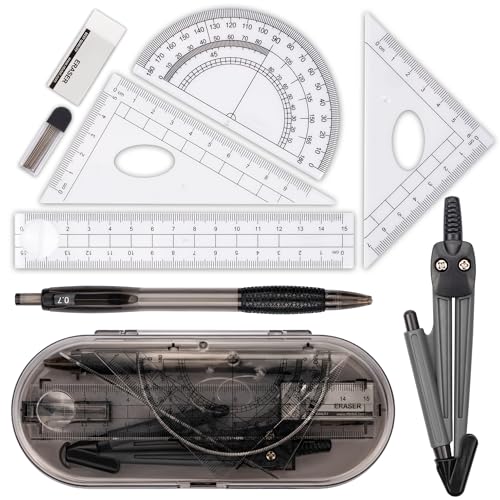
Muscccm Geometry Set, 8-Piece Math Kit
- 8-piece kit designed by math experts: compass, rulers, protractor, and pencil set
- Durable stainless steel and clear plastic with compass drawing circles up to 30cm
Every math, engineering, or architecture student needs a solid geometry set. This 8-piece kit from Muscccm includes a compass, pencil with lead refills, two triangle rulers, a straight ruler, a protractor, and a case. The compass opens wide enough to draw circles up to 30cm in diameter, and the pen cover prevents accidental scratches in your bag.
The pieces are made from durable stainless steel and clear plastic, which is a step up from the flimsy sets you find at dollar stores. If you’re taking any course that involves technical drawing, trigonometry, or basic geometry, this set covers all the essentials. It also makes a practical gift for students heading into STEM programs. For related resources, see my list of best calculus books.
WeiBo Whiteout Correction Tape
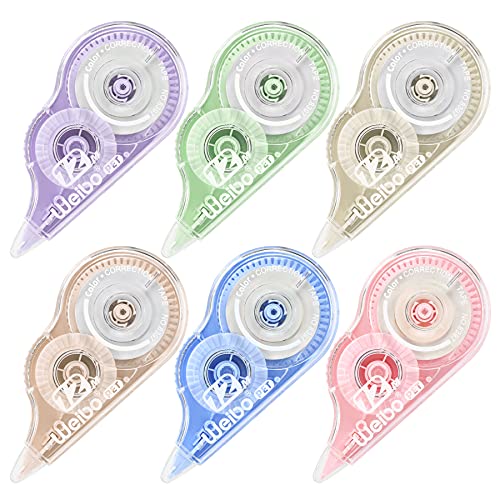
WeiBo Whiteout Correction Tape, Easy-Use Applicator
- Ergonomic grip with dry-application tape for instant write-over corrections
- Transparent dispenser shows remaining tape level at a glance
Correction fluid is messy, slow, and always seems to spill at the worst time. WeiBo’s correction tape is the modern fix. The ergonomic shape gives you a comfortable grip, and the tape goes on dry, so you can write over it immediately. No waiting, no smudging.
The transparent dispenser lets you see exactly how much tape is left, which is a small detail I appreciate. These work well for fixing mistakes on handwritten assignments, notes, and exam papers. If you still do a fair amount of writing by hand (and you should, since it helps retention), keep one of these in your pencil case.
Writech Liquid Ink Rollerball Pens
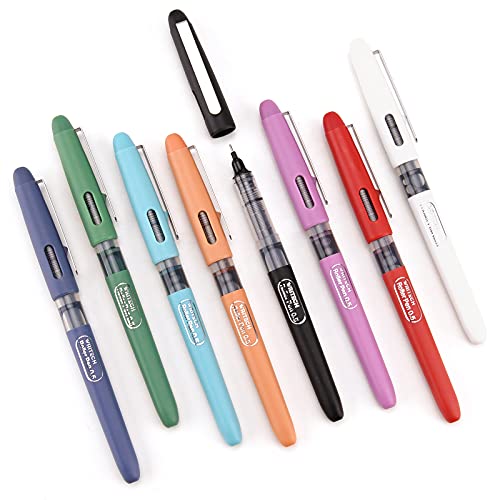
WRITECH Liquid Ink Rollerball Pens, 0.5mm Extra Fine Point, 8 Colors
- Super Smooth & Skip Free: These roller ball pens come with extra fine point (0.5 mm) for precise and fashionable wirting….
- Quick-dry ink prevents smearing for left-handed writers and fast note-takers
I’m particular about pens. The Writech rollerballs have a 0.5mm extra-fine point that produces clean, precise lines without skipping. The pack includes 8 assorted colors, which is useful for color-coding notes or adding visual structure to your study materials.
The quick-dry ink is the standout feature here. If you’re left-handed or just someone who drags their hand across the page, you’ll appreciate that it doesn’t smear. The transparent case lets you see ink levels at a glance. At around $10 for 8 pens, these are a solid upgrade from generic ballpoints without breaking the bank.
Desk and Workspace Essentials
Your study environment matters more than most students realize. A cluttered desk, bad lighting, or an uncomfortable setup will drain your focus faster than any distraction. I’ve spent years optimizing my own workspace, and these are the products that make the biggest difference per dollar spent.
Loryergo Laptop Lap Desk
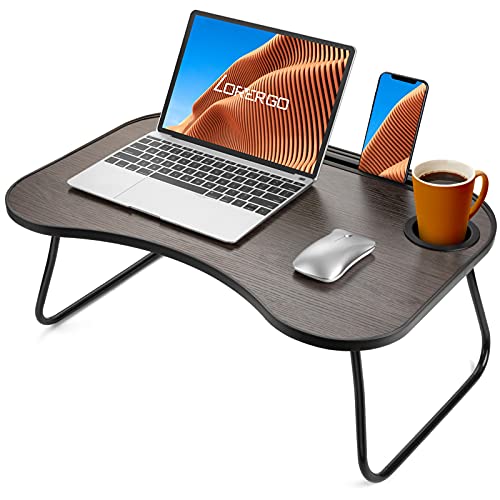
LORYERGO Lap Desk for Laptop with Phone and Tablet Slot
- Fits laptops up to 15.6 inches with built-in cup holder and phone/tablet slot
- Ergonomic angled surface reduces neck strain during long study sessions
If you study on your bed or couch (and let’s be honest, most college students do), a lap desk makes the experience significantly more comfortable. The Loryergo has a solid cup holder that actually prevents tipping, a slot for your phone or tablet, and enough surface area for a standard 15.6″ laptop.
What I appreciate is the ergonomic angle. It lets you type without hunching forward, which makes a real difference during those late-night study sessions. You can stretch your legs freely underneath, and the whole thing doubles as a breakfast tray if you’re the type who eats while reviewing flashcards. It’s lightweight enough to move around your dorm room but sturdy enough that your laptop doesn’t wobble.
ComfiLife Ergonomic Foot Rest
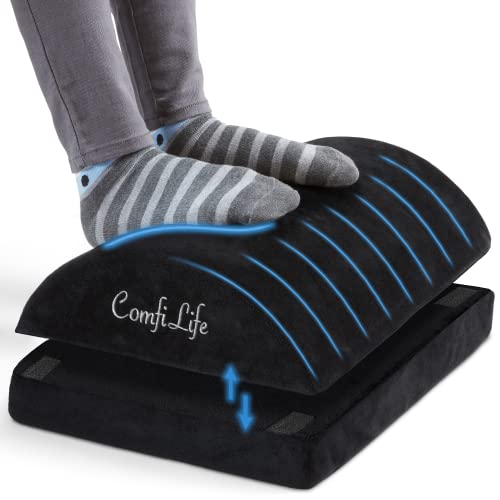
ComfiLife Ergonomic Under Desk Foot Rest, Adjustable Height Memory Foam
- Pain Relief and Support for Back, Hip, Legs, Knees & Feet – If you are working or sitting at a desk most hours of the day, you…
- Adjustable height memory foam molds to your feet for personalized comfort
If you sit at a desk for more than 3 hours a day, your back, hips, and knees will eventually protest. I started using a footrest a few years ago and the difference in comfort is immediate. The ComfiLife model uses memory foam that molds to your feet, and the adjustable height means you can find the exact angle that relieves pressure on your lower back.
You can roll your ankles, shift positions, and stretch without having to get up. It works under any standard desk, and the non-slip bottom keeps it in place. For students who spend long hours at their computer, this is one of those “why didn’t I get this sooner” purchases. It’s also useful during exam season when you’re basically glued to your chair for days.
Bamboo Book Stand
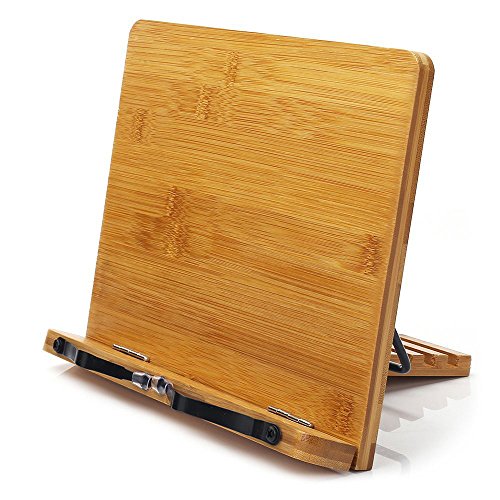
wishacc Bamboo Book Stand, Adjustable Holder with Page Clips
- Durable bamboo construction from sustainably managed forests
- Spring-loaded page clips hold even thick textbooks open hands-free
Reading a textbook flat on a desk forces you to hunch over, which kills your neck after 30 minutes. A book stand fixes this entirely. This bamboo model is adjustable, holds thick textbooks with its spring-loaded design, and the page clips keep your book open to the right page without you having to pin it down with your elbow.
It’s made from natural bamboo, so it’s durable and looks good on a desk. You can also use it to prop up your tablet or smartphone when watching lecture recordings. If you do a lot of reading from physical books, this is a small investment that saves you a lot of neck and back strain over a semester.
Torchstar Metal Desk Lamp
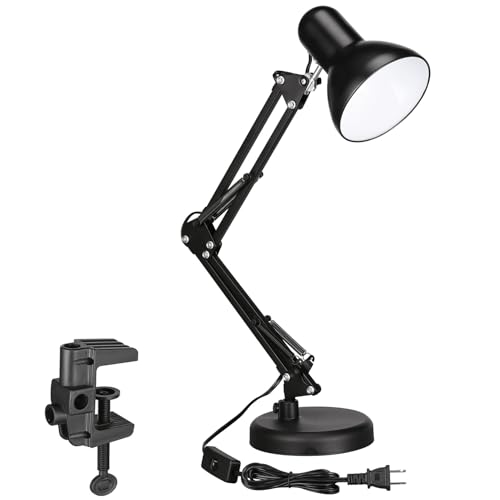
TORCHSTAR Metal Desk Lamp with Clamp, Swing Arm, Adjustable Gooseneck
- 2-in-1 design: free-standing base or adjustable C-clamp for any desk edge
- FLEXIBILITY: Light up a large area and move its position with the flexible spring-balanced adjusted arm that can extend up to 18"…
Good lighting is non-negotiable for serious study sessions. This Torchstar lamp gives you two mounting options: stand it on its weighted base or clamp it to your desk with the adjustable C-clamp. The flexible spring-balanced arm extends up to 18 inches, so you can position the light exactly where you need it.
The slim profile and 51-inch power cable mean it won’t crowd your desk or limit where you can place it. The UL-listed power plug adds a layer of safety, which matters when you’re leaving a lamp on for hours. I’ve recommended this to several students who study late at night without wanting to light up the entire room. It does the job well and looks professional.
Huanuo Monitor Stand with Drawer

HUANUO 2-Tier Monitor Stand with Drawer, Metal Desk Organizer
- 【Sturdy Desk Stand with Strengthened Construction】- The "H" shape construction increases the duration. This monitor stand…
- 【Ergonomic Monitor Stand Riser】- Raise your monitor by 4.61", helping you to keep a good sitting posture and prevent the…
Neck pain from staring at a monitor that’s too low is something I deal with constantly when consulting with clients. Raising your screen by even 4-5 inches makes a significant ergonomic difference. The Huanuo stand raises your monitor by 4.6 inches and has an H-shaped construction that’s noticeably sturdier than the plastic alternatives.
The built-in drawer is where this stand really earns its spot. You can stash pens, sticky notes, USB drives, and other small items that would otherwise clutter your desk. The two-tier design also frees up space underneath for a keyboard or notebook. If you’re working from a dorm desk where every inch of surface area counts, this stand pulls double duty as storage and an ergonomic upgrade.
OfficeThink Dry Erase Laminated Wall Calendar

Dry Erase Laminated Jumbo Wall Calendar, 24×36 Inches
- PET film surface erases cleanly even after years of use with dry or wet markers
- Includes 5 dry erase markers, eraser, and 8 jumbo tacks for wall mounting
Digital calendars are great, but there’s something about a large physical calendar on your wall that keeps deadlines visible at all times. This 24×36-inch dry erase calendar uses a PET film that erases cleanly even after years of use, which is the main problem with cheaper laminated calendars.
It comes with 5 dry erase markers, an eraser, and 8 jumbo tacks for mounting. I recommend putting it right above your desk where you can see it every time you sit down. Color-code your classes, mark exam dates, and track assignment deadlines. Students who use physical planning systems alongside digital ones tend to stay more organized in my experience. If you’re a fan of the Pomodoro technique, you can also track your daily session goals on it.
Mindspace Desk Organizer
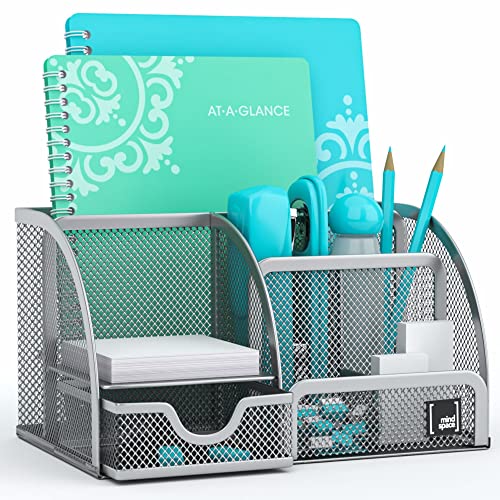
Mindspace Office Desk Organizer with 6 Compartments + Drawer
- 6 well-sized compartments keep pens, notebooks, and accessories organized
- Smooth pull-out drawer with mesh construction and ABS coating for durability
A messy desk is a distracted mind. The Mindspace organizer has 6 well-sized compartments plus a pull-out drawer for pens and pencils. The mesh construction is sturdy without feeling cheap, and the smooth ABS coating gives it a clean, professional look.
I like that the drawer slides out smoothly instead of sticking or catching. You can fit it on any standard desk without it taking up too much space. Use the compartments for notebooks, sticky note pads, staplers, and phone charging cables. Keeping your desk organized is one of the simplest productivity hacks, and a good organizer makes it effortless. The smooth, rounded edges also mean it won’t scratch your desk surface.
Backpack and Travel Gear
You’ll carry your backpack more than any other item in college. Picking the right one saves your shoulders, keeps your devices safe, and makes commuting between classes less of a hassle.
Himawari Travel School Backpack
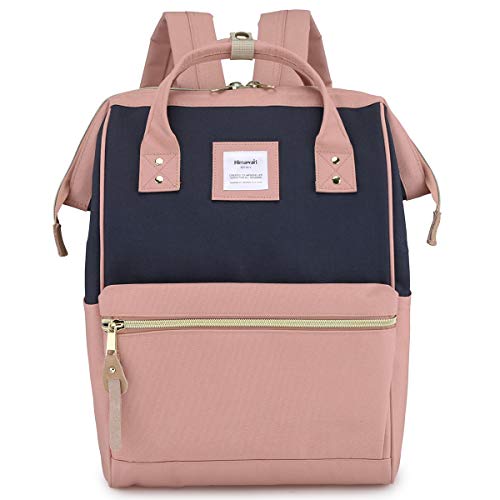
Himawari Travel School Backpack with USB Charging Port, 15.6-Inch
- Waterproof eco-friendly canvas with doctor-bag style opening for easy access
- Fits 15.6-inch laptop with USB charging port, multiple pockets, and secure back zipper
Himawari is a newer brand, but the quality here punches above the price. The backpack fits up to a 15.6-inch laptop, has a built-in USB charging port (cable not included), and is made from waterproof canvas that looks good while taking a beating. The doctor-bag style opening gives you easy access to the main compartment without digging through layers.
You get two big front zipper pockets, two smaller inner pockets, and two side pockets. The back has a vertical zipper for secure storage of valuables like your wallet or passport. It’s spacious enough for a full day of classes (laptop, notebooks, water bottle, charger) without being bulky. For under $25, it’s one of the better value picks on this list.
STEM and Science Tools
If you’re in a STEM program, you’ll need tools beyond the basics. Calculators, scale rulers, and reference cards aren’t optional in engineering, chemistry, or architecture courses. These are the ones I’d recommend based on quality and value.
Texas Instruments TI-30XA Scientific Calculator
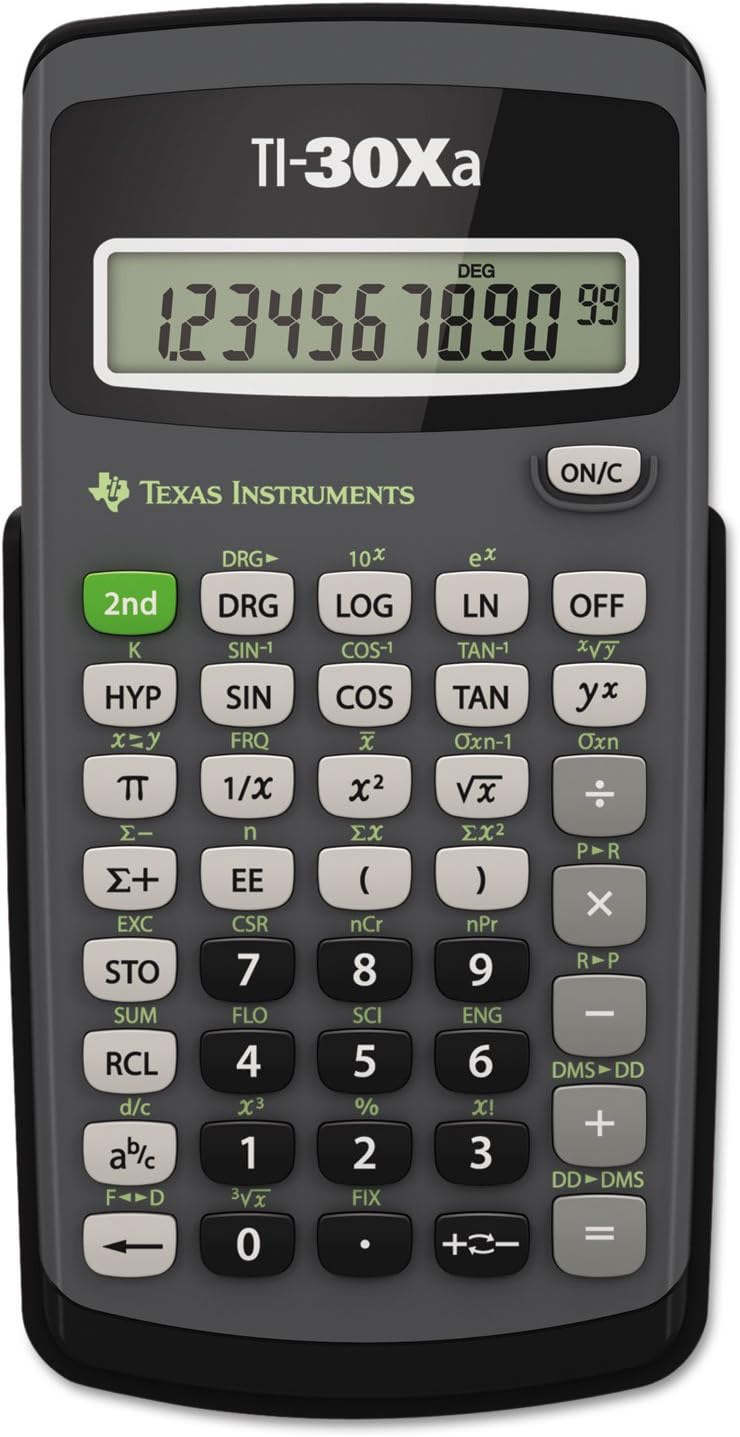
Texas Instruments TI-30XA Student Scientific Calculator
- Texas Instruments TI30XA Scientific Calculator – 10 Character(s) – Battery Powered – 6" x 3.1" x 0.8" – Black
You don’t always need a $100+ graphing calculator. The TI-30XA handles fractions, trigonometry, logarithms, and basic statistics, which covers most undergraduate math and science courses. It’s battery-powered (no solar dependency), compact at 6″ x 3.1″, and approved for most standardized exams.
Texas Instruments has been the go-to brand for student calculators for decades, and the TI-30XA is their most affordable scientific model. It won’t graph functions or solve equations symbolically, but for straightforward calculations, it does everything you need without unnecessary complexity. If your courses require a graphing calculator, look elsewhere. But for general science and math, this is the reliable, budget-friendly pick.
PenPower WorldPenScan Go
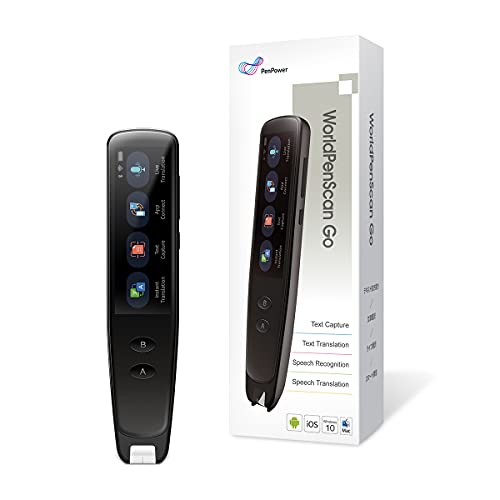
PenPower WorldPenScan Go, Text to Speech Reader Pen
- Scans printed or digital text and converts to speech with built-in speaker
- BUILT-IN DICTIONARY & THESAURUS: Scan words and terms to (1) define and provide example sentences for on-the-go learning, as well…
This is a niche tool, but for the right student, it’s transformative. The WorldPenScan Go lets you scan printed or digital text and converts it to speech or editable text. You literally run the pen over a line of text and it reads it back to you or transfers it to your laptop via Wi-Fi.
It’s especially valuable for students with reading difficulties, second-language learners, or anyone who processes information better through audio. The built-in dictionary and thesaurus let you look up words as you scan them. At $127, it’s the most expensive single item on this list, but if you spend a lot of time reading dense textbooks or research papers, it can genuinely save hours per week.
Periodic Table of Elements Laminated Flashcards
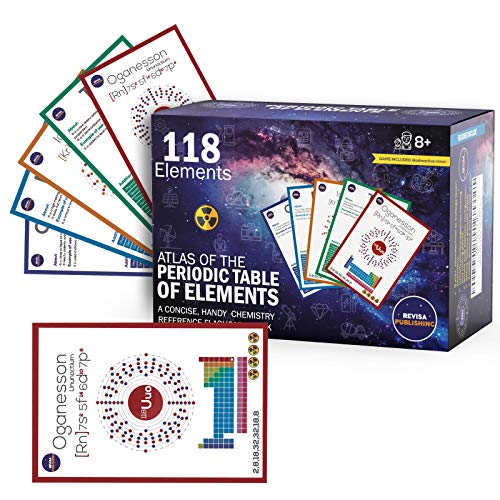
Periodic Table of Elements Laminated Flashcards, 118 Cards
- 118 color-coded cards matching standard periodic table element groupings
- Matte laminated finish resists dirt and fingerprints for multi-semester use
Flashcards remain one of the most effective study methods for memorization-heavy subjects. This set includes all 118 elements with color-coded cards that match standard periodic table groupings. The matte laminate finish resists dirt, dust, and fingerprints, so they’ll last through multiple semesters of use.
You can use them for memorizing element properties, atomic numbers, electron configurations, or chemical reactions. They work for chemistry students at any level, from high school to graduate school. The color coding helps with visual memorization, and the card format makes it easy to quiz yourself or study with a partner. If you’re taking any chemistry course in 2026, grab a set.
Nokko Architectural and Engineering Scale Ruler Set
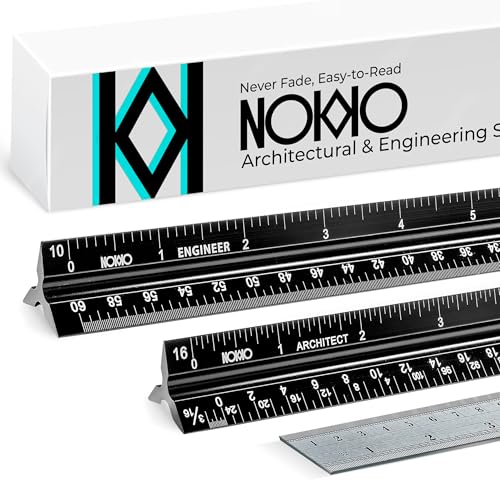
NOKKO 12-Inch Architectural and Engineering Scale Ruler Set
- 3-in-1 bundle: architect scale, engineering scale, and standard ruler
- Laser-etched white markings on black aluminum for superior readability
Architecture and engineering students go through scale rulers constantly. Instead of buying them separately, this bundle gives you an architect scale, an engineering scale, and a standard ruler in one package. The laser-etched white markings on a black background are significantly easier to read than printed markings on clear plastic.
The 12-inch triangular design fits comfortably in your hand, and the aluminum construction means these won’t snap if you accidentally sit on them in your bag. If you’re in a drafting, architecture, or civil engineering program, you’ll use these almost daily. Having the full set means you’re always prepared, whether you’re working on floor plans or technical drawings.
Writing and Grammar Tools
Good writing separates average students from top performers, regardless of your major. These tools catch errors you’d miss on your own and help you develop a cleaner writing style over time. I use all of these in my daily work as a content professional.
ProWritingAid
ProWritingAid is my primary writing assistant and the one I recommend to students who are serious about improving their writing. It goes beyond basic grammar checks and analyzes your style, sentence structure, readability, and overused words. The built-in plagiarism checker is a bonus that saves you from needing a separate subscription.
What sets ProWritingAid apart from competitors is the depth of its reports. You get detailed feedback on pacing, transitions, dialogue tags (for creative writing students), and consistency. It integrates with Google Docs, Microsoft Word, Scrivener, and most web browsers. For the price, it offers more writing improvement features than any other tool I’ve tested. If you write papers, essays, or research reports regularly, this is the tool to get.
Grammarly
Grammarly is the most popular writing assistant on the market, and for good reason. It catches spelling, grammar, and punctuation errors in real time across virtually every platform: macOS, Windows, Android, iOS, and browser extensions. The free version handles the basics well, and the premium tier adds tone detection, clarity suggestions, and a plagiarism checker.
I find Grammarly slightly easier to use than ProWritingAid for quick fixes, but less thorough for in-depth writing improvement. If you want a tool that quietly catches errors as you type emails, discussion posts, and short assignments, Grammarly’s free plan is hard to beat. For longer academic papers, I’d still lean toward ProWritingAid’s deeper analysis. Both are solid choices, so pick whichever fits your workflow.
Sapling AI
Sapling is a newer grammar checker that claims to catch 60% more errors than Grammarly. In my testing, it does catch certain phrasing issues and context-dependent errors that other tools miss. It also includes autocomplete snippets and team collaboration features, which can be useful for group projects.
Sapling works best as a complement to your primary writing tool rather than a replacement. I use it alongside ProWritingAid when I want a second opinion on a piece of writing. For students, the free tier covers basic grammar and spelling, which is enough for everyday use. The premium version unlocks more advanced suggestions and priority processing.
FocusWriter
FocusWriter solves a specific problem: distraction. It gives you a completely clean, full-screen writing interface with no toolbars, notifications, or visual clutter. If you struggle to stay on task when writing papers (and social media is always one tab away), FocusWriter forces you into a focused mode.
It’s free, open-source, and available on Windows, macOS, and Linux. You can set daily word count goals, use timers, and customize the background. It’s not a grammar tool, it’s a focus tool. Pair it with ProWritingAid or Sapling for editing, and use FocusWriter for the actual drafting phase. This combination works better than any single app for getting papers written on time.
AI Writing Tools: Where Students Get Into Trouble
Grammar checkers are safe. Sapling and ProWritingAid correct grammar, flag unclear sentences, and suggest word choice improvements. Your ideas, structure, and argument stay yours. Every university policy I’ve read either permits grammar checking or lists it as acceptable.
AI writing tools like ChatGPT and Claude are a different story. They can write entire paragraphs or essays. Using them to generate text you submit as your own work is plagiarism. Even if you “edit” the output afterward.
The blurry middle is where students get caught. You write a rough draft, paste it into ChatGPT, and ask it to “improve the flow.” The ideas are yours. The organization is yours. But the resulting sentences may not sound like you, and the text may trigger Turnitin’s AI detection even though your thinking drove the whole document.
Turnitin’s AI detection launched with a claimed 99% accuracy rate. That number is marketing. GPTZero and similar tools have documented false positive rates of 10-20% on human-written academic text. A Stanford study found that AI detectors flag non-native English speakers at significantly higher rates. But unreliable detection isn’t a green light. Professors who’ve read 40 of your sentences know when the 41st doesn’t sound like you.
My advice: check your institution’s specific AI policy. Most universities now have explicit guidelines that distinguish between permitted and prohibited uses. And when in doubt, disclose your AI use. “I used Sapling to check grammar and ChatGPT to understand a concept” is a sentence no reasonable professor will penalize.
Design and Presentation Tools
Presentations and visual projects are a regular part of college life. You don’t need to be a designer to create professional-looking slides, infographics, or project visuals. The right tool makes it effortless.
Canva
Canva is the design tool I recommend to everyone who isn’t a professional designer. It handles presentations, infographics, resumes, social media graphics, posters, and practically any visual you need for college. The drag-and-drop interface means you can create polished designs in minutes, not hours.
The free plan is generous enough for most students, but Canva Pro unlocks premium templates, brand kits, and background remover. I’ve been using Canva since 2015, and it keeps getting better. For college students, the presentation templates alone are worth signing up for. You can collaborate with classmates in real time, export in any format, and access thousands of free photos, icons, and illustrations. If you’re trying to build a career in design, Canva also doubles as a portfolio-building tool.
PDF, Reading, and Annotation Tools
PDF files are everywhere in college: syllabi, research papers, lecture slides, and eBooks. A good PDF reader isn’t just about opening files. It’s about annotating, highlighting, and organizing them so you can actually study from them. Here are the tools I trust.
PDF Expert
PDF Expert is a must-have if you’re on a Mac or iPad. It lets you read, annotate, edit, and even sign PDF documents with a clean, intuitive interface. You can highlight text, add notes, fill forms, and rearrange pages without any lag or frustration.
The annotation tools are the real strength here. You can color-code highlights, add text notes in the margins, and draw directly on the PDF. For students who do a lot of reading on their iPad, PDF Expert with Apple Pencil support turns your tablet into a serious study tool. It’s Apple-only, so Windows users should look at the alternatives below.
UPDF
UPDF is a cross-platform PDF reader and editor that works on Windows, macOS, Android, iOS, and iPadOS. If you switch between devices frequently (studying on your laptop in class, reviewing on your phone during commutes), UPDF keeps everything synced. It handles reading, annotating, editing, and converting PDFs to other formats.
The AI-powered features are a recent addition that let you summarize long documents, translate text, and ask questions about the content. For students dealing with dense research papers or textbook chapters, these features can save significant time. It’s one of the more affordable PDF editors with a one-time purchase option, which is better than the subscription model most competitors use.
Wondershare PDFelement
Wondershare PDFelement combines the viewing capabilities of a basic PDF reader with the editing power of a professional tool. The interface is clean and intuitive, borrowing design cues from PDF Expert while offering broader platform support including Windows, Mac, iOS, and Android.
You can create PDFs from scratch, merge multiple documents, add watermarks, and perform OCR (optical character recognition) on scanned documents. The OCR feature is particularly useful when your professor shares scanned handouts that aren’t searchable. PDFelement makes them searchable and editable. If you need a full-featured PDF editor that works across all your devices, this is a strong choice.
Sumatra PDF
Sumatra PDF is the lightweight option. It’s free, fast, and does one thing well: open and read PDFs without any bloat. If you’re on a Windows machine and don’t need annotation or editing features, Sumatra loads files almost instantly and uses minimal system resources.
It also supports ePub, MOBI, and comic book formats (CBZ/CBR), which makes it a versatile reader for students who consume different types of digital content. No sign-up, no subscription, no ads. Just a clean reader that gets out of your way. Pair it with one of the editors above when you need to annotate, and use Sumatra for everyday reading.
The Science You Need Before Picking Any Digital Tool
The three study methods with the strongest research backing are active recall, spaced repetition, and the Feynman technique. Every digital tool recommendation below maps to one of these three. If a tool doesn’t support at least one of them, it’s not worth your phone storage.
Active recall means retrieving information from memory without looking at your notes. Flashcards force active recall. Re-reading your textbook doesn’t. A 2024 meta-analysis in Psychological Science found that active recall produces 50% better long-term retention than re-reading, and the effect holds across subjects from medicine to foreign languages.
Spaced repetition means reviewing material at increasing intervals. Study a concept today, review it in 2 days, then 5 days, then 12 days. Your brain strengthens neural connections more efficiently when you space out review sessions. Anki has been the gold standard for this since 2006.
The Feynman technique means explaining a concept in simple language, as if teaching a 12-year-old. If you can’t explain it simply, you don’t understand it well enough. AI tools have made this method faster to practice because you can get instant feedback on your explanations.
Digital Flashcard and Spaced Repetition Tools
Flashcards aren’t glamorous. They work. Anki, Quizlet, and newer AI-enhanced options all force active recall, and the good ones layer spaced repetition on top. Here’s what I recommend after testing them all.
Anki remains the best flashcard app if you’re willing to invest 30 minutes learning its interface. It’s free on desktop and Android ($24.99 on iOS, one-time). The spaced repetition algorithm is the most battle-tested in existence. Medical students have used Anki for board prep for over a decade. Pre-made decks for MCAT, USMLE, bar exam, and dozens of other exams save hundreds of hours of card creation.
The downside? Anki looks like it was designed in 2006. Because it was. The learning curve is real. But I’d rather you spend 30 minutes learning Anki than 30 minutes making pretty color-coded notes that you’ll never review.
Quizlet is easier to start with. The free tier covers basic flashcards and simple games. The AI features in Quizlet Plus ($35.99/year) generate cards from your notes and create practice tests. For students who won’t touch Anki’s interface, Quizlet is the realistic alternative.
AI-generated flashcards are the newer category. You paste your lecture notes into a tool, and it generates question-answer pairs automatically. I covered several of these in the AI-designed flashcard tools roundup. They save time on card creation. But here’s what matters: generating flashcards isn’t studying. Reviewing them is.
Note-Taking Apps for Organized Studying
Good digital notes aren’t about capturing every word your professor says. They’re about processing information in real time, which is why the note-taking method matters more than the tool. That said, some tools make the process significantly smoother.
Notion is where most of my student recommendations land now. It’s free for personal use with an education email, and the structure forces you to organize information logically. Tables, toggle lists, databases for tracking assignments. Notion AI adds the ability to generate review questions from your own notes, which feeds directly into active recall practice.
The workflow I recommend: take rough notes during class in Notion. Within 24 hours, reorganize those notes into structured pages. Use Notion AI to generate 5 practice questions from each lecture’s notes. Answer those questions without looking at your notes. That 15-minute post-class routine is worth more than 3 hours of passive re-reading before the exam.
Apple Notes and Google Keep work fine for quick capture during lectures. They’re fast, synced across devices, and you already have them. Don’t overthink this part. The capture tool barely matters. The review process matters enormously.
Obsidian is the power user option. If you’re in a field where connecting concepts across courses matters (philosophy, law, medicine), Obsidian’s linked notes create a personal knowledge graph. Steeper learning curve than Notion, but the students who stick with it develop deeper conceptual understanding. For the full comparison, the best note-taking apps for students guide covers 12 options with pricing and feature breakdowns.
Subject-Specific Digital Study Tools
Some subjects need specialized tools. Here’s what actually helps by discipline, not what has the best marketing page.
Math and STEM
Photomath and Wolfram Alpha both show step-by-step solution processes, not just answers. The right way to use them: work the problem yourself first, then check your process against the tool’s solution. If you’re just copying answers, you’re building a house on sand.
Desmos is free and excellent for visualizing functions and graphs. If you’re in calculus or statistics, seeing what a derivative actually looks like makes the abstraction click faster than reading the definition for the tenth time. The best math apps for students guide covers these plus several newer AI-powered options.
Languages
TalkPal gives you a conversational AI partner who responds in your target language and corrects mistakes in real time. It’s significantly better than grammar exercises because you’re producing language under pressure. I’ve seen language learners make more progress in six weeks with TalkPal than in a semester of traditional textbook practice.
Duolingo remains the most accessible entry point. The free tier is solid for building vocabulary and basic grammar patterns. It won’t get you to conversational fluency alone, but the consistency the app builds through streaks and gamification is genuinely valuable for habit formation.
Programming
GitHub Copilot can be a tutor or a crutch. Use it in learning mode: ask it to explain what a code snippet does, understand the suggestion, then close it and write the code yourself. Submitting Copilot-generated code as your assignment solution is replacing. Understanding why it suggested that approach is learning.
Replit gives you an instant coding environment without setup friction. For students in their first programming course, eliminating the “I can’t get my environment configured” barrier means more time actually writing code.
How to Use AI for Research Without Getting Flagged
Research is where students get into the most trouble with AI. Not because research with AI is inherently bad, but because the workflow matters enormously.
The dangerous workflow: type your essay prompt into ChatGPT, get an answer, use that as your research starting point. AI models hallucinate. They invent citations, misquote studies, and state false information confidently. If you build research on AI output, you’re building on a foundation that may not exist.
The smarter workflow: use AI to generate questions, then find real answers yourself. Instead of asking ChatGPT “What does research say about spaced repetition?” try: “What are 5 research questions I should investigate about spaced repetition learning techniques?” Take those questions to Google Scholar, JSTOR, or your library database. Find actual peer-reviewed sources. The AI helped you think about what to look for. You did the actual finding.
Building a Study System That Sticks (Not Just Exam Week)
The students who benefit most from study tools aren’t the ones with the most apps. They’re the ones with a consistent process.
The common failure: discover a flashcard app, use it for 3 intense days before the exam, forget it exists until the next exam. That’s not a study habit. That’s cramming with extra steps.
A sustainable system looks like this. After each class, spend 10 minutes with your notes and one tool. Generate 5 practice questions from what you just covered. Answer them without looking at your notes. Check yourself. That 10-minute routine, applied consistently across a semester, beats any amount of frantic review during finals week.
Spaced repetition (which this creates naturally) is the most evidence-backed study method in cognitive science. The tools just make it faster to generate practice material. You still do the actual work.
Notion AI fits this workflow well. Your class notes live in Notion. Highlight key concepts, let Notion AI suggest review questions, add those to a study queue. Everything stays in one place. The tool assists your process without becoming the process.
The Study Stack I’d Use as a Student Today
If I were starting college today, here’s what I’d install and nothing else:
- Anki for spaced repetition flashcards across all courses
- Notion for notes, organization, and AI-generated review questions
- Sapling or ProWritingAid for grammar checking every paper
- A subject-specific tool depending on your major (Photomath for STEM, TalkPal for languages, Replit for CS)
Four tools. That’s it. Everything else is a distraction until you’ve mastered these four. The students who use tools well share one characteristic: they’re in control of their learning process. The tools serve them. Not the other way around.
Getting the Most Out of Your Study Tools
The physical tools on this list keep your workspace organized and your body comfortable. The digital tools match how your brain actually learns. Neither category replaces the other. The students who perform best use both: physical notebooks for retention during lectures, digital tools for structured review afterward.
Start with the essentials. A good notebook set, highlighters, and a desk lamp cost under $50 and take you further than any gadget. Then add one digital tool at a time: a writing assistant like ProWritingAid, a flashcard app like Anki, and a PDF reader. You don’t need everything on this list. Pick what matches your study style and build from there.
If you’re also shopping for devices, check out my guides on the best tablets for students and the best calculus books for 2026. And if you’re curious about how AI fits into your study workflow, the AI flashcard tools roundup covers the latest options worth testing.
What are the most important study tools for college freshmen?
Start with the basics: a quality notebook set (Five Star spiral notebooks are my pick), highlighters for color-coding notes, a desk lamp with adjustable positioning, and a writing assistant like ProWritingAid or Sapling. These four categories cover note-taking, organization, comfort, and academic writing. Add a flashcard app like Anki once classes start.
Do I need both physical and digital study tools?
I recommend it. Handwriting notes improves retention (multiple studies confirm this), while digital tools make searching, organizing, and reviewing your notes easier. Use physical notebooks during lectures, then scan key pages or create digital flashcards afterward. This hybrid approach gives you the best of both worlds.
What are the best free study tools for college students?
Anki (free on desktop and Android), Notion (free with .edu email), Quizlet (free tier), Desmos (free), and Google Scholar (free) cover 90% of what you need digitally. For physical supplies, a notebook set, highlighters, and correction tape cost under $35 total. The paid upgrades are nice but not necessary.
Is using a grammar checker considered AI plagiarism?
No. Grammar checkers like Sapling and ProWritingAid are treated the same as spell-check by virtually every university. Grammar and clarity suggestions that leave your ideas and structure intact are not AI generation. Check your institution’s specific policy if unsure.
Can professors tell if I used AI to brainstorm but wrote the paper myself?
Detection tools can’t distinguish between ‘used AI to brainstorm’ and ‘used AI to write.’ They analyze the final text for statistical patterns. If your writing stays stylistically consistent with your previous work, you’re unlikely to be flagged. But no tool reliably makes this distinction, which is why transparency about your process is the safer move.
What happens if I get falsely flagged for AI plagiarism?
Request a meeting with your professor within 24 hours. Bring your drafts, notes, and research documentation. Ask to be interviewed about your paper’s content. You’ll know it cold if you wrote it. Most institutions have an appeal process, and demonstrating deep familiarity with the material is strong evidence of authorship.
How many study apps should I actually use?
Three to four. One flashcard/spaced repetition tool (Anki or Quizlet), one note-taking app (Notion or Obsidian), one grammar checker (Sapling or ProWritingAid), and one subject-specific tool for your major. Adding more apps doesn’t improve learning. It just gives you more interfaces to switch between.
What’s the best free PDF reader for students?
For Windows users, Sumatra PDF is the best free option. It’s lightweight, fast, and handles PDFs, ePubs, and MOBI files. For Mac and iPad users, the built-in Preview app handles basic reading and annotation. If you need advanced features like OCR or cross-platform sync, UPDF offers a generous free tier with AI-powered features.
How much should I budget for study tools and supplies?
You can cover the physical essentials for under $100: notebook set ($20), highlighters ($8), correction tape ($5), pencil case ($12), and desk lamp ($22). Digital tools like Anki, Notion, and Sumatra PDF are free. Budget $35-50/year if you want a premium grammar checker. Total for a complete physical + digital setup: $100-150.
Are AI flashcard apps considered cheating?
No. Flashcard generation tools (AI-powered or not) are study aids that help you review material. They don’t produce submittable work. Using Anki, Quizlet, or any AI flashcard tool to study for exams is the same category as using a highlighter. No institution has classified flashcard tools as academic dishonesty.
Are lap desks worth buying for college?
If you study anywhere besides a desk (bed, couch, floor), absolutely yes. A lap desk prevents your laptop from overheating on soft surfaces, gives you a stable typing surface, and helps maintain better posture. The Loryergo model I recommend includes a cup holder and phone slot for under $35.
What design tool should college students use for presentations?
Canva. The free plan gives you access to thousands of presentation templates, and the drag-and-drop interface means you don’t need design experience. You can collaborate with classmates in real time and export as PDF or PowerPoint. Google Slides is a decent free alternative, but Canva’s templates are significantly better.
Disclaimer: This site is reader-supported. If you buy through some links, I may earn a small commission at no extra cost to you. I only recommend tools I trust and would use myself. Your support helps keep gauravtiwari.org free and focused on real-world advice. Thanks. - Gaurav Tiwari