
5 Reasons Why Your Online Store Needs Strong Cybersecurity

It doesn’t matter if you sell handmade candles or enterprise software. If you have an online store, you’re a target. The moment you collect a customer’s name, email, or credit card number, you’ve taken on a responsibility that attackers actively exploit. And the attackers don’t care about your niche, they care about the data.
I’ve worked with e-commerce businesses that assumed they were too small to be worth attacking. Every single one of them learned the hard way that automated attacks don’t discriminate by revenue size. Bots scan millions of sites daily looking for known vulnerabilities, default credentials, and unpatched software. Your store is either defended or it’s not. There’s no “too small to notice.”
Here are five concrete reasons why cybersecurity should be your next investment priority, along with exactly what to do about each one.
1. Your Customers’ Trust Is Your Revenue Engine
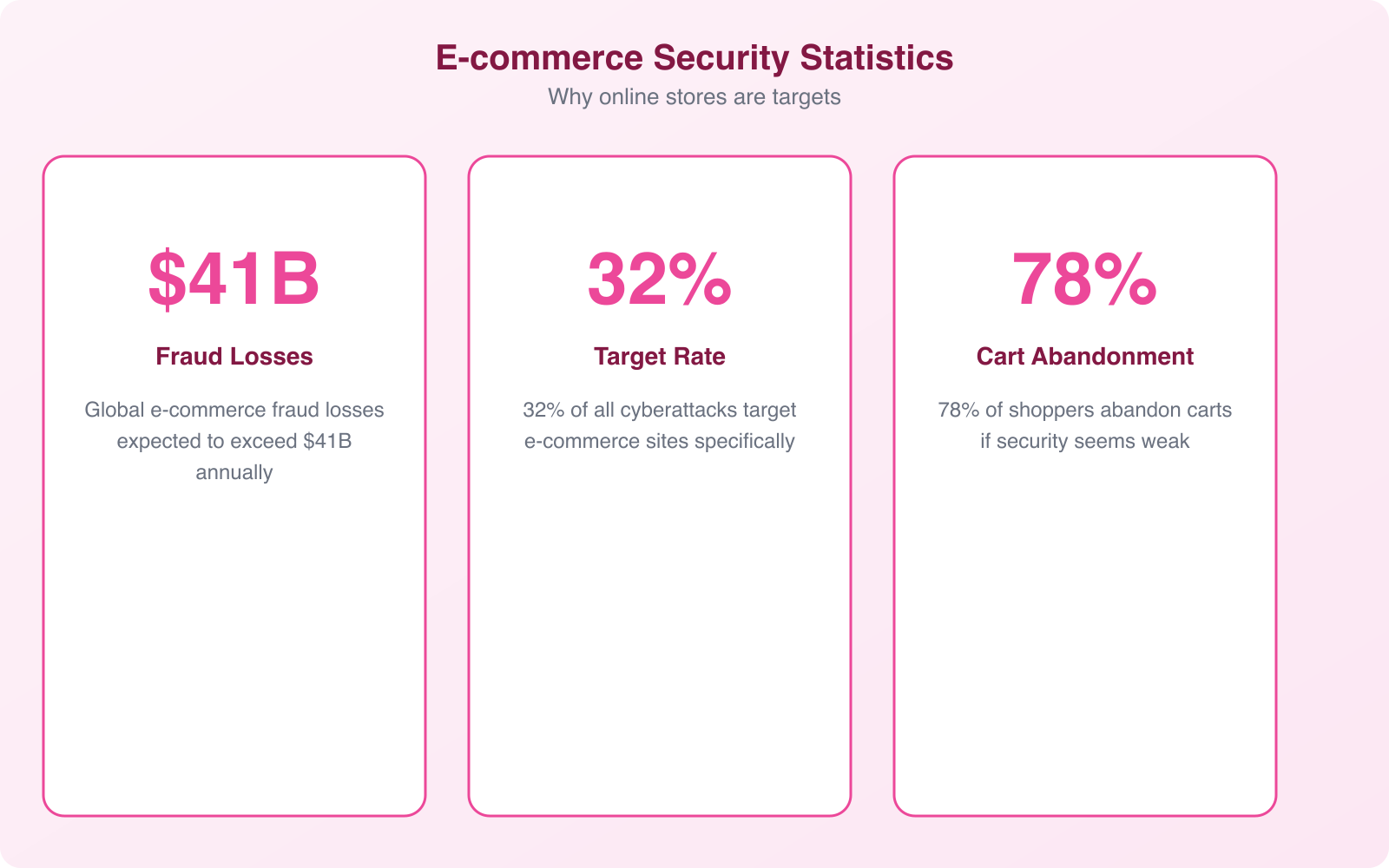
Customer trust isn’t abstract. It shows up in your conversion rate. Research from the Baymard Institute shows that 18% of online shoppers abandon carts specifically because they don’t trust the site with their payment information. That’s nearly 1 in 5 potential sales lost to perceived security weaknesses.
The trust signals customers look for are concrete: SSL certificates (the padlock icon), recognized payment processors, trust badges from security vendors, and clear privacy policies. But these visible signals are just the front door. Behind them, you need actual security infrastructure, because a breach destroys trust overnight and rebuilds it over years.
When a breach happens, the numbers are brutal. Studies show 65% of consumers lose trust in a brand after a data breach. 85% say they won’t return to a breached company. And with social media amplifying every incident, a single breach notification email can generate thousands of negative posts that define your brand for months.
The practical lesson? Security isn’t just an IT expense. It’s customer retention spend. Every dollar you invest in protecting customer data directly supports the revenue those customers generate. The businesses I’ve seen recover fastest from security incidents were the ones that could truthfully say “we had strong protections in place and contained this quickly” rather than “we didn’t think we needed security.”
Start with the basics. An SSL certificate is non-negotiable. Use a reputable payment gateway that handles PCI compliance (like Stripe or PayPal) rather than processing cards on your own servers. Display trust badges only if you actually have the certifications they represent. Fake trust badges are worse than none at all.
2. Cyberattacks Are Getting Smarter (and More Automated)
The threat landscape in 2026 is nothing like it was even three years ago. AI-powered attack tools have made sophisticated attacks accessible to low-skill attackers. What used to require a skilled hacker now runs as a subscription service on the dark web. Ransomware-as-a-Service platforms charge $40 per month and include customer support.
For e-commerce stores specifically, the most common attack vectors are:
- Credential stuffing. Bots test billions of stolen username-password combinations against your login page. If any of your customers reuse passwords from breached sites (and 65% of people do), those accounts get compromised automatically.
- SQL injection. Attackers insert malicious database commands through form fields, search bars, or URL parameters. If your site processes input without sanitization, they can dump your entire customer database in minutes.
- Magecart/skimming attacks. Malicious JavaScript gets injected into your checkout page, capturing credit card details as customers type them. The data goes directly to the attacker’s server. Customers and store owners often don’t notice for months.
- DDoS attacks. Distributed denial-of-service attacks flood your store with traffic, making it inaccessible during peak sales periods. Some attackers use DDoS as a distraction while executing a simultaneous data theft.
- Supply chain attacks. Compromised plugins, themes, or third-party scripts introduce vulnerabilities you didn’t create. A single malicious update to a widely-used WooCommerce plugin can affect thousands of stores simultaneously.
The assumption that “hackers only target big companies” is dangerously wrong. Verizon’s DBIR consistently shows that small and medium businesses account for 43% of all cyberattack targets. Automated scanners don’t check your revenue before attacking. They check your software versions and look for known vulnerabilities. If you’re running an unpatched WordPress installation with outdated plugins, you’re effectively advertising an open door.
Pro Tip: Set up automated vulnerability scanning that runs weekly against your store. Tools like Sucuri provide continuous monitoring and a web application firewall (WAF) that blocks common attack patterns before they reach your server. A WAF alone stops the majority of automated attacks: SQL injection, XSS, and credential stuffing. It’s the single highest-impact security investment for most online stores.
3. Data Privacy Laws Have Real Teeth Now
If you collect customer data (and every online store does), you’re subject to data privacy regulations whether you realize it or not. And the penalties for non-compliance have moved from theoretical to devastating.
GDPR applies to any store that sells to EU customers, regardless of where you’re based. Fines reach up to 20 million euros or 4% of global annual turnover. In 2026, enforcement actions are increasing, not decreasing. Small businesses aren’t exempt.
CCPA/CPRA (California) gives consumers the right to know what data you collect, request deletion, and opt out of data sales. Fines are $2,500 per unintentional violation and $7,500 per intentional violation. Per violation, per consumer. For a store with 10,000 California customers, even a minor compliance failure adds up fast.
PCI DSS applies to every business that processes credit card payments. Non-compliance can result in fines from $5,000 to $100,000 per month, increased transaction fees, and ultimately losing the ability to accept credit cards entirely.
The common thread across all these regulations: you must protect customer data with appropriate technical measures. Encryption at rest and in transit, access controls, breach notification procedures, and evidence that you took reasonable steps to prevent unauthorized access. A cybersecurity investment isn’t just smart business. It’s legal compliance.
The practical approach? Use a PCI-compliant payment gateway so you never touch raw card data. Encrypt your database at rest. Use HTTPS everywhere, not just on the checkout page. Implement a clear cookie consent mechanism for EU visitors. And document everything. Regulators care about demonstrated effort, and good records show you took security seriously before an incident occurred.
4. A Breach Can Bankrupt a Small Business
The financial impact of a cybersecurity incident on an online store goes far beyond the immediate cost of remediation. Here’s what a real breach looks like financially:
Immediate costs: Forensic investigation ($10,000 to $50,000), legal counsel ($5,000 to $25,000), customer notification ($1 to $3 per customer), and credit monitoring services for affected customers ($10 to $30 per person annually).
Revenue loss: Average e-commerce downtime during a breach is 7 to 14 days. If your store generates $2,000 per day, that’s $14,000 to $28,000 in lost sales, plus the long-term impact of customers who don’t come back.
Regulatory fines: Variable but potentially devastating. A GDPR fine for a small store handling EU customer data can easily reach six figures. PCI non-compliance fines accumulate monthly until remediated.
Chargebacks and fraud losses: Fraudulent transactions processed during a breach period are your liability. Chargeback fees ($15 to $100 per transaction) compound on top of the refund amounts. Excessive chargebacks can get your merchant account terminated, which means you can’t accept credit cards at all.
Increased operational costs: Higher payment processing fees (card networks penalize merchants with security incidents), increased cyber insurance premiums, and the cost of implementing security measures you should have had in the first place.
IBM Security estimates the average data breach costs $4.88 million globally. For small businesses, the numbers are proportionally smaller but proportionally more fatal. 60% of small businesses that experience a cyberattack close within 6 months. The businesses that survive are the ones that invested in prevention rather than gambling on recovery.
5. AI-Powered Tools Need Secure Data to Function
Modern e-commerce runs on data. Personalization engines, recommendation algorithms, chatbots, dynamic pricing, inventory forecasting. These AI-powered features depend on accessing and processing customer behavior data. If that data pipeline isn’t secured, you have two problems: attackers can intercept valuable customer intelligence, and a breach can poison the data your AI tools rely on.
Think about what your store’s AI tools access: browsing history, purchase patterns, location data, payment preferences, and sometimes even saved addresses. This is a treasure trove for attackers. And if you’re using third-party AI services (which most stores do), the data travels between your servers and theirs, creating additional attack surfaces.
The practical implication is straightforward: every AI integration you add to your store needs a security review. Does the chatbot vendor encrypt data in transit? Does your personalization engine store customer data in a SOC 2 compliant environment? Do your analytics tools anonymize data before processing? These aren’t theoretical questions. They’re the questions regulators ask after a breach.
Secure your AI integrations by limiting data access to the minimum required for each tool. A recommendation engine doesn’t need payment history. A chatbot doesn’t need purchase amounts. Apply the principle of least privilege to every third-party integration, and require vendors to demonstrate their security practices before you hand over customer data.
The E-commerce Security Stack: What You Actually Need
You don’t need a six-figure security budget to protect your online store. Here’s the practical security stack I recommend, organized by priority:
Foundation Layer (Do This First)
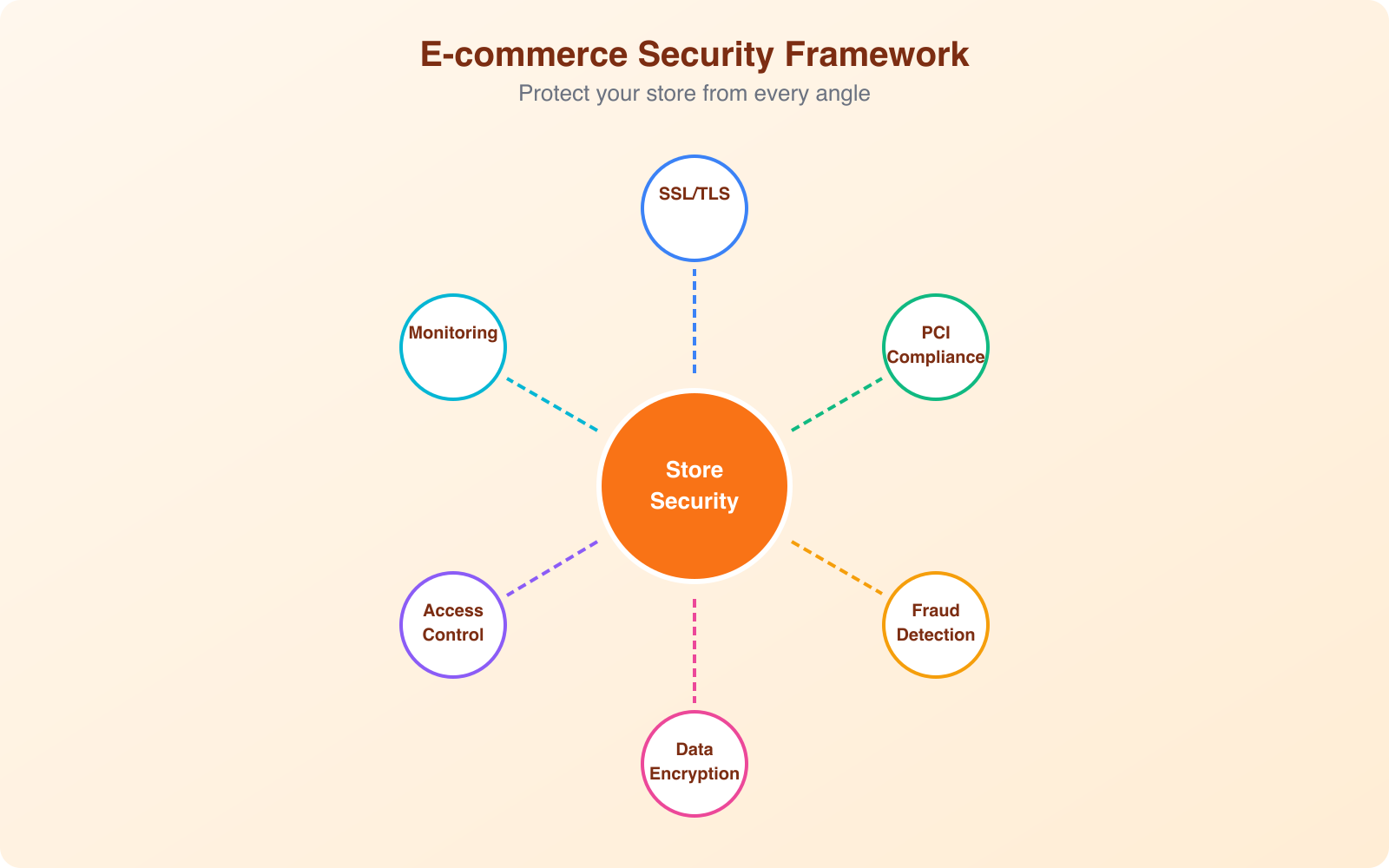
- SSL/TLS certificate. Every page, not just checkout. Free options from Let’s Encrypt work fine. Paid certificates from providers like SSL.com add extended validation for higher trust signals.
- PCI-compliant payment processing. Use Stripe, PayPal, or Square. Never store card data on your servers. Let the payment processor handle PCI compliance for the payment flow.
- Automatic updates. Enable automatic security updates for your platform, plugins, and themes. Most e-commerce breaches exploit known vulnerabilities that already have patches available.
- Strong admin credentials. Unique, complex passwords for every admin account. Enable two-factor authentication for all admin logins. This single step blocks 99.9% of automated credential attacks.
Protection Layer (Do This Next)
- Web Application Firewall (WAF). Sucuri or Cloudflare WAF filter malicious traffic before it reaches your server. WAFs block SQL injection, XSS, and most automated attacks. This is the single highest-ROI security tool for e-commerce.
- Automated backups. Daily backups stored off-server, with tested restore procedures. If the worst happens, you can restore a clean version of your store within hours rather than rebuilding from scratch.
- Malware scanning. Continuous scanning for injected scripts, modified core files, and suspicious file changes. Catches Magecart-style skimming attacks that manual review would miss.
- Rate limiting. Throttle login attempts, API requests, and checkout submissions. This prevents credential stuffing, inventory scraping, and checkout fraud bots.
Advanced Layer (For Growing Stores)
- Fraud detection. Tools that analyze transaction patterns and flag suspicious orders before they process. Look for velocity checks, geolocation mismatches, and device fingerprinting.
- Content Security Policy (CSP). HTTP headers that prevent unauthorized scripts from executing on your pages. This is your defense against Magecart attacks. A properly configured CSP would have prevented most of the major payment skimming incidents of the past few years.
- Security monitoring and alerting. Real-time alerts for failed login spikes, new admin accounts, file changes, and unusual traffic patterns. You can’t respond to threats you don’t know about.
- Penetration testing. Annual security assessments by external professionals. They’ll find vulnerabilities your automated tools miss. Budget $2,000 to $10,000 annually depending on store complexity.
Note: If you’re running a WooCommerce store, your biggest vulnerability is almost always outdated plugins. The WordPress ecosystem has over 60,000 plugins, and new vulnerabilities are disclosed daily. Use a maximum of plugins you actually need, delete the rest, and enable auto-updates for security patches. A WAF like Sucuri provides an additional layer that buys you time even when a zero-day vulnerability hits before a patch is available.
How to Respond When (Not If) an Incident Happens
Even with strong security, incidents can happen. Having a response plan means the difference between a contained incident and a catastrophic breach. Here’s the e-commerce incident response framework:
Hour 1: Contain. Take the compromised component offline. If it’s a payment skimming attack, disable the checkout page and switch to a maintenance mode. If it’s a credential compromise, force password resets for all admin accounts. Don’t try to investigate while the attack is ongoing. Containment first.
Hours 2 to 24: Assess. Determine the scope. What data was accessed? How many customers are affected? What was the attack vector? Bring in a forensic specialist if the breach involves payment data. Preserve logs and evidence before making changes.
Days 1 to 3: Remediate. Patch the vulnerability that was exploited. Rebuild from clean backups if the extent of compromise is unclear. Change all credentials, API keys, and encryption keys. Verify the fix by testing the specific attack vector that was used.
Days 3 to 7: Notify. Contact affected customers with clear, honest communication. Explain what happened, what data was involved, what you’re doing about it, and what they should do (change passwords, monitor accounts). Report to regulators within the required timeframes (72 hours for GDPR). Notify your payment processor and cyber insurance provider.
Weeks 2 to 4: Strengthen. Implement additional security measures based on lessons learned. Update your incident response plan. Consider a full security audit to identify other potential vulnerabilities. Share findings internally so the whole team understands what happened and how to prevent recurrence.
Getting Started: Your First 7 Days
You don’t need to implement everything at once. Here’s a 7-day action plan to get meaningful protection in place:
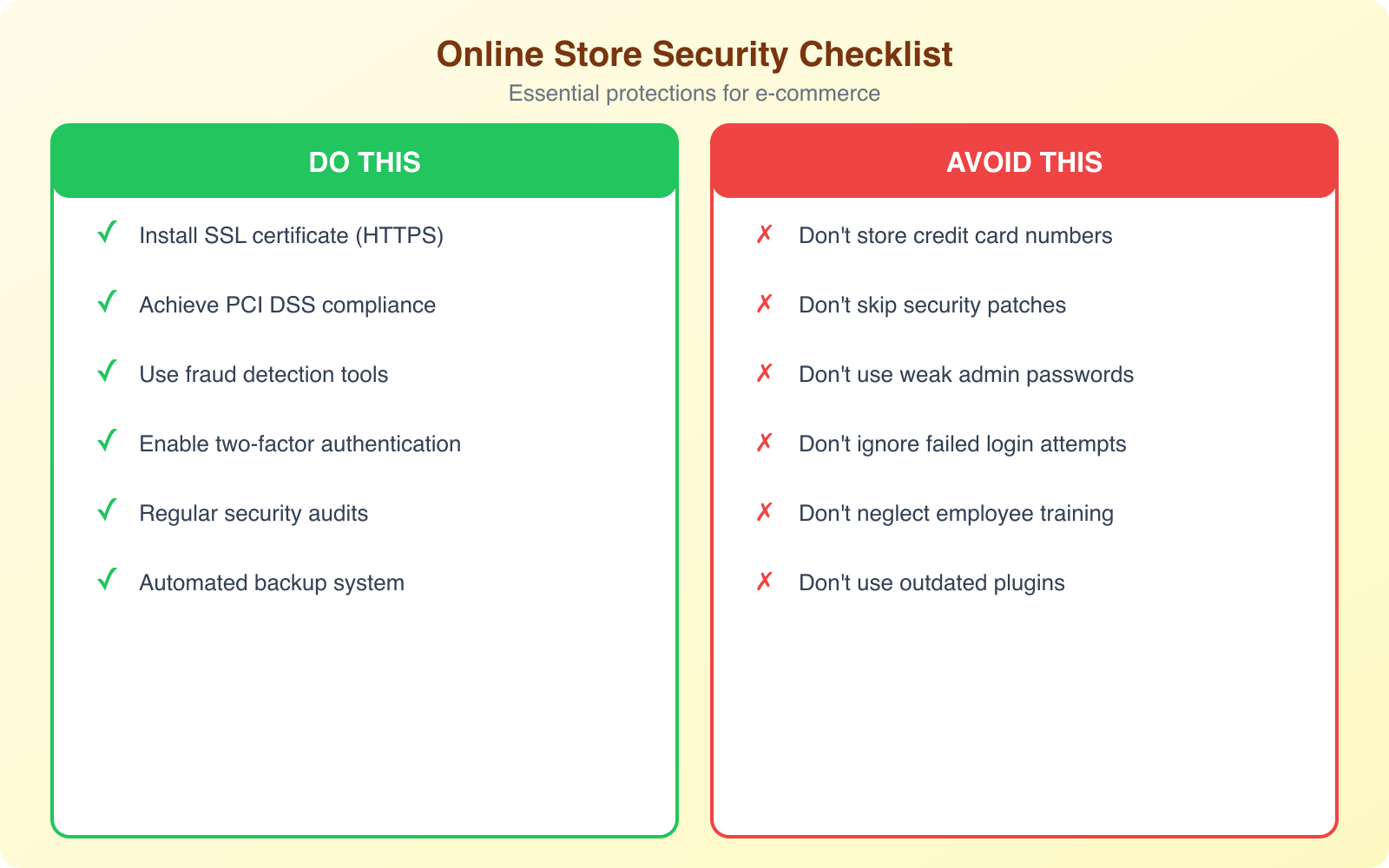
Day 1: Enable HTTPS on all pages. Verify your SSL certificate is current and properly configured. Test with SSL Labs for a free grade.
Day 2: Enable 2FA on all admin accounts. Remove any unused admin accounts. Change default usernames (like “admin”).
Day 3: Update your platform, all plugins, and all themes to the latest versions. Delete any plugins or themes you aren’t actively using.
Day 4: Set up automated daily backups stored off-server. Test the restore process on a staging environment. If you can’t restore, the backup is useless.
Day 5: Install and configure a WAF. Sucuri and Cloudflare both offer e-commerce-friendly plans that include malware scanning, DDoS protection, and firewall rules tuned for WordPress and WooCommerce.
Day 6: Review your payment processing setup. Confirm you’re using a PCI-compliant gateway. Verify you’re not storing card data on your servers. Check that your checkout page loads entirely over HTTPS with no mixed content warnings.
Day 7: Write a one-page incident response plan. Who gets called first? What gets taken offline? Where are the backups? Who communicates with customers? You’ll refine this over time, but having any plan is infinitely better than improvising during a crisis.
These seven steps won’t make your store impenetrable. Nothing will. But they eliminate the low-hanging fruit that automated attacks target first. And that’s enough to move your store from the “easy target” category to the “not worth the effort” category for the vast majority of attackers.
Frequently Asked Questions
How much should a small online store budget for cybersecurity?
A reasonable starting budget for a small e-commerce store is $50 to $300 per month. This covers an SSL certificate (free to $100/year), a WAF service like Sucuri or Cloudflare ($10 to $30/month), automated backup service ($5 to $20/month), and a malware scanning tool ($10 to $30/month). Many of these tools offer bundles. For example, Sucuri’s website security platform includes WAF, malware scanning, and CDN for around $200/year. Annual penetration testing adds $2,000 to $5,000 but can be deferred until you’re generating consistent revenue.
Is my Shopify or BigCommerce store already secure enough?
Hosted platforms like Shopify and BigCommerce handle infrastructure security (server hardening, PCI compliance for payments, DDoS protection) as part of their service. However, you’re still responsible for account security (strong passwords, 2FA on admin accounts), app/plugin security (third-party apps can introduce vulnerabilities), data handling practices, and compliance with privacy regulations. Think of it like renting a secure building: the landlord maintains the locks, but you still need to not leave the door open.
What’s the single most important security measure for an online store?
If you can only do one thing, enable two-factor authentication on all admin accounts. The most common e-commerce breaches start with compromised admin credentials. 2FA blocks 99.9% of automated credential attacks and virtually all opportunistic account takeover attempts. It takes 5 minutes to set up and costs nothing. After that, the second most impactful measure is a web application firewall, which blocks the majority of automated vulnerability exploitation attempts.
How often should I update my store’s plugins and themes?
Security updates should be applied within 24 to 48 hours of release. Most e-commerce platform breaches exploit known vulnerabilities that have patches available. Enable automatic security updates if your platform supports them. For major version updates that might affect functionality, test on a staging environment first, but don’t delay more than a week. Delete any plugins or themes you aren’t actively using, since even deactivated plugins can contain exploitable code. Run a maximum of the plugins you actually need and nothing more.
Do I need cyber insurance for my online store?
If you process more than $100,000 in annual transactions or store customer data for more than 1,000 users, cyber insurance is strongly recommended. Policies typically cost $500 to $5,000 annually for small e-commerce businesses and cover breach investigation costs, customer notification expenses, legal fees, regulatory fines, and business interruption losses. Many insurers require basic security measures (2FA, firewall, backups) as conditions of coverage. Without insurance, a single breach can cost $49,000 to $293,000+ for a small store, which is enough to cause permanent closure.
Your online store’s cybersecurity isn’t a project you complete once. It’s an ongoing practice, like keeping your physical store locked and your inventory monitored. The threats evolve, your store evolves, and your security needs to evolve with both. But the first step is always the same: stop assuming you’re too small to be a target and start acting like the data you hold is worth protecting. Because it is.
Disclaimer: This site is reader-supported. If you buy through some links, I may earn a small commission at no extra cost to you. I only recommend tools I trust and would use myself. Your support helps keep gauravtiwari.org free and focused on real-world advice. Thanks. - Gaurav Tiwari