
Beyond Hollywood: The Real-World Importance of Bug Sweeps
Surveillance devices cost $15 on Amazon. A hidden camera disguised as a phone charger. A microphone that fits inside a pen. A GPS tracker smaller than a coin. The tools for eavesdropping have never been cheaper, smaller, or easier to deploy. Bug sweeps aren’t a paranoid fantasy from spy movies. They’re a practical security measure that businesses and individuals are increasingly using to protect sensitive information.
I’ve worked with security-conscious businesses who take information protection seriously. Whether it’s a tech startup protecting IP, a law firm safeguarding client privilege, or an executive concerned about corporate espionage, bug sweeps are part of a comprehensive security strategy. Here’s what you need to know about how they work and when you need them.
What Are Bug Sweeps and How Do They Work?
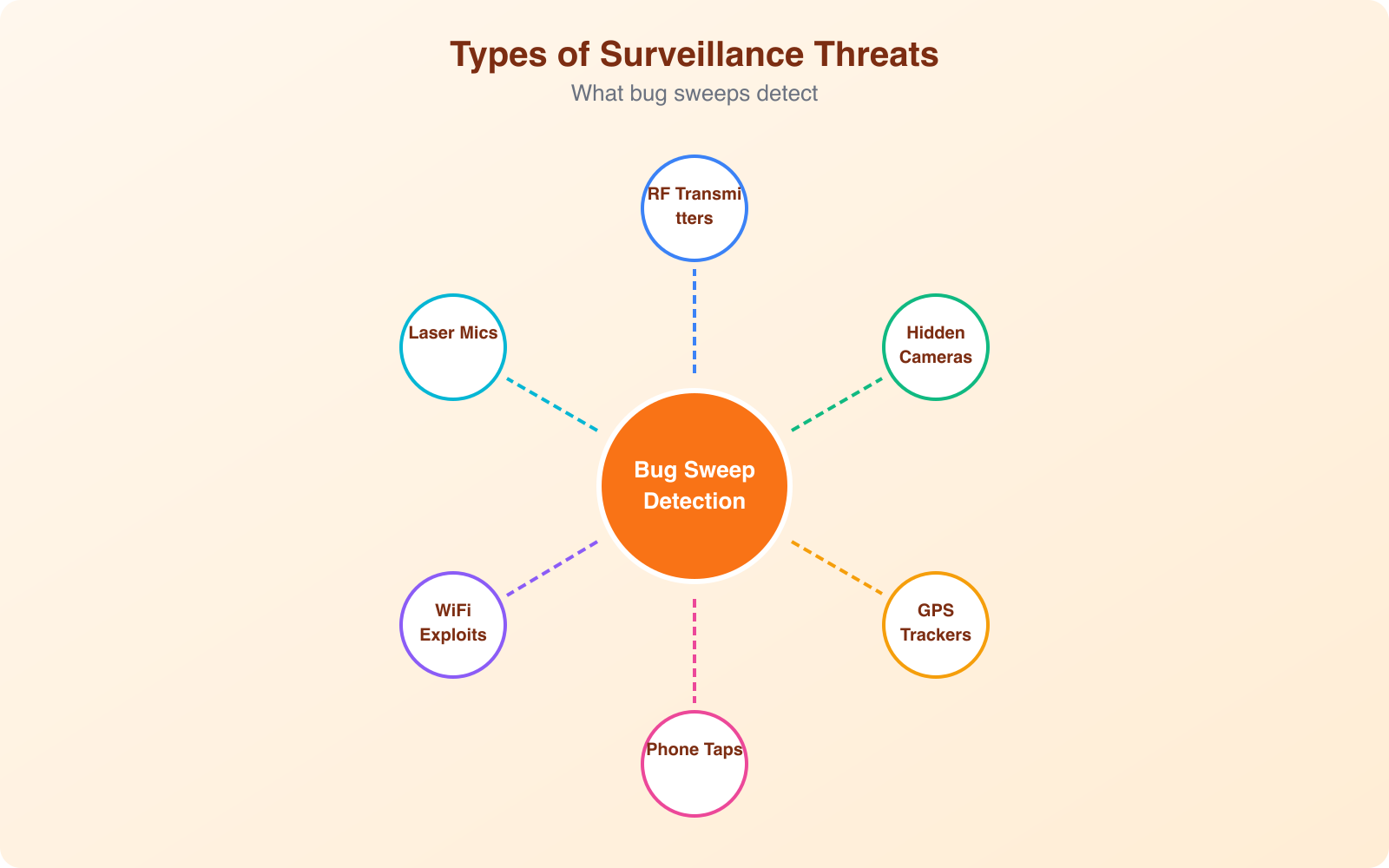
A bug sweep (also called a Technical Surveillance Countermeasures inspection, or TSCM) is a systematic search for hidden electronic surveillance devices in a physical space. Trained professionals use specialized equipment to detect covert microphones, cameras, GPS trackers, and other monitoring devices that shouldn’t be there.
Modern surveillance devices transmit data via radio frequencies (RF), Wi-Fi, Bluetooth, cellular networks, or record data locally on internal storage. Professional bug sweep equipment detects these transmissions and identifies anomalies that indicate hidden devices. The sweep covers walls, furniture, electronics, light fixtures, power outlets, and any other location where a device could be concealed.
A typical professional sweep takes 2-4 hours for a standard office or conference room and uses multiple detection methods: RF spectrum analysis, non-linear junction detection (finds electronic components even when they’re turned off), thermal imaging, and physical inspection. The combination of electronic and physical methods is what makes professional sweeps effective. No single tool catches everything.
The Growing Threat of Electronic Surveillance
The global spy camera market is worth over $3 billion in 2026. That number alone tells you how widespread surveillance devices have become. But the threat goes beyond purpose-built spy equipment. Your smartphone, smart TV, smart speaker, and IoT devices all have microphones and cameras that can be compromised remotely.
Corporate espionage costs businesses an estimated $600 billion per year globally. Trade secrets, merger discussions, product launches, pricing strategies, and client lists are all valuable targets. A competitor, a disgruntled employee, or a foreign intelligence service can plant a listening device during a routine office visit and gain access to months of confidential conversations.
The threat isn’t limited to corporate settings. Landlords bugging rental properties, estranged partners planting trackers, and stalkers using hidden cameras are all documented real-world scenarios. The legal consequences for the perpetrators are severe (federal wiretapping laws carry penalties of up to 5 years in prison), but that doesn’t stop people from trying.
When You Need a Bug Sweep
Not everyone needs regular bug sweeps. But certain situations dramatically increase your risk of being surveilled. Here’s when professional TSCM services are worth the investment.
High-Value Business Situations
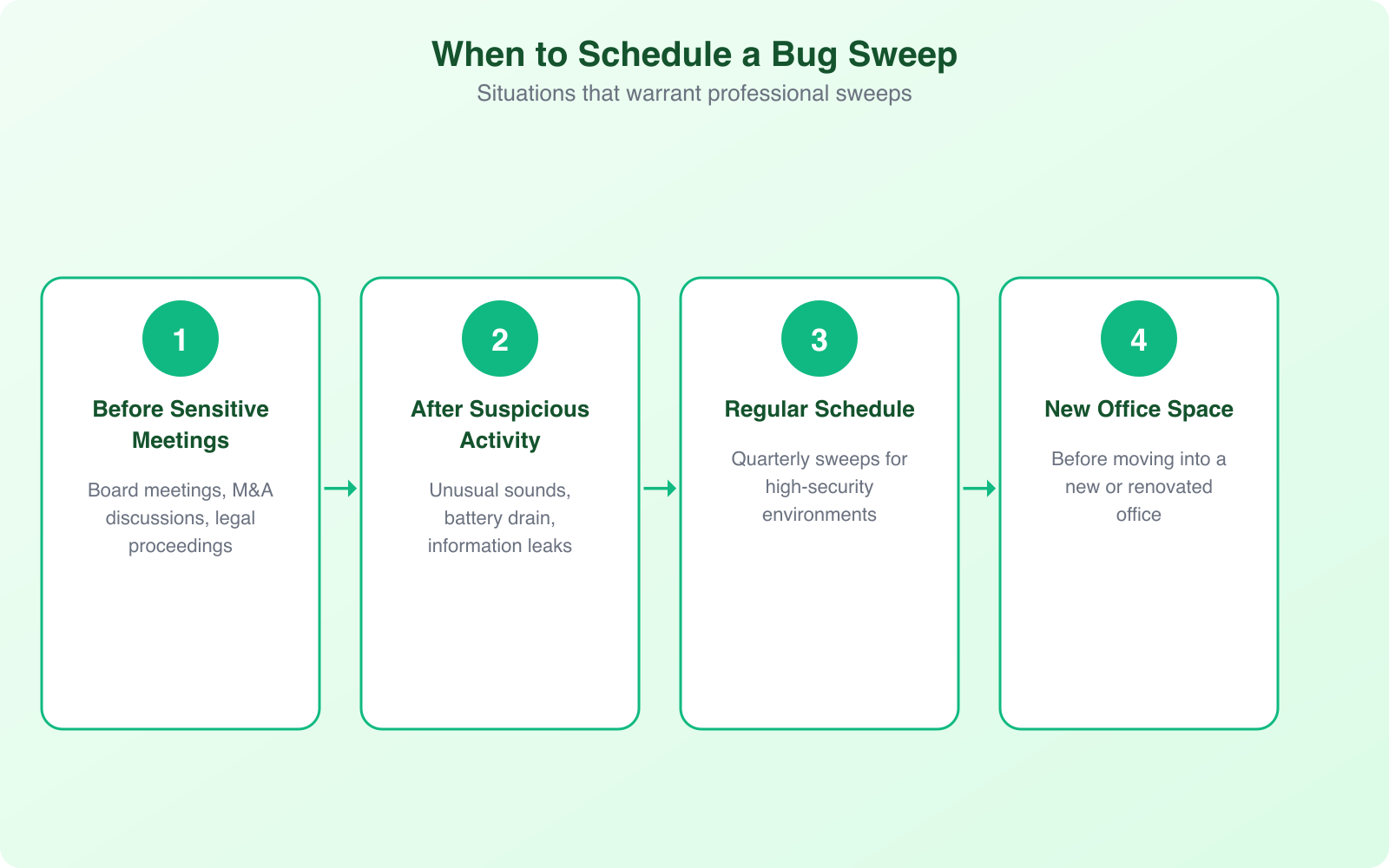
Mergers and acquisitions, patent filings, product launches, litigation strategy sessions, and board meetings all involve information that competitors would pay dearly to access. If your conference room hosts discussions worth millions of dollars, a $2,000-$5,000 sweep is cheap insurance. Sweep before major meetings, not after you suspect a leak.
After Personnel Changes
When key employees leave, especially to competitors, there’s a window of vulnerability. They may have planted devices before departure or shared access information with outside parties. A sweep after any contentious departure is a reasonable precaution, particularly if the departing employee had access to sensitive areas.
Unusual Signs
Competitors who seem to know your strategy before you execute it. Sensitive information appearing in unexpected places. Unusual electrical interference in your office. Unfamiliar objects appearing in your workspace. New “gifts” or accessories left behind by visitors. These are all potential indicators that warrant investigation.
Regular Maintenance
Some organizations conduct quarterly or monthly sweeps as part of their standard security protocol. This is common in law firms, financial institutions, defense contractors, and executive suites. Regular sweeps establish a baseline of normal RF activity in your space, making it easier to spot anomalies when they appear.
Schedule bug sweeps for off-hours when the building is empty. Many surveillance devices are programmed to activate only during business hours, and sweeping during those hours creates background noise that can mask hidden transmissions. An evening or weekend sweep with minimal RF interference gives the best detection results.
DIY vs. Professional Bug Sweeps
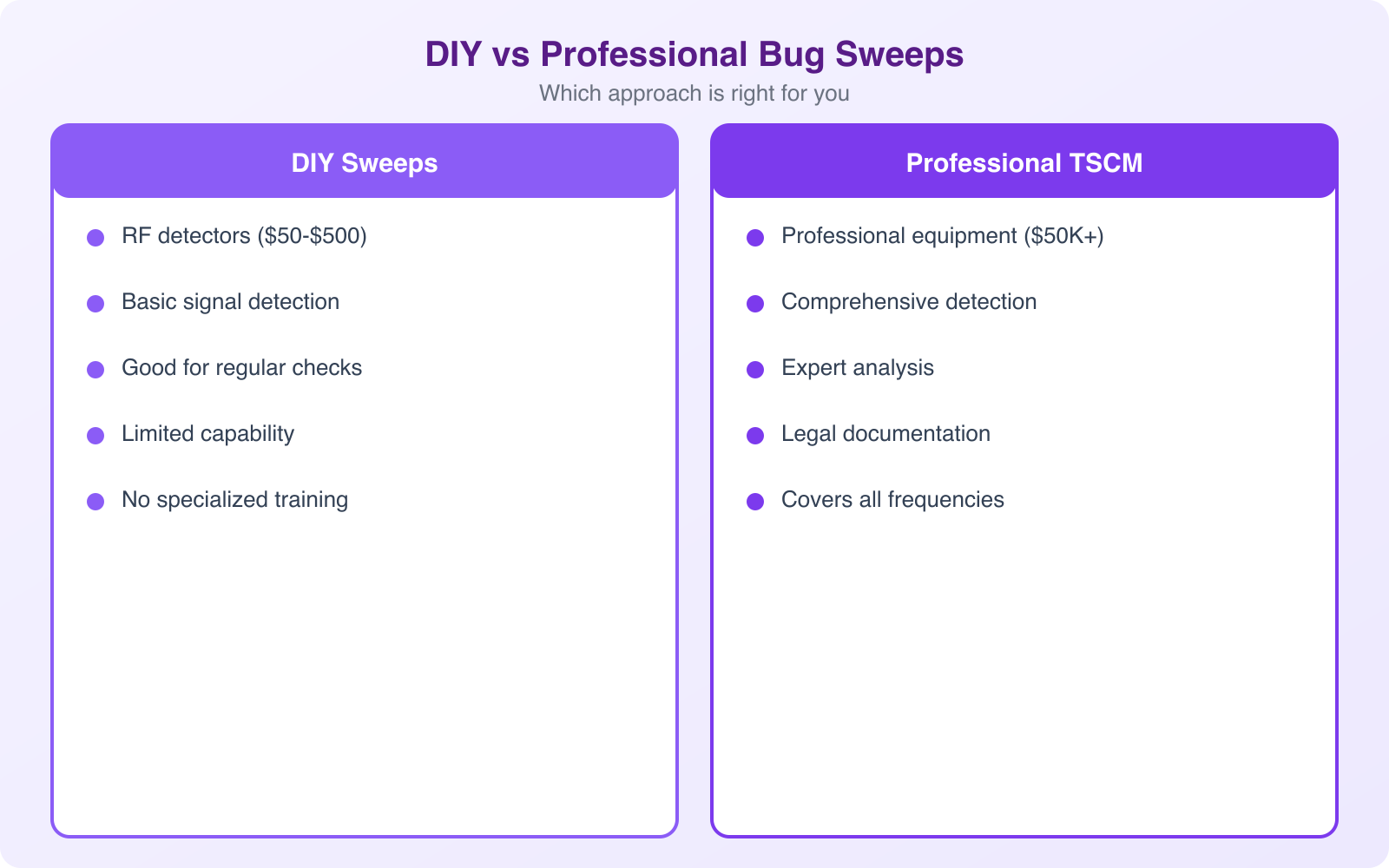
Consumer bug detection devices are available for $50-$300 on Amazon. They promise to find hidden cameras and listening devices. Here’s the honest truth: they catch about 10-20% of what a professional sweep finds. If you’re dealing with a serious threat, consumer devices give you a false sense of security.
What DIY Detection Can Do
Basic RF detectors can find cheap, continuously transmitting devices. Camera lens finders (which use infrared light to reflect off camera lenses) can spot obvious hidden cameras. These tools are useful for basic checks in hotel rooms, Airbnbs, or changing rooms. They’re better than nothing for personal use.
What DIY Detection Misses
Consumer devices can’t detect burst-transmitting bugs (which store data and transmit in short, scheduled bursts), hardwired microphones (which don’t emit RF signals), devices that transmit on cellular frequencies, or inactive devices waiting to be activated remotely. They also generate frequent false positives from Wi-Fi routers, Bluetooth devices, and other legitimate electronics in the area.
When to Go Professional
If the information being discussed in your space is worth more than the cost of a professional sweep ($500-$10,000), go professional. Professional TSCM operators use equipment costing $50,000-$200,000 and have training that takes years to develop. They know where to look, what to look for, and how to distinguish genuine threats from false alarms.
Digital Security: The Other Half of the Equation
Physical bug sweeps only address part of the surveillance threat. In 2026, digital surveillance is equally or more dangerous. Your phone, laptop, and connected devices can be compromised remotely without anyone ever entering your physical space.
Device security: Keep all devices updated with the latest security patches. Use strong, unique passwords for every account. Enable two-factor authentication everywhere possible. Use a VPN on public Wi-Fi. These basics prevent the majority of remote surveillance attempts.
Network security: Segment your office Wi-Fi (separate networks for staff, guests, and IoT devices). Use enterprise-grade Wi-Fi encryption (WPA3). Monitor your network for unauthorized devices. A rogue Wi-Fi access point planted in your office can intercept all unencrypted network traffic.
Communication security: For truly sensitive conversations, use end-to-end encrypted messaging (Signal, not regular SMS). For video calls, use platforms with end-to-end encryption. Consider a Faraday bag for your phone during sensitive in-person meetings. It blocks all wireless signals, ensuring your phone can’t be used as a remote listening device.
Vulnerability Scanning and Penetration Testing
While physical bug sweeps protect your physical space, vulnerability scanning and penetration testing protect your digital infrastructure. Together, they form a complete security posture.
Vulnerability scanning is automated. Tools like Nessus, Qualys, and OpenVAS scan your network, servers, and applications for known security weaknesses. They check for missing patches, misconfigured services, default passwords, and other common vulnerabilities. Run these scans monthly at minimum. They’re fast, inexpensive, and catch the low-hanging fruit that most attacks exploit.
Penetration testing is manual. A skilled security professional (or team) actively tries to breach your systems using the same techniques an attacker would use. They attempt to exploit vulnerabilities, bypass access controls, and gain unauthorized access to sensitive data. A good pentest simulates a real attack and reveals weaknesses that automated scans miss. Budget for an annual pentest and fix whatever they find immediately.
For businesses that handle sensitive client data, penetration testing isn’t optional. Industries like healthcare (HIPAA), finance (PCI DSS, SOX), and government contracting (NIST 800-171) require regular security assessments as a compliance obligation.
The average cost of a data breach in 2026 is $4.45 million. A comprehensive security program (bug sweeps, vulnerability scanning, penetration testing, and employee training) costs a fraction of that. Security spending isn’t an expense. It’s insurance against a catastrophic loss.
Building a Security-First Culture
Technology alone can’t protect your organization. The biggest security vulnerability in any business is its people. Phishing attacks, social engineering, and insider threats account for the majority of security breaches, and no amount of hardware or software can fix a culture that doesn’t take security seriously.
Train every employee on security awareness at least annually. Cover phishing recognition, physical security basics, clean desk policies, and how to report suspicious activity. Make security everyone’s responsibility, not just the IT department’s.
Implement a clear incident response plan so everyone knows what to do when something goes wrong. Who do you call? What do you document? How do you contain the threat? Practicing your incident response plan through tabletop exercises is just as important as having one.
Frequently Asked Questions
How much does a professional bug sweep cost?
A professional TSCM (Technical Surveillance Countermeasures) sweep costs $500-$2,000 for a single room, $2,000-$10,000 for a full office suite, and $300-$1,500 for a vehicle sweep. Prices vary by location, the sophistication of equipment used, and the scope of the inspection. Annual contracts with quarterly sweeps typically reduce per-sweep costs by 20-30%.
Can I detect hidden cameras and microphones myself?
Consumer RF detectors ($50-$300) can find basic, continuously transmitting devices. Camera lens finders can spot obvious hidden cameras. However, these tools miss 80-90% of what professional equipment finds. They cannot detect burst-transmitting devices, hardwired microphones, inactive devices, or cellular-based bugs. DIY detection is reasonable for personal use (checking hotel rooms or Airbnbs), but inadequate for protecting high-value business information.
How often should a business conduct bug sweeps?
It depends on your risk level. High-security environments (law firms, defense contractors, executive suites) should sweep quarterly. Most businesses benefit from semi-annual sweeps plus additional sweeps before major meetings, after personnel changes, or when suspicious activity is noticed. Regular sweeps establish a baseline of normal RF activity that makes anomalies easier to detect.
What’s the difference between a bug sweep and a penetration test?
A bug sweep (TSCM) detects hidden physical surveillance devices like microphones, cameras, and GPS trackers in a physical space. A penetration test assesses digital security by attempting to breach computer systems, networks, and applications. Both are important components of a complete security program. Bug sweeps protect your physical conversations. Penetration tests protect your digital assets and data.
Is it legal to conduct a bug sweep on your own property?
Yes, it is legal to conduct a bug sweep in your own home, office, or vehicle. You have the right to check your own property for unauthorized surveillance devices. However, if you find a device, contact law enforcement before removing it, as they may want to preserve it as evidence. Planting surveillance devices on someone else’s property is illegal under federal wiretapping laws and can carry penalties of up to 5 years in prison and $250,000 in fines.
Final Thoughts
Bug sweeps aren’t paranoia. They’re practical risk management for anyone who discusses valuable information in physical spaces. Combined with digital security measures like vulnerability scanning, penetration testing, and employee training, they form a layered defense that protects your business from both physical and digital surveillance threats.
Start by assessing your risk level honestly. If your business deals with trade secrets, financial data, legal strategy, or other high-value information, professional bug sweeps should be part of your security budget. The cost of a sweep is nothing compared to the cost of a leaked strategy, a stolen product design, or a compromised negotiation. For more on keeping your business and personal data safe, check out my guides on defense from cyber threats and identity verification technology.