
13 Best Online Image Background Remover Tools for Flawless Results
You found the perfect product shot, but the cluttered kitchen counter behind it screams “amateur hour.” Or maybe you nailed a headshot, but the random parking lot in the background kills the vibe. I’ve been there more times than I can count.
Background removal used to mean 45 minutes in Photoshop with the pen tool, carefully tracing edges and praying the hair didn’t look like it was cut with safety scissors. Not anymore. AI-powered background removers now handle the entire process in 2-5 seconds, and some of them are completely free.
I’ve tested every major background removal tool on the market, from free browser-based options to enterprise APIs processing thousands of images. Here are the 13 best online image background remover tools that actually deliver clean results in 2026.
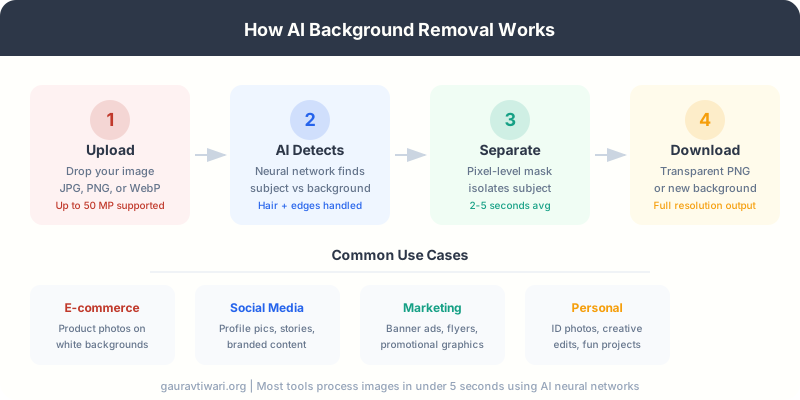
Best Online Image Background Remover Tools
I ranked these tools based on three things: removal quality (especially around hair and complex edges), pricing fairness, and whether they actually work without forcing you to create an account first. Let’s get into it.
1. Remove.bg

Remove.bg
- Processes up to 50 megapixel images
- Desktop app for batch processing
- REST API with 50 free calls/month
- Unused credits roll over (up to 5x)
The industry standard for AI background removal. Handles hair, fur, and complex edges better than most competitors. REST API available for developers.
Remove.bg is the tool most professionals reach for first, and for good reason. It consistently produces the cleanest cutouts, especially around tricky areas like flyaway hair, semi-transparent fabrics, and animal fur. The AI has been trained on millions of real-world photos, and it shows.
The free tier gives you a low-resolution preview, which is fine for social media posts or quick mockups. For full-resolution downloads, you’ll need credits starting at $9/month for 40 images. The real power is in the API. If you’re running an e-commerce store with hundreds of product photos, you can integrate Remove.bg directly into your workflow and process images automatically.
One thing I appreciate: unused subscription credits roll over up to 5x your monthly limit. So if you have a slow month, those credits don’t vanish.
Remove.bg’s API offers 50 free preview calls per month. That’s enough to test integration with your existing tools before committing to a paid plan.
2. Adobe Express

Adobe Express
- Unlimited free background removal
- Powered by Adobe Firefly AI
- Video background removal included
- 100K+ templates on free plan
Adobe’s free background remover powered by Firefly AI. Unlimited removals with no watermarks on the free plan. Also handles video backgrounds.
Here’s the biggest surprise on this list: Adobe Express offers unlimited free background removal with no watermarks. Yes, Adobe. The same company that charges $55/month for Photoshop. Their Express tool uses Firefly AI to detect and remove backgrounds, and the quality is genuinely impressive.
The free plan also includes access to 100,000+ templates, 1 million+ stock assets, and 5GB of storage. If you upgrade to Premium at $9.99/month, you get 250 generative AI credits per month and 200 million+ stock assets. But for background removal alone? The free plan is more than enough.
Adobe Express also removes backgrounds from videos, which most competitors can’t touch. If you regularly need both image and video background removal, this is a no-brainer.
3. PhotoRoom
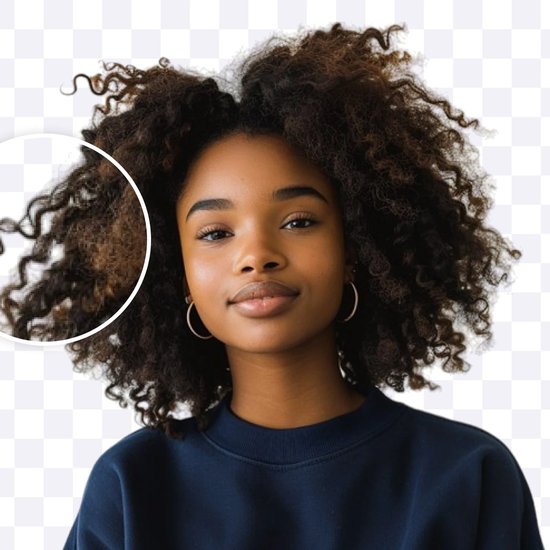
PhotoRoom
- 250 free exports per month
- Batch: 50 images (Pro), 250 (Max)
- API at $0.01/image for high volume
- AI-generated replacement backgrounds
The go-to tool for e-commerce sellers. Batch process up to 250 product photos at once. Strong mobile app for on-the-go editing.
PhotoRoom is what I recommend to anyone selling products online. Whether you’re listing on Amazon, Etsy, or Shopify, PhotoRoom understands that you don’t just need the background removed. You need the product on a clean white background, properly centered, with consistent lighting across all your listings.
The free plan gives you 250 exports per month (some with watermarks). Pro at $12.99/month lets you batch process 50 images at once. Max at $34.99/month bumps that to 250 images per batch. For high-volume sellers processing thousands of images monthly, the API charges just $0.01 per image.
The mobile app is excellent too. Snap a product photo with your phone, remove the background, and list it, all without touching a computer.
4. Canva
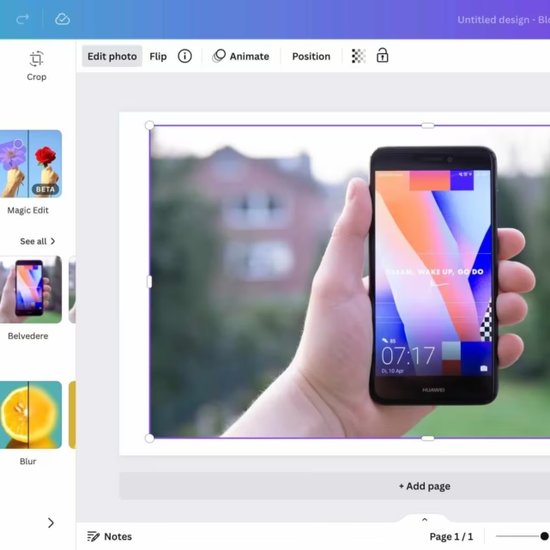
Canva Pro
- Background remover in Pro plan
- Full design suite with 100M+ assets
- Video background removal too
- Collaborative team editing
Full design suite with background removal built in. Pro plan includes unlimited BG removal plus templates, stock photos, brand kits, and collaborative editing.
Canva’s background remover is part of a much bigger package. You’re not just getting background removal. You’re getting a full design suite with templates, stock photos, brand kits, and collaborative editing. If you already pay for Canva Pro ($15/month or $120/year), the background remover is baked in.
The removal quality is solid for most use cases. It handles people and objects well, though it can struggle with very fine hair detail compared to Remove.bg. Where Canva shines is the workflow: remove the background, drop in a new one, add text and graphics, and export. All in one place.
Free users get one trial use of the background remover. After that, it’s locked behind Pro. If you only need background removal, Canva Pro is overkill. But if you’re already using it for design work, it’s a convenient bonus.
5. Pixlr
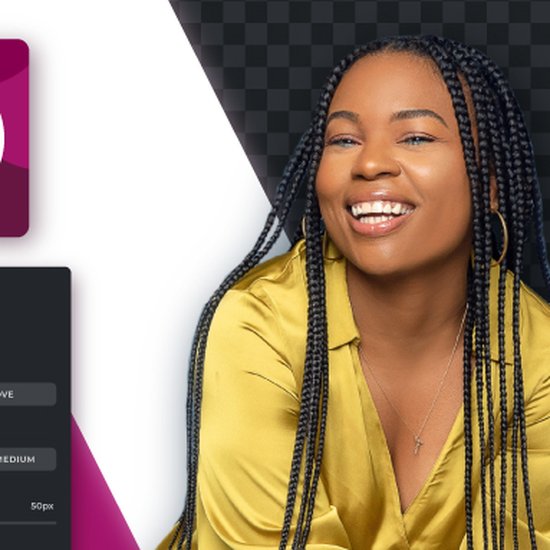
Pixlr
- Free removal, no watermark, no signup
- Batch processing (100+ images)
- Up to 16 MP (4096×4096) output
- Paid plans from $1.49/month
Free browser-based background removal with no watermarks and no signup required. Batch process 100+ images on paid plans starting at just $1.49/month.
Pixlr is the best free option if you want zero friction. No account creation. No watermarks on the free tier. Just drag your image in, wait 3-5 seconds, and download the result. It handles complex edges including hair and shadows better than you’d expect from a free tool.
The free version outputs up to 16 megapixel images (4096 x 4096), which is plenty for most use cases. If you need batch processing, the Plus plan at $1.49/month (billed yearly) or $2.49/month lets you process 100+ images at once. The Premium plan at $6.49/month adds more advanced editing tools.
For quick, one-off background removals, Pixlr is hard to beat. I use it when I just need something fast without logging into anything.
6. Removal.ai

Removal.ai
- Bulk upload 1,000+ images at once
- Free desktop app for batch processing
- API with developer documentation
- Credits from $5.99/month (40 images)
Built for high-volume processing. Upload 1,000+ images in a single batch. Free desktop app for bulk operations. API available for developers.
Removal.ai exists for one reason: volume. If you need to process 1,000+ product images in a single batch, this is your tool. The free desktop app handles bulk operations, and the API integrates with your existing workflow. At $5.99/month for 40 credits (roughly $0.15 per image), it’s competitively priced for small-to-medium operations.
For higher volumes, lifetime credits are available at $8.99 for 10 credits (valid for 3 years). The AI handles standard product photos and portraits well, though it can struggle with very complex scenes. For straightforward e-commerce background removal at scale, Removal.ai delivers consistent results.
7. Fotor
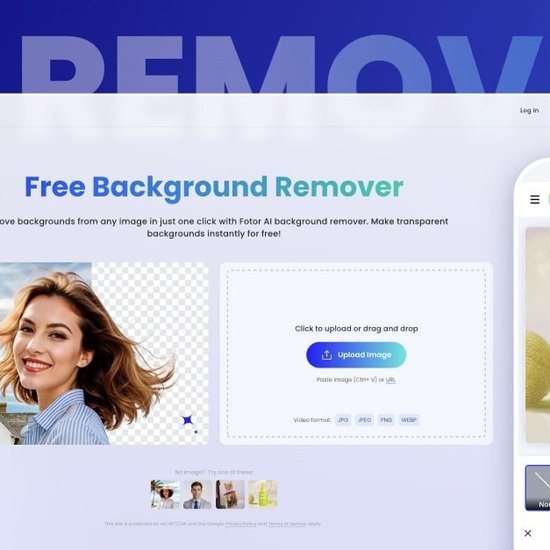
Fotor
- AI auto-detects and removes backgrounds
- Full photo editing suite included
- Available on desktop and mobile
- Pro plan from $10.99/month
All-in-one photo editor with AI background removal. Handles hair, fur, and complex edges. Available on Windows, Mac, and mobile.
Fotor’s AI background remover automatically detects subjects and removes backgrounds with one click. It handles hair, animal fur, and complex edges reasonably well for a mid-tier tool. The real value is that Fotor bundles background removal with a full photo editing suite, so you can remove the background, add effects, drop in clipart, and polish the final image without switching tools.
The free plan includes basic editing with watermarks. Pro starts at $10.99/month for full access. Fotor is available on Windows, Mac, and mobile. If you need an all-in-one image enhancer and editor that also removes backgrounds, Fotor is a solid choice. Just don’t expect Remove.bg-level precision on tricky edges.
8. Freepik
Freepik
- 1 free removal per day (no signup)
- AI-generated replacement backgrounds
- Unlimited for Pro ($19.99/mo annual)
- Integrated stock image library
AI background remover with text-to-background generation. One free removal per day. Unlimited for Pro subscribers. Huge stock asset library built in.
The Freepik AI Background Remover offers one free background removal per day without registration. If you’re a Freepik Pro subscriber ($19.99/month annually), you get unlimited removals. The tool uses AI to detect subjects and can replace backgrounds using either stock images from Freepik’s library or AI-generated scenes from text prompts.
The removal quality is solid, even with complex edges like textured clothing and hair. After processing, you can export in high resolution for any platform. The entire process runs in your browser. If you already use Freepik for stock assets, the background remover is a natural addition to your workflow.
9. Slazzer

Slazzer
- 500 images/minute via desktop app
- REST API with extensive parameters
- Top-up credits from $6 (2-year validity)
- Credits roll over up to 6x monthly
High-speed batch processor with extensive API. Desktop app processes up to 500 images per minute. Developer-friendly with detailed documentation.
Slazzer is built for speed. The desktop app processes up to 500 images per minute via drag-and-drop. The REST API supports extensive parameters for fine-tuning output. Pricing starts at $6 for 10 top-up credits (valid for 2 years) or $11/month for 100 subscription credits.
For developers, Slazzer’s API is well-documented and supports custom integrations. Preview images cost just 1/5 of a credit via the API, so you can test results before committing full credits. Unused subscription credits roll over up to 6x your monthly limit. If you’re building a tool or service that needs background removal as a feature, Slazzer’s API pricing is competitive.
10. Clipping Magic

Clipping Magic
- AI + manual scalpel for precision
- Bulk processing (100 concurrent threads)
- Re-edits don't cost extra credits
- Plans from $1.99/month (15 credits)
Combines AI automation with professional manual editing tools including a scalpel for pixel-precise cutouts. Re-edits don’t cost extra credits.
Clipping Magic is the only tool on this list that combines fully automatic AI with professional-grade manual editing tools, including a scalpel for pixel-precise cutouts. This makes it the best choice when the AI gets 95% right but you need that last 5% to be perfect.
Plans start at $1.99/month for 15 credits (Light) up to $9.15/month (Pro). There’s no free tier, only a preview. Re-edits don’t cost extra credits, so you can keep refining until you’re satisfied. The bulk processing feature handles up to 100 concurrent threads, making it viable for medium-volume e-commerce operations. If you need manual control alongside AI automation, Clipping Magic is your pick.
11. PhotoScissors
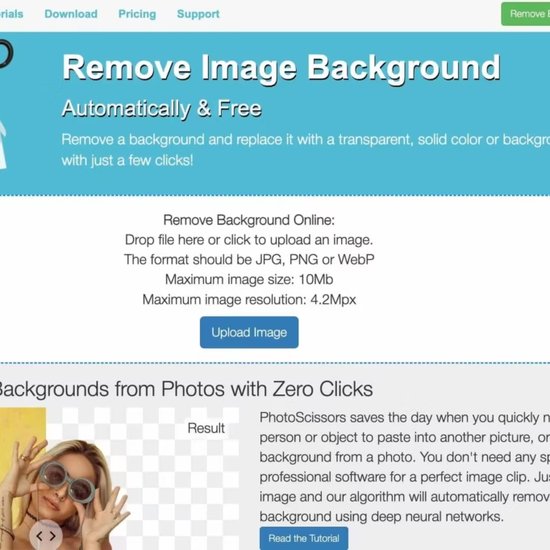
PhotoScissors
- Desktop app for offline processing
- $19.99/year for unlimited use
- Handles hair and transparent objects
- Available on Windows, Mac, iOS
Desktop-first background remover with deep neural network processing. One affordable annual price for unlimited use. Available on Windows, Mac, and iOS.
PhotoScissors takes a different approach: it’s primarily a desktop application. Upload an image, and the deep neural network algorithm isolates the subject automatically. The tool handles semi-transparent objects like hair and glass better than many web-based alternatives.
Pricing is straightforward: $2.99/month or $19.99/year for unlimited processing. That annual price is hard to beat if you do regular background removal work. Available on Windows, Mac, and iOS. The latest version (4.1.1, updated February 2026) continues to improve edge detection. If you prefer offline processing and don’t need an API, PhotoScissors is a reliable workhorse.
12. Depositphotos

Depositphotos
- 100% free, no account needed
- Supports JPG, PNG, WebP up to 30MB
- Downloads as transparent PNG
- Video background removal too
Completely free background remover with no account required. Upload JPG, PNG, or WebP (up to 30MB) and download transparent PNG. No watermarks, no limits.
The Depositphotos background remover is completely free for everyone, no account required. Upload a JPG, PNG, or WebP file (up to 30MB), and download the result as a transparent PNG. That’s it. No watermarks, no credit limits, no catch.
The quality is decent for a free tool, handling standard subjects well. It’s not going to match Remove.bg on complex hair or fur, but for quick product photos and simple portraits, it gets the job done. Depositphotos recently added video background removal too. If you need a quick, no-strings-attached background removal, bookmark this one.
13. Clipdrop

Clipdrop
- BG removal + 10 other AI tools
- Powered by Stability AI diffusion models
- Free basic plan available
- Pro plan at $9/month for everything
Multi-tool AI platform by Jasper. Background removal plus image generation, upscaling, cleanup, and relighting in one place.
Clipdrop (now under the Jasper ecosystem after being acquired from Stability AI) is a multi-tool AI platform. Background removal is just one of its features alongside image generation, upscaling, cleanup, and relighting. The free plan covers basic removals, and Pro at $9/month unlocks everything.
The background removal quality is good, powered by the same diffusion model technology that Stability AI built. Where Clipdrop stands out is the combination of tools: remove a background, upscale the image, clean up artifacts, and generate a new background. All in one place. If you need a Swiss Army knife for AI image editing, Clipdrop covers more ground than any dedicated background remover.
Built-in Background Removal (No Extra Tools Needed)
Before you install anything, check what you already have. Both Apple and Google now include background removal features in their native photo apps.
Apple Photos (iOS 16+ / macOS Ventura+): Long-press any subject in the Photos app to “lift” it from the background. On Mac, right-click and use Quick Actions > Remove Background. This works surprisingly well for casual use, though it doesn’t match dedicated tools for precision around hair. The newer Clean Up tool (iOS 18.1+, Apple Silicon required) removes distracting objects from scenes.
Google Photos Magic Eraser: This removes unwanted objects from photos rather than full backgrounds. Free for Pixel owners, Google One subscription required for others. Great for removing photobombers or power lines, but it’s not a true background remover. You can’t export a transparent PNG.
Built-in tools are perfect for quick social media posts. For professional work (e-commerce listings, marketing materials, client deliverables), use a dedicated tool like Remove.bg or PhotoRoom for consistently clean results.
How to Choose the Right Background Remover
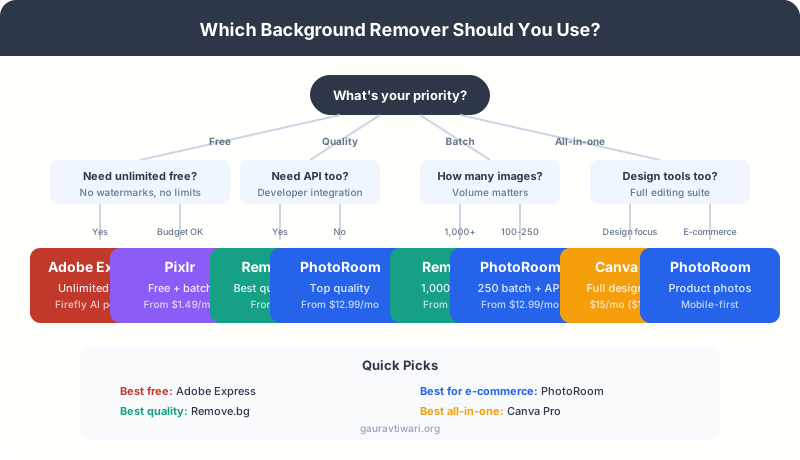
With 13 tools on this list, picking one can feel overwhelming. Here’s how I’d narrow it down based on your situation:
If you want the best free option: Adobe Express. Unlimited removals, no watermarks, powered by Firefly AI. The quality is good enough for most non-professional use cases.
If quality is your top priority: Remove.bg. It consistently handles the hardest edge cases (hair, fur, transparent objects) better than anyone else. Worth the cost if your images need to look perfect.
If you sell products online: PhotoRoom. The batch processing, mobile app, and e-commerce-specific features (white backgrounds, consistent sizing) save hours of work. The API at $0.01/image is a steal for high-volume sellers.
If you need batch processing on a budget: Removal.ai processes 1,000+ images in a single upload at $5.99/month. Slazzer’s API processes 500 images per minute for developers.
If you want an all-in-one design tool: Canva Pro. Background removal is just one feature in a massive design platform. Best if you’re already paying for it.
If you need quick, no-signup removal: Pixlr. Free, no watermark, no account needed. Drop your image in and download. Takes 3-5 seconds.
Tips for Getting Better Background Removal Results
Even the best AI tools aren’t perfect. Here’s how to get cleaner results from any background remover:
- Use high-contrast images. A dark subject on a light background (or vice versa) gives the AI clear boundaries to work with. Low-contrast photos where the subject blends into the background will always produce messier results.
- Good lighting matters. Evenly lit subjects with minimal shadows produce cleaner cutouts. Harsh shadows confuse the AI about where the subject ends and the background begins.
- Upload the highest resolution available. More pixels means more data for the AI to work with. A 4000px image will produce cleaner edges than a 400px thumbnail.
- For product photos, use a solid background. Even a cheap $15 photo backdrop makes a dramatic difference. The AI handles solid colors much better than cluttered scenes.
- Check edges at 200% zoom. Always zoom in on hair, fingers, and product edges before using the final image. Most tools offer manual touch-up options for problem areas.
For more tips on creating visual content that converts, check out my guide to visual content marketing. And if you need to enhance image quality before removing backgrounds, see my list of the best AI image enhancers.
Frequently Asked Questions
What is the best free background remover in 2026?
Adobe Express is the best free background remover in 2026. It offers unlimited background removals with no watermarks on the free plan, powered by Adobe’s Firefly AI. Pixlr is a close second, also offering free removal with no signup required and output up to 16 megapixels.
Which background remover gives the best quality results?
Remove.bg consistently produces the highest quality results, especially around difficult areas like hair, fur, and semi-transparent fabrics. It supports images up to 50 megapixels and offers both a web interface and REST API. Plans start at $9/month for 40 full-resolution downloads.
Can I remove backgrounds from images in bulk?
Yes. Removal.ai handles 1,000+ images in a single batch upload. Slazzer processes up to 500 images per minute via its API and desktop app. PhotoRoom supports batches of 50 (Pro) to 250 (Max) images. Pixlr offers batch processing of 100+ images on paid plans starting at $1.49/month.
Do I need Photoshop to remove image backgrounds?
No. AI-powered online tools like Remove.bg, Adobe Express, and Pixlr can remove backgrounds in 2-5 seconds with results that match or exceed manual Photoshop work for most use cases. Photoshop is still useful for extremely complex compositing, but for standard background removal, online tools are faster and easier.
Which background remover is best for e-commerce product photos?
PhotoRoom is the best choice for e-commerce. It offers batch processing, a mobile app for on-the-go editing, AI-generated replacement backgrounds, and an API at $0.01/image for high-volume sellers. The tool specifically optimizes for product photography with consistent white backgrounds and proper centering.
Can Apple Photos remove backgrounds?
Yes, since iOS 16 and macOS Ventura. Long-press a subject in Photos to lift it from the background. On Mac, right-click and use Quick Actions to remove the background. It works well for casual use but doesn’t match dedicated tools like Remove.bg for professional-quality results around complex edges.
Are free background removers good enough for professional use?
For social media posts and simple marketing graphics, yes. Adobe Express and Pixlr produce results that are good enough for most professional contexts. For client-facing work, high-end e-commerce, or images with complex edges (hair, transparent objects), invest in Remove.bg or PhotoRoom for consistently cleaner results.
Pick Your Tool and Start Removing Backgrounds
The background removal landscape has shifted dramatically. Adobe Express giving away unlimited free removals was a game-changer. Remove.bg remains the quality benchmark. PhotoRoom owns the e-commerce space. And Pixlr proves you don’t need to spend a dime for solid results.
My recommendation? Start with Adobe Express or Pixlr for free. If you hit their limits or need better quality, move to Remove.bg. If you’re processing products at scale, go straight to PhotoRoom or Removal.ai. And if you’re already paying for Canva Pro, you’ve already got a background remover built in.
Stop spending 45 minutes in Photoshop tracing edges by hand. These tools do it in seconds, and the results are better than most people can achieve manually. Pick one and start creating cleaner visual content today.
Disclaimer: This site is reader-supported. If you buy through some links, I may earn a small commission at no extra cost to you. I only recommend tools I trust and would use myself. Your support helps keep gauravtiwari.org free and focused on real-world advice. Thanks. - Gaurav Tiwari