
GOOSE VPN
GOOSE VPN provides secure, anonymous browsing with servers across 30+ countries. It encrypts your connection, blocks trackers, and bypasses geo-restrictions for streaming.…
GOOSE VPN provides secure, anonymous browsing with servers across 30+ countries. It encrypts your connection, blocks trackers, and bypasses geo-restrictions for streaming.…
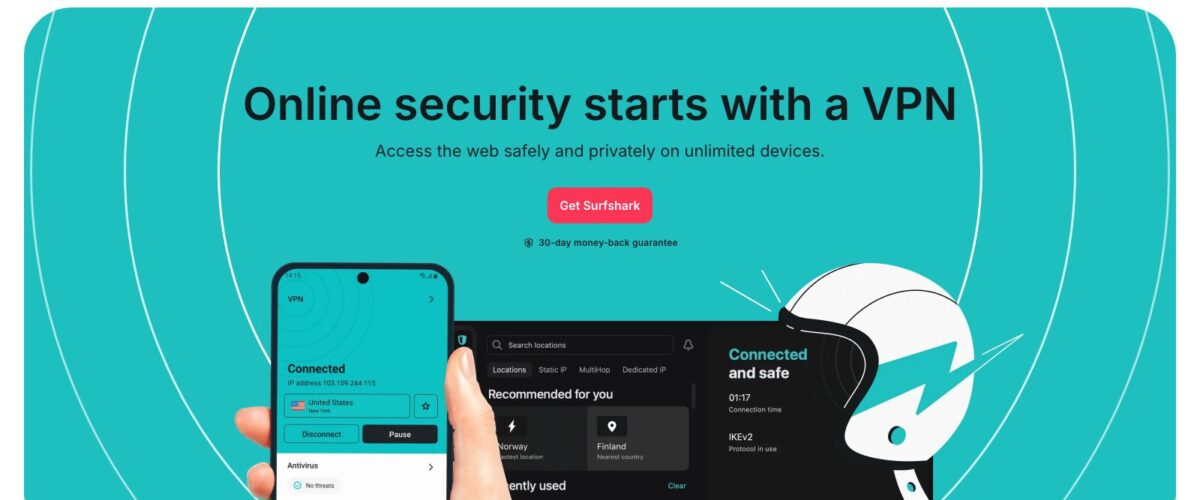
Surfshark is a VPN service that offers unlimited device connections, strong encryption, and competitive pricing. It provides privacy protection, geo-unblocking, and secure…
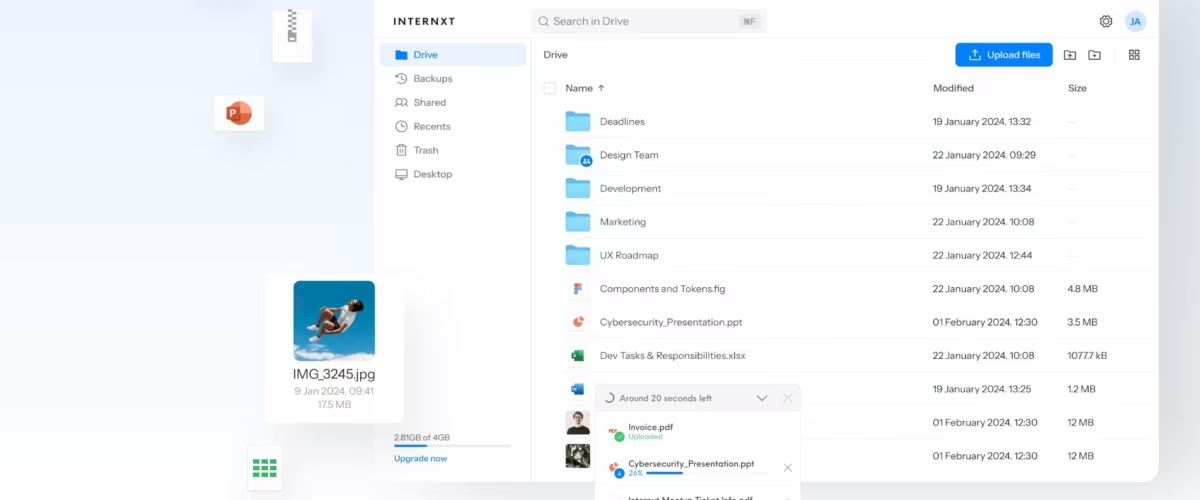
Internxt is a privacy-focused cloud storage provider that encrypts your files client-side before they ever leave your device. Unlike mainstream cloud services,…
NordVPN is consistently rated among the best VPN services available. With over 5,000 servers across 60+ countries, it delivers fast speeds, strong…

Namecheap VPN provides basic VPN protection bundled with their domain and hosting services. For existing Namecheap customers, it's a convenient add-on at…
Atlas VPN is a freemium VPN service that offers a surprisingly capable free tier alongside affordable premium plans. With servers optimized for…

NordLayer is a business VPN and network security solution from the team behind NordVPN. It provides secure remote access, network segmentation, and…
FastestVPN offers lifetime VPN plans at prices that seem too good to be true, but the service delivers decent performance for basic…
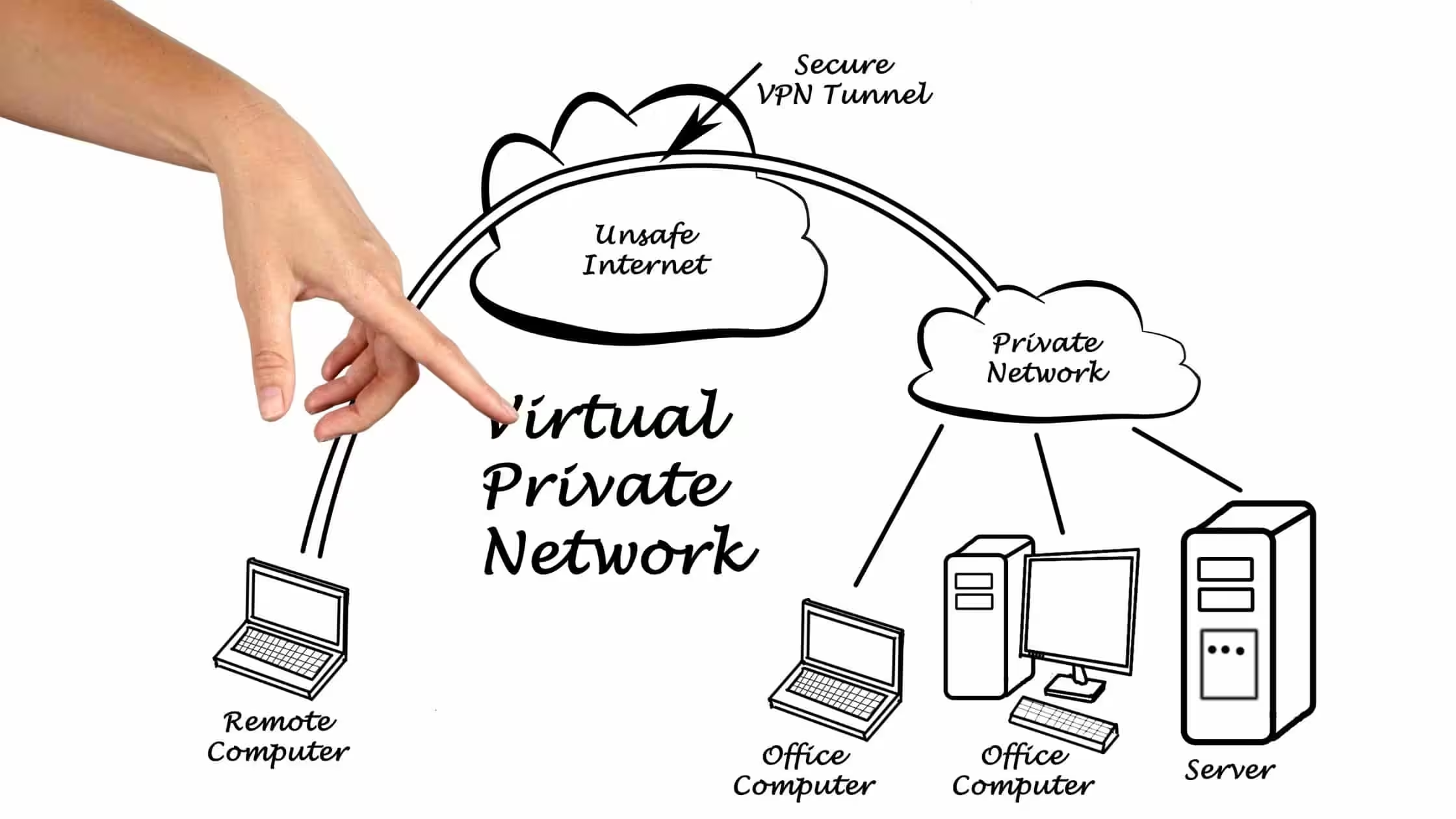
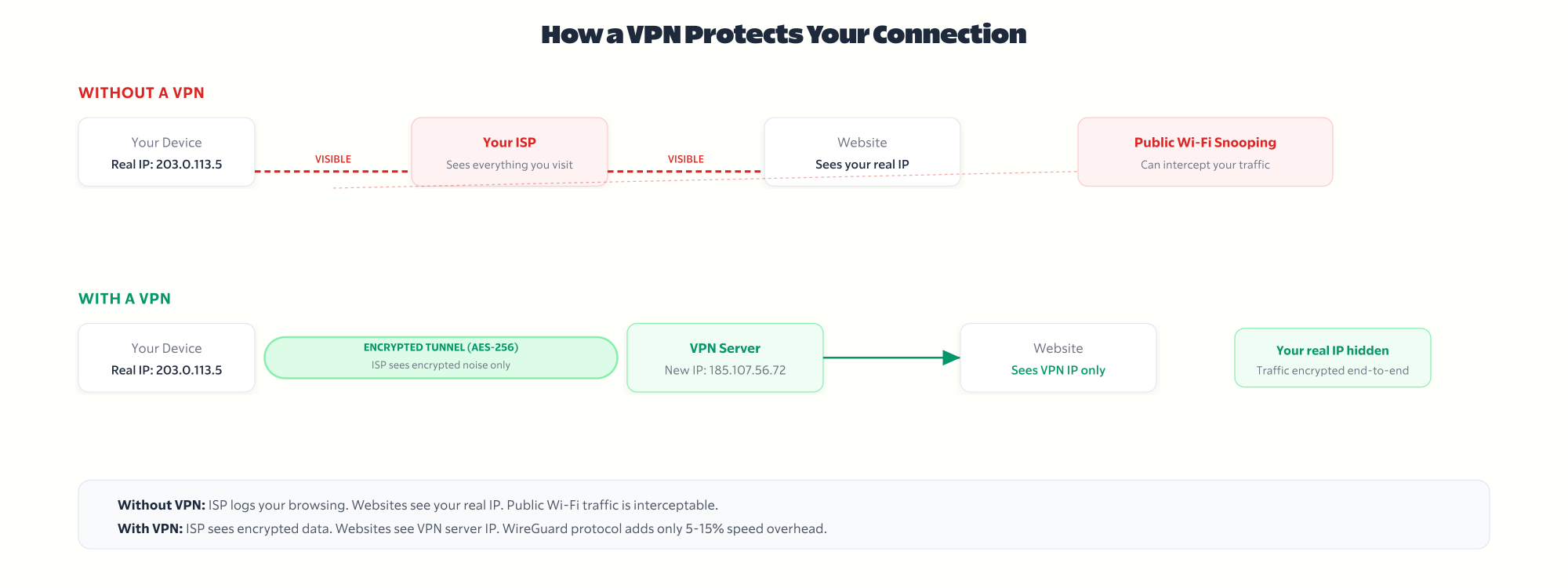
A VPN routes your traffic through an encrypted tunnel to a remote server, swapping your IP address with the server’s. Everything — browser, apps, OS-level connections — goes through it. Your ISP sees encrypted noise instead of your browsing history.
When you turn on a VPN, your data gets encrypted before it leaves your device. It travels to the VPN server, gets decrypted, and goes on to its destination. The return trip follows the same path in reverse. Simple concept, meaningful protection.
Algorithms convert your traffic into unreadable data. Think lock and key — the stronger the algorithm, the harder the lock to pick. AES-256 is the current gold standard.
Rules governing speed versus security tradeoffs. WireGuard is fast. OpenVPN is battle-tested. IKEv2 reconnects quickly on mobile. Most good VPNs let you switch.
Where the VPN company is based determines what data laws apply. What they log determines whether your “private” browsing is actually private. Read the policy, not the marketing.
In most countries, your internet provider can legally log and sell your browsing history. A VPN encrypts that traffic so they see nothing useful.
Coffee shops, airports, hotels — any open network is trivially easy to intercept. A VPN makes that interception pointless because the data is encrypted.
Streaming libraries, news sites, tools, pricing — they all vary by country. Connect to a server elsewhere and the restrictions disappear.
Use-case guides, reviews, and privacy deep-dives I’ve written over the years.
| Article | Type | Best for |
|---|---|---|
| Best Free VPN Services | Comparison | Try before buying |
| NordVPN Review | Review | In-depth analysis |
| Best VPNs for Gaming | Use-case | Low latency gaming |
| Best VPNs for Anime | Use-case | Region-locked anime |
| Best VPNs for Crunchyroll | Use-case | Crunchyroll libraries |
| How to Choose a VPN | Buyer guide | First-time buyers |
| VPN Speed Setup Guide | Tutorial | Maximum speed |
| Why Use a VPN | Educational | VPN basics |
| Maximize VPN Anonymity | Advanced | Privacy-focused |
Not everyone does. If you only browse mainstream sites on your home network and never travel, a VPN is a nice-to-have, not a must-have. But for most people reading this, the answer is probably yes.
You need a VPN if you regularly connect to public Wi-Fi (cafes, airports, hotels), if you want to access content that is blocked in your country, if you work remotely and handle sensitive data, or if you simply do not want your ISP tracking every site you visit.
You probably do not need a VPN if you only use your home network, if you are trying to be “anonymous” online (a VPN alone does not do that), or if your only concern is blocking ads (use an ad blocker instead).
A VPN is one layer of privacy. It is not a magic cloak. It hides your traffic from your ISP and encrypts your connection on untrusted networks. That is genuinely useful. But it does not make you invisible to Google, Facebook, or anyone you log into.
Free VPNs exist and some are worth using. But most come with tradeoffs that defeat the purpose of using a VPN in the first place.
What free VPNs give you:
What free VPNs take away:
The free VPNs I trust: Cloudflare 1.1.1.1 (WARP), ProtonVPN free tier, and Windscribe’s free plan. Beyond these three, I would not risk it.
If you need a VPN for streaming, torrenting, or daily use, pay for one. NordVPN, Surfshark, and Namecheap VPN all cost less than $4 per month on annual plans. That is cheaper than a single coffee. The performance difference between free and paid is massive.
There are over 100 VPN services and they all claim to be the fastest, most private, most secure. Here is what actually matters when you cut through the marketing.
1. No-logs policy with an independent audit. Every VPN says “no logs.” Only a few back it up with third-party audits. NordVPN has been audited by Deloitte. Surfshark by Cure53. If there is no audit, the no-logs claim is just marketing.
2. Speed on WireGuard. WireGuard is the fastest modern VPN protocol. Any VPN still defaulting to OpenVPN in 2026 is behind. Test the speed yourself during the trial period. If your connection drops below 60% of your base speed, move on.
3. Server count and locations. More servers means less congestion. More countries means more geo-unblocking options. 60+ countries is the minimum I would accept for a paid VPN.
4. Kill switch. If the VPN connection drops, a kill switch cuts your internet to prevent data leaks. This is non-negotiable. Every serious VPN has one.
5. Device support. Check that the VPN works on every device you use. Most support Windows, Mac, iOS, and Android. Some also cover Linux, routers, smart TVs, and Fire TV Stick. Simultaneous connections matter too. NordVPN allows 10. Surfshark allows unlimited.
6. Price after renewal. VPN pricing is designed to hook you with a low introductory rate. NordVPN’s 2-year plan is around $3.39 per month, but the renewal price jumps to $14.99 per month. Always check what you will pay after the first term.
Pros:
Cons:
Yes, but less than you think. Every VPN adds some latency because your traffic takes an extra hop through the VPN server and gets encrypted both ways.
With WireGuard (the protocol most modern VPNs use now), the speed loss is typically 5 to 15% on nearby servers. Connect to a server in your own country and you will barely notice. Connect to a server on the other side of the world and the drop is more noticeable, around 30 to 50%.
For context: if your base connection is 200 Mbps, a VPN on a nearby server will give you 170 to 190 Mbps. That is more than enough for 4K streaming, video calls, and large downloads.
The VPNs I recommend (NordVPN, Surfshark, Namecheap VPN) all support WireGuard and consistently test above 80% of base speed on nearby servers. If your VPN is giving you less than 50% of your base speed, switch to WireGuard or try a different server.
In most countries, yes. VPNs are completely legal in the United States, Canada, the UK, the EU, Australia, India, Japan, and most of the world.
A handful of countries restrict or ban VPN use: China, Russia, North Korea, Iraq, Turkmenistan, and Belarus either block VPN traffic or require government-approved VPN services. The UAE and Oman allow VPNs but prohibit using them for illegal activities (which is vaguely defined).
Using a VPN to access geo-restricted streaming content sits in a gray area. It violates the streaming service’s terms of service, not the law. Netflix can terminate your account for it, but no government is going to knock on your door.
Using a VPN does not make illegal activity legal. If something is illegal without a VPN, it is still illegal with one. A VPN is a privacy tool, not a legal shield.
A VPN protocol is the set of rules that determines how your data is encrypted and transmitted. Different protocols offer different balances of speed, security, and compatibility. Here is what you need to know about each one.
WireGuard is the newest and fastest protocol. It uses around 4,000 lines of code (compared to OpenVPN’s 70,000+), which makes it easier to audit and harder to exploit. Most modern VPNs now default to WireGuard. Use this unless you have a specific reason not to.
OpenVPN has been the industry standard for over 20 years. It is battle-tested, open-source, and works on almost every platform. Slightly slower than WireGuard but extremely reliable. Good fallback if WireGuard is blocked on a network.
IKEv2/IPSec reconnects quickly when switching between Wi-Fi and cellular, making it the best choice for mobile devices. Speed is comparable to WireGuard. Most VPN apps on iOS and Android use IKEv2 as the default or secondary protocol.
L2TP/IPSec and PPTP are outdated. L2TP is slow. PPTP is fast but has known security vulnerabilities. Neither should be used in 2026 unless there is genuinely no alternative.
My recommendation: use WireGuard for everything. Switch to OpenVPN if WireGuard is blocked. Use IKEv2 on mobile if you frequently switch networks.
Not every VPN is the right VPN for your specific situation. Here is what I recommend based on what you actually need it for.
Best VPN for streaming: NordVPN. Consistently unblocks Netflix, BBC iPlayer, Hulu, and Disney+ across multiple countries. Their SmartDNS feature works on devices that do not support VPN apps natively (smart TVs, gaming consoles).
Best VPN for privacy: ProtonVPN. Based in Switzerland (strong privacy laws), open-source apps, Secure Core routing that sends traffic through multiple countries before reaching its destination. The free tier is genuinely usable for basic privacy needs.
Best VPN on a budget: Namecheap VPN. At roughly $1 per month on their annual plan, it is the cheapest paid VPN I have tested that still offers decent speeds and WireGuard support.
Best VPN for gaming: NordVPN or Surfshark. Low latency on WireGuard, DDoS protection, and servers optimized for gaming traffic. I have a separate guide on VPNs for gaming with benchmarks.
Best free VPN: Cloudflare 1.1.1.1 (WARP) for casual use. ProtonVPN free tier if you want a traditional VPN with no data cap. Both are trustworthy and neither sells your data.
Best VPN for travel: NordVPN or ExpressVPN. Both work reliably in countries with heavy VPN blocking (China, UAE). NordVPN’s obfuscated servers are specifically designed for restrictive networks.
A VPN (Virtual Private Network) routes your internet traffic through an encrypted tunnel to a remote server. It hides your IP address, encrypts your data, and prevents your ISP from seeing your browsing activity. Your connection appears to come from the VPN server’s location instead of your actual location.
VPNs are legal in most countries including the US, UK, EU, Canada, Australia, and India. A few countries restrict or ban them, including China, Russia, North Korea, and Turkmenistan. Using a VPN does not make illegal activity legal. It is a privacy tool, not a legal shield.
Yes, but typically by only 5 to 15% on nearby servers using the WireGuard protocol. If your base speed is 200 Mbps, expect 170 to 190 Mbps through a VPN. Connecting to distant servers causes a larger drop. If you are losing more than 40% speed, switch protocols or try a closer server.
You can, but most free VPNs come with significant tradeoffs: speed throttling, data caps, limited servers, and some sell your browsing data. The free VPNs I trust are Cloudflare 1.1.1.1 (WARP), ProtonVPN free tier, and Windscribe’s 10 GB/month plan. For daily use, a paid VPN at $3 to $5 per month is worth it.
WireGuard is the fastest and most efficient protocol available in 2026. It uses roughly 4,000 lines of code compared to OpenVPN’s 70,000+, making it faster and easier to audit. Use WireGuard as your default. Switch to OpenVPN if WireGuard is blocked, and use IKEv2 on mobile devices that frequently switch networks.
No. A VPN hides your IP address and encrypts your traffic, but it does not make you anonymous. If you log into Google, Facebook, or any account while using a VPN, those services still know who you are. A VPN is one layer of privacy, not a complete anonymity solution.
Yes. Netflix actively blocks VPN IP addresses. Some VPNs are better at bypassing this than others. NordVPN and ExpressVPN consistently work with Netflix across multiple countries. Cheaper or free VPNs are usually blocked. If your VPN stops working with Netflix, try switching to a different server.
Most reputable VPNs cost $3 to $6 per month on 2-year plans. NordVPN is around $3.39/month, Surfshark around $2.19/month, and Namecheap VPN around $1/month. Watch out for renewal prices, which can jump to $12 to $15/month after the initial term.
For most people, yes. NordVPN offers fast speeds on WireGuard, 6,400+ servers in 111 countries, independently audited no-logs policy, and reliable streaming unblocking. The 2-year plan is competitively priced. The main downside is the renewal price increase after the first term.
A kill switch cuts your internet connection if the VPN drops unexpectedly. Without it, your real IP address and unencrypted traffic could leak during the brief moment the VPN reconnects. Every serious VPN includes a kill switch. Make sure it is enabled in your VPN settings.
If you are using a personal VPN on your own device, your employer cannot see your traffic. If you are using a company-provided VPN or device, the company can likely monitor your activity through the VPN itself or through device management software. Personal VPN on a personal device is the only combination that gives you privacy from your employer.
On mobile devices and laptops that connect to different networks, yes. The performance impact is minimal with WireGuard, and you get consistent protection without having to remember to toggle it on. On a desktop at home, it is less critical but still a good habit if you value privacy from your ISP.
A VPN matters most when you’re using free streaming sites. These guides cover legal options — and why a VPN adds real protection:
Pick one.
Install it.
Move on.