
 by
by
So, your kid is going to watch YouTube. Mine does too. The only question worth arguing about is whether the next 20 minutes teach them anything.
There is no single best channel, and any list that gives you one is guessing. The right educational YouTube channels for kids depend almost entirely on how old your child is and what they’re trying to learn. Sesame Street is the strongest thing on the platform for a 4-year-old and useless for a 10-year-old. TED-Ed is the reverse.
So this list is organized by age and by job, not by a ranking I made up.
One honest thing before the picks, because most lists skip it. No entire YouTube channel is automatically safe for every child. YouTube says so itself: it can’t manually review every video, no automated system is perfect, and videos surfaced through search don’t get human review at all. Channels change hands, topics drift, and a good channel can still hold a video you’d rather your child hadn’t found. The safety section below is the part I’d actually read first.
Every channel at a glance
Find your child’s age in the second column, then jump to that pick. The last column is the one parents ask me about most: whether you need to watch it first.
| Channel | Best for | Age or grade | Format | Status | Parent preview |
|---|---|---|---|---|---|
| Sesame Street | Preschool literacy, numbers, emotions | Roughly 2 to 5 | Short segments and songs | Active | Low, but pick the topic |
| Numberblocks | Early number sense | Roughly 3 to 6 | Animated episodes | Active | Low |
| Khan Academy Kids | Structured early learning | 2 to 8 | Songs and read-alouds on YouTube | Active | Low, but use the app |
| SciShow Kids | First science questions | Grades 1 to 3 | Experiments and inquiry | Active | Low |
| National Geographic Kids | Animals, nature, geography | Roughly 6 to 12 | Documentary clips | Active | Low |
| Crash Course Kids | Standards-matched lessons | Grades 3 to 5 | Fast-paced explainers | Archive plus new series | Low |
| TED-Ed | Curated single lessons | Roughly 10 and up | Animated lessons | Active | High, choose per lesson |
| Art for Kids Hub | Drawing together | Roughly 4 to 12 | Follow-along tutorials | Active weekly | Low |
| FunScienceDemos | Seeing a principle demonstrated | Roughly 6 to 12 | Filmed demonstrations | Sporadic | Required before copying |
| Kids Learning Tube | Memorizing names and sequences | Roughly 3 to 8 | Songs | Active | Low |
| Dodo Kids | Animal stories and empathy | Roughly 4 to 10 | Rescue storytelling | Active | Yes, upsetting themes |
| Socratica Kids | Clear science explanations | Roughly 5 to 10 | Short lessons | Archive | Low |
| Bright Side | Curiosity prompts only | Roughly 8 and up | General-interest lists | Active | Yes, verify claims |
Every channel on this page is free to watch, and free to watch is not the same as free of advertising. YouTube Kids carries limited ads, regular YouTube carries more, and a sponsorship baked into a video stays there even if you pay for Premium.
How I reviewed these channels
Treat any “parent-approved” label on a list like this as a starting point, not a guarantee. Channels drift. A channel that was genuinely educational three years ago can quietly turn into toy unboxings, and nobody sends you a notice when it happens. Watch a few minutes with your kid before you hand the tablet over.
Worth saying plainly, because “tested by real kids” is the kind of line that means nothing. Here is what I actually did and didn’t do.
What I checked, in August 2026:
- Current publisher descriptions and stated grade levels, taken from the operators themselves rather than from other roundups
- Whether the channel is genuinely still publishing, or an archive that stopped years ago
- Whether the educational claims belong to the YouTube channel or to a separate app the channel promotes
- Sensitive or upsetting themes a parent would want to know about before pressing play
- Whether individual videos need adult supervision to copy safely
What I didn’t do: I have not watched every video on 13 channels, and nobody has. I also could not verify which of these channels appear inside each YouTube Kids age setting from an Indian child profile, so there’s no column claiming that. Where I’m recommending on the publisher’s design rather than on something I watched, the entry says so.
I’ve dropped subscriber counts from this page entirely. They were wrong within months of the last update, and they never answered the question a parent is actually asking. Bright Side has roughly 20 times the audience of SciShow Kids and is the weaker educational channel of the two. Audience size measures reach, not teaching.
Star ratings are gone for the same reason. The old version scored these channels between 3.5 and 4.5 with no published method behind the numbers, which is worse than no score at all. A label like best science channel for grades 1 to 3 tells you more than 4.0 out of 5 ever did.
Set up YouTube Kids before you hand over the tablet
This is the section I’d do first, before you subscribe to anything on this page. Picking good channels and leaving the controls at default is the wrong order.
No entire YouTube channel is automatically safe for every child. YouTube says so itself.
YouTube Kids offers four content settings, and the fourth is the one most parents never turn on:
- Preschool for ages 4 and under
- Younger for ages 5 to 8
- Older for ages 9 to 12
- Approve content yourself, where your child sees only the videos, channels, and collections you have picked
Approve content yourself is the strongest setting available, and it disables search completely. That matters more than it sounds, because YouTube states that videos found through search are not subject to human review. Turning search off removes the single largest route to something you didn’t choose.
For a younger child, this is the setup I’d use:
- Create a separate profile for each child rather than sharing one
- Set the content level to match that child, not the oldest sibling
- Switch on Approve content yourself and add the specific channels or playlists you want
- Disable autoplay, which is a setting you choose and not something YouTube Kids does for you by default
- Set a timer so one selected lesson doesn’t become an open-ended session
- Check the watch history occasionally, and block anything you don’t want repeated
For an older child on supervised YouTube, you get a slightly different set: a supervised content level, the ability to block individual channels, watch-history review, autoplay off, break and bedtime reminders, and a Shorts limit.
One correction to advice you’ll see repeated everywhere, including in the older version of this page. YouTube Kids does not automatically disable autoplay, and it is not a guarantee of safe content. YouTube’s own parent documentation says it can’t manually review every video and that no automated system is perfect. Treat the app as a strong filter with your curation on top, not as a babysitter.
Curated playlists beat channel subscriptions for younger children. Subscribing hands your child everything a channel uploads next. A playlist hands them what you chose.
Best educational YouTube channels for kids in 2026
Each pick below names the job it does and the age it does it for. Where a channel has a real limitation, it’s in the entry rather than buried at the bottom of the page.
Best for preschool literacy and social skills: Sesame Street
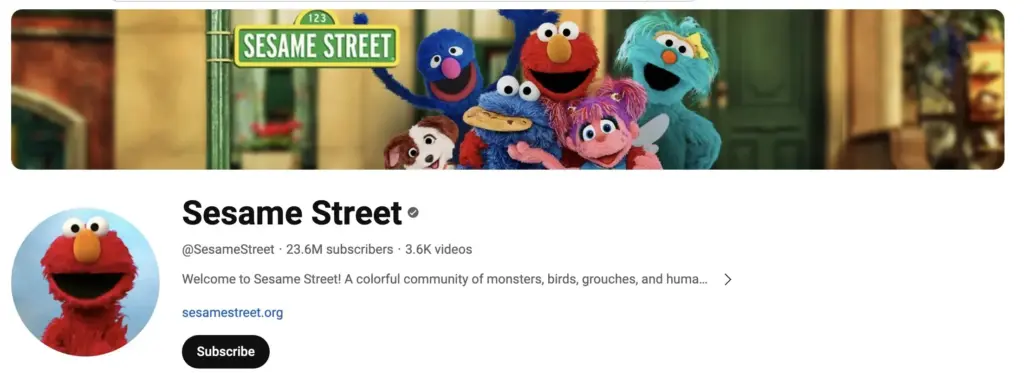
- Literacy, numeracy, emotions, and school readiness
- Short segments that suit a preschool attention span
- Backed by Sesame Workshop's whole-child curriculum
If your child is under 5, this is where I’d start, and it isn’t nostalgia talking. Sesame Workshop builds its preschool material around a whole-child curriculum covering literacy, numeracy, self-regulation, health, and school readiness, and it publishes activities designed to extend a segment into conversation and play.
That last part is the actual method. The strongest way to use Sesame Street is to watch one segment together and then talk about it, rather than queueing an hour of clips.
One thing to choose deliberately: Sesame Workshop also produces material on grief, family incarceration, emergencies, and trauma. Those resources are genuinely valuable when a family needs them and are not what you want on a random Tuesday. Pick the topic rather than letting the channel pick it for you.
Best for early number sense: Numberblocks
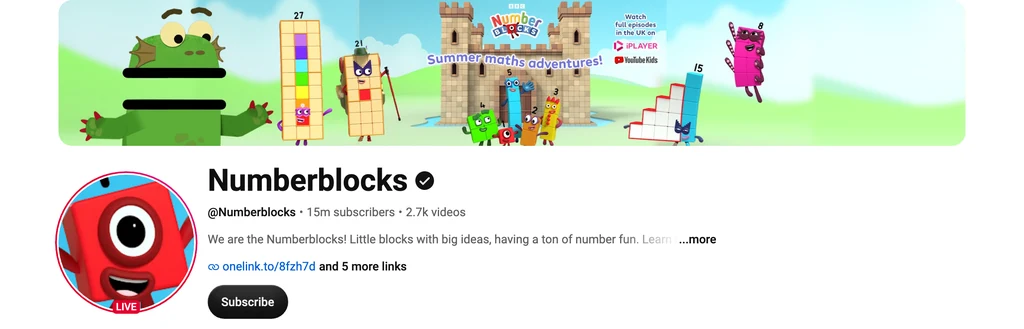
- Counting, addition, subtraction, and comparison
- Each number is a character, so quantity becomes visible
- From the BBC, with episodes grouped into progressive levels
Numberblocks does one thing that almost nothing else on YouTube manages: it makes quantity visible. Each number is a character built from that many blocks, so a child watching 5 split into 3 and 2 is watching the arithmetic happen rather than hearing it stated.
The official site organizes episodes into progressive learning levels covering counting, addition, subtraction, odds and evens, comparison, and sequencing, which means you can follow a sequence instead of picking at random.
My honest note: this is the pick I’d hand a 4-year-old before any of the general preschool channels if maths is the goal specifically. For broader early learning, Sesame Street is still the stronger base.
Best structured early learning: Khan Academy Kids, but use the app
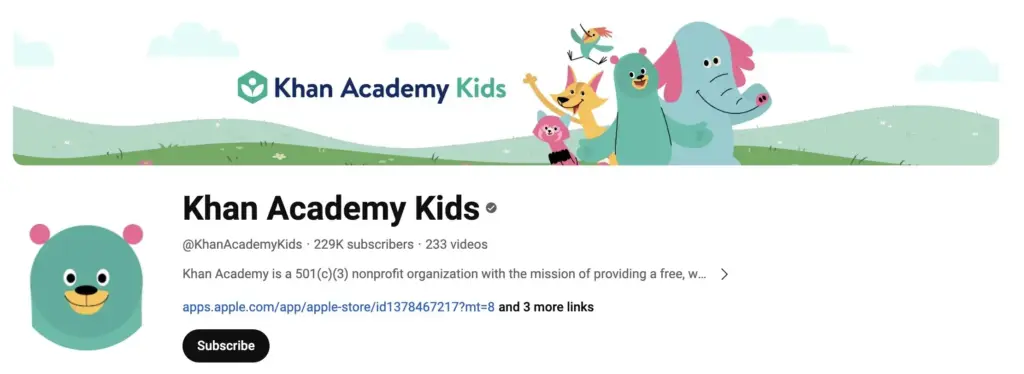
- The free app carries the structured, adaptive learning path
- No ads and no subscriptions inside the app
- The YouTube channel is songs, read-alouds, and selected lessons
This is the correction I most wanted to make to the old version of this page, which credited the YouTube channel with a structured curriculum, sequential skill development, and reliable learning outcomes.
Those belong to the Khan Academy Kids app, not to watching videos on YouTube. The app is free, designed for ages 2 to 8, carries no advertising or subscriptions, and includes interactive lessons, books, games, and a personalized learning path that responds to what your child gets right and wrong. A YouTube video cannot adapt to anything. It plays the same for every child and then autoplays something else.
So use both, but for different jobs. The channel is genuinely good for songs and read-alouds. The app is the one that teaches in sequence. If you only take one thing from this section, install the app.
Best science channel for grades 1 to 3: SciShow Kids
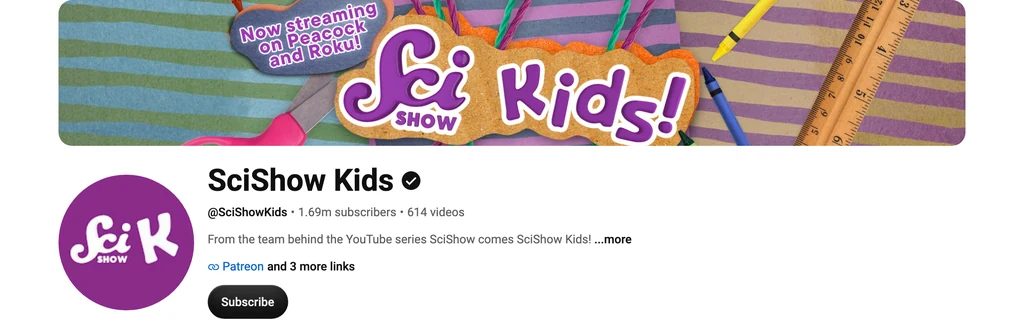
- Built around early-elementary science standards
- Questions, experiments, and observation rather than facts alone
- From the team behind SciShow, hosted by Jessi and Squeaks
A new addition, and the one I think was most obviously missing before. SciShow Kids is aimed at grades 1 to 3, and most episodes are structured around early-elementary science standards rather than assembled from whatever gets clicks.
What earns it the slot over a bigger channel is the shape of an episode. It opens with a question a child might actually ask, runs an experiment or an observation, and arrives at the answer through that process. The child sees how the answer was reached, which is the part that transfers to the next question.
For a 7-year-old asking why things happen, I’d start here rather than with a sparsely updated science archive.
Best for animals, nature, and geography: National Geographic Kids
- Wildlife, ecosystems, oceans, and geography
- Real footage rather than animated re-creation
- Pitched at children without talking down to them
Real footage is the whole argument. A child watching an actual animal behave in an actual habitat is getting something an animation can’t fake, and National Geographic has more of that archive than anyone.
It holds attention without the pacing tricks that most kids’ channels lean on, which makes it one of the few entries here that works as a shared watch with an adult who is also interested.
Best paired with a map. Pull one up, find where the episode was filmed, and the geography stops being abstract.
Best for grades 3 to 5: Crash Course Kids
- Designed by Complexly for third to fifth graders
- STEM plus newer humanities and literature material
- Fast pacing that suits a lesson intro or a review
Two corrections here. The old version put this at ages 6 to 12 and described it as a science channel. Complexly, which makes it, designs it specifically for third to fifth graders, and it now covers humanities as well as STEM, including a literature series working through inference, character, theme, nonfiction, and poetry.
That grade range matters. At 6, the pacing outruns most children. At 11, they’ve usually moved past it. The band where it lands properly is narrow, and inside that band it’s excellent.
The pacing is fast enough that I’d treat an episode as a lesson introduction or a review rather than a first and only explanation. Plenty of children need a pause, a question, or a second viewing, and that isn’t a failure of the child.
Best for tweens and teens, one lesson at a time: TED-Ed
- Animated lessons across science, history, literature, and philosophy
- Lesson pages add discussion questions and quizzes
- Catalog spans elementary through college, so curate
TED-Ed makes some of the best short-form explanation on the internet. It is also the pick on this page most likely to be misused, and the old version of this article misused it by recommending the whole channel to 8-year-olds.
TED-Ed serves learners from elementary school through college. The catalog includes psychology, health, sex education, war, violence, and trauma. That range is a strength for a teenager and a problem if you hand a younger child the channel and walk away.
So treat it as a lesson library rather than a channel to subscribe to. Pick the lesson, or use the student-level filters on TED-Ed’s own site. And when you do, use the lesson page rather than the bare video: it carries discussion questions and a quiz, which is the difference between watching an explanation and checking whether any of it landed.
Curate it and it’s the strongest thing here for an older child. Subscribe blindly and it’s the riskiest.
Best for drawing together: Art for Kids Hub
- Step-by-step drawing lessons, published weekly
- A parent draws alongside a child in most videos
- Free on YouTube, with a separate paid ad-free service
The other addition, and the only pick here where the child produces something instead of consuming something. A family runs it, and most lessons have a parent drawing alongside a child at the same pace, which quietly models the co-viewing that every piece of screen-time guidance recommends and almost no channel supports.
It’s also the rare educational channel where you can see whether it worked. There’s a drawing at the end or there isn’t.
One disclosure the enthusiastic write-ups skip: the YouTube channel is free, and the same people sell a separate ad-free subscription. Nothing wrong with that, but the ecosystem isn’t simply free, and you should hear it here rather than at a checkout page.
Best for seeing a principle demonstrated: FunScienceDemos
- Filmed demonstrations across physical, life, and Earth science
- Shows the principle rather than describing it
- Publishing is sporadic, so treat it as a library
Useful for one specific thing: watching a physical principle actually happen. Seeing it demonstrated sticks in a way that reading the same sentence doesn’t.
Now the warning the old version of this page should have carried, because it encouraged children to reproduce experiments at home and said nothing about safety.
Preview the whole video before your child copies anything. An adult needs to check the materials, ventilation, heat, electricity, sharp objects, glassware, pressure, and any chemical involved. A video being available on a kids’ channel is not a judgment that the demonstration is safe for an unsupervised 7-year-old to repeat at the kitchen table.
Don’t rate this channel with one age range either. Rate the individual experiment. Some are fine to copy with a bowl of water, and some are not experiments a child should run at all.
Best for memorizing names and sequences: Kids Learning Tube
- Songs covering geography, the solar system, and the body
- Repetition that genuinely helps recall of ordered lists
- Recall is not the same as understanding
Music and repetition work for exactly one job, and it’s worth being precise about which. A child who can sing the planets in order has memorized a sequence. That’s a real, useful thing and it isn’t the same as understanding what a planet is.
The old version of this page held up a child naming the planets after two viewings as proof the channel beats textbooks. It proves recall of a sequence. Nothing more, and the distinction matters if you’re deciding what your child actually learned this week.
So use it for vocabulary, names, and ordered lists, then follow the song with a map, a diagram, or a question. The song gets the labels in. Something else has to attach meaning to them.
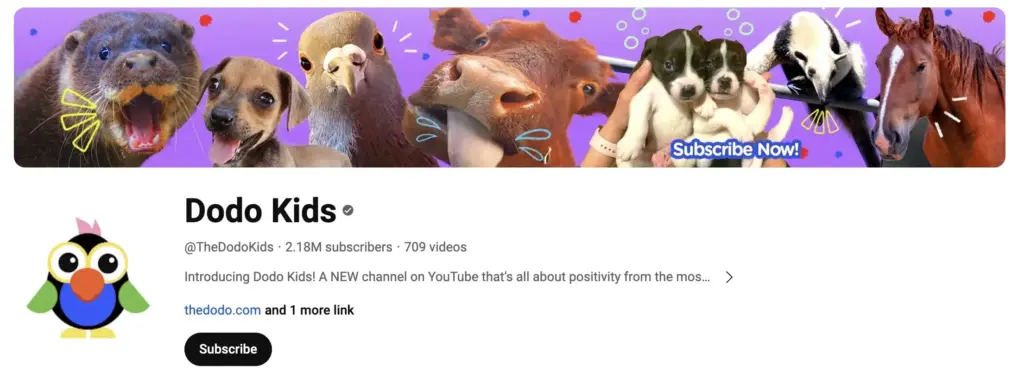
Best for animal stories and empathy: Dodo Kids
- Animal rescue and recovery storytelling
- Builds compassion and interest in animals
- Rescue stories can involve injured or frightened animals
The Dodo’s model is emotionally engaging animal storytelling, and it’s genuinely good at making children care about animals. My pick when a child is animal-obsessed and you want to feed that.
Two honest limits. First, the old version credited this channel with teaching biology, wildlife science, conservation, and responsible pet care. A heartwarming rescue story is not a biology lesson, and treating it as one is how a child ends up confident and wrong about animal care. Use it for empathy and interest, then get the facts somewhere built for facts.
Second, and more important for a parent choosing tonight’s video: rescue stories often involve animals that are injured, abandoned, frightened, or dying, even when the ending is happy. Some children take that harder than the thumbnail suggests. Preview it.
Two channels worth keeping, with a caveat
Both of these were in the old top 10 and neither belongs there. Neither deserves deleting either, so here they are with the caveat attached.
A good archive rather than an active channel: Socratica Kids
- Clear, carefully produced science explanations
- Teaches how to observe and ask questions
- Publishing stopped being regular years ago
The videos are good. The problem is the old page ranked it as a current top science channel on the strength of quality over quantity, which quietly turned a stalled upload schedule into a virtue.
Socratica Kids announced it was winding down regular operations in late 2019, after YouTube’s child-directed content changes reshaped the economics of making kids’ content. Material has appeared since and the channel is still up, but the pattern is sporadic rather than dependable.
That doesn’t make it worthless. An archive of well-made science explanations is a real resource, and nothing in those videos expired. Just don’t subscribe expecting something new, and check the most recent upload date before you describe it to anyone as active. For a current science channel for this age, SciShow Kids is the answer.
Curiosity prompts that need fact-checking: Bright Side
- General-interest facts, riddles, and list videos
- Entertaining, and popular with children
- Not built as an educational or curriculum-led channel
Here’s the contradiction I couldn’t leave standing. The old version gave Bright Side a place in the top 10 while admitting in the same entry that it’s more entertainment than education, leans on clickbait, sensationalizes facts, and shouldn’t be treated as a definitive source.
You can’t hold both positions on a page promising the best educational channels for children. Bright Side describes itself as a broad general-interest channel covering discoveries, stories, fitness, riddles, and tips. It isn’t positioned as a children’s education channel by the people who make it, and I shouldn’t position it as one either.
It stays on the page because a video that makes a child ask “is that actually true?” has done something useful. Treat it as a prompt, check the claim somewhere else, and don’t let it be the source.
Channels worth checking if you’re in India
Almost every list of this kind, including the previous version of this one, recommends the same American channels to an Indian family. Sesame Street, US grade levels, American educational brands. Plenty of that transfers. Some of it doesn’t, and “study table” versus “desk” is the least of it: accents, units, examples, and curriculum framing all shift.
So here are three I verified are real, active, and substantial, with an honest boundary attached.
- Peekaboo Kidz, home of the Dr. Binocs series, which explains science and general-knowledge topics in short animated episodes pitched at primary-school children.
- Mocomi Kids, covering science, history, mythology, and general knowledge with an Indian frame of reference.
- Khan Academy India, which is the nonprofit’s India arm and skews to school-age and curriculum-aligned material rather than early years.
The boundary: I checked that each of these is a genuine, active channel with a substantial library, and I read what the operators say about them. I have not put them through the same video-level review as the picks above, so treat them as the shortlist I’d preview first rather than as tested recommendations.
A warning that came out of doing this check, because it’s the exact trap a reputation-based list falls into. Searching for Dr. Binocs turns up a handle with 52 videos and around 1,600 subscribers that is not the real channel. The real one has over a thousand videos and millions of subscribers. If you’re adding a channel on a friend’s recommendation, open it and look at the upload count before you approve it for your child.
Turn watching into learning
A child paying close attention is a child paying close attention. It isn’t evidence they understood anything, and the old version of this page treated “one more episode” as proof the teaching worked. Engagement and learning overlap. They aren’t the same measurement.
The cheapest fix is one question after the video. Here’s what I’d ask for each pick:
| Channel | After watching, ask them to |
|---|---|
| Sesame Street | Act out the social skill, or find that letter on things around the room |
| Numberblocks | Build the same number out of blocks, buttons, or coins |
| Khan Academy Kids | Do the matching activity in the app |
| SciShow Kids | Draw the process, or predict what changes if one thing changes |
| National Geographic Kids | Find the animal or the country on a map |
| Crash Course Kids | Write down 3 facts and 1 question the video didn’t answer |
| TED-Ed | Take the quiz on the lesson page, or argue with its central claim |
| Art for Kids Hub | Draw it a second time without replaying every step |
| FunScienceDemos | Write a prediction first, then repeat the safe version together |
| Kids Learning Tube | Sort the facts from the song into groups |
| Dodo Kids | Separate what was factual from what was feeling |
If a child can explain it in their own words, or apply it to something the video never mentioned, that’s learning. If they can only repeat the phrasing, that’s recall. Both are fine. Only one of them is what you were hoping for.
What the AAP actually recommends now
The old FAQ on this page repeated the familiar numbers: nothing under 18 months, an hour a day for ages 2 to 5, consistent limits after that. Those shaped a decade of parenting advice and they are no longer the headline of the guidance.
The American Academy of Pediatrics updated its digital media guidance in January 2026 around what it calls the 5 Cs:
- Child. The individual child’s age, temperament, and vulnerabilities, because the same video lands differently on different children.
- Content. What’s actually in it, including quality, commercialism, violence, and misinformation.
- Calm. Whether media has become the main way your child regulates emotions or gets to sleep.
- Crowding out. What the screen time is displacing: sleep, movement, outdoor play, relationships, schoolwork.
- Communication. Ongoing conversation about media rather than a rule set once and enforced silently.
The AAP is explicit that a simple rule like a 2-hour limit doesn’t address everything children need from a healthy relationship with media. Boundaries still matter. They’re no longer the whole answer.
Which changes the practical question. Instead of asking whether 30 minutes is too much, ask what those 30 minutes replaced, whether anyone talked to your child about it, and whether autoplay turned one chosen video into an hour nobody chose.
I’ve also cut a line the old version carried, claiming a child watching TED-Ed for 30 minutes learns more than they would from most homework. I can’t support that, it measures neither activity, and it’s a cheap shot at homework besides.
What I’d actually do tonight
If you take one thing from this page, make it the setup rather than the list. A mediocre channel inside a properly configured profile does less harm than the best channel on this page with search on and autoplay running.
Then match the channel to the child. Under 5, Sesame Street, with Numberblocks if maths is the goal. Ages 6 to 8, SciShow Kids and National Geographic Kids. Grades 3 to 5, Crash Course Kids. Older than that, TED-Ed one lesson at a time. Install the Khan Academy Kids app regardless of which you pick.
And keep the bar honest. None of these replace a teacher, a book, or a conversation, and the channels that promise the most are usually the ones promising things a video can’t deliver. What a good video does is make a child curious enough to ask the next question. That’s the whole job. Somebody still has to be there to answer it.
Best of luck.
Frequently asked questions
What are the best educational YouTube channels for kids?
It depends on age, and any single answer is a guess. For preschoolers, Sesame Street for literacy and social skills and Numberblocks for early maths. For grades 1 to 3, SciShow Kids. For grades 3 to 5, Crash Course Kids. For tweens and teenagers, TED-Ed, chosen one lesson at a time rather than subscribed to. National Geographic Kids works across most of the primary years for animals and geography.
Is any YouTube channel completely safe for kids?
No, and it’s worth being blunt about it. YouTube states that it cannot manually review every video and that no automated system is perfect, and that videos surfaced through search are not subject to human review. Channels also change over time. Treat YouTube Kids as a strong filter with your own curation on top, use approved content for younger children, and preview anything you are unsure about.
What is Approve content yourself in YouTube Kids?
It is the strictest of the four YouTube Kids content settings, alongside Preschool, Younger, and Older. Your child sees only the videos, channels, and collections you have picked, and search is disabled entirely. Because search results do not get human review, turning it off closes the largest route to content you did not choose. It is the setting I would use for any child under about 8.
Should I turn off search and autoplay?
Yes for younger children, and autoplay is worth turning off at any age. Autoplay is not disabled by default in YouTube Kids, which is a common misunderstanding, so a parent has to switch it off. Without that, one video you chose becomes a session nobody chose. Search can be turned off separately from the content level setting.
Is Khan Academy Kids on YouTube the same as the app?
No, and the difference matters. The free Khan Academy Kids app is built for ages 2 to 8 and carries the interactive lessons, books, games, and a personalized learning path that adapts to your child, with no ads or subscriptions. The YouTube channel is songs, read-alouds, and selected videos. A video plays the same way for every child and cannot adapt. Use the app for structured learning and the channel for the extras.
Which channels are best for preschoolers?
Sesame Street is the strongest all-round choice for roughly ages 2 to 5, covering literacy, numbers, emotions, and social skills through short segments. Numberblocks is better if early maths specifically is the goal, because it makes quantity visible instead of just naming numbers. Watch a segment together and talk about it afterwards rather than queueing a long playlist.
Which channels are best for elementary science?
SciShow Kids for grades 1 to 3, because most episodes are built around early-elementary science standards and work through a question with an experiment rather than reciting facts. Crash Course Kids for grades 3 to 5. National Geographic Kids across both bands for anything involving animals, habitats, or geography, since it uses real footage rather than animation.
Are there good educational YouTube channels for kids in India?
Yes, and most international lists ignore them. Peekaboo Kidz, home of the Dr. Binocs series, covers science and general knowledge for primary-school children. Mocomi Kids covers science, history, and mythology with an Indian frame of reference. Khan Academy India leans towards school-age curriculum-aligned material. Check the channel handle carefully before subscribing, because imitation channels using well-known names do exist.
Does YouTube Kids show ads?
Yes. YouTube Kids carries limited advertising, and regular YouTube shows more of it. Separately, individual videos may contain creator sponsorships or product placement, which a Premium subscription does not remove because they are baked into the video itself. Every channel on this page is free to watch, but free to watch is not the same as free of commercial content.
How do I know whether my child actually learned something?
Ask them to explain it in their own words, or to apply it to an example the video never used. If they can only repeat the phrasing they heard, that is recall rather than understanding. Both have value, but they are different things, and attention alone tells you nothing. A drawing, a prediction, or finding the place on a map takes a minute and answers the question.
How much educational screen time is OK for kids?
There is no single number that fits every child, and the American Academy of Pediatrics moved away from that framing in its January 2026 guidance. Its 5 Cs approach asks about the child, the content, whether media has become their main way to stay calm, what the screen time is crowding out such as sleep and play, and whether anyone is talking with them about it. Protect sleep, movement, and unstructured play first, then judge the rest against that.
Can YouTube replace school or a teacher?
No. These channels are supplements. They spark curiosity, reinforce something already taught, and make a topic feel worth caring about. What they cannot do is sequence learning around your specific child, notice a misunderstanding, or answer the question they just prompted. A structured app like Khan Academy Kids gets closer on sequencing, but a person is still doing the part that matters most.
More channels by subject
If you are looking for a single subject rather than a general list, I have separate guides to the best physics YouTube channels, chemistry channels, biology channels, and maths channels. Those skew older than this page, so they suit secondary-school students and curious adults more than primary-age children.
Tell Google you want more of this.
Add Gaurav Tiwari as a preferred sourceOne tap, and this site shows up more often in your own Top Stories, AI Overviews and AI Mode. Remove it any time.