
Use Dynamic Month & Year in Bricks Builder
Dynamic Month & Year shortcodes such as [year] and [month] work in Bricks. Titles, excerpts and fields that Bricks pulls in with dynamic data show the current date, so a post loop or a single post template stays current without editing posts.
There is nothing to turn on. The integration works whenever Bricks is your theme.
Where Shortcodes Work in Bricks
Bricks only passes text through shortcodes in some places. This is where [year] becomes the current year:
| Where you type it | Result |
|---|---|
A post title, excerpt or field shown with a dynamic data tag, such as {post_title} or {post_excerpt} | Shows the current date |
Text that also contains a dynamic data tag, such as Guides for [year] {site_title} | Shows the current date |
| The Rich Text element | Shows the current date |
| The Shortcode element | Shows the current date |
| Plain text in a Heading, Basic Text or Button element, with no dynamic data tag | Shows [year] as typed |
For a plain heading, use the Rich Text element and choose the heading level there, or put the shortcode in the post title and show it with {post_title}.
Build a Loop of Current Titles
The most common use is a list of posts whose titles carry the year, such as “Best Laptops for College Students in 2026“.
- Add a Container or Block and turn on Query loop. Set the query to your posts.
- Inside it, add a Heading with the text
{post_title:link}and a Basic Text with{post_excerpt}. - Save and preview the page.
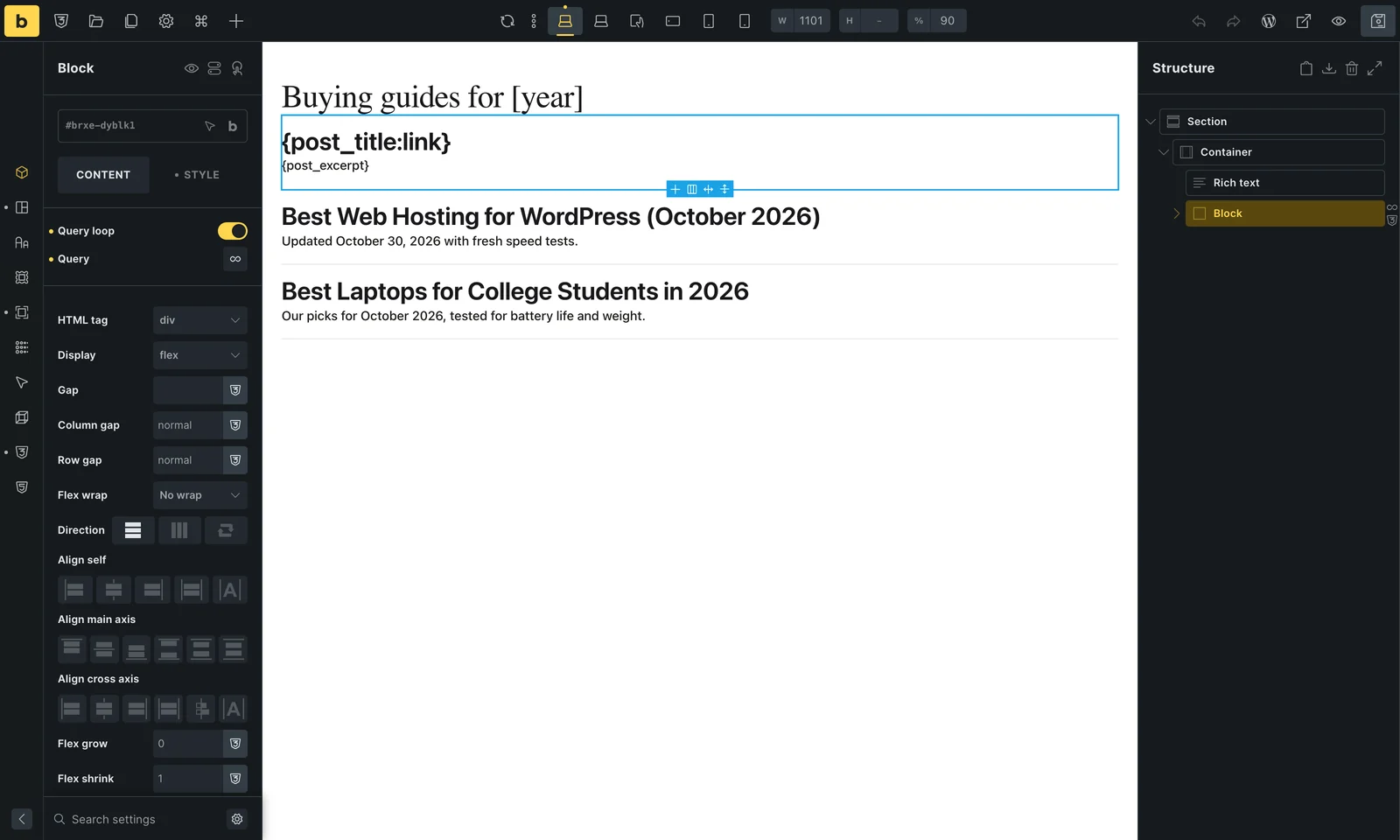
In the builder, the first loop item shows the raw tags you are editing, and the rest show the live titles. A Rich Text element shows its shortcode as typed in the canvas, and the date on the live page.

Single Post Templates
In a Bricks template for single posts, use {post_title} for the title. The year in the title updates on its own, and so do the SEO title and description when your SEO plugin is covered in SEO plugin integrations.
Good to Know
- Every shortcode in the shortcode reference works in these places, including
[month],[date]and the next and previous year shortcodes. - Dates follow your site’s timezone and language settings, so a page cached across midnight on New Year’s Eve can show the old year until the cache refreshes.