
10 Best Budget Laptops for Students in 2026
You don’t need to spend $1,500 on a laptop to get through college. I’ve tested dozens of budget laptops over the years, and most students overpay for features they’ll never use.
What you actually need is something that handles Google Docs, Zoom calls, and Netflix without dying mid-lecture. That’s it.
I’ve put together this list of 10 laptops that hit the sweet spot between price and performance. Most are under $600. A few premium picks snuck in for students who can stretch their budget.
Top 10 Budget Laptops for Students
Here’s my ranked list. I’ll give you my honest take on each one, including who should buy it and who should skip it.
1. Acer Aspire 5
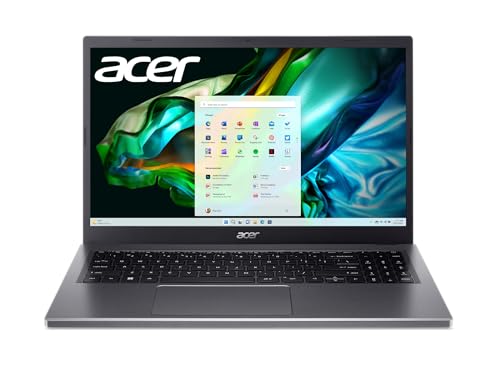
- The 13th Gen Intel Core i5-13420H processor goes beyond performance to let your PC do.
- Experience crisp, lifelike colors and sharp details on the 15.6" FHD IPS touch display.
The Acer Aspire 5 is my top pick for most students. It’s not the flashiest laptop, but it does exactly what you need without costing a fortune.
You get a 13th Gen Intel Core i5, 15.6″ FHD touch display, and Windows 11. That means you can run real desktop apps like Microsoft Office, not just web-based stuff like Chromebooks. For essay writing, research, and video calls, it handles everything smoothly.
Don’t expect to edit 4K video or play demanding games on this. That’s not what it’s for. But for $526? You won’t find better value.
Pros:
- Affordable pricing.
- Good performance for everyday tasks with Ryzen or Intel Core i5/i7 processors.
- Solid build quality with a sleek design.
- Ample port selection, including USB-C, HDMI, and Ethernet.
Cons:
- Mediocre battery life compared to other options.
- Display quality is decent but not very vibrant, with limited color accuracy.
2. Lenovo IdeaPad Slim 3
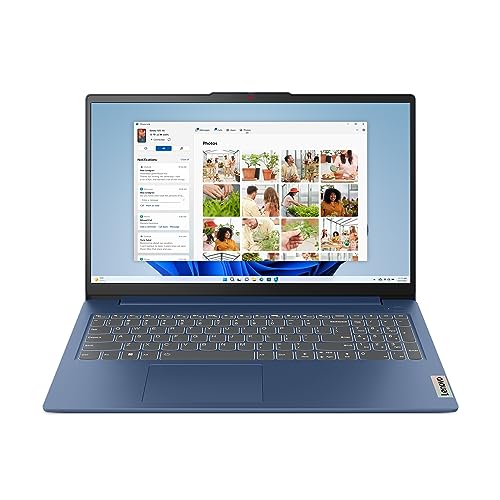
- Work smart and seamlessly on multiple tasks with the latest AMD Ryzen 5 7520U processor and 8GB of memory.
- With 256GB of storage there is no shortage for your projects, family photos and memories.
If you want something even cheaper, the IdeaPad Slim 3 gets the job done at under $470. It’s got an AMD Ryzen 5, 8GB RAM, and 256GB storage. Not huge specs, but plenty for coursework.
The 15.6″ FHD screen looks decent, and you’ll get around 7 hours of battery life. Lenovo throws in a 3-month Game Pass too, which is a nice bonus if you game casually. The keyboard and trackpad feel solid for the price point.
Pros:
- Very affordable, ideal for budget-conscious students.
- Lightweight and portable.
- Decent performance for basic tasks with AMD or Intel processors.
- Reliable keyboard and trackpad.
Cons:
- Basic display with low brightness and color accuracy.
- Limited storage in base models, often needing an upgrade.
3. Lenovo IdeaPad Flex 3
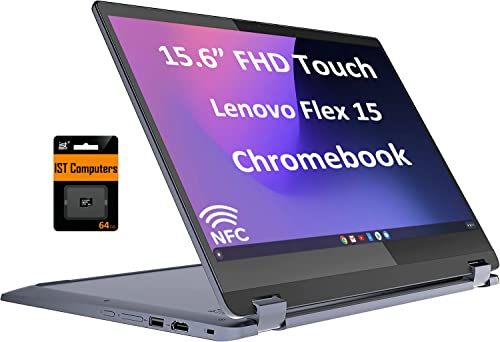
Lenovo Ideapad Flex 3 Chromebook 15.6" (2024)
- The 360 degree hinge allows 'Laptop' mode for everyday computing, 'Tent' mode for sharing, 'Stand' mode for binge-watching.
- Intel 2-Core i3-1115G4 Processor (2 cores 4 threads, base clock speed 1.7GHz, max turbo to 4.1GHz, 6MB Cache); 8GB LPDDR4X Memory.
At $325, this is the cheapest laptop on my list. It’s a Chromebook with a 2-in-1 design, which you rarely see at this price. The 360-degree hinge lets you flip it into tablet mode for Netflix or note-taking.
The real killer feature? 16 hours of battery life. You can leave your charger at home and make it through a full day of classes. ChromeOS runs fast for web browsing, Google Docs, and email. Just don’t expect to run Windows apps. If you’re okay living in the browser, this is a steal.
Pros:
- 2-in-1 design with touchscreen and convertible features.
- Compact and lightweight, easy to carry around.
- Affordable pricing for a convertible laptop.
- Decent battery life for a budget device.
Cons:
- Limited processing power, struggles with demanding tasks.
- Display is adequate but not great in terms of brightness and resolution.
4. Dell XPS 13 Plus
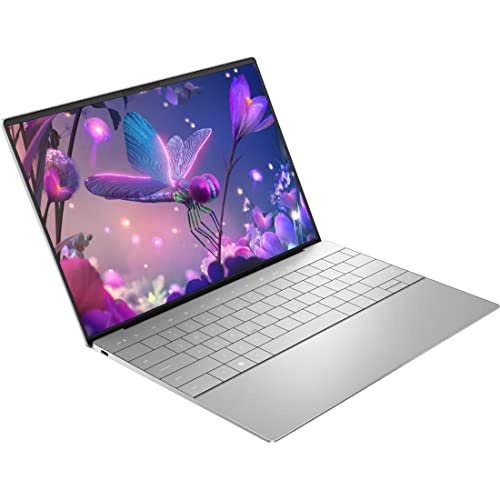
- With 32 GB of memory, runs as many programs as you want without losing the execution.
- The 13.4" 3456 x 2160 screen provides a great movie watching experience.
This one isn’t budget-friendly at $2,149, but I included it for students who can splurge. The XPS 13 Plus is the best Windows ultrabook you can buy. Period. 13th-gen Intel Core i7, 32GB RAM, and a gorgeous 3.5K display that makes everything look incredible.
It weighs just 1.26kg and is 1.5cm thick. You’ll barely notice it in your bag. The build quality is premium, and it handles demanding tasks like video editing without breaking a sweat. If you’re studying design, film, or engineering, this laptop will last you through college and beyond.
Pros:
- Premium design with high-quality build materials.
- Excellent display with vibrant colors and sharp resolution.
- Powerful performance with Intel Core i7 processors.
- Compact and highly portable, ideal for students on the go.
Cons:
- Expensive, making it less accessible as a budget option.
- Limited port selection, relying heavily on USB-C.
5. Acer Chromebook Spin 514
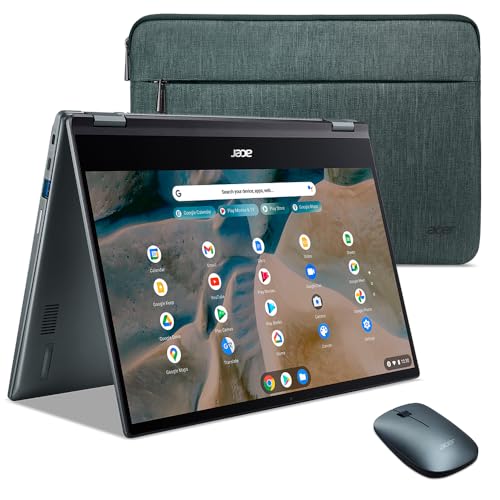
- The fast, secure operating system from Google with built-in Google apps like Gmail, Gemini, Docs, Photos, YouTube.
- Chromebooks start up in under 10 seconds. And with up to 10 hours of battery life and automatic updates.
This is the premium Chromebook pick. At $305 (down from $350), you’re getting a metal chassis, 360-degree hinge, and 10+ hours of battery life. It’s built to survive 3-5 years of college abuse.
ChromeOS boots in under 10 seconds and updates automatically. You don’t have to worry about viruses. If you’re comfortable doing everything in Chrome, this is one of the best Chromebooks you can buy without spending Pixelbook money.
Pros:
- Affordable with good value for students needing a Chromebook.
- 2-in-1 design with touchscreen and convertible capabilities.
- Long battery life, ideal for all-day use.
- Solid build quality with a metal chassis.
Cons:
- Limited storage, relying on cloud storage solutions.
- Performance is adequate for basic tasks but may lag with more intensive applications.
6. Dell Inspiron 14 2-in-1
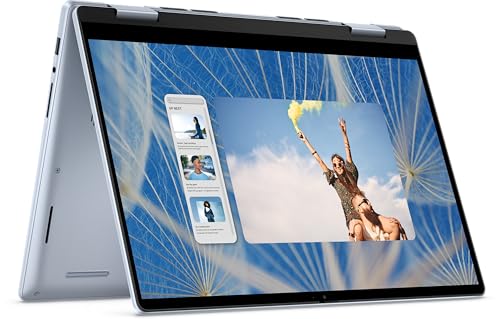
Dell Inspiron 14 2-in-1 Laptop
- 14" 1920 x 1200 Touch display with Intel-10 Core 7 150U processor.
- 16GB DDR5 RAM, 1TB SSD, Windows 10 Home, Backlit Keyboard, Wi-Fi 6E, Bluetooth 5.1.
The Inspiron 14 2-in-1 sits in the mid-range at $1,059. You get a 14″ touch display, 360-degree hinge, 16GB DDR5 RAM, and a 1TB SSD. That’s serious specs for a convertible laptop.
The 1080p webcam is great for Zoom calls. Battery life is solid, and it charges fast. My only complaint? No included stylus. You’ll need to buy one separately if you want to take handwritten notes.
Pros:
- 2-in-1 design with a flexible hinge and touchscreen.
- Solid performance with Intel Core i5/i7 options.
- Affordable pricing for a convertible laptop.
- Good battery life and fast charging support.
Cons:
- Display quality is decent but not exceptional.
- Slightly heavier than other laptops in its category, making it less portable.
7. MacBook Air M3 13-inch
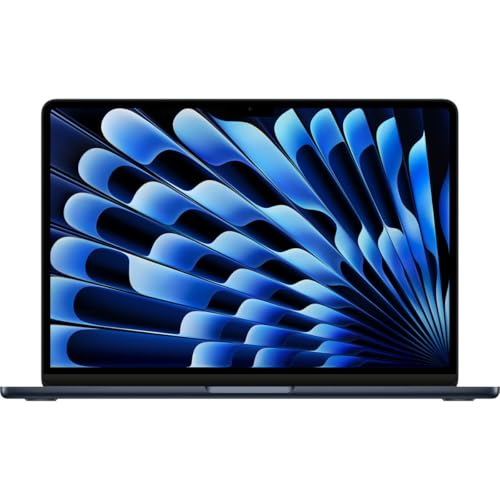
Apple 2024 MacBook Air 13-inch with M3 chip
- 8 Core CPU for powerful performance.
- 10 Core GPU, 16GB Unified Memory, 256GB SSD Storage.
If you’re studying anything creative, design, film, music, this is your laptop. Apple’s M3 chip crushes video editing, digital art, and animation. Nothing in this price range comes close for creative work.
At $1,149 (currently 8% off), you get 16GB unified memory, 15+ hours of battery life, and a Retina display with perfect color accuracy. It’s fanless, so it runs completely silent. The only downside? Two USB-C ports mean you’ll probably need a dongle.
Pros:
- Exceptional performance with the Apple M3 chip.
- Long battery life, often exceeding 15 hours.
- High-quality Retina display with excellent color accuracy.
- Lightweight and portable, perfect for students.
Cons:
- Expensive compared to Windows-based laptops, limiting its accessibility as a budget option.
- Limited port selection, requiring dongles for additional connectivity.
8. Acer Spin 5
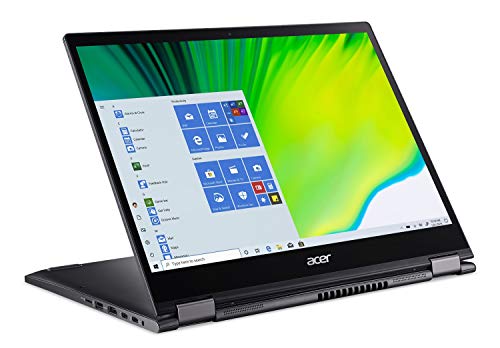
Acer Spin 5 Convertible Laptop
- 10th Generation Intel Core i5-1035G4 Processor (Up to 3.7GHz); 8GB LPDDR4 Memory; 256GB PCIe NVMe SSD.
- 13.5" Acer VertiView 2K 2256 x 1504 Widescreen IPS LED-backlit Touch Display (3:2 aspect ratio); Intel Iris Plus Graphics.
The Acer Spin 5 is a Windows convertible with a built-in stylus that charges inside the laptop. At $499, it’s a solid deal for students who need to take handwritten notes or sketch diagrams.
You get a 2K display with a 3:2 aspect ratio (better for documents than widescreen), 360-degree hinge, and all-day battery life. The webcam is good enough for distance learning. It’s pricier than basic laptops, but the stylus and versatility make it worth considering if note-taking is important to you.
Pros:
- 2-in-1 design with a high-resolution touchscreen.
- Good performance with Intel Core i5/i7 processors.
- Ample port selection, including USB-C, HDMI, and Thunderbolt 3.
- Lightweight and easy to carry.
Cons:
- Slightly expensive for students on a strict budget.
- Battery life is decent, but it could be better for a student-focused laptop.
9. MSI GF63 Thin
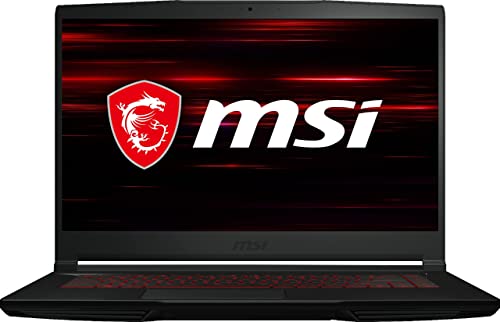
- The 1920 x 1080 resolution with 144Hz boasts impressive color and clarity. Energy-efficient LED backlight.
- Reams of high-bandwidth DDR4 RAM to smoothly run your graphics-heavy PC games.
If you’re a gamer or engineering student who needs GPU power, this is your pick. At $643 (19% off), you get an Intel Core i7, NVIDIA GeForce RTX 3050 Ti, and a 144Hz display. That’s gaming laptop territory at a budget price.
The dedicated GPU also helps with CAD software, 3D modeling, and video rendering. It’s heavier than ultrabooks and the plastic build feels cheap, but the performance makes up for it. Just don’t expect great battery life when gaming.
Pros:
- Affordable pricing for a gaming laptop, making it versatile for students who game.
- Solid performance with Intel Core i5/i7 and dedicated GPU options.
- Lightweight for a gaming laptop, easy to carry.
- Good cooling system, keeping the laptop cool under load.
Cons:
- Mediocre battery life, especially when gaming.
- Build quality is decent but uses a lot of plastic, which feels less premium.
10. ASUS Vivobook 14
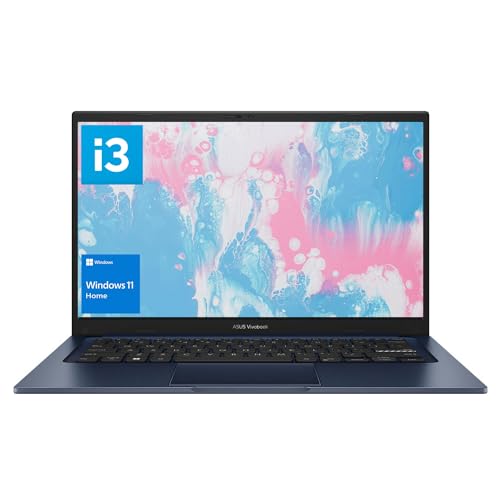
- 16GB high-bandwidth RAM to smoothly run multiple applications and browser tabs all at once.
- i3-1215U Processor (6 Cores, 8 Threads, 10MB L3 Cache, Base Frequency at 0.9 GHz, Up to 4.4 GHz at Max Turbo).
At $305, the ASUS Vivobook 14 is one of the cheapest Windows laptops that doesn’t feel like a compromise. You get 16GB RAM, a 14″ FHD display, and it comes with Windows 11 and Office 2021 pre-installed.
The Intel Core i3 isn’t a powerhouse, but it handles everyday tasks fine. Multitasking works surprisingly well thanks to the 16GB RAM. The display isn’t the brightest, but for $305? I’m not complaining.
Pros:
- Affordable pricing with good value for basic student needs.
- Decent performance with AMD or Intel processors.
- Compact and lightweight, easy to carry around.
- Good keyboard and trackpad for everyday use.
Cons:
- Display quality is average with limited brightness.
- Battery life is adequate but not impressive and may require frequent charging.
Which One Should You Buy?
Here’s my honest take: most students should get the Acer Aspire 5. It’s got Windows 11, a decent processor, and costs around $500. That’s the sweet spot.
On a tight budget? Get the Lenovo IdeaPad Flex 3 Chromebook for $325. It won’t run Windows apps, but for web-based work it’s perfect.
Creative student? The MacBook Air M3 is worth every penny if you can afford it. Engineering or gaming? Go with the MSI GF63 Thin.
Don’t overthink this. Pick one that fits your budget and needs, then get back to studying. The best laptop is the one you actually have.