
 by
byI’ve been staring at monitors for 18 years. Built websites on CRTs, LCDs, 1080p, QHD, 4K. The jump from 1080p to 4K was significant. The jump from 4K to 5K? It’s subtler but it hits different. At 27 inches, 5K gives you 218 PPI. That’s Retina territory on an external display. Text doesn’t just look sharp. It looks printed. I noticed it most when switching between my MacBook’s built-in screen and external monitors. The 5K panel eliminates that jarring quality gap.
Here’s what most 5K guides won’t tell you: the market is tiny. There are maybe five or six 5K monitors worth considering in 2026, and they all cost $800 or more. This isn’t like 4K where you can grab a Dell for $109. 5K is a premium category with premium prices. The good news is that every monitor on this list justifies its cost for the right buyer. The bad news is that most people don’t actually need 5K. I’ll help you figure out which camp you’re in.
If you’re looking for a more affordable option or code is your primary use case, check my best monitors for programmers guide, which covers 4K and ultrawide picks too. This guide is specifically about 5K panels for creative professionals, developers, and anyone who wants the sharpest external display money can buy in 2026.
Quick List
- ASUS ProArt PA27JCV — Best value (my pick). True 5K with pro-grade color accuracy at $799. Factory calibrated with Delta E < 2 and 99% DCI-P3. The monitor I’d tell most people to buy.
- Apple Studio Display — Best for Mac ecosystem. Thunderbolt 5, Center Stage camera, Spatial Audio, Siri. The Apple tax is real but the integration can’t be replicated.
- BenQ MA270S — Best Mac-optimized alternative. New March 2026 release with Thunderbolt 4, 99% P3, and a fully adjustable stand. Studio Display quality at $600 less.
- Samsung ViewFinity S9 — Best feature set. Built-in 4K webcam, Tizen Smart TV, HDR10, 600 nits. Everything packed into one monitor, frequently on sale under $1,000.
- Dell UltraSharp U4025QW — Best ultrawide 5K. 40-inch 5K2K curved ultrawide at 120Hz with Thunderbolt 4 hub. Replaces two monitors and a dock.
Best 5K Monitor for Value
1. ASUS ProArt PA27JCV (~$799)
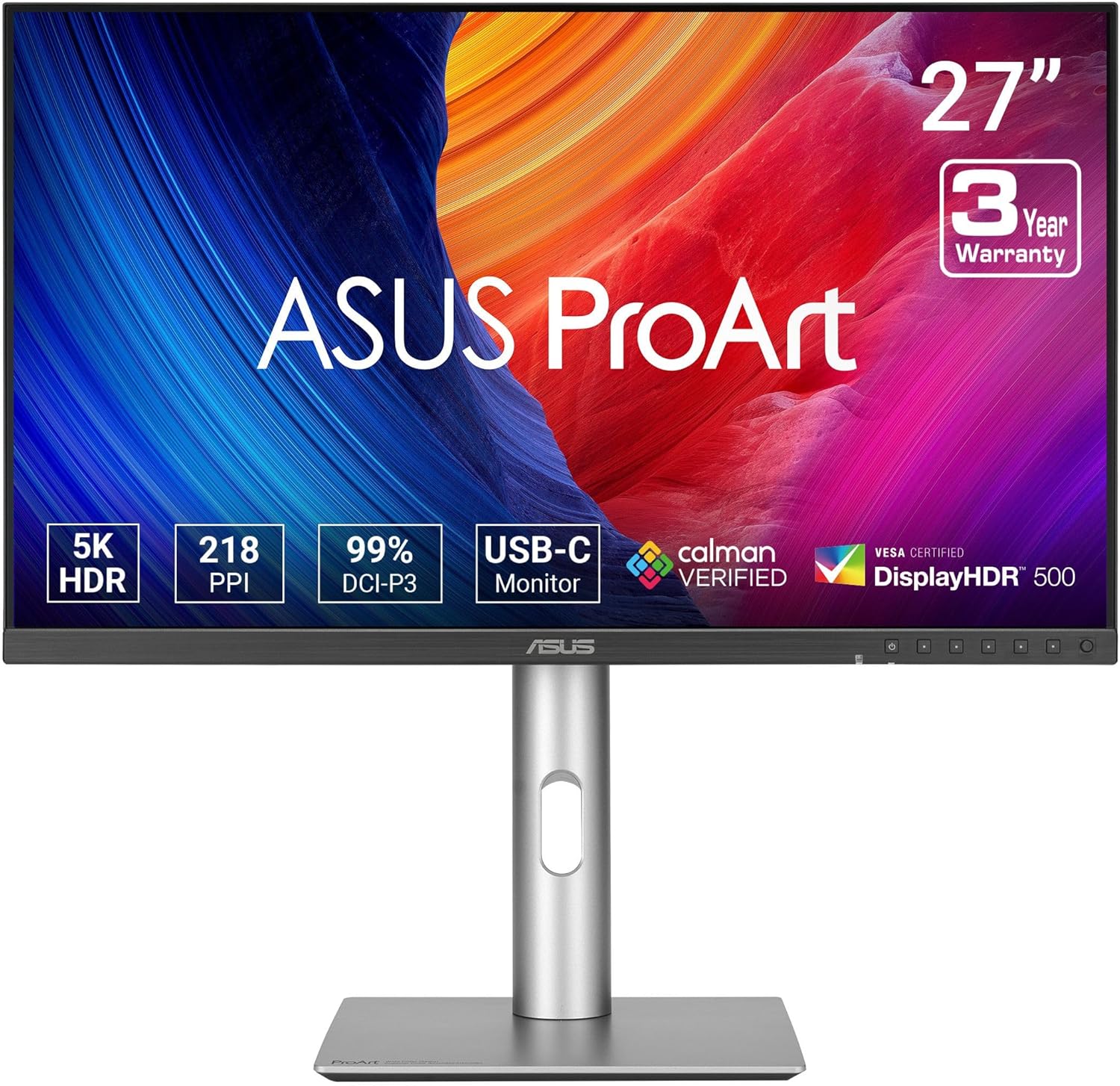
| Spec | Detail |
|---|---|
| Size / Resolution | 27″ / 5120 x 2880 (5K) |
| Panel | IPS, 60Hz |
| Color | 99% DCI-P3, 100% sRGB, 95% Adobe RGB, Delta E < 2, Calman Verified |
| Ports | USB-C (96W PD), HDMI 2.1, DisplayPort 1.4 |
| Ergonomics | Height, tilt, swivel, pivot |
Reasons to buy
- $799 for true 5K with pro color accuracy is unmatched
- Delta E < 2 factory calibrated, Calman Verified out of the box
- USB-C 96W charges a MacBook Pro 16″ under full load
- Full ergonomic stand with portrait pivot included
- HDMI 2.1 for Windows and console compatibility
Reasons to avoid
- 60Hz only (no high refresh rate for gaming)
- No built-in speakers or webcam (Apple Studio Display has both)
- No Thunderbolt (USB-C only, no daisy-chaining TB devices)
✅ Buy if you want the best 5K panel per dollar spent. $799 for a factory-calibrated 5K display with 99% DCI-P3 is half the price of Apple’s Studio Display with comparable color accuracy. If you don’t need Apple’s camera, speakers, or Thunderbolt ecosystem, this is the rational choice.
❌ Don’t buy if you’re deep in the Apple ecosystem and want Center Stage, Spatial Audio, and Siri on your monitor. The Apple Studio Display does things this monitor can’t. If those features matter to your workflow, the $800 you save here won’t make up for what you lose.
The ASUS ProArt PA27JCV is the monitor I recommend most people buy. Here’s why: it’s the only 5K display under $800 with genuinely professional color accuracy. Calman Verified, Delta E under 2, 99% DCI-P3. That’s the same spec sheet you’d expect from a $1,500+ reference monitor. ASUS packed all of it into a $799 panel with USB-C 96W power delivery and a full ergonomic stand. No compromises where it matters.
The tradeoffs are fair at this price. No built-in speakers, no webcam, no Thunderbolt daisy-chaining. Those are convenience features, not display quality features. The panel itself competes with monitors that cost twice as much. For designers who need color accuracy, developers who want Retina-quality text, or anyone tired of the Apple tax on external displays… this is the one. It’s the 5K monitor that made me realize the category isn’t just for people with unlimited budgets.
Best 5K Monitor for Mac Ecosystem
2. Apple Studio Display ($1,599+)
| Spec | Detail |
|---|---|
| Size / Resolution | 27″ / 5120 x 2880 (5K) |
| Panel | IPS, 60Hz, 600 nits |
| Color | P3 wide color gamut, True Tone |
| Ports | Thunderbolt 5 x2 (2026 model), 3x USB-C |
| Features | A19 chip, 12MP Center Stage camera, 6-speaker Spatial Audio, 3-mic array |
| Ergonomics | Tilt only (height-adjustable stand +$400) |
Reasons to buy
- Center Stage camera follows you during video calls automatically
- 6-speaker Spatial Audio eliminates the need for desk speakers
- Thunderbolt 5 with daisy-chaining and device passthrough
- True Tone adjusts color temperature to ambient light
- Apple silicon integration: Hey Siri, AirPlay, Handoff
Reasons to avoid
- $1,599 starting price, $1,999 with height-adjustable stand
- Tilt-only base stand (height adjustment costs $400 extra)
- No HDR, no 120Hz, no Windows/Linux compatibility at 5K
✅ Buy if you’re all-in on the Apple ecosystem and want everything integrated. Center Stage, Spatial Audio, Siri, AirPlay. No third-party monitor replicates that stack. If you take a lot of video calls on your Mac, the camera alone might justify the price over a separate webcam setup.
❌ Don’t buy if you care about value per dollar. The ASUS ProArt PA27JCV delivers comparable panel quality for $799, and the BenQ MA270S gives you a fully adjustable stand plus Thunderbolt 4 for $999. You’re paying $600-800 for Apple’s ecosystem features, not a better display panel.
The Apple Studio Display is simultaneously the best and worst value in 5K monitors. Best because no other display integrates this deeply with macOS. Center Stage follows you during Zoom calls. Spatial Audio turns the display into a legitimate speaker system. Siri works without your MacBook’s mic. Worst because you’re paying $1,599 for a 60Hz panel with a tilt-only stand. The height-adjustable VESA mount is another $400. That’s $2,000 for a monitor with no HDR.
But here’s the thing… if you’re already spending $2,000+ on a MacBook Pro, the Studio Display ecosystem integration is genuinely useful. It eliminates a webcam, a speaker system, and a Thunderbolt dock from your desk. That’s $300-500 worth of peripherals. The math gets closer when you factor all that in. For Mac-only users who value a clean desk and tight integration, Apple’s tax buys something real. For everyone else, the ASUS or BenQ get you better specs for less money.
Best Mac-Optimized 5K Alternative
3. BenQ MA270S (~$999)
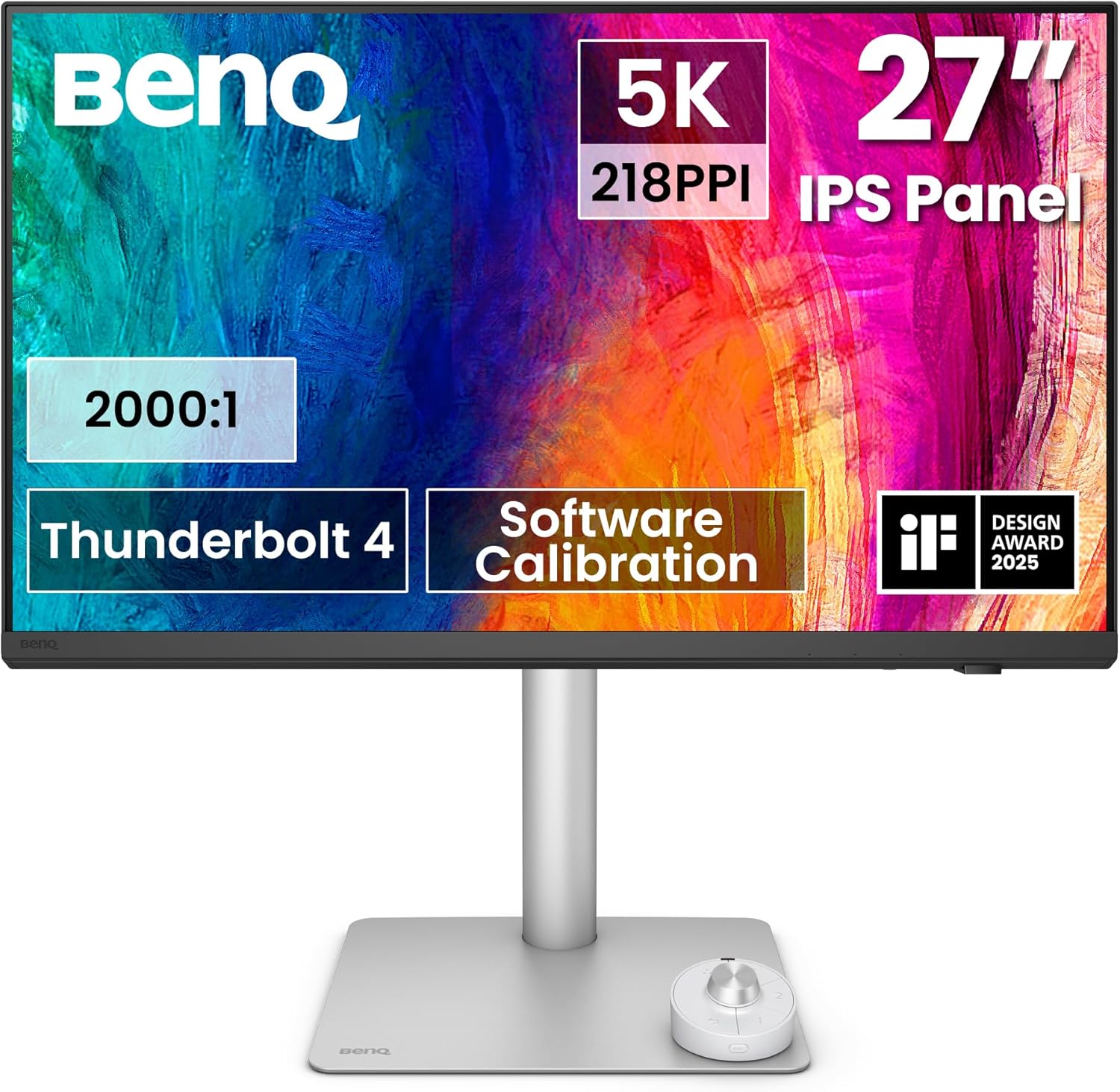
| Spec | Detail |
|---|---|
| Size / Resolution | 27″ / 5120 x 2880 (5K) |
| Panel | IPS Nano Gloss, 70Hz |
| Color | 99% P3, 500 nits |
| Ports | Thunderbolt 4, USB-C, HDMI 2.1 |
| Ergonomics | Height, tilt, swivel, pivot (fully adjustable) |
Reasons to buy
- $600 less than Apple Studio Display with comparable panel quality
- Fully adjustable ergonomic stand included (Apple charges $400 extra)
- Thunderbolt 4 for daisy-chaining and high-speed data
- IPS Nano Gloss coating reduces reflections without muting colors
- 70Hz refresh, slightly smoother than 60Hz competition
Reasons to avoid
- No built-in camera or speakers (Apple Studio Display has both)
- Brand new (March 2026), limited long-term reliability data
- $200 more than the ASUS ProArt PA27JCV for similar panel specs
✅ Buy if you want a Studio Display competitor that costs $600 less and includes the height-adjustable stand Apple charges $400 for. For Mac users who care about the panel and stand more than the camera and speakers, this is the obvious pick.
❌ Don’t buy if you don’t need Thunderbolt. The ASUS ProArt PA27JCV at $799 has essentially the same panel quality with USB-C instead of Thunderbolt. You’re paying $200 extra for the TB4 connection and BenQ’s Nano Gloss coating. If USB-C is enough for your setup, save the $200.
The BenQ MA270S landed in March 2026 and immediately became the most interesting 5K monitor of the year. BenQ built this as a direct Apple Studio Display competitor, and honestly? The panel and stand are arguably better than Apple’s base configuration. You get a fully adjustable ergonomic stand (height, tilt, swivel, pivot) that Apple charges $400 extra for. The IPS Nano Gloss coating handles reflections better than most matte panels without washing out colors.
What you give up versus the Studio Display: no 12MP Center Stage camera, no 6-speaker Spatial Audio, no Siri integration. Those are real losses if your workflow involves video calls. But the MA270S gives you Thunderbolt 4 for daisy-chaining, 500 nits brightness, and 99% P3 color accuracy on a 70Hz panel. If you’re choosing between this and the Studio Display purely on display quality and ergonomics, BenQ wins. Apple wins on ecosystem. Your workflow decides which matters more.
Best 5K Monitor for Features
4. Samsung ViewFinity S9 ($900-1,599)
| Spec | Detail |
|---|---|
| Size / Resolution | 27″ / 5120 x 2880 (5K) |
| Panel | IPS, 60Hz, HDR10, matte coating |
| Color | 99% DCI-P3, 600 nits |
| Ports | Thunderbolt 4 (90W PD), USB-C, HDMI, Mini DP |
| Features | Built-in 4K SlimFit webcam, Tizen Smart TV, Samsung DeX |
| Ergonomics | Height, tilt, swivel, pivot (adjustable stand included) |
Reasons to buy
- HDR10 support (Apple Studio Display doesn’t have HDR)
- Built-in 4K webcam eliminates a separate camera purchase
- 600 nits peak brightness, brightest in this roundup
- Tizen Smart TV for streaming without a connected computer
- MSRP $1,599 but regularly on sale at $900-1,000
Reasons to avoid
- Tizen Smart TV features are bloatware for most professionals
- Matte coating is aggressive, can look slightly grainy up close
- 60Hz only despite the premium pricing
✅ Buy if you want everything in one box. Camera, HDR, Thunderbolt 4, smart TV capabilities. At the frequent sale price of $900-1,000, you’re getting more features per dollar than any other 5K monitor. If you take video calls and want HDR content playback, this is the most complete package.
❌ Don’t buy if you just want a great display panel. The ASUS ProArt PA27JCV at $799 has better factory calibration (Calman Verified, Delta E < 2) and you’re not paying for Tizen Smart TV features you might never use. If you don’t need the webcam or HDR, the ASUS is the smarter buy.
The Samsung ViewFinity S9 is the Swiss Army knife of 5K monitors. Samsung packed everything in: 5K resolution, 99% DCI-P3, HDR10, 600 nits, a built-in 4K webcam, Thunderbolt 4, and Tizen Smart TV. On paper, it has more features than the Apple Studio Display at the same MSRP. In practice, Samsung discounts this monitor aggressively. I’ve seen it under $900 multiple times on Amazon. At that price, the value proposition is hard to argue with.
The honest take: some of those features are genuinely useful and some are gimmicks. The 4K webcam is good enough to replace a standalone camera for most video calls. HDR10 means content that supports it actually looks different (Apple’s Studio Display can’t say that). But Tizen Smart TV on a professional monitor? That’s Samsung padding the spec sheet. The matte coating is also more aggressive than I’d like. It kills reflections but adds a slight grain texture that’s noticeable if you’re used to glossy or semi-gloss panels. For the feature-obsessed buyer who catches it on sale, though, this monitor delivers serious bang for the buck.
Best Ultrawide 5K Monitor
5. Dell UltraSharp U4025QW ($1,500-2,400)

| Spec | Detail |
|---|---|
| Size / Resolution | 40″ / 5120 x 2160 (5K2K), 2500R curve |
| Panel | IPS Black, 120Hz, DisplayHDR 600 |
| Color | 99% DCI-P3, Delta E < 2 factory calibrated |
| Ports | Thunderbolt 4 hub (90W PD), 2.5G Ethernet, HDMI 2.1, DP 1.4, USB-A x5 |
| Ergonomics | Height, tilt, swivel (fully adjustable stand) |
Reasons to buy
- Replaces two monitors: code on the left, browser on the right, no bezels
- 120Hz on a 5K ultrawide is unique in 2026
- Thunderbolt 4 hub with 2.5G ethernet replaces a dock entirely
- IPS Black technology delivers deeper blacks than standard IPS
- DisplayHDR 600 is actual HDR, not marketing HDR400
Reasons to avoid
- $1,500-2,400 depending on configuration and retailer
- 40 inches demands serious desk space (minimum 30″ depth)
- 5K2K (5120×2160) not true 5K (5120×2880), lower vertical resolution
✅ Buy if you want to replace a dual-monitor setup with one panel. The 40-inch 5K2K gives you the horizontal real estate of two 27-inch monitors with no bezel gap in the middle. For developers who keep an editor and browser side-by-side all day, this is the cleanest setup possible.
❌ Don’t buy if your desk is under 30 inches deep, or if you need true 5K vertical resolution for design work. The 5120×2160 resolution gives you the same horizontal pixel count as standard 5K but fewer vertical pixels. For pure display quality in a compact format, the ASUS ProArt PA27JCV at $799 delivers more pixels per inch on a 27-inch panel.
The Dell UltraSharp U4025QW is a different animal than the other monitors on this list. It’s a 40-inch curved ultrawide with 5K2K resolution (5120×2160), 120Hz refresh rate, IPS Black panel technology, and a built-in Thunderbolt 4 hub with 2.5G ethernet. One cable from your laptop and you’re connected to everything. Dell’s approach here is to replace your dual-monitor setup, your dock, and your ethernet adapter with a single device.
The 120Hz refresh rate is the standout spec. No other 5K-class ultrawide runs at 120Hz right now. Scrolling through code at 120Hz on a curved 40-inch panel is noticeably smoother than 60Hz. IPS Black means the contrast ratio is significantly better than standard IPS, which matters if you use dark themes. The price is steep, but think of it this way: a 27-inch 5K monitor ($800-1,600) plus a Thunderbolt dock ($200-300) plus a second monitor ($300-500) costs $1,300-2,400. This replaces all three. For the right workflow, it’s not expensive. It’s efficient.
Quick Comparison: 5K Monitors in 2026
| Monitor | Resolution | Connection | Color Gamut | Best For | Price |
|---|---|---|---|---|---|
| ASUS ProArt PA27JCV | 5120 x 2880 | USB-C 96W PD | 99% DCI-P3 | Value (my pick) | ~$799 |
| Apple Studio Display | 5120 x 2880 | Thunderbolt 5 | P3 wide color | Mac ecosystem | $1,599+ |
| BenQ MA270S | 5120 x 2880 | Thunderbolt 4 | 99% P3 | Mac alternative | ~$999 |
| Samsung ViewFinity S9 | 5120 x 2880 | Thunderbolt 4 90W | 99% DCI-P3 | Feature-packed | $900-1,599 |
| Dell U4025QW | 5120 x 2160 | Thunderbolt 4 hub | 99% DCI-P3 | Ultrawide replacement | $1,500-2,400 |
How to Choose a 5K Monitor
I’ve tested monitors across dozens of workstations and client projects over the years. The 5K category is smaller than 4K, but the decisions are just as important. Here’s what actually matters when you’re spending $800+.
5K vs 4K: The Pixel Density Math
At 27 inches, 4K (3840×2160) gives you 163 PPI. 5K (5120×2880) gives you 218 PPI. That 218 PPI is the magic number because it matches Apple’s Retina standard for desktop displays. Text at 218 PPI looks like a printed page. Text at 163 PPI looks like a very good monitor. Both are sharp. But once you see 5K text next to 4K text on the same size screen, the difference is obvious.
The practical impact: macOS renders 5K at 27 inches at perfect 2x Retina scaling (2560×1440 effective). 4K at 27 inches requires fractional scaling at 1.5x, which can cause subtle blurriness in some apps. If you use a Mac, 5K at 27 inches is the “correct” resolution for clean scaling. On Windows, both work fine with display scaling, though 5K at 200% gives you the sharpest result.
Standard 5K vs Ultrawide 5K2K
Standard 5K (5120×2880) is a 16:9 panel at 27 inches. 5K2K (5120×2160) is a 21:9 ultrawide at 40 inches. Same horizontal pixel count, completely different experiences. The standard 5K gives you the highest pixel density and cleanest text. The 5K2K ultrawide gives you massive horizontal workspace, enough to replace two monitors.
If your workflow is “editor in the center, browser on the side,” the ultrawide is tempting. If your workflow is “one focused app at a time with maximum text sharpness,” the 27-inch 5K wins. The Dell U4025QW is the only ultrawide 5K2K on this list because it’s the only one worth recommending. Most ultrawide 5Ks cut too many corners.
Thunderbolt vs USB-C: What You Actually Need
Thunderbolt 4 and 5 support daisy-chaining (connect a second monitor through the first), higher data bandwidth, and pass-through to Thunderbolt peripherals. USB-C with DisplayPort Alt Mode drives the display and delivers power but can’t daisy-chain or pass Thunderbolt data. For most people, USB-C is enough. You plug in one cable, you get video and power. Done.
Thunderbolt matters if you use external SSDs at full speed, daisy-chain a second display, or connect Thunderbolt docks through the monitor. The ASUS ProArt at $799 uses USB-C (not Thunderbolt) and works perfectly for single-monitor setups. If you need Thunderbolt, the BenQ MA270S at $999 or the Samsung ViewFinity S9 are your options. Don’t pay for Thunderbolt if USB-C covers your workflow.
Do You Actually Need 5K?
Honest answer? Most people don’t. A 4K 27-inch monitor at $300-400 covers 90% of use cases. 5K matters most for three groups: Mac users who want true Retina on an external display (no fractional scaling artifacts), creative professionals who need the extra pixel density for design work and photo editing, and developers who switch between their MacBook’s Retina screen and an external display and want zero quality gap.
If you code all day on a 4K monitor and you’re happy with the text quality, 5K won’t change your life. If you’ve been annoyed by the difference between your MacBook’s built-in display and your external monitor, 5K eliminates that gap completely. That’s the real value proposition.
Glossy vs Matte vs Nano Texture
Apple’s Studio Display ships with a glossy panel by default (nano-texture is a $300 upgrade). Samsung’s ViewFinity S9 uses an aggressive matte coating. BenQ’s MA270S uses a Nano Gloss coating that sits between glossy and matte. The ASUS ProArt uses a standard anti-glare matte.
Glossy panels look more vibrant but reflect everything behind you. Matte panels kill reflections but can add a subtle grain texture. Nano Gloss and nano-texture coatings try to give you the best of both worlds. If you work in a room with windows behind your desk, matte or nano-texture is worth prioritizing. If your desk faces a wall with controlled lighting, glossy gives you the most vibrant image. Most people overthink this. Pick the monitor with the best specs and deal with the coating.
My Setup
I use an LG 4K monitor as my daily driver. Not a 5K. It’s a 27-inch IPS panel with USB-C, and I’ve been coding on it for over two years. The text is sharp, the color is accurate, and the single-cable setup with my MacBook is exactly what I need. I considered upgrading to 5K and decided against it for my specific workflow. Coding at 4K with 150% scaling gives me enough sharpness and workspace that 5K’s improvement didn’t justify the cost jump.
But I’d give different advice to a designer, photographer, or video editor. If your work involves scrutinizing visual details, if you constantly switch between your MacBook’s Retina screen and an external display, or if macOS fractional scaling quirks annoy you, 5K is the right call. The ASUS ProArt PA27JCV at $799 is what I’d buy if I were starting fresh in a creative workflow. It’s the first 5K monitor that makes the category feel accessible instead of luxury. For Mac purists who want the full ecosystem experience, the Studio Display is still the only option that does what it does. And for the “replace everything with one device” crowd, the Dell U4025QW ultrawide is genuinely compelling at any price.
Frequently Asked Questions
Is a 5K monitor worth it over 4K?
For most people, no. A 4K monitor at 27 inches (163 PPI) is sharp enough for coding and general productivity. 5K at 27 inches (218 PPI) matters most for Mac users who want true 2x Retina scaling without fractional artifacts, creative professionals who need maximum pixel density for design work, and anyone bothered by the quality gap between their MacBook screen and their external monitor. If your 4K monitor looks fine to you, save the money.
Can my MacBook drive a 5K monitor?
Any M-series MacBook (M1 or newer) can drive a single 5K display at 60Hz over Thunderbolt or USB-C. M1 and M2 base models support one external display natively. M1 Pro, M2 Pro, and newer support two or more external displays. Intel Macs from 2018 onward can drive 5K over Thunderbolt 3 but may struggle with performance. Check Apple’s support page for your specific model’s display output limits.
Can Windows PCs use 5K monitors?
Yes, but check your GPU and port specs. 5K at 60Hz requires DisplayPort 1.4 or HDMI 2.1 with DSC (Display Stream Compression). Most discrete GPUs from NVIDIA GTX 1070 and AMD RX 580 onward support this. Integrated graphics on Intel 12th gen and newer also work. The ASUS ProArt PA27JCV includes both HDMI 2.1 and DisplayPort 1.4, making it the most Windows-friendly option on this list.
What display scaling should I use with 5K at 27 inches?
macOS defaults to 2x (Retina) scaling at 5K on 27 inches, giving you an effective workspace of 2560×1440. This is the sweet spot. Everything looks sharp with no fractional scaling artifacts. On Windows, use 200% scaling for the sharpest text. 175% gives you more workspace but some apps may look slightly soft. 5K at 27 inches is designed for 2x scaling, which is the whole point of the resolution.
Is the Apple Studio Display worth $1,599?
Only if you value the ecosystem features. The panel quality is comparable to the ASUS ProArt PA27JCV at $799 and the BenQ MA270S at $999. You are paying $600-800 extra for Center Stage camera, Spatial Audio speakers, Siri integration, and Thunderbolt 5. If those features replace a separate webcam ($100-200), desk speakers ($100-200), and a Thunderbolt dock ($200-300), the math gets closer. If you just want a great 5K display, the ASUS or BenQ are better value.
How long do 5K monitors typically last?
IPS panels from major brands (Dell, LG, Samsung, ASUS, BenQ, Apple) typically last 7-10 years with daily use before noticeable backlight degradation. The technology is mature. A 5K monitor you buy today will outlast several laptops. The bigger concern is port standards evolving. Thunderbolt 4 and USB-C will remain relevant for at least 5-7 years. Buy from a brand with good warranty support. Dell and Apple offer the strongest warranties. ASUS and BenQ are solid. Samsung’s US support is fast but can be inconsistent internationally.
The ASUS ProArt PA27JCV is the 5K monitor I’d tell most people to buy. $799 for factory-calibrated 5K with 99% DCI-P3 is the best value in this category by a wide margin. If you need Apple ecosystem integration, the Studio Display is the only game in town. And if you want to replace your entire dual-monitor setup with one panel, the Dell U4025QW ultrawide does things no other monitor can. But for pure value? ASUS wins. It’s not even close.