
 by
by
The right blog name is short, memorable, and available as a .com. This free blog name generator gives you 30 brandable blog name ideas per run with live domain checks, no signup and no email.
Generate your blog names first, then follow the steps below to turn the winner into a published, live blog.
Generating Blog Names
This is a free blog name generator that runs unlimited generations with live .com availability. Type your niche, one or two keywords, or a vibe. You get 30 blog names per run. No signup, no email, no “create an account to see more results.” Run it as many times as you want.
The tool combines curated word banks with proven naming patterns to output brandable blog names, not keyword concatenations. So instead of “bestcookingtips.com” and “cookingtipshub.com,” you get names that sound like real blogs people remember, bookmark, and share. Every name gets a live .com availability check, the extension that matters most, straight from the domain registry.
Free and unlimited runs with live .com availability, straight from the registry. No signup, no AI, no logging of your searches.
Type a keyword and hit generate. You’ll get 30 brandable blog name ideas, each with a live .com check.
Availability is checked live against the .com registry via RDAP. If a check is rate-limited, use the Check link.
How this blog name generator works
You enter one to three keywords that describe your blog. The generator runs your keywords through four naming patterns, then each result gets a live .com availability check and a brandability score:
- Invented brandable words
- Real-word combinations
- Modified dictionary words
- Metaphorical names
Click any result to register the domain through Cloudflare Registrar, Porkbun, or Namecheap. The tool does not front-run searches, and your searches are not logged or sold. If the first 30 do not land, hit generate again for a different creative direction. I have had clients find their final name on generation number four.
What makes a great blog name
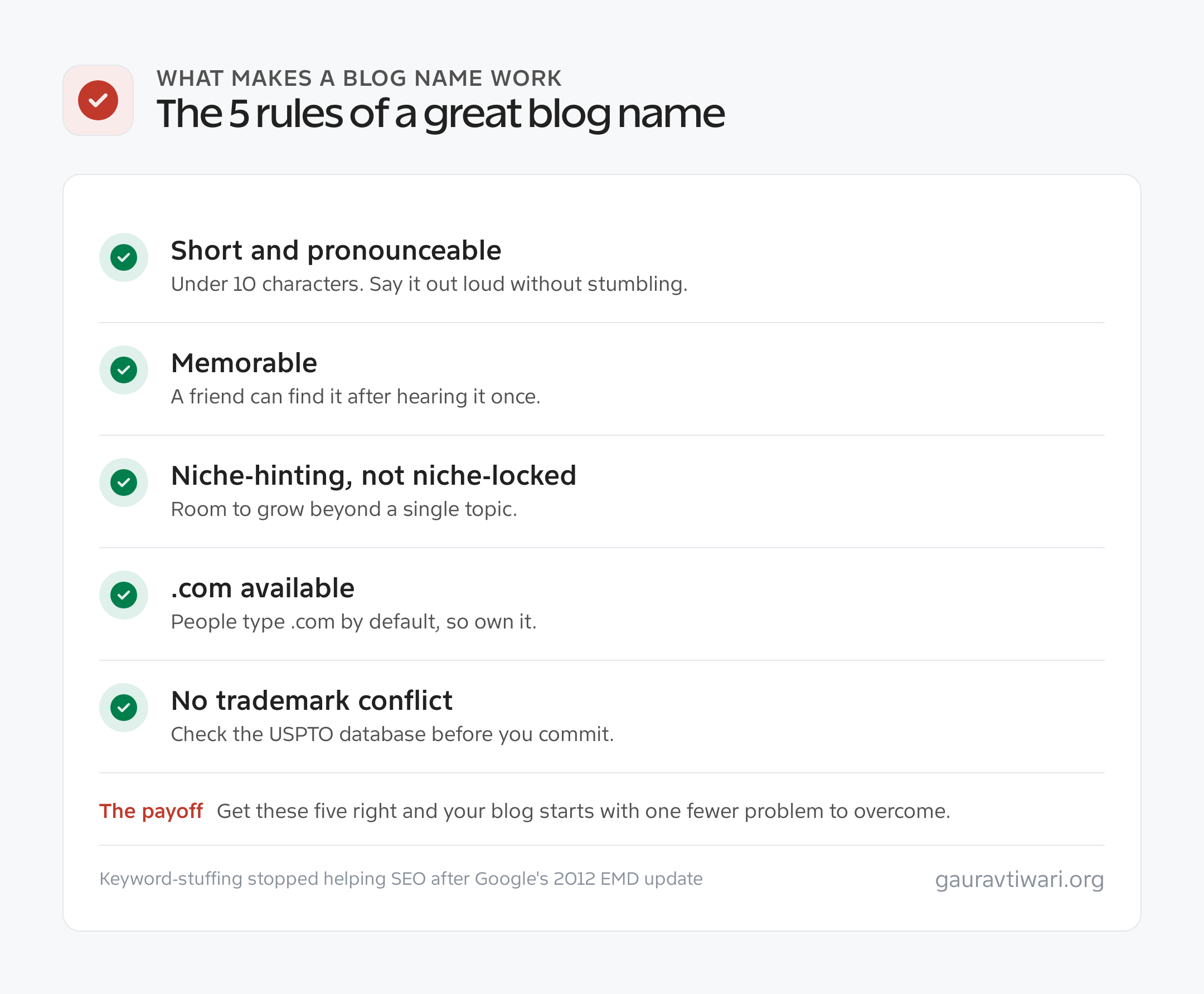
Five things. Get these right and your blog starts with one fewer problem to overcome:
- Short and pronounceable. Under 10 characters ideally. Say it out loud. If you stumble or have to spell it, cut it.
- Memorable. A friend should be able to find it after hearing about it once. Forgettable names kill referral traffic.
- Niche-hinting but not niche-locked. “Bakerstable” suggests food without locking you to bread. Leave room to grow.
- .com available. People type .com by default. If someone else owns it, they get your typo traffic for free.
- Not trademark-conflicted. Check the USPTO trademark database before committing. A cease-and-desist can erase years of brand equity.
Secondary factors matter far less: keyword inclusion (which stopped helping SEO after Google’s 2012 EMD update), trendy TLDs, and cute spelling tricks.
Blog name ideas: 4 naming strategies that work in 2026
Four approaches I have watched work for real blogs pulling 50,000-plus monthly visitors. Pick one strategy and commit, do not mix them:
- Invented words. Brandable, memorable, completely ownable. Examples: Mashable, Kinsta, Wistia. They mean nothing on their own, which is the advantage, you define them through content.
- Founder’s name plus a word. Smart Passive Income, Neil Patel, Tim Ferriss. Great for a personal brand, bad if you ever want to sell.
- Two-word combinations. TechCrunch, Copyblogger, Smashing Magazine. Memorable and often still available in .com. Pick words that sound natural together.
- Metaphor-adjacent names. Buffer, Ghost, Stripe. Named after something tangentially related. They feel designed, not SEO-stuffed.
Blog name mistakes that kill growth
Blog names I have watched sabotage otherwise-good projects:
- Hyphens. “best-cooking-tips.com” screams SEO blog from 2012. Nobody says “dash” out loud, so verbal sharing breaks.
- Numbers where words should be. “4kids.com,” “2busy.com.” Two spellings to defend, and people pick the wrong one half the time.
- Trendy misspellings. Dropping the “e” worked for Flickr in 2004. In 2026 it feels tired. Pick a real or invented word instead.
- Niche plus hub, daily, center, world, or zone. CookingHub, CookingDaily. These are what keyword generators spit out, and they feel generic because they are.
- Your name plus “blog.” “JohnSmithBlog.com.” If you are not already a known brand, nobody searches your name.
- Too long. “TheBestOnlineResourceForHomeCooks.com” reads fine and types terribly.
- Exact-match keyword domains. “CookingTips.com” sounds like you could not think of a name, and exact-match domains have not helped SEO since Google’s September 2012 EMD update.
Free alternatives to this blog name generator
Four other free blog name generators worth trying, each with a different strength:
- NameMesh. Sorts results into Common, New, Short, Similar, SEO, Fun, and Mix tabs. Keyword-driven, not AI. Best when you already have a keyword in mind.
- Panabee. Generates portmanteau names. Fast, clean, but results skew tech-startup and weak for natural blog names.
- Namelix. AI-powered with logos alongside names. Strong brandability, but uses GoDaddy for availability, which inflates “premium” pricing.
- Domainr. Not a generator exactly. Checks availability across hundreds of TLDs. Useful once you have a shortlist.
Blog name generator comparison
| Tool | AI-powered | Niche-aware | TLDs checked | Strength |
|---|---|---|---|---|
| This generator | Yes | Yes | .com, .net, .io, .co | Blog-focused brandable names |
| NameMesh | No | Partial | Multiple | Category-sorted variations |
| Panabee | Partial | No | .com, .net, .co | Portmanteau names |
| Namelix | Yes | Partial | .com (GoDaddy) | Brand + logo concepts |
| Lean Domain Search | No | No | .com only | Keyword brainstorming |
| Shopify Business Name Generator | No | No | .com | Business names (not blog-specific) |
The differentiator here: this generator prompts the AI specifically for blog-style names rather than corporate brands. A blog name can be more personal, more specific, and more casual than a company name, and most generators miss that distinction.
How to evaluate the 30 blog names you get
Strict filtering. The first pass cuts 25, the second cuts a few more, and you are left with one winner. Run every candidate through these checks:
- Read it aloud. Say each name out loud. If you stumble, or you are not sure how to spell it, cut it.
- The podcast test. “Hi, I write about [niche] at [name].com.” If it needs explanation, cut it.
- The handle check. Is @[name] free on X, Instagram, LinkedIn, and YouTube? An active account elsewhere will bury your searches for months.
- Trademark search. Free at the USPTO. A live mark in your exact category means skip the name.
Whatever survives is your shortlist. Sleep on it. What sounds perfect on Friday sometimes sounds off on Monday. Names that still feel right after 48 hours are the ones to register.
When your first-choice .com is taken
Very common. Five options, ranked:
- Buy it on the aftermarket. Use Sedo, GoDaddy Domain Broker, or Afternic. Budget $500 to $2,000 for a squatter-held name and set a walk-away number. I have paid $850 for a three-letter .com.
- Modify slightly. Add “get,” “try,” “read,” “the,” or your location.
- Use .co instead. Short, looks similar, costs the same. The best alternative when the .com is permanently gone.
- Use .io if you are tech-focused. Fine for developer blogs, weird for cooking, parenting, or lifestyle.
- Pick a different name. If a big active company owns the .com, you will fight their search dominance forever. Your blog does not exist yet, their brand does.
Avoid .biz, .info, .xyz, .club, .online, .site, and .store as a blog domain. They all shout “could not afford the real TLD” to visitors.
Where to register your blog name
Register at an at-cost registrar and skip the upsells:
- Cloudflare Registrar. At-cost pricing, around $9.77/year for .com with free WHOIS privacy. No renewal hikes. This is where I register.
- Porkbun. Close to at-cost, free WHOIS privacy, a friendlier traditional dashboard. My backup.
- Namecheap. Competitive prices, easy transfers, familiar to anyone who has used WordPress.
- GoDaddy. Fine for year one, but renewals run 30 to 40% higher. I transfer any GoDaddy domain I inherit within 60 days.
Do not pay for WHOIS privacy (free at Cloudflare, Porkbun, and Namecheap), SSL (free via Let’s Encrypt), or email forwarding (free via Cloudflare Email Routing or ImprovMX).
What to do in the first 24 hours after you register
Five moves that cost nothing and prevent expensive problems later:
- Reserve your social handles. X, Instagram, LinkedIn, Facebook, YouTube, Pinterest, TikTok. Grab them all, even platforms you will never use.
- Set up professional email. Forward hello@yourblog.com to your inbox with Cloudflare Email Routing or ImprovMX, both free.
- Add the domain to Cloudflare. The free tier gets you fast DNS, DDoS protection, and free SSL. The nameserver change takes about 15 minutes.
- Turn on two-factor authentication and domain lock. Domain theft via password-reset attacks is real, and 2FA plus a registrar lock stops it.
- Run the trademark search, seriously. Cheaper to change the name in week one than in year three.
Real blog names that worked (and why)
Look at blogs pulling serious traffic in 2026 and the patterns show up:
- Wirecutter. One invented-sounding word that tells you nothing about the topic. Acquired by the NYT for $30M in 2016, now synonymous with product reviews.
- Smashing Magazine. Two words, memorable, a little weird. Works because it has been consistent since 2006.
- Pinch of Yum. Three long words, descriptive of food blogging. Works because Lindsay Ostrom owns it fully and made the phrase her brand.
- Backlinko. Invented, short, memorable. Brian Dean built it into a household word in SEO circles and sold for a rumored $1M-plus exit.
The pattern: successful blog names are not predictably “good.” They are consistent, pronounceable, and backed by content worth caring about. Pick a name you can commit to for five years. That is the real test.
Final thoughts on blog names
Your blog name matters less than you think in year one. No name guarantees success, and plenty of blogs with odd names (Smashing Magazine, Copyblogger, Fstoppers) grew huge audiences on content quality alone.
But a good name removes friction forever, and a bad one adds friction you never stop paying for. If the name makes you cringe on a podcast or a brand pitch, it is wrong. If it makes you smile, it is probably right. Run the generator, get 30 names, cut 28, sleep on the last two, and register the winner this weekend. The domain is $10. The wrong domain lasts forever.
From Name to Live Blog
A blog maker is any hosted tool that lets you write and publish on the public web without installing software or configuring a server. The fastest free blog makers with near-zero signup friction are Bear Blog, Mataroa, WordPress.com, Blogger, Substack, and Medium. Most get you publishing within 90 seconds.
“No signup needed” is usually marketing nonsense, every blog maker needs an account somewhere. But there is a real gap between “fill out 14 fields and verify your phone” and “type an email and start writing.” This section covers the fastest-to-publish free blog makers in 2026, what each one trades off, and when to move from a hosted blog maker to self-hosted WordPress.
What is a blog maker
A blog maker is a web platform where you sign up, pick a URL, type into an editor, and hit publish. Hosting, SSL, email, CDN, and theming are handled for you. There are three categories:
- Free-forever blog makers. WordPress.com free, Blogger, Bear Blog, Mataroa. You get a subdomain, limited customization, and sometimes platform ads, but you never pay.
- Freemium blog makers. Medium, Substack, Ghost, Beehiiv. The free tier has limits, and paid tiers unlock custom domains, monetization, and analytics.
- Near-zero-signup blog makers. Some are so frictionless (one email, no CAPTCHA) that “no signup” is close enough. Bear Blog is the purest example at 10 seconds.
Free blog makers with the fastest signup
Time-to-first-post is the metric that matters when you just want to write. These are ordered by measured setup time on a fresh incognito window:
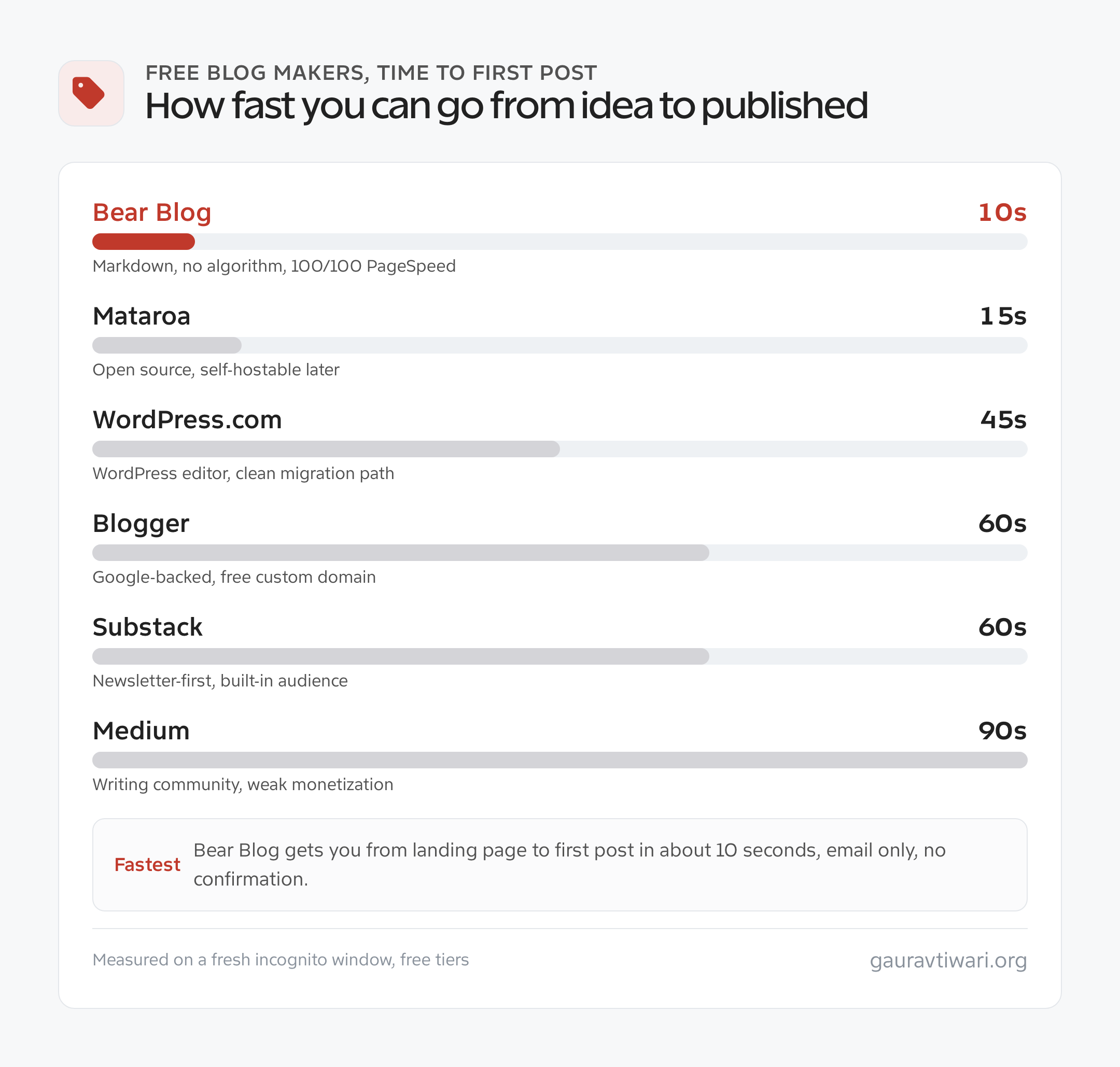
Bear Blog (10 seconds)
Best for: writers who want zero friction, markdown, and no algorithm.
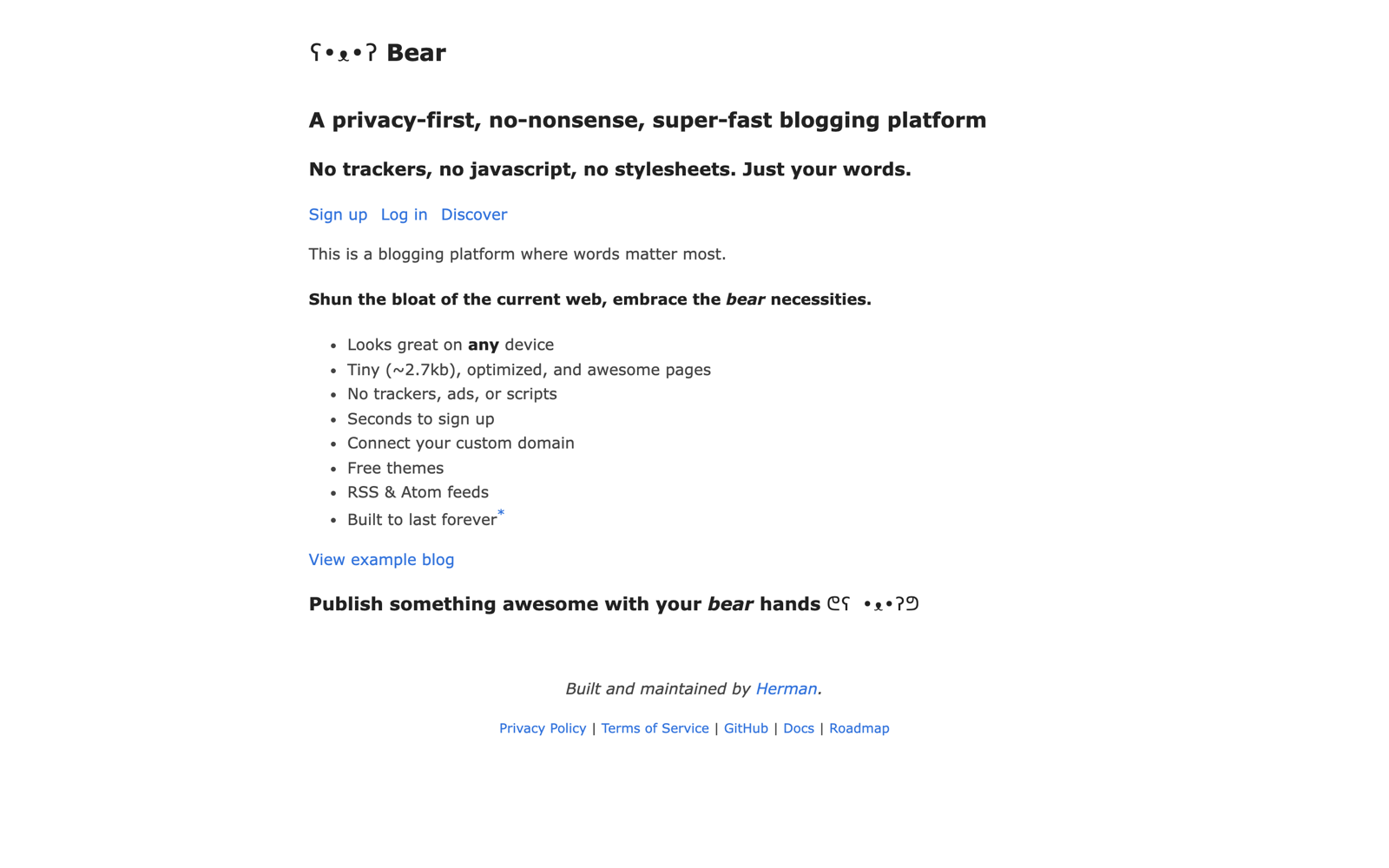
Bear Blog is a minimalist blog maker by Herman Martinus. Enter an email, pick a subdomain, and you are in a pure-markdown editor. No confirmation, no themes to pick, no onboarding wizard. Posts load in under 300ms and the default theme scores 100/100 on PageSpeed.
What it lacks: monetization, newsletter features, custom themes beyond CSS, and analytics beyond pageviews. Free tier is 10 posts a day on a subdomain. Pro ($29/year) adds a custom domain and unlimited posts.
Mataroa (15 seconds)
Best for: writers who want an open-source blog maker they can self-host later.
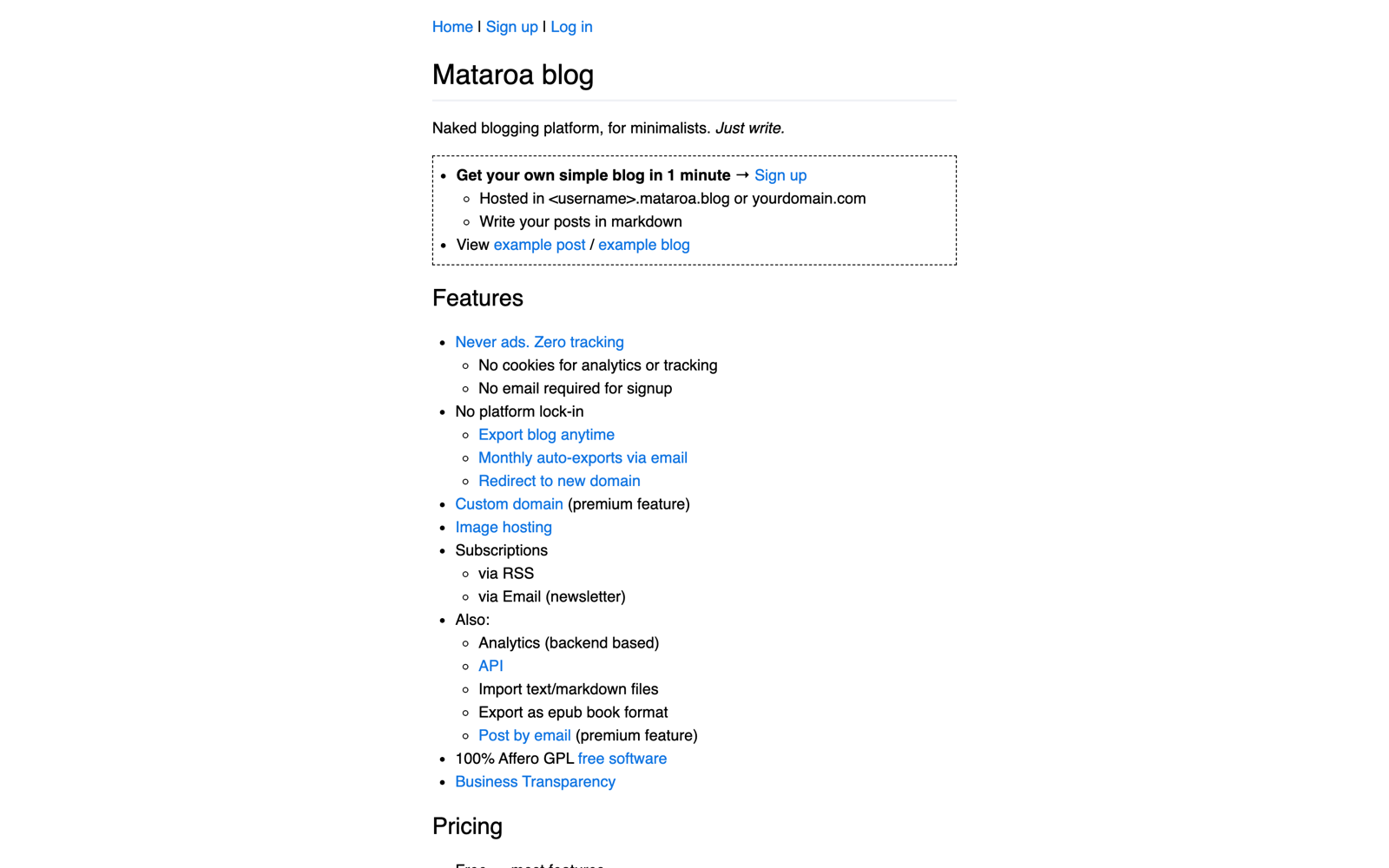
Mataroa is an MIT-licensed Django blog maker by Theodore Keloglou. Email-only signup, markdown editor, automatic dates. Because it is open source, you can clone the repo and run it on your own Hetzner or DigitalOcean box if you outgrow the hosted version.
Free tier: one blog, unlimited markdown posts, custom subdomain, no ads, no tracking. Premium ($35/year) adds a custom domain and larger image uploads. Perfect for privacy-conscious writers who want to test hosted first and migrate later.
WordPress.com Free (45 seconds)
Best for: bloggers who want the WordPress editor and a clean path to self-hosted.
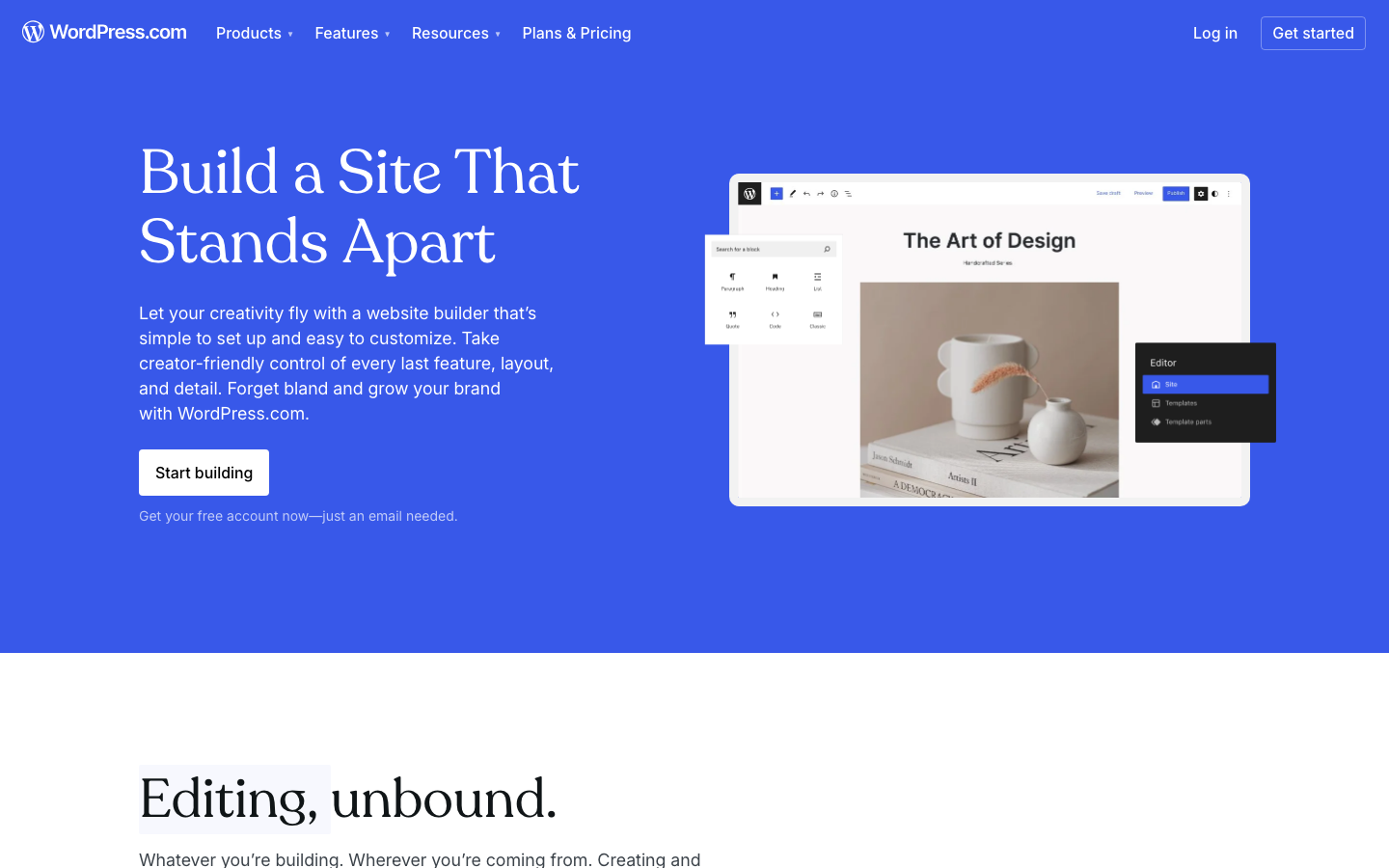
WordPress.com free signs up via Google in about 45 seconds and drops you in the Block Editor, publishing in under 90 seconds. Free tier: 1GB storage, WordPress.com ads, a subdomain, limited themes, no plugins.
The upgrade path is the point. Move to Personal ($4/mo) to remove ads and add a custom domain, then export cleanly via WXR to self-hosted WordPress when you are ready. It is the closest thing to try-before-you-buy in the blog maker world.
Blogger (60 seconds)
Best for: bloggers who want a Google-backed platform that has been stable since 1999.

Blogger is Google’s original blog maker. Sign in with your Google account, pick a blogspot.com URL and a theme, and you are writing. AdSense integration is native, and custom domains are free (unlike WordPress.com).
Free tier: 1GB image storage, unlimited posts, no platform ads, free forever. The catch: Google has not shipped a meaningful update since 2017, and you are betting they will not kill it like Google Reader or Feedburner. That is a bet I would not make.
Substack (60 seconds)
Best for: writers who want a newsletter-first blog with audience building built in.
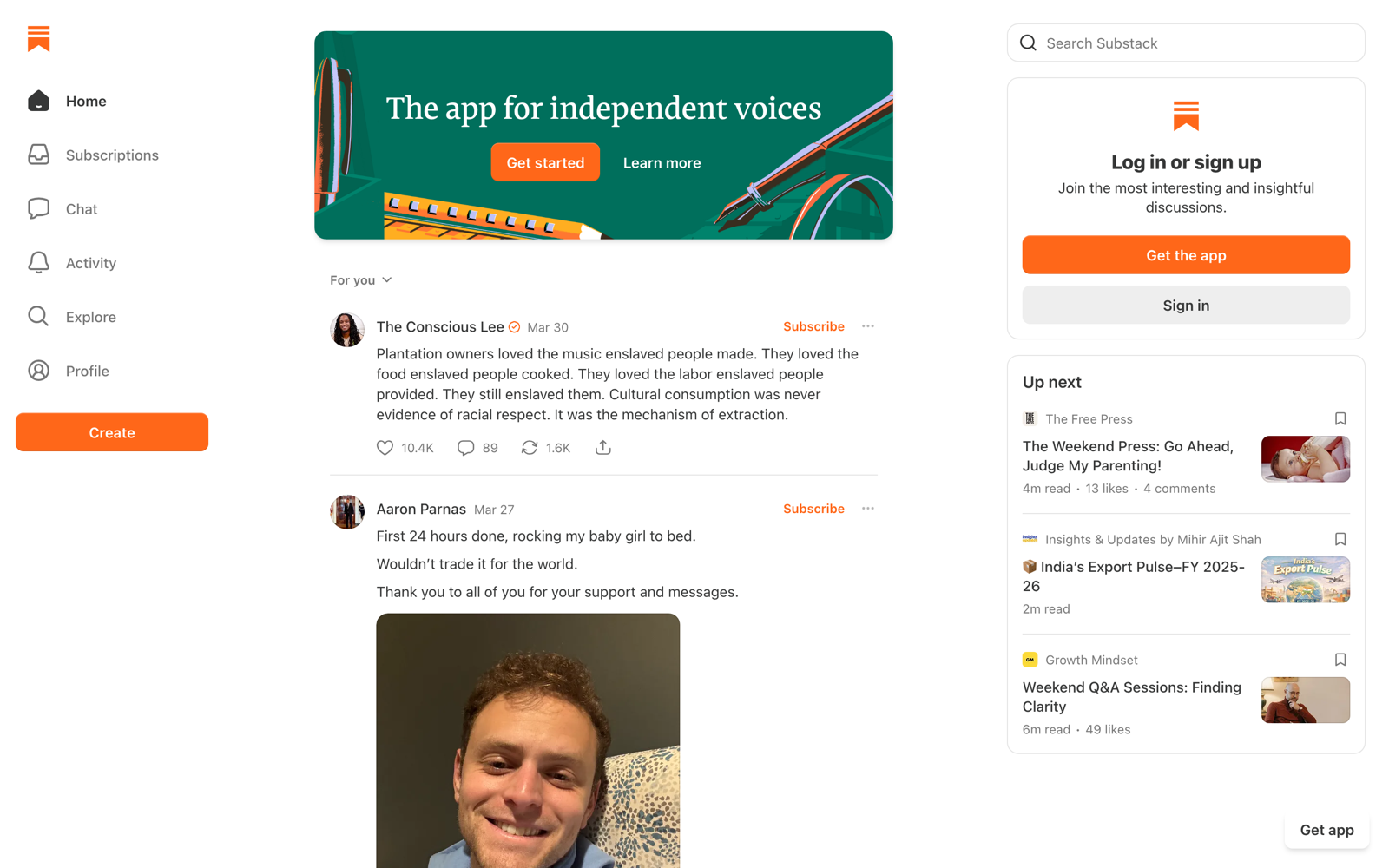
Substack signup is email-only. Pick a publication name, a subdomain, a bio, and publish. If you care about email subscribers more than web traffic, Substack delivers them faster than any other free blog maker through its Notes feed and recommendation network.
Free tier: unlimited posts and subscribers, built-in email, comments, and Notes. Paid subscriptions trigger a 10% Substack fee plus Stripe processing. It remains the easiest path from “I have an idea” to “3,000 subscribers.”
Medium (90 seconds)
Best for: writers who want a built-in audience but do not want to own distribution.
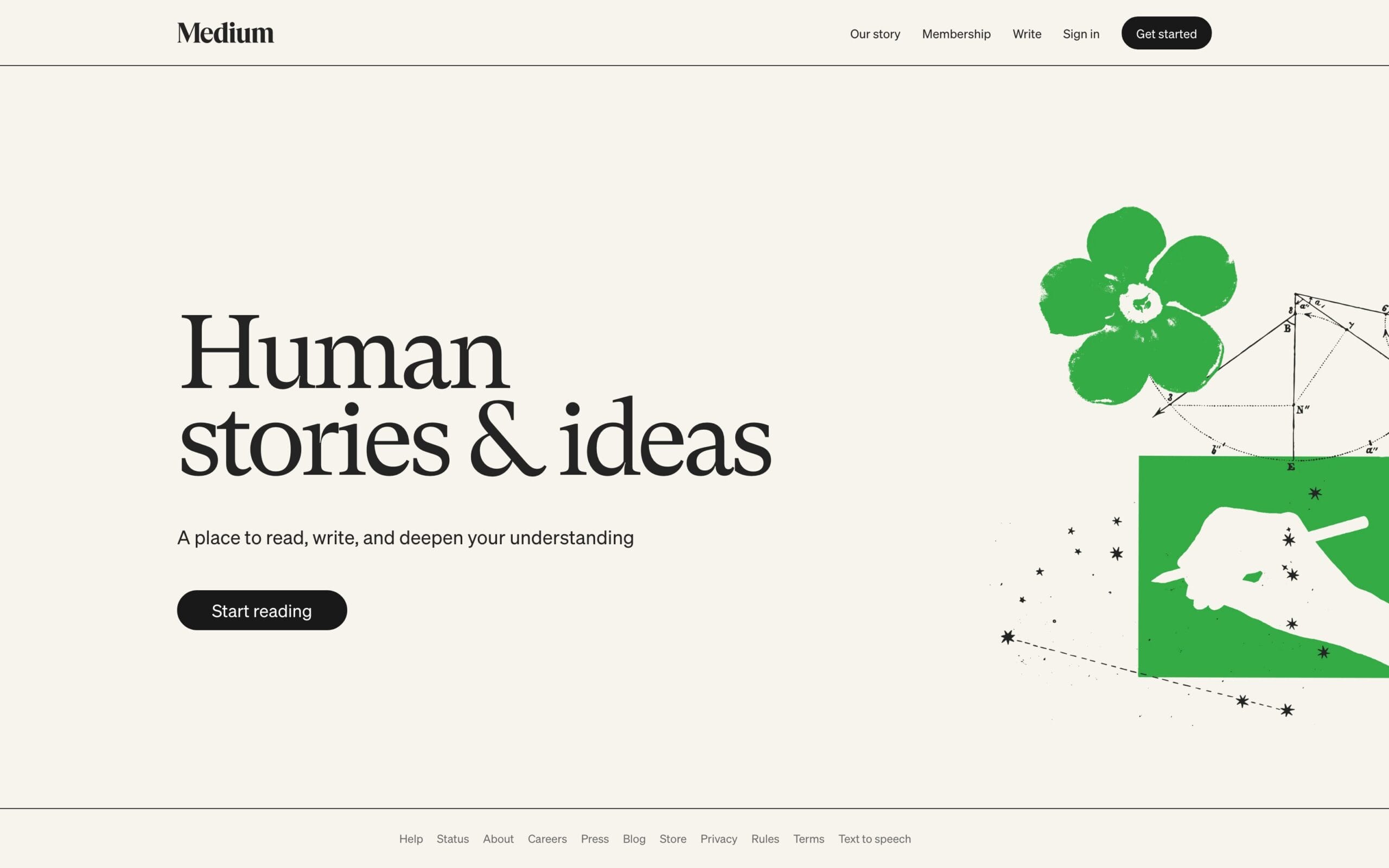
Medium takes 90 seconds because the email magic link needs confirmation. The editor is minimal, and posts default to your profile or a publication. Pick Medium for the writing community and clean reading experience.
Do not pick it for money. Partner Program revenue collapsed: writers who earned $5,000-plus monthly in 2018 earn $200 to $800 now, and most non-curated posts earn under $5 lifetime.
Free blog makers feature comparison
| Blog Maker | Signup Time | Free Custom Domain | Ads on Free | Export Your Content | Monetization |
|---|---|---|---|---|---|
| Bear Blog | 10s | No ($29/yr Pro) | No | Markdown files | No |
| Mataroa | 15s | No ($35/yr Premium) | No | Markdown + JSON | No |
| WordPress.com | 45s | No ($4/mo Personal) | Yes | WXR XML | Yes (upgrade) |
| Blogger | 60s | Yes (bring your own) | No | Atom XML | Yes (AdSense) |
| Substack | 60s | No ($50/yr or Plus) | No | CSV subscribers + HTML | Yes (10% fee) |
| Medium | 90s | No (Publications only) | No | Zip archive | Partner Program |
| Ghost (hosted) | 120s | Yes ($9/mo Starter) | No | JSON export | Yes |
| Beehiiv | 120s | No ($39/mo Scale) | No | CSV + HTML | Yes |
When to move from blog maker to self-hosted
Hosted blog makers are right when you are testing an idea or writing casually. They stop being right when:
- You want to own your audience data. Medium and Substack control your readers. Self-hosted WordPress with MailerLite or Kit keeps that list yours.
- You need monetization beyond ads. Affiliate links, sponsorships, digital products, courses. Every hosted maker restricts at least one. Self-hosted WordPress handles them all, and my guide to making money blogging covers the real options.
- You are writing 10-plus posts a month. The friction of a hosted editor adds up. Full WordPress is faster past the learning curve.
- You care about Core Web Vitals and SEO. Self-hosted lets you pick a fast stack (GeneratePress plus FlyingPress plus Cloudflare) and control every performance variable.
- Your Google traffic crosses 5,000 monthly sessions. Move to WordPress on one of my tested best web hosting picks and add Rank Math for free schema markup.
The migration path most bloggers follow: WordPress.com free, then WordPress.com Personal, then self-hosted WordPress on shared hosting, then managed or VPS hosting. Each step buys more control for more responsibility.
The best blog maker depends on your goal
Pick your blog maker based on what you want the blog to do for you:
- Personal diary, no ambition: Bear Blog or Mataroa. Zero setup, zero upkeep, zero ads.
- Hobby blog you might grow: WordPress.com free. The export-and-migrate path is real, I have moved three clients off it with zero content loss.
- Newsletter-first business: Substack free. Upgrade to paid subscriptions once you pass 1,000 subscribers.
- Essay writing for a community: Medium with a publication. Expect reads, not income.
- Niche blog, no monetization plans: Blogger. Free, stable, custom domain support.
Serious business blog, day one: Skip hosted blog makers entirely. Go self-hosted WordPress on Hostinger or Bluehost and follow my 7-step guide to start a blog. You will save the migration later.
Blog maker setup checklist
Whichever blog maker you pick, the first 30 minutes are the same. Do these in order:
- Pick a URL you can live with for 2-plus years. Migrations are painful.
- Set a publishing schedule. Weekly or bi-weekly beats daily-then-nothing.
- Write an About page before your first post. It sets reader expectations.
- Publish three posts before you share any. Single-post blogs read as abandoned.
- Pick one distribution channel and post there when you publish. Do not try to be everywhere.
- Set a 90-day reminder to review. Still writing? Keep going. Stopped? Migrate or sunset honestly.
Pick a blog maker and start writing today
The best blog maker is the one you will actually use. Bear Blog is my pick for “I want to write and not think about it.” WordPress.com free is my pick for “I want the option to grow this into something bigger.” Substack is my pick for “I want subscribers, not just readers.”
The mistake most new bloggers make is not picking the wrong platform. It is spending three weeks evaluating platforms and never writing the first post. Every option here is good enough. Pick one, open the editor, write for 30 minutes, and hit publish.
Frequently Asked Questions
Is this blog name generator really free?
Yes. No signup, no email, no credit card. Unlimited generations. The tool doesn’t capture your searches or front-run domains. It’s hosted on gauravtiwari.org and is funded by affiliate links to registrars, not data collection.
Does it check domain availability?
Yes. Each suggestion gets a live .com availability check straight from the registry via RDAP when results load, so it reflects the actual registry state at that moment, not a cached list.
How long should a blog name be?
Under 10 characters is ideal. Under 15 is workable. Anything longer creates typos and makes verbal sharing awkward. Most successful blogs (Mashable, Wirecutter, Copyblogger) land at 7-10 characters.
Should my blog name include my niche keyword?
Not necessarily. Keyword-rich domains stopped helping SEO after Google’s EMD update in September 2012. Brandable names outperform keyword-stuffed ones for memorability and direct traffic. Hint at your niche rather than literally naming it.
Can I change my blog name later?
Yes, but it’s painful. You lose social handles, brand recognition, and have to 301-redirect every URL. Plan for around 10-20% short-term traffic loss during the rebrand. Better to get the name right the first time than rebrand in year three.
Where should I register the name?
Cloudflare Registrar charges at-cost with free WHOIS privacy ($9.77/year for .com). Porkbun is close in price with a better traditional UI. Skip GoDaddy for long-term holdings because renewal prices run 30-40% higher than competitors.
What if all the .coms are taken?
First option: buy on the aftermarket through Sedo or GoDaddy Domain Broker if the name is truly perfect. Second option: use .co, which is the best alternative when .com is gone. Avoid .biz, .info, .xyz, and .online for anything you want taken seriously.
Should I trademark my blog name?
Check for existing trademarks at tmsearch.uspto.gov before registering. File your own trademark once the blog has revenue, typically around the $50,000/year mark. USPTO filing costs $250-$350 per class. Worth it once there’s something to defend.
Tell Google you want more of this.
Add Gaurav Tiwari as a preferred sourceOne tap, and this site shows up more often in your own Top Stories, AI Overviews and AI Mode. Remove it any time.
Disclaimer: This site is reader-supported. If you buy through some links, I may earn a small commission at no extra cost to you. I only recommend tools I trust and would use myself. Your support helps keep gauravtiwari.org free and focused on real-world advice. Thanks. - Gaurav Tiwari