
Best WordPress Plugins for Content Marketers in 2026
Most WordPress sites I audit run way too many plugins. Content marketers are the worst offenders. I routinely see a page builder, a calendar plugin, three optin tools, and a social scheduler that stopped working two updates ago. All on the same site.
Here’s what I actually install on client sites in 2026. Not a list of 50 plugins that kinda-sorta work. Just the ones that earn their place under real production conditions, organized by the job they do.
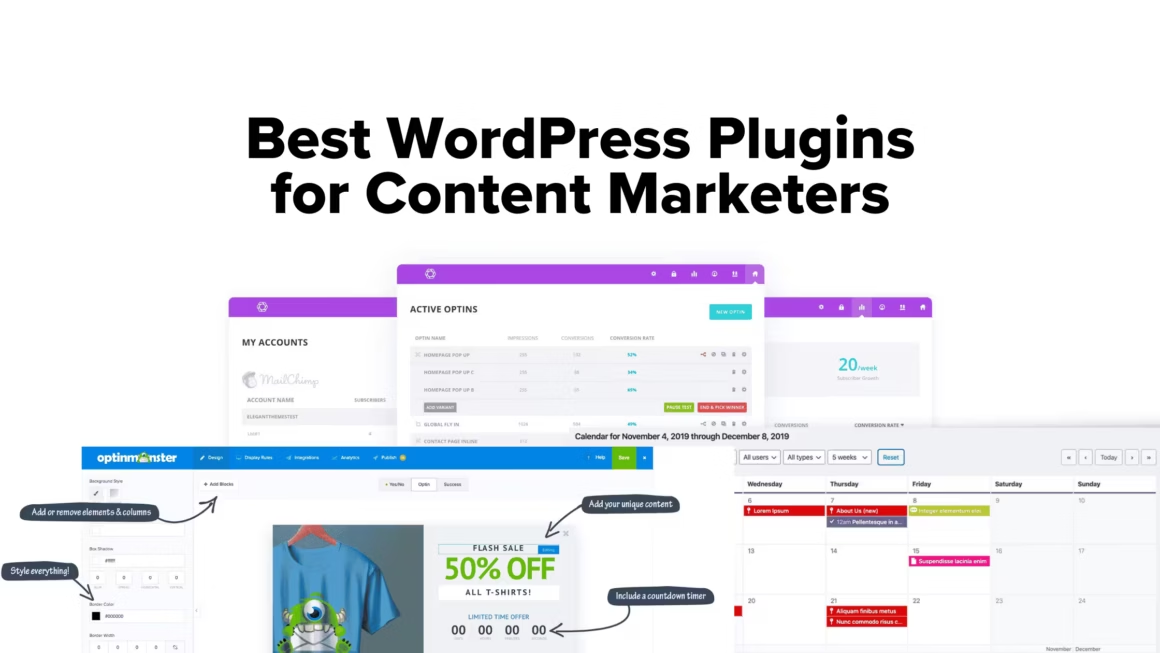
Every plugin on this list runs on at least one production site I manage. If it broke under real traffic, caused conflicts, or slowed down page loads, it didn’t make the cut.
The best plugin stack isn’t the biggest one. It’s the one where every plugin has a clear job and nothing overlaps. I’ve watched sites grind to a halt because someone installed five plugins that all try to modify the same post editor. Pick one tool per job. That’s the whole philosophy behind this list.

Editorial and Content Calendar Plugins
If you’re publishing more than four posts a month, you need a content calendar inside WordPress. External tools like Trello and Notion work, but they add friction. You publish in WordPress, so your planning should live there too.
PublishPress Planner
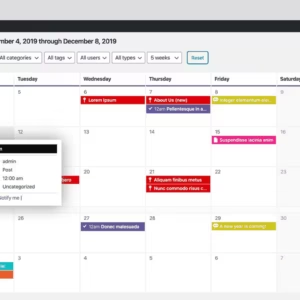
- Visual drag-and-drop content calendar
- Custom post statuses (Pitch, In Progress, Ready)
- Editorial checklists before publishing
- Email notifications for status changes
- Works with custom post types
PublishPress Planner is the editorial workflow plugin I keep coming back to. It adds custom post statuses like “Pitch,” “In Progress,” and “Needs Review” so you know exactly where every piece of content stands. The visual calendar shows published and scheduled posts at a glance, and you can drag posts to new dates without opening the editor.
For teams, the editorial notifications are the killer feature. Writers get notified when their post moves to “Ready for Review,” editors see new submissions automatically, and nobody has to chase anyone on Slack. I’ve used this on sites publishing 20+ articles per month, and it eliminates the “did you see my draft?” conversations entirely.
Strive Content Calendar
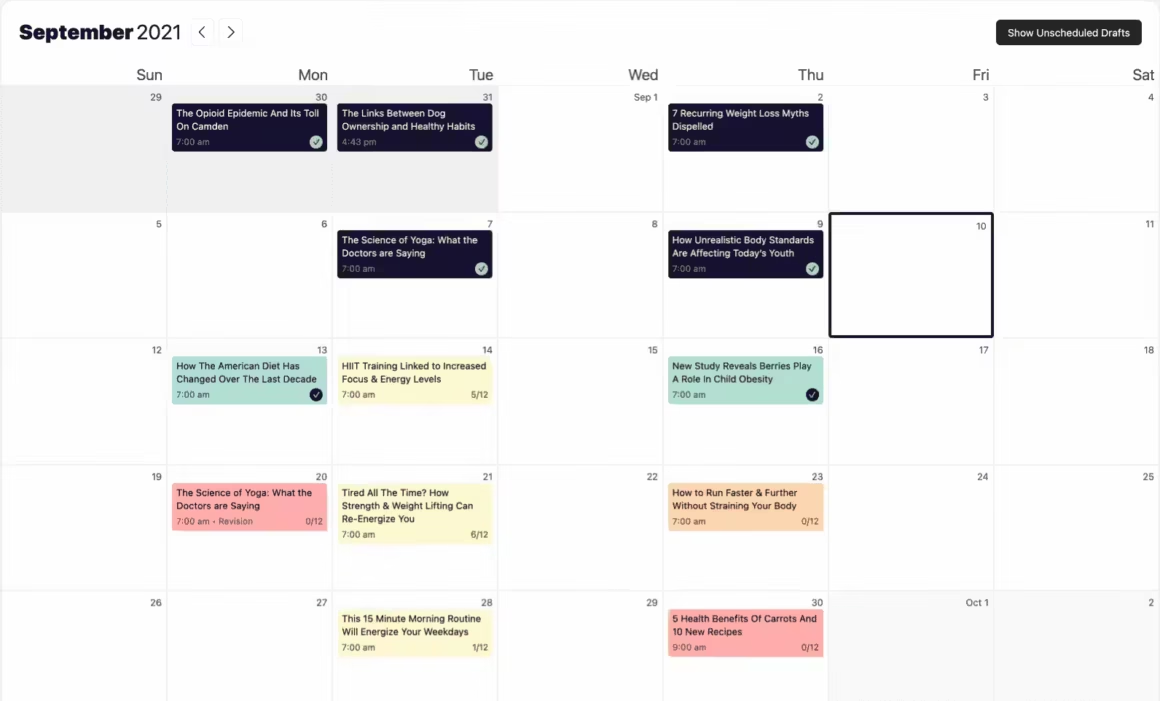
Strive takes a different approach. Instead of being a full editorial suite, it focuses on one thing: a clean content calendar that integrates directly into the WordPress editor. It adds four post statuses (Not Started, Writing, Editing, Complete) and color-codes everything in the calendar.
The pipeline view shows all unscheduled posts in one place, which is useful when you’re batch-planning content for the quarter. It also has a republishing feature that lets you update old posts and push them back to the top of your feed. For solo bloggers and small teams who don’t need PublishPress’s full workflow, Strive is lighter and faster.
PublishPress Planner
- Custom post statuses (Pitch, In Progress, Ready)
- Editorial notifications for team workflows
- Visual drag-and-drop calendar
- Content checklists before publishing
- Works with custom post types
Strive Calendar
- Simpler, faster for solo operators
- Pipeline view for batch planning
- Built-in republishing feature
- 4 fixed statuses (no custom ones)
- Lighter on server resources
Page Builders and Block Editor Plugins
Here’s my honest take on page builders in 2026: most content marketers don’t need one. The native block editor handles 90% of what you need for blog posts and landing pages. But if you’re building complex layouts, lead gen pages, or client sites, a page builder saves hours.
- Lightweight, block-native
- From $39/year
- ✓ Minimal DOM output
- ✓ Full site editing
- ✓ Global styles system
- Best for speed-focused sites
- Visual drag-and-drop
- From $59/year
- ✓ 100+ widgets
- ✓ Theme builder + popups
- ✓ Massive template library
- Best for design-heavy sites
- Clean, reliable output
- From $99/year
- ✓ White-label support
- ✓ Developer-friendly
- ✓ Stable update history
- Best for client projects
GenerateBlocks
I’m biased here because I use GenerateBlocks on this very site. It’s not a page builder in the traditional sense. It extends the native block editor with four essential blocks: Container, Grid, Headline, and Button. That’s it. No bloat, no 100-widget menus.
The output is clean, lightweight markup. No unnecessary wrapper divs, no inline styles that tank your Core Web Vitals. For content marketers who care about page speed (and you should, because Google does), GenerateBlocks is the best option I’ve found. The Pro version adds a global styles system that lets you define design tokens once and use them everywhere.
Elementor
Elementor is the most popular page builder on the market, and there are good reasons for that. The visual editor is genuinely intuitive. You can see exactly what you’re building in real-time, drag widgets around, and customize everything without touching code.
For content marketers building landing pages, sales pages, or complex promotional content, Elementor’s template library and popup builder save real time. The Pro version ($59/year) includes a theme builder that lets you design your entire site visually. I install it on client sites where design flexibility matters more than raw speed.
The tradeoff? Elementor adds DOM weight. Those visual widgets output nested divs that heavier alternatives like GenerateBlocks avoid entirely. For high-traffic blogs where Core Web Vitals matter, I’d pick GenerateBlocks. For design-heavy marketing sites? Elementor is still the right choice.
Other block editor plugins worth considering: Kadence Blocks for its versatile row layouts, Stackable for its design library, and Greenshift for animation and interaction effects.
Automation and Workflow Plugins
Content marketing in 2026 isn’t just about writing. It’s about connecting your publishing workflow to your email platform, your CRM, your social accounts, and your analytics. These plugins handle the glue between tools.
Bit Integrations
Bit Integrations is the automation glue that replaced Zapier on most of my client sites. It connects WordPress plugins to 200+ external apps: Google Sheets, Slack, Notion, CRMs, email platforms, project management tools. The key difference? It runs on your server. No per-task limits. No monthly subscription that scales with usage.
For content marketers, the practical use is this: when a reader fills out a Bit Form, you can automatically add them to FluentCRM, notify your team in Slack, log the lead in Google Sheets, and trigger a welcome email sequence. All from one WordPress plugin, no external automation platform required.
Bit Social
Bit Social handles what most content marketers still do manually: sharing posts to social media. When you publish or update a post, Bit Social auto-shares it to Facebook, Twitter/X, LinkedIn, Pinterest, and other platforms based on your schedule.
Unlike standalone social schedulers like Buffer or Hootsuite, Bit Social lives inside WordPress. You can set up recurring shares for evergreen content, customize the post format per platform, and track which shares drive traffic. If you’re publishing three or more articles a week, this saves 30+ minutes per post in manual sharing.
PrettyLinks
If you’re doing affiliate marketing alongside content marketing (and in 2026, most content marketers are), PrettyLinks is essential. It turns long affiliate URLs into clean branded links like yourdomain.com/go/product-name/, tracks clicks, and manages everything from a single dashboard.
The Pro version adds automatic keyword linking. Set it once, and every time a product name appears in your content, it automatically becomes an affiliate link. I use this on my own site with 1,800+ articles. Manually linking every mention of a product across that many posts? Not happening. PrettyLinks handles it.
Lead Capture and Email Marketing Plugins
Your content drives traffic. These plugins convert traffic into subscribers, leads, and eventually revenue. I’ve tested dozens of optin plugins over the years. These are the three I keep installing.
OptinMonster

- Exit-intent popup technology
- Page-level targeting rules
- Gamified spin-to-win wheels
- A/B testing built in
- 100+ pre-designed templates
- Integrates with all major email services
OptinMonster is the most powerful lead generation tool for WordPress. I know that sounds like marketing copy, but I’ve tested the alternatives and keep coming back to this one. The exit-intent technology alone is worth the price. It detects when someone is about to leave your page and shows a targeted popup at exactly the right moment.
What sets OptinMonster apart is page-level targeting. You can show different offers on different posts. A reader on your content marketing tools article sees a relevant lead magnet. Someone on your WordPress tutorials sees a different offer. This kind of contextual targeting consistently outperforms generic site-wide popups. I’ve seen client conversion rates jump 3-5x with proper targeting.
Page-level targeting consistently outperforms site-wide popups by 3-5x. Show different offers on different articles and watch your conversion rate jump.
MailOptin
MailOptin is the WordPress-native alternative. It handles popups, slide-ins, in-post forms, and sidebar widgets, but also includes built-in email automation. You can send automated post notifications, schedule weekly or monthly digest newsletters, and segment subscribers without needing a separate email platform.
For content marketers who want one plugin that handles both optin forms and basic email automation, MailOptin covers both jobs. It integrates with Mailchimp, HubSpot, Kit, and most major email services. The free version is surprisingly capable for smaller sites.
For email-driven content marketing specifically, Kit (formerly ConvertKit) deserves a mention. It’s not a WordPress plugin but a standalone platform with excellent WordPress integration. The free tier covers up to 10,000 subscribers, which is generous. I use it for email automation workflows across several client projects.
WordPress form plugins compared
| Feature | WPForms | Gravity Forms | Fluent Forms | Formidable Forms | Ninja Forms |
|---|---|---|---|---|---|
| Free Version | Yes (Lite) | No | Yes | Yes (Lite) | Yes |
| Pro Price | $49.50/yr | $59/yr | $59/yr | $39.50/yr | $49/yr |
| Drag and Drop | Yes (visual) | Yes | Yes (visual) | Yes | Yes |
| Ease of Use Standout | Easiest | Moderate | Easy | Moderate | Easy |
| Conditional Logic | Yes (pro) | Yes | Yes (free) | Yes | Yes (pro) |
| Payment Integration | Stripe, PayPal, Square | Stripe, PayPal, 2CO | Stripe, PayPal | Stripe, PayPal | Stripe, PayPal |
| Multi-Page Forms | Yes | Yes | Yes | Yes | Yes |
| Conversational Forms | Yes (pro) | No | Yes | No | No |
| Calculations | Yes (pro) | Yes (advanced) | Yes | Yes (advanced) | Yes (pro) |
| Best For | Beginners, simplicity | Advanced forms, devs | Best free version | Application-style forms | Flexible free option |
| Visit WPForms | Visit Gravity Forms | Visit Fluent Forms | Visit Formidable | Visit Ninja Forms |
Project Management Inside WordPress
Content marketing involves managing writers, editors, designers, and publication schedules. These plugins bring project management into your WordPress dashboard so you’re not switching between five different tools.
FluentBoards
FluentBoards is a Kanban-style project management plugin by the WPManageNinja team. Think Trello, but it runs inside your WordPress dashboard. You can create boards for editorial calendars, content workflows, or client projects. Each card supports assignees, due dates, labels, checklists, and file attachments.
The integration with the Fluent ecosystem (FluentCRM for contacts, FluentSupport for tickets) makes it especially useful if you’re already using those tools. For teams managing content production alongside customer support and email marketing, having everything under one WordPress roof eliminates the need for separate Trello and Asana subscriptions.

Bit Assist
Bit Assist adds a multi-channel communication widget to your site. Readers can reach you via WhatsApp, Messenger, Telegram, email, or custom links through a single floating button. It’s completely free and adds minimal overhead.
For content marketers who want to be accessible without installing a full live chat system, this is the lightweight option. You can customize which channels appear, set working hours, and match the widget to your brand colors. I install it on sites where direct reader communication matters but a full helpdesk system like FluentSupport would be overkill.
Link Management and Tracking
Content marketing runs on links. Internal links for SEO, affiliate links for revenue, and tracking links for attribution. These two plugins handle the linking side of your content operation.
LinkCentral
LinkCentral handles link cloaking, click tracking, and broken link detection from inside the block editor. You can insert and manage tracked links without switching to a separate dashboard. For sites with heavy affiliate and internal linking, it gives you a centralized view of every link on your site and their click performance.
I use this alongside PrettyLinks on some sites. LinkCentral focuses more on link health monitoring, while PrettyLinks handles the affiliate URL management. If you only want one, PrettyLinks covers more ground. If you want comprehensive link analytics, add LinkCentral.
WordPress Analytics Plugins Compared
| Feature | MonsterInsights | Plausible | Fathom | Independent Analytics | Matomo |
|---|---|---|---|---|---|
| Pricing | $99.60/yr (Plus) | $9/mo (10K pageviews) | $14/mo (100K pageviews) | Free / $6/mo (Pro) | Free (self-hosted) / $23/mo (cloud) |
| Privacy Compliance | Depends on GA4 setup | GDPR compliant (no cookies) | GDPR compliant (no cookies) | GDPR compliant (no cookies) | GDPR compliant (self-hosted) |
| Cookie Banner Needed? Privacy | Yes (uses GA4) | No | No | No | No (self-hosted) |
| Data Location | Google servers | EU (Germany) | Canada/EU | Your WordPress DB | Your server / Matomo cloud |
| Script Size | ~45KB (GA4 tag) | <1KB | ~2KB | ~3KB | ~22KB |
| Real-time Stats | Yes (via GA4) | Yes | Yes | Yes | Yes |
| E-commerce Tracking | Yes (WooCommerce, EDD) | Revenue goals | Revenue goals | WooCommerce (Pro) | Yes (WooCommerce) |
| WordPress Dashboard | Yes (detailed) | Yes (plugin) | Yes (plugin) | Yes (built-in) | Yes (full dashboard) |
| Open Source | No | Yes | No | Partially | Yes |
| Best For | GA4 power users on WordPress | Privacy-first, lightweight analytics | Simple analytics without cookies | Self-contained WP analytics | Full GA alternative (self-hosted) |
| Visit MonsterInsights | Visit Plausible | Visit Fathom | Visit JEXA | Visit Matomo |
Your Content Marketing Plugin Checklist
Not every site needs every plugin on this list. Here’s a quick checklist to figure out which ones you actually need based on your content operation:
Content Marketing Plugin Stack Checklist
Frequently Asked Questions
Common questions about choosing WordPress plugins for content marketing:
How many plugins should a content marketing site have?
I aim for 15-20 total plugins on most sites. For content marketing specifically, you need 5-7 purpose-built plugins: a content calendar, a page builder or block editor extension, an optin tool, an email integration, a social sharing tool, and a link management plugin. More than that and you’re creating plugin conflicts and slowing down your site.
Do I need a page builder if I use the block editor?
Probably not. The native block editor with a plugin like GenerateBlocks handles 90% of content marketing needs. Page builders like Elementor make sense for complex landing pages and design-heavy sites, but they add weight. If your primary content is blog posts and articles, the block editor is enough.
What’s the best free plugin stack for content marketers?
Start with the free version of PublishPress Planner for editorial workflow, the free block editor (no plugin needed), MailOptin’s free tier for optin forms, and Bit Social’s free version for social sharing. You can run a solid content operation for $0 and upgrade individual tools as your traffic grows.
Should I use Zapier or a WordPress automation plugin?
If your automations are WordPress-centric (form submissions, post publishing, WooCommerce orders), use Bit Integrations. It runs on your server with no per-task limits. If you need to connect non-WordPress tools together (like Google Ads to a CRM), Zapier still makes more sense. I use both depending on the workflow.
How do I choose between OptinMonster and MailOptin?
OptinMonster is more powerful with advanced targeting, A/B testing, and exit-intent technology. But it’s a SaaS product with monthly fees. MailOptin is a WordPress plugin with a one-time license. For high-traffic sites where conversion optimization directly impacts revenue, OptinMonster’s targeting pays for itself. For smaller sites, MailOptin’s free tier is plenty.
One calendar plugin. One page builder. One optin tool. One email integration. One social scheduler. One link manager. Six plugins total. That’s all a content marketing site needs to run properly.
The best content marketing stack isn’t the one with the most plugins. It’s the one where every plugin earns its place. I’ve seen sites running 40+ plugins with overlapping features, slow load times, and constant update conflicts. Don’t do that.
Pick one tool per job. Set it up properly. Then focus on what actually matters: creating content that’s worth reading. The plugins are just infrastructure. Your content is the product.
If you want to dive deeper into the broader content marketing toolkit beyond WordPress, check out my 45+ best content marketing tools guide, or explore AI writing tools that can speed up your content production.
Disclaimer: This site is reader-supported. If you buy through some links, I may earn a small commission at no extra cost to you. I only recommend tools I trust and would use myself. Your support helps keep gauravtiwari.org free and focused on real-world advice. Thanks. - Gaurav Tiwari