
10 Best Virtual Desktop Software
I run Windows on my Mac almost daily. Testing client websites across browsers, running Windows-only accounting software, debugging Linux server configs locally. Virtual desktop software makes all of this possible without buying separate machines.
The right VM tool depends on what you’re doing. Developers need different things than IT admins managing 500 remote desktops. Home users just want to run one app that doesn’t work on their OS. I’ve tested all ten of these across real workflows, and each one has a clear use case.
Here are the best virtual desktop software options in 2026, from free open-source tools to enterprise-grade platforms.
Best Virtual Desktop Software in 2026
Table of Contents
Parallels Desktop
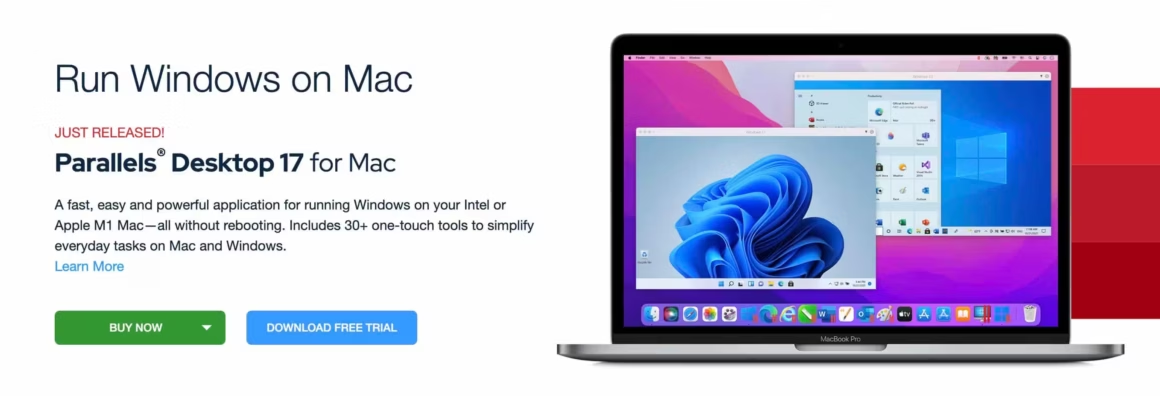
You must be familiar with Boot Camp – Apple’s free tool for running a virtual session under Mac OS. However, if it’s something you want to do regularly, then Parallels Desktop is just what you need. Owned by Corel, it is arguably the best virtual desktop software for Mac presently available. In addition, it allows users to smoothly run Windows alongside macOS when they need to use software that only works on that platform.
Interestingly, Parallels Desktop can make Windows alerts appear in the Mac notification center and operate a unified clipboard as well. Mac users tend to consider Parallels a tool meant exclusively for Windows; however, you can also use it to host various Linux distros, Chrome OS, and even other versions of Mac OS (including older ones).
Apart from the basic edition, Parallels offers a Pro edition with greater memory and support for developmental environments such as Microsoft Visual Studio. There’s also a Business Edition with centralized license management tools for IT professionals.
VirtualBox
If you occasionally change operating systems for fun (or work), then VirtualBox is a pretty good option to start with. It supports an impressively wide range of host and client combinations – Microsoft Windows (from XP onwards), Windows NT, Server 2003, any Linux level 2.4 or above, Solaris, OpenSolaris, and even OpenBSD Unix. In fact, some people have successfully run it on Windows 3.x and even IBM OS/2 on their modern systems.
VirtualBox also runs well on Apple Mac and can host a client Mac VM session for Apple users. If you’re an Oracle user, you’ll be delighted to know that it supports VirtualBox and offers a wide range of readymade developer VMs to download and use for free. Most importantly, all of this – even the Enterprise release – is entirely free to use.
VMware Workstation Player
VMware offers an extensive range of virtualization products, such as Workstation Player for the PC and Fusion for the Apple Max. Although these two products differ in terms of their names, they essentially offer the same solution optimized for each host OS. For example, Fusion comes with a neat “Utility Mode” that allows Mac OS to launch Windows applications from the Dock and make them appear like a genuine part of the host OS.
As version numbering indicates, Workstation is a more mature product and offers one of the most state-of-the-art VM implementations presently available. It is one of the few hosts that support DirectX 10 and OpenGL 3.3, thus allowing GPU-accelerated applications such as CAD to work under virtualization. It is free to use, although business users wanting to run restricted VMs can purchase the Pro or Fusion Pro versions.
Citrix Hypervisor
This is a remarkably scalable solution from Citrix. Originally started as an open-source project, its basic version remains free to download and install to this day. However, you can subscribe to paid tier releases to access advanced features such as state-of-the-art management tools and the ability to automate and distribute live environments whenever you want. It also offers CAD by virtue of its virtualized GPU and GPU pass-through features.
XenServer also aims to create virtual data centers for smoothly handling planned and unplanned outages and maintaining the high levels of availability that business demands.
Amazon Workspaces (AWS)
Amazon Workspaces (AWS) is one of the best virtual machine software that excels in terms of speed, accuracy, optimization, and high-end performance. Right from the basic plan, you will be able to host the virtual desktop on the high-end servers of Amazon. It is also known for using the PCoIP and Amazon’s SDX protocol to secure data encryption and transmission.
AWS offers several operating systems to choose from, such as Windows, Linux, and more. Its selective operating system also provides numerous internet browsing options such as Safari, Google Chrome, and even Internet Explorer. It is pretty reasonably priced as well; new users can easily check out the free trial version for up to 40 hours per month.
Microsoft Hyper-V
Microsoft’s basic hypervisor was originally codenamed Viridian and then Windows Server Visualization. After being released in late 2008, it was rebranded to Hyper-V Server. It is now available bundled with Windows 10 Pro and Windows Server (2012 and 2016) at no extra cost. Nevertheless, it is a pretty basic hypervisor that is incapable of the clever things that VMware has to offer.
Hyper-V’s guest OS support includes Windows XP SP3 or later, Windows Server, Linux with a 3.4 or better kernel, and FreeBSD. Unfortunately, it lacks virtual GPU support and has rather disappointing driver support for Linux. Although you can technically use it to create a virtual server environment without much experience, the results aren’t exactly great.
Xen Project
This is a free and open-source virtual machine monitor (VMM) developed by Cambridge University. Interestingly, its creators founded a separate company that Citrix subsequently acquired. Today, the Xen Project promotes open source applications together with the Linux Foundation. It can serve as a type-1 hypervisor for several operating systems using the same hardware.
Users generally work with it for advanced virtualization – not least for servers – in open source and commercial environments alike. That includes (but isn’t limited to) Infrastructure as a Service (IaaS), security visualized, and desktop visualization. Some people have also been using the Xen Project in aviation and automotive systems.
You will find this service especially useful when it comes to hyper-scale clouds. It readily works with Azure, AWS, IBM Softlayer, Oracle, and Rackspace as well. In addition, it emphasizes security by using a minimally small code base, making it both secure and appreciably flexible.
QEMU
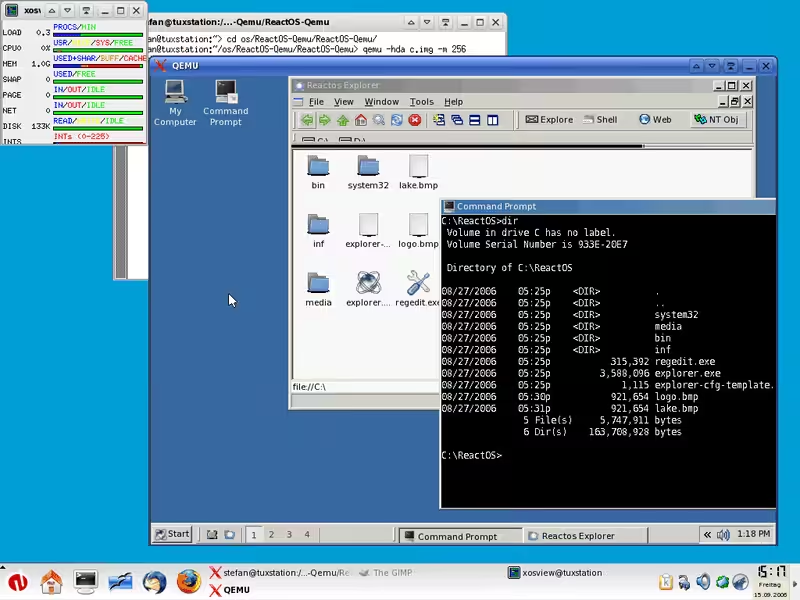
QEMU is a virtual hardware emulator that somewhat differs from VM solutions in that it is both a machine emulator and a VM host. Along with x86 PC, it can emulate ARM, PowerPC, MIPS64, SPARC (32 and 64), RISC-V, SH4, EXTAX CRIS, MicroBlaze, and more. Furthermore, it can do this without administrator privileges, and the performance of VMs running on it is almost the same as that of native installations.
Unfortunately, QEMU doesn’t have any powerful interface tools to offer. Instead, it depends on CLI inputs to install and configure VM clients. Furthermore, as of now, it is only able to host on Linux, although it is able to run a wide range of operating systems under the same.
Shells
Shells is one of the newer virtual machine software in the market. Although it comes from a relatively new company, it has gained popularity for its accurate and efficient service. It is available on all kinds of devices such as personal computers, TVs, and even gaming consoles. It also works well with various operating systems (such as Windows and Linux) and web browsers.
Shells features a new protocol system known as SPICE (Simple Protocol for an Independent Computing Environment) that connects different virtual desktops in various architectures. Its pro version offers a quad-core virtual CPU with 160GB of storage space and 8GB of RAM.
VMWare Horizon Cloud
VMWare is widely known for its outstanding virtual desktop services that are especially great for multitasking. It allows you to create customized virtual machines from the parent machine by virtue of a unique feature known as Instant Clone. It then gives you complete freedom to customize the machines, adding and removing things as per your will.
When it comes to pricing, VMWare offers plenty of options as well. You can make full payment immediately or on a different time basis. After subscribing to its premium plans, you can get the skype business version, Linux provisioning, SSO, and various other goodies.
Which Virtual Desktop Software Should You Pick?
Here’s how I’d narrow it down. If you’re on a Mac and need Windows, Parallels Desktop is the clear winner. It’s not free, but nothing else comes close for Mac-to-Windows virtualization. If you want a free solution for occasional use, VirtualBox handles most scenarios well enough. Developers and power users should look at VMware Workstation Player for its GPU support and stability.
For enterprise and IT teams managing remote workforces, Amazon Workspaces and VMWare Horizon Cloud offer the scalability you need. Citrix Hypervisor sits somewhere in between, great for businesses that need customization without full cloud lock-in.
If you’re running virtual machines for development or testing, make sure your hardware can handle it. 16GB RAM is the minimum I’d recommend, and an SSD is non-negotiable. A good monitor for programming also helps when you’re juggling host and guest OS windows side by side. Anything less and you’ll spend more time waiting than working.
Best Hardware for Virtual Desktop Performance
Virtual desktops are only as good as the hardware serving them. If your local machine has 8GB RAM and a spinning hard drive, even the best VDI software will feel sluggish. The bottleneck is almost always the endpoint device, not the cloud.
I run Parallels Desktop on a MacBook Pro M5 with 16GB RAM and the experience is indistinguishable from a native machine. For Windows-based virtual desktops, the ThinkPad X1 Carbon with its Intel Ultra processor handles multiple VMs without throttling. For a dedicated workspace, see my home office setup guide.
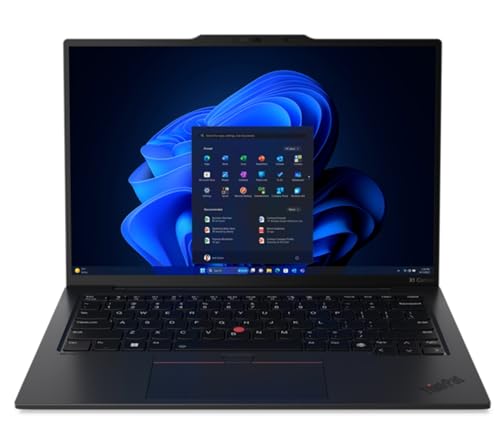
- Unopened retail packaging, sold as configured by Lenovo. One Year Onsite Lenovo Warranty. Add up to 5 years of Lenovo Premier Support when you register your computer with Lenovo.
- Eyesafe Certified: Always-on blue light protection for decreased fatigue and eye-strain increases your ability to work longer hours and meet important deadlines.
- Manufactured with recycled carbon fiber, the X1 Carbon Gen 12 incorporates recycled materials from front to back. The top, bottom, keyboard, and even the battery back all include recycled materials. Bio-based materials like bamboo and sugarcane are integrated into the laptop packaging, ensuring it is 100% rapidly renewable.
- Ultrasonic human presence detection locks the device when the user walks away. A webcam privacy shutter, TPM 2.0, ThinkPad PrivacyAlert, fingerprint reader, and Kensington Nano security slot help you keep your data and PC safe. With the smartpower on touch fingerprint reader and IR Camera with Windows Hello Facial recognition login, users can boot up and login simultaneously.
- Released in early 2024, Lenovo’s 12th generation of the flagship ThinkPad X1 Carbon is a powerhouse of performance boosting features in an ultrathin and ultralight form factor. Gen 12 X1 Carbon updates include Intel’s 14th-gen Meteor Lake Core Ultra processors bringing improved graphics performance, stronger multi-core performance, AI capabilities, and greater power efficiency without sacrificing performance.
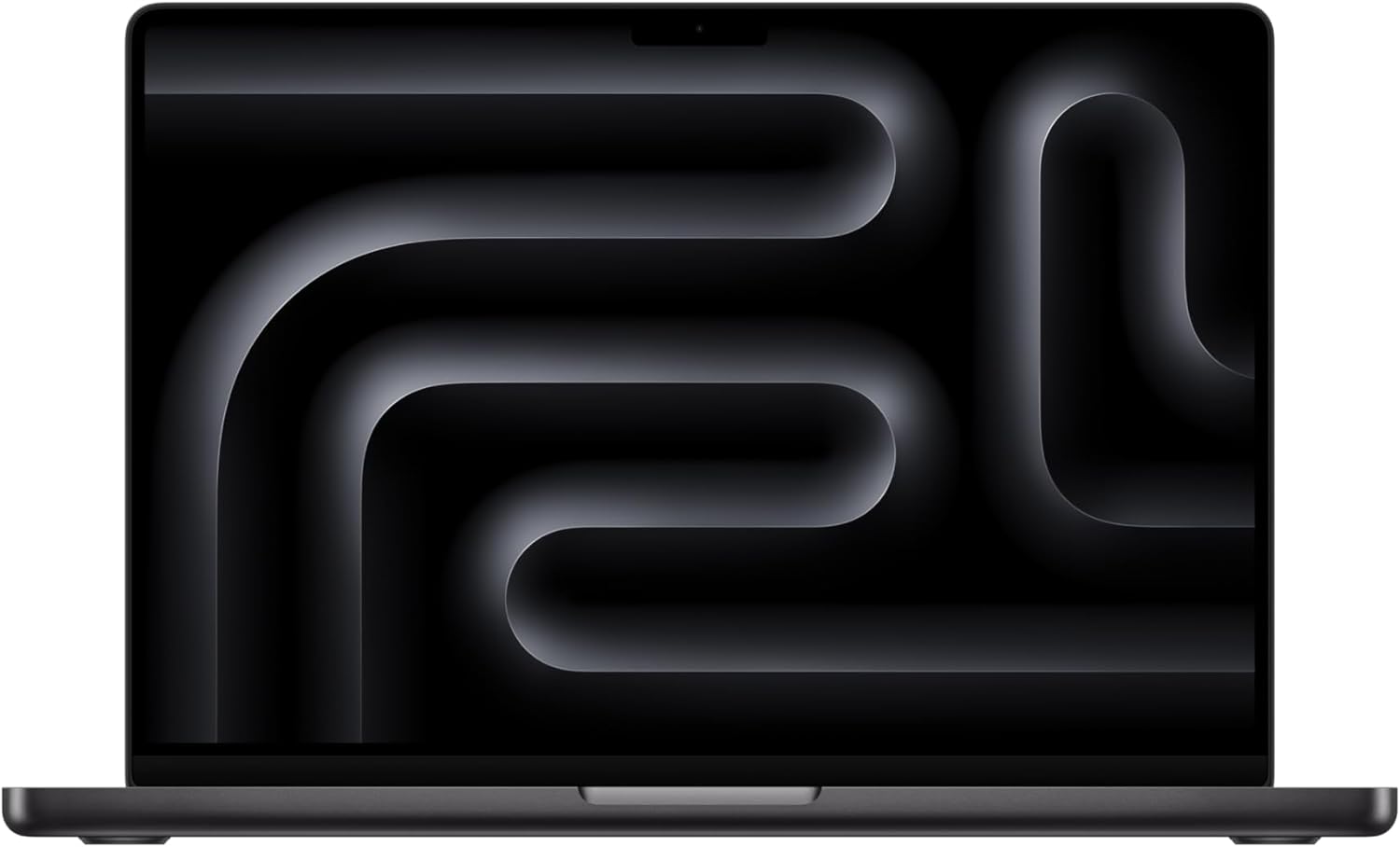
- SUPERCHARGED BY M5 PRO OR M5 MAX — Take on demanding projects with the M5 Pro or M5 Max chip. M5 Pro has up to 14 CPU cores, up to 20 GPU cores, and up to 48GB unified memory. M5 Max has 16 CPU cores, up to 40 GPU cores, and up to 128GB unified memory.
- UP TO 18 HOURS OF BATTERY LIFE — Go all day thanks to the power-efficient design of the M5 Pro or M5 Max chip. And the MacBook Pro laptop delivers exceptional performance whether it’s running on battery or plugged in.
- FULLY COMPATIBLE — All your pro apps run lightning fast — including Adobe Creative Cloud, Xcode, Affinity Designer, Microsoft 365, and many of your favorite iPhone and iPad apps.
- BEAUTIFUL PRO DISPLAY — The 14.2-inch Liquid Retina XDR display features Extreme Dynamic Range, over 1000 nits of brightness for stunning HDR content, and pro reference modes for doing your best work on the go.
- ADVANCED CAMERA AND AUDIO — Look sharp and sound great with a 1080p FaceTime HD camera, a studio-quality three-mic array, and a six-speaker sound system with Spatial Audio.
What is the best free virtual desktop software?
VirtualBox is the best free virtual desktop software for most users. It’s open-source, supports Windows, Mac, and Linux as both host and guest OS, and handles everyday virtualization tasks well. For Windows users, Hyper-V is built into Windows 10/11 Pro at no extra cost. For Linux power users, QEMU offers the most flexibility but requires command-line comfort.
How much RAM do I need to run virtual machines?
16GB is the practical minimum for running one virtual machine alongside your host OS. Your host OS needs 4-6GB, and the guest OS needs at least 4GB for Windows or 2GB for Linux. If you plan to run multiple VMs simultaneously or use memory-heavy applications inside the VM, 32GB is a safer bet. An SSD is equally important since VMs involve constant disk I/O.
Can I run Windows on a Mac using virtual desktop software?
Yes. Parallels Desktop is the best option for running Windows on a Mac, especially on Apple Silicon (M1/M2/M3/M4/M5) Macs. It runs Windows 11 ARM edition with near-native performance and supports most x86 Windows applications through emulation. VMware Fusion is a free alternative, though it’s not as polished or fast as Parallels on Apple Silicon.
What is the difference between a virtual machine and a virtual desktop?
A virtual machine (VM) runs an entire operating system on your local hardware using software like VirtualBox or VMware. A virtual desktop (VDI) streams a remote desktop from a cloud server to your device, like Amazon Workspaces or VMWare Horizon Cloud. VMs use your local CPU and RAM. Virtual desktops use server resources and only send the display to your screen. VMs are better for developers. VDI is better for remote teams.
Is virtual desktop software safe for everyday use?
Yes. Virtual machines are isolated from your host OS, which actually makes them safer for testing untrusted software or browsing risky websites. Malware running inside a VM generally can’t escape to your host system. That said, you should still use a good password manager and keep both your host and guest operating systems updated with security patches.
Disclaimer: This site is reader-supported. If you buy through some links, I may earn a small commission at no extra cost to you. I only recommend tools I trust and would use myself. Your support helps keep gauravtiwari.org free and focused on real-world advice. Thanks. - Gaurav Tiwari