
Best Free AI Image Enhancer Apps and Websites in 2026
You’ve got a photo that would be perfect for your website, portfolio, or print project, but it’s 400×300 pixels and looks like it was taken on a 2008 flip phone. Traditional upscaling just stretches the pixels and makes it worse. That’s the problem AI image enhancers solve.
These tools use deep learning neural networks trained on millions of images to predict and fill in missing detail. The results aren’t magic, but they’re genuinely impressive. I’ve tested all of these on real client work: upscaling old product photos, restoring grainy event shots, and preparing low-res screenshots for print.
Below are the 9 best AI image enhancer apps and websites in 2026, ranked by output quality, ease of use, and value for money.
The best AI image enhancer apps and websites
- Let’s Enhance for batch upscaling up to 16x with consistent quality
- Topaz Labs for professional desktop editing with Gigapixel AI
- StockPhotos Upscaler for quick web-based upscaling with fine control
- Waifu2x for free, open-source upscaling (especially anime art)
- Vance AI for extreme 800% upscaling and anime enhancement
- Remini for mobile photo restoration and face enhancement
- VideoProc Converter AI for upscaling both images and video to 8K/10K
- Fotor for all-in-one photo editing with AI enhancement built in
- OpenArt AI for combining AI image generation with upscaling
Let’s Enhance
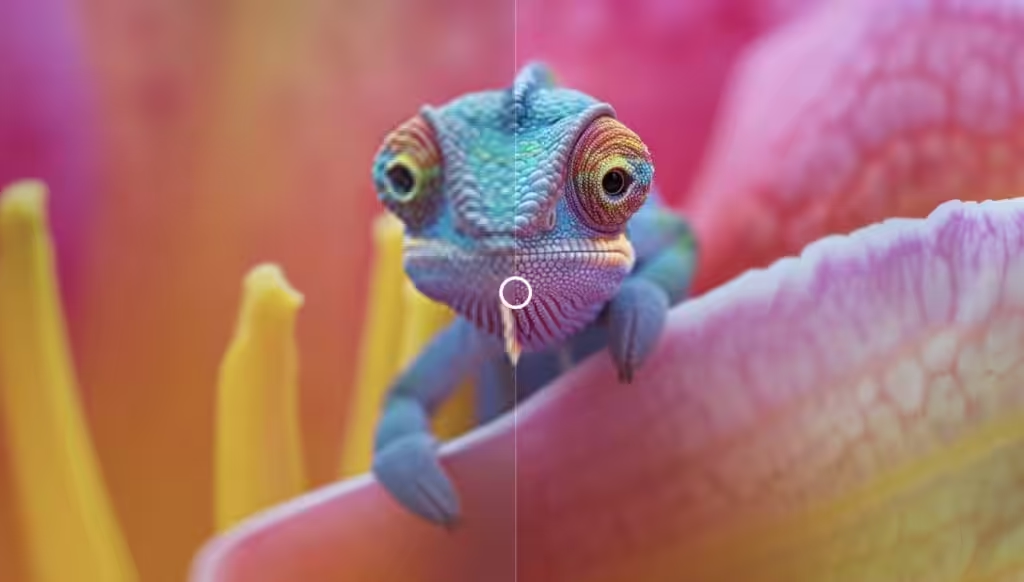
Best for: Photographers and marketers who need to batch-upscale multiple images quickly without losing quality.
Let’s Enhance specializes in upscaling low-resolution images while preserving quality. Using advanced algorithms, it can increase image resolution by up to 16x without noticeable degradation. That’s the difference between a blurry thumbnail and a print-ready photo.
The batch processing feature is what sets it apart for professional workflows. Upload multiple images simultaneously and process them all at once, instead of feeding them through one at a time. The platform also handles noise reduction, color correction, sharpening, and contrast adjustment. Their “Smart Enhance” tool works particularly well for landscape photos.
The free tier lets you test the service but limits processing speed and file size. Paid plans start at $9/month for monthly credits. It’s not the cheapest option, but the batch processing and consistent output quality justify the cost for anyone processing images regularly.
The downside: results on heavily compressed JPEGs with extreme artifacts can look artificially smooth. The AI fills in detail that wasn’t there, so don’t expect miracles on truly destroyed images. For moderately low-res photos, though, the output is impressive.
Price: Free tier available. Paid from $9/month.
Topaz Labs
Best for: Professional photographers and video editors who want desktop-grade AI enhancement with maximum control over output.
Topaz Labs is the industry standard for professional AI image enhancement. Their suite includes Gigapixel AI (upscaling), Sharpen AI (detail recovery), and DeNoise AI (noise reduction). Gigapixel AI is the standout product. It upscales images while preserving details at a level that web-based tools can’t match.
What makes Topaz different from online tools: it runs locally on your machine using your GPU. This means faster processing, no file size limits, no internet dependency, and complete privacy for sensitive images. The AI has been trained on millions of images and understands concepts like noise, blur, and compression artifacts, predicting what the original detail would look like.
Gigapixel AI also handles noise reduction and shake correction. You can make handheld photos look almost like they were shot on a tripod. Keep in mind that lost pixel information can’t truly be revived. The AI predicts what it would look like, and it’s remarkably good at it, but it’s still an educated guess.
The pricing is a one-time purchase (around $199 for the Photo AI bundle), which is steep upfront but cheaper long-term than subscription-based alternatives if you process images regularly. Updates are included for a year.
Price: One-time purchase ~$199 (Photo AI bundle). Free trial available.
StockPhotos Upscaler
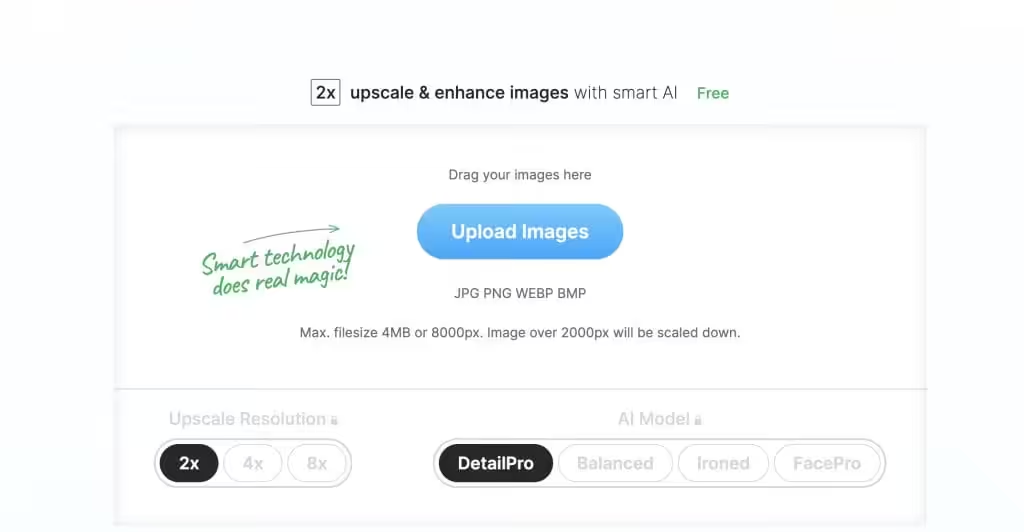
Best for: Quick, one-off upscaling jobs where you want granular control over smoothing and artifact removal without installing software.
StockPhotos Upscaler is a web-based tool that gives you more control than most online upscalers. You can choose between 2x, 4x, and 8x scaling, and adjust smoothing parameters to optimize the output for your specific image type.
The tool automatically detects low resolution, noise, and blur, then lets you choose from three enhancement modes: High-fidelity (preserves original character), Artifact removal (cleans up JPEG compression), and Ironed out (maximum smoothing). This level of control is unusual for a browser-based tool.
Pricing is pay-per-use at $0.10 per upscale, which is economical if you only need occasional enhancement. You can sample the service for free before paying. There’s no monthly subscription to worry about, making it ideal for freelancers and occasional users who don’t want another recurring charge.
The limitation: no batch processing, and the maximum output resolution is lower than what Topaz Labs or Let’s Enhance can produce. For one-off jobs it’s great; for high-volume work, look elsewhere.
Price: $0.10 per upscale. Free sample available.
Waifu2x
Best for: Anime artists, illustrators, and anyone who wants a completely free, open-source upscaler with no usage limits.
Waifu2x is a free, open-source AI image upscaler originally built for anime-style artwork. Despite the niche origin, it works well on all types of images. The neural network-based upscaling produces surprisingly good results, especially on illustrations, logos, and graphics with clean lines.
The tool handles both upscaling and noise removal. You can enter a URL and have Waifu2x fetch and process the image for you, no download required. Both online and downloadable versions are available, and since it’s open-source, developers can self-host it or integrate it into their own applications.
The interface looks like it was designed in 2015 (because it was). It’s clunky, there’s no batch processing, and the maximum upscale is 2x per pass. For photographic images, the output isn’t as refined as Topaz Labs or Let’s Enhance. But for the price (free, forever, with no accounts or credits), it’s hard to complain.
If you’re a developer, the GitHub repository is active and the model can be run locally with CUDA support for much faster processing than the web version.
Price: Completely free and open-source.
Vance AI

Best for: Users who need extreme upscaling (up to 800%) and specialized anime image enhancement up to 16x.
Vance AI offers a comprehensive suite of AI image enhancement tools. The headline feature is 800% upscaling, one of the highest ratios available from any web-based tool. For anime and illustration content, it can push that to 16x, making it one of the best options for digital artists.
The platform includes an AI Image Enlarger, AI Image Denoiser, and AI Image Sharpener, each targeting a specific enhancement need. The processing is fast and the interface is intuitive. You can chain multiple enhancements together: upscale first, then denoise, then sharpen.
Free users get a limited number of credits per month. Paid plans start at around $9.90/month for 100 credits, with each enhancement consuming one or more credits depending on complexity. The credit system can feel restrictive if you’re processing large batches.
Quality-wise, Vance AI produces excellent results on moderate upscaling (2-4x). At the extreme 800% end, results are usable but noticeably AI-generated, with some smoothing and hallucinated details. For most practical use cases, sticking to 4x or below gives the best balance of size increase and quality.
Price: Free credits available. Paid from $9.90/month.
Remini
Best for: Mobile users who want to restore old family photos, enhance selfies, or improve low-quality images directly on their phone.
Remini is the most versatile mobile AI photo enhancer available. It upscales low-resolution images, restores grainy old photos, denoises blurry shots, and color-corrects faded pictures. The face enhancement is particularly impressive. It recovers facial details from extremely low-quality sources, making it popular for restoring old family photos.
Beyond basic enhancement, Remini includes creative features like AI avatars, professional headshot generation, and a 90s yearbook album creator. For portrait work, it can beautify skin, recover detail, and enhance colors. Basic edits like resizing, cropping, and brightness/contrast adjustment are included too.
The app is free to download and gives you a few daily enhancements. A subscription (around $9.99/month or $29.99/year) is required to save enhanced photos without watermarks and to unlock unlimited processing. The mobile-first approach means the desktop experience is limited.
The honest downside: Remini’s face enhancement can sometimes over-smooth or add details that weren’t in the original, giving faces an uncanny quality. It works best on moderately degraded photos. Severely damaged images still need professional restoration software.
Price: Free (limited daily enhancements). Subscription ~$9.99/month or $29.99/year.
VideoProc Converter AI
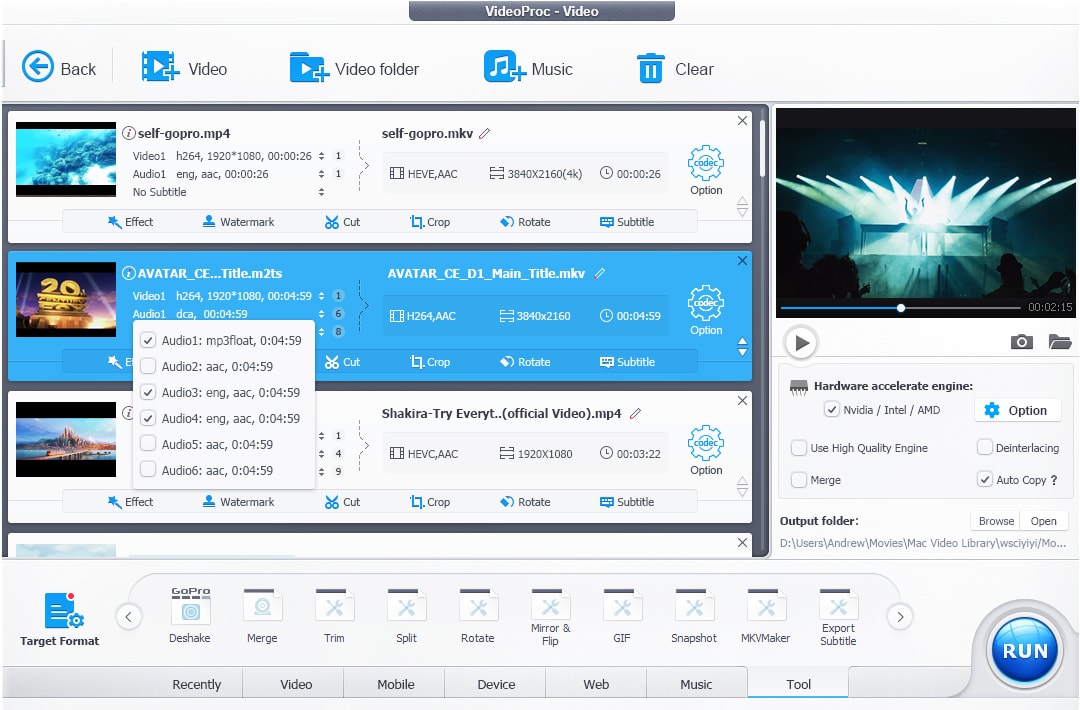
Best for: Content creators who need to upscale both images and video content, especially old recordings, DVDs, or SD-resolution footage.
VideoProc Converter AI handles both image and video upscaling in one desktop application. For images, it can upscale resolution to 8K or 10K, making it useful for refining old photos, low-resolution camera captures, and AI-generated images that need more detail.
The video upscaling is where VideoProc really stands out from the competition. It can take low-quality recordings, DVDs, VHS transfers, and SD-resolution web videos and upscale them by 2x, 3x, or 4x. The output is sharp enough for playback on large screens or further editing. Few other tools handle both image and video enhancement this well in a single package.
The software runs locally on your machine with GPU acceleration, so processing is fast and there are no file upload limits. It supports batch processing for both images and videos. The interface is straightforward, though it’s not as polished as Topaz Labs.
Pricing is a one-time purchase (around $45.95 for a lifetime license), significantly cheaper than Topaz Labs. There’s a free trial with watermarked output so you can test quality before buying.
Price: ~$45.95 lifetime license. Free trial available.
Fotor
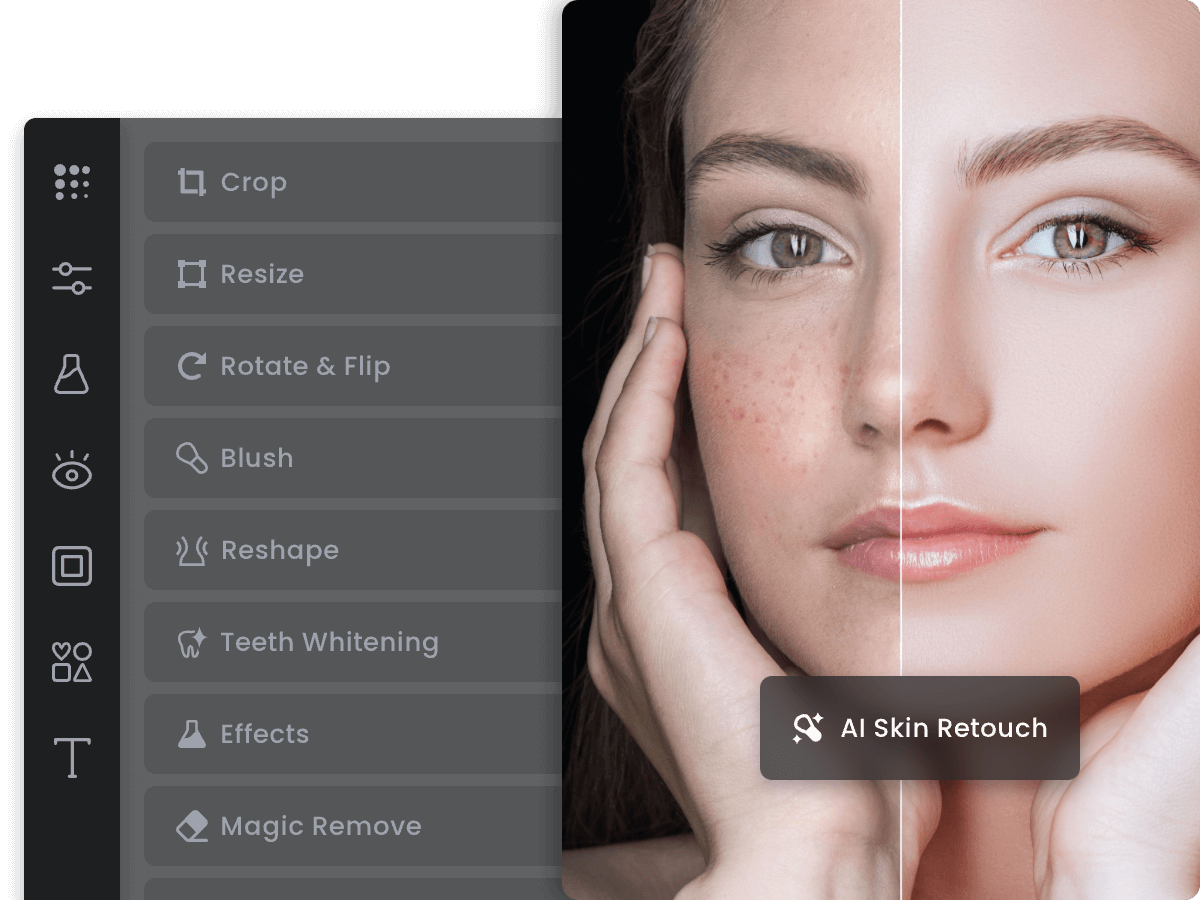
Best for: Non-designers who want an all-in-one online photo editor with AI enhancement, templates, and design tools built in.
Fotor is a versatile online photo editor that includes AI-powered image enhancement as one of many features. The AI Photo Enhancer automatically analyzes photos and improves clarity, brightness, and color balance in one click. It’s not a dedicated upscaler like the other tools on this list, but a full editing suite that happens to include AI enhancement.
Beyond enhancement, Fotor offers background removal, batch editing, collage creation, design templates, and the ability to add text and stickers. The customizable presets make it easy to achieve consistent results across multiple images without manual adjustment each time.
The free tier includes basic editing and limited AI enhancements. Fotor Pro starts at around $8.99/month and unlocks all AI tools, premium templates, and removes watermarks. The pricing is competitive for what you get, especially if you need both editing and enhancement in one place.
The limitation: Fotor’s AI upscaling quality doesn’t match dedicated tools like Topaz Labs or Let’s Enhance. If your primary need is upscaling, use a specialized tool. But if you want quick enhancement alongside other editing features, Fotor is convenient and capable.
Price: Free tier available. Pro from ~$8.99/month.
OpenArt AI
Best for: AI art creators who want to generate images and then upscale/enhance them in the same platform.
OpenArt AI combines AI image generation with upscaling and enhancement in one platform. You can create images from text prompts using multiple AI models, then enhance, restore, and upscale the results without leaving the app. This makes it particularly useful for AI artists who want to generate a concept and then refine it to higher resolution.
The enhancement tools include multiple AI upscaling models, face restoration, and detail recovery. You can also upload existing photos and enhance them, not just AI-generated content. The variety of upscaling models means you can experiment to find the one that works best for your specific image type.
The free tier gives you enough credits to test both generation and enhancement features. Paid plans start at around $12/month for more credits and faster processing. It’s not the cheapest option for pure upscaling, but the combination of generation and enhancement in one tool is unique.
The tradeoff: OpenArt’s upscaling quality is good but not best-in-class. For maximum upscaling quality alone, Topaz Labs or Let’s Enhance produce better results. OpenArt’s strength is the integrated workflow from creation to enhancement.
Price: Free credits available. Paid from ~$12/month.
How to Choose an AI Image Enhancer
The right tool depends on your workflow and volume. Here’s a quick decision framework.
For professional photographers: Topaz Labs is the industry standard. One-time purchase, runs locally, best output quality. Worth the upfront cost if you process images regularly.
For occasional upscaling: Let’s Enhance or StockPhotos Upscaler. Web-based, no installation, pay only when you need it.
For mobile photo restoration: Remini. Best face enhancement and old photo restoration on mobile devices.
For video + image upscaling: VideoProc. The only tool on this list that handles both equally well at an affordable price.
For free/open-source: Waifu2x. No accounts, no credits, no limits. The interface is dated but the AI still delivers solid results.
One important caveat: no AI enhancer can truly recover detail that doesn’t exist in the original image. These tools predict what the missing pixels would look like based on patterns learned from millions of training images. The results are impressive, but they’re educated guesses. For critical work, always verify the output against the original.
Frequently Asked Questions
What is the best free AI image enhancer?
Waifu2x is the best completely free AI image enhancer. It’s open-source, has no usage limits, and produces solid results for both illustrations and photographs. Let’s Enhance, Vance AI, and Fotor also offer free tiers with limited credits. For mobile, Remini gives you a few free daily enhancements.
Can AI image enhancers truly improve photo quality?
Yes, but with caveats. AI enhancers use neural networks trained on millions of images to predict and fill in missing detail. They can genuinely improve resolution, reduce noise, and sharpen blurry photos. However, they can’t recover detail that was never captured. The AI makes educated guesses about what missing pixels would look like. Results are impressive for moderate enhancement (2-4x upscaling) but become increasingly artificial at extreme ratios.
What is the best AI image enhancer for old photos?
Remini is the best option for restoring old photos, particularly portraits. Its face enhancement AI recovers facial details from extremely degraded sources. For non-portrait old photos, Topaz Labs Gigapixel AI produces the highest quality results but requires a desktop application and one-time purchase. Let’s Enhance is a solid web-based middle ground.
Is Topaz Labs worth the price?
If you process images regularly (photographers, designers, e-commerce), yes. The ~$199 one-time purchase pays for itself within a few months compared to subscription-based alternatives. The output quality is noticeably better than web-based tools, processing is faster (runs on your GPU), and there are no file upload limits. For occasional use, a web-based tool like Let’s Enhance or StockPhotos Upscaler is more economical.
Disclaimer: This site is reader-supported. If you buy through some links, I may earn a small commission at no extra cost to you. I only recommend tools I trust and would use myself. Your support helps keep gauravtiwari.org free and focused on real-world advice. Thanks. - Gaurav Tiwari