
6 Tools to Improve a Hybrid Work Environment
Your team uses 12 different apps to get work done. Half of them overlap. Nobody knows which tool is the “official” one for sharing files. And you just spent 45 minutes in a meeting that could’ve been a Slack message.
Sound familiar? I’ve managed hybrid teams across 4 time zones for the past several years. The biggest lesson I’ve learned isn’t about finding the perfect tool. It’s about picking the right combination of tools and getting your team to actually use them consistently.
Most hybrid work problems aren’t people problems. They’re tooling problems. The wrong stack creates friction. The right stack disappears into the background and lets your team focus on actual work.
I’m going to walk you through every category of tool you need for a functional hybrid setup in 2026, with specific recommendations, real pricing, and honest opinions on what works and what’s overrated. I’ve tested all of these across client projects and my own teams.
Communication Tools: Slack vs Teams vs Discord
Your communication platform is the backbone of hybrid work. Pick the wrong one and everything downstream suffers. Pick the right one and your team barely notices it’s there. That’s the goal.
Here’s how the three major options compare for hybrid teams in 2026:
Slack remains the gold standard for startups and small-to-mid teams. The Pro plan runs $7.25/user/month, which gives you unlimited message history, huddles, and integrations with nearly every productivity tool. Slack’s biggest strength is its channel organization and the sheer number of third-party integrations (2,600+). If your team lives in multiple tools, Slack connects them all.
Microsoft Teams starts at $4/user/month and makes sense if you’re already paying for Microsoft 365. The tight integration with Word, Excel, SharePoint, and Outlook creates a seamless experience for enterprise teams. But Teams can feel bloated for smaller groups. The interface isn’t as clean as Slack, and the notification system still frustrates people.
Discord is the wildcard. It’s completely free for most use cases, and small creative teams love it. The voice channels (always-on rooms you can drop into) create that “virtual office” feeling better than anything else. But Discord lacks the enterprise features, compliance tools, and integrations that businesses need at scale.
Video Conferencing: Zoom vs Google Meet vs Microsoft Teams
Zoom is still the most reliable video conferencing tool in 2026, despite all the competition. The Workplace plan costs $13.33/user/month and delivers consistently better video quality, fewer dropped calls, and smoother screen sharing than the alternatives. I’ve tested all three on the same network conditions. Zoom wins on reliability every time.
Google Workspace includes Google Meet in its Business Starter plan ($7.20/user/month). For teams that primarily need video calls without the bells and whistles, Meet is simpler and good enough. The integration with Google Calendar is seamless. You click a link and you’re in the call. No downloads, no waiting rooms, no friction.
Microsoft Teams video calling works well within the Microsoft ecosystem but tends to struggle with external participants. If everyone you meet with is also on Teams, it’s fine. If you regularly have calls with clients or partners on different platforms, Zoom or Meet are better choices.
One tool that changed my video call experience completely: Krisp. It’s an AI-powered noise cancellation layer that sits between your microphone and whatever video app you use. At $8/user/month, it eliminates background noise (dogs barking, construction, kids screaming) in real time. I’ve used it during calls from coffee shops and airports. The other person had no idea I wasn’t in a quiet office.
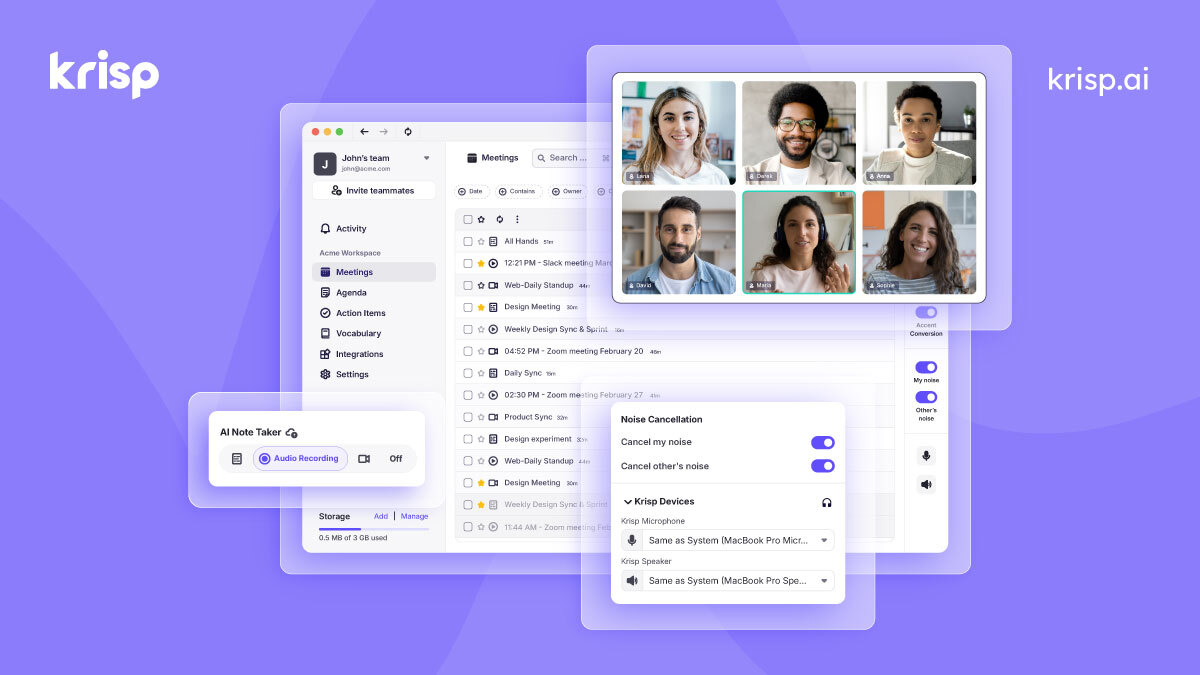
- AI noise cancellation for mic and speaker
- Meeting transcription and summaries
- Works with Zoom, Meet, Teams, Slack
- $8/user/mo billed annually
Async Communication: Reducing Meeting Fatigue
Here’s a stat that should bother every manager: the average knowledge worker spends 15.5 hours per week in meetings. About 62% of those meetings could’ve been async. That’s nearly 10 hours of wasted time every week, per person. Multiply that by your team size and you’ll see why async communication isn’t optional anymore.
Loom ($12.50/creator/month) is the best tool I’ve found for replacing unnecessary meetings. Record a 3-minute walkthrough of a design, a code review, or a project update. Share the link. Your team watches it when they have time, at 1.5x speed if they want. No scheduling conflicts. No “can everyone see my screen?” moments.
I’ve cut my weekly meeting count by roughly 35% since adopting Loom for status updates and walkthroughs. That’s about 5 hours per week I’ve reclaimed for actual work.
Notion serves as our async documentation hub. Meeting notes, project briefs, design specs, and decisions all live in Notion wikis. When someone misses a meeting (because hybrid teams span time zones), they read the Notion doc instead of asking for a recap. This alone eliminates dozens of “what did I miss?” messages per week.
The teams that thrive in hybrid work aren’t the ones with the best tools. They’re the ones who default to async and only go synchronous when it genuinely matters.
Project Management: Monday vs Notion vs Asana vs ClickUp
Monday.com is my top pick for hybrid teams that need visual project management. The Standard plan starts at $12/seat/month (minimum 3 seats) and gives you timeline views, Gantt charts, automations, and integrations with Slack, Google Drive, and 200+ other tools. The visual workflow builder is genuinely intuitive.
What makes Monday.com work specifically for hybrid teams is the dashboard system. You can build a single view that shows who’s working on what, where things are stuck, and which deadlines are approaching. Remote managers get visibility without micromanaging. Team members get clarity without constant check-ins.
Notion ($10/user/month for Plus) works as a project management tool if your team is small and flexible. It’s not as structured as Monday.com, but the ability to combine docs, databases, wikis, and task boards in one workspace reduces context-switching. I’ve seen 5-person teams run everything from Notion and love it.
Asana ($10.99/user/month) excels at task-level management. If your work is primarily task-based (content production, bug tracking, marketing campaigns), Asana’s workflow rules and custom fields are hard to beat. But it lacks the flexibility of Notion and the visual appeal of Monday.com.
ClickUp ($7/user/month) tries to do everything. And it mostly succeeds, but at the cost of complexity. The learning curve is steep. I’ve seen teams spend weeks setting up ClickUp before getting any actual work done. If you want maximum customization and don’t mind the setup time, ClickUp delivers the most features per dollar.
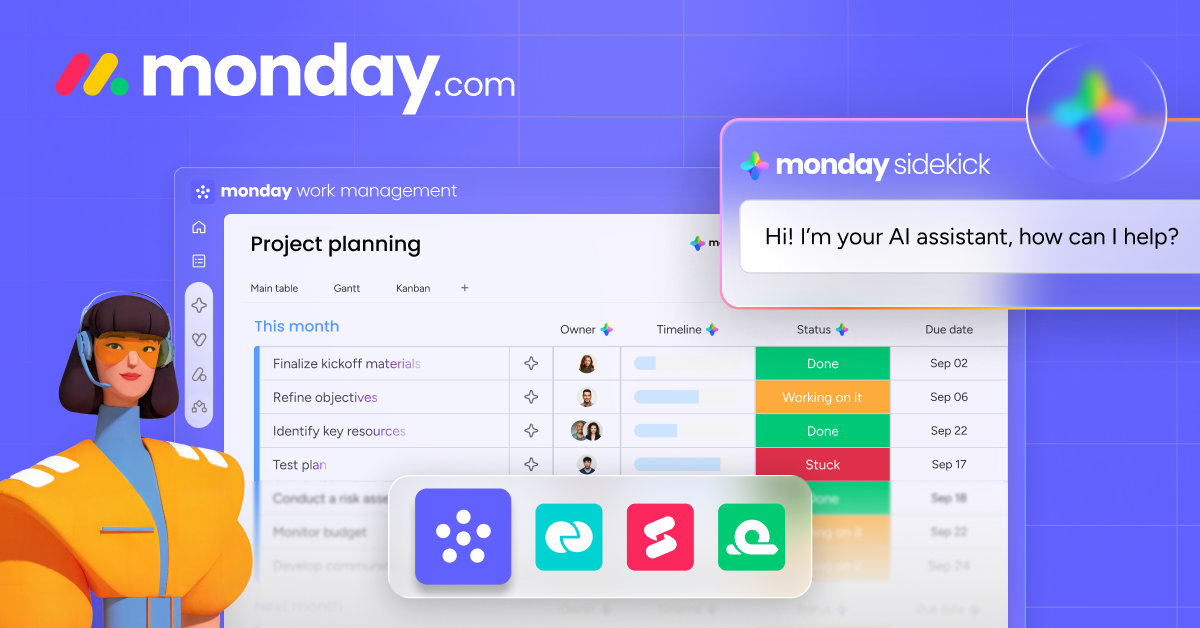
- Visual timeline and Gantt chart views
- 200+ integrations including Slack and Google
- Custom dashboards for team visibility
- Starts at $12/seat/month (3 seat minimum)
Document Collaboration: Google Workspace vs Microsoft 365 vs Notion
Google Workspace Business Starter ($7.20/user/month) is the best document collaboration platform for most hybrid teams. Real-time co-editing in Google Docs, Sheets, and Slides works flawlessly. Version history is automatic. Sharing is dead simple. And the integration with Gmail, Calendar, and Meet creates a complete work environment.
I’ve used Google Workspace across dozens of client projects and my own business for years. The collaboration features are still unmatched. When three people are editing the same doc simultaneously, you see their cursors and changes in real time. There’s no “merge conflict” problem like you get with offline editing in Microsoft apps.
Microsoft 365 Business Basic ($6/user/month) is cheaper and makes sense if your team prefers the Office apps. The web versions of Word, Excel, and PowerPoint have caught up significantly in recent years. But the co-editing experience still isn’t as smooth as Google’s, especially for large documents with multiple editors.
Notion handles a different type of document collaboration. It’s not a replacement for spreadsheets or slide decks. But for wikis, knowledge bases, meeting notes, project documentation, and internal processes, Notion is the best tool I’ve used. The ability to embed databases, kanban boards, and calendars inside a document creates living docs that stay useful.
- Real-time co-editing in Docs, Sheets, Slides
- Google Meet included for video calls
- 30GB cloud storage per user (Starter)
- Starts at $7.20/user/month
AI Productivity Tools for Hybrid Teams
AI tools aren’t optional for hybrid teams in 2026. They’re the difference between spending 20 minutes writing meeting notes and having them generated automatically. Between searching through Slack history for a decision and asking an AI to find it.
Krisp does more than noise cancellation now. The AI Meeting Assistant ($8/user/month) generates meeting transcripts, summaries, and action items automatically. After every call, you get a clean summary with key decisions and next steps. No more “who’s taking notes?” debates. For teams that average 15+ meetings per week, this saves hours.
Otter.ai ($16.99/user/month for Business) is the dedicated transcription play. It joins your Zoom, Meet, or Teams calls automatically and creates searchable transcripts. The OtterPilot feature generates action items and slides from your conversations. If your team does a lot of client calls or interviews, Otter.ai’s transcription accuracy (about 95% in my testing) is genuinely useful.
Plaud AI fills a gap that software tools can’t. The Plaud NotePin ($169 one-time) is a wearable device that records in-person conversations, then uses AI to generate transcripts and summaries. For hybrid teams where some meetings happen in physical conference rooms, this captures what software alone misses. I use it for in-person client meetings and coworking sessions where laptop recordings pick up too much ambient noise.
ChatGPT and Claude have become essential for individual productivity. I use them for drafting emails, summarizing long documents, brainstorming solutions, and generating first drafts of project briefs. The team license for ChatGPT ($25/user/month) or Claude ($20/user/month) pays for itself within the first week of use. Most team members report saving 30-60 minutes daily on routine writing and research tasks.
Time Tracking: Trust vs Monitoring
This is the most contentious category in hybrid work tools. Some managers want to know exactly what their team is doing every minute. Others think time tracking is a sign of broken trust. The truth is somewhere in between, and the tool you choose signals your management philosophy.
Hubstaff ($4.99/user/month for Starter) is on the monitoring end of the spectrum. It tracks time, takes periodic screenshots, monitors app usage, and even offers GPS tracking for field teams. Some teams genuinely need this level of visibility, especially in industries with billing requirements or compliance needs. But deploying Hubstaff without trust already in place can backfire. I’ve seen it damage team morale when implemented poorly.
Time Doctor ($7/user/month for Basic) sits in the middle. It tracks time and provides productivity scores but focuses more on insights than surveillance. The distraction alerts and work-life balance reports help individuals improve without feeling watched. For freelancers and contractors, Time Doctor’s client reporting features are useful for billing transparency.
Toggl Track ($9/user/month for Starter) takes the trust-based approach. It’s a simple timer that employees control. No screenshots, no monitoring, no surveillance. Just clean reports showing how time was spent across projects and clients. For teams that trust their people and need time data for project planning and billing, Toggl is the right fit.
The best time tracking tool is the one your team actually uses. If they feel surveilled, they’ll game the system. If they feel trusted, they’ll track honestly.
Virtual Whiteboard Tools for Remote Brainstorming
Brainstorming on a video call without a shared visual space is painful. Everyone talks over each other, ideas get lost, and you end up with a wall of text in the meeting notes that nobody reads. Virtual whiteboard tools solve this by giving hybrid teams a shared canvas.
Miro ($8/user/month for Starter) is the most feature-rich option. It handles everything from sticky note brainstorming to complex flowcharts, user journey maps, and retrospective boards. The template library is massive (2,500+ templates). And the real-time collaboration works well even with 20+ people on a board simultaneously.
FigJam (included with Figma, $5/editor/month for Professional) is cleaner and simpler. If your team already uses Figma for design, FigJam is the natural choice. The voting, emoji reactions, and timer features make it great for structured workshops. But it lacks Miro’s depth for complex diagramming.
Excalidraw is free, open-source, and surprisingly capable. It creates hand-drawn style diagrams that look great in documentation. For quick sketches and informal brainstorming, Excalidraw is faster than anything else. The tradeoff is fewer collaboration features and no template library.
Tool Consolidation: You Probably Use Too Many Tools
The average company with 200-500 employees uses 123 SaaS applications. Most teams I work with use 8-15 tools just for collaboration. That’s insane. Every additional tool adds context-switching cost, notification noise, and a new place where information gets lost.
Here’s what I’ve learned from setting up work environments for dozens of teams: Notion can replace 3-4 tools for most small teams. Use it for project management, documentation, wikis, and meeting notes. That eliminates separate subscriptions to a PM tool, a wiki tool, and a note-taking tool.
Google Workspace can replace another 2-3 tools. Gmail for email, Meet for video calls, Drive for file storage, and Docs/Sheets for documents. That’s communication, video, storage, and documents in one subscription.
A realistic minimum stack for a 10-person hybrid team looks like this:
- Communication: Slack ($72.50/month)
- Video + Docs + Storage: Google Workspace ($72/month)
- Project Management + Wiki: Notion ($100/month)
- AI Meeting Assistant: Krisp ($80/month)
- Password Security: Bitwarden ($40/month)
Total: $364.50/month for 10 people. That’s $36.45 per person per month for a complete hybrid work stack. Compare that to the $80-100+ per person that many companies spend on overlapping tools.
Security for Hybrid Teams: VPN, Passwords, and Device Management
Hybrid work expands your attack surface dramatically. People connect from home Wi-Fi, coffee shop networks, and coworking spaces. Personal devices access company data. Without basic security tooling, you’re one phishing email away from a breach.
Password management is non-negotiable. Bitwarden Teams ($4/user/month) is the best value. It’s open-source, audited, and works across every platform. 1Password Business ($7.99/user/month) offers a polished experience with better admin controls and Watchtower security monitoring. Both are excellent. I personally use 1Password but recommend Bitwarden to budget-conscious teams.
VPN for team use matters when your team works from public networks. A business VPN like NordLayer ($8/user/month) or Tailscale (free for small teams, $5/user/month for business) encrypts traffic and provides secure access to company resources. Tailscale is particularly elegant for developer teams because it creates a mesh network without complex configuration.
Device management becomes important at 20+ employees. Solutions like Kandji (Mac-focused) or Microsoft Intune (cross-platform) let you enforce security policies, push updates, and remotely wipe lost devices. Below 20 people, a good password manager and VPN cover most risk.
How to Choose the Right Tool Stack for Your Team
Don’t start with tools. Start with your team’s actual workflow. Watch how they communicate for a week. Track where information gets lost. Note which meetings feel productive and which feel like a waste. Then pick tools that solve the specific friction points you identified.
Here’s my framework for evaluating any hybrid work tool:
Adoption speed matters more than features. A tool your team uses at 60% of its capability beats a tool they ignore at 100%. Slack wins over Teams for many small teams not because it’s technically better, but because people actually enjoy using it.
Integration depth matters more than tool count. Five tools that talk to each other are better than ten tools that don’t. Before adding any new tool, check if it integrates with your existing stack.
Total cost per person per month matters more than individual tool pricing. A $15/user tool that replaces two $8/user tools is a better deal. Think in stack cost, not tool cost.
If you’re working from a Mac like most of my team, make sure every tool in your stack has a solid native app. Web-only tools drain battery and feel sluggish compared to native ones.
The hybrid teams that perform best aren’t the ones with the most tools or the most expensive tools. They’re the ones who picked a small, integrated stack and built strong habits around it. Invest in adoption, not in features.
Which remote work tool is most essential for your work?
Frequently Asked Questions
What is the minimum tool stack for a hybrid team?
At minimum you need four things: a communication platform (Slack or Teams), a video conferencing tool (Zoom or Google Meet), a document collaboration suite (Google Workspace or Microsoft 365), and a project management tool (Monday.com or Notion). Add a password manager like Bitwarden and you have a secure, functional hybrid setup for under $40 per person per month.
How much should a company spend on hybrid work tools per employee?
A reasonable budget is $30-50 per employee per month for a mid-range stack. Budget-conscious teams can get by with free and freemium tools for under $10 per person. Enterprise teams with premium tools typically spend $70-100+ per person monthly. The key is total stack cost, not individual tool pricing.
Is Slack or Microsoft Teams better for hybrid work?
Slack is better for small-to-mid teams (under 50 people) that value integrations and clean UI. Microsoft Teams is better for enterprises already invested in the Microsoft 365 ecosystem. Teams costs less ($4 vs $7.25 per user) but Slack’s integration library (2,600+ apps) and user experience give it an edge for most hybrid teams.
How do I reduce meeting fatigue in a hybrid team?
Adopt async-first communication. Use Loom for walkthroughs and updates instead of scheduling meetings. Set a policy that every meeting needs an agenda and a time limit. Default to 25-minute meetings instead of 30, and 50 instead of 60. Use Notion or Google Docs for status updates instead of standup meetings. Teams that go async-first typically cut meeting hours by 30-40%.
Should I use time tracking software for my hybrid team?
It depends on your management philosophy and business needs. Trust-based tracking (Toggl Track) works well for teams with clear deliverables and a culture of accountability. Monitoring tools (Hubstaff, Time Doctor) make sense for industries with billing requirements, compliance needs, or hourly workers. Never deploy monitoring software without first building trust and clearly communicating why it’s needed.
What AI tools are most useful for hybrid teams?
Krisp ($8/user/month) for noise cancellation and meeting summaries is the highest-ROI AI tool for hybrid teams. Otter.ai ($16.99/user/month) excels at meeting transcription. ChatGPT Team ($25/user/month) or Claude ($20/user/month) help with drafting, research, and summarization. Plaud NotePin ($169 one-time) captures in-person meetings that software tools miss.
Can Notion replace multiple tools for a small team?
Yes. For teams under 15 people, Notion can realistically replace a project management tool, a wiki platform, a meeting notes app, and a documentation tool. That’s 3-4 separate subscriptions consolidated into one $10/user/month plan. The tradeoff is that Notion does each function at 80% of what a dedicated tool offers, but the reduced context-switching usually more than compensates.
What security tools do hybrid teams need?
Every hybrid team needs a password manager (Bitwarden at $4/user/month or 1Password at $7.99/user/month), two-factor authentication enforced on all accounts, and a VPN policy for public networks. Teams with 20+ employees should also consider device management solutions like Kandji or Microsoft Intune. These basics prevent roughly 90% of common security incidents in hybrid environments.
Hybrid work isn’t going away. If anything, it’s becoming the default for knowledge workers globally. The companies that invest in the right tool stack now, and build strong adoption habits around those tools, will outperform the ones still arguing about whether people should come back to the office five days a week.
Start with the minimum viable stack. Add tools only when you’ve identified real friction. And remember: every tool you add is another notification, another login, another place where context gets lost. Simplicity wins.
Disclaimer: This site is reader-supported. If you buy through some links, I may earn a small commission at no extra cost to you. I only recommend tools I trust and would use myself. Your support helps keep gauravtiwari.org free and focused on real-world advice. Thanks. - Gaurav Tiwari