
Tips for Having More Control Over Your Life
Last year, I tracked my working hours for 30 straight days. The result shocked me: I was “working” 10 hours a day but only producing about 3.5 hours of real output. The rest? Email. Slack. Social media. Random admin tasks that felt urgent but weren’t. Context switching between writing, client calls, invoicing, and marketing with no structure whatsoever.
If you’re a solopreneur, freelancer, or blogger, you probably know this feeling. You’re the CEO, the accountant, the content creator, the customer support rep, and the IT department. Nobody’s telling you what to work on, so everything feels equally important. And when everything’s important, nothing gets done well.
I spent 14 months testing different productivity systems, from Cal Newport’s time blocking to energy management frameworks to digital minimalism experiments. I threw out what didn’t work (most of it) and kept what actually moved the needle for a one-person business. What follows are the specific systems, tools, and habits that took me from chaotic 10-hour days to focused 6-hour days with better output.
Why Solopreneurs Feel Out of Control (It’s Not a Discipline Problem)
The biggest productivity myth for solopreneurs is that you lack discipline. You don’t. You lack structure. A 9-to-5 employee has their day partitioned for them: meetings at set times, lunch at noon, a boss who decides priorities. You have none of that. Every minute of every day is a decision, and decision fatigue is real.
Research from the American Psychological Association shows that the average person makes roughly 35,000 decisions per day. Solopreneurs make even more because they’re deciding both what to work on AND how to do it. By 2 PM, your brain is cooked. Not because you’re lazy, but because you’ve been making micro-decisions since 7 AM.
There are four specific problems that hit solopreneurs harder than anyone else:
- Too many hats. You switch between writing, marketing, accounting, and client work sometimes within the same hour. Each switch costs 23 minutes of refocus time (University of California, Irvine research).
- No external accountability. Nobody notices if you spend Tuesday morning on Twitter instead of writing that blog post. The feedback loop is slow.
- Blurred boundaries. Your home office setup is also your living room. Work bleeds into evenings and weekends without a hard stop.
- Reactive mode. Email pings, client messages, and social media notifications hijack your attention. You spend all day responding instead of creating.
Time Blocking: Theme Days Changed Everything for Me
Time blocking means assigning every hour of your day to a specific task or category of tasks before the day starts. You don’t decide what to work on in the moment. You decided yesterday. Cal Newport calls this “working with intention,” and it’s the single most effective productivity change I’ve made.
But basic time blocking isn’t enough for solopreneurs. You need theme days. Instead of switching between content creation, client work, and admin every single day, you assign each day a primary focus.
Here’s the weekly template I’ve used for the past year:
- Monday: Content day. Writing, editing, publishing. No client calls, no email until noon.
- Tuesday: Client work. Deliverables, calls, project updates. All client-facing tasks batched here.
- Wednesday: Admin day. Invoicing, bookkeeping, email cleanup, tool maintenance, system fixes.
- Thursday: Client work. Second batch of deliverables and calls.
- Friday: Growth day. Marketing, SEO, networking, learning, strategic planning.
Within each theme day, I use 90-minute deep work blocks. The science backs this up. Nathaniel Kleitman’s research on ultradian rhythms shows that the brain naturally works in 90-minute cycles. After 90 minutes of focused work, you need a 15-20 minute break or your output drops sharply.
A typical content day looks like this: 7:30-9:00 AM writing (no interruptions), 9:15-9:30 break, 9:30-11:00 editing and publishing, 11:00-11:30 break and email check, 11:30-1:00 PM social media distribution and content repurposing, afternoon for research and outlining tomorrow’s work.
Energy Management Beats Time Management Every Time
Most productivity advice focuses on managing time. But time is fixed. You get 24 hours. Energy fluctuates. I can write 2,000 solid words between 7-9 AM. That same task takes me 4+ hours if I try it at 3 PM. Same person, same skill, wildly different output.
For two weeks, I tracked my energy on a 1-10 scale every hour. The pattern was obvious. My peak energy hits between 7:30-11:00 AM. There’s a significant dip after lunch (1-2:30 PM). Then a smaller second peak from 3-5 PM before I’m done for the day.
Once you know your energy pattern, the strategy is simple: match task difficulty to energy level.
- Peak energy (7:30-11 AM for me): Deep work only. Writing, strategy, complex problem solving. No email, no meetings, no admin.
- Post-lunch dip (1-2:30 PM): Email, meetings, admin tasks. Things that require presence but not peak creativity.
- Second wind (3-5 PM): Creative tasks, planning, learning. Not as sharp as morning but still productive.
- Wind down (after 5 PM): Light reading, next-day prep, or nothing at all.
I tracked this using a simple spreadsheet for the first month, then switched to time tracking tools to automate it. The data doesn’t lie. My best articles, my highest-value client work, my most creative ideas, they all came during peak hours. Protect those hours like your business depends on it. Because it does.
You don’t need more hours. You need to stop wasting your best hours on email and Slack.
The Sunday Weekly Review (30 Minutes That Save 5+ Hours)
A 30-minute Sunday review is the single highest-ROI habit for solopreneurs. I start every week knowing exactly what my three priorities are, which tasks carry over from last week, and where my time went wrong. Without this review, Monday morning becomes a scramble to figure out what to work on.
My review template has four parts, and the whole thing takes 25-30 minutes:
Part 1: Review last week (10 minutes). Open your task manager and calendar. What were your three biggest wins? What didn’t get done, and why? Where did you waste the most time? Rate the week 1-10 and write one sentence explaining why.
Part 2: Plan next week (15 minutes). Identify your three must-do tasks. These are the tasks that, if they’re the only things you accomplish, the week is still a success. Block deep work sessions in your calendar. Decide what you’re saying no to this week.
Part 3: Personal check-in (5 minutes). Sleep quality, exercise, time offline. I ignored this section for months and burned out. Don’t skip it.
I run this review in Notion with a simple weekly template. Every Sunday at 4 PM, I get a reminder. Coffee, 30 minutes, done. I’ve completed 62 consecutive weekly reviews as of writing this, and the compounding effect is real. You start seeing patterns in your productivity that you’d never notice otherwise.
Digital Minimalism: Notifications Are the Enemy
Every notification is someone else’s priority interrupting yours. I counted my notifications for one day last year: 147. Slack messages, email alerts, social media pings, app updates, news alerts. Each one pulled me out of whatever I was doing, and most of them could’ve waited hours or even days.
Here’s what I turned off, and I haven’t missed any of it:
- All social media notifications. Every single one. I check Twitter, LinkedIn, and Instagram on my schedule, not theirs. Twice a day, 15 minutes each.
- Email notifications. I batch email at 10 AM and 3 PM. Two sessions per day, 20-30 minutes each. Nobody’s ever complained.
- News and app alerts. Gone. If something’s truly important, I’ll hear about it.
- Slack/messaging. Muted all channels. I check messages at set times, not every time someone types.
I use Apple’s Focus modes aggressively. My “Deep Work” focus blocks everything except calls from family and my two biggest clients. It activates automatically during my morning writing blocks via a Shortcut automation. My “Meeting” focus allows calendar notifications but blocks social media. My “Evening” focus blocks everything work-related after 6 PM.
The Forest app was surprisingly helpful for building this habit. It gamifies focus time by growing a virtual tree that dies if you leave the app. Sounds silly, but the visual streak of not breaking focus for 90 minutes was genuinely motivating for the first few weeks until the habit stuck.
What’s your biggest productivity killer?
The Monthly “CEO Day” (Work ON Your Business, Not IN It)
Michael Gerber wrote about this in The E-Myth Revisited: most solopreneurs spend all their time working in their business (doing tasks) and zero time working on their business (improving systems, strategy, direction). I was guilty of this for years. I’d crank out client work and blog posts without ever stepping back to ask: “Is this even the right work?”
Now I block one full day per month as my CEO Day. No client work. No content production. No email. Just strategy.
My CEO Day agenda:
- Morning: Review monthly revenue, expenses, and profit. Use a business budget framework to track trends. Compare actual vs. target.
- Late morning: Analyze what’s working. Which content brings traffic? Which clients are most profitable? Where’s the 80/20?
- Afternoon: Strategic planning. What should I start doing? Stop doing? Do differently? Set 2-3 goals for next month.
- Late afternoon: Systems review. What’s still manual that could be automated? What tools am I paying for but not using?
My last CEO Day revealed that I was spending 8 hours per month on a client who paid $400 and 4 hours on a client who paid $2,200. The math was obvious. I renegotiated the first contract and freed up time for higher-value work. That single decision increased my effective hourly rate by 40%. You can’t see these patterns when you’re grinding tasks every day.
Use SMART analysis frameworks to set your monthly goals. Vague goals like “grow the blog” don’t work. “Publish 8 articles targeting keywords with 500-2000 monthly search volume” does.
Most solopreneurs never stop to ask if they’re climbing the right wall. One day per month looking at the big picture saves you from wasting the other 29.
A Morning Routine That Actually Works (No Guru Fantasy)
I’m not going to tell you to wake up at 4:30 AM, meditate for an hour, journal three pages, take a cold shower, and read 50 pages before breakfast. I’ve tried those routines. They last about 9 days before real life kills them.
My actual morning routine takes 30 minutes and has survived 14+ months of daily use. It works because it’s short enough to be non-negotiable even on bad days.
- 6:30 AM: Wake up. No phone for the first 15 minutes. Glass of water.
- 6:45 AM: 10-minute walk or stretching. Nothing intense. Just movement to wake up the body.
- 6:55 AM: Review today’s time blocks. Look at your calendar for 2 minutes. Know exactly what the first 90-minute block is.
- 7:00 AM: Coffee and start deep work immediately. No email, no social media, no news.
The critical piece is the “no phone for 15 minutes” rule. The moment you check email or social media, your brain switches to reactive mode. Someone else’s agenda becomes your morning agenda. By the time you open your laptop at 7 AM, you’ve already lost the best part of your day to other people’s priorities.
I charge my phone in another room overnight. Can’t check what you can’t reach. This single change eliminated my worst habit (doomscrolling in bed) and added roughly 40 minutes of productive time to each morning.
Tools That Support the System (Not Replace It)
Tools don’t fix broken systems. I’ve seen solopreneurs spend weeks setting up the perfect Notion workspace and never actually using it. The system comes first. Tools just make the system easier to maintain.
After testing dozens of productivity apps over the years, I’ve settled on a minimal stack:
Notion is my life dashboard. Weekly reviews, project tracking, content calendar, and client notes all live here. I use a single database with different views (Kanban for tasks, calendar for deadlines, table for the content pipeline). One tool, one source of truth. No syncing between apps.
- Weekly review templates with recurring reminders
- Kanban, calendar, and table views in one database
- Free plan covers most solopreneur needs
- Works on desktop, mobile, and web
Google Calendar (via Google Workspace) handles all time blocking. I color-code by theme: red for content, blue for client work, yellow for admin, green for growth. When I look at my week, I can instantly see if the balance is off. If I see too much yellow and not enough red, I know I’m spending too much time on admin and not enough on content creation.
- Color-coded calendar for theme-day time blocking
- Gmail with snooze and scheduled send for email batching
- Starts at $7.20/month for Business Starter
- 30 GB cloud storage included
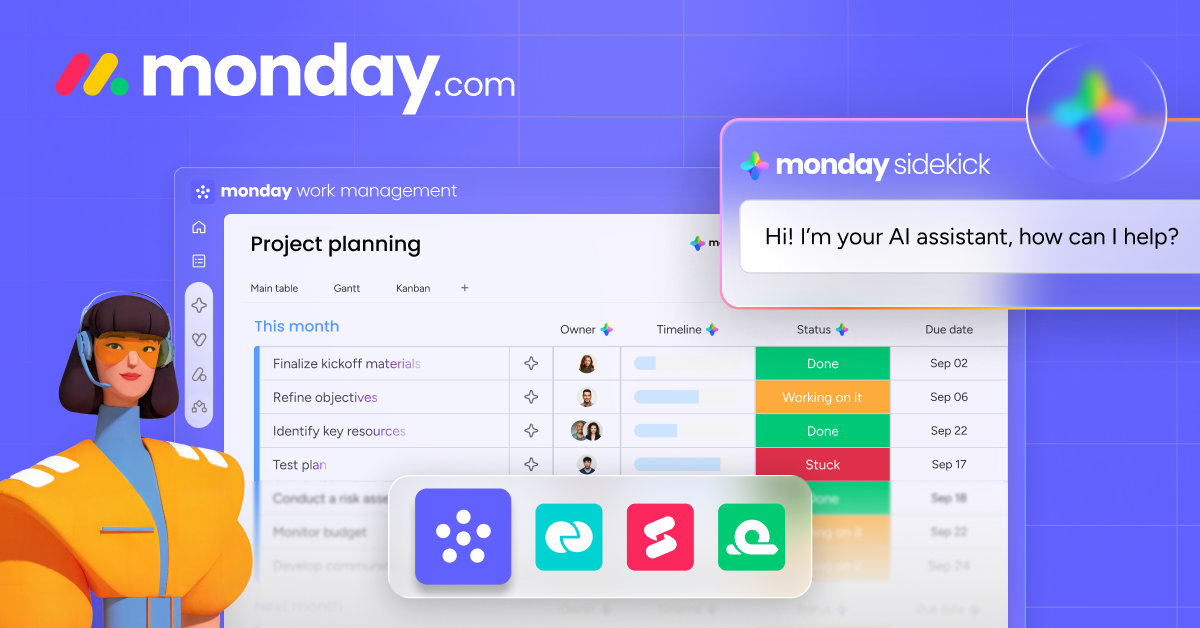
Monday.com works well if you need visual project management with more structure than Notion. I’ve used it for complex client projects where multiple deliverables need tracking across different timelines. The automation features save time on repetitive status updates.
- Automations for recurring tasks and status changes
- Multiple views: Gantt, Kanban, timeline, calendar
- Free plan for up to 2 seats
- 200+ integrations with other tools
Apple Focus Modes are free and built into every iPhone and Mac. Set up three modes (Deep Work, Meetings, Evening) and attach them to time-based automations. This is the easiest productivity win available to any Apple user.
The Art of Saying No (A Framework That Works)
Saying yes to everything is the fastest way to lose control of your schedule. Every “yes” to someone else’s request is a “no” to something on your own priority list. But saying no feels terrible, especially when you’re a solopreneur who depends on relationships for referrals and revenue.
I use a simple 3-question filter for every request that comes in:
- Does this align with my current quarterly goal? If not, it’s a no unless there’s a compelling financial or relationship reason.
- Is this a “hell yes” or just a “sure, I guess”? Derek Sivers nailed this. If it’s not a strong yes, it’s a no. The mediocre opportunities crowd out the great ones.
- What am I giving up? Every hour spent on someone else’s request is an hour taken from my content, my clients, or my health. Make the tradeoff explicit.
Practical scripts that work without burning bridges:
- “I’d love to help, but I’m at capacity this month. Can we revisit in March?”
- “I can’t take this on right now, but here’s someone who might be a great fit: [referral].”
- “My schedule is booked through March 26, 2026. If this can wait until then, I’m happy to discuss.”
I said no to 23 requests last quarter. Guest post invitations, podcast appearances, “quick calls” that were never quick, and collaboration proposals that sounded interesting but didn’t align with my goals. That freed up roughly 40+ hours. Hours that went into content that actually grew my business.
The gig economy and coworking culture makes this harder because there’s constant pressure to network, collaborate, and say yes to every opportunity. But the solopreneurs who succeed long-term are the ones who protect their time ruthlessly.
Financial Control: 15 Minutes Per Month (Not 15 Hours)
Money stress is one of the biggest drivers of feeling out of control. But most solopreneurs either obsess over finances (checking revenue dashboards 5 times a day) or ignore them completely until tax season. Both approaches fail.
My financial system takes 15 minutes per month and covers everything a one-person business needs:
- Separate accounts. Business checking, business savings (for taxes), and personal. Money goes from clients into business checking, 30% auto-transfers to tax savings, the rest is operating income. This alone eliminates the “wait, can I afford this?” anxiety.
- Monthly 15-minute review. Check business account balance. Review outstanding invoices. Cancel any unused subscriptions. Compare this month’s revenue to last month’s. Done.
- Automated savings. 10% of every payment goes to an emergency fund until it hits 3 months of expenses. After that, it goes to a growth fund for tools, courses, and investments back into the business.
- Invoice on the same day every week. I invoice every Wednesday on admin day. No more forgotten invoices or awkward “hey, did you get my invoice?” follow-ups two months later.
I built my business budget using a simple spreadsheet. Nothing fancy. Income, fixed expenses, variable expenses, profit. When I can see the numbers clearly, the stress disappears. It’s the uncertainty that causes anxiety, not the actual numbers.
Putting It All Together: The Weekly Rhythm
Individual productivity hacks don’t work in isolation. You need a system where each piece reinforces the others. Here’s how everything connects into a weekly rhythm:
Sunday evening (30 min): Weekly review. Assess last week, plan next week, set your three priorities.
Each morning (30 min): Morning routine. No phone, movement, review time blocks, start deep work by 7 AM.
Each day: Follow your theme day. Use 90-minute deep work blocks during peak energy. Batch email twice daily. Let Focus modes handle notifications.
Each evening (5 min): Quick shutdown ritual. Review what got done, note tomorrow’s first task, close the laptop. Done means done.
First of every month (4-6 hours): CEO Day. Review finances, analyze what’s working, strategic planning, systems review.
This system isn’t about perfection. I follow it about 80% of the time. Some Mondays, a client emergency breaks the content day. Some mornings, I check email before my deep work block because I’m waiting on something time-sensitive. That’s fine. The structure is there to catch you when discipline fails. And discipline always fails eventually.
The difference between a productive week and a wasted week isn’t willpower. It’s whether you had a plan before the week started. The weekly review creates the plan. Theme days create the structure. Energy management tells you when to do the hard stuff. And saying no protects the whole system from being destroyed by other people’s priorities.
Start with one piece. If I had to pick the single most impactful change, it’s the Sunday weekly review. Do that for four weeks and everything else will follow naturally. You’ll start seeing where your time goes, which leads to time blocking, which leads to energy management, which leads to saying no to the wrong things. The system builds itself once you have the data.
Control over your life isn’t about doing more. It’s about deciding less. Build the systems, follow the rhythms, and let the structure do the heavy lifting so your brain can focus on the work that matters.
Frequently Asked Questions
How long does it take for time blocking to feel natural?
About 3-4 weeks of consistent practice. The first week feels rigid and uncomfortable. By week two, you’ll start noticing you’re getting more done in less time. By week four, you’ll feel anxious on days when you don’t have your blocks set up. Start with just blocking your morning deep work session and expand from there.
What if clients need me on a day that’s not a client day?
True emergencies are rare. Most “urgent” requests can wait 24 hours. Tell clients upfront: “I’m available for calls on Tuesdays and Thursdays. For urgent issues, text me and I’ll respond within 4 hours.” Most clients respect boundaries when you set them clearly. The ones who don’t are usually not worth keeping.
Is Notion better than Trello or Asana for solopreneurs?
For solopreneurs, Notion wins because it replaces multiple tools. You get notes, tasks, databases, and wikis in one app. Trello is simpler but limited to Kanban boards. Asana is built for teams and feels overbuilt for one person. Notion’s free plan is generous enough for most solopreneurs. Only upgrade if you need unlimited file uploads or team collaboration.
How do I find my peak energy hours?
Track your energy on a 1-10 scale every hour for two weeks. Use a simple spreadsheet or even a paper notebook. Rate how focused, creative, and motivated you feel. After two weeks, the pattern becomes obvious. Most people peak 2-4 hours after waking and have a second, smaller peak in the late afternoon. Your pattern may differ, which is why tracking matters.
What’s the best way to batch email without missing important messages?
Set up VIP notifications for your top 5-10 contacts (biggest clients, business partners, family). These bypass your Do Not Disturb settings. Everyone else waits for your scheduled email check at 10 AM and 3 PM. Add an auto-responder that says: “I check email twice daily at 10 AM and 3 PM. For urgent matters, text me at [number].” Most people adjust within a week.
Do theme days work if I only work 3-4 days per week?
Yes, but you’ll need to combine themes. A 3-day schedule might look like: Monday = Content + Marketing, Wednesday = Client Work, Friday = Admin + Strategy. The key is still batching similar tasks together. Even with fewer days, you’re reducing context switching, which is where most productivity is lost.
How do I stop checking my phone first thing in the morning?
Charge your phone in a different room. Buy a $10 alarm clock so you can’t use “I need my phone alarm” as an excuse. The physical distance is everything. When the phone is on your nightstand, checking it is effortless. When it’s in the kitchen, you have to make a conscious decision to walk there and pick it up. That 15-second delay is enough to break the habit within a week.
What if I try all of this and still feel overwhelmed?
Don’t try all of it at once. Start with the Sunday weekly review only. Do it for four weeks. Then add time blocking. Then energy management. Layering one habit at a time has a much higher success rate than overhauling everything at once. If you’re still overwhelmed after implementing the full system, the issue might not be productivity. It might be that you’ve taken on too much work. The CEO Day review will help you see that clearly.
Disclaimer: This site is reader-supported. If you buy through some links, I may earn a small commission at no extra cost to you. I only recommend tools I trust and would use myself. Your support helps keep gauravtiwari.org free and focused on real-world advice. Thanks. - Gaurav Tiwari